When a custom policy is no longer needed, you can delete it.
Warning
Deleting a custom policy is an irreversible action. When you delete a policy, all its versions are permanently removed. If the policy is attached to any RAM users, user groups, or RAM roles, they will immediately lose the permissions granted by the policy. This can impact your applications and services. Proceed with caution.
Procedure
Log on to the Resource Access Management (RAM) console as a RAM administrator.
In the left-side navigation pane, choose .
On the Policies page, find the target custom policy and click Delete Policy in the Actions column.
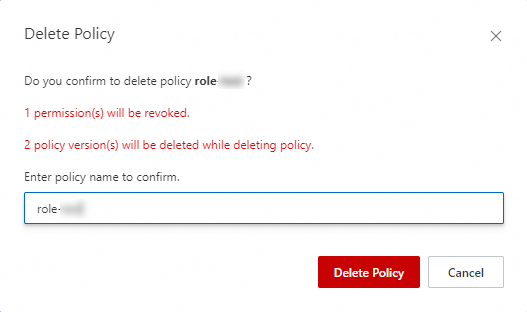
In the Delete Policy dialog box, enter the name of the policy and click Delete Policy.