TimescaleDB extends ApsaraDB RDS for PostgreSQL with automatic sharding, efficient writes, retrieval, and near real-time aggregation of time series data — making it well suited for IoT telemetry, application metrics, and financial tick data.
ApsaraDB RDS for PostgreSQL supports the open source (Apache-licensed) TimescaleDB extension only. Features that require the Timescale commercial license are unavailable. For details, see TimescaleDB.
Prerequisites
Before you begin, ensure that you have:
-
An RDS instance running PostgreSQL 10 or later
-
A minor engine version of 20230330 or later (PostgreSQL 17 requires 20241030 or later)
To check and update the minor engine version, see Update the minor engine version of an ApsaraDB RDS for PostgreSQL instance.
Starting April 17, 2023, some extensions can no longer be created on instances running minor engine versions earlier than 20230330. For details, see [Notice] Starting April 17, 2023, some extensions can no longer be created for ApsaraDB RDS for PostgreSQL instances that run earlier minor engine versions.
-
PostgreSQL 14 with TimescaleDB 2.5.0 or earlier: If the minor engine version is earlier than 20230330, run
ALTER EXTENSION timescaledb UPDATE;after updating to 20230330 or later. -
PostgreSQL 10, 11, 12, 13, and 15: Existing TimescaleDB installations are not affected by the minor engine version requirement.
-
First-time installation or reinstallation: Update the minor engine version to 20230330 or later before proceeding.
If TimescaleDB was already installed before a minor engine version update, the following error may appear afterward: Run the following statement to resolve it:
ERROR: could not access file "$libdir/timescaledb-1.3.0": No such file or directoryALTER EXTENSION timescaledb UPDATE;Step 1: Install the extension
Install via the console
-
Go to the Instances page. Select the region from the top navigation bar and click the ID of your instance.
-
In the left-side navigation pane, click Plug-ins.
-
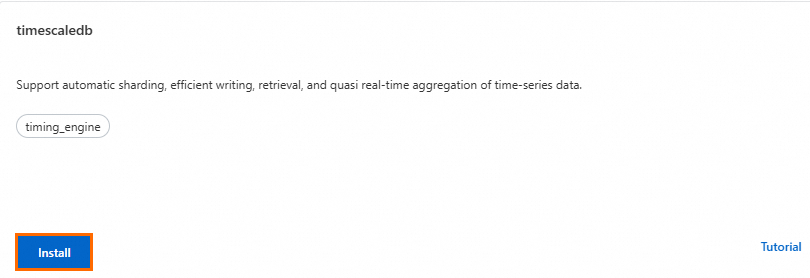
On the Extension Marketplace tab, find the timescaledb section and click Install.
-
In the dialog box, select a database and a privileged account, then click Install.
The extension is ready when the instance status changes from Maintaining Instance to Running.
Install via SQL
-
Add
timescaledbto theshared_preload_librariesparameter. For example, set the Running Value to'pg_stat_statements,auto_explain,timescaledb'. For details, see Modify the parameters of an ApsaraDB RDS for PostgreSQL instance. -
Connect to the target database and run:
CREATE EXTENSION IF NOT EXISTS timescaledb CASCADE;
To verify the installation, run SELECT * FROM pg_extension; and confirm that timescaledb appears in the results.
Step 2: Create a hypertable
A hypertable is TimescaleDB's core data structure for time series data. It is automatically partitioned by time — and optionally by an additional dimension — so query performance remains stable as data grows.
-
Connect to the database and create a standard table:
CREATE TABLE conditions ( time TIMESTAMPTZ NOT NULL, location TEXT NOT NULL, temperature DOUBLE PRECISION NULL, humidity DOUBLE PRECISION NULL ); -
Convert the table to a hypertable, partitioned by the
timecolumn:SELECT create_hypertable('conditions', 'time');
For more configuration options, see Create hypertables.
Step 3: Insert data
Use standard INSERT statements — TimescaleDB routes each row to the correct chunk automatically.
Single row:
INSERT INTO conditions(time, location, temperature, humidity)
  VALUES (NOW(), 'office', 70.0, 50.0);
Multiple rows (recommended for higher throughput):
INSERT INTO conditions
  VALUES
    (NOW(), 'office', 70.0, 50.0),
    (NOW(), 'basement', 66.5, 60.0),
    (NOW(), 'garage', 77.0, 65.2);
Batching rows in a single INSERT is more efficient because TimescaleDB groups them by chunk and writes each chunk in one transaction.
Step 4: Query data
TimescaleDB extends standard PostgreSQL with time-specific SQL functions. The following examples use the conditions table created in Step 2.
Group data into time buckets
time_bucket() rounds timestamps to a fixed interval, making it easy to compute per-period aggregates.
-- Aggregate data into 15-minute buckets over the last 3 hours.
SELECT time_bucket('15 minutes', time) AS fifteen_min,
    location,
    COUNT(*),
    MAX(temperature) AS max_temp,
    MAX(humidity) AS max_hum
  FROM conditions
  WHERE time > NOW() - INTERVAL '3 hours'
  GROUP BY fifteen_min, location
  ORDER BY fifteen_min DESC, max_temp DESC;
Sample result:
      fifteen_min       | location | count | max_temp | max_hum
------------------------+----------+-------+----------+---------
 2024-12-20 16:00:00+08 | garage   |     1 |       77 |    65.2
 2024-12-20 16:00:00+08 | office   |     2 |       70 |      50
 2024-12-20 16:00:00+08 | basement |     1 |     66.5 |      60
Calculate a moving average
Use a standard SQL window function to smooth noisy sensor data:
-- 10-reading moving average for garage temperature over the last day.
SELECT time,
    AVG(temperature) OVER(
      ORDER BY time
      ROWS BETWEEN 9 PRECEDING AND CURRENT ROW
    ) AS smooth_temp
  FROM conditions
  WHERE location = 'garage'
    AND time > NOW() - INTERVAL '1 day'
  ORDER BY time DESC;
Sample result:
            time              | smooth_temp
------------------------------+-------------
 2024-12-20 16:11:14.691822+08 |          77
Calculate the median
Use the standard PostgreSQL percentile_cont function to find the median or any other percentile:
-- Median temperature across all records.
SELECT percentile_cont(0.5)
    WITHIN GROUP (ORDER BY temperature)
  FROM conditions;
Sample result:
 percentile_cont
-----------------
              70
Troubleshooting
License error
Error:
ERROR:  functionality not supported under the current license "ApacheOnly", license
HINT:  Upgrade to a Timescale-licensed binary to access this free community feature
ApsaraDB RDS for PostgreSQL ships the open source (Apache-licensed) build of TimescaleDB. Features that require the Timescale commercial license are unavailable because that license prohibits use in database-as-a-service or software-as-a-service offerings. For details, see Section 2.2 of the TimescaleDB License Agreement.
Concurrent index creation error
Error:
hypertables do not support concurrent index creation.TimescaleDB does not support CREATE INDEX CONCURRENTLY on hypertables. Use the following alternative, which reduces lock holding time by creating the index one chunk at a time:
CREATE INDEX ON conditions (location, time)
  WITH (timescaledb.transaction_per_chunk);
For details, see Timescale documentation.