By Wuzhe
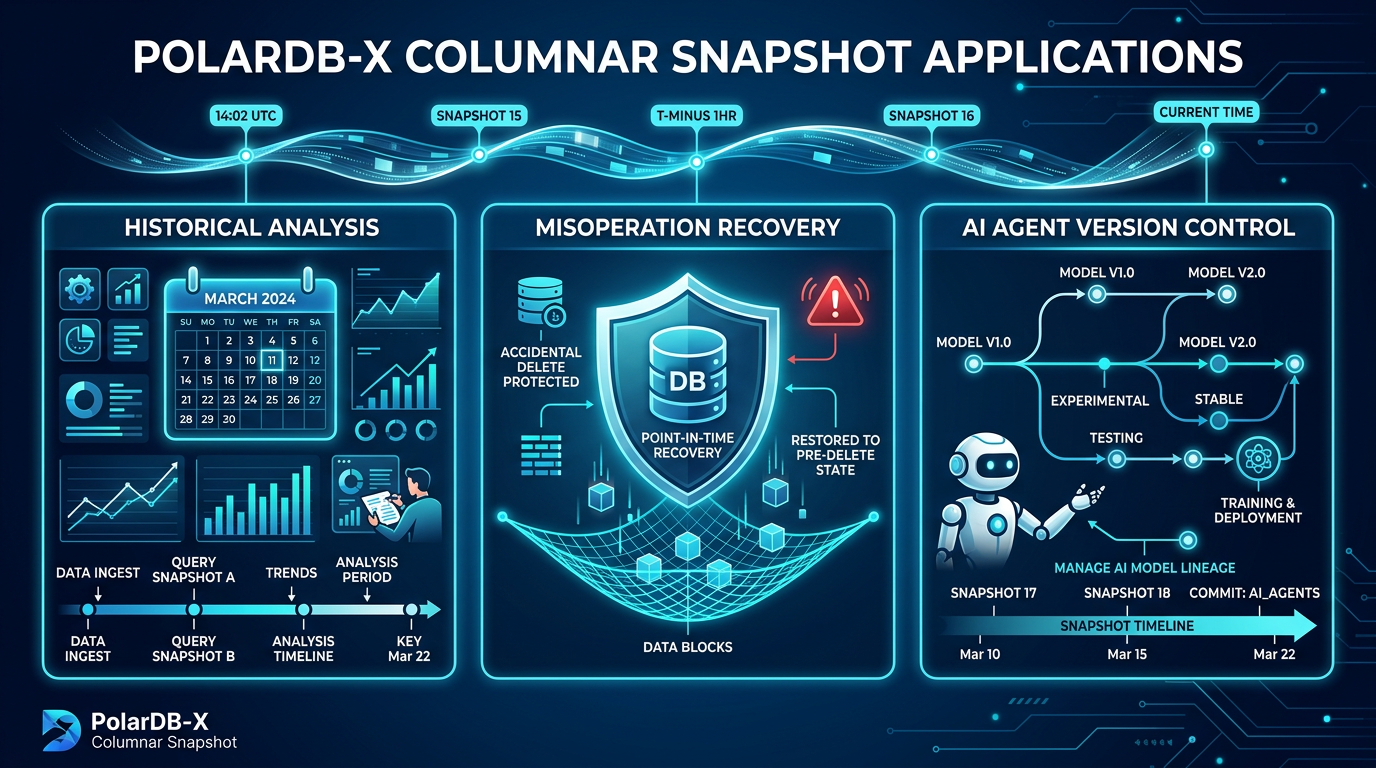
This article is the second in the Columnar Snapshot series, focusing on practical demonstrations. In the previous article "Principles of PolarDB-X IMCI and Columnar Snapshots", we introduced the principles of columnar snapshots—version chains, the Purge mechanism, and the internal implementation of snapshot construction and querying. This article no longer discusses the principles. Instead, this article uses some demonstrations to simulate three typical application scenarios:
The core capability of columnar snapshots is to restore the complete picture of data at a certain point in time in the past. For tables such as inventory and user levels that are frequently updated, the old values are lost after modification. However, snapshots allow you to "go back to the past and take a look" at any time to query the complete state at that time.
Taking an e-commerce platform as an example, the data of two types of tables changes frequently:
Inventory table: This table records the current inventory quantity of each product. Every order and every replenishment will directly UPDATE the inventory value. The table always contains only the latest numbers. If you want to know "what the inventory levels of each warehouse were at the end of last month" at the beginning of the month, you can only rely on exporting in advance without snapshots. If an Extract, Transform, Load (ETL) fails, the historical data will be interrupted.
User table: This table records information such as user levels, membership status, and points. User upgrades, downgrades, and renewals will directly modify these fields. If the operations team wants to analyze the "membership churn rate over the past three months", the team needs to know the distribution of membership status at the end of each month. This is also a typical scenario for snapshot queries.
With columnar snapshots, you only need to take snapshots regularly (such as daily or monthly). Subsequently, you can restore the complete picture of data at any snapshot moment through SELECT ... AS OF TSO. You do not need ETL exports or additional historical tables.
Another increasingly realistic problem is: Who will protect your data from being corrupted with "good intentions"?
Today, as AI agents increasingly participate in database operations, an incorrectly written UPDATE or DELETE may modify the entire table within a few seconds. Manual operations are similar. Almost every database administrator (DBA) has experienced or heard of the classic accident of "forgetting to add a WHERE condition".
The traditional recovery method is to restore the entire instance from a backup. This means applying for resources, creating a new instance, replaying the Binlog, and waiting for the data to catch up. The entire process may take several hours. Moreover, the entire instance is restored, and you cannot restore only the affected tables.
Columnar snapshots provide a lighter-weight solution: You can take a snapshot before key operations. If the data is corrupted, you can directly query the historical data in the snapshot through SELECT ... AS OF TSO to confirm the scope of impact. Then, you can "retrieve" the data through INSERT ... SELECT ... AS OF TSO and write the data to the current table or a temporary table. The entire process only requires a few Structured Query Language (SQL) statements. You do not need a new instance or to wait for Binlog replay. The recovery time is shortened from hours to minutes.
Code has Git, but data does not. This is particularly painful in AI agent development.
The agent automatically generates and executes SQL. The agent may modify it correctly in one attempt, or it may modify it incorrectly. The traditional practice is to manually back up data before each experiment or write a complex set of rollback scripts. However, as the number of experiments increases, backup files pile up, and rollback logic becomes increasingly difficult to maintain.
Snapshots can bring version management capabilities similar to Git to the database:
• commit: You can take snapshots at key nodes to record the current data state.
• reset: You can restore data from any snapshot, which is equivalent to git reset --hard.
• diff: You can compare the data differences between two snapshots to quantify the effects of different schemes.
• branch: You can try multiple directions from the same snapshot without interfering with each other.
Developers can confidently let the agent boldly experiment because they can "reload and restart" at any time.
This mechanism is also applicable to checkpoint management in large model training. You need to frequently save model parameters during the training process to recover from interruptions or backtrack to a certain node to try new directions. The traditional practice is to save the full amount of each checkpoint. However, in reality, after the training reaches a certain stage, the parameter differences between adjacent checkpoints are very small. This is because the learning rate decays, the model gradually converges, and parameter-efficient fine-tuning technologies such as Low-Rank Adaptation (LoRA) update only a small number of parameters. The incremental storage feature of snapshots naturally fits this scenario. Only the changed parts are recorded, and multiple checkpoints share the underlying storage. This significantly reduces storage costs.
Next, we use the inventory table and the user table as examples to simulate these three scenarios in the test environment through complete Structured Query Language (SQL) scripts. We recommend that readers read and practice at the same time. You can personally execute these SQL scripts to gain a deeper understanding.
This section creates two example tables and imports initial data for subsequent scenario demonstrations.
CREATE DATABASE IF NOT EXISTS snapshot_demo mode=auto;
USE snapshot_demo;

-- Inventory table: records the current inventory of each product in each warehouse
CREATE TABLE inventory (
    product_id BIGINT NOT NULL,
    warehouse_id INT NOT NULL,
    quantity INT NOT NULL DEFAULT 0,
    updated_at DATETIME DEFAULT CURRENT_TIMESTAMP ON UPDATE CURRENT_TIMESTAMP,
    PRIMARY KEY (product_id, warehouse_id)
) PARTITION BY KEY(product_id) PARTITIONS 4;

-- Create a columnar index
CREATE CLUSTERED COLUMNAR INDEX cci_inventory ON inventory (product_id)
columnar_options='{
    "type":"snapshot",
    "snapshot_retention_days":"7"
}';-- User table: records the user level and membership status
CREATE TABLE users (
user_id BIGINT NOT NULL AUTO_INCREMENT,
username VARCHAR(64) NOT NULL,
level TINYINT NOT NULL DEFAULT 1 COMMENT 'User level 1 to 5',
membership VARCHAR(16) NOT NULL DEFAULT 'none' COMMENT 'none/active/expired',
points INT NOT NULL DEFAULT 0,
created_at DATETIME DEFAULT CURRENT_TIMESTAMP,
updated_at DATETIME DEFAULT CURRENT_TIMESTAMP ON UPDATE CURRENT_TIMESTAMP,
PRIMARY KEY (user_id)
) PARTITION BY KEY(user_id) PARTITIONS 4;
-- Create a columnar index
CREATE CLUSTERED COLUMNAR INDEX cci_users ON users (user_id)
columnar_options='{
"type":"snapshot",
"snapshot_retention_days":"7"
}';-- Inventory data: 3 products × 2 warehouses
INSERT INTO inventory (product_id, warehouse_id, quantity) VALUES
(1001, 1, 500),
(1001, 2, 300),
(1002, 1, 200),
(1002, 2, 150),
(1003, 1, 1000),
(1003, 2, 800);
-- User data: 6 users, different levels and membership statuses
INSERT INTO users (username, level, membership, points) VALUES
('alice', 3, 'active', 1200),
('bob', 2, 'active', 800),
('charlie', 1, 'none', 100),
('diana', 4, 'active', 2500),
('eve', 2, 'expired', 600),
('frank', 1, 'none', 50);The columnar index synchronizes data asynchronously, and the delay is usually at the second level. You can execute the following commands to confirm that the data is synchronized:
-- Verify the columnar data
SELECT COUNT(*) FROM inventory FORCE INDEX(cci_inventory);
-- Expected result: 6

SELECT COUNT(*) FROM users FORCE INDEX(cci_users);
-- Expected result: 6
At this point, the environment preparation is complete. Next, we enter the practical demonstration of the two scenarios.
This scenario simulates the change process of inventory and user data within a month. It demonstrates how to query historical states and perform comparative analysis based on snapshots created at different points in time.
We simulate data changes in two stages. We create a snapshot after each stage ends.
-- Simulate order consumption of inventory
UPDATE inventory SET quantity = quantity - 120 WHERE product_id = 1001 AND warehouse_id = 1;
UPDATE inventory SET quantity = quantity - 80 WHERE product_id = 1002 AND warehouse_id = 1;
UPDATE inventory SET quantity = quantity - 200 WHERE product_id = 1003 AND warehouse_id = 2;

-- Simulate user changes: charlie activates membership, eve renews membership
UPDATE users SET level = 2, membership = 'active', points = 300 WHERE username = 'charlie';
UPDATE users SET membership = 'active', points = 800 WHERE username = 'eve';

-- Create a snapshot: recorded as "mid-month snapshot"
CALL polardbx.columnar_flush('snapshot_demo', 'inventory', 'cci_inventory');
-- Record the returned Timestamp Oracle (TSO). Assume it is @tso_mid
CALL polardbx.columnar_flush('snapshot_demo', 'users', 'cci_users');
You can record the TSO value returned by columnar_flush, which is required for subsequent queries.
-- Simulate replenishment + continued consumption
UPDATE inventory SET quantity = quantity + 300 WHERE product_id = 1001 AND warehouse_id = 1;
UPDATE inventory SET quantity = quantity - 50 WHERE product_id = 1002 AND warehouse_id = 2;
UPDATE inventory SET quantity = quantity - 150 WHERE product_id = 1003 AND warehouse_id = 1;

-- Simulate user changes: bob upgrades, alice's points increase, frank activates membership
UPDATE users SET level = 3, points = 1500 WHERE username = 'bob';
UPDATE users SET points = 1800 WHERE username = 'alice';
UPDATE users SET level = 2, membership = 'active', points = 200 WHERE username = 'frank';

-- Create a snapshot: recorded as "end-of-month snapshot"
CALL polardbx.columnar_flush('snapshot_demo', 'inventory', 'cci_inventory');
-- Record the returned TSO. Assume it is @tso_end
CALL polardbx.columnar_flush('snapshot_demo', 'users', 'cci_users');
After the snapshot is created, the business continues to write data.
-- A new round of orders consumes inventory
UPDATE inventory SET quantity = quantity - 60 WHERE product_id = 1001 AND warehouse_id = 2;
UPDATE inventory SET quantity = quantity - 30 WHERE product_id = 1003 AND warehouse_id = 1;

-- diana's membership expires, charlie's points increase
UPDATE users SET membership = 'expired' WHERE username = 'diana';
UPDATE users SET points = 500 WHERE username = 'charlie';
At this time, we have recorded 2 snapshots in the middle and at the end of the month. The current latest data has changed again after the end-of-month snapshot. This means that these 2 snapshots are different from the latest data.
Now, you can use AS OF TSO to query the inventory and user states at each point in time.
You can query the inventory of the mid-month snapshot.
-- You can replace @tso_mid with the actual TSO value.
SELECT product_id, warehouse_id, quantity
FROM inventory AS OF TSO @tso_mid FORCE INDEX(cci_inventory)
ORDER BY product_id, warehouse_id;
Expected result:
| product_id | warehouse_id | quantity |
|---|---|---|
| 1001 | 1 | 380 |
| 1001 | 2 | 300 |
| 1002 | 1 | 120 |
| 1002 | 2 | 150 |
| 1003 | 1 | 1000 |
| 1003 | 2 | 600 |
You can query the user states of the mid-month snapshot.
SELECT username, level, membership, points
FROM users AS OF TSO @tso_mid FORCE INDEX(cci_users)
ORDER BY user_id;
Expected results:
| username | level | membership | points |
|---|---|---|---|
| alice | 3 | active | 1200 |
| bob | 2 | active | 800 |
| charlie | 2 | active | 300 |
| diana | 4 | active | 2500 |
| eve | 2 | active | 800 |
| frank | 1 | none | 50 |
charlie has become an active member, but bob is still level 2, and frank is still a non-member.
You can query the current latest data for comparison.
SELECT product_id, warehouse_id, quantity
FROM inventory FORCE INDEX(cci_inventory)
ORDER BY product_id, warehouse_id;| product_id | warehouse_id | quantity |
|---|---|---|
| 1001 | 1 | 680 |
| 1001 | 2 | 240 |
| 1002 | 1 | 120 |
| 1002 | 2 | 100 |
| 1003 | 1 | 820 |
| 1003 | 2 | 600 |
SELECT username, level, membership, points
FROM users FORCE INDEX(cci_users)
ORDER BY user_id;| username | level | membership | points |
|---|---|---|---|
| alice | 3 | active | 1800 |
| bob | 3 | active | 1500 |
| charlie | 2 | active | 500 |
| diana | 4 | expired | 2500 |
| eve | 2 | active | 800 |
| frank | 2 | active | 200 |
You can see that there is a significant difference between the mid-month snapshot and the current latest data: the inventory values are different, and the user levels and membership statuses are also different.
The value of snapshots lies not only in viewing a single point in time, but you can also compare the changes between two snapshots.
You can compare the inventory changes between the mid-month and the end of the month.
SELECT
    end.product_id,
    end.warehouse_id,
    mid.quantity AS mid_quantity,
    end.quantity AS end_quantity,
    end.quantity - mid.quantity AS quantity_change
FROM inventory AS OF TSO @tso_end AS end FORCE INDEX(cci_inventory)
JOIN inventory AS OF TSO @tso_mid AS mid FORCE INDEX(cci_inventory)
  ON end.product_id = mid.product_id
  AND end.warehouse_id = mid.warehouse_id
ORDER BY end.product_id, end.warehouse_id;
This query directly compares the inventory differences between the mid-month and end-of-month snapshots, and you can see which products consumed inventory and which products were replenished in the second half of the month.
| product_id | warehouse_id | mid_quantity | end_quantity | quantity_change |
|---|---|---|---|---|
| 1001 | 1 | 380 | 680 | 300 |
| 1001 | 2 | 300 | 300 | 0 |
| 1002 | 1 | 120 | 120 | 0 |
| 1002 | 2 | 150 | 100 | -50 |
| 1003 | 1 | 1000 | 850 | -150 |
| 1003 | 2 | 600 | 600 | 0 |
Product 1001 in warehouse 1 was replenished by 300, while product 1002 in warehouse 2 and product 1003 in warehouse 1 consumed 50 and 150 respectively.
You can compare the membership status changes between the mid-month and the end of the month.
SELECT
    cur.username,
    mid.level AS mid_level,
    cur.level AS end_level,
    mid.membership AS mid_membership,
    cur.membership AS end_membership,
    cur.points - mid.points AS points_change
FROM users AS OF TSO @tso_end AS cur
JOIN users AS OF TSO @tso_mid AS mid
  ON cur.user_id = mid.user_id
ORDER BY cur.user_id;| username | mid_level | end_level | mid_membership | end_membership | points_change |
|---|---|---|---|---|---|
| alice | 3 | 3 | active | active | 600 |
| bob | 2 | 3 | active | active | 700 |
| charlie | 2 | 2 | active | active | 0 |
| diana | 4 | 4 | active | active | 0 |
| eve | 2 | 2 | active | active | 0 |
| frank | 1 | 2 | none | active | 150 |
You can clearly see that in the second half of the month, bob was upgraded from level 2 to level 3, frank was activated from a non-member to an active member, and the points of alice, bob, and frank all increased. This type of cross-snapshot comparison requires maintaining two sets of historically exported data and then performing a JOIN operation in traditional solutions, whereas snapshot queries only require a single SQL statement.
Compared with traditional ETL exports, the advantages of using snapshots for historical analysis are:
• No data movement required: You do not need to regularly export data to a data warehouse or historical table, because snapshot data remains in place.
• No additional storage required: Multiple snapshots share the underlying physical files, and storage costs will not multiply because historical data is retained.
• No impact on business writes: Taking a snapshot is an instantaneous operation, and you do not need to pause business operations to ensure the consistency of exported data.
• No gaps: As long as you take snapshots regularly, you will not lose historical data because an ETL task fails.
• Flexible comparison: You can JOIN multiple snapshots in the same SQL statement to directly calculate the amount of change, and you do not need to stitch data together at the application layer.
This scenario simulates a typical misoperation incident: when operations and maintenance personnel cleaned up test data, they wrote the wrong column name, which accidentally deleted the entire user table because of implicit type conversion. We demonstrate how to recover data within a few minutes through snapshots.
Before you perform any high-risk operations, you can take a snapshot as a safe point.
-- Take a snapshot to record the current data status
CALL polardbx.columnar_flush('snapshot_demo', 'users', 'cci_users');
-- Record the returned Timestamp Oracle (TSO), assuming it is @tso_safe
The status of the user table at this time (6 real users):
| username | level | membership | points |
|---|---|---|---|
| alice | 3 | active | 1800 |
| bob | 3 | active | 1500 |
| charlie | 2 | active | 500 |
| diana | 4 | expired | 2500 |
| eve | 2 | active | 800 |
| frank | 2 | active | 200 |
To test the function, the operations and maintenance personnel first inserted a batch of test users with level = 0 (the level of normal business data will not be 0):
-- Insert test data
INSERT INTO users (username, level, membership, points) VALUES
('test_user_1', 0, 'none', 0),
('test_user_2', 0, 'none', 0),
('test_user_3', 0, 'none', 0);
After the test is completed, the operations and maintenance personnel want to delete these test data with level = 0, but mistakenly wrote the column name level as username:
-- Misoperation: The original intention is DELETE WHERE level < 1, but it is written as username < 1
DELETE FROM users WHERE username < 1;
This SQL statement will not report an error, but it will trigger an implicit type conversion: username is of the VARCHAR type, and it will be converted to a number when it is compared with an integer. All usernames starting with letters (alice, bob, test_user_1...) are converted to 0, and 0 < 1 is true, which causes the entire table to be deleted.
SELECT username, level, membership, points
FROM users
ORDER BY user_id;| username | level | membership | points |
|---|---|---|---|
| (empty) |
All user data has been deleted. Not only the test data, but also the 6 real users have been deleted together. If there is no snapshot, you must either restore the entire instance from a backup or find a way to reversely derive the original data from the Binlog at this time—both of which are very painful.
-- View the data before the misoperation to confirm that the snapshot is correct
SELECT username, level, membership, points
FROM users AS OF TSO @tso_safe FORCE INDEX(cci_users)
ORDER BY user_id;| username | level | membership | points |
|---|---|---|---|
| alice | 3 | active | 1800 |
| bob | 3 | active | 1500 |
| charlie | 2 | active | 500 |
| diana | 4 | expired | 2500 |
| eve | 2 | active | 800 |
| frank | 2 | active | 200 |
The snapshot saves the data of 6 real users (excluding the test data inserted later), which can be used for recovery.
-- The table has been cleared. Restore directly from the snapshot
INSERT INTO users
SELECT *
FROM users AS OF TSO @tso_safe FORCE INDEX(cci_users);SELECT username, level, membership, points
FROM users
ORDER BY user_id;| username | level | membership | points |
|---|---|---|---|
| alice | 3 | active | 1800 |
| bob | 3 | active | 1500 |
| charlie | 2 | active | 500 |
| diana | 4 | expired | 2500 |
| eve | 2 | active | 800 |
| frank | 2 | active | 200 |
The data has been fully restored to the state before the misoperation. The entire restoration process requires only two Structured Query Language (SQL) statements. You do not need to create a new instance or replay the binary log (Binlog).
Compared with traditional backup and restoration, the advantages of this method are:
• Fast restoration: It takes only a few minutes from discovering the problem to completing the restoration, whereas traditional backup and restoration usually require several hours.
• No additional resources required: You can operate directly on the current instance. You do not need to apply for new computing or storage resources.
• Table-level granularity: You can restore only the affected tables. Other tables and services are completely unaffected.
• Query before restoration: You can first use AS OF TSO to query the snapshot content and confirm that the data is correct before you perform the restoration. This avoids "blind restoration."
• Simple operation: Only standard SQL statements are required. The process does not rely on backup tools or management platforms.
Developers are extremely familiar with the Git workflow: commit before writing code, switch to a branch to try a new feature, and reset if something is broken. However, the database does not have this mechanism. Once an SQL statement is executed, the data changes. There is no "undo" button.
Columnar snapshots can bring Git-like capabilities to the database:
| Git | Columnar snapshot |
|---|---|
| git commit | Take a snapshot using columnar_flush() |
| commit hash | TSO (snapshot identifier) |
| git reset --hard | Restore data from a snapshot |
| git diff | You can use AS OF TSO to compare two snapshots. |
| You can create a branch from a specific commit. | You can try different solutions after you restore from a specific snapshot. |
You can create a branch from a specific commit. You can try different solutions after you restore from a specific snapshot.
Assume that we want to use an AI agent to develop a "user upgrade to Very Important Person (VIP)" feature. First, you can confirm the current user data:
SELECT username, level, membership, points
FROM users
ORDER BY user_id;| username | level | membership | points |
|---|---|---|---|
| alice | 3 | active | 1800 |
| bob | 3 | active | 1500 |
| charlie | 2 | active | 500 |
| diana | 4 | expired | 2500 |
| eve | 2 | active | 800 |
| frank | 2 | active | 200 |
Before you start development, you can create a snapshot as the "initial commit":
-- git commit -m "Initial test data"
CALL polardbx.columnar_flush('snapshot_demo', 'users', 'cci_users');
-- Record the returned Timestamp Oracle (TSO). Assume it is @tso_initThe AI agent implements the first version of the logic: users with points >= 1000 are upgraded to VIP.
-- SQL executed by the AI agent
UPDATE users SET membership = 'vip', level = level + 1 WHERE points >= 1000;You can view the execution result:
SELECT username, level, membership, points
FROM users
ORDER BY user_id;| username | level | membership | points |
|---|---|---|---|
| alice | 4 | vip | 1800 |
| bob | 4 | vip | 1500 |
| charlie | 2 | active | 500 |
| diana | 5 | vip | 2500 |
| eve | 2 | active | 800 |
| frank | 2 | active | 200 |
alice, bob, and diana are upgraded to VIP, and their level is also increased by 1.
Solution 1 passed the test, but you want to try another approach: judge based on user level instead of points. In agent development, this scenario of "wanting to try another direction" is very common. The problem is that the data has already been modified by Solution 1. How can you test Solution 2 on clean data?
Before you roll back, you can create a snapshot of the result of Solution 1 to facilitate subsequent comparison:
-- git commit -m "Solution 1: Upgrade based on points"
CALL polardbx.columnar_flush('snapshot_demo', 'users', 'cci_users');
-- Record the returned TSO. Assume it is @tso_v1Then, you can restore the data from the initial snapshot, which is equivalent to git reset --hard @tso_init:
-- git reset --hard @tso_init
DELETE FROM users where 1=1;
INSERT INTO users
SELECT *
FROM users AS OF TSO @tso_init FORCE INDEX(cci_users);You can verify that the data has returned to its initial state:
SELECT username, level, membership, points
FROM users
ORDER BY user_id;| username | level | membership | points |
|---|---|---|---|
| alice | 3 | active | 1800 |
| bob | 3 | active | 1500 |
| charlie | 2 | active | 500 |
| diana | 4 | expired | 2500 |
| eve | 2 | active | 800 |
| frank | 2 | active | 200 |
The data has been fully restored. You can try the new solution on clean data.
The AI agent implements the second version of the logic: users with level >= 3 are upgraded to VIP.
-- SQL executed by the AI agent
UPDATE users SET membership = 'vip' WHERE level >= 3;You can view the execution result:
SELECT username, level, membership, points
FROM users
ORDER BY user_id;| username | level | membership | points |
|---|---|---|---|
| alice | 3 | vip | 1800 |
| bob | 3 | vip | 1500 |
| charlie | 2 | active | 500 |
| diana | 4 | vip | 2500 |
| eve | 2 | active | 800 |
| frank | 2 | active | 200 |
This time, only membership was modified, and level was not changed. After the test passes, you can create a new snapshot as the "Solution 2 commit":
-- git commit -m "Solution 2: Upgrade based on level"
CALL polardbx.columnar_flush('snapshot_demo', 'users', 'cci_users');
-- Record the returned TSO. Assume it is @tso_v2Now we have three snapshots: @tso_init (initial data), @tso_v1 (after Solution 1 is executed), and @tso_v2 (after Solution 2 is executed). You can directly compare the differences between the two solutions:
-- git diff @tso_v1 @tso_v2
SELECT
    v1.username,
    v1.level AS v1_level,
    v2.level AS v2_level,
    v1.membership AS v1_membership,
    v2.membership AS v2_membership
FROM users AS OF TSO @tso_v1 AS v1 FORCE INDEX(cci_users)
JOIN users AS OF TSO @tso_v2 AS v2 FORCE INDEX(cci_users)
  ON v1.user_id = v2.user_id
WHERE v1.level != v2.level OR v1.membership != v2.membership
ORDER BY v1.user_id;| username | v1_level | v2_level | v1_membership | v2_membership |
|---|---|---|---|---|
| alice | 4 | 3 | vip | vip |
| bob | 4 | 3 | vip | vip |
| diana | 5 | 4 | vip | vip |
You can see the differences between the two solutions at a glance:
• Solution 1 not only upgraded the membership but also increased the level by 1.
• Solution 2 only changed the membership and did not change the level.
• The users upgraded to Very Important Person (VIP) are the same in both solutions (alice, bob, and diana).
With the snapshot mechanism, you can manage data similar to how you manage code with Git, and freely switch between different solutions:
• You are currently on the data state of @tso_v2 (Solution 2).
• You want to try Solution 3 (such as: upgrade to VIP only when level >= 4).
• You can let the agent execute the Structured Query Language (SQL) of Solution 3, and then take a snapshot @tso_v3.
• After the test is completed, you can compare the effects of @tso_v2 and @tso_v3.
• After you test Solution 3, you find that the idea of Solution 1 is better.
• You can directly restore data from @tso_v1 and continue to iterate based on Solution 1.
• You do not need to rerun the initialization script, and you will not lose the snapshots of Solution 2 or Solution 3.
• You have three snapshots on hand: @tso_v1, @tso_v2, and @tso_v3.
• You can query the data of the three snapshots at the same time to horizontally compare the effects of different solutions.
• After you finally select a solution, you can restore data from the corresponding snapshot to continue development.
This workflow is very practical in agent development. The agent may try multiple implementation ideas, and each idea will modify the data. With snapshots, you do not need to worry that trial and error will pollute the data, and you can switch to any historical version at any time to continue development.
• commit: You can take a snapshot before an important operation to keep a version for the data.
• reset: You can roll back at any time if you make a mistake, and you do not need to rerun the initialization script.
• branch: You can try multiple solutions from the same snapshot without interfering with each other.
• diff: You can compare the data of different snapshots to quantify the effect differences of solutions.
For the AI agent development scenario, this mechanism is particularly valuable. The agent can boldly try various SQL statements, and developers can reload the previous state at any time, which greatly reduces the cost of trial and error.
The version management capability of snapshots is not only applicable to AI agent development, but also valuable in large model training scenarios.
Large model training requires frequently saving checkpoints, which are used for recovery after training interruptions, effect evaluation at different stages, and branching from a certain node to try new directions. The problem is that the number of model parameters is easily billions or even hundreds of billions, and a checkpoint that records full parameters may occupy tens to hundreds of GB. If a checkpoint is saved every certain number of steps, the storage cost will rapidly expand to the TB level.
The traditional practice is to save each checkpoint in full, but this ignores a fact: the differences between adjacent checkpoints are often very small. There are several reasons:
• Changes slow down during the convergence stage: Parameters change drastically in the early stage of training, but as the model gradually converges, the gradient update amplitude of each iteration will significantly decrease, and the change amount of most parameters is very small.
• Learning rate decay: The learning rate is usually reduced in the late stage of training to further reduce the parameter update amount of each step.
• Parameter-efficient fine-tuning: Technologies such as Low-Rank Adaptation (LoRA) and Adapter only update a small part of the model parameters (usually less than 1%), and the main parameters remain frozen, so the actual differences between checkpoints are smaller.
The snapshot mechanism naturally adapts to this data feature of "a large amount of identical data and a small amount of changes":
• Incremental storage: Snapshots only record changed data blocks. Unchanged parts are shared at the underlying layer and do not occupy duplicate space. The storage overhead of saving 100 checkpoints may be only slightly more than saving 10 checkpoints, rather than 10 times.
• Branch training: You can start from the same checkpoint and try different learning rates, data ratios, or fine-tuning strategies. Each branch evolves independently without interfering with each other.
• Fast rollback: If you find that a certain training direction is not effective, you can directly roll back to a previous checkpoint and restart. You do not need to train from scratch.
• Horizontal comparison: You can simultaneously query the parameters or evaluation metrics of multiple checkpoints to quantify the effect differences between different training stages or different branches.
Storing model parameters in a database and using snapshots to manage versions has significant advantages in storage efficiency and version management flexibility compared to traditional file system checkpoints.
The solution demonstrated in this article uses snapshots to simulate the Git workflow. You need to manually record the Timestamp Oracle (TSO) and manually execute DELETE + INSERT to switch versions. This is functionally available, but the operation is not elegant enough.
In the future, we also plan to implement a native database branching mechanism to make version management as natural as Git:
• Branch isolation: Modifications on different branches do not affect each other. Multiple agents can simultaneously conduct trial and error on their respective branches. They cannot see each other's changes and do not interfere with each other.
• Branch naming: You can use meaningful names (such as feature_upgrade_vip) to replace bare TSOs, which is easier to understand and manage.
• Zero-copy creation: Creating a branch only sets a logical marker. Underlying data is shared. Storage will not multiply because multiple branches are opened.
• One-click switching: Switching between branches requires only one command. You do not need to manually clear and restore data.
• On-demand merging: Branches that pass verification can be merged back into the main branch, or only changes to some tables can be merged.
By then, the development process of AI agents will be smoother. Agents explore freely on independent branches. Developers review the results on the main branch, and merge them with one click after confirming that they are correct. The database finally has the same version management experience as a code repository.
This article demonstrates the application value of columnar snapshots in real business through three practical scenarios:
Scenario 1: Historical data analysis. For tables with frequent UPDATE operations, such as inventory and user levels, snapshots allow you to look back at the full picture of data at any point in time without Extract, Transform, and Load (ETL) exports. You can take snapshots regularly, and subsequently use AS OF TSO queries to restore historical states, and even perform cross-snapshot JOIN operations to analyze change trends.
Scenario 2: Misoperation recovery. You can take a snapshot before high-risk operations. Once data is damaged, it can be restored with a few Structured Query Language (SQL) statements. You do not need to create a new instance or replay Binlogs. The recovery time is shortened from hours to minutes.
Scenario 3: AI agent version management. You can treat snapshots as the "Git" of data: commit saves the version, reset rolls back the state, and diff compares the effect of the solution. Agents can boldly conduct trial and error, and developers can "reload and restart" at any time.
The core advantage of columnar snapshots is: data stays in place and does not need to be moved. Whether you are analyzing history, recovering from misoperations, or managing multiple development versions, only standard SQL is required, without relying on external tools or additional storage. When snapshot queries are combined with the distributed architecture and columnar acceleration capabilities of PolarDB-X, they still maintain high performance under large data volumes.
Fully-managed PolarDB-X Mem0 Service: Enabling Infinite AI Memory Extension and Dual-Use Integration
RDSClaw Database Management: Let AI Agent Securely Take Over Database
ApsaraDB - June 18, 2026
ApsaraDB - March 26, 2025
ApsaraDB - November 7, 2022
ApsaraDB - August 29, 2024
ApsaraDB - October 16, 2024
ApsaraDB - June 13, 2024
 PolarDB for Xscale
Alibaba Cloud PolarDB for Xscale (PolarDB-X) is a cloud-native high-performance distributed database service independently developed by Alibaba Cloud.
Learn More
PolarDB for PostgreSQL
Alibaba Cloud PolarDB for PostgreSQL is an in-house relational database service 100% compatible with PostgreSQL and highly compatible with the Oracle syntax.
Learn More
PolarDB for MySQL
Alibaba Cloud PolarDB for MySQL is a cloud-native relational database service 100% compatible with MySQL.
Learn More Backup and Archive Solution
Alibaba Cloud provides products and services to help you properly plan and execute data backup, massive data archiving, and storage-level disaster recovery.
Learn MoreMore Posts by ApsaraDB


