By Marketplace
Register and create an Alibaba Cloud account from here - https://account.alibabacloud.com/register/intl_register.htm
To specify an SSH key pair when creating a Linux instance, you must create an SSH key pair in the target region.
To assign an Elastic IP, you must create an EIP in the Network & Security section.
Create a Security group with the required rules.
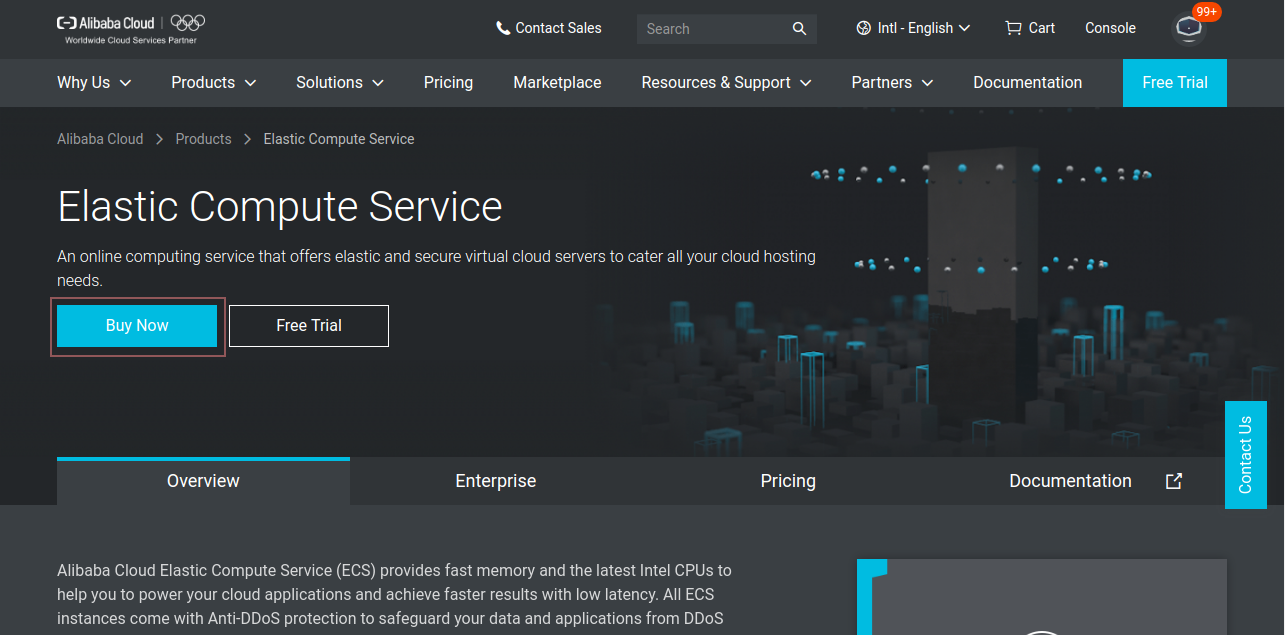
Step 1. Let's begin with purchasing ECS, go to https://www.alibabacloud.com/product/ecs and click Buy Now.
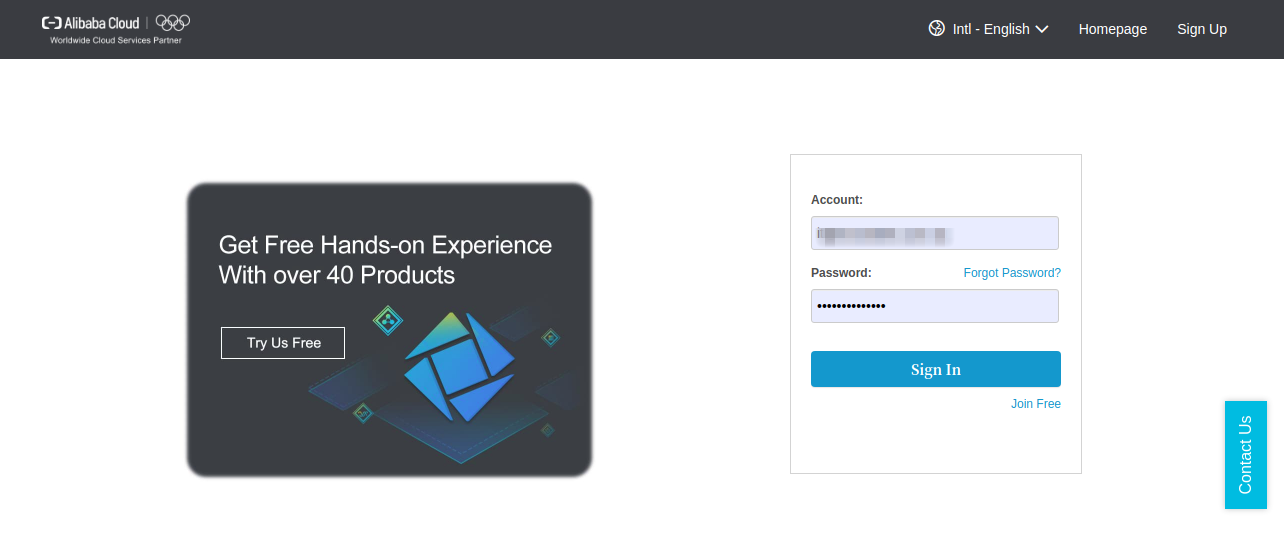
Step 2. Log on to the ECS console. If you do not have an account, register with a simple Sign Up process.
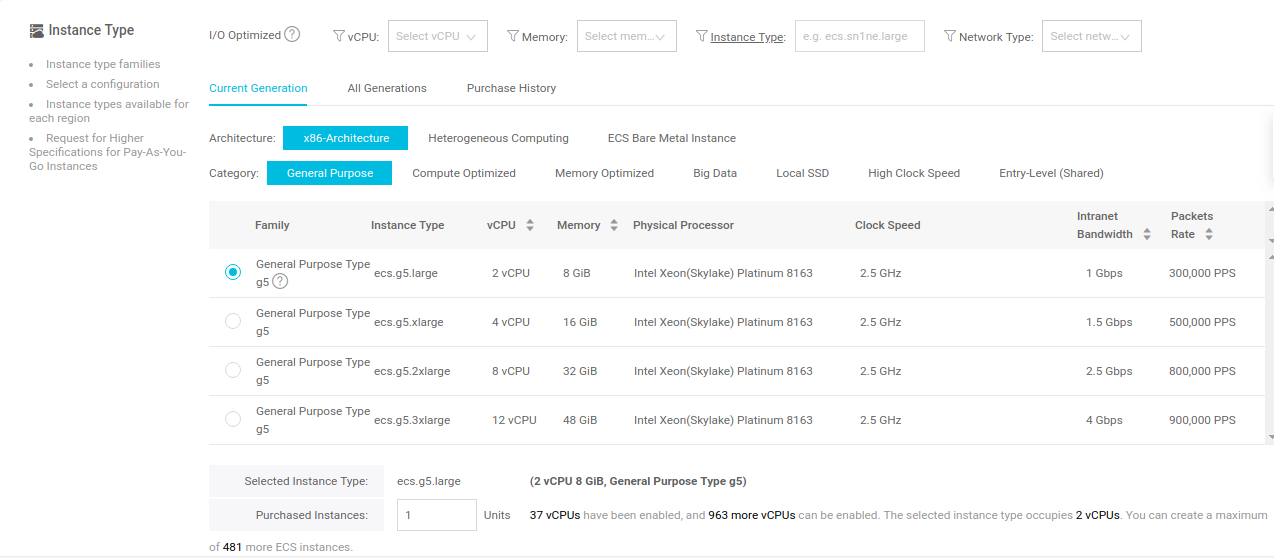
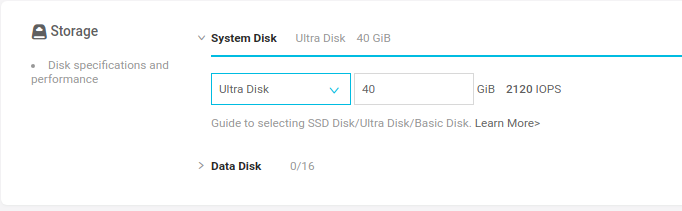
Step 3. Complete the Basic Configurations as follows:



Step 4. Click Next: Networking to finish the network and security group configuration:
Select a network:

Configure the Network Billing Method:
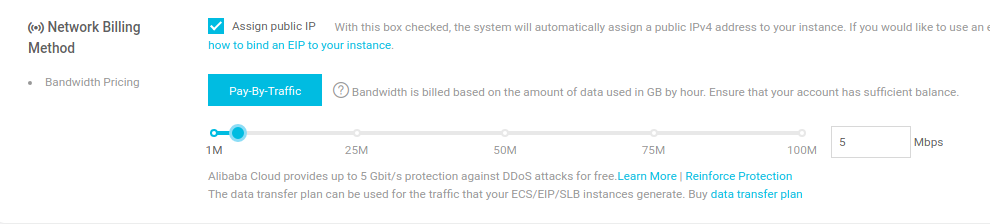

Step 5. Click Next: System Configurations to finish the following configuration:
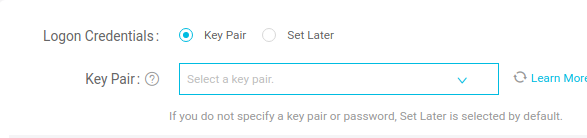
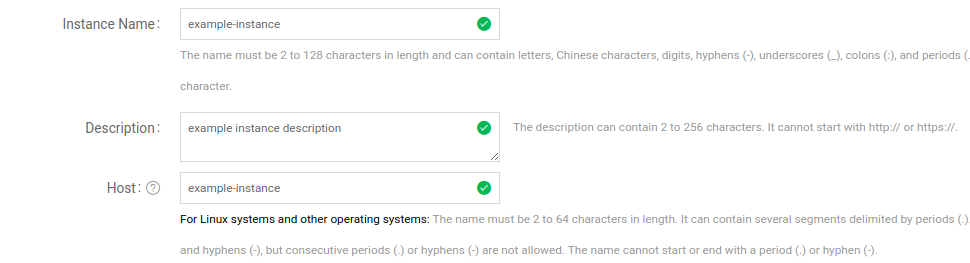
Step 6. (Optional) Click Next: Grouping to manage instances by the group. You can add tags to instances to simplify future management.

Step 7. Click the Preview button to confirm your order.
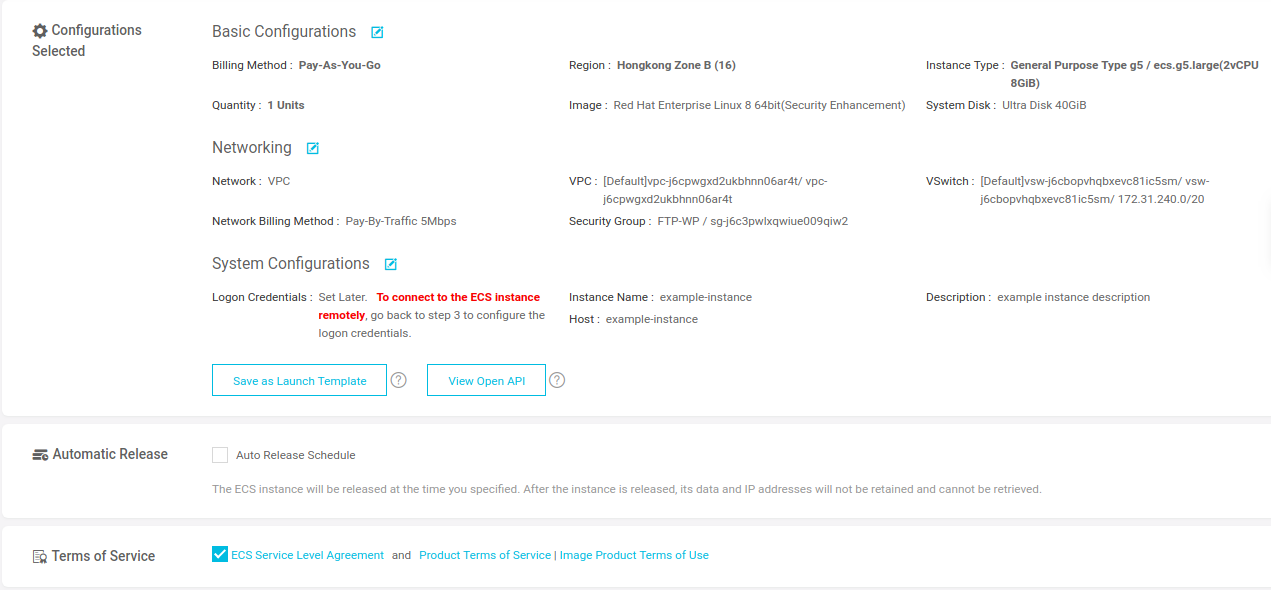
Step 8. Click Create Instance. You can see your instance in the Console. Wait for a few minutes for the instance to display running status in Green color.

Your Red Hat Enterprise Linux (RHEL) 8 server on Alibaba Cloud Elastic Compute Service (ECS) has been successfully launched.

2,593 posts | 795 followers
FollowAlibaba Clouder - April 19, 2021
Alibaba Clouder - July 1, 2019
Alibaba Clouder - August 11, 2020
Marketplace - October 13, 2020
Marketplace - October 5, 2020
Alibaba Clouder - April 12, 2021
2,593 posts | 795 followers
FollowLearn More
 ECS(Elastic Compute Service)
Elastic and secure virtual cloud servers to cater all your cloud hosting needs.
Learn More Marketplace
Marketplace is an online market for users to search and quickly use the software as image for Alibaba Cloud products.
Learn MoreMore Posts by Alibaba Clouder

