By Alibaba Cloud MaxCompute Team
In MaxCompute’s daily exabyte-scale computing environment, shuffle traffic generated by operators like Join, Group By, and Window accounts for over 60% of total network transmission—making it a primary driver of big data compute costs. For example, one internal Alibaba business generates 2 PB of shuffle data and consumes over 7,000 CU-hours per day—a figure that represents just the tip of the iceberg.
The MaxCompute Hash Clustering table feature reorganizes and sorts data by defining shuffle and sort attributes. This significantly reduces I/O consumption in downstream processing pipelines, accelerates query and computation tasks, and ultimately improves job efficiency while lowering resource costs.
However, many tables are not initially configured with Hash Cluster. As business scales and data workflows grow more complex, retroactively applying data governance becomes challenging, requiring deep historical analysis to make informed decisions.
To help users optimize their data pipelines more efficiently, MaxCompute has launched the Clustering Optimization Recommendation feature. Based on 31 days of historical run data, this feature automatically identifies the globally optimal Hash Cluster Key each day. For large-scale shuffle scenarios exceeding 10 GB, this capability delivers substantial cost savings.
The Clustering Optimization Recommendation feature is already widely adopted across Alibaba, delivering measurable performance improvements. We believe that as more businesses adopt this solution, they will unlock significant speedups and maximize their data processing potential.
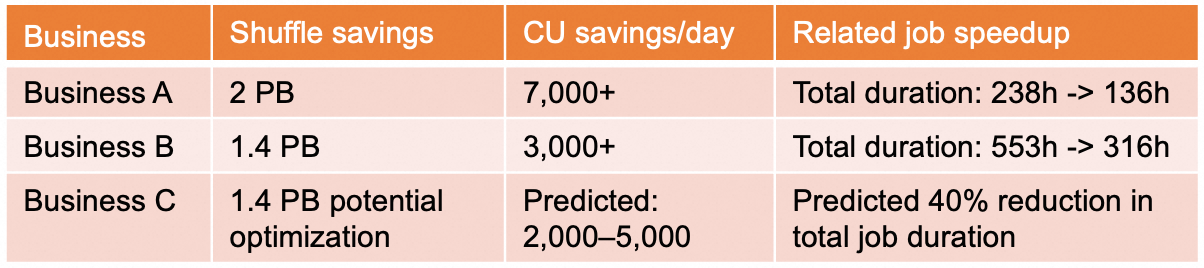
So, what makes this feature so effective? Let’s explore its core advantages:
This feature doesn’t just reduce costs—it also accelerates query speeds and boosts resource utilization across your entire data ecosystem.

This feature is now live on the Alibaba Cloud MaxCompute console. With just three simple steps, you can discover, apply, and validate optimizations. View the recommendation list and apply the recommendations.
1. Log in to the MaxCompute console → Intelligent Optimization → Data Layout Optimization → Clustering Optimization.
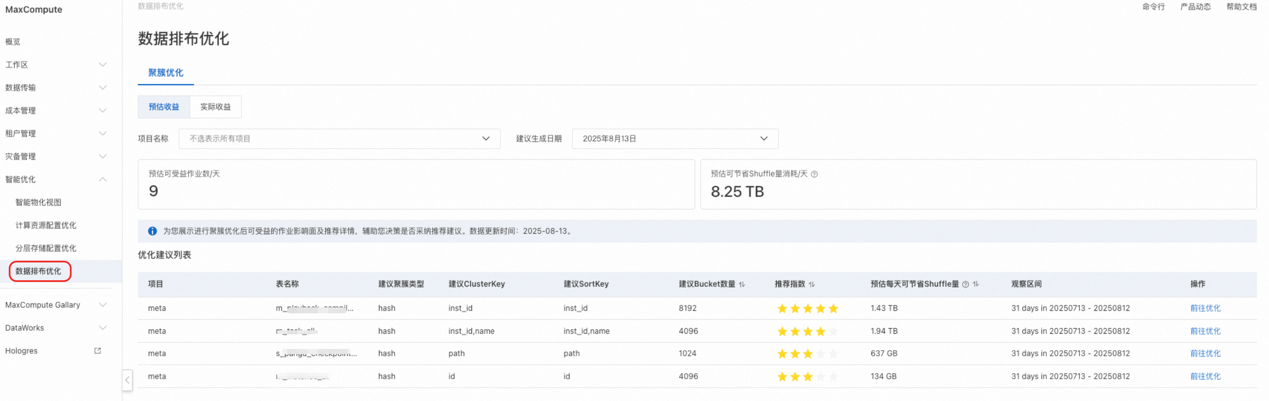
Review the list of recommended optimizations based on estimated benefits. You’ll see:
2. Select a table and click "Go to Optimize" for a detailed plan.
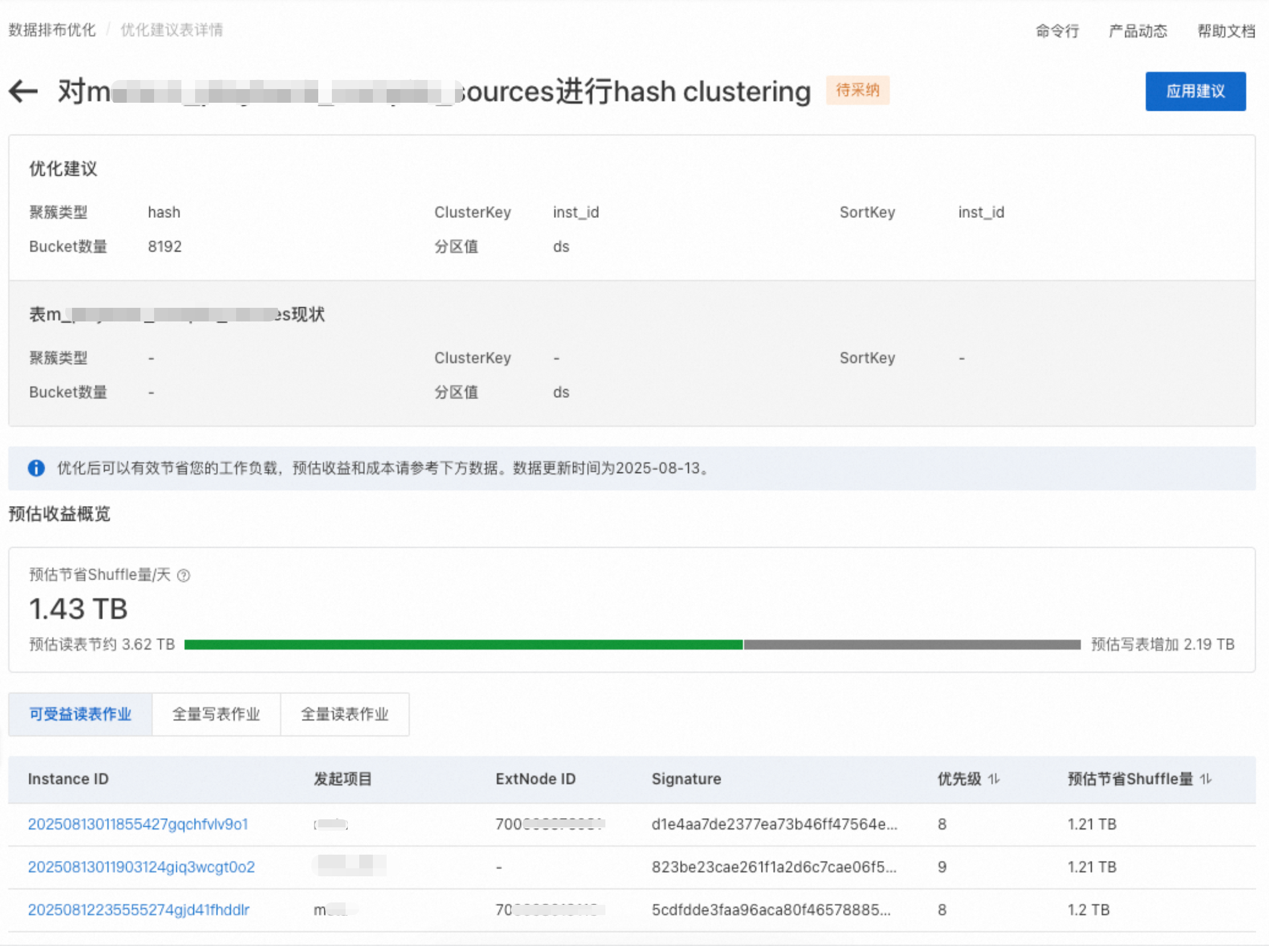
View a list of related jobs (read, write, full read/write) expected to benefit.
3. Click "Apply Recommendations" to generate the ALTER TABLE statement and rollback script. Click "Confirm Application" to convert the table into a Hash Cluster table.
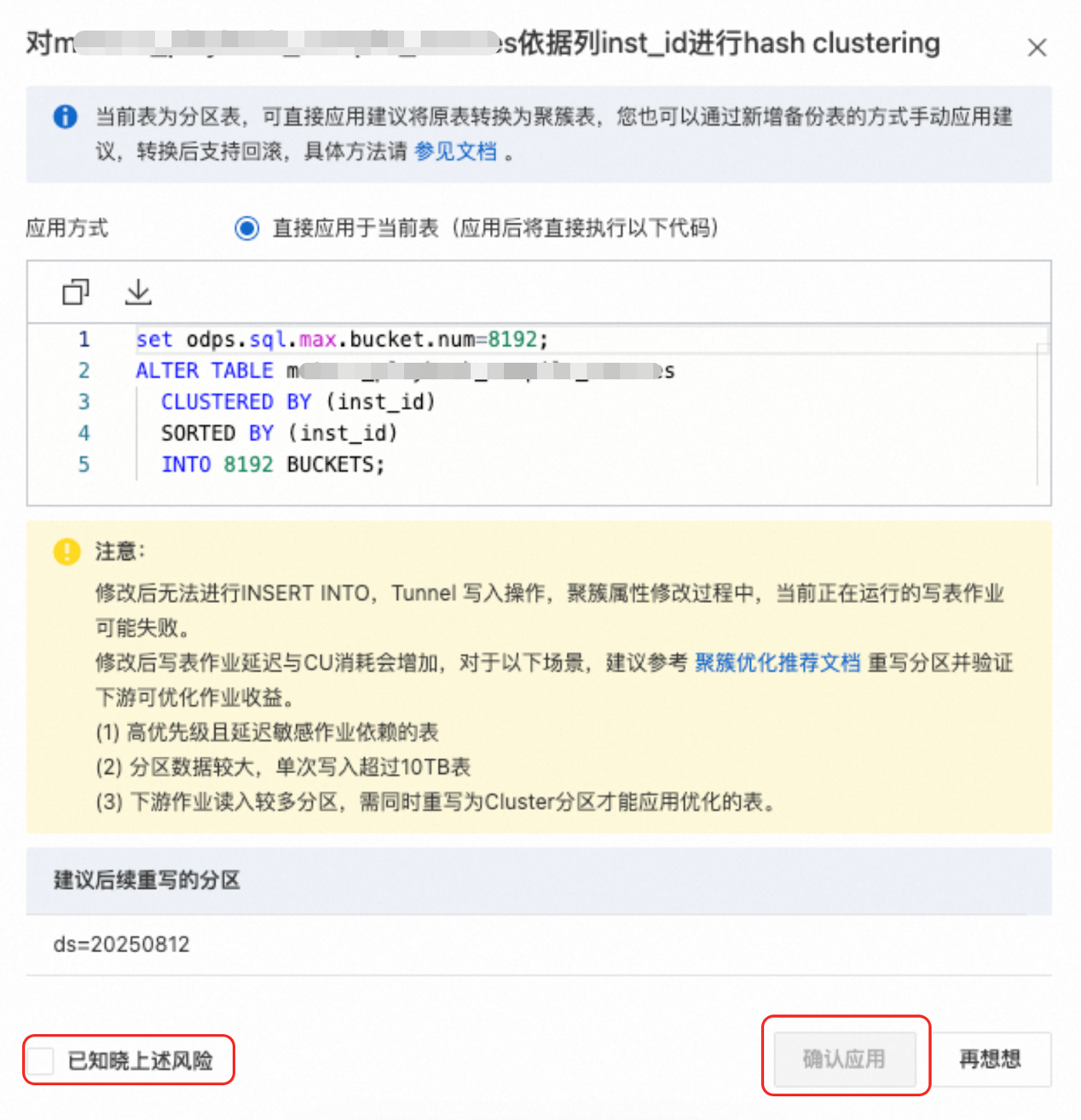
On the Clustering Optimization tab:
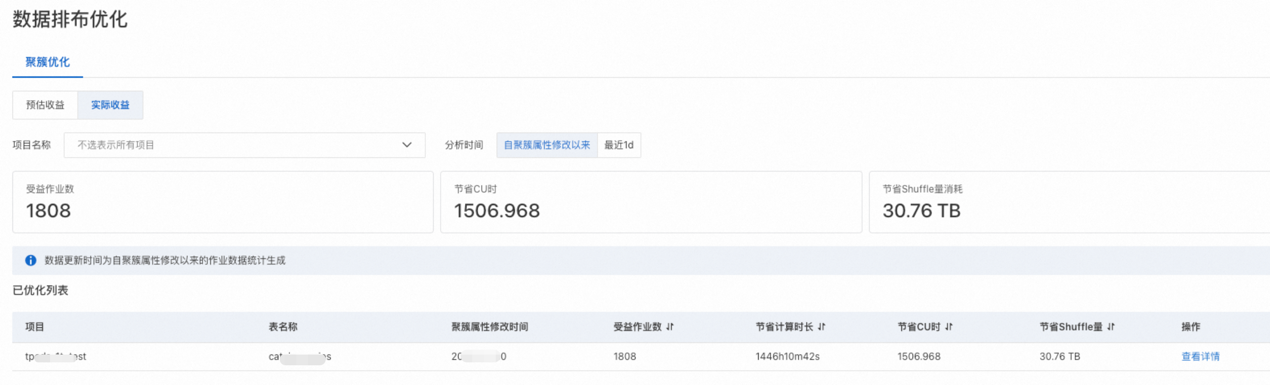
View:
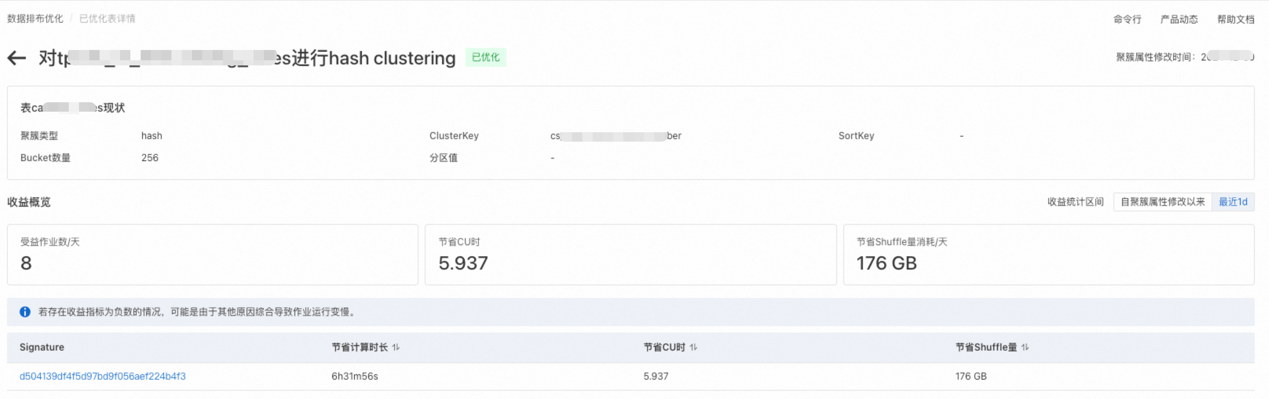
For more details, see Clustering optimization recommendations >>
MaxCompute continues to innovate with a suite of intelligent optimization tools. Future enhancements include:
• Optimizer: Automatically merges cluster keys in CASE WHEN / COALESCE scenarios.
• Intelligent Data Warehouse: AutoMV, compute configuration optimization recommendations, tiered storage optimization recommendations. Future releases will combine Z-Order and Data Skipping for composite index recommendations.
• Real-time recommendations: Pushes next-hop optimization suggestions immediately after a job completes.

1,439 posts | 500 followers
FollowAlibaba Cloud Community - October 17, 2025
Alibaba Cloud MaxCompute - September 18, 2019
Alibaba Clouder - November 6, 2017
Alibaba Clouder - December 2, 2020
Alibaba Cloud MaxCompute - January 7, 2019
Apache Flink Community - September 30, 2025
1,439 posts | 500 followers
Follow MaxCompute
Conduct large-scale data warehousing with MaxCompute
Learn More Big Data Consulting for Data Technology Solution
Alibaba Cloud provides big data consulting services to help enterprises leverage advanced data technology.
Learn More Big Data Consulting Services for Retail Solution
Alibaba Cloud experts provide retailers with a lightweight and customized big data consulting service to help you assess your big data maturity and plan your big data journey.
Learn More Financial Services Solutions
Alibaba Cloud equips financial services providers with professional solutions with high scalability and high availability features.
Learn MoreMore Posts by Alibaba Cloud Community

