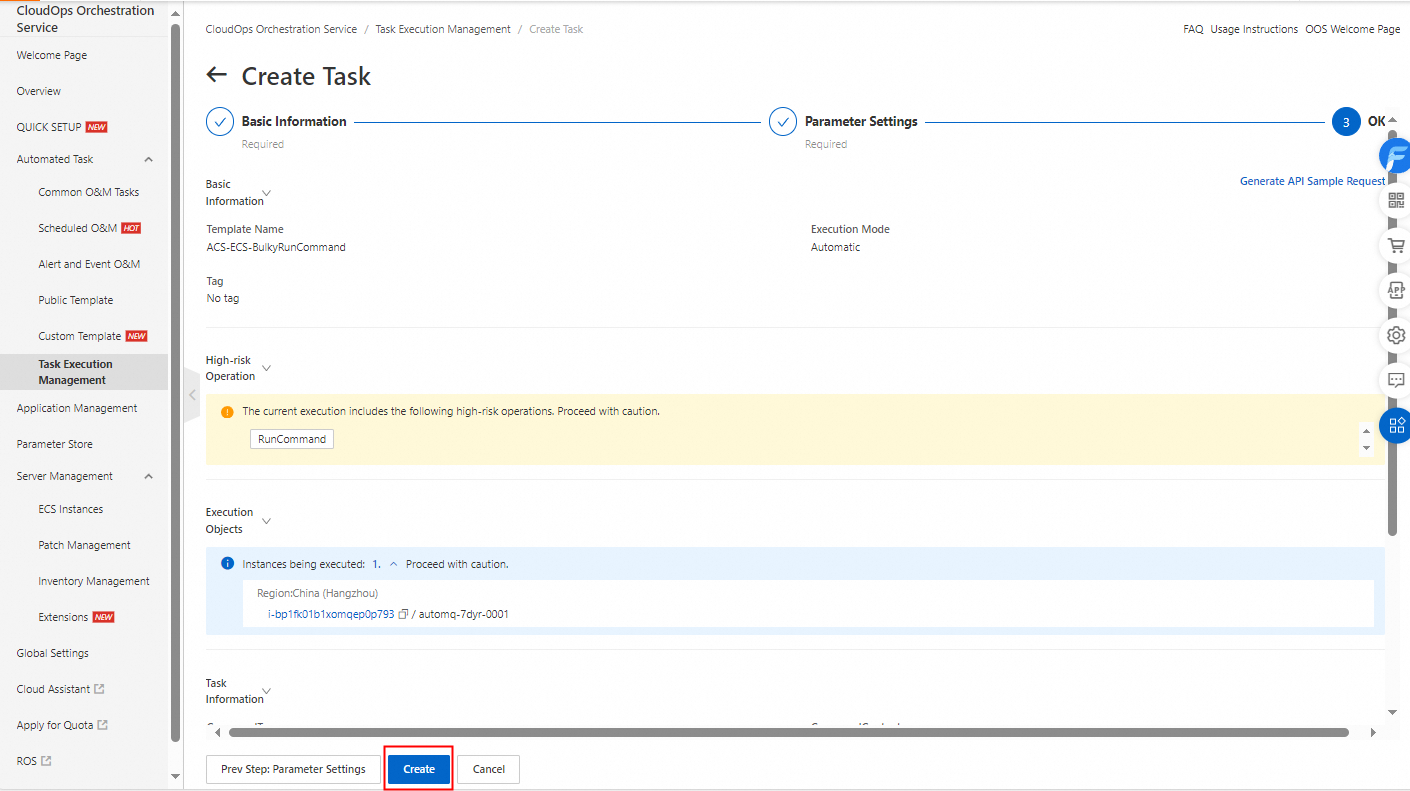
Bir şablon oluşturduktan sonra bu şablona dayalı bir çalıştırma başlatabilirsiniz. Bu konuda, CloudOps Orchestration Service (OOS) konsolunda nasıl çalıştırma oluşturacağınız açıklanmaktadır.
Yordam
CloudOps Orchestration Service konsoluna oturum açın.
sayfasında Create öğesine tıklayın.
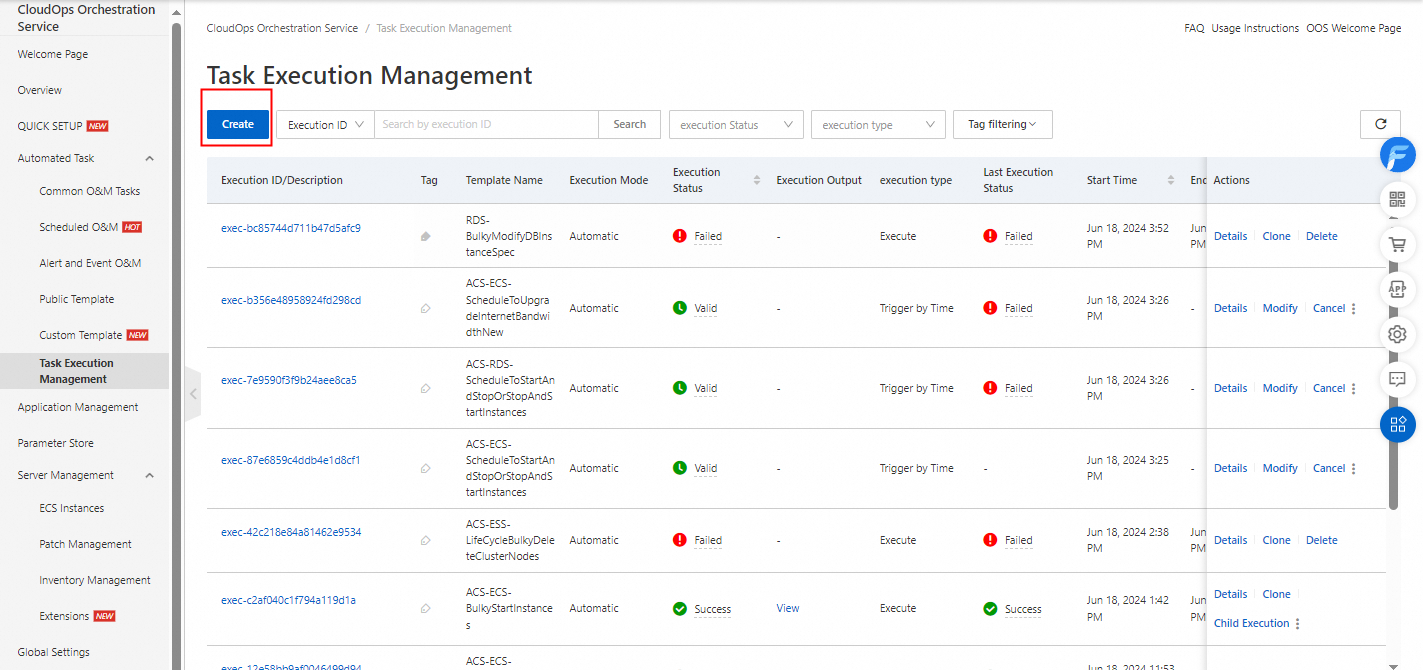
-
Görev Oluştur sayfasında temel ayarları yapılandırın ve Next: Set Parameters seçeneğine tıklayın.
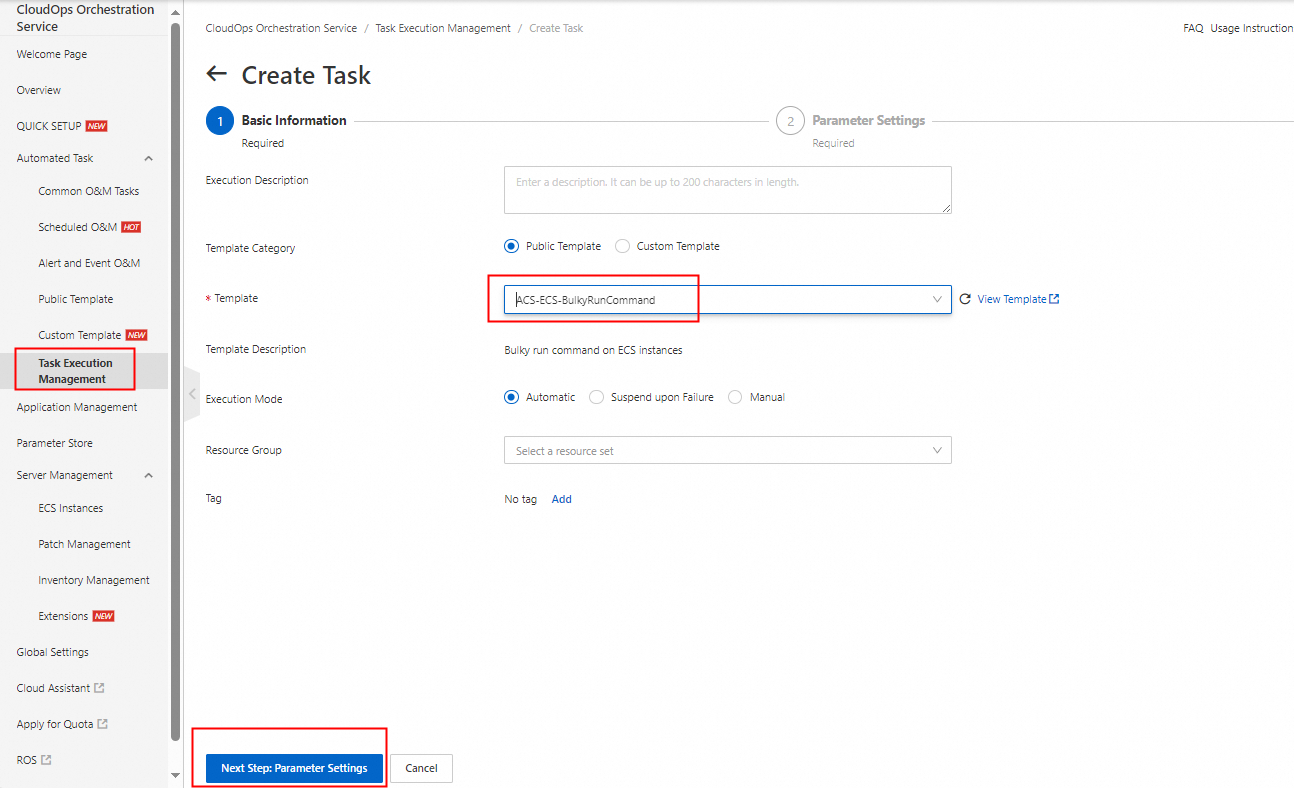
Bu örnekte, Execution Mode parametresi Automatic olarak ayarlanmıştır. Aşağıdaki tabloda parametreler açıklanmaktadır.
Parameter
Description
Execution Mode
-
Automatic: The execution starts automatically.
-
Manual: You must manually start the execution.
Suspend upon Failure
For loop tasks, if a subtask fails, the execution pauses. This allows you to make adjustments and resume the execution.
Template Category
-
Public Template: A template provided by OOS for common use cases.
-
Custom Template: A template that you create for your specific business requirements.
-
-
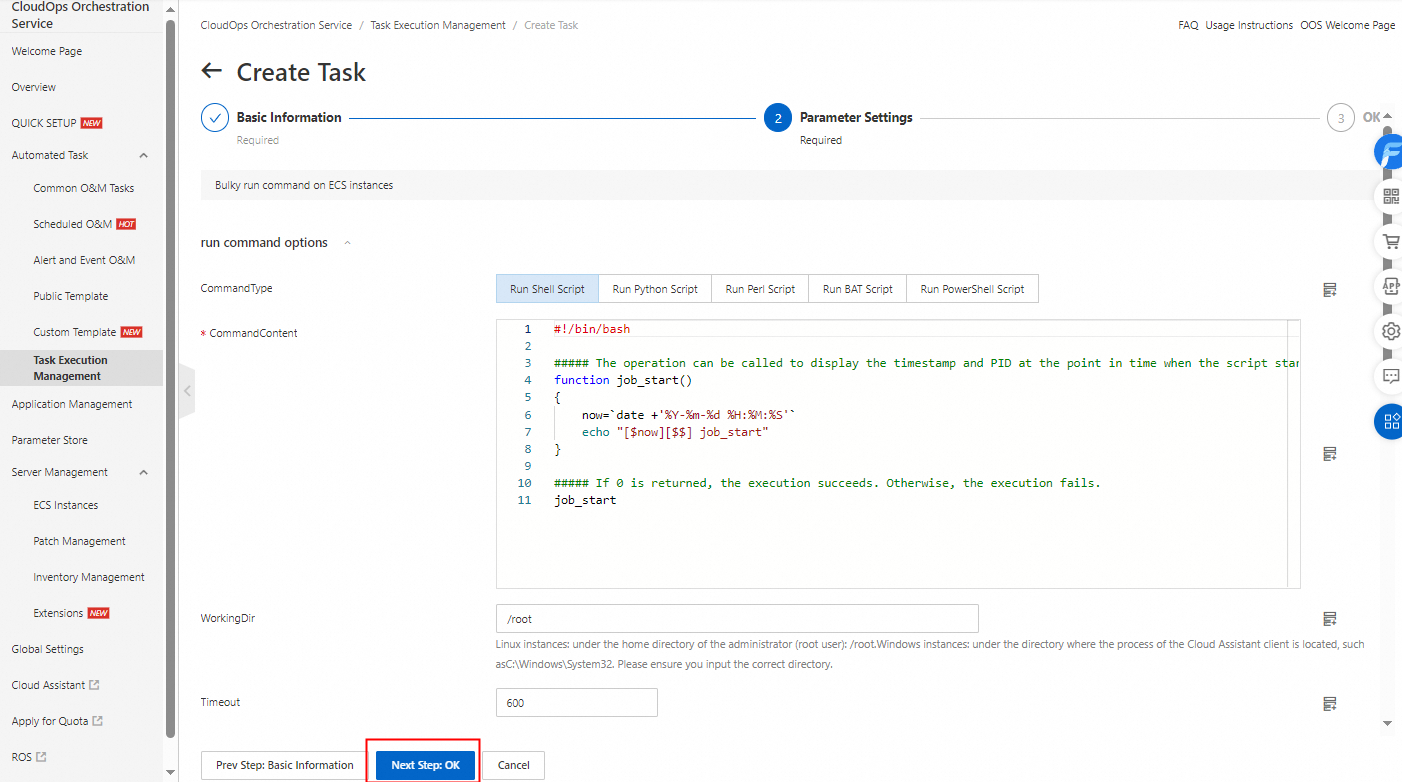
Gerekli şablon parametrelerini girin ve Next: Confirm seçeneğine tıklayın.
Parametre ayarlarınızı gözden geçirin ve Create seçeneğine tıklayın.