本文介紹如何將其他NPM倉庫中的製品包同步到雲效的NPM私庫中。
操作步驟
雲效支援兩種方式將NPM私庫中的製品包遷移到雲效的NPM私庫中,您可以根據實際需求進行選擇:
從Nexus3匯入製品。
從其他NPM製品源匯入製品。
步驟一:下載遷移工具
通過上面地址將jar包下載到本地,儲存為artifact-migration-jar-with-dependencies.jar。
步驟二:運行下載工具
從Nexus3匯入製品
請確保機器上安裝了Java8及以上版本,在當前jar包的目錄下執行如下命令: 運行命令:java -jar artifact-migration-jar-with-dependencies.jar migrateNexusNpm --help 可以查看協助資訊。
java -jar artifact-migration-jar-with-dependencies.jar migrateNexusNpm --help

Usage: migrate migrateNexusNpm [-hV] [--dryrun] [--exclude=<exclude>]
                               [--include=<include>] --nexus-host=<nexusHost>
                               --source-repo-id=<repoId>
                               --source-repo-password=<repoPassword>
                               --source-repo-username=<repoUsername>
                               --target-repo-password=<repoPassword>
                               --target-repo-url=<repoUrl>
                               --target-repo-username=<repoUsername>
遷移nexus3中的npm製品
      --dryrun              試運行,不會真正上傳包
      --exclude=<exclude>   排除的包名,多個包名以逗號分割,模糊比對
  -h, --help                Show this help message and exit.
      --include=<include>   包含的包名,多個包名以逗號分割,模糊比對
      --nexus-host=<nexusHost>
                            nexus伺服器位址
      --source-repo-id=<repoId>
                            源倉庫Id
      --source-repo-password=<repoPassword>
                            訪問源倉庫的密碼
      --source-repo-username=<repoUsername>
                            訪問源倉庫的使用者名稱
      --target-repo-password=<repoPassword>
                            訪問目標倉庫的密碼,可在packages.aliyun.com中倉庫指
                              南中查看
      --target-repo-url=<repoUrl>
                            目標倉庫地址,可在packages.aliyun.com中倉庫指南中查
                              看
      --target-repo-username=<repoUsername>
                            訪問目標倉庫的使用者名稱,可在packages.aliyun.com中倉庫
                              指南中查看
-V, --version Print version information and exit.如果協助資訊中中文出現亂碼,可先在命令列中執行 chcp 65001,然後再執行 Java 命令。
樣本命令:
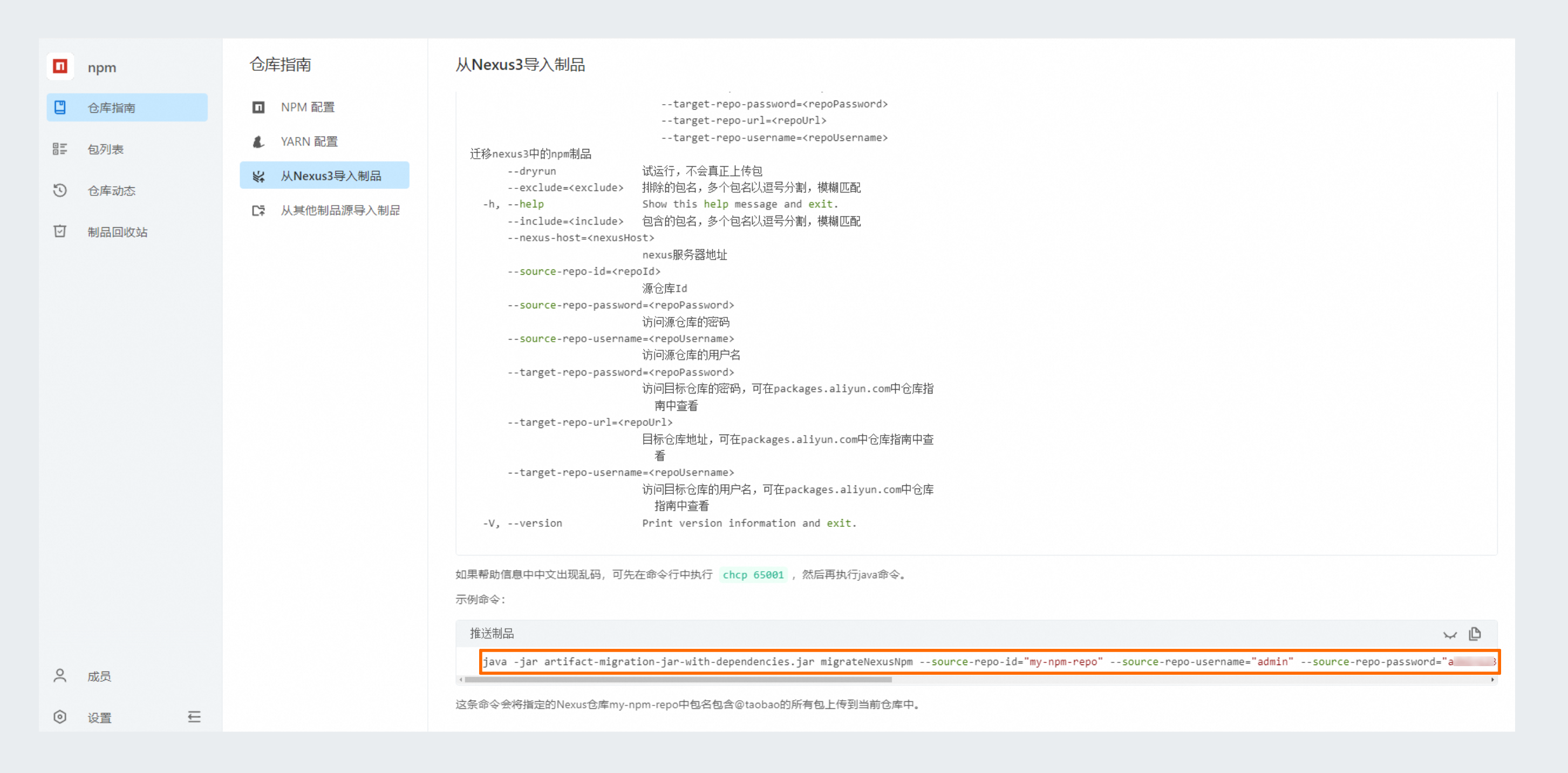
java -jar artifact-migration-jar-with-dependencies.jar migrateNexusNpm --source-repo-id="my-npm-repo" --source-repo-username="admin" --source-repo-password="****" --nexus-host="http://localhost:8081" --target-repo-url="https://packages.aliyun.com/66b3075ffaba0e0aab301c38/npm/repo-yhqkr/" --target-repo-username="66b3****" --target-repo-password="****" --include="@taobao"這條命令會將指定的Nexus倉庫my-npm-repo中包名包含@taobao的所有包上傳到當前倉庫中。具體參數資訊,可在製品倉庫首頁面,選擇進入目標製品倉庫,在中擷取。
從其他NPM製品源匯入製品
請確保機器上安裝了Java8及以上版本,在當前jar包的目錄下執行如下命令: 運行命令:java -jar artifact-migration-jar-with-dependencies.jar migrateNpm --help 可以查看協助資訊。
java -jar artifact-migration-jar-with-dependencies.jar migrateNpm --help

Usage: migrate migrateNpm [-hV] [--dryrun] --package-list=<packageList>
                          --source-repo-password=<sourceRepoPassword>
                          --source-repo-url=<sourceRepoUrl>
                          --source-repo-username=<sourceRepoUsername>
                          --target-repo-password=<repoPassword>
                          --target-repo-url=<repoUrl>
                          --target-repo-username=<repoUsername>
將一個npm源中的製品遷移到packages,需要使用者提供遷移的包名列表
      --dryrun           試運行,不會真正上傳包
  -h, --help             Show this help message and exit.
      --package-list=<packageList>
                         需要遷移的包名列表,以逗號分割
      --source-repo-password=<sourceRepoPassword>
                         訪問源倉庫的密碼
      --source-repo-url=<sourceRepoUrl>
                         源倉庫的url地址
      --source-repo-username=<sourceRepoUsername>
                         訪問源倉庫的使用者名稱
      --target-repo-password=<repoPassword>
                         訪問目標倉庫的密碼,可在packages.aliyun.com中倉庫指南中
                           查看
      --target-repo-url=<repoUrl>
                         目標倉庫地址,可在packages.aliyun.com中倉庫指南中查看
      --target-repo-username=<repoUsername>
                         訪問目標倉庫的使用者名稱,可在packages.aliyun.com中倉庫指南
                           中查看
-V, --version Print version information and exit.如果協助資訊中中文出現亂碼,可先在命令列中執行 chcp 65001,然後再執行 Java 命令。
樣本命令:
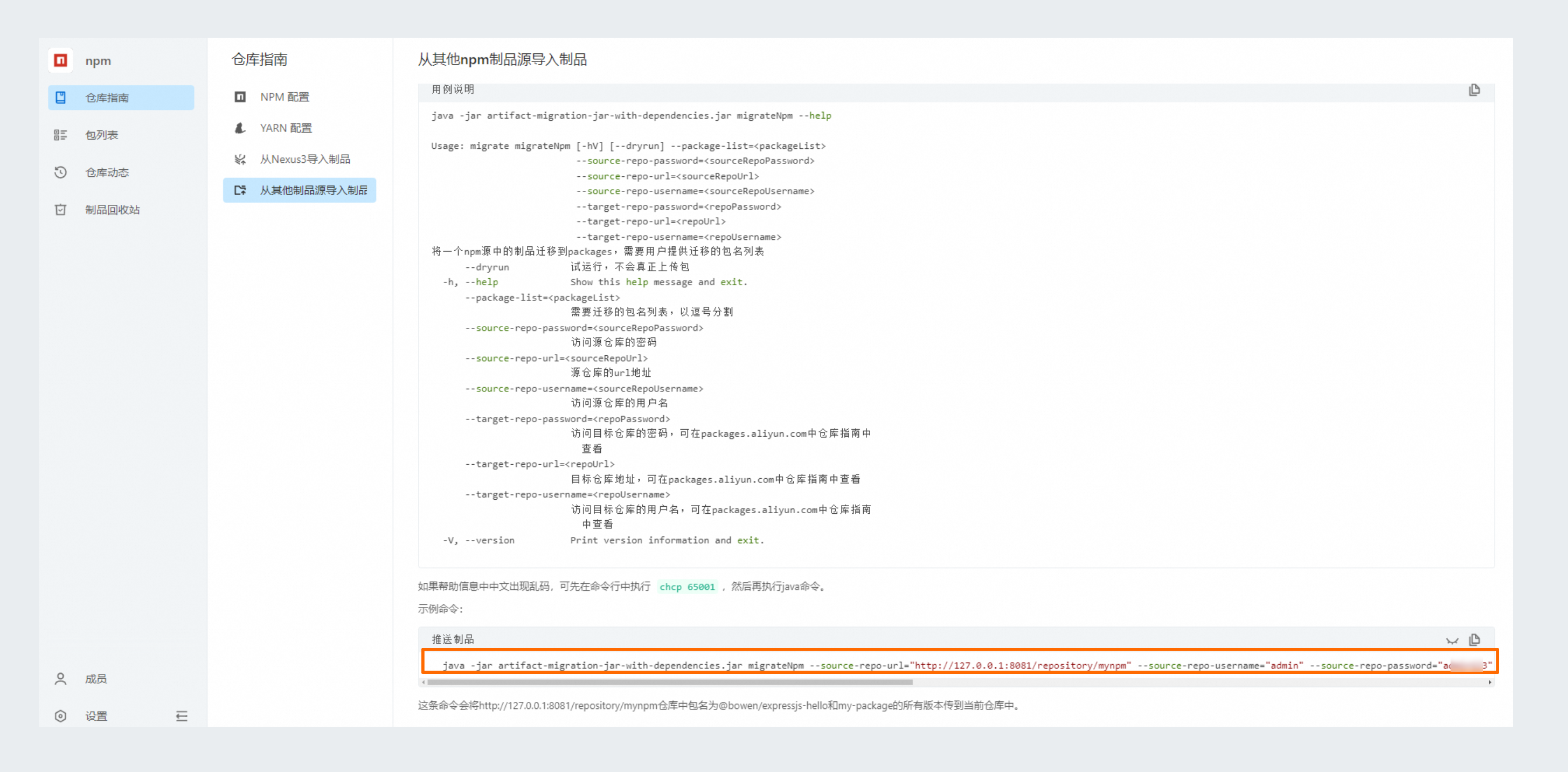
java -jar artifact-migration-jar-with-dependencies.jar migrateNpm --source-repo-url="http://127.0.0.1:8081/repository/mynpm" --source-repo-username="admin" --source-repo-password="****" --target-repo-url="https://packages.aliyun.com/66b3075ffaba0e0aab301c38/npm/repo-yhqkr/" --target-repo-username="66b3****" --target-repo-password="****" --package-list=my-package,@bowen/expressjs-hello"這條命令會將http://127.0.0.1:8081/repository/mynpm倉庫中包名為@bowen/expressjs-hello和my-package的所有版本傳到當前倉庫中。具體參數資訊,可在製品倉庫首頁面,選擇進入目標製品倉庫,在中擷取。
步驟三:查看運行結果
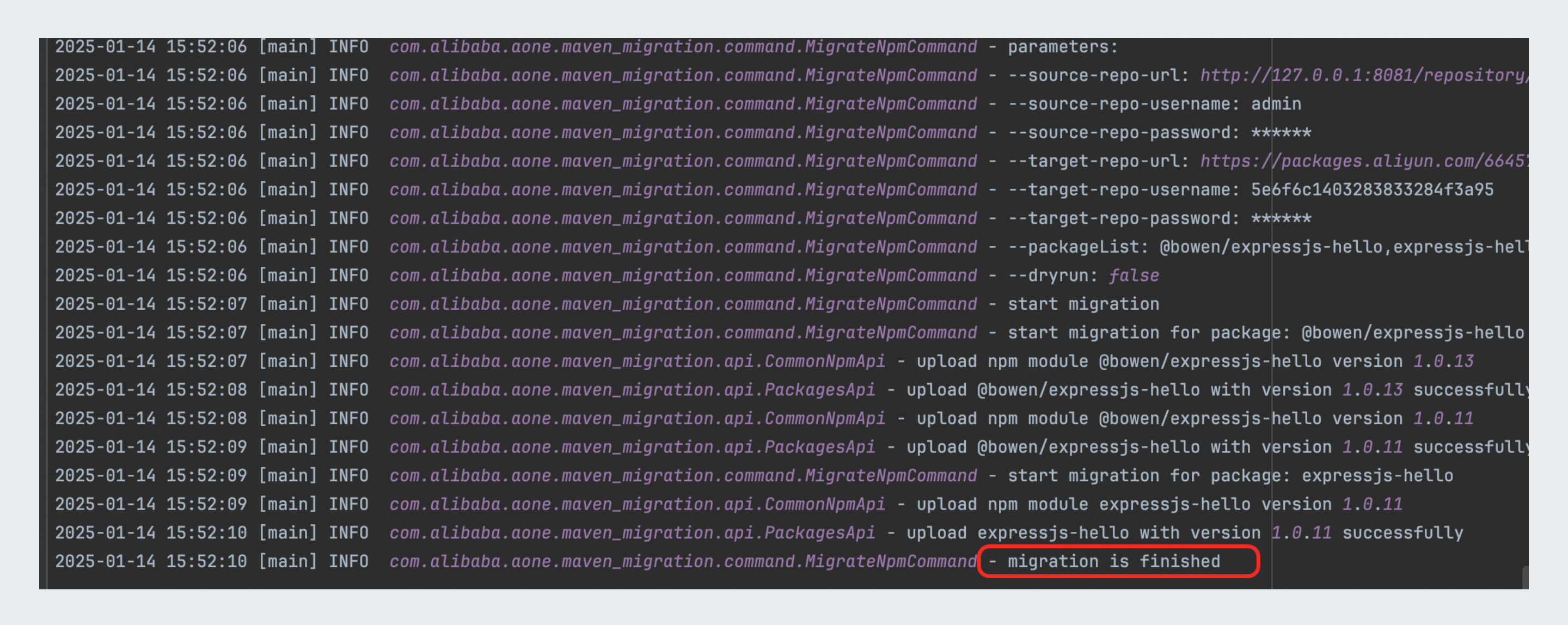
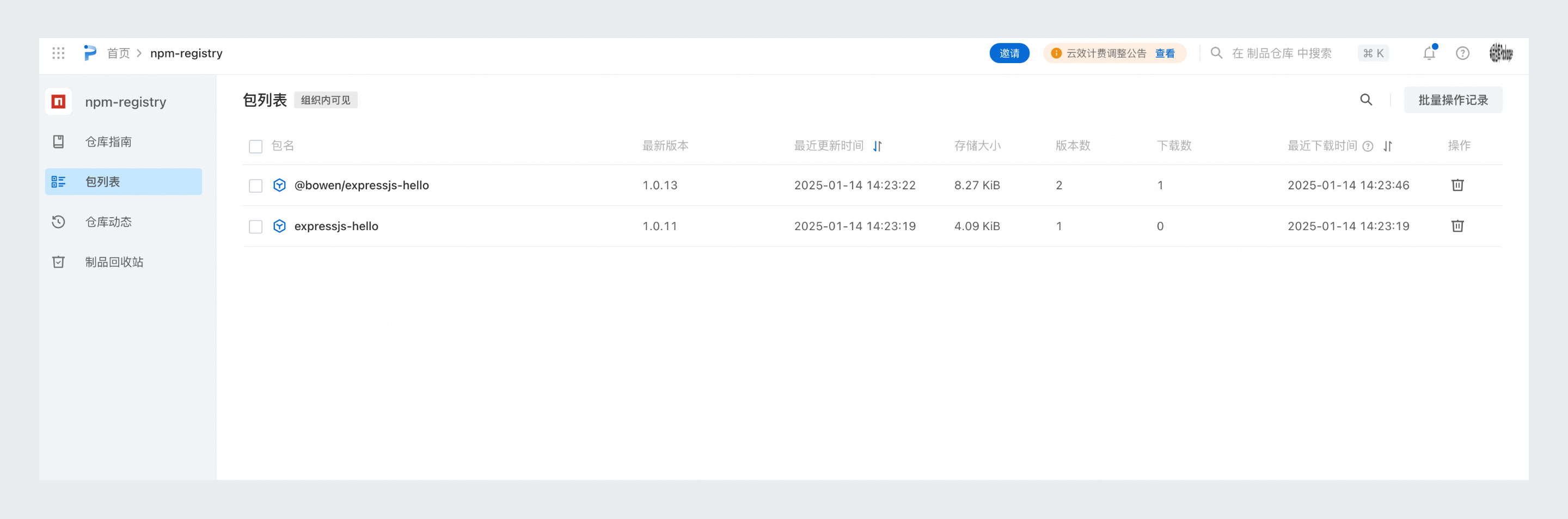
出現migration is finished字樣表示遷移已完成,即可在雲效目標製品倉庫中查看: