本文介紹動作列表類WVUIActionSheet相關的JSAPI,供您建立H5端應用或者小程式時參考。動作列表類WVUIActionSheet的JSAPI提供顯示ActionSheet的相關能力。
WVUIActionSheet.show
顯示一個ActionSheet(顯示在螢幕下方的動作列表)。
iOS效果 | Android 效果 |
|
|
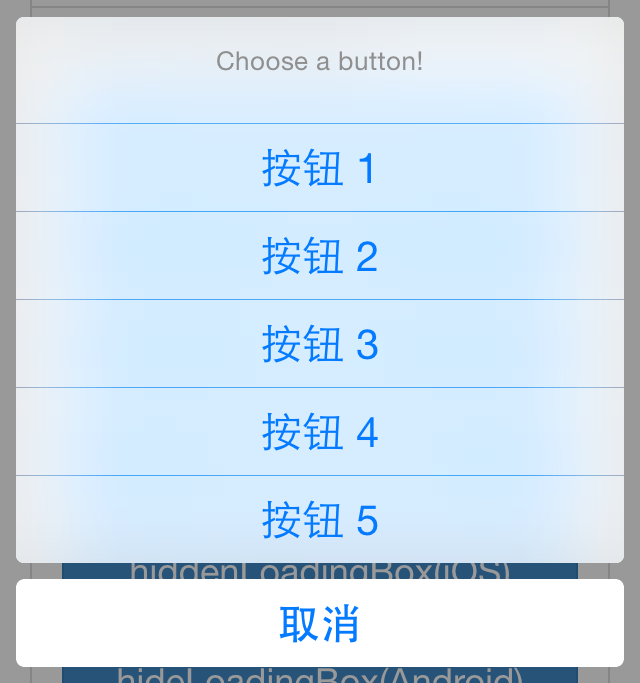
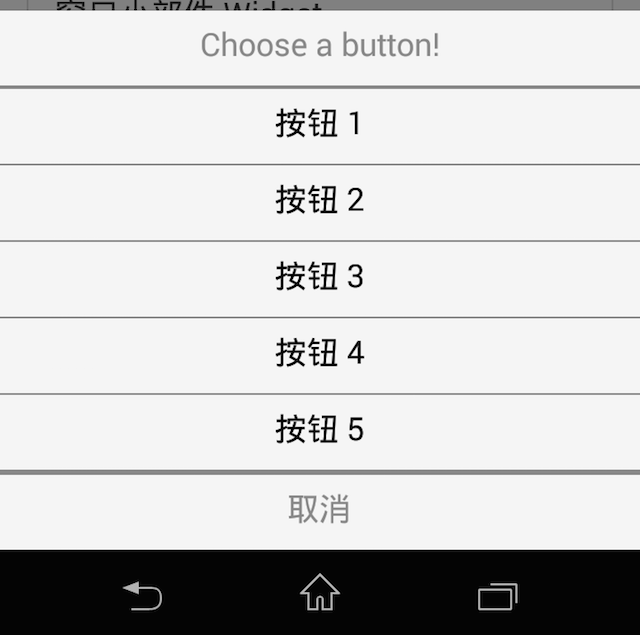
輸入參數
[
string]title:ActionSheet的標題。[
int] index:ActionSheet的索引,用於唯一標識該ActionSheet。[
array] buttons:ActionSheet中顯示的按鈕,每一項都是一個字串,表示按鈕的標題。ActionSheet最後總是有一個額外的按鈕:取消。
回調參數
無回調參數,如果成功顯示ActionSheet,則進入success回調,否則進入failure回調。
監聽事件
wv.actionsheet使用者響應了ActionSheet。
事件參數:
[
string]type:使用者點擊的按鈕文本。[
int] _index:ActionSheet 的索引。
重要
在iOS平台下,使用者點擊取消按鈕,或者在ActionSheet外點擊,都會引發
type: '取消'的事件。在Android平台下,使用者點擊取消按鈕,會引發不含
type屬性的事件,在ActionSheet外點擊不會引發任何事件。
document.addEventListener('wv.actionsheet', function(e) {
        alert(JSON.stringify(e.param));
}, false);

var params = {
        // ActionSheet 的標題
        title: 'Choose a button!',
        // ActionSheet 的索引
        _index: 32768,
        // ActionSheet 中顯示的按鈕
        buttons: ['按鈕 1', '按鈕 2', '按鈕 3', '按鈕 4', '按鈕 5']
};
window.WindVane.call('WVUIActionSheet', 'show', params, function(e) {
}, function(e) {
        alert('failure: ' + JSON.stringify(e));
});