Problem description
After you enable health checks for a TCP listener on a Classic Load Balancer (CLB) instance, the service logs of backend servers frequently show network connectivity errors, such as Connection reset by peer. An analysis of captured packets shows that the requests originate from the CLB instance. The CLB instance also sends RST packets to the backend servers to terminate the connection. The error message in the service log is similar to the following example.
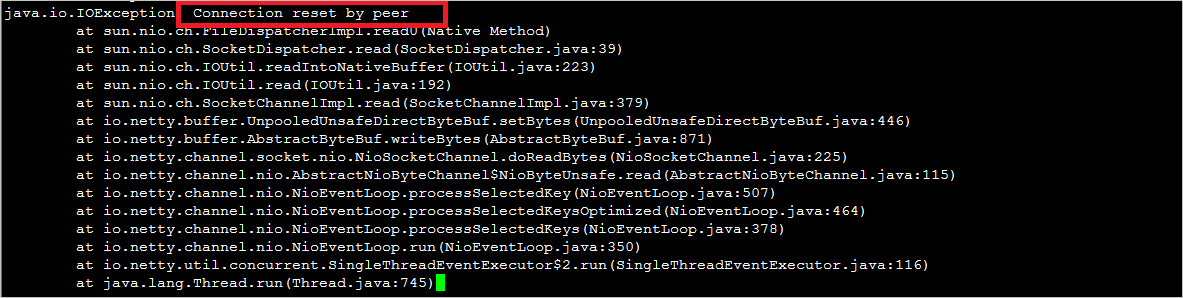
Cause
This issue is caused by the health check mechanism of CLB. The TCP protocol is unaware of the status of upper-layer services. To reduce health check costs and the impact on backend services, CLB performs a TCP SYN check (half-open connection detection) for the health check of a TCP listener; it does not complete the full TCP three-way handshake. After receiving the SYN+ACK from the backend, CLB immediately sends an RST packet to close the connection without exchanging any service data. As a result, an upper-layer service, such as a Java connection pool, considers the connection abnormal and throws a Connection reset by peer exception. The detailed data exchange procedure is as follows:
-
The CLB instance sends a SYN packet to the backend service port.
-
After the backend server receives the request, it returns SYN and ACK packets according to the standard TCP protocol if the port status is normal.
-
If the CLB instance receives the acknowledgement from the backend service port, it considers the port listener normal and marks the health check as successful.
-
The CLB instance then sends an RST packet to the backend service port to close the connection. This completes the health check operation. No service data is sent.
Solutions
You can use one of the following solutions to resolve this issue:
-
Solution 1: Change the listener type. Change the listener of the CLB instance from TCP to HTTP or HTTPS. For more information, see Add an HTTP listener and Add an HTTPS listener.
-
Solution 2: Filter logs. At the service layer, filter logs to ignore error messages that originate from the IP address range used for CLB health checks.
NoteThe IP address range for CLB health checks is 100.64.0.0/10.
Applicable to
-
Classic Load Balancer (CLB)