萬相影像編輯模型系列支援多圖輸入與多圖輸出,通過文本指令實現影像編輯、多圖融合、主體特徵保持、目標檢測與分割等能力。
快速開始
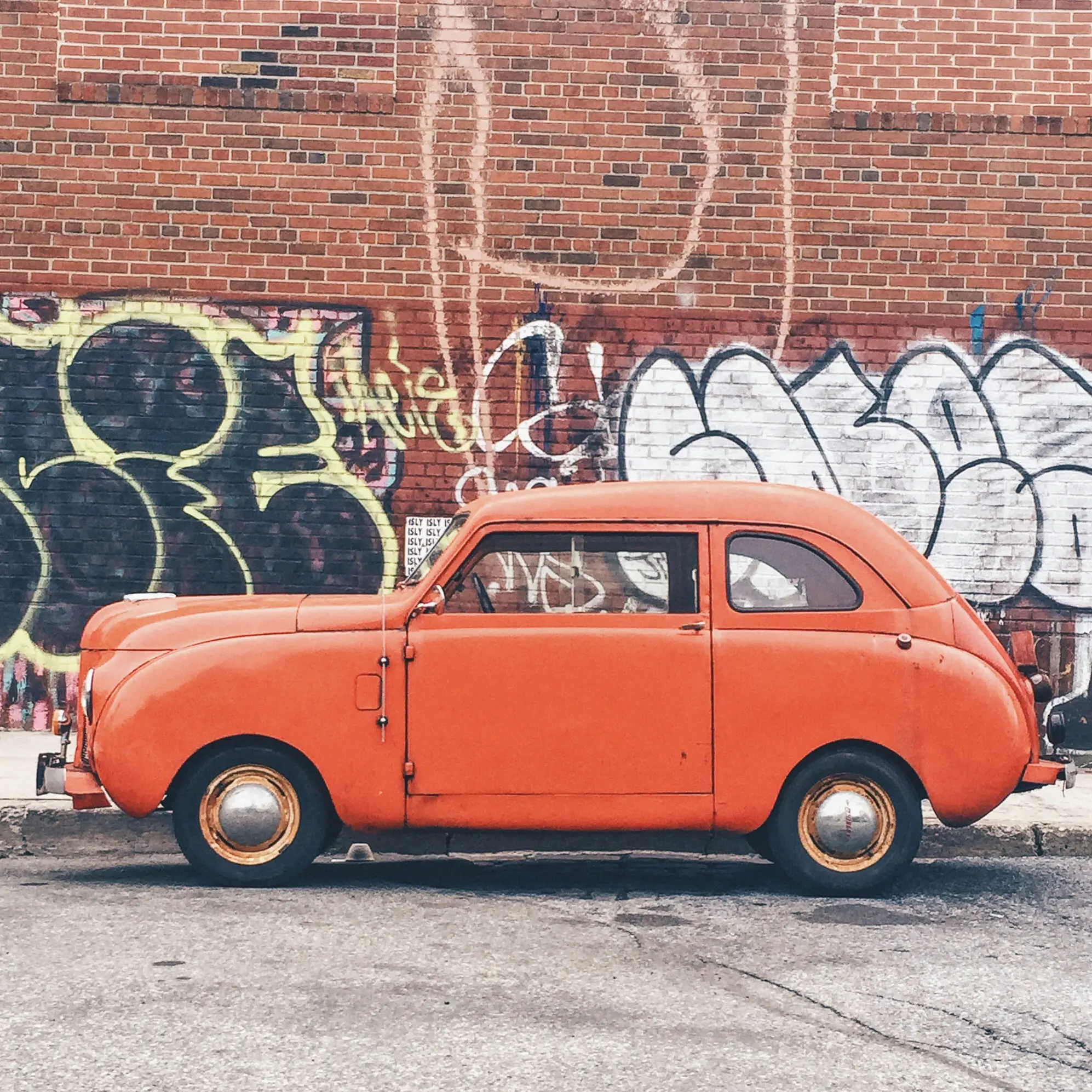
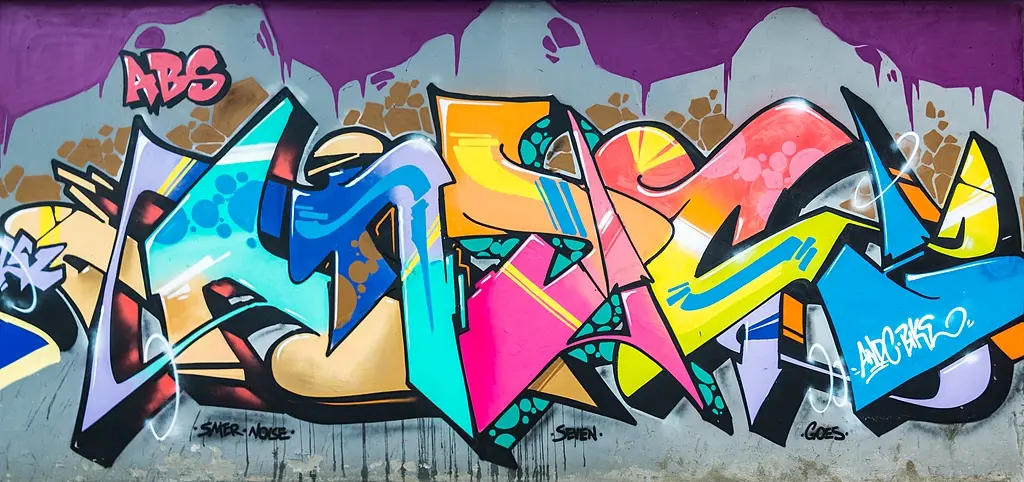
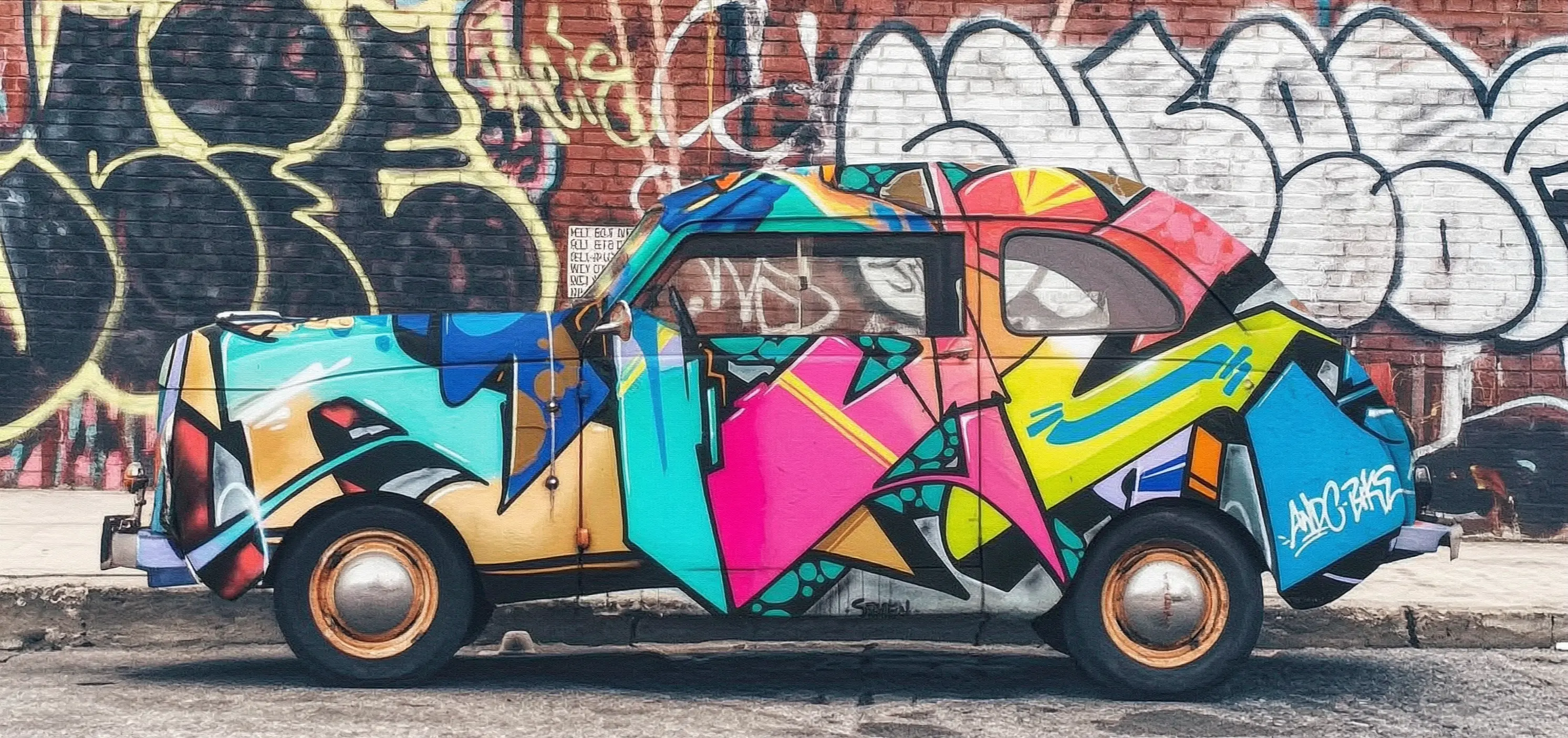
本樣本將示範如何使用wan2.7-image-pro模型,基於2張輸入圖片和提示詞產生編輯後的映像。
提示詞:把圖2的塗鴉噴繪在圖1的汽車上
輸入映像1 | 輸入映像2 | 輸出映像(wan2.7-image-pro) |
|---|---|---|
|
|
|
在調用前,先擷取與配置 API Key,再配置API Key到環境變數。如需通過SDK進行調用,請安裝DashScope SDK。
同步調用
重要請確保 DashScope Python SDK 版本不低於1.25.15, DashScope Java SDK 版本不低於2.22.13。
Python
請求樣本
import os
import base64
import mimetypes
import urllib.request
import dashscope
from dashscope.aigc.image_generation import ImageGeneration
from dashscope.api_entities.dashscope_response import Message

# 以下為新加坡地區的URL,調用時請將{WorkspaceId}替換為真實的業務空間ID,各地區的URL不同。
dashscope.base_http_api_url = "https://{WorkspaceId}.ap-southeast-1.maas.aliyuncs.com/api/v1"

# 若沒有配置環境變數,請用百鍊API Key將下行替換為:api_key="sk-xxx"
# 各地區的API Key不同。擷取API Key:https://www.alibabacloud.com/help/zh/model-studio/get-api-key
api_key = os.getenv("DASHSCOPE_API_KEY")

# --- Base64編碼函數 ---
# base64編碼格式為 data:{MIME_type};base64,{base64_data}
def encode_file(file_path):
    mime_type, _ = mimetypes.guess_type(file_path)
    if not mime_type or not mime_type.startswith("image/"):
        raise ValueError("不支援或無法識別的映像格式")
    with open(file_path, "rb") as image_file:
        encoded_string = base64.b64encode(image_file.read()).decode("utf-8")
    return f"data:{mime_type};base64,{encoded_string}"

"""
映像輸入方式說明:
以下提供了三種圖片輸入方式,三選一即可
1. 使用公網URL - 適合已有公開可訪問的圖片
2. 使用本地檔案 - 適合本地開發測試
3. 使用Base64編碼 - 適合私人圖片或需要加密傳輸的情境
"""
# 【方式一】使用公網圖片 URL
image_1 = "https://help-static-aliyun-doc.aliyuncs.com/file-manage-files/zh-CN/20251229/pjeqdf/car.webp"
image_2 = "https://help-static-aliyun-doc.aliyuncs.com/file-manage-files/zh-CN/20251229/xsunlm/paint.webp"

# 【方式二】使用本地檔案(支援絕對路徑和相對路徑)
# image_1 = "file:///path/to/your/car.png"
# image_2 = "file:///path/to/your/paint.png"

# 【方式三】使用Base64編碼的圖片
# image_1 = encode_file("/path/to/your/car.png")
# image_2 = encode_file("/path/to/your/paint.png")

message = Message(
    role="user",
    content=[
        {"text": "把圖2的塗鴉噴繪在圖1的汽車上"},
        {"image": image_1},
        {"image": image_2},
    ],
)
print("----sync call, please wait a moment----")
rsp = ImageGeneration.call(
    model="wan2.7-image-pro",
    api_key=api_key,
    messages=[message],
    watermark=False,
    n=1,
    size="2K",  # wan2.7-image-pro僅文生圖情境支援4K解析度,影像編輯和組圖產生支援最高2K解析度
)

# 提取結果圖片URL並儲存到本地
if rsp.status_code == 200:
    for i, choice in enumerate(rsp.output.choices):
        for j, content in enumerate(choice["message"]["content"]):
            if content.get("type") == "image":
                image_url = content["image"]
                file_name = f"output_{i}_{j}.png"
                # 結果URL有效期間為24小時,請及時下載
                urllib.request.urlretrieve(image_url, file_name)
                print(f"Image saved to {file_name}")
else:
    print(f"Failed: status_code={rsp.status_code}, message={rsp.message}")
響應樣本
URL 有效期間24小時,請及時下載映像。
{
    "status_code": 200,
    "request_id": "81d868c6-6ce1-92d8-a90d-d2ee71xxxxxx",
    "code": "",
    "message": "",
    "output": {
        "text": null,
        "finish_reason": null,
        "choices": [
            {
                "finish_reason": "stop",
                "message": {
                    "role": "assistant",
                    "content": [
                        {
                            "image": "https://dashscope-result-bj.oss-cn-beijing.aliyuncs.com/xxxxxx.png?Expires=xxxxxx",
                            "type": "image"
                        }
                    ]
                }
            }
        ],
        "audio": null,
        "finished": true
    },
    "usage": {
        "input_tokens": 18790,
        "output_tokens": 2,
        "characters": 0,
        "image_count": 1,
        "size": "2985*1405",
        "total_tokens": 18792
    }
}
Java
請求樣本
import com.alibaba.dashscope.aigc.imagegeneration.*;
import com.alibaba.dashscope.exception.ApiException;
import com.alibaba.dashscope.exception.NoApiKeyException;
import com.alibaba.dashscope.exception.UploadFileException;
import com.alibaba.dashscope.utils.Constants;
import com.alibaba.dashscope.utils.JsonUtils;

import java.io.IOException;
import java.io.InputStream;
import java.net.URL;
import java.nio.file.Files;
import java.nio.file.Paths;
import java.nio.file.StandardCopyOption;
import java.util.Arrays;
import java.util.Base64;
import java.util.Collections;
import java.util.List;
import java.util.Map;

/**
 * wan2.7-image-pro 影像編輯 - 同步調用樣本
 */
public class Main {

    static {
        // 以下為新加坡地區的URL,調用時請將{WorkspaceId}替換為真實的業務空間ID,各地區的URL不同。
        Constants.baseHttpApiUrl = "https://{WorkspaceId}.ap-southeast-1.maas.aliyuncs.com/api/v1";
    }

    // 若沒有配置環境變數,請用百鍊API Key將下行替換為:apiKey="sk-xxx"
    // 各地區的API Key不同。擷取API Key:https://www.alibabacloud.com/help/zh/model-studio/get-api-key
    static String apiKey = System.getenv("DASHSCOPE_API_KEY");

    // --- Base64編碼函數 ---
    // base64編碼格式為 data:{MIME_type};base64,{base64_data}
    public static String encodeFile(String filePath) throws IOException {
        byte[] fileContent = Files.readAllBytes(Paths.get(filePath));
        String base64String = Base64.getEncoder().encodeToString(fileContent);
        String mimeType = Files.probeContentType(Paths.get(filePath));
        return "data:" + mimeType + ";base64," + base64String;
    }

    public static void basicCall() throws ApiException, NoApiKeyException, UploadFileException, IOException {
        /*
         * 映像輸入方式說明:
         * 以下提供了三種圖片輸入方式,三選一即可
         * 1. 使用公網URL - 適合已有公開可訪問的圖片
         * 2. 使用本地檔案 - 適合本地開發測試
         * 3. 使用Base64編碼 - 適合私人圖片或需要加密傳輸的情境
         */
        // 【方式一】使用公網圖片 URL
        String image1 = "https://help-static-aliyun-doc.aliyuncs.com/file-manage-files/zh-CN/20251229/pjeqdf/car.webp";
        String image2 = "https://help-static-aliyun-doc.aliyuncs.com/file-manage-files/zh-CN/20251229/xsunlm/paint.webp";

        // 【方式二】使用本地檔案(支援絕對路徑和相對路徑)
        // 格式要求:file:// + 檔案路徑
        // String image1 = "file:///path/to/your/car.png";
        // String image2 = "file:///path/to/your/paint.png";

        // 【方式三】使用Base64編碼的圖片
        // String image1 = encodeFile("/path/to/your/car.png");
        // String image2 = encodeFile("/path/to/your/paint.png");

        // 構建多圖輸入訊息
        ImageGenerationMessage message = ImageGenerationMessage.builder()
                .role("user")
                .content(Arrays.asList(
                        // 支援多圖輸入,可以提供多張參考圖片
                        Collections.singletonMap("text", "把圖2的塗鴉噴繪在圖1的汽車上"),
                        Collections.singletonMap("image", image1),
                        Collections.singletonMap("image", image2)
                )).build();

        ImageGenerationParam param = ImageGenerationParam.builder()
                .apiKey(apiKey)
                .model("wan2.7-image-pro")
                .messages(Collections.singletonList(message))
                .n(1)
                .size("2K") // wan2.7-image-pro僅文生圖情境支援4K解析度,影像編輯和組圖產生支援最高2K解析度
                .build();

        ImageGeneration imageGeneration = new ImageGeneration();
        ImageGenerationResult result = null;
        try {
            System.out.println("---sync call for image editing, please wait a moment----");
            result = imageGeneration.call(param);
        } catch (ApiException | NoApiKeyException | UploadFileException e) {
            throw new RuntimeException(e.getMessage());
        }
        // 提取結果圖片URL並儲存到本地
        for (int i = 0; i < result.getOutput().getChoices().size(); i++) {
            List<Map<String, Object>> contents = result.getOutput().getChoices().get(i)
                    .getMessage().getContent();
            for (int j = 0; j < contents.size(); j++) {
                if ("image".equals(contents.get(j).get("type"))) {
                    String imageUrl = (String) contents.get(j).get("image");
                    String fileName = "output_" + i + "_" + j + ".png";
                    // 結果URL有效期間為24小時,請及時下載
                    try (InputStream in = new URL(imageUrl).openStream()) {
                        Files.copy(in, Paths.get(fileName), StandardCopyOption.REPLACE_EXISTING);
                    }
                    System.out.println("Image saved to " + fileName);
                }
            }
        }
    }

    public static void main(String[] args) throws ApiException, NoApiKeyException, UploadFileException, IOException {
        basicCall();
    }
}
響應樣本
URL 有效期間24小時,請及時下載並儲存映像。
{
    "requestId": "1bf6173a-e8de-9f75-94d3-5e618f875xxx",
    "usage": {
        "input_tokens": 18790,
        "output_tokens": 2,
        "total_tokens": 18792,
        "image_count": 1,
        "size": "2985*1405"
    },
    "output": {
        "choices": [
            {
                "finish_reason": "stop",
                "message": {
                    "role": "assistant",
                    "content": [
                        {
                            "image": "https://dashscope-result-bj.oss-cn-beijing.aliyuncs.com/xxxxxx.png?Expires=xxxxxx",
                            "type": "image"
                        }
                    ]
                }
            }
        ],
        "finished": true
    },
    "status_code": 200,
    "code": "",
    "message": ""
}
curl
請求樣本
curl --location 'https://{WorkspaceId}.ap-southeast-1.maas.aliyuncs.com/api/v1/services/aigc/multimodal-generation/generation' \
    --header 'Content-Type: application/json' \
    --header "Authorization: Bearer $DASHSCOPE_API_KEY" \
    --data '{
        "model": "wan2.7-image-pro",
        "input": {
            "messages": [
                {
                    "role": "user",
                    "content": [
                        {"image": "https://help-static-aliyun-doc.aliyuncs.com/file-manage-files/zh-CN/20251229/pjeqdf/car.webp"},
                        {"image": "https://help-static-aliyun-doc.aliyuncs.com/file-manage-files/zh-CN/20251229/xsunlm/paint.webp"},
                        {"text": "把圖2的塗鴉噴繪在圖1的汽車上"}
                    ]
                }
            ]
        },
        "parameters": {
            "size": "2K",
            "n": 1,
            "watermark": false
        }
    }'
響應樣本
{
    "output": {
        "choices": [
            {
                "finish_reason": "stop",
                "message": {
                    "content": [
                        {
                            "image": "https://dashscope-xxx.oss-xxx.aliyuncs.com/xxx.png?Expires=xxx",
                            "type": "image"
                        }
                    ],
                    "role": "assistant"
                }
            }
        ],
        "finished": true
    },
    "usage": {
        "image_count": 1,
        "input_tokens": 10867,
        "output_tokens": 2,
        "size": "1488*704",
        "total_tokens": 10869
    },
    "request_id": "71dfc3c6-f796-9972-97e4-bc4efc4faxxx"
}
非同步呼叫
重要請確保 DashScope Python SDK 版本不低於1.25.15, DashScope Java SDK 版本不低於2.22.13。
Python
請求樣本
import os
import base64
import mimetypes
import urllib.request
import dashscope
from dashscope.aigc.image_generation import ImageGeneration
from dashscope.api_entities.dashscope_response import Message
from http import HTTPStatus

# 以下為新加坡地區的URL,調用時請將{WorkspaceId}替換為真實的業務空間ID,各地區的URL不同。
dashscope.base_http_api_url = "https://{WorkspaceId}.ap-southeast-1.maas.aliyuncs.com/api/v1"

# 若沒有配置環境變數,請用百鍊API Key將下行替換為:api_key="sk-xxx"
# 各地區的API Key不同。擷取API Key:https://www.alibabacloud.com/help/zh/model-studio/get-api-key
api_key = os.getenv("DASHSCOPE_API_KEY")

# --- Base64編碼函數 ---
# base64編碼格式為 data:{MIME_type};base64,{base64_data}
def encode_file(file_path):
    mime_type, _ = mimetypes.guess_type(file_path)
    if not mime_type or not mime_type.startswith("image/"):
        raise ValueError("不支援或無法識別的映像格式")
    with open(file_path, "rb") as image_file:
        encoded_string = base64.b64encode(image_file.read()).decode("utf-8")
    return f"data:{mime_type};base64,{encoded_string}"

"""
映像輸入方式說明:
以下提供了三種圖片輸入方式,三選一即可
1. 使用公網URL - 適合已有公開可訪問的圖片
2. 使用本地檔案 - 適合本地開發測試
3. 使用Base64編碼 - 適合私人圖片或需要加密傳輸的情境
"""
# 【方式一】使用公網圖片 URL
image_1 = "https://help-static-aliyun-doc.aliyuncs.com/file-manage-files/zh-CN/20251229/pjeqdf/car.webp"
image_2 = "https://help-static-aliyun-doc.aliyuncs.com/file-manage-files/zh-CN/20251229/xsunlm/paint.webp"

# 【方式二】使用本地檔案(支援絕對路徑和相對路徑)
# image_1 = "file:///path/to/your/car.png"
# image_2 = "file:///path/to/your/paint.png"

# 【方式三】使用Base64編碼的圖片
# image_1 = encode_file("/path/to/your/car.png")
# image_2 = encode_file("/path/to/your/paint.png")

# 建立非同步任務
def create_async_task():
    print("Creating async task...")
    message = Message(
        role="user",
        content=[
            {"text": "把圖2的塗鴉噴繪在圖1的汽車上"},
            {"image": image_1},
            {"image": image_2},
        ],
    )
    response = ImageGeneration.async_call(
        model="wan2.7-image-pro",
        api_key=api_key,
        messages=[message],
        watermark=False,
        n=1,
        size="2K",  # wan2.7-image-pro僅文生圖情境支援4K解析度,影像編輯和組圖產生支援最高2K解析度
    )

    if response.status_code == 200:
        print("Task created successfully:", response)
        return response
    else:
        raise Exception(f"Failed to create task: {response.code} - {response.message}")

# 等待任務完成
def wait_for_completion(task_response):
    print("Waiting for task completion...")
    status = ImageGeneration.wait(task=task_response, api_key=api_key)

    if status.output.task_status == "SUCCEEDED":
        print("Task succeeded!")
        # 提取結果圖片URL並儲存到本地
        for i, choice in enumerate(status.output.choices):
            for j, content in enumerate(choice["message"]["content"]):
                if content.get("type") == "image":
                    image_url = content["image"]
                    file_name = f"output_{i}_{j}.png"
                    # 結果URL有效期間為24小時,請及時下載
                    urllib.request.urlretrieve(image_url, file_name)
                    print(f"Image saved to {file_name}")
    else:
        raise Exception(f"Task failed with status: {status.output.task_status}")

# 擷取非同步任務資訊
def fetch_task_status(task):
    print("Fetching task status...")
    status = ImageGeneration.fetch(task=task, api_key=api_key)

    if status.status_code == HTTPStatus.OK:
        print("Task status:", status.output.task_status)
        print("Response details:", status)
    else:
        print(f"Failed to fetch status: {status.code} - {status.message}")

# 取消非同步任務
def cancel_task(task):
    print("Canceling task...")
    response = ImageGeneration.cancel(task=task, api_key=api_key)

    if response.status_code == HTTPStatus.OK:
        print("Task canceled successfully:", response.output.task_status)
    else:
        print(f"Failed to cancel task: {response.code} - {response.message}")

# 主執行流程
if __name__ == "__main__":
    task = create_async_task()
    wait_for_completion(task)
響應樣本
1、建立任務的響應樣本
{
    "status_code": 200,
    "request_id": "4fb3050f-de57-4a24-84ff-e37ee5xxxxxx",
    "code": "",
    "message": "",
    "output": {
        "text": null,
        "finish_reason": null,
        "choices": null,
        "audio": null,
        "task_id": "127ec645-118f-4884-955d-0eba8dxxxxxx",
        "task_status": "PENDING"
    },
    "usage": {
        "input_tokens": 0,
        "output_tokens": 0,
        "characters": 0
    }
}
2、查詢任務結果的響應樣本
URL 有效期間24小時,請及時下載映像。
{
    "status_code": 200,
    "request_id": "3b99aae5-d26f-9059-8dd0-ee9ca4804xxx",
    "code": null,
    "message": "",
    "output": {
        "text": null,
        "finish_reason": null,
        "choices": [
            {
                "finish_reason": "stop",
                "message": {
                    "role": "assistant",
                    "content": [
                        {
                            "image": "https://dashscope-result-bj.oss-cn-beijing.aliyuncs.com/xxxxxx.png?Expires=xxxxxx",
                            "type": "image"
                        }
                    ]
                }
            }
        ],
        "audio": null,
        "task_id": "127ec645-118f-4884-955d-0eba8dxxxxxx",
        "task_status": "SUCCEEDED",
        "submit_time": "2026-03-31 22:58:47.646",
        "scheduled_time": "2026-03-31 22:58:47.683",
        "end_time": "2026-03-31 22:58:59.642",
        "finished": true
    },
    "usage": {
        "input_tokens": 18711,
        "output_tokens": 2,
        "characters": 0,
        "size": "2985*1405",
        "total_tokens": 18713,
        "image_count": 1
    }
}
Java
請求樣本
import com.alibaba.dashscope.aigc.imagegeneration.*;
import com.alibaba.dashscope.exception.ApiException;
import com.alibaba.dashscope.exception.NoApiKeyException;
import com.alibaba.dashscope.exception.UploadFileException;
import com.alibaba.dashscope.utils.Constants;
import com.alibaba.dashscope.utils.JsonUtils;

import java.io.IOException;
import java.io.InputStream;
import java.net.URL;
import java.nio.file.Files;
import java.nio.file.Paths;
import java.nio.file.StandardCopyOption;
import java.util.Arrays;
import java.util.Base64;
import java.util.Collections;
import java.util.List;
import java.util.Map;

/**
 * wan2.7-image-pro 影像編輯 - 非同步呼叫樣本
 */
public class Main {

    static {
        // 以下為新加坡地區的URL,調用時請將{WorkspaceId}替換為真實的業務空間ID,各地區的URL不同。
        Constants.baseHttpApiUrl = "https://{WorkspaceId}.ap-southeast-1.maas.aliyuncs.com/api/v1";
    }

    // 若沒有配置環境變數,請用百鍊API Key將下行替換為:apiKey="sk-xxx"
    // 各地區的API Key不同。擷取API Key:https://www.alibabacloud.com/help/zh/model-studio/get-api-key
    static String apiKey = System.getenv("DASHSCOPE_API_KEY");

    // --- Base64編碼函數 ---
    // base64編碼格式為 data:{MIME_type};base64,{base64_data}
    public static String encodeFile(String filePath) throws IOException {
        byte[] fileContent = Files.readAllBytes(Paths.get(filePath));
        String base64String = Base64.getEncoder().encodeToString(fileContent);
        String mimeType = Files.probeContentType(Paths.get(filePath));
        return "data:" + mimeType + ";base64," + base64String;
    }

    public static void asyncCall() throws ApiException, NoApiKeyException, UploadFileException, IOException {
        /*
         * 映像輸入方式說明:
         * 以下提供了三種圖片輸入方式,三選一即可
         * 1. 使用公網URL - 適合已有公開可訪問的圖片
         * 2. 使用本地檔案 - 適合本地開發測試
         * 3. 使用Base64編碼 - 適合私人圖片或需要加密傳輸的情境
         */
        // 【方式一】使用公網圖片 URL
        String image1 = "https://help-static-aliyun-doc.aliyuncs.com/file-manage-files/zh-CN/20251229/pjeqdf/car.webp";
        String image2 = "https://help-static-aliyun-doc.aliyuncs.com/file-manage-files/zh-CN/20251229/xsunlm/paint.webp";

        // 【方式二】使用本地檔案(支援絕對路徑和相對路徑)
        // 格式要求:file:// + 檔案路徑
        // String image1 = "file:///path/to/your/car.png";
        // String image2 = "file:///path/to/your/paint.png";

        // 【方式三】使用Base64編碼的圖片
        // String image1 = encodeFile("/path/to/your/car.png");
        // String image2 = encodeFile("/path/to/your/paint.png");

        // 構建多圖輸入訊息
        ImageGenerationMessage message = ImageGenerationMessage.builder()
                .role("user")
                .content(Arrays.asList(
                        // 支援多圖輸入,可以提供多張參考圖片
                        Collections.singletonMap("text", "把圖2的塗鴉噴繪在圖1的汽車上"),
                        Collections.singletonMap("image", image1),
                        Collections.singletonMap("image", image2)
                )).build();

        ImageGenerationParam param = ImageGenerationParam.builder()
                .apiKey(apiKey)
                .model("wan2.7-image-pro")
                .n(1)
                .size("2K") // wan2.7-image-pro僅文生圖情境支援4K解析度,影像編輯和組圖產生支援最高2K解析度
                .messages(Arrays.asList(message))
                .build();

        ImageGeneration imageGeneration = new ImageGeneration();
        ImageGenerationResult result = null;
        try {
            System.out.println("---async call for image editing, creating task----");
            result = imageGeneration.asyncCall(param);
        } catch (ApiException | NoApiKeyException | UploadFileException e) {
            throw new RuntimeException(e.getMessage());
        }
        System.out.println("任務建立結果:");
        System.out.println(JsonUtils.toJson(result));

        String taskId = result.getOutput().getTaskId();
        // 等待任務完成
        waitTask(taskId);
    }

    public static void waitTask(String taskId) throws ApiException, NoApiKeyException, IOException {
        ImageGeneration imageGeneration = new ImageGeneration();
        System.out.println("\n---waiting for task completion----");
        ImageGenerationResult result = imageGeneration.wait(taskId, apiKey);
        // 提取結果圖片URL並儲存到本地
        for (int i = 0; i < result.getOutput().getChoices().size(); i++) {
            List<Map<String, Object>> contents = result.getOutput().getChoices().get(i)
                    .getMessage().getContent();
            for (int j = 0; j < contents.size(); j++) {
                if ("image".equals(contents.get(j).get("type"))) {
                    String imageUrl = (String) contents.get(j).get("image");
                    String fileName = "output_" + i + "_" + j + ".png";
                    // 結果URL有效期間為24小時,請及時下載
                    try (InputStream in = new URL(imageUrl).openStream()) {
                        Files.copy(in, Paths.get(fileName), StandardCopyOption.REPLACE_EXISTING);
                    }
                    System.out.println("Image saved to " + fileName);
                }
            }
        }
    }

    public static void main(String[] args) throws ApiException, NoApiKeyException, UploadFileException, IOException {
        asyncCall();
    }
}
響應樣本
1、建立任務的響應樣本
{
    "requestId": "ccf4b2f4-bf30-9e13-9461-3a28c6a7bxxx",
    "output": {
        "task_id": "8811b4a4-00ac-4aa2-a2fd-017d3b90cxxx",
        "task_status": "PENDING"
    },
    "status_code": 200,
    "code": "",
    "message": ""
}
2、查詢任務結果的響應樣本
URL 有效期間24小時,請及時下載並儲存映像。
{
    "requestId": "60a08540-f1c1-9e76-8cd3-d5949db8cxxx",
    "usage": {
        "input_tokens": 18711,
        "output_tokens": 2,
        "total_tokens": 18713,
        "image_count": 1,
        "size": "2985*1405"
    },
    "output": {
        "choices": [
            {
                "finish_reason": "stop",
                "message": {
                    "role": "assistant",
                    "content": [
                        {
                            "image": "https://dashscope-result-bj.oss-cn-beijing.aliyuncs.com/xxxxxx.png?Expires=xxxxxx",
                            "type": "image"
                        }
                    ]
                }
            }
        ],
        "task_id": "8811b4a4-00ac-4aa2-a2fd-017d3b90cxxx",
        "task_status": "SUCCEEDED",
        "finished": true,
        "submit_time": "2026-03-31 19:57:58.840",
        "scheduled_time": "2026-03-31 19:57:58.877",
        "end_time": "2026-03-31 19:58:11.563"
    },
    "status_code": 200,
    "code": "",
    "message": ""
}
curl
步驟1:建立任務擷取任務ID
curl --location 'https://{WorkspaceId}.ap-southeast-1.maas.aliyuncs.com/api/v1/services/aigc/image-generation/generation' \
    --header 'Content-Type: application/json' \
    --header "Authorization: Bearer $DASHSCOPE_API_KEY" \
    --header "X-DashScope-Async: enable" \
    --data '{
        "model": "wan2.7-image-pro",
        "input": {
            "messages": [
                {
                    "role": "user",
                    "content": [
                        {"image": "https://help-static-aliyun-doc.aliyuncs.com/file-manage-files/zh-CN/20251229/pjeqdf/car.webp"},
                        {"image": "https://help-static-aliyun-doc.aliyuncs.com/file-manage-files/zh-CN/20251229/xsunlm/paint.webp"},
                        {"text": "把圖2的塗鴉噴繪在圖1的汽車上"}
                    ]
                }
            ]
        },
        "parameters": {
            "size": "2K",
            "n": 1,
            "watermark": false
        }
    }'
{
    "output": {
        "task_status": "PENDING",
        "task_id": "0385dc79-5ff8-4d82-bcb6-xxxxxx"
    },
    "request_id": "4909100c-7b5a-9f92-bfe5-xxxxxx"
}
步驟2:根據任務ID查詢結果
使用上一步擷取的 task_id,通過介面輪詢任務狀態,直到 task_status 變為 SUCCEEDED 或 FAILED。
將{task_id}完整替換為上一步介面返回的task_id的值。task_id查詢有效期間為24小時,並請將{WorkspaceId}替換為真實的業務空間ID。
curl -X GET https://{WorkspaceId}.ap-southeast-1.maas.aliyuncs.com/api/v1/tasks/{task_id} \
--header "Authorization: Bearer $DASHSCOPE_API_KEY"
映像URL有效期間為24小時,請及時下載映像。
{
    "request_id": "810fa5f5-334c-91f3-aaa4-ed89cf0caxxx",
    "output": {
        "task_id": "a81ee7cb-014c-473d-b842-76e98311cxxx",
        "task_status": "SUCCEEDED",
        "submit_time": "2026-03-26 17:16:01.663",
        "scheduled_time": "2026-03-26 17:16:01.716",
        "end_time": "2026-03-26 17:16:22.961",
        "finished": true,
        "choices": [
            {
                "finish_reason": "stop",
                "message": {
                    "role": "assistant",
                    "content": [
                        {
                            "image": "https://dashscope-xxx.oss-xxx.aliyuncs.com/xxx.png?Expires=xxx",
                            "type": "image"
                        }
                    ]
                }
            }
        ]
    },
    "usage": {
        "size": "2976*1408",
        "total_tokens": 11017,
        "image_count": 1,
        "output_tokens": 2,
        "input_tokens": 11015
    }
}
wan2.5-i2i-preview使用不同的API端點和參數傳入方式,其調用樣本如下:
點擊查看wan2.5-i2i-preview調用樣本
同步調用
重要請確保 DashScope Python SDK 版本不低於1.25.2, DashScope Java SDK 版本不低於2.22.2。
若版本過低,可能會觸發 “url error, please check url!” 等錯誤。請參考安裝或升級SDK進行更新。
Python
本樣本支援三種映像輸入方式:公網URL、Base64編碼、本地檔案路徑。
請求樣本
import base64
import mimetypes
from http import HTTPStatus
from urllib.parse import urlparse, unquote
from pathlib import PurePosixPath

import dashscope
import requests
from dashscope import ImageSynthesis
import os

# 以下為新加坡地區URL,調用時請將{WorkspaceId}替換為真實的業務空間ID,各地區的URL不同。
dashscope.base_http_api_url = 'https://{WorkspaceId}.ap-southeast-1.maas.aliyuncs.com/api/v1'

# 若沒有配置環境變數,請用百鍊API Key將下行替換為:api_key="sk-xxx"
# 新加坡和北京地區的API Key不同。擷取API Key:https://www.alibabacloud.com/help/zh/model-studio/get-api-key
api_key = os.getenv("DASHSCOPE_API_KEY")

# --- 輸入圖片:使用 Base 64 編碼 ---
# base64編碼格式為 data:{MIME_type};base64,{base64_data}
def encode_file(file_path):
    mime_type, _ = mimetypes.guess_type(file_path)
    if not mime_type or not mime_type.startswith("image/"):
        raise ValueError("不支援或無法識別的映像格式")
    with open(file_path, "rb") as image_file:
        encoded_string = base64.b64encode(image_file.read()).decode('utf-8')
    return f"data:{mime_type};base64,{encoded_string}"

"""
映像輸入方式說明:
以下提供了三種圖片輸入方式,三選一即可

1. 使用公網URL - 適合已有公開可訪問的圖片
2. 使用本地檔案 - 適合本地開發測試
3. 使用Base64編碼 - 適合私人圖片或需要加密傳輸的情境
"""

# 【方式一】使用公網圖片 URL
image_url_1 = "https://img.alicdn.com/imgextra/i3/O1CN0157XGE51l6iL9441yX_!!6000000004770-49-tps-1104-1472.webp"
image_url_2 = "https://img.alicdn.com/imgextra/i3/O1CN01SfG4J41UYn9WNt4X1_!!6000000002530-49-tps-1696-960.webp"

# 【方式二】使用本地檔案(支援絕對路徑和相對路徑)
# 格式要求:file:// + 檔案路徑
# 樣本(絕對路徑):
# image_url_1 = "file://" + "/path/to/your/image_1.png"     # Linux/macOS
# image_url_2 = "file://" + "C:/path/to/your/image_2.png"  # Windows
# 樣本(相對路徑):
# image_url_1 = "file://" + "./image_1.png"                 # 以實際路徑為準
# image_url_2 = "file://" + "./image_2.png"                # 以實際路徑為準

# 【方式三】使用Base64編碼的圖片
# image_url_1 = encode_file("./image_1.png")               # 以實際路徑為準
# image_url_2 = encode_file("./image_2.png")              # 以實際路徑為準

print('----sync call, please wait a moment----')
rsp = ImageSynthesis.call(api_key=api_key,
                          model="wan2.5-i2i-preview",
                          prompt="將圖1中的鬧鐘放置到圖2的餐桌的花瓶旁邊位置",
                          images=[image_url_1, image_url_2],
                          negative_prompt="",
                          n=1,
                          # size="1280*1280",
                          prompt_extend=True,
                          watermark=False,
                          seed=12345)
print('response: %s' % rsp)
if rsp.status_code == HTTPStatus.OK:
    # 在目前的目錄下儲存圖片
    for result in rsp.output.results:
        file_name = PurePosixPath(unquote(urlparse(result.url).path)).parts[-1]
        with open('./%s' % file_name, 'wb+') as f:
            f.write(requests.get(result.url).content)
else:
    print('sync_call Failed, status_code: %s, code: %s, message: %s' %
          (rsp.status_code, rsp.code, rsp.message))
響應樣本
url 有效期間24小時,請及時下載映像。
{
    "status_code": 200,
    "request_id": "8ad45834-4321-44ed-adf5-xxxxxx",
    "code": null,
    "message": "",
    "output": {
        "task_id": "3aff9ebd-35fc-4339-98a3-xxxxxx",
        "task_status": "SUCCEEDED",
        "results": [
            {
                "url": "https://dashscope-result-sh.oss-cn-shanghai.aliyuncs.com/xxx.png?Expires=xxx",
                "orig_prompt": "將圖1中的鬧鐘放置到圖2的餐桌的花瓶旁邊位置",
                "actual_prompt": "將圖1中的藍色鬧鐘放置在圖2餐桌的花瓶右側,靠近桌布邊緣的位置,保持鬧鐘朝向鏡頭,與案頭平行,陰影自然投射於案頭。"
            }
        ],
        "submit_time": "2025-10-23 16:18:16.009",
        "scheduled_time": "2025-10-23 16:18:16.040",
        "end_time": "2025-10-23 16:19:09.591",
        "task_metrics": {
            "TOTAL": 1,
            "FAILED": 0,
            "SUCCEEDED": 1
        }
    },
    "usage": {
        "image_count": 1
    }
}
Java
本樣本支援三種映像輸入方式:公網URL、Base64編碼、本地檔案路徑。
請求樣本
// Copyright (c) Alibaba, Inc. and its affiliates.

import com.alibaba.dashscope.aigc.imagesynthesis.ImageSynthesis;
import com.alibaba.dashscope.aigc.imagesynthesis.ImageSynthesisParam;
import com.alibaba.dashscope.aigc.imagesynthesis.ImageSynthesisResult;
import com.alibaba.dashscope.exception.ApiException;
import com.alibaba.dashscope.exception.NoApiKeyException;
import com.alibaba.dashscope.utils.Constants;
import com.alibaba.dashscope.utils.JsonUtils;

import java.io.IOException;
import java.nio.file.Files;
import java.nio.file.Path;
import java.nio.file.Paths;
import java.util.*;

public class Image2Image {

    static {
        // 以下為新加坡地區URL,調用時請將{WorkspaceId}替換為真實的業務空間ID,各地區的URL不同。
        Constants.baseHttpApiUrl = "https://{WorkspaceId}.ap-southeast-1.maas.aliyuncs.com/api/v1";
    }

    // 若沒有配置環境變數,請用百鍊API Key將下行替換為:apiKey="sk-xxx"
    // 新加坡和北京地區的API Key不同。擷取API Key:https://www.alibabacloud.com/help/zh/model-studio/get-api-key
    static String apiKey = System.getenv("DASHSCOPE_API_KEY");

    /**
     * 映像輸入方式說明:三選一即可
     *
     * 1. 使用公網URL - 適合已有公開可訪問的圖片
     * 2. 使用本地檔案 - 適合本地開發測試
     * 3. 使用Base64編碼 - 適合私人圖片或需要加密傳輸的情境
     */

    //【方式一】公網URL
    static String imageUrl_1 = "https://img.alicdn.com/imgextra/i3/O1CN0157XGE51l6iL9441yX_!!6000000004770-49-tps-1104-1472.webp";
    static String imageUrl_2 = "https://img.alicdn.com/imgextra/i3/O1CN01SfG4J41UYn9WNt4X1_!!6000000002530-49-tps-1696-960.webp";

    //【方式二】本地檔案路徑(file://+絕對路徑 or file:///+絕對路徑)
    // static String imageUrl_1 = "file://" + "/your/path/to/image_1.png";    // Linux/macOS
    // static String imageUrl_2 = "file:///" + "C:/your/path/to/image_2.png";  // Windows

    //【方式三】Base64編碼
    // static String imageUrl_1 = encodeFile("/your/path/to/image_1.png");
    // static String imageUrl_2 = encodeFile("/your/path/to/image_2.png");

    // 設定待編輯的圖片列表
    static List<String> imageUrls = new ArrayList<>();
    static {
        imageUrls.add(imageUrl_1);
        imageUrls.add(imageUrl_2);
    }

    public static void syncCall() {
        // 設定parameters參數
        Map<String, Object> parameters = new HashMap<>();
        parameters.put("prompt_extend", true);
        parameters.put("watermark", false);
        parameters.put("seed", 12345);

        ImageSynthesisParam param =
                ImageSynthesisParam.builder()
                        .apiKey(apiKey)
                        .model("wan2.5-i2i-preview")
                        .prompt("將圖1中的鬧鐘放置到圖2的餐桌的花瓶旁邊位置")
                        .images(imageUrls)
                        .n(1)
                         //.size("1280*1280")
                        .negativePrompt("")
                        .parameters(parameters)
                        .build();

        ImageSynthesis imageSynthesis = new ImageSynthesis();
        ImageSynthesisResult result = null;
        try {
            System.out.println("---sync call, please wait a moment----");
            result = imageSynthesis.call(param);
        } catch (ApiException | NoApiKeyException e){
            throw new RuntimeException(e.getMessage());
        }
        System.out.println(JsonUtils.toJson(result));
    }

    /**
     * 將檔案編碼為Base64字串
     * @param filePath 檔案路徑
     * @return Base64字串,格式為 data:{MIME_type};base64,{base64_data}
     */
    public static String encodeFile(String filePath) {
        Path path = Paths.get(filePath);
        if (!Files.exists(path)) {
            throw new IllegalArgumentException("檔案不存在: " + filePath);
        }
        // 檢測MIME類型
        String mimeType = null;
        try {
            mimeType = Files.probeContentType(path);
        } catch (IOException e) {
            throw new IllegalArgumentException("無法檢測檔案類型: " + filePath);
        }
        if (mimeType == null || !mimeType.startsWith("image/")) {
            throw new IllegalArgumentException("不支援或無法識別的映像格式");
        }
        // 讀取檔案內容並編碼
        byte[] fileBytes = null;
        try{
            fileBytes = Files.readAllBytes(path);
        } catch (IOException e) {
            throw new IllegalArgumentException("無法讀取檔案內容: " + filePath);
        }

        String encodedString = Base64.getEncoder().encodeToString(fileBytes);
        return "data:" + mimeType + ";base64," + encodedString;
    }

    public static void main(String[] args) {
        syncCall();
    }
}
響應樣本
url 有效期間24小時,請及時下載映像。
{
    "request_id": "d362685b-757f-4eac-bab5-xxxxxx",
    "output": {
        "task_id": "bfa7fc39-3d87-4fa7-b1e6-xxxxxx",
        "task_status": "SUCCEEDED",
        "results": [
            {
                "orig_prompt": "將圖1中的鬧鐘放置到圖2的餐桌的花瓶旁邊位置",
                "actual_prompt": "將圖1中的藍色鬧鐘放置在圖2餐桌的花瓶右側,靠近桌布邊緣的位置,保持鬧鐘正面朝向鏡頭,與花瓶平行擺放。",
                "url": "https://dashscope-result-sh.oss-cn-shanghai.aliyuncs.com/xxx.png?Expires=xxx"
            }
        ],
        "task_metrics": {
            "TOTAL": 1,
            "SUCCEEDED": 1,
            "FAILED": 0
        }
    },
    "usage": {
        "image_count": 1
    }
}
非同步呼叫
重要請確保 DashScope Python SDK 版本不低於1.25.2, DashScope Java SDK 版本不低於2.22.2。
若版本過低,可能會觸發 “url error, please check url!” 等錯誤。請參考安裝或升級SDK進行更新。
Python
本樣本使用公網URL方式傳入圖片。
請求樣本
import os
from http import HTTPStatus
from urllib.parse import urlparse, unquote
from pathlib import PurePosixPath
import dashscope
import requests
from dashscope import ImageSynthesis

# 以下為新加坡地區URL,調用時請將{WorkspaceId}替換為真實的業務空間ID,各地區的URL不同。
dashscope.base_http_api_url = 'https://{WorkspaceId}.ap-southeast-1.maas.aliyuncs.com/api/v1'

# 若沒有配置環境變數,請用百鍊API Key將下行替換為:api_key="sk-xxx"
# 新加坡和北京地區的API Key不同。擷取API Key:https://www.alibabacloud.com/help/zh/model-studio/get-api-key
api_key = os.getenv("DASHSCOPE_API_KEY")

# 使用公網圖片 URL
image_url_1 = "https://img.alicdn.com/imgextra/i3/O1CN0157XGE51l6iL9441yX_!!6000000004770-49-tps-1104-1472.webp"
image_url_2 = "https://img.alicdn.com/imgextra/i3/O1CN01SfG4J41UYn9WNt4X1_!!6000000002530-49-tps-1696-960.webp"

def async_call():
    print('----create task----')
    task_info = create_async_task()
    print('----wait task----')
    wait_async_task(task_info)

# 建立非同步任務
def create_async_task():
    rsp = ImageSynthesis.async_call(api_key=api_key,
                                    model="wan2.5-i2i-preview",
                                    prompt="將圖1中的鬧鐘放置到圖2的餐桌的花瓶旁邊位置",
                                    images=[image_url_1, image_url_2],
                                    negative_prompt="",
                                    n=1,
                                    # size="1280*1280",
                                    prompt_extend=True,
                                    watermark=False,
                                    seed=12345)
    print(rsp)
    if rsp.status_code == HTTPStatus.OK:
        print(rsp.output)
    else:
        print('Failed, status_code: %s, code: %s, message: %s' %
              (rsp.status_code, rsp.code, rsp.message))
    return rsp

# 等待非同步任務結束
def wait_async_task(task):
    rsp = ImageSynthesis.wait(task=task, api_key=api_key)
    print(rsp)
    if rsp.status_code == HTTPStatus.OK:
        print(rsp.output)
        # save file to current directory
        for result in rsp.output.results:
            file_name = PurePosixPath(unquote(urlparse(result.url).path)).parts[-1]
            with open('./%s' % file_name, 'wb+') as f:
                f.write(requests.get(result.url).content)
    else:
        print('Failed, status_code: %s, code: %s, message: %s' %
              (rsp.status_code, rsp.code, rsp.message))

# 擷取非同步任務資訊
def fetch_task_status(task):
    status = ImageSynthesis.fetch(task=task, api_key=api_key)
    print(status)
    if status.status_code == HTTPStatus.OK:
        print(status.output.task_status)
    else:
        print('Failed, status_code: %s, code: %s, message: %s' %
              (status.status_code, status.code, status.message))

# 取消非同步任務,只有處於PENDING狀態的任務才可以取消
def cancel_task(task):
    rsp = ImageSynthesis.cancel(task=task, api_key=api_key)
    print(rsp)
    if rsp.status_code == HTTPStatus.OK:
        print(rsp.output.task_status)
    else:
        print('Failed, status_code: %s, code: %s, message: %s' %
              (rsp.status_code, rsp.code, rsp.message))

if __name__ == '__main__':
    async_call()
響應樣本
1、建立任務的響應樣本
{
	"status_code": 200,
	"request_id": "31b04171-011c-96bd-ac00-f0383b669cc7",
	"code": "",
	"message": "",
	"output": {
		"task_id": "4f90cf14-a34e-4eae-xxxxxxxx",
		"task_status": "PENDING",
		"results": []
	},
	"usage": null
}
2、查詢任務結果的響應樣本
url 有效期間24小時,請及時下載映像。
{
    "status_code": 200,
    "request_id": "8ad45834-4321-44ed-adf5-xxxxxx",
    "code": null,
    "message": "",
    "output": {
        "task_id": "3aff9ebd-35fc-4339-98a3-xxxxxx",
        "task_status": "SUCCEEDED",
        "results": [
            {
                "url": "https://dashscope-result-sh.oss-cn-shanghai.aliyuncs.com/xxx.png?Expires=xxx",
                "orig_prompt": "將圖1中的鬧鐘放置到圖2的餐桌的花瓶旁邊位置",
                "actual_prompt": "將圖1中的藍色鬧鐘放置在圖2餐桌的花瓶右側,靠近桌布邊緣的位置,保持鬧鐘朝向鏡頭,與案頭平行,陰影自然投射於案頭。"
            }
        ],
        "submit_time": "2025-10-23 16:18:16.009",
        "scheduled_time": "2025-10-23 16:18:16.040",
        "end_time": "2025-10-23 16:19:09.591",
        "task_metrics": {
            "TOTAL": 1,
            "FAILED": 0,
            "SUCCEEDED": 1
        }
    },
    "usage": {
        "image_count": 1
    }
}
Java
本樣本預設使用公網URL方式傳入圖片。
請求樣本
// Copyright (c) Alibaba, Inc. and its affiliates.

import com.alibaba.dashscope.aigc.imagesynthesis.ImageSynthesis;
import com.alibaba.dashscope.aigc.imagesynthesis.ImageSynthesisListResult;
import com.alibaba.dashscope.aigc.imagesynthesis.ImageSynthesisParam;
import com.alibaba.dashscope.aigc.imagesynthesis.ImageSynthesisResult;
import com.alibaba.dashscope.exception.ApiException;
import com.alibaba.dashscope.exception.NoApiKeyException;
import com.alibaba.dashscope.task.AsyncTaskListParam;
import com.alibaba.dashscope.utils.Constants;
import com.alibaba.dashscope.utils.JsonUtils;

import java.util.ArrayList;
import java.util.HashMap;
import java.util.List;
import java.util.Map;

public class Image2Image {

    static {
        // 以下為新加坡地區URL,調用時請將{WorkspaceId}替換為真實的業務空間ID,各地區的URL不同。
        Constants.baseHttpApiUrl = "https://{WorkspaceId}.ap-southeast-1.maas.aliyuncs.com/api/v1";
    }

    // 若沒有配置環境變數,請用百鍊API Key將下行替換為:apiKey="sk-xxx"
    // 新加坡和北京地區的API Key不同。擷取API Key:https://www.alibabacloud.com/help/zh/model-studio/get-api-key
    static String apiKey = System.getenv("DASHSCOPE_API_KEY");

    //公網URL
    static String imageUrl_1 = "https://img.alicdn.com/imgextra/i3/O1CN0157XGE51l6iL9441yX_!!6000000004770-49-tps-1104-1472.webp";
    static String imageUrl_2 = "https://img.alicdn.com/imgextra/i3/O1CN01SfG4J41UYn9WNt4X1_!!6000000002530-49-tps-1696-960.webp";

    // 設定待編輯的圖片列表
    static List<String> imageUrls = new ArrayList<>();
    static {
        imageUrls.add(imageUrl_1);
        imageUrls.add(imageUrl_2);
    }

    public static void asyncCall() {
        // 設定parameters參數
        Map<String, Object> parameters = new HashMap<>();
        parameters.put("prompt_extend", true);
        parameters.put("watermark", false);
        parameters.put("seed", 12345);

        ImageSynthesisParam param =
                ImageSynthesisParam.builder()
                        .apiKey(apiKey)
                        .model("wan2.5-i2i-preview")
                        .prompt("將圖1中的鬧鐘放置到圖2的餐桌的花瓶旁邊位置")
                        .images(imageUrls)
                        .n(1)
                        //.size("1280*1280")
                        .negativePrompt("")
                        .parameters(parameters)
                        .build();
        ImageSynthesis imageSynthesis = new ImageSynthesis();
        ImageSynthesisResult result = null;
        try {
            System.out.println("---async call, please wait a moment----");
            result = imageSynthesis.asyncCall(param);
        } catch (ApiException | NoApiKeyException e){
            throw new RuntimeException(e.getMessage());
        }

        System.out.println(JsonUtils.toJson(result));

        String taskId = result.getOutput().getTaskId();

        System.out.println("taskId=" + taskId);

        try {
            result = imageSynthesis.wait(taskId, apiKey);
        } catch (ApiException | NoApiKeyException e){
            throw new RuntimeException(e.getMessage());
        }
        System.out.println(JsonUtils.toJson(result));
        System.out.println(JsonUtils.toJson(result.getOutput()));
    }

    public static void listTask() throws ApiException, NoApiKeyException {
        ImageSynthesis is = new ImageSynthesis();
        AsyncTaskListParam param = AsyncTaskListParam.builder().build();
        param.setApiKey(apiKey);
        ImageSynthesisListResult result = is.list(param);
        System.out.println(result);
    }

    public void fetchTask(String taskId) throws ApiException, NoApiKeyException {
        ImageSynthesis is = new ImageSynthesis();
        // 如果已設定 DASHSCOPE_API_KEY 為環境變數,apiKey 可為空白。
        ImageSynthesisResult result = is.fetch(taskId, apiKey);
        System.out.println(result.getOutput());
        System.out.println(result.getUsage());
    }

    public static void main(String[] args) {
        asyncCall();
    }
}
響應樣本
1、建立任務的響應樣本
{
	"request_id": "5dbf9dc5-4f4c-9605-85ea-542f97709ba8",
	"output": {
		"task_id": "7277e20e-aa01-4709-xxxxxxxx",
		"task_status": "PENDING"
	}
}
2、查詢任務結果的響應樣本
url 有效期間24小時,請及時下載圖片。
{
    "request_id": "d362685b-757f-4eac-bab5-xxxxxx",
    "output": {
        "task_id": "bfa7fc39-3d87-4fa7-b1e6-xxxxxx",
        "task_status": "SUCCEEDED",
        "results": [
            {
                "orig_prompt": "將圖1中的鬧鐘放置到圖2的餐桌的花瓶旁邊位置",
                "actual_prompt": "將圖1中的藍色鬧鐘放置在圖2餐桌的花瓶右側,靠近桌布邊緣的位置,保持鬧鐘正面朝向鏡頭,與花瓶平行擺放。",
                "url": "https://dashscope-result-sh.oss-cn-shanghai.aliyuncs.com/xxx.png?Expires=xxx"
            }
        ],
        "task_metrics": {
            "TOTAL": 1,
            "SUCCEEDED": 1,
            "FAILED": 0
        }
    },
    "usage": {
        "image_count": 1
    }
}
curl
本樣本包含建立任務和查詢結果兩個步驟。
說明
- 非同步呼叫必須設定 Header 參數
X-DashScope-Async為enable。 - 非同步任務的
task_id查詢有效期間為 24 小時,到期後任務狀態將變為UNKNOWN。
步驟1:發起建立工作要求
該請求會返回一個任務ID(task_id)。
請求樣本
 curl --location 'https://{WorkspaceId}.ap-southeast-1.maas.aliyuncs.com/api/v1/services/aigc/image2image/image-synthesis' \
    -H 'X-DashScope-Async: enable' \
    -H "Authorization: Bearer $DASHSCOPE_API_KEY" \
    -H 'Content-Type: application/json' \
    -d '{
    "model": "wan2.5-i2i-preview",
    "input": {
        "prompt": "將圖1中的鬧鐘放置到圖2的餐桌的花瓶旁邊位置",
        "images": [
            "https://img.alicdn.com/imgextra/i3/O1CN0157XGE51l6iL9441yX_!!6000000004770-49-tps-1104-1472.webp",
            "https://img.alicdn.com/imgextra/i3/O1CN01SfG4J41UYn9WNt4X1_!!6000000002530-49-tps-1696-960.webp"
        ]
    },
    "parameters": {
        "n": 1
    }
}'
{
    "output": {
        "task_status": "PENDING",
        "task_id": "0385dc79-5ff8-4d82-bcb6-xxxxxx"
    },
    "request_id": "4909100c-7b5a-9f92-bfe5-xxxxxx"
}
步驟2:根據任務ID查詢結果
使用上一步擷取的 task_id,通過介面輪詢任務狀態,直到 task_status 變為 SUCCEEDED 或 FAILED。
將{task_id}完整替換為上一步介面返回的task_id的值。task_id查詢有效期間為24小時,並請將{WorkspaceId}替換為真實的業務空間ID。
curl -X GET https://{WorkspaceId}.ap-southeast-1.maas.aliyuncs.com/api/v1/tasks/{task_id} \
--header "Authorization: Bearer $DASHSCOPE_API_KEY"
映像URL有效期間為24小時,請及時下載映像。
{
    "request_id": "d1f2a1be-9c58-48af-b43f-xxxxxx",
    "output": {
        "task_id": "7f4836cd-1c47-41b3-b3a4-xxxxxx",
        "task_status": "SUCCEEDED",
        "submit_time": "2025-09-23 22:14:10.800",
        "scheduled_time": "2025-09-23 22:14:10.825",
        "end_time": "2025-09-23 22:15:23.456",
        "results": [
            {
                "orig_prompt": "將圖1中的鬧鐘放置到圖2的餐桌的花瓶旁邊位置",
                "url": "https://dashscope-result-sh.oss-cn-shanghai.aliyuncs.com/xxx.png?Expires=xxx"
            }
        ],
        "task_metrics": {
            "TOTAL": 1,
            "FAILED": 0,
            "SUCCEEDED": 1
        }
    },
    "usage": {
        "image_count": 1
    }
}
模型選型
-
wan2.7-image-pro、wan2.7-image(推薦):適合對編輯精度要求高、或需要產生多張內容連貫映像的情境。
- 精準局部編輯:框選圖中指定地區,對該地區的對象進行移動、替換或添加新元素,適用於電商修圖、設計稿調整
- 多格連續圖產生:一次輸出多張風格統一的映像,適用於漫畫分鏡、產品系列圖、故事連環圖
-
wan2.6-image:適合圖文混排或帶多張參考圖的風格化編輯情境,支援在產生映像時產生對應文字內容,最多支援 4 張參考圖輸入。
-
wan2.5-i2i-preview:適合簡單的影像編輯和多圖融合。
效果展示
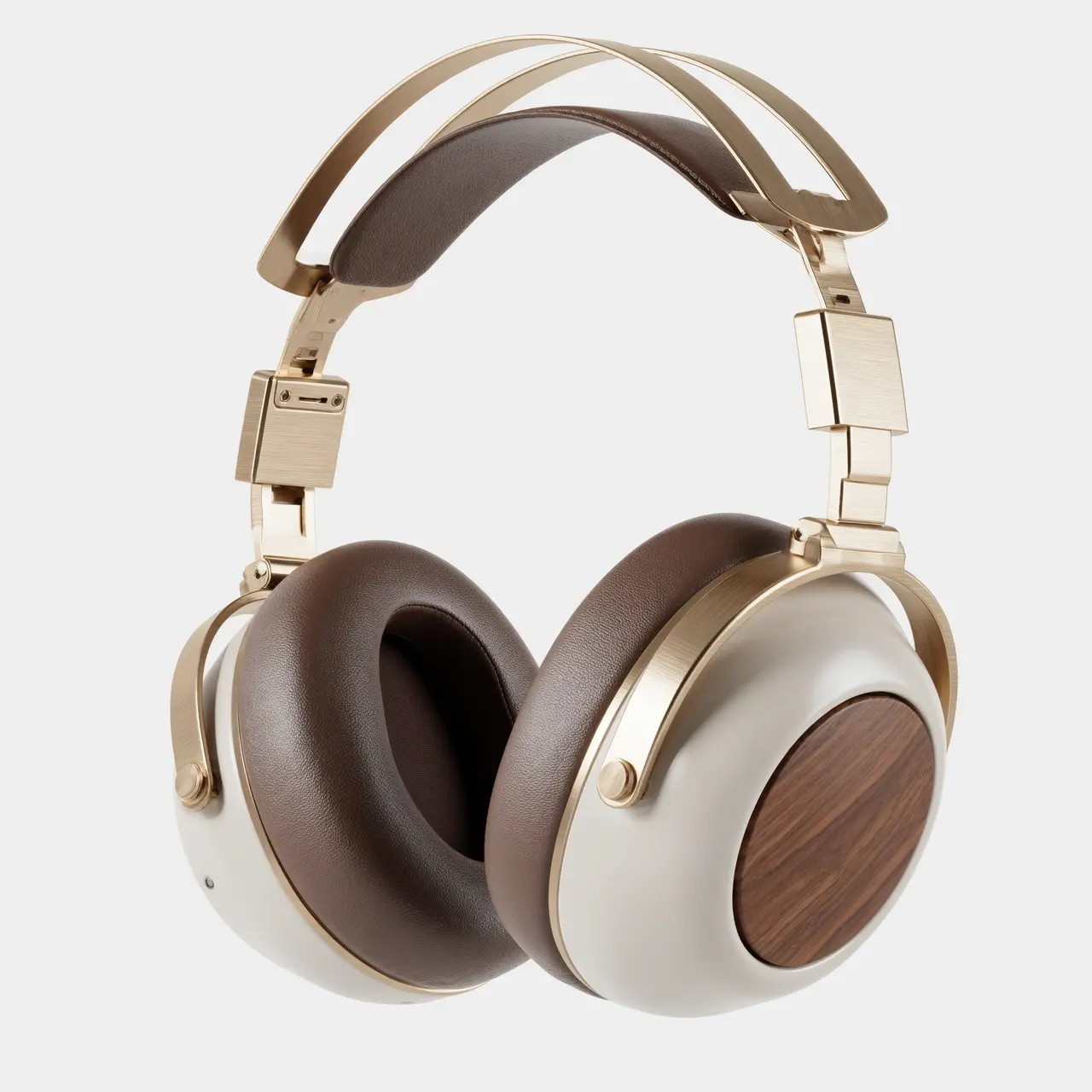
圖生組圖
輸入映像 | 輸出映像 |
|---|---|
|
|
|
|



點擊查看提示詞
案例1:攝影寫真
基礎人物設定:一位 20 歲的東亞男性,頭髮是卷卷的半長發,文藝氣質,五官立體,眉眼清秀,穿著簡約白色 T 恤或淺藍色襯衫,少年感,自然氣質。
1. 民國文人風 (Republic Era Scholar)
提示詞:
[基礎面部描述] 人物形象為參考圖1,身穿深青色長衫,佩戴圓框金絲眼鏡,手持一把摺扇,背景是老舊的上海書房,木質書架,暖黃色調,複古膠片質感,柔和的側光,塵埃在光束中飛舞,文化氣息,沉靜內斂,哈蘇中畫幅,85mm 鏡頭,高解析度,電影感調色,王家衛風格。
道具: 摺扇 / 線裝書 / 圓框眼鏡
色調: 暖黃 / 深青 / sepia
2. 英倫紳士風 (British Gentleman)
提示詞:
[基礎面部描述] 人物形象為參考圖1,穿著深灰色粗花呢西裝三件套,佩戴複古機械腕錶,手持高腳紅酒杯,並看向酒杯,背景是古典圖書館或私人俱樂部,深色皮革沙發,林布蘭特光,暗調氛圍,優雅高貴,冷峻眼神,細節豐富,紋理清晰,英國貴族氣質,8k 解析度,時尚雜誌大片。
道具: 紅酒杯 / 煙鬥 / 機械錶
色調: 深灰 / 酒紅 / 暗金
3. 90s 港風複古 (90s HK Retro)
提示詞:
[基礎面部描述] 人物形象為參考圖1,穿著水洗牛仔夾克或花襯衫,頭髮微亂,雙手抱胸,背景是夜晚的霓虹燈牌街道,模糊的光斑,高顆粒感,色彩濃鬱,紅藍撞色,王家衛風格,情緒化,迷離眼神,閃光燈直出效果,懷舊氛圍,【全身鏡頭】。
色調: 霓虹紅 / 深藍 / 膠片綠
4. 新中式禪意 (New Chinese Zen)
提示詞:
[基礎面部描述]人物形象為參考圖1,人物淡淡露齒笑, 穿著改良式白色中式立領上衣,手持折枝梅花,背景是極簡的留白牆面或竹林,陽光灑在牆面上留下斑駁光影,清冷色調,寧靜致遠,東方美學,皮膚通透,高顆粒感,啞光,構圖簡潔,光影層次豐富,高端攝影,禪意氛圍。
道具: 梅花枝
色調: 白 / 墨綠 / 淺灰
5. 複古藝術家 (Vintage Artist)
提示詞:
[基礎面部描述] 人物形象為參考圖1,穿著沾有顏料的白色襯衫,系著棕色皮圍裙,手持畫筆或調色盤,背景是乾淨的工作室,光線明亮,色彩斑斕的光影,專註的神情,看向手中顏料,不看鏡頭,頭髮略顯淩亂,藝術氣息,印象派色調,質感強烈。
道具: 畫筆 / 調色盤 / 素描本
色調: 暖光 / 多彩顏料 / 棕色
6. 經典黑白電影 (Classic Noir B&W)
提示詞:
[基礎面部描述] 人物形象為參考圖1,穿著黑色高領毛衣,手持一根香煙,戴著黑色禮帽,背景是陰影交錯的樓梯或走廊,高對比黑白攝影,硬光照明,強烈的陰影,神秘感,冷硬派偵探風格,面部輪廓分明,皮膚紋理極致清晰,經典電影劇照,永恒感,側臉特寫,藝術攝影。
道具: 手杖 / 禮帽 / 墨鏡
色調: 黑白 / 高對比
案例2:視覺設計
圖1:一張商業級產品攝影主視覺封面圖,正視全景構圖,一款複古未來主義風格的無線頭戴式耳機懸浮於幾何石膏體之上,耳機呈現完全對稱美學,材質為香檳金金屬與奶油白外殼,背景為深度虛化的溫暖室內光影,光線柔和地勾勒出產品輪廓,畫面留白處具有極強的呼吸感,營造靜謐的聽覺暗示,8k超高清解析度,極簡進階感。
圖2:100mm微距鏡頭拍攝的產品材質特寫,極近距離聚焦於耳機的伸縮臂串連處,清晰展示香檳金拉絲鋁合金的金屬紋理與CNC精密精割倒角,一道銳利的側逆光在金屬邊緣形成星芒高光,背景深暗以突出金屬的工業精密感,畫質極度銳利,無噪點。
圖3:極近距離的微距材質特寫,聚焦於摩卡色蛋白皮耳罩的表面,通過側光展現皮革細膩的毛孔紋理、柔軟的按壓褶皺與透氣孔細節,傳達極致的親膚佩戴舒適度與回彈感,光影層次豐富,色調溫暖濕潤,超高清微距攝影。
圖4:藝術化的產品爆炸視圖,將複古未來主義耳機的內部發聲單元、降噪晶片、電池模組與外部的胡桃木裝飾片、金屬架構進行懸浮拆解展示,背景為深邃的科技藍,內部元件呈現半透明的全息科技質感,強調內部精密工藝與現代科技的結合,高科技商業海報風格。
圖5:35mm人文鏡頭拍攝的佩戴情境圖,特寫模特的下頜線與頸部,展示佩戴這款香檳金耳機時的完美貼合度,自然暖調夕陽光從側後方射入形成輪廓光,髮絲邊緣透著金光,模特膚色呈現健康自然的質感,營造沈浸式聽歌的鬆弛生活感,背景為模糊的居家環境。
圖6:致敬建築光影的靜物攝影,將耳機放置於極簡的灰色混凝土案頭上,午後陽光透過百葉窗投下條紋狀的硬光影,光影切過啞光奶油白機身與香檳金架構,形成明暗強烈的幾何構成,凸顯機身的立體廓形與材質對比,冷暖色調對撞,極簡主義構圖。
圖7:俯視平鋪構圖的色彩方案展示圖,並排陳列該系列三款不同配色的耳機,分別為銀白、黑金、藍銅配色,背景為肌理感極強的灰色羊毛氈布,柔和頂光照明,強調CMF設計的多樣性與材質的細膩觸感,畫面整潔有序,設計雜誌風格。
圖8:品牌生活的全家福靜物攝影,複古未來主義耳機被收納在配套的精緻皮箱旁,案頭上擺放著黑膠唱片機、一張正在旋轉的黑膠唱片與一杯冒著熱氣的咖啡,背景有暖色調的氛圍燈渲染,深胡桃木色調為主,傳遞慢生活與高保真音質結合的品牌生活哲學,電影感敘事光影。
互動式編輯
輸入映像 | 輸出映像 |
|---|---|
|
將圖1中框選的圖案放置到圖二中框選處 |


多圖融合
輸入映像 | 輸出映像 |
|---|---|
|
給圖1的男生和圖2的狗拍一張寫真,男生摟著這隻狗,人和狗都很開心,攝影棚柔和燈光,藍色紋理背景 |
|
給圖1的裙子按照圖2鳥的顏色進行配色,充滿藝術感,衣服款式不變,模特不變 |



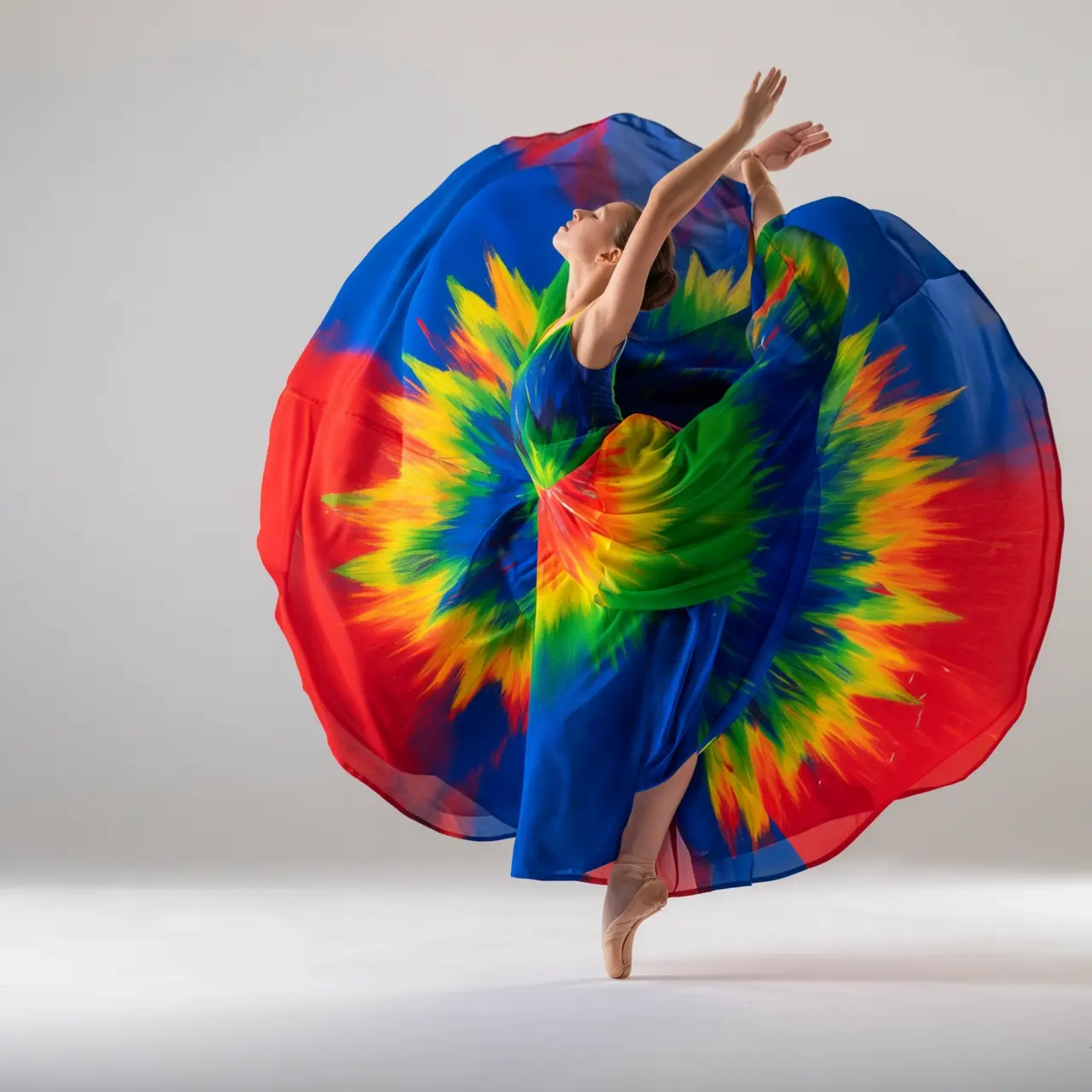
主體特徵保持
輸入映像 | 輸出映像 |
|---|---|
|
請產生一套4宮格“季節變遷”主題的拍立得套圖,共四張。每一張照片都是在同一個地點,公園裡的一棵樹下拍攝的,但分別展現了花牌 (春夏秋冬)四個季節的景象。人物的著裝也需與季節相匹配,春天的薄外套、夏天的短袖、秋天的風衣、冬天的圍巾和厚大衣。並將這組照片放在餐桌上。 |


檢測和分割
輸入映像 | 輸出映像 |
|---|---|
|
檢測圖片中的膝上型電腦和鬧鐘,畫框並標註“laptop”和“clock” |
|
分割圖片中的玻璃杯 |



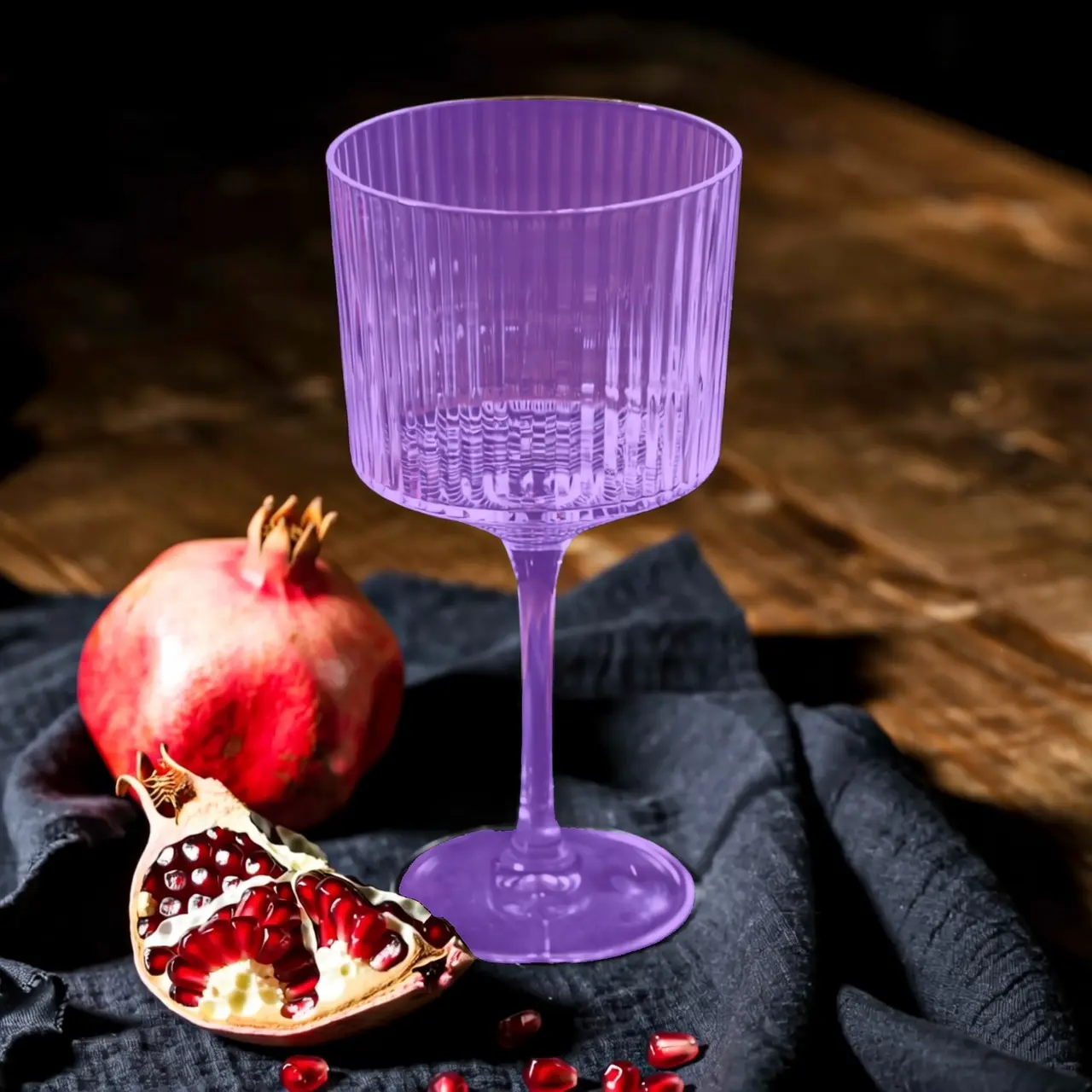
提取元素
輸入映像 | 輸出映像 |
|---|---|
|
從上傳照片中提取穿搭單品,將它們以平鋪展示的方式排列在純白背景上,保持真實細節與材質質感,時尚電商風格,適合服裝展示。 |


文本編輯
輸入映像 | 輸出映像 |
|---|---|
|
去除全圖浮水印 |
|
用手在沙灘上隨意的寫上“Time for Holiday?” |
|
把18改成29,把JUNE改成SEPTEMBER |






鏡頭與視角編輯
輸入映像 | 輸出映像 |
|---|---|
|
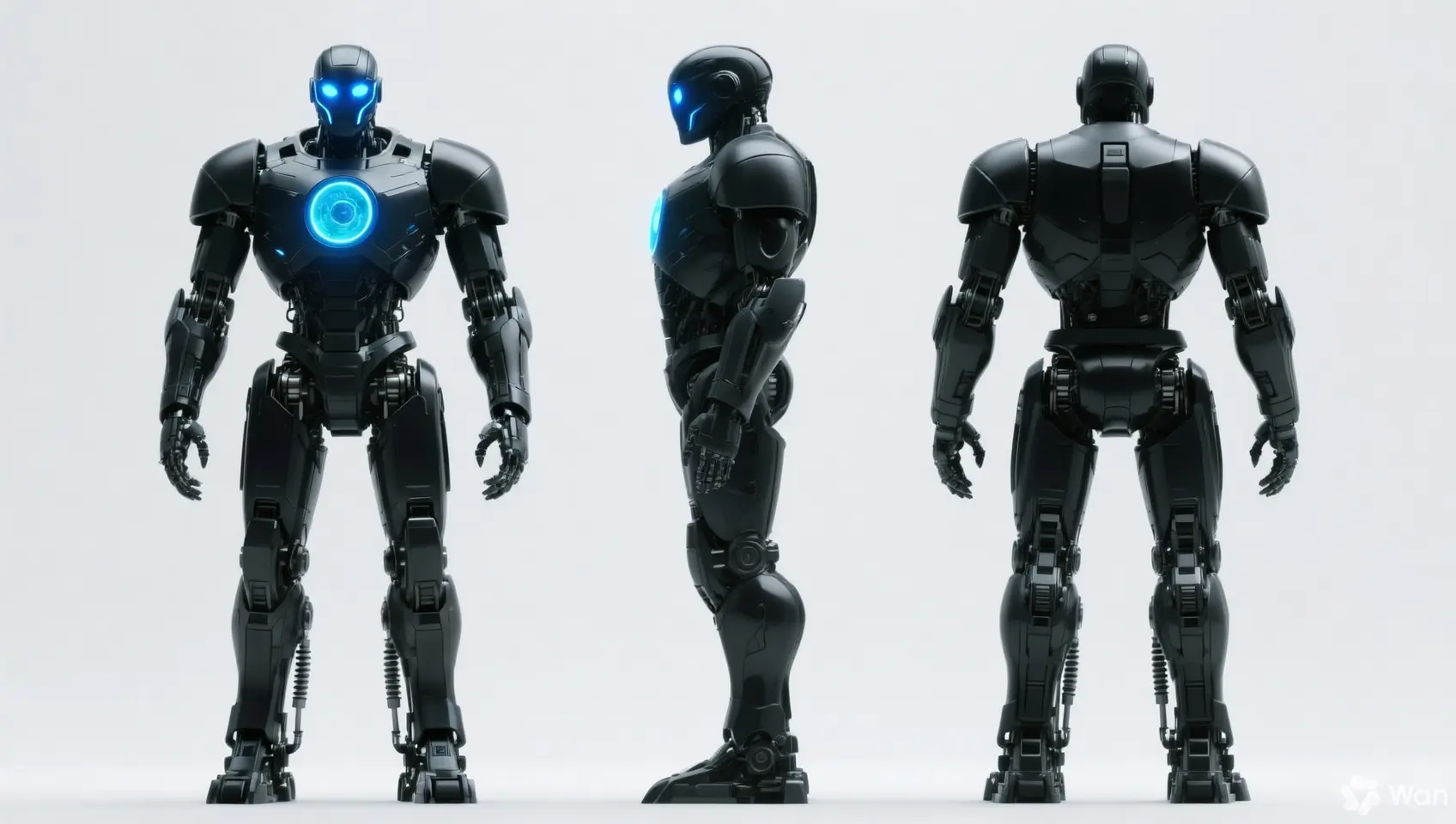
保持人物的特徵不變,產生正視圖、側視圖和背視圖 |
|
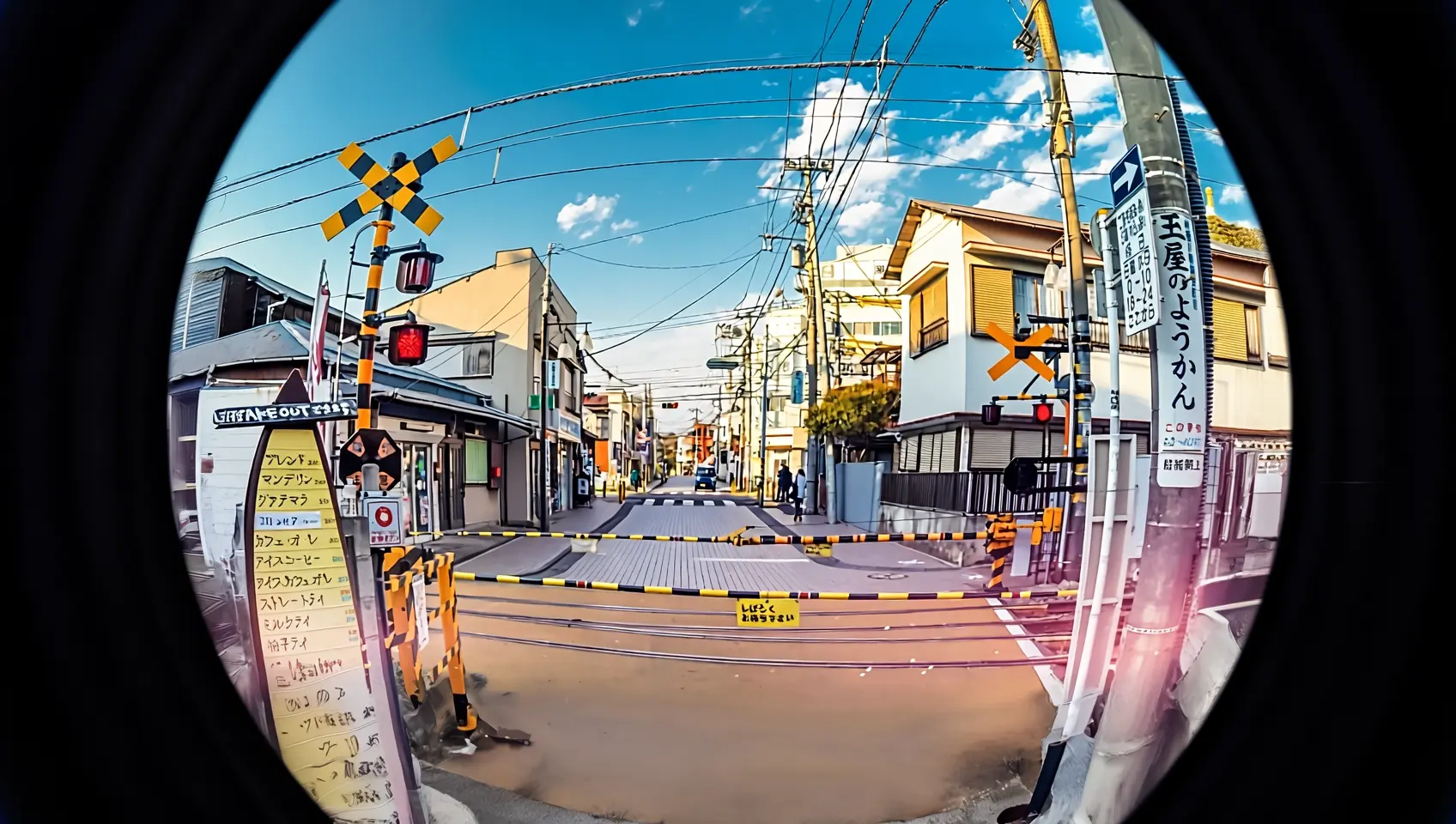
用魚眼鏡頭重新拍攝這張照片 |


輸入說明
輸入映像規格
規格 | wan2.7-image-pro、wan2.7-image | wan2.6-image | wan2.5-i2i-preview |
|---|---|---|---|
輸入映像數量 | 0~9 張(0張對應文生圖模式) | 影像編輯 1~4 張 / 圖文混排 0~1 張 | 1~3 張 |
圖片格式 | JPEG、JPG、PNG(不支援透明通道)、BMP、WEBP | JPEG、JPG、PNG(不支援透明通道)、BMP、WEBP | JPEG、JPG、PNG(不支援透明通道)、BMP、WEBP |
圖片寬高範圍 | [240, 8000] 像素 | [240, 8000] 像素 | [384, 5000] 像素 |
檔案大小 | ≤ 20MB | ≤ 10MB | ≤ 10MB |
寬高比 | [1:8, 8:1] | 不限 | [1:4, 4:1] |
映像輸入順序
多圖輸入時,按照數組中的順序定義映像順序。因此,提示詞引用的映像編號需要與映像數組中的順序一一對應,例如:數組中的第一張圖片為"圖1",第二張為"圖2",或者使用標記形式如"[圖1]"、"[圖2]"。
{
    "content": [
        {"text": "編輯指令,如:將圖1中的鬧鐘放置到圖2的餐桌的花瓶旁邊位置"},
        {"image": "https://example.com/image1.png"},
        {"image": "https://example.com/image2.png"}
    ]
}
輸入映像 | 輸出映像 | ||
|---|---|---|---|
圖1 |
圖2 |
提示詞:把圖1移動到圖2上 |
提示詞:把圖2移動到圖1上 |


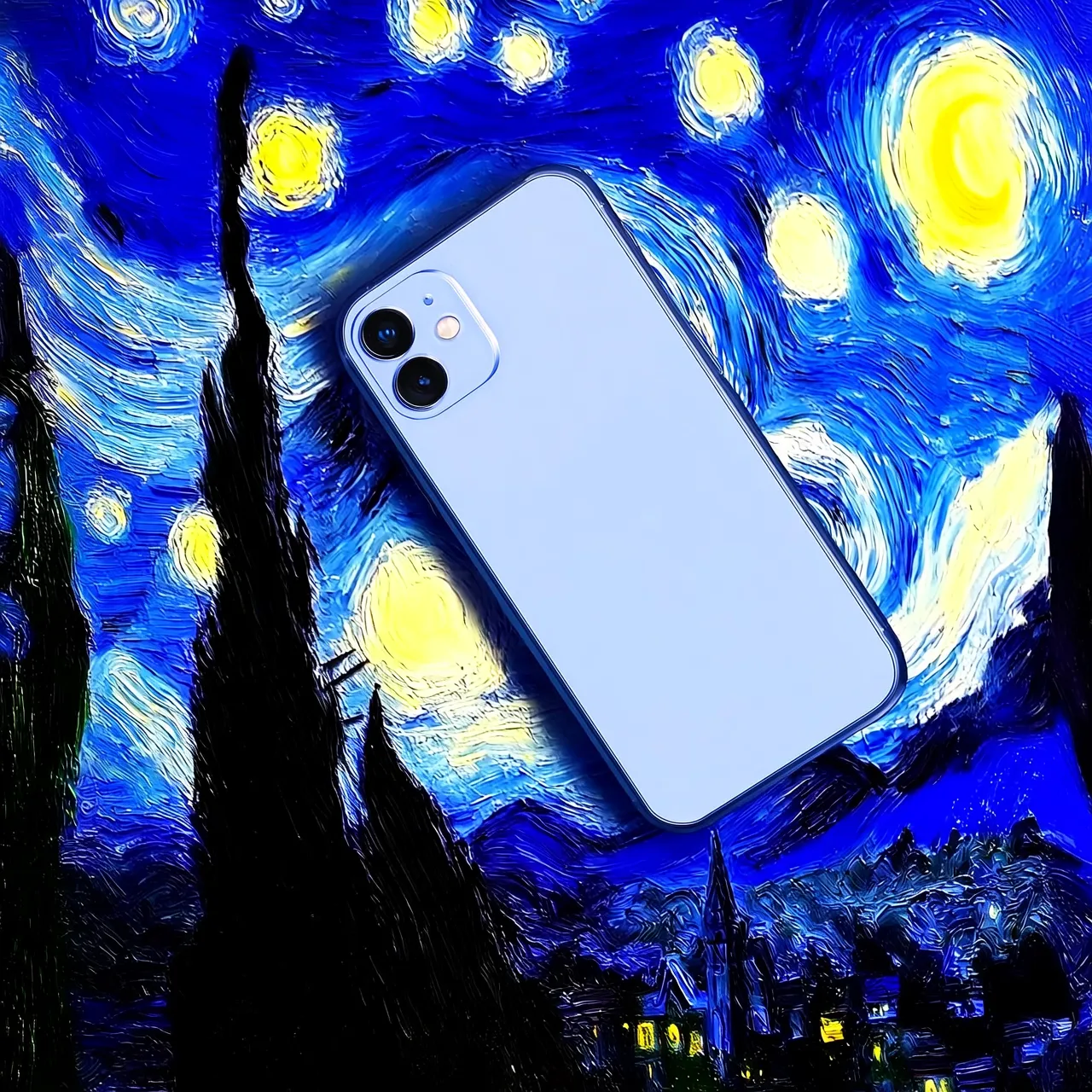

映像傳入方式
支援通過以下方式傳入映像:
方式二:Base64編碼
將影像檔轉換為 Base 64 編碼字串,並按格式拼接:data:{MIME_type};base64,{base64_data}。
-
樣本值:
data:image/png;base64,iVBORw0KGgoAAAANSUhEUgAABDg......(因長度限制僅展示片段)。調用時,需傳入完整字串。 -
{base64_data}:表示影像檔經過 Base 64 編碼後的字串。
-
{MIME_type}:表示映像的媒體類型,需與檔案格式對應。
映像格式
MIME Type
JPEG
image/jpeg
JPG
image/jpeg
PNG
image/png
BMP
image/bmp
WEBP
image/webp
-
適合情境:本地圖片、私人圖片或需要加密傳輸的情境。
方式三:本地檔案路徑(僅限SDK)
-
Python SDK:支援傳入檔案的絕對路徑和相對路徑。檔案路徑規則如下:
系統
傳入的檔案路徑
樣本(絕對路徑)
樣本(相對路徑)
Linux或macOS系統
file://{檔案的絕對路徑或相對路徑}
file:///home/images/test.png
file://./images/test.png
Windows系統
file://D:/images/test.png
file://./images/test.png
-
Java SDK:僅支援傳入檔案的絕對路徑。檔案路徑規則如下:
系統
傳入的檔案路徑
樣本(絕對路徑)
Linux或macOS系統
file://{檔案的絕對路徑}
file:///home/images/test.png
Windows系統
file:///{檔案的絕對路徑}
file:///D:/images/test.png
-
適用情境:適合在本地開發環境中快速測試。
關鍵能力
1. 指令遵循(提示詞)
參數:messages.content.text或input.prompt(必選)、negative_prompt(可選)。
- text \ prompt(正向提示詞):描述希望在畫面中看到的內容、主體、情境、風格、光照和構圖。
- negative_prompt(反向提示詞):描述不希望在畫面中出現的內容,如“模糊”、“多餘的手指”等。僅用於輔助最佳化產生品質。
參數 | wan2.7-image-pro、wan2.7-image | wan2.6-image | wan2.5-i2i-preview |
|---|---|---|---|
text | 必選,最多5000字元 | 必選,最多2000字元 | 不支援 |
prompt | 不支援 | 不支援 | 必選,最多2000字元 |
negative_prompt | 不支援 | 支援,最多500字元 | 支援,最多500字元 |
2. 開啟prompt智能改寫
參數: parameters.prompt_extend (bool, 預設為 true)。
此功能可自動擴充和最佳化較短的Prompt,提升輸出映像效果。開啟此功能會增加額外耗時。
實踐建議:
- 建議開啟:當輸入 Prompt 較簡潔或寬泛時,此功能可增益圖像效果。
- 建議關閉:若需控制畫面細節、或已提供詳細描述,或對響應延遲敏感。請將參數
prompt_extend顯式設為false。
參數 | wan2.7-image-pro、wan2.7-image | wan2.6-image | wan2.5-i2i-preview |
|---|---|---|---|
prompt_extend | 不支援 | 支援(僅影像編輯模式) | 支援 |
3. 設定輸出映像解析度
參數: parameters.size (string),格式為 "寬*高"。
重要同名檔位 1K 在不同模型中的定義不同:wan2.7 系列輸出總像素接近 10241024,wan2.6-image 接近 12801280。切換模型時請注意輸出解析度的差異。
| 參數 | wan2.7-image-pro、wan2.7-image | wan2.6-image | wan2.5-i2i-preview |
|---|---|---|---|
size | 方式一:指定輸出圖片的解析度(推薦) 編輯模式(傳入至少一張圖片),可選的輸出解析度檔位:
| 方式一:參考輸入圖比例(推薦) 編輯模式(
| 僅支援指定產生映像的寬高像素值
|
4. 互動式精準編輯
參數 parameters.bbox_list,框選圖中需要編輯的物品或位置,實現更準確的編輯效果,僅wan2.7-image-pro、wan2.7-image支援。
- 對應關係:列表長度必須與輸入圖片數量一致。若某張圖片無需編輯,需要在對應位置傳入空列表
[]。 - 座標格式:
[x1, y1, x2, y2](左上方 x, 左上方 y, 右下角 x, 右下角 y),使用原圖絕對像素座標,左上方對應(0,0),x 軸向右,y 軸向下。若使用視覺模型(如 qwen3.6-plus)定位目的地區域,其返回的是歸一化座標 [0, 999],請先按下文輔助代碼換算為絕對像素座標後再傳入。 - 數量限制:單張圖片最多支援 2 個邊界框。
樣本:輸入 3 張圖片,其中第 2 張無框選,第 1 張有兩個框選:
[
  [[0, 0, 12, 12], [25, 25, 100, 100]],
  [],
  [[10, 10, 50, 50]]
]
點擊查看調用樣本
curl --location 'https://{WorkspaceId}.ap-southeast-1.maas.aliyuncs.com/api/v1/services/aigc/multimodal-generation/generation' \
    --header 'Content-Type: application/json' \
    --header "Authorization: Bearer $DASHSCOPE_API_KEY" \
    --data '{
        "model": "wan2.7-image-pro",
        "input": {
            "messages": [
                {
                    "role": "user",
                    "content": [
                        {"image": "https://img.alicdn.com/imgextra/i3/O1CN0157XGE51l6iL9441yX_!!6000000004770-49-tps-1104-1472.webp"},
                        {"image": "https://img.alicdn.com/imgextra/i3/O1CN01SfG4J41UYn9WNt4X1_!!6000000002530-49-tps-1696-960.webp"},
                        {"text": "把圖1的鬧鐘放在圖2的框選的位置,保持情境和光線融合自然"}
                    ]
                }
            ]
        },
        "parameters": {
            "bbox_list": [[],[[989, 515, 1138, 681]]],
            "size": "2K",
            "n": 1,
            "watermark": false
        }
    }'
如何確定編輯地區座標
在圖片上拖拽滑鼠畫框,精準直觀:
# 安裝依賴:pip install opencv-python
import cv2
import urllib.request

# 下載樣本圖片(替換為您自己的圖片 URL 或本地路徑)
image_url = "https://img.alicdn.com/imgextra/i3/O1CN01SfG4J41UYn9WNt4X1_!!6000000002530-49-tps-1696-960.webp"
urllib.request.urlretrieve(image_url, "example.webp")

# 讀取圖片並彈出互動視窗
img = cv2.imread("example.webp")
# 在彈出的視窗中用滑鼠拖拽畫框,按 Enter 確認選區,按 Esc 取消
x, y, w, h = cv2.selectROI("Draw bounding box (Enter=confirm, Esc=cancel)", img)
cv2.destroyAllWindows()

# 將 OpenCV 返回的 (x, y, w, h) 轉換為 bbox_list 所需的 [x1, y1, x2, y2] 格式
# 座標系:原點在圖片左上方,x 軸向右,y 軸向下,單位為像素
bbox = [x, y, x + w, y + h]
print(f"框選座標: {bbox}")  # 將此座標傳入 parameters.bbox_list
通過 qwen3.6-plus 自動識別目的地區域座標,用自然語言描述目標即可擷取座標:
# 安裝依賴:pip install dashscope pillow
import os
import json
from dashscope import MultiModalConversation
import dashscope
from PIL import Image
import urllib.request

# 以下為新加坡地區URL,調用時請將WorkspaceId替換為真實的業務空間ID,各地區的URL不同。
dashscope.base_http_api_url = "https://{WorkspaceId}.ap-southeast-1.maas.aliyuncs.com/api/v1"

def get_bbox_list(image, prompt):
    """
    通過 qwen3.6-plus 識別圖片中的目的地區域,返回絕對像素座標列表。

    Args:
        image: 圖片 URL 或本地路徑(本地路徑格式為 "file:///absolute/path.png")
        prompt: 自然語言描述,如 "咖啡杯"、"盤子裡所有的水果"、"盤子正中間的水果"

    Returns:
        [[x1, y1, x2, y2], ...] 絕對像素座標,可直接傳入 bbox_list
    """
    # 將使用者描述與返回格式指令拼接
    full_prompt = (
        prompt + "\n"
        "請根據以上描述,返回對應地區的座標。\n"
        "最多返回2個地區,優先返回最匹配的目標。\n"
        "嚴格按照JSON二維列表格式返回:[[x1, y1, x2, y2], ...]\n"
        "每組座標:[左上方x, 左上方y, 右下角x, 右下角y]\n"
        "座標系以圖片左上方為(0,0),x軸向右,y軸向下。\n"
        "如果只有一個地區,也必須使用二維列表:[[x1, y1, x2, y2]]\n"
        "只返回JSON列表,不要返回其他任何內容。"
    )

    messages = [
        {'role': 'user',
         'content': [
             {'image': image},
             {'text': full_prompt}
         ]}
    ]

    response = MultiModalConversation.call(
        api_key=os.getenv('DASHSCOPE_API_KEY'),
        model='qwen3.6-plus',
        messages=messages,
    )

    text = response.output.choices[0].message.content[0]["text"]
    text = text.replace("```json", "").replace("```", "").strip()
    coords = json.loads(text)

    # 相容模型返回一維列表 [x1,y1,x2,y2] 的情況
    if coords and not isinstance(coords[0], list):
        coords = [coords]

    # 擷取圖片尺寸,用於座標轉換
    if image.startswith("file://"):
        local_path = image[len("file://"):]
        img = Image.open(local_path)
    else:
        tmp_path = "temp_bbox_image"
        urllib.request.urlretrieve(image, tmp_path)
        img = Image.open(tmp_path)
    width, height = img.size

    # qwen3.6-plus 等 Qwen3-VL 系列模型返迴歸一化座標 [0, 999],此處轉換為絕對像素座標
    bbox_list = []
    for box in coords:
        bbox_list.append([
            int(box[0] / 1000 * width),
            int(box[1] / 1000 * height),
            int(box[2] / 1000 * width),
            int(box[3] / 1000 * height)
        ])

    return bbox_list

# === 使用樣本 ===
image_url = "https://img.alicdn.com/imgextra/i3/O1CN01ewUWhg1eS3VqJ3wap_!!6000000003869-49-tps-2048-2048.webp"

# 按名稱選取目標
bbox = get_bbox_list(image_url, "咖啡杯")           # [[x1, y1, x2, y2]]

# 按位置描述選取目標
bbox = get_bbox_list(image_url, "盤子正中間的水果")  # [[x1, y1, x2, y2]]

# 描述一個地區
bbox = get_bbox_list(image_url, "薰衣草盆栽")

# 結果可作為 bbox_list 數組中的元素
# 注意:單張圖片最多支援 2 個邊界框
計費與限流
-
模型免費額度和計費單價請參見模型列表與價格。
-
模型限流請參見萬相。
-
計費說明:
- 按成功產生的 映像張數 計費。僅當介面返回
task_status為SUCCEEDED並成功產生映像後,才會計費。 - 模型調用失敗或處理錯誤不產生任何費用,也不消耗免費額度。
- 按成功產生的 映像張數 計費。僅當介面返回
API參考
各模型使用不同的端點和請求結構:
模型 | 端點(以新加坡地區為例) |
|---|---|
| 同步介面: 非同步介面: 調用時請將 |
| 非同步介面: 調用時請將 |
wan2.7/wan2.6:messages格式,在messages[].content數組中,通過image傳入映像,通過text傳入提示詞。wan2.5:通過input.images數組 傳入映像,通過input.prompt傳入提示詞
"input": {
    "messages": [
        {
            "role": "user",
            "content": [
                {"image": "https://help-static-aliyun-doc.aliyuncs.com/file-manage-files/zh-CN/20251229/pjeqdf/car.webp"},
                {"image": "https://help-static-aliyun-doc.aliyuncs.com/file-manage-files/zh-CN/20251229/xsunlm/paint.webp"},
                {"text": "把圖2的塗鴉噴繪在圖1的汽車上"}
            ]
        }
    ]
}
"input": {
    "prompt": "將圖1中的鬧鐘放置到圖2的餐桌的花瓶旁邊位置",
    "images": [
        "https://img.alicdn.com/imgextra/i3/O1CN0157XGE51l6iL9441yX_!!6000000004770-49-tps-1104-1472.webp",
        "https://img.alicdn.com/imgextra/i3/O1CN01SfG4J41UYn9WNt4X1_!!6000000002530-49-tps-1696-960.webp"
    ]
}
輸入和輸出參數請參見萬相-映像產生與編輯2.7 API參考、萬相-映像產生與編輯2.6 API參考、萬相-通用影像編輯2.5 API參考。