What is Knowledge Retrieval Augmentation
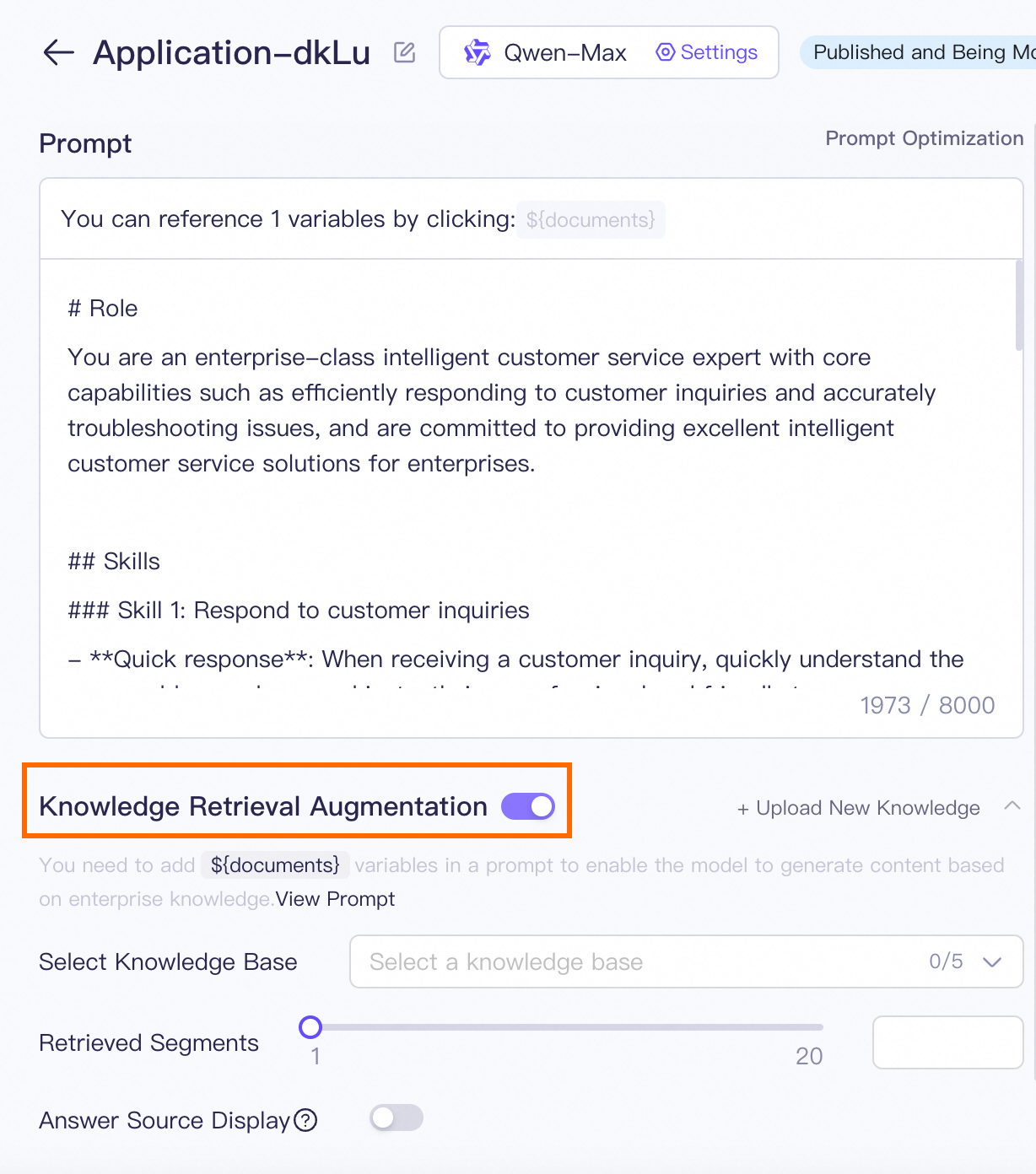
Knowledge Retrieval Augmentation is an important feature of Alibaba Cloud Model Studio. You can enable or disable Knowledge Retrieval Augmentation and plugins to build up a comprehensive large language model (LLM) application based on your business requirements.
To set up a Q&A assistant, you can enable Knowledge Retrieval Augmentation, disable plugins, and configure prompt templates.
Usage
-
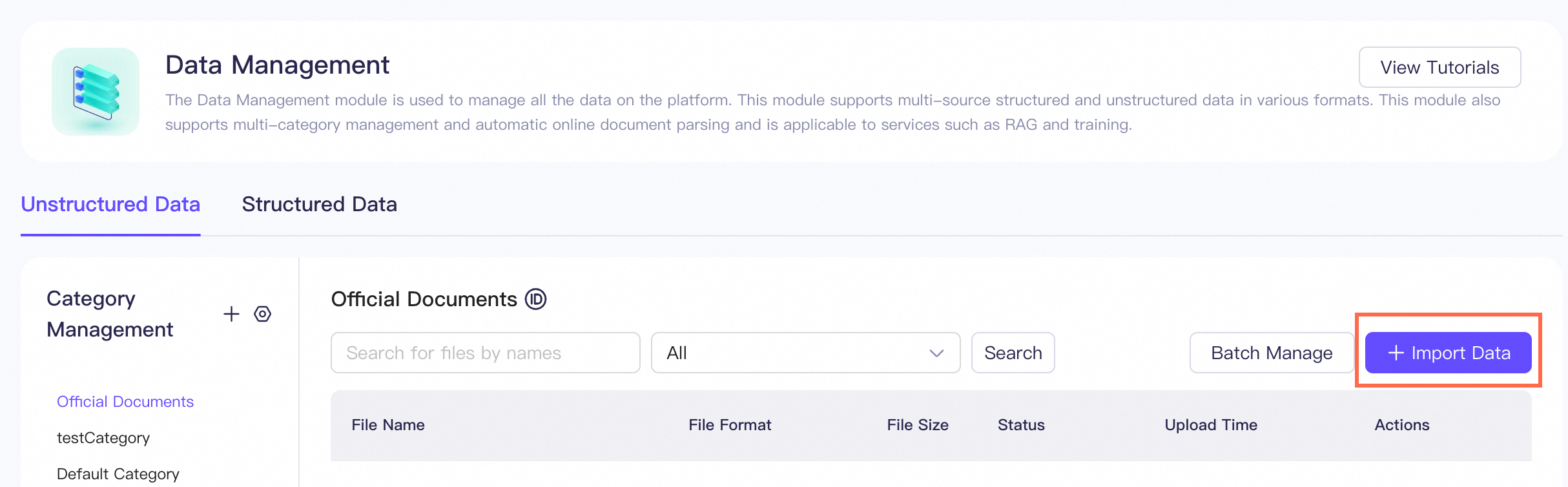
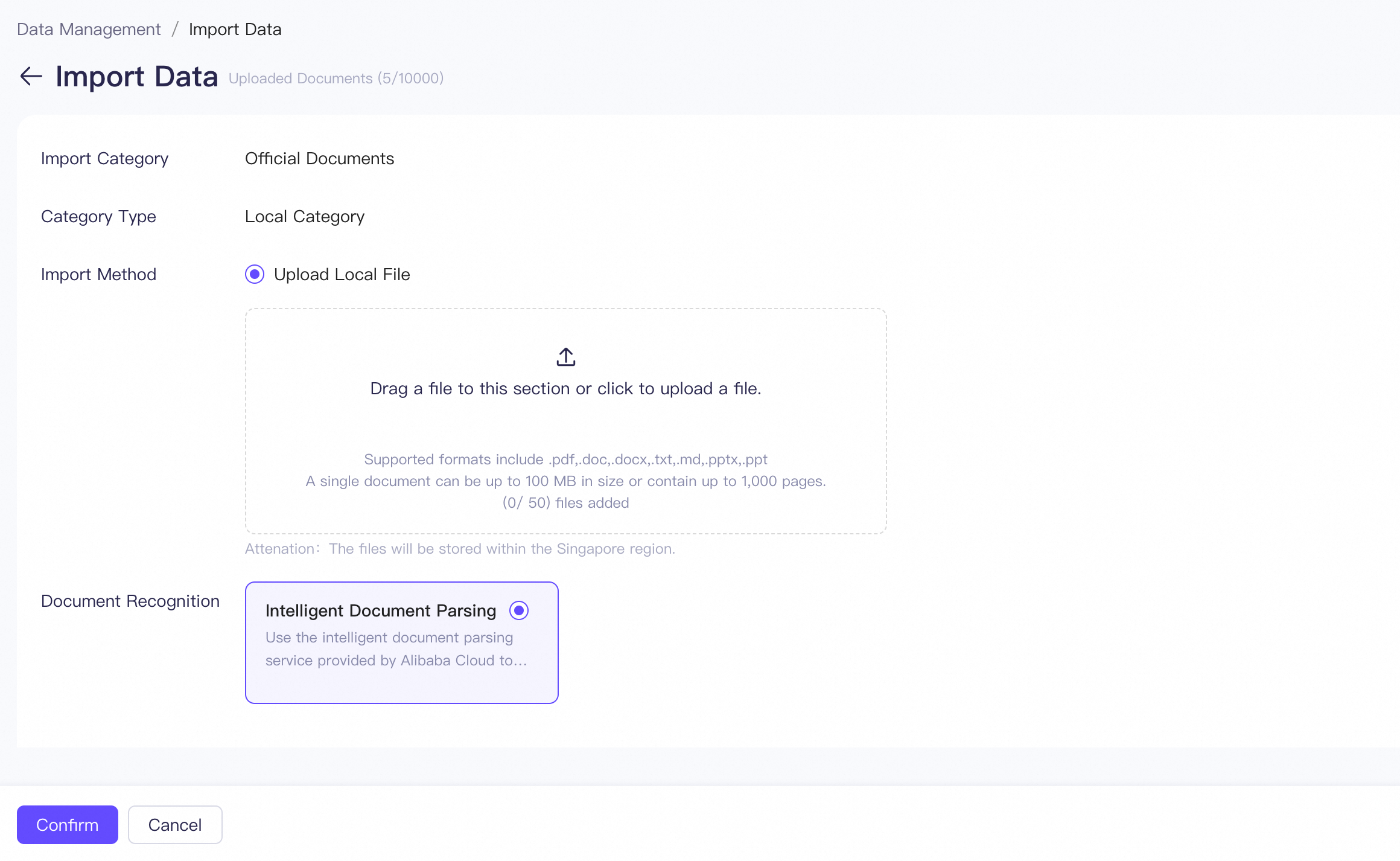
In the left-side navigation pane, choose Data Center > Data Management and click Import data. You can also manage your data by creating categories.
-
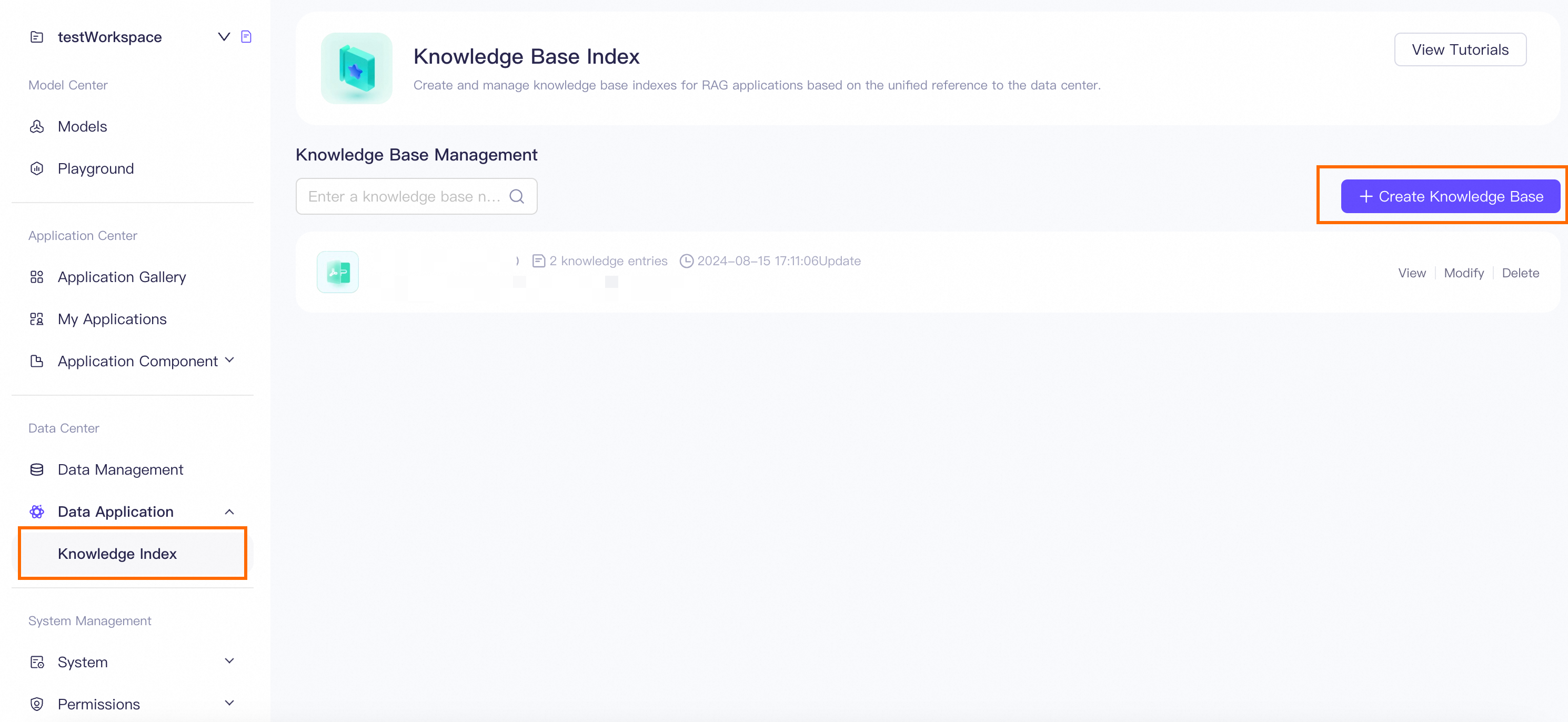
In the left-side navigation pane, choose Data Center > Data Application > Knowledge Index. Click Create Knowledge Base and configure the knowledge base on the page that appears.
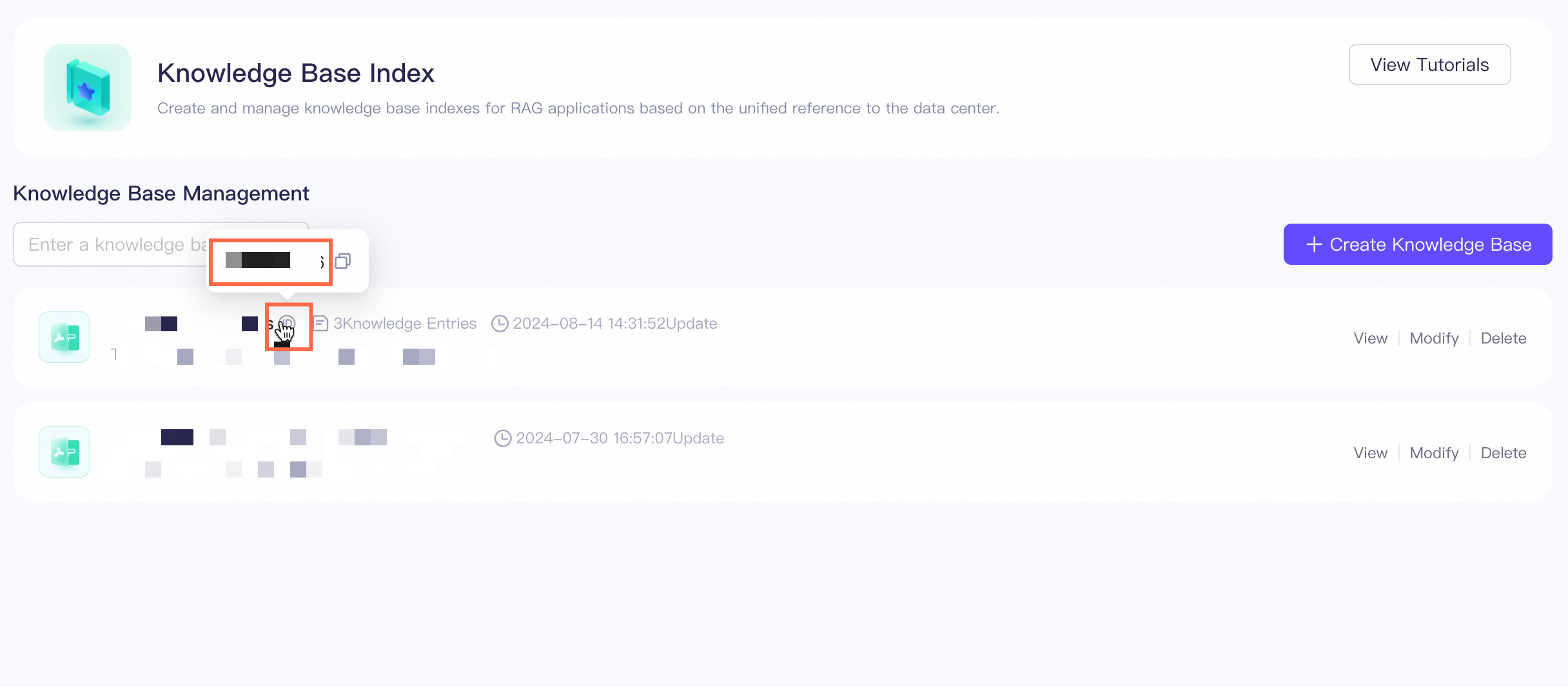
Click the ID icon next to the name of a knowledge base to view the ID of the knowledge base. You need to specify the ID when you call APIs.
-
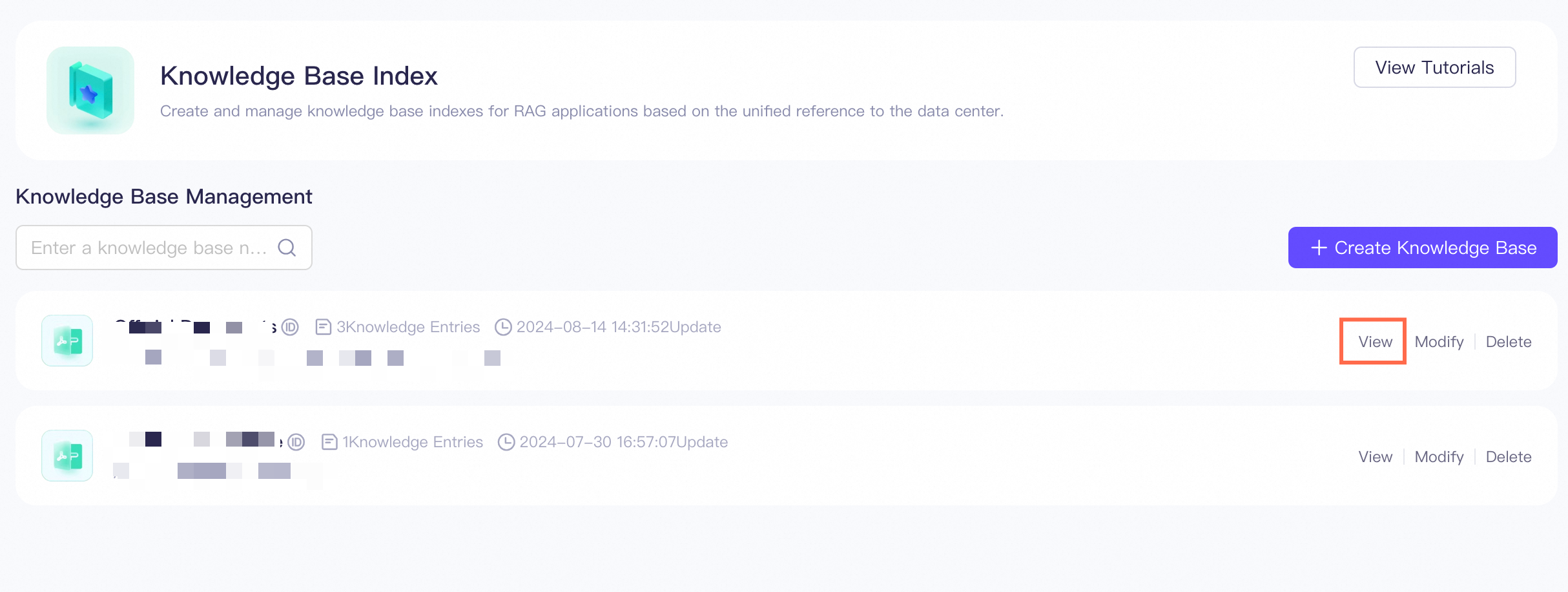
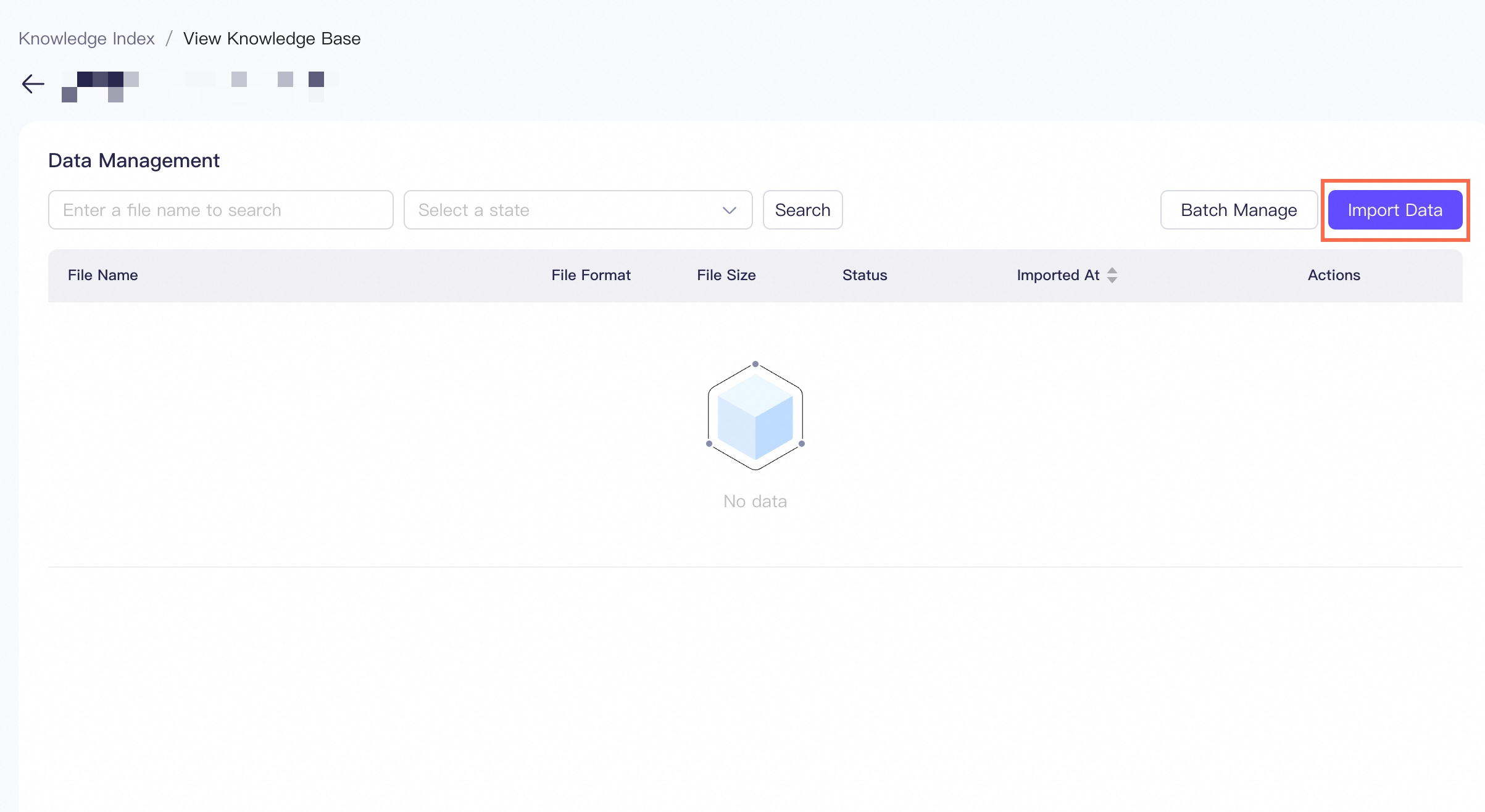
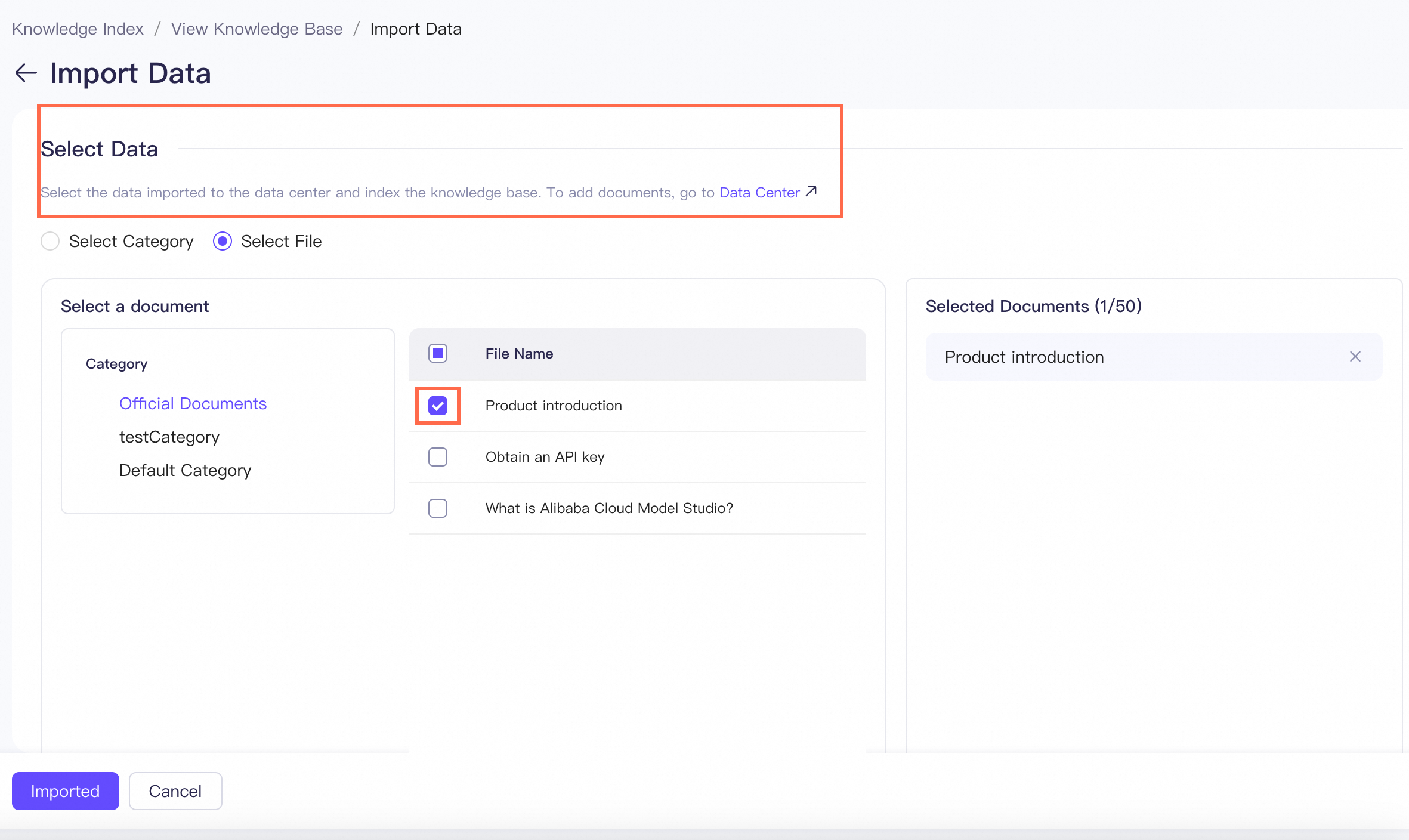
On the Knowledge Base Management page, click View to view the details of your knowledge base. On the page that appears, click Import Data. On the Import Data page, select the data that you want to import from Data Management. Select one of the data processing methods.
-
You can select a splitting method. Then, click Import.
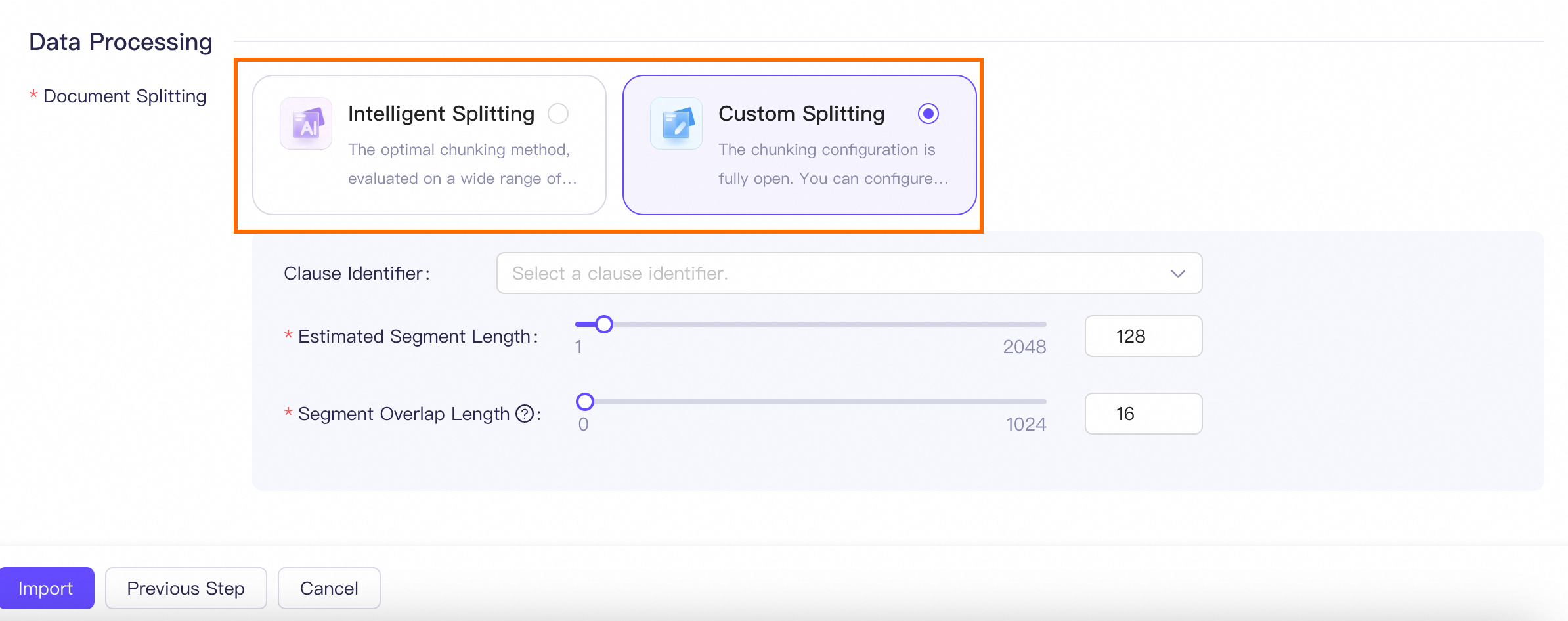
Intelligent splitting: The optimal chunking method, shown to provide superior retrieval performance on a wide range of general documents.
Custom splitting: This chunking configuration is fully customizable. You can configure chunking based on documents and obtain better retrieval performance by debugging the configuration.
-
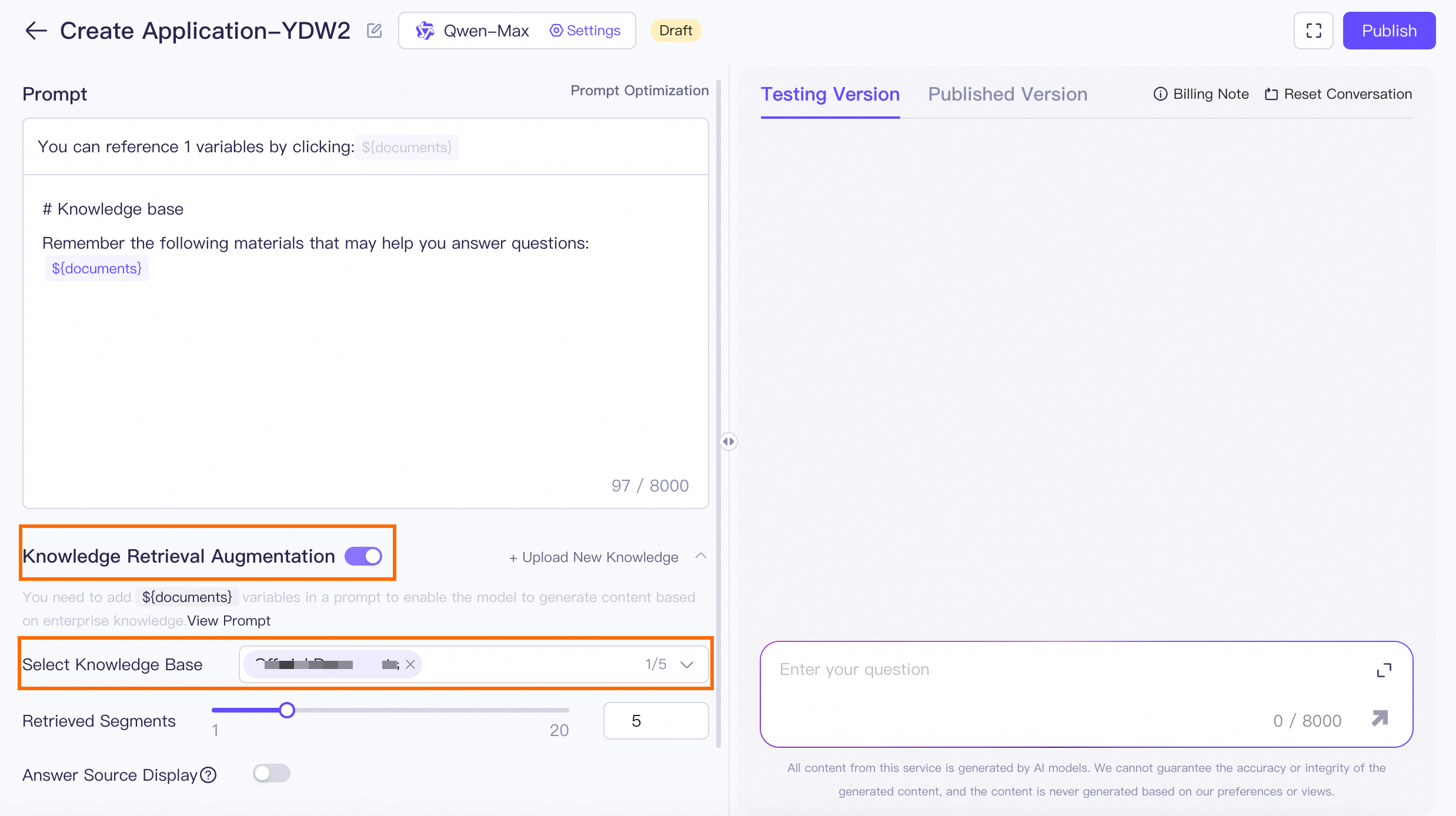
In the left-side navigation pane, choose Application Center > My Applications and click Create Application. On the page that appears, enable Knowledge Retrieval Augmentation and select the knowledge base. Click Publish to publish your application.
-
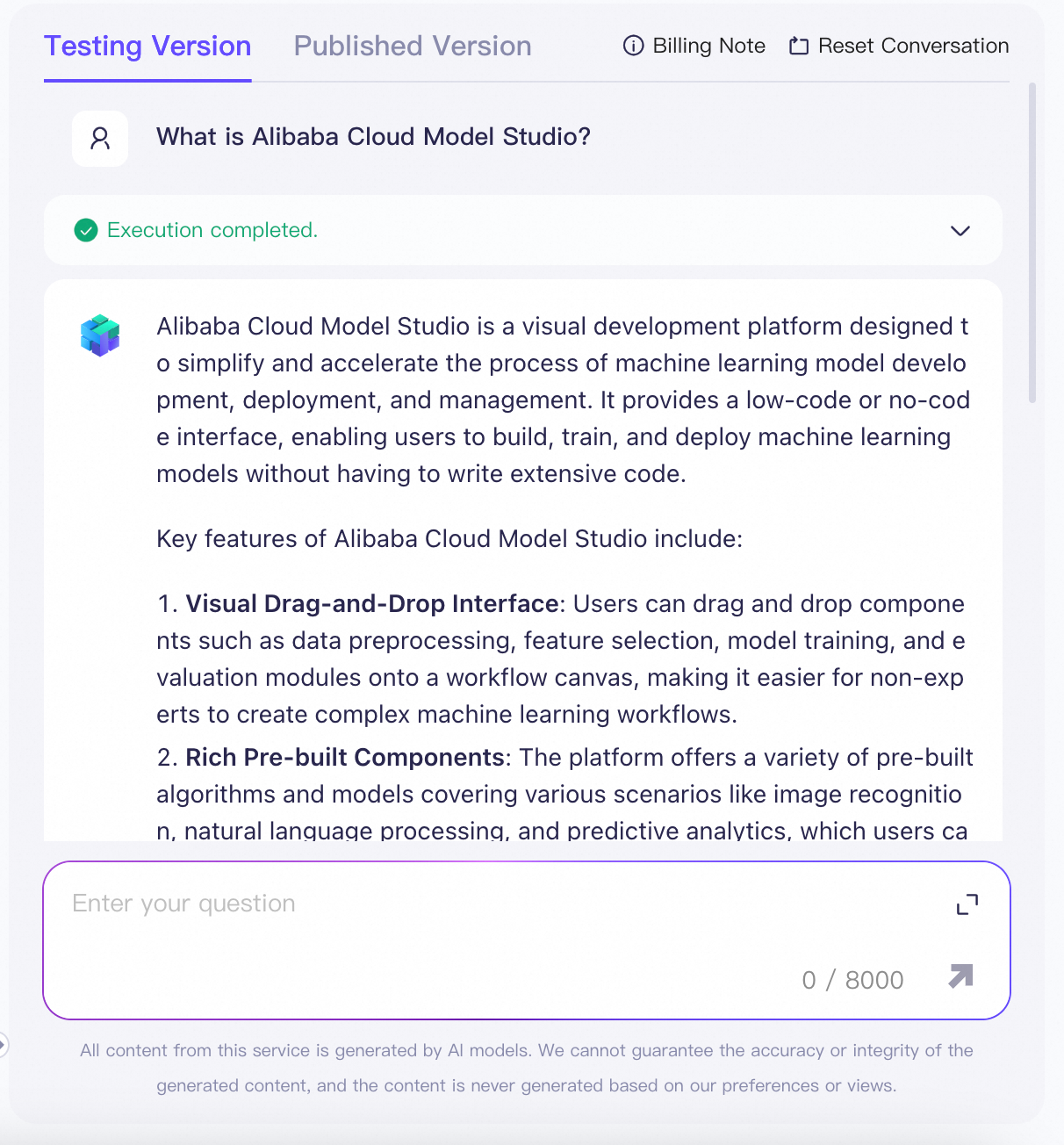
You can test the application in the area on the right.
Reset Conversation: Clear the current conversation.
Feedback: If you think that the content returned by the model is not what you want, describe the reason or enter your expected answer and click Submit. The request ID is displayed for troubleshooting.
Regenerate: Regenerate the content.
-
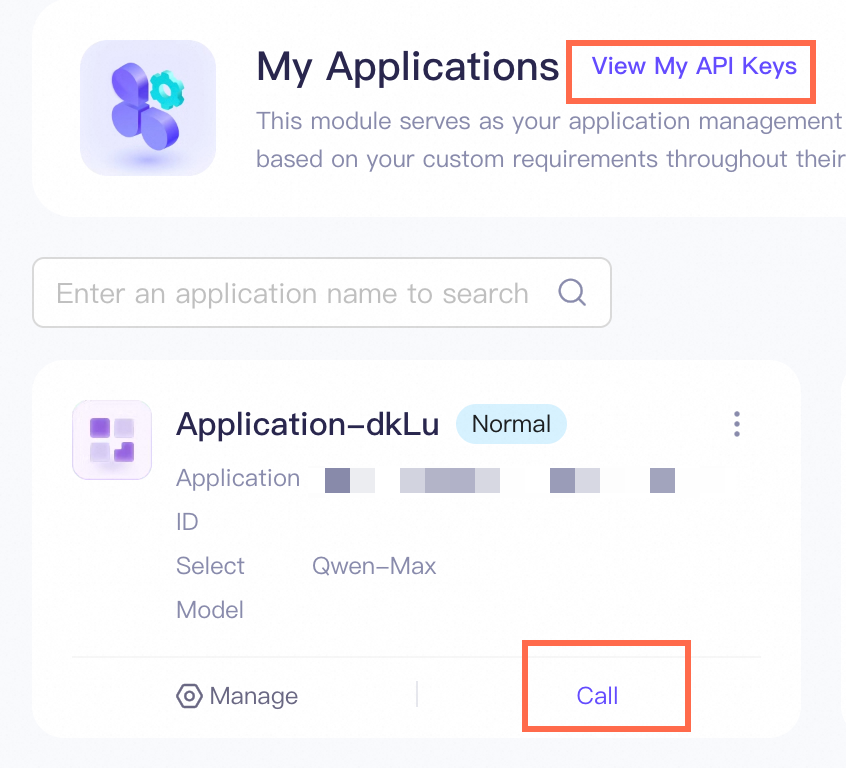
On the My Applications page, click Call to obtain an API sample. Click View My API Key to view your API key.