相較於AI試衣-基礎版,aitryon-plus 在 映像清晰度、布料紋理和Logo還原 方面表現更為出色,但產生耗時也相應更長,更適用於對產生結果品質有高要求、對即時性要求不高的情境。
重要本文檔僅適用於華北2(北京)地區。如需使用模型,需使用華北2(北京)地區的API Key。
模型能力
多種服飾試穿
| 精細化控制
|
模型概覽
模型簡介
模型名稱 | 計費單價 | 限流(主帳號與RAM子帳號共用) | |
|---|---|---|---|
任務下發介面RPS限制 | 同時處理中任務數量 | ||
aitryon-plus | $0.071677/張 | 10 | 5 |
模型效果示意
輸入模特的全身正面照 | 輸入服裝平鋪圖 | 產生的試衣效果圖 |
|---|---|---|
| 上裝平鋪圖
|
|
下裝平鋪圖
|


輸入圖片要求
高品質的輸入是高品質輸出的保障。在調用API前,請務必確保您的圖片符合以下規範。
模特圖要求
要求類別 | 詳細說明 |
|---|---|
圖片要求 |
|
模特人物要求 |
|
正確的人物圖樣本
|
|
|
|


錯誤的人物圖樣本
❌多人照片 | ❌非正面全身照 (避免上傳側身、坐姿、躺姿、半身照片) | ❌人物服裝遮擋 (避免手持物、包等) | ❌光線過暗/模糊不清 |
|---|---|---|---|
|
|
|
|


服飾圖要求
要求類別 | 詳細說明 |
|---|---|
圖片要求 |
|
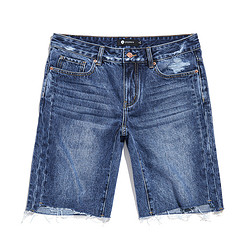
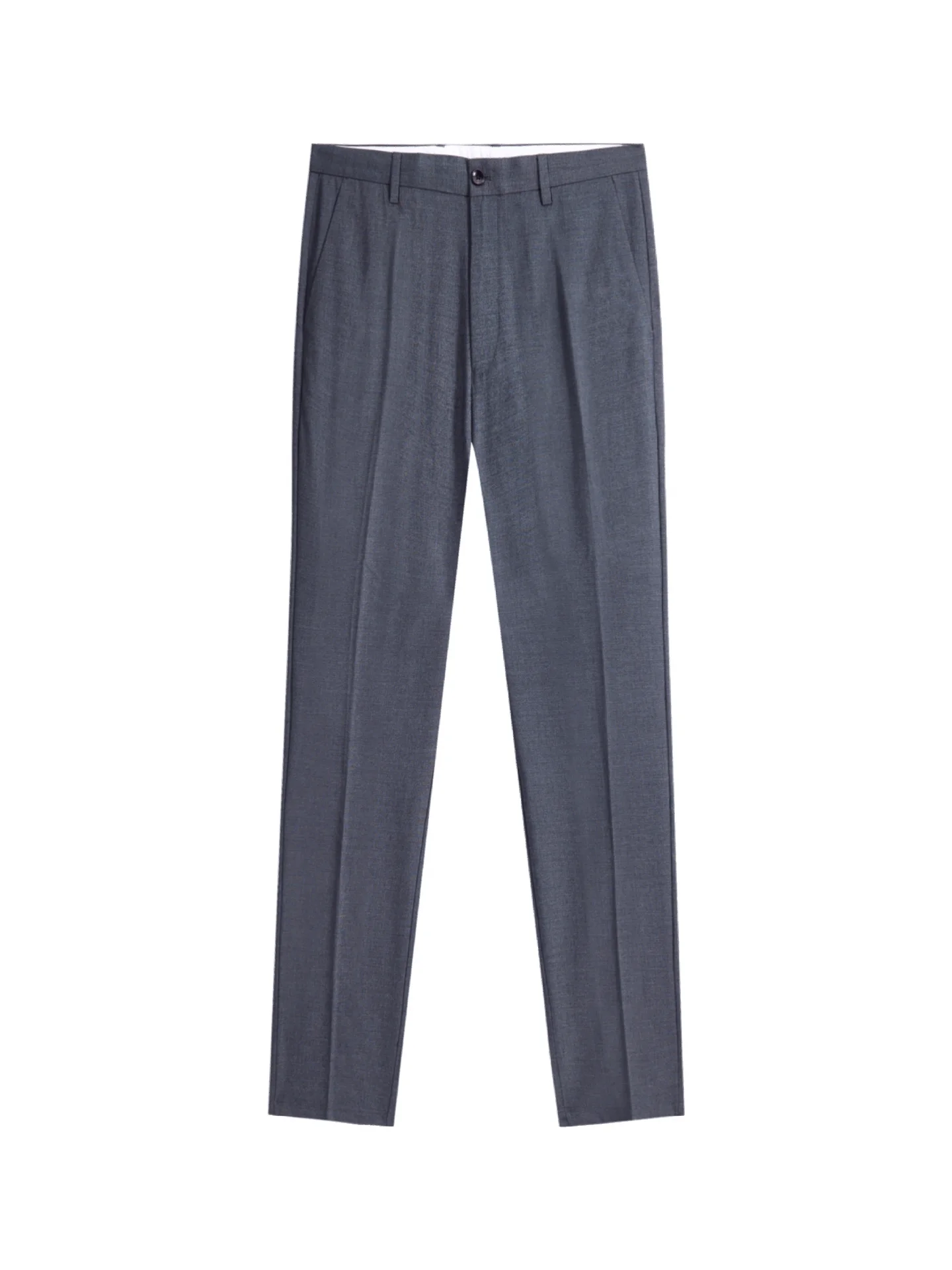
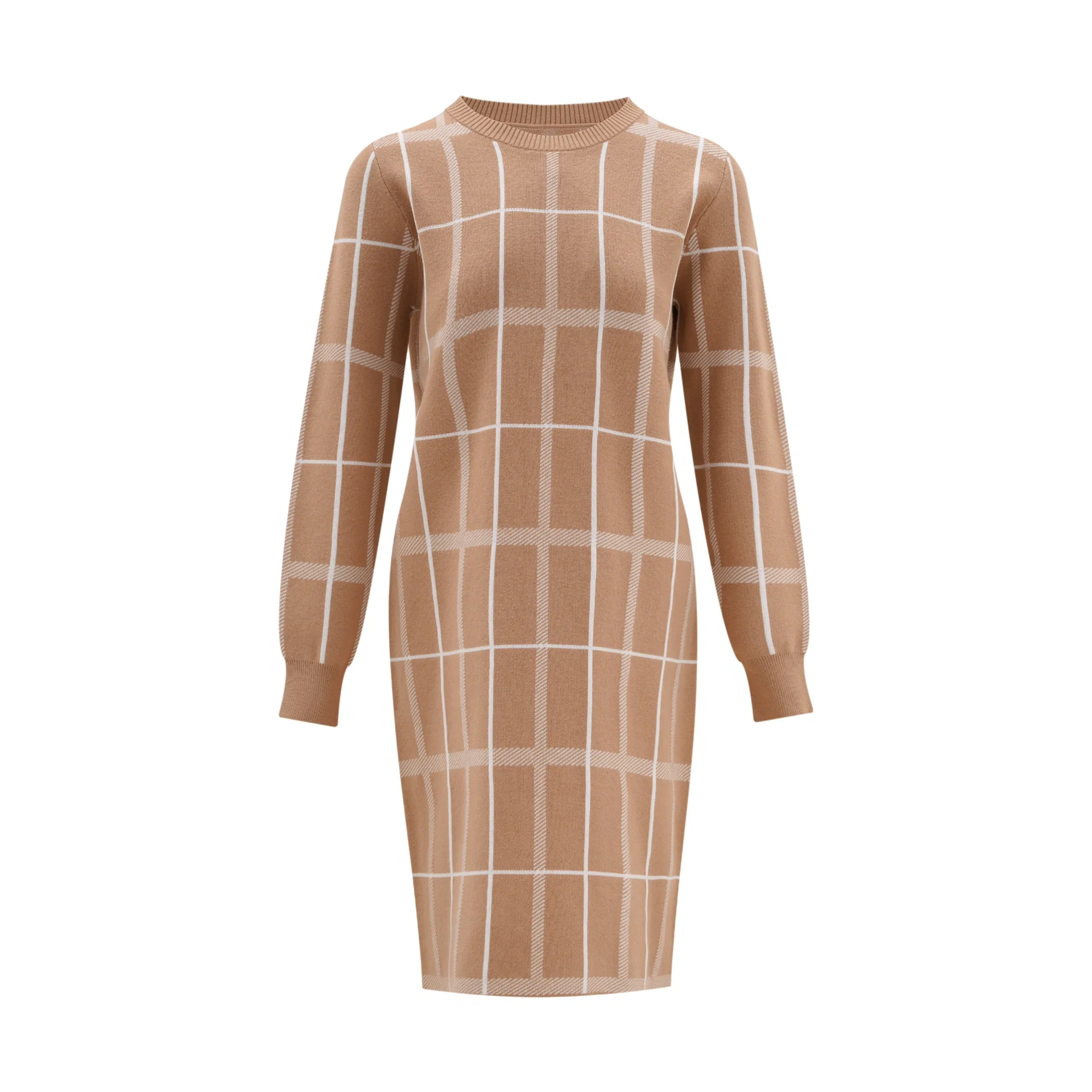
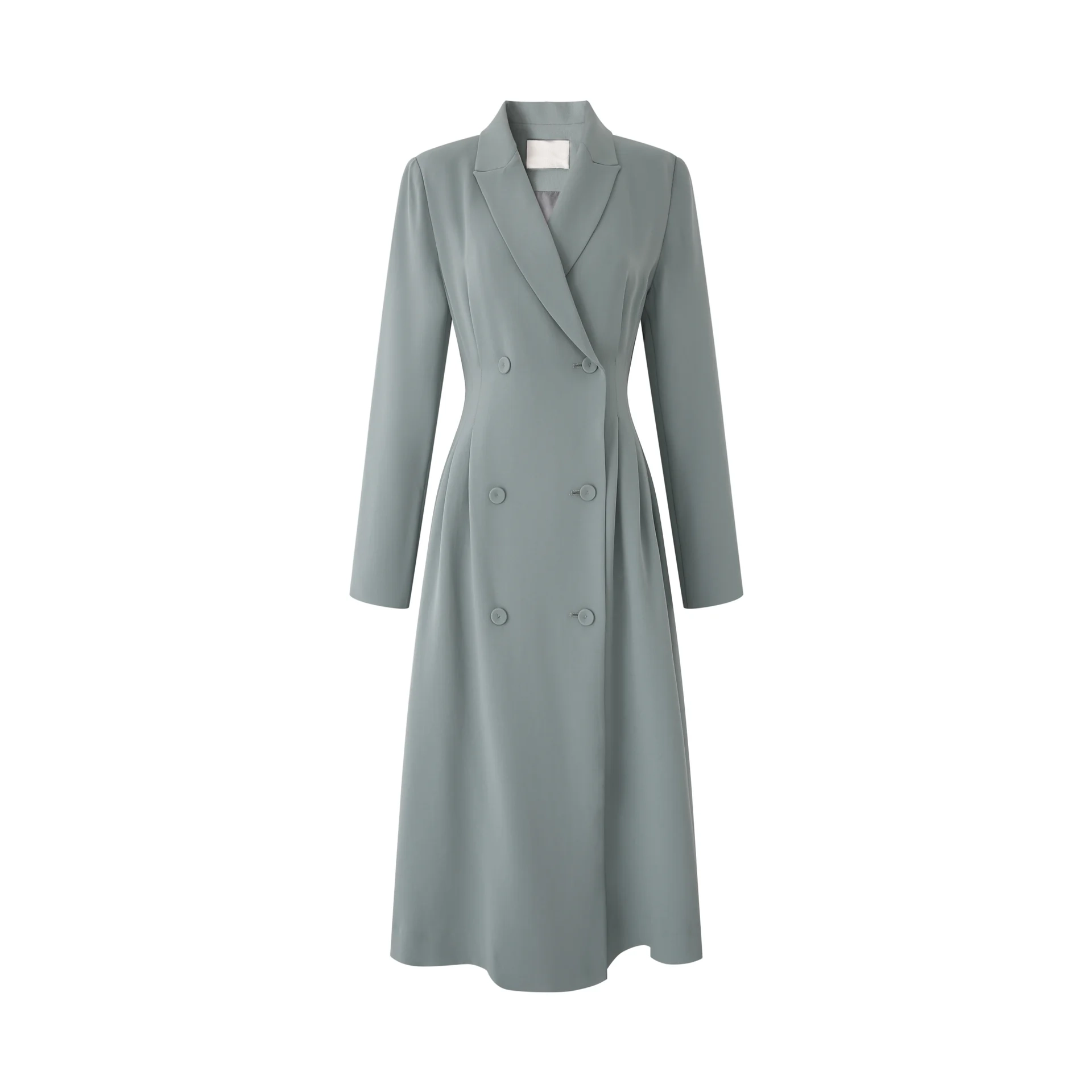
服飾要求 |
|
正確的服飾圖樣本
上裝 |
|
|
|
下裝 |
|
|
|
連衣裙/連體服 |
|
|
|
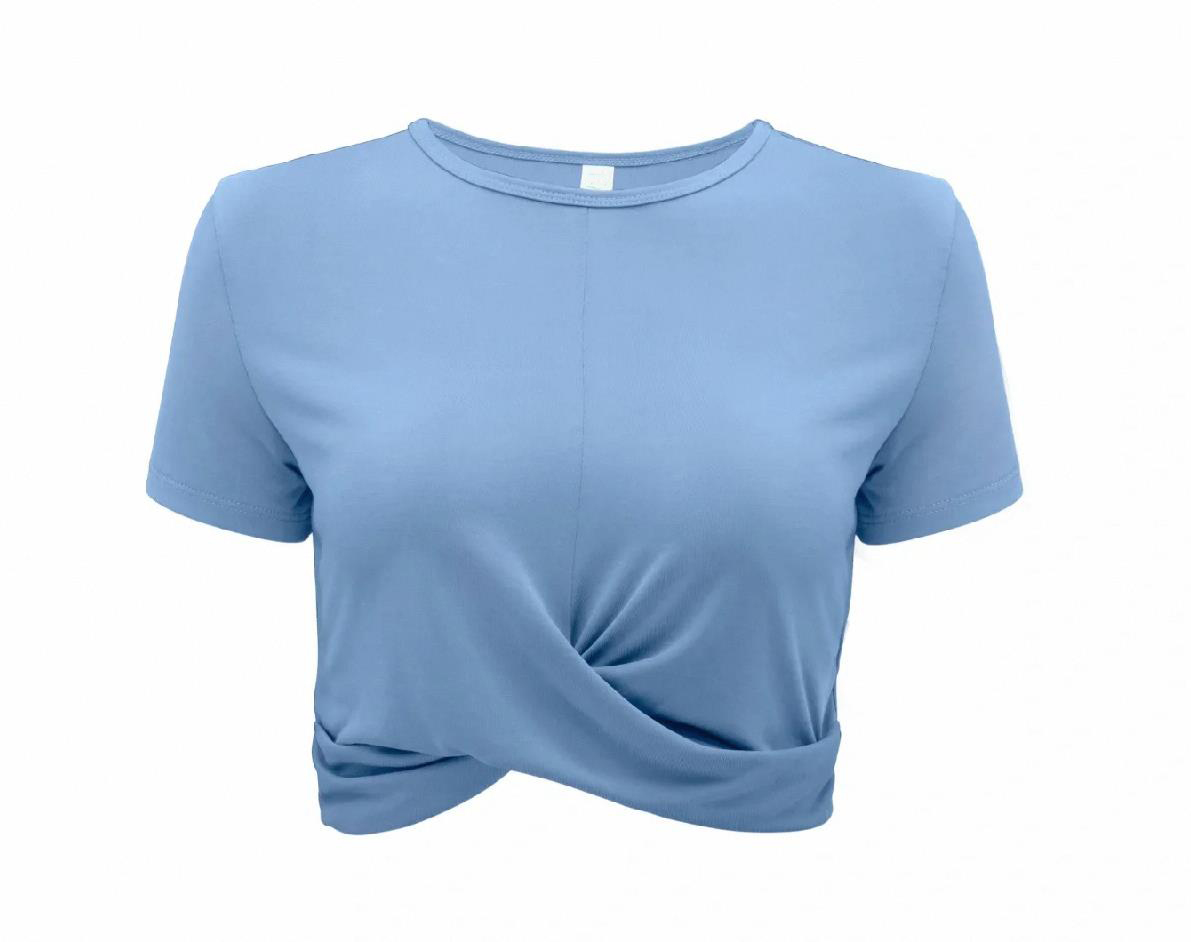
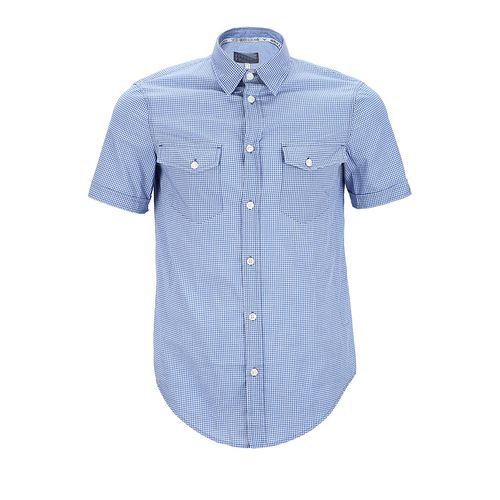
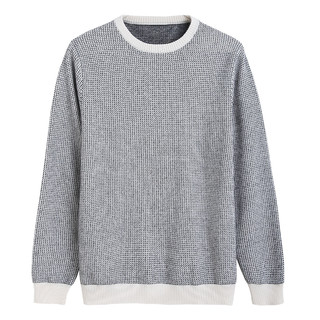
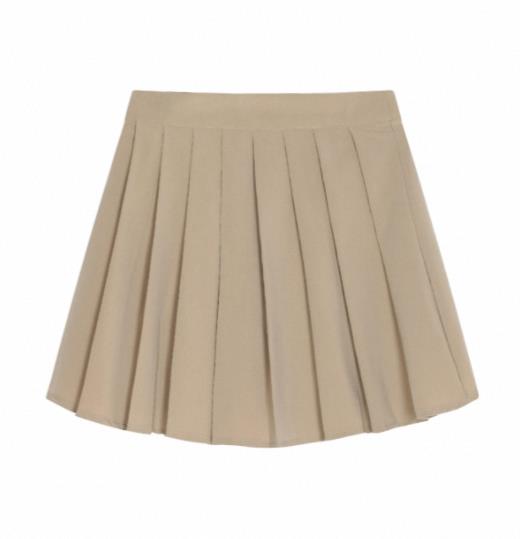

錯誤的服飾圖樣本
❌多件服裝 | ❌非正面照 | ❌摺疊遮擋 | ❌服裝褶皺 |
|---|---|---|---|
|
|
|
|


前提條件
AI試衣Plus API僅支援通過HTTP進行調用。
在調用前,您需要擷取與配置 API Key,再配置API Key到環境變數。
HTTP調用
API提供一個非同步介面,調用分為兩步:
- 建立任務:建立圖片產生任務,擷取一個唯一的 task_id。
- 查詢結果:使用 task_id 輪詢任務狀態,直到任務完成並擷取結果。
步驟1:建立任務
發送 POST 請求建立試衣任務。
POST https://dashscope.aliyuncs.com/api/v1/services/aigc/image2image/image-synthesis
調用時請將{WorkspaceId}替換為真實的業務空間ID。
說明
- 因該模型調用耗時較長,故採用非同步呼叫的方式建立任務。
- 任務建立後,系統會立即返回一個
task_id。在下一步中,需要使用此 task_id 在24小時內查詢任務結果。
入參描述
欄位 | 類型 | 傳參方式 | 必選 | 描述 | 樣本值 |
|---|---|---|---|---|---|
Content-Type | String | Header | 是 | 請求類型:application/json。 | application/json |
Authorization | String | Header | 是 | API-Key,例如:Bearer sk-xxxx。 | Bearer sk-xxxx |
X-DashScope-Async | String | Header | 是 | 固定值為 enable,表示使用非同步呼叫方式。 | enable |
model | String | Body | 是 | 指明需要調用的模型。 | aitryon-plus |
input.person_image_url | String | Body | 是 | 模特人物圖片的公網URL。您也可在此擷取臨時公網URL。
模特圖樣本請參見模特圖要求。 請點擊此處下載我們提供的模特圖。 | http://aaa/1.jpg |
input.top_garment_url | String | Body | 否 | 上裝/連衣裙服飾圖的公網URL。您也可在此擷取臨時公網URL。
服飾圖樣本請參見服飾圖要求。
| http://aaa/2.jpg |
input.bottom_garment_url | String | Body | 否 | 下裝服飾圖的公網URL。您也可在此擷取臨時公網URL。
服飾圖樣本請參見服飾圖要求。
| http://aaa/3.jpg |
parameters.resolution | Int | Body | 否 | 輸出圖片的解析度。推薦使用以下值:
API可能接受其他數值,但使用推薦值可獲得最佳效果。 | -1 |
parameters.restore_face | Bool | Body | 否 | 是否還原模特圖中的人臉。
| true |
出參描述
欄位 | 類型 | 描述 | 樣本值 |
|---|---|---|---|
output.task_id | String | 非同步任務的唯一ID。 | a8532587-fa8c-4ef8-82be-0c46b17950d1 |
output.task_status | String | 任務提交後的狀態。 | PENDING |
request_id | String | 本次請求的唯一ID。 | 7574ee8f-38a3-4b1e-9280-11c33ab46e51 |
請求樣本
試穿 上裝
- 試穿上裝:傳入top_garment_url(待試穿的上裝),模型將隨機產生下裝。
curl --location 'https://dashscope.aliyuncs.com/api/v1/services/aigc/image2image/image-synthesis' \
--header 'X-DashScope-Async: enable' \
--header "Authorization: Bearer $DASHSCOPE_API_KEY" \
--header 'Content-Type: application/json' \
--data '{
    "model": "aitryon-plus",
    "input": {
        "person_image_url": "https://help-static-aliyun-doc.aliyuncs.com/file-manage-files/zh-CN/20250626/ubznva/model_person.png",
        "top_garment_url": "https://help-static-aliyun-doc.aliyuncs.com/file-manage-files/zh-CN/20250626/epousa/short_sleeve.jpeg"
    },
    "parameters": {
        "resolution": -1,
        "restore_face": true
    }
 }'
-
保留模特原下裝:包含兩個步驟,如下:
- 調用AI試衣-圖片分割API,擷取模特下裝映像URL。
- 調用本文的試衣 API,傳入 top_garment_url(待試穿的上裝)和 bottom_garment_url(分割擷取的下裝URL)。
curl --location 'https://dashscope.aliyuncs.com/api/v1/services/aigc/image2image/image-synthesis' \
--header 'X-DashScope-Async: enable' \
--header "Authorization: Bearer $DASHSCOPE_API_KEY" \
--header 'Content-Type: application/json' \
--data '{
    "model": "aitryon-plus",
    "input": {
        "person_image_url": "https://help-static-aliyun-doc.aliyuncs.com/file-manage-files/zh-CN/20250626/ubznva/model_person.png",
        "top_garment_url": "https://help-static-aliyun-doc.aliyuncs.com/file-manage-files/zh-CN/20250626/epousa/short_sleeve.jpeg",
        "bottom_garment_url": "圖片分割API輸出的映像URL"
    },
    "parameters": {
        "resolution": -1,
        "restore_face": true
    }
 }'
試穿 下裝
- 試穿下裝:傳入 bottom_garment_url(待試穿的下裝),模型將隨機產生上裝。
curl --location 'https://dashscope.aliyuncs.com/api/v1/services/aigc/image2image/image-synthesis' \
--header 'X-DashScope-Async: enable' \
--header "Authorization: Bearer $DASHSCOPE_API_KEY" \
--header 'Content-Type: application/json' \
--data '{
    "model": "aitryon-plus",
    "input": {
        "person_image_url": "https://help-static-aliyun-doc.aliyuncs.com/file-manage-files/zh-CN/20250626/ubznva/model_person.png",
        "bottom_garment_url": "https://help-static-aliyun-doc.aliyuncs.com/file-manage-files/zh-CN/20250626/rchumi/pants.jpeg"
    },
    "parameters": {
        "resolution": -1,
        "restore_face": true
    }
}'
-
保留模特原上裝:包含兩個步驟,如下:
- 調用AI試衣-圖片分割API,擷取模特上裝映像URL。
- 調用本文的試衣 API,傳入 top_garment_url(分割擷取的上裝URL) 和 bottom_garment_url(待試穿的下裝)。
curl --location 'https://dashscope.aliyuncs.com/api/v1/services/aigc/image2image/image-synthesis' \
--header 'X-DashScope-Async: enable' \
--header "Authorization: Bearer $DASHSCOPE_API_KEY" \
--header 'Content-Type: application/json' \
--data '{
    "model": "aitryon-plus",
    "input": {
        "person_image_url": "https://help-static-aliyun-doc.aliyuncs.com/file-manage-files/zh-CN/20250626/ubznva/model_person.png",
        "top_garment_url": "圖片分割API輸出的映像URL",
        "bottom_garment_url": "https://help-static-aliyun-doc.aliyuncs.com/file-manage-files/zh-CN/20250626/rchumi/pants.jpeg"
    },
    "parameters": {
        "resolution": -1,
        "restore_face": true
    }
 }'
試穿 上下裝
- 傳入top_garment_url(待試穿的上裝)和 bottom_garment_url(待試穿的下裝)。
curl --location 'https://dashscope.aliyuncs.com/api/v1/services/aigc/image2image/image-synthesis' \
--header 'X-DashScope-Async: enable' \
--header "Authorization: Bearer $DASHSCOPE_API_KEY" \
--header 'Content-Type: application/json' \
--data '{
    "model": "aitryon-plus",
    "input": {
        "person_image_url": "https://help-static-aliyun-doc.aliyuncs.com/file-manage-files/zh-CN/20250626/ubznva/model_person.png",
        "top_garment_url": "https://help-static-aliyun-doc.aliyuncs.com/file-manage-files/zh-CN/20250626/epousa/short_sleeve.jpeg",
        "bottom_garment_url": "https://help-static-aliyun-doc.aliyuncs.com/file-manage-files/zh-CN/20250626/rchumi/pants.jpeg"
    },
    "parameters": {
        "resolution": -1,
        "restore_face": true
    }
}'
試穿 連衣裙/連體服
- 對於連衣裙或連體服,僅傳入 top_garment_url 即可。
curl --location 'https://dashscope.aliyuncs.com/api/v1/services/aigc/image2image/image-synthesis' \
--header 'X-DashScope-Async: enable' \
--header "Authorization: Bearer $DASHSCOPE_API_KEY" \
--header 'Content-Type: application/json' \
--data '{
    "model": "aitryon-plus",
    "input": {
        "person_image_url": "https://help-static-aliyun-doc.aliyuncs.com/file-manage-files/zh-CN/20250626/ubznva/model_person.png",
        "top_garment_url": "https://help-static-aliyun-doc.aliyuncs.com/file-manage-files/zh-CN/20250626/odngby/dress.jpg"
    },
    "parameters": {
        "resolution": -1,
        "restore_face": true
    }
}'
響應樣本
成功響應
請儲存 task_id,用於查詢任務狀態與結果。
{
    "output": {
        "task_status": "PENDING",
        "task_id": "0385dc79-5ff8-4d82-bcb6-xxxxxx"
    },
    "request_id": "4909100c-7b5a-9f92-bfe5-xxxxxx"
}
異常響應
建立任務失敗,請參見錯誤碼進行解決。
{
    "code": "InvalidApiKey",
    "message": "No API-key provided.",
    "request_id": "7438d53d-6eb8-4596-8835-xxxxxx"
}
步驟2:根據任務ID查詢結果
使用上一步擷取的 task_id,發送 GET 請求查詢任務狀態和結果。請將 URL 中的{task_id} 替換為您的實際任務ID,將{WorkspaceId}替換為真實的業務空間ID。
GET https://dashscope.aliyuncs.com/api/v1/tasks/{task_id}
入參描述
欄位 | 類型 | 傳參方式 | 必選 | 描述 | 樣本值 |
|---|---|---|---|---|---|
Authorization | String | Header | 是 | API-Key,例如:Bearer sk-xxx。 | Bearer sk-xxx |
task_id | String | Url Path | 是 | 需要查詢任務的ID。 | a8532587-fa8c-4ef8-82be-0c46b17950d1 |
出參描述
欄位 | 類型 | 描述 | 樣本值 |
|---|---|---|---|
output.task_id | String | 查詢的任務ID。 | a8532587-fa8c-4ef8-82be-0c46b17950d1 |
output.task_status | String | 任務狀態。可能的值包括:
| SUCCEEDED |
output.image_url | String | 產生的試衣效果圖地址。 image_url有效期間為24小時,請及時下載。 | |
output.submit_time | String | 任務提交時間。 | 2024-07-30 15:39:39.918 |
output.scheduled_time | String | 任務執行時間。 | 2024-07-30 15:39:39.941 |
output.end_time | String | 任務完成時間。 | 2024-07-30 15:39:55.080 |
output.code | String | 錯誤碼。任務失敗時返回此參數。 | InvalidParameter |
output.message | String | 錯誤詳情。任務失敗時返回此參數。 | The request is missing required parameters or in a wrong format |
usage.image_count | Int | 本次請求產生的圖片張數。 | 1 |
request_id | String | 本次請求的唯一ID。 | 7574ee8f-38a3-4b1e-9280-11c33ab46e51 |

請求樣本
將86ecf553-d340-4e21-xxxxxxxxx替換為真實的task_id。
curl -X GET https://dashscope.aliyuncs.com/api/v1/tasks/86ecf553-d340-4e21-xxxxxxxxx \
--header "Authorization: Bearer $DASHSCOPE_API_KEY"
說明task_id 僅支援在24小時內查詢任務結果,逾時會被系統自動清除。
響應樣本
成功響應
任務資料(如任務狀態、映像URL等)僅保留24小時,逾時後會被自動清除。請及時儲存產生的圖片。
{
    "request_id": "98d46cd0-1f90-9231-9a6c-xxxxxx",
    "output": {
        "task_id": "15991992-1487-40d4-ae66-xxxxxx",
        "task_status": "SUCCEEDED",
        "submit_time": "2025-06-30 14:37:53.838",
        "scheduled_time": "2025-06-30 14:37:53.858",
        "end_time": "2025-06-30 14:38:11.472",
        "image_url": "http://dashscope-result-hz.oss-cn-hangzhou.aliyuncs.com/tryon.jpg?Expires=xxx"
    },
    "usage": {
        "image_count": 1
    }
}
失敗響應
{
    "request_id": "6bf4693b-c6d0-933a-b7b7-xxxxxx",
    "output": {
        "task_id": "e32bd911-5a3d-4687-bf53-xxxxxx",
        "task_status": "FAILED",
        "code": "InvalidParameter",
        "message": "The request is missing required parameters xxxxx"
  }
}
錯誤碼
大模型服務通用狀態代碼請查閱:錯誤碼。
AI試衣模型特定錯誤碼如下:
HTTP返回碼 | 錯誤碼(code) | 錯誤資訊(message) | 含義說明 |
|---|---|---|---|
400 | InvalidParameter | The request is missing required parameters or in a wrong format, please check the parameters that you send. | 請求參數缺失或格式錯誤。請檢查您的請求體是否符合API規範。 |
400 | InvalidParameter | Download the media resource timed out during the data inspection process. | 圖片下載逾時。 可能的原因及解決方案如下:
|
400 | InvalidURL | The request URL is invalid, please check the request URL is available and the request image format is one of the following types: JPEG, JPG, PNG, BMP, and WEBP. | 圖片URL無效。請檢查URL是否為公網地址或者圖片格式是否符合要求。 |
400 | InvalidPerson | The input image has no human body or multi human bodies. Please upload other image with single person. | 模特圖不合規。請確保輸入圖片中有且僅有一個完整的人。 |
400 | InvalidGarment | Missing clothing image.Please input at least one top garment or bottom garment image. | 缺少服飾圖片。請至少提供一張上裝 (top_garment_url) 或下裝 (bottom_garment_url) 的圖片。 |
400 | InvalidInputLength | The image resolution is invalid, please make sure that the largest length of image is smaller than 4096, and the smallest length of image is larger than 150. and the size of image ranges from 5KB to 5MB. | 圖片尺寸或檔案大小不符合要求。請參見輸入圖片要求。 |
常見問題
如何準備模特圖和服飾圖
-
為什麼必須使用服裝平鋪圖?
平鋪圖能最清晰地展示服裝的版型、圖案和輪廓,協助AI準確理解服裝結構,從而產生更貼合、更真實的試穿效果。
-
如果沒有服裝平鋪圖怎麼辦?
您可以嘗試將服裝平整地放置在乾淨的背景上(如地面或牆面)進行俯拍,或者讓真人模特/人台穿著後拍攝正面照。關鍵是確保服裝完整、平整、無遮擋。
-
如何選擇合適的模特圖?
選擇正面、清晰、完整的全身照。模特穿著的衣物應盡量簡潔修身(如T恤+短褲),避免穿著長裙、寬袍大袖或有多層疊穿。同時,確保模特的雙手雙腳清晰可見,無配飾(如包、傘)遮擋。
-
如果沒有合適的模特圖怎麼辦?
我們提供了一批符合規範的模特參考圖,您可以點擊此處下載使用。
模型效果不符合預期
-
為什麼產生的圖片效果不佳,缺少細節?
主要原因可能是輸入的服裝圖品質不高。請確保服裝圖高清、完整,沒有因摺疊或拍攝角度問題導致細節丟失。高品質的輸入是高品質輸出的保障。
功能使用諮詢
-
如何為連衣裙或連體衣產生試衣圖?
將連衣裙/連體衣的圖片URL填入
input.top_garment_url欄位,並將input.bottom_garment_url欄位留空或不傳。