AUNetErrorView 為空白頁面異常視圖顯示控制項,包括以下兩種提示風格。
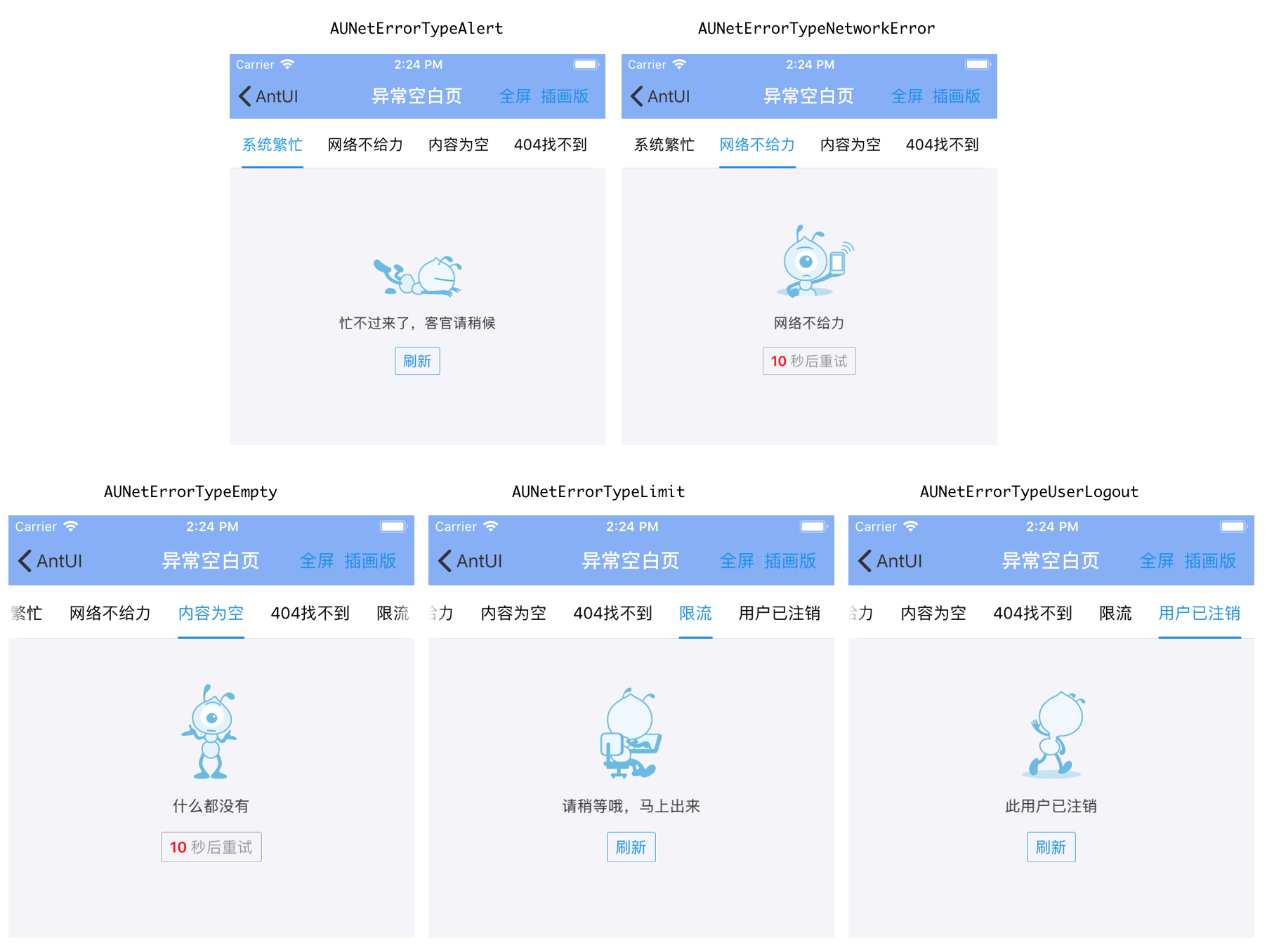
簡單版(半屏)風格,包含 5 種樣式,為預設風格。
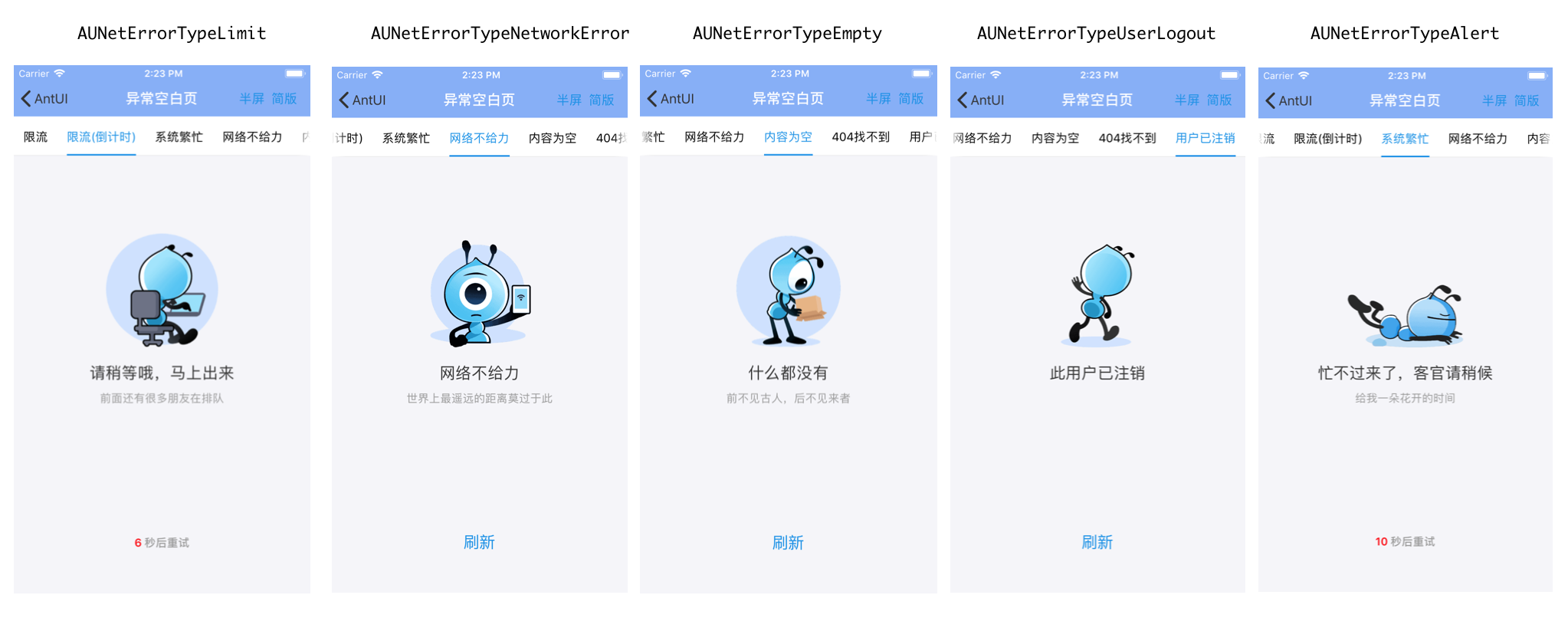
插圖版(全屏)風格,包含 5 種樣式。
兩種風格的主要區別在於使用的提示圖片不同,見效果圖。
效果圖
簡單版(半屏)風格
插圖版(全屏)風格
介面說明
    typedef NS_ENUM(NSInteger, AUNetErrorType) {

    AUNetErrorTypeLimit,        // 限流
    AUNetErrorTypeAlert,        // 系統繁忙(系統錯誤)、警示
    AUNetErrorTypeNetworkError, // 網路錯誤
    AUNetErrorTypeEmpty,        // 內容為空白
    AUNetErrorTypeNotFound,     // 404 找不到(與 AUNetErrorTypeAlert 圖片相同)
    AUNetErrorTypeUserLogout,   // 使用者已登出

    AUNetErrorTypeFailure __attribute__((deprecated)) = AUNetErrorTypeNetworkError,
    AUNetErrorTypeError __attribute__((deprecated)) = AUNetErrorTypeNetworkError,             //網路錯誤,完全無法串連
    AUNetErrorTypeSystemBusy __attribute__((deprecated)) = AUNetErrorTypeAlert,               //警示
    APExceptionEnumNetworkError __attribute__((deprecated)) = AUNetErrorTypeNetworkError,     //網路錯誤,完全無法串連
    APExceptionEnumEmpty __attribute__((deprecated)) = AUNetErrorTypeEmpty,                   //內容為空白
    APExceptionEnumAlert __attribute__((deprecated)) = AUNetErrorTypeAlert,                   //警示
    APExceptionEnumLimit __attribute__((deprecated)) = AUNetErrorTypeLimit,                   //限流,
    APExceptionEnumNetworkFailure __attribute__((deprecated)) =  AUNetErrorTypeNetworkError,  //網路錯誤
};


typedef NS_ENUM(NSInteger, AUNetErrorStyle) {
    AUNetErrorStyleMinimalist,    //簡單版
    AUNetErrorStyleIlustration,   //插圖版

    APExceptionStyleIlustration __attribute__((deprecated)) = AUNetErrorStyleIlustration,     //插圖版
    APExceptionStyleMinimalist __attribute__((deprecated)) =  AUNetErrorStyleMinimalist       //簡單版
};
/**
空頁面異常視圖顯示控制項
包括兩種提示風格:
1、簡單版風格(預設),包含 3 種類型樣式
2、插圖版風格,包含 7 種類型樣式
兩種風格和類型主要是圖片不一樣。
*/
@interface AUNetErrorView : UIView
@property(nonatomic, strong, readonly) UIButton *actionButton; // 預設文案是重新整理
@property(nonatomic, strong, readonly) UIImageView *iconImageView; // icon 視圖
@property(nonatomic, strong, readonly) UILabel *infoLabel; // 主提示文案 Label
@property(nonatomic, strong, readonly) UILabel *detailLabel; // 詳細提示文案 Label
@property(nonatomic, strong) NSString *infoTitle; // 主文案說明
@property(nonatomic, strong) NSString *detailTitle; // 輔助文案說明
/**
* 初始化異常 view 並設定異常風格和類型
* (target 和 action 為空白時,重新整理按鈕不顯示)
*
* @param frame view 的座標,必選
* @param style 異常的風格,插畫版 or 極簡版,必選
* @param type 異常類型,必選
* @param target 重新整理事件處理對象
* @param action 重新整理事件處理方法
*
* @return APExceptionView
*/
- (id)initWithFrame:(CGRect)frame
style:(AUNetErrorStyle)style
type:(AUNetErrorType)type
target:(id)target
action:(SEL)action;
/**
* 初始化異常視圖並顯示在指定的視圖上
* (target 和 action 為空白時,重新整理按鈕不顯示)
*
* @param parent view 的 superView,必選
* @param style 異常的風格,插畫版 or 極簡版,必選
* @param type 異常類型,必選
* @param target 重新整理事件處理對象
* @param action 重新整理事件處理方法
*
* @return APExceptionView
*/
+ (id)showInView:(UIView *)parent
style:(AUNetErrorStyle)style
type:(AUNetErrorType)type
target:(id)target
action:(SEL)action;
/**
* 取消異常視圖的顯示
*/
- (void)dismiss;
/**
* 倒計時,僅限限流使用
* 如果 completeBlock == nil 且 業務沒有設定 actionButton 的點擊響應事件,則倒計時功能不生效;
* 如果 completeBlock != nil,倒計時結束直接執行 completeBlock,同時隱藏 actionButton
* 如果使用 getActionButton 來添加 button 的響應事件,要確保在該方法之前添加 actionButton 的響應事件
*/
- (void)setCountdownTimeInterval:(NSInteger)startTime // 倒計時起始時間
completeBlock:(void (^)(void))completeBlock; // 倒計時結束後
@end程式碼範例
    netErrorView = [[AUNetErrorView alloc] initWithFrame:CGRectMake(0, CGRectGetMaxY(label.frame) + 5, self.view.width, 300) style:AUNetErrorStyleIlustration type:AUNetErrorTypeError target:self action:@selector(pressedNetErrorView)];
    netErrorView.detailTitle = @"類型是AUNetErrorTypeError";
    [self.view addSubview:netErrorView];

    // 設定倒計時
    [netErrorView setCountdownTimeInterval:10 completeBlock:^{
            NSLog(@"倒計時結束");
    }];