本文為您介紹許可權問題導致任務不能正常執行的報錯資訊及解決方案。
Project Owner常見賦權指令碼如下:
-- 方法1: 直接賦權
use project_xxx;  --使用某project,開發環境帶_dev尾碼
grant CreateResource to user_xxx@aliyun.com;  --阿里雲子帳號

-- 方法2:建立角色賦權
use project_xxx;
create role worker; --建立角色
grant worker to user_xxx@aliyun.com; --角色指派
grant CreateInstance, CreateResource, CreateFunction, CreateTable, List ON PROJECT project_xxx TO ROLE worker; --對角色授權

-- 以下是一些情境的examples
-- volume授權
use project_xxx;
grant CreateVolume on project project_xxx to user user_xxx@aliyun.com;
grant Read on volume volume_xxx to user user_xxx@aliyun.com;
grant Write on volume volume_xxx to user user_xxx@aliyun.com;

-- list許可權
use project_xxx;
show grants for user_xxx@aliyun.com;
MaxCompute Volume未授權
報錯資訊
[403] com.aliyun.odps.OdpsException: ODPS-0420095: Access Denied - Volumes is not allowed in project config.
        at com.aliyun.odps.rest.RestClient.handleErrorResponse(RestClient.java:382)
        at com.aliyun.odps.rest.RestClient.request(RestClient.java:321)
        at com.aliyun.odps.rest.RestClient.request(RestClient.java:275)
        at com.aliyun.odps.Volume.reload(Volume.java:109)
        at com.aliyun.odps.Volumes.exists(Volumes.java:117)
        at com.aliyun.odps.Volumes.exists(Volumes.java:100)
解決方案
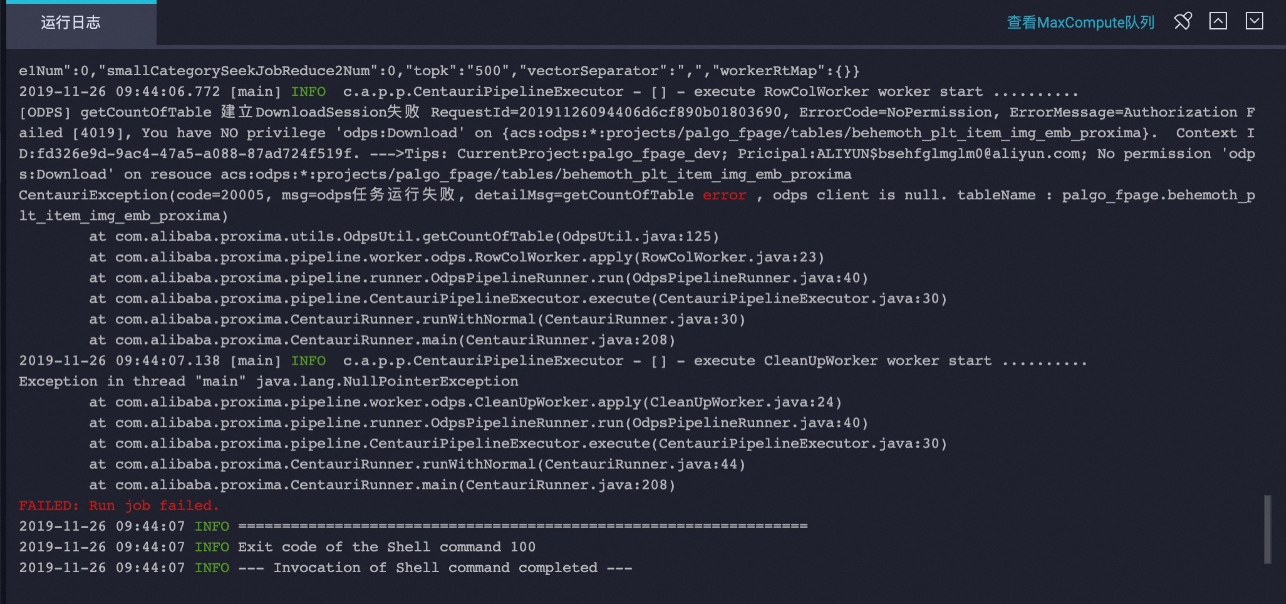
MaxCompute表無Download許可權
報錯資訊
解決方案
在DataWorks的資料地圖中搜尋對應的MaxCompute表,並申請開通其Download許可權,運行時則可以下載相應的資料。具體操作,請參見資料地圖。
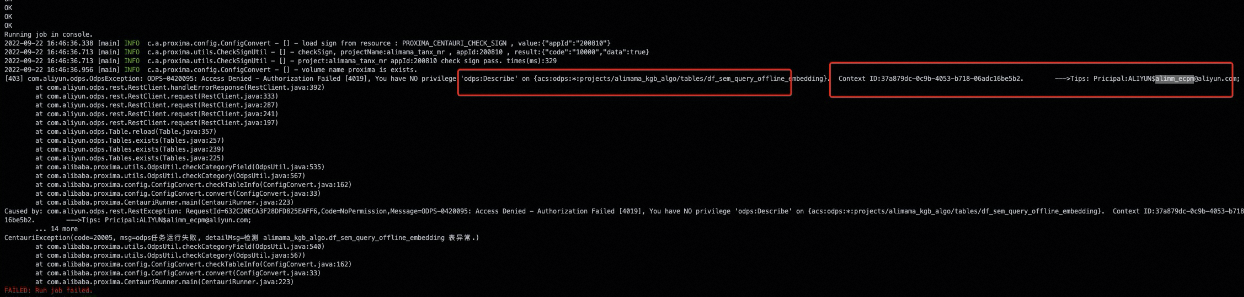
MaxCompute表無Describe、Select等許可權
報錯資訊
解決方案
申請對應Project下的表許可權。
情境
解決方案
跨Project
對於跨Project表,需要聯絡表Owner申請對應許可權,可以在DataWorks的資料地圖中去搜尋對應表並申請許可權。
同Project
當前Project下,如果表許可權是使用者自己建立的,一般自動擷取許可權。
當前Project下,如果表許可權是其他使用者建立的,可以參考跨Project表的方法申請許可權。
特殊情境(例如
project is protected),可以聯絡Project Owner對相關許可權賦權,賦權指令碼請參考上述常見賦權指令碼。