寫入Search服務中的資料,只有等到commit後才是可見的,何時執行commit是可以配置的,當前有兩種commit方式:soft commit、hard commit。
配置solrconfig.xml
建立索引時需要指定配置集config set,配置集中的solrconfig.xml檔案可以用來控制索引資料的可見度。
- soft commit
資料寫入預設15秒後可以查詢。<autoSoftCommit> <maxTime>${solr.autoSoftCommit.maxTime:15000}</maxTime> </autoSoftCommit> - hard commit
資料寫入預設30秒後重新整理到磁碟中。<autoCommit> <maxTime>${solr.autoCommit.maxTime:30000}</maxTime> <openSearcher>false</openSearcher> </autoCommit>
說明
- soft commit的時間要小於hard commit時間。
- 一般不建議配置較小的時間,這會導致服務端頻繁重新整理和open searcher,影響寫入效能。採用預設值即可。
如何生效
- 下載需要修改的配置集。
- 修改
soft commit和hard commit的時間。 - 更新配置集。
./solr zk upconfig -d conf/ -n myconf - Reload Collection
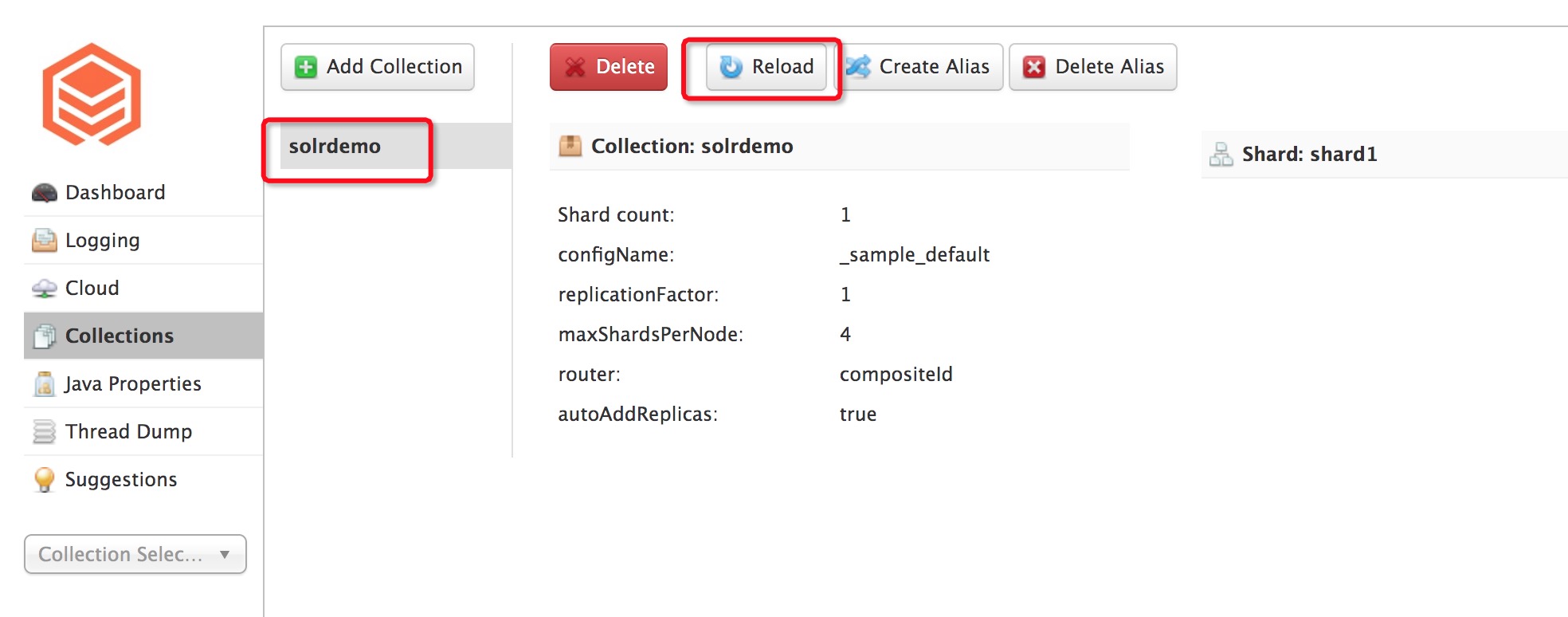
用戶端參數
如果不想修改服務端的solrconfig.xml檔案,在單獨寫資料到Search時可以顯示的調用commit來達到資料可見的目的。
- commitWithinMs
// 第二個參數commitWithinMs可以控制當前寫入的資料多久後可以查詢
public UpdateResponse add(SolrInputDocument doc, int commitWithinMs) throws SolrServerException, IOException;
例如:代表10秒後資料可查詢。
cloudSolrClient.add(doc, 1000); - commit API
// 寫完資料後,顯示調用commit介面,讓服務端在多久後執行commit,保證資料可查詢
public UpdateResponse commit(boolean waitFlush, boolean waitSearcher, boolean softCommit) throws SolrServerException, IOException;
例如:服務端立即執行soft commit。
cloudSolrClient.commit(false, false, true);