Fix duplicate or invalid mount paths in df -h output caused by a broken /etc/mtab symlink on CentOS 6.
Problem description
On a CentOS 6 ECS instance, df -h returns duplicate or non-existent mount paths.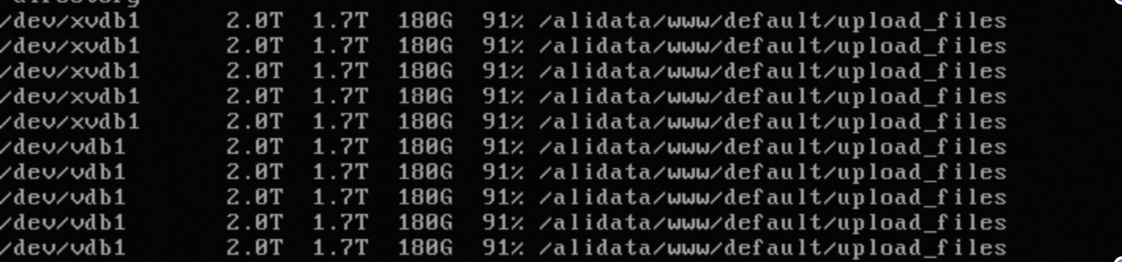
Cause
/etc/mtab is not symbolically linked to /proc/self/mounts, causing df to return abnormal output.
Normally, /etc/mtab is a symbolic link to /proc/self/mounts. When this issue occurs, /etc/mtab is a regular file. Run ll /etc/mtab to verify.
Solution
-
Check
/proc/self/mountsand confirm that mount information for all file system partitions is correct.cat /proc/self/mounts -
Back up
/etc/mtaband replace it with a symbolic link to/proc/self/mounts.# Back up the mtab file mv /etc/mtab /etc/mtab.bak # Create a symbolic link to /proc/self/mounts ln -s /proc/self/mounts /etc/mtab -
Run
df -hagain to verify the output. If invalid mount paths persist, unmount them with theumountcommand.