本文介紹如何使用 OpenTelemetry 對 OpenResty 進行鏈路追蹤。OpenResty 是一個基於 Nginx 與 LuaJIT 的高效能 Web 平台,通過整合 Lua 指令碼語言,提供了強大的動態處理能力。OpenResty 支援通過 ngx_otel_module 模組採集調用鏈資料,並直接上報至Managed Service for OpenTelemetry。
使用限制
ngx_otel_module 模組目前僅支援 gRPC 方式上報,不支援 HTTP 方式上報。
ngx_otel_module 模組版本 ≥ 0.1.2。
前提條件
登入ARMS控制台,在左側導覽列單擊接入中心。
在服務端應用地區單擊OpenTelemetry卡片。
在彈出的OpenTelemetry面板中選擇資料需要上報的地區。
說明初次接入的地區將會自動進行資源初始化。
選擇串連方式和上報方式,然後複製存取點資訊。
串連方式:若您的服務部署在阿里雲上,且所屬地區與選擇的接入地區一致,推薦使用阿里雲內網方式,否則選擇公網方式。
上報方式:根據用戶端支援的協議類型選擇gRPC協議上報資料。
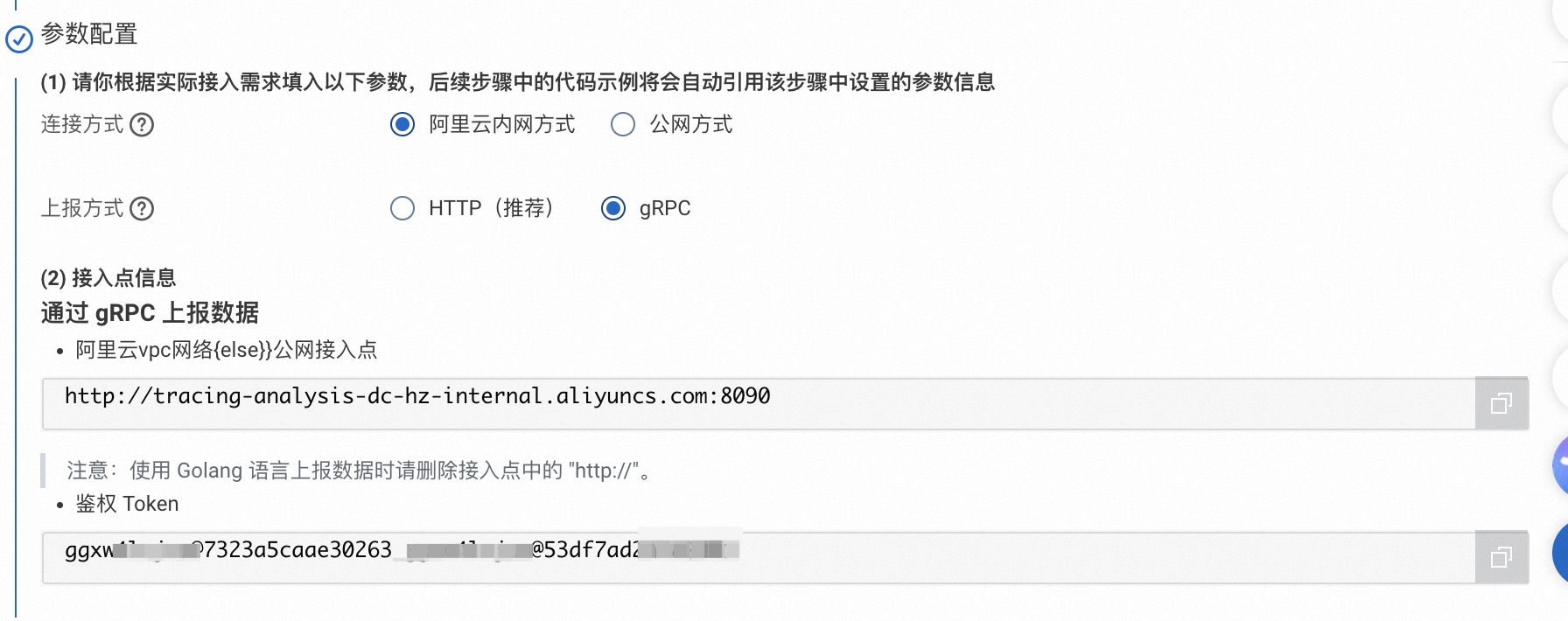
接入步驟
一、構建 ngx_otel_module 模組
本節將指導您完成 ngx_otel_module 模組的構建。我們將從準備構建環境開始,逐步安裝必要的工具和依賴項,擷取當前 OpenResty 系統的配置資訊,下載匹配的 Nginx 源碼,配置編譯參數,並最終編譯出可用的 ngx_otel_module 模組,為後續的 OpenTelemetry 整合做好準備。您也可以參考 ngx_otel_module 官方說明進行構建,詳情請參考 build ngx_otel_module from source。
安裝構建工具和依賴項。
sudo apt update

sudo apt install cmake build-essential libssl-dev zlib1g-dev libpcre3-dev

sudo apt install pkg-config libc-ares-dev libre2-dev # for gRPC
確定 OpenResty 使用的 Nginx 版本和編譯配置。
openresty -V以下為輸出樣本。
/# openresty -V
nginx version: openresty/1.25.3.2
built with OpenSSL 1.1.1w  11 Sep 2023
TLS SNI support enabled
configure arguments: --prefix=/usr/local/openresty/nginx --with-cc-opt='-O2 -DNGX_LUA_ABORT_AT_PANIC -I/usr/local/openresty/zlib/include -I/usr/local/openresty/pcre/include -I/usr/local/openresty/openssl111/include' --add-module=../ngx_devel_kit-0.3.3 --add-module=../echo-nginx-module-0.63 --add-module=../xss-nginx-module-0.06 --add-module=../ngx_coolkit-0.2 --add-module=../set-misc-nginx-module-0.33 --add-module=../form-input-nginx-module-0.12 --add-module=../encrypted-session-nginx-module-0.09 --add-module=../srcache-nginx-module-0.33 --add-module=../ngx_lua-0.10.26 --add-module=../ngx_lua_upstream-0.07 --add-module=../headers-more-nginx-module-0.37 --add-module=../array-var-nginx-module-0.06 --add-module=../memc-nginx-module-0.20 --add-module=../redis2-nginx-module-0.15 --add-module=../redis-nginx-module-0.3.9 --add-module=../ngx_stream_lua-0.0.14 --with-ld-opt='-Wl,-rpath,/usr/local/openresty/luajit/lib -L/usr/local/openresty/zlib/lib -L/usr/local/openresty/pcre/lib -L/usr/local/openresty/openssl111/lib -Wl,-rpath,/usr/local/openresty/zlib/lib:/usr/local/openresty/pcre/lib:/usr/local/openresty/openssl111/lib' --with-pcre-jit --with-stream --with-stream_ssl_module --with-stream_ssl_preread_module --with-http_v2_module --with-http_v3_module --without-mail_pop3_module --without-mail_imap_module --without-mail_smtp_module --with-http_stub_status_module --with-http_realip_module --with-http_addition_module --with-http_auth_request_module --with-http_secure_link_module --with-http_random_index_module --with-http_gzip_static_module --with-http_sub_module --with-http_dav_module --with-http_flv_module --with-http_mp4_module --with-http_slice_module --with-http_gunzip_module --with-threads --with-stream --without-pcre2 --with-http_ssl_module
下載對應版本的 Nginx 源碼。
請將
{OPENRESTY_NGINX_VERSION}替換為對應版本 Tag。如要尋找 Tag 名稱,請訪問 https://github.com/nginx/nginx/tags。以 1.25.3.2 版本為例,對應的版本 Tag 為release-1.25.3。git clone https://github.com/nginx/nginx.git cd nginx git checkout {OPENRESTY_NGINX_VERSION} # 切換到對應版本Tag配置 Nginx 編譯參數。
請在 nginx 源碼根目錄執行以下命令。
{NGINX_CONFIGURE_ARGUMENTS}為步驟2:確定 OpenResty 使用的 Nginx 版本和編譯配置中擷取的 configure arguments 內容,並移除與--add-module相關的參數配置。./auto/configure {NGINX_CONFIGURE_ARGUMENTS} --with-compat下載 ngx_otel_module 模組源碼。
cd ..
git clone https://github.com/nginxinc/nginx-otel.git
cd /nginx-otel
編譯 ngx_otel_module 模組。
建立並進入 build 目錄進行編譯,編譯完成後會在 build 目錄產生
ngx_otel_module.so檔案。mkdir build cd build cmake -DNGX_OTEL_NGINX_BUILD_DIR=/nginx/objs .. make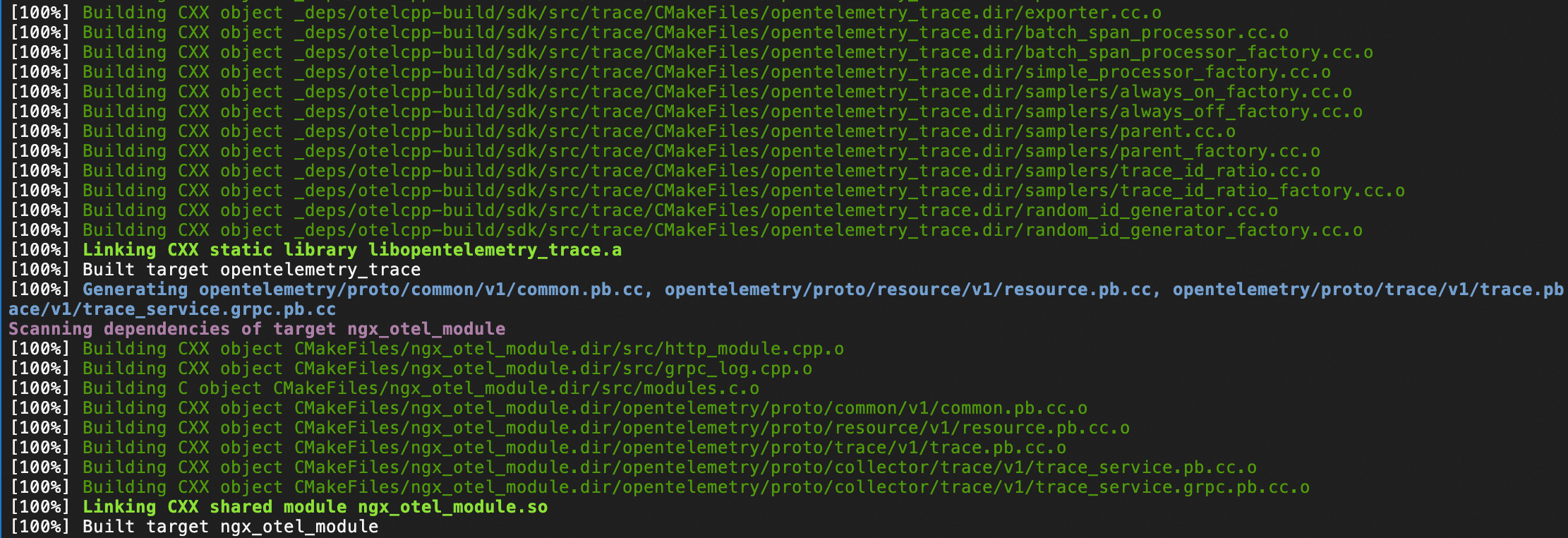
二、啟用 ngx_otel_module 模組
將
ngx_otel_module.so模組檔案複製到 nginx modules 目錄。mkdir -p /usr/local/openresty/nginx/modules/ cp ngx_otel_module.so /usr/local/openresty/nginx/modules/配置 nginx.conf。
為 OpenResty 啟用鏈路追蹤,您需要在 Nginx 主設定檔
/usr/local/openresty/nginx/conf/nginx.conf中載入 ngx_otel_module 模組並添加配置項。關於 ngx_otel_module 模組的更多參數配置資訊,請參見ngx_otel_module 模組文檔。全域配置:為所有 HTTP 要求開啟鏈路追蹤。
load_module modules/ngx_otel_module.so; # 載入 ngx_otel_module
...
http {
    ...

    otel_exporter {
        endpoint "${GRPC_ENDPOINT}"; # 前提條件中擷取的 gRPC 存取點
        header Authentication "${GRPC_TOKEN}"; # 前提條件中擷取的鑒權 Token
    }

    otel_trace on;                     # 開啟鏈路追蹤
    otel_service_name ${SERVICE_NAME};  # 應用程式名稱
    otel_trace_context propagate;         # 向下遊服務注入Trace上下文
    ...
}
單個 Location 配置:為單個 Location 開啟鏈路追蹤。
load_module modules/ngx_otel_module.so; # 載入 ngx_otel_module

...

http {

    otel_exporter {
        endpoint "${GRPC_ENDPOINT}"; # 前提條件中擷取的 gRPC 存取點
        header Authentication "${GRPC_TOKEN}"; # 前提條件中擷取的鑒權 Token
    }

    server {
        listen 127.0.0.1:80;

        location /hello {
            otel_trace         on;             # 只為 127.0.0.1:80/hello 開啟鏈路追蹤
            otel_service_name ${SERVICE_NAME}  # 應用程式名稱
            otel_trace_context propagate;         # 向下遊服務注入Trace上下文

            ...
        }
    }
}
檢查 nginx.conf 配置是否正確。
/usr/local/openresty/nginx/sbin/nginx -t預期輸出如下,表明配置無誤。
nginx: the configuration file /usr/local/openresty/nginx/conf/nginx.conf syntax is ok
nginx: configuration file /usr/local/openresty/nginx/conf/nginx.conf test is successful
重載配置。
# 方式1: 使用 openresty 命令重載配置
openresty -s reload

# 方式2: 使用 nginx 命令重載配置
/usr/local/openresty/nginx/sbin/nginx -s reload
三、查看 OpenResty 調用鏈
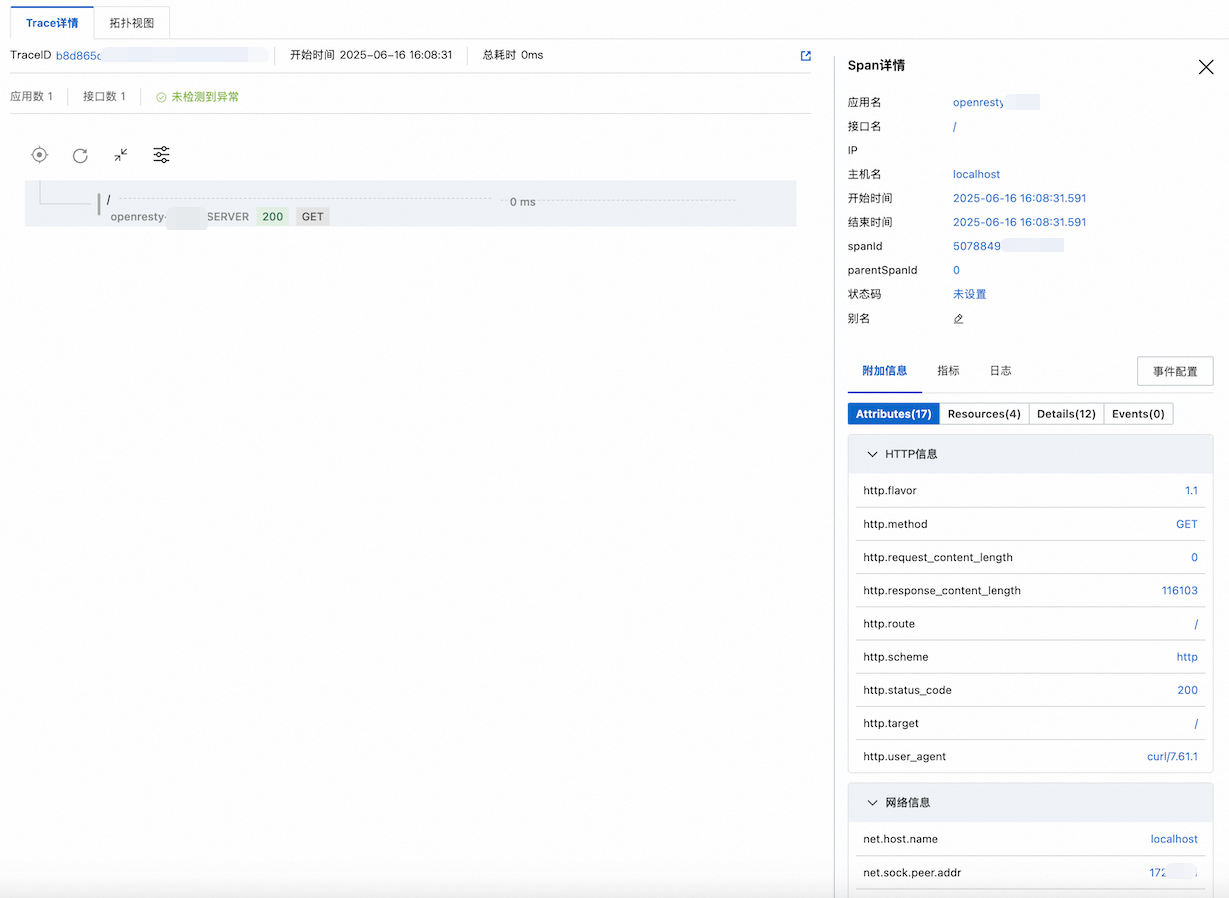
完成以上配置並重載後,您可向 OpenResty 發送請求,以產生調用鏈。然後登入可觀測鏈路 OpenTelemetry 版控制台,查看由 OpenTelemetry 產生的 OpenResty 調用鏈。
在應用列表頁查看 OpenResy 應用。
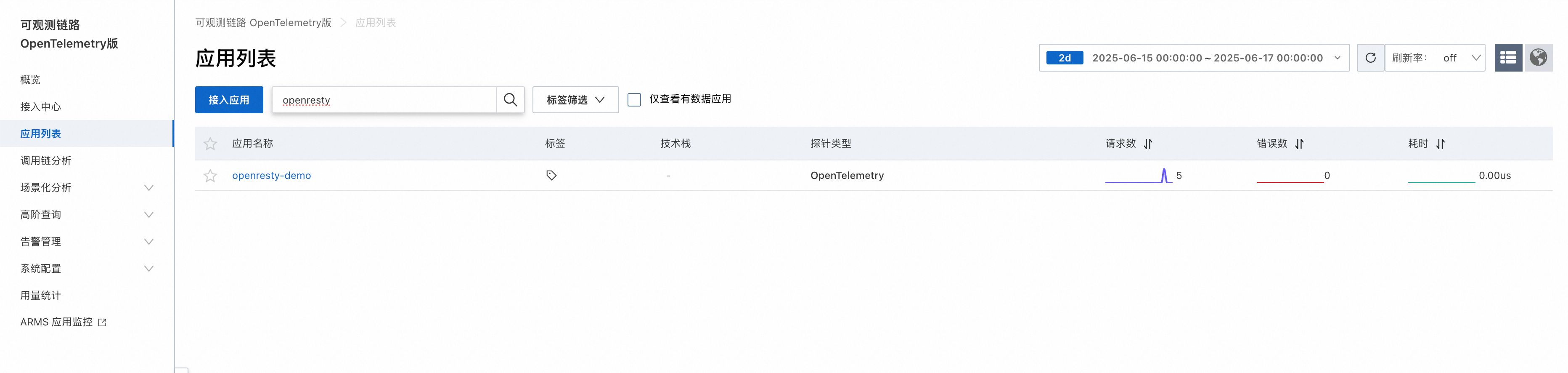
在調用鏈分析頁面查看 OpenResty 的調用鏈。
查看某個時間段的所有調用鏈。
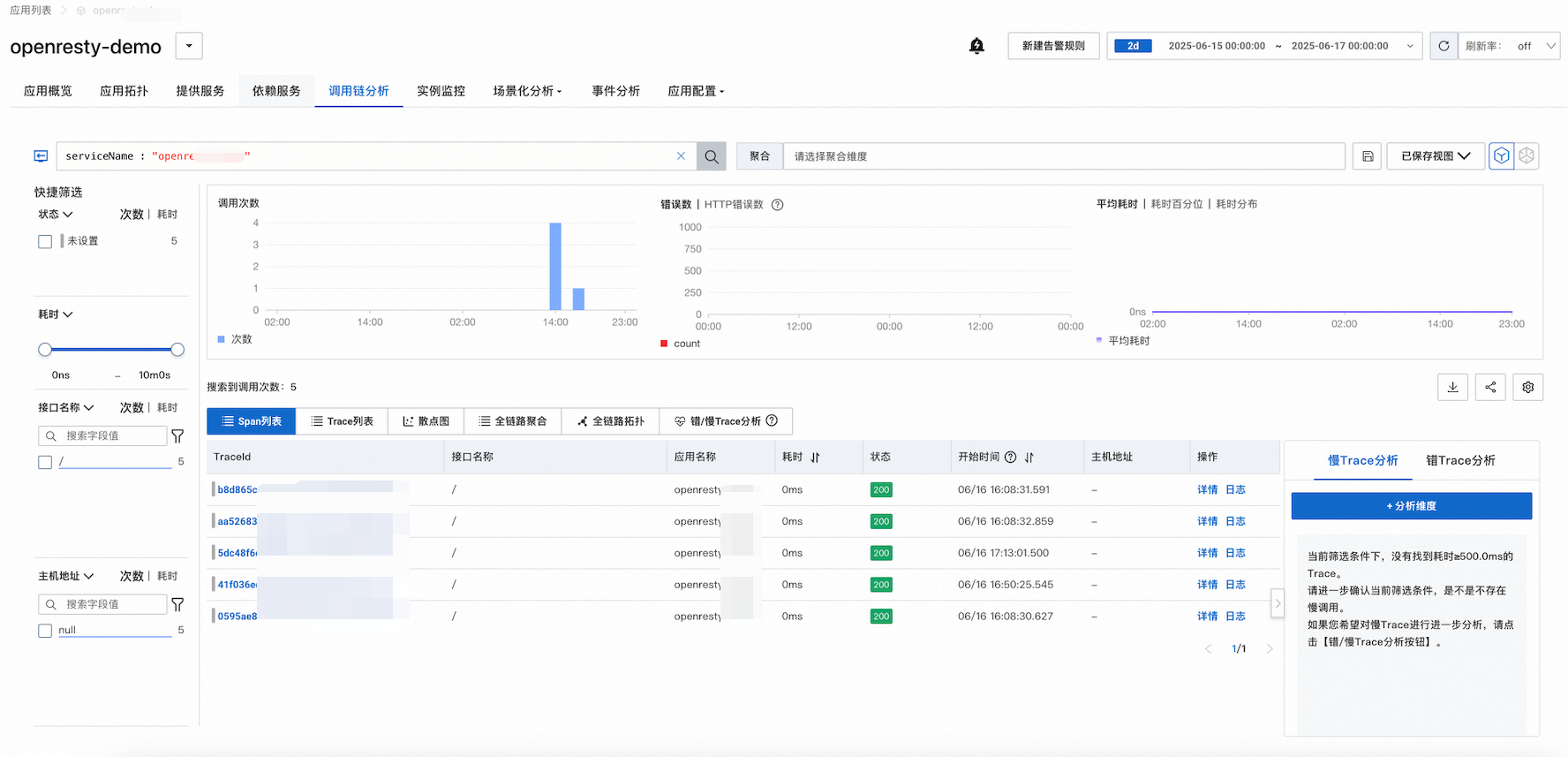
查看單個 trace 的完整鏈路詳情。
常見問題
啟用 ngx_otel_module 模組時提示模組不相容,運行 bash/usr/local/openresty/nginx/sbin/nginx -t報錯:
[emerg] module "/usr/local/openresty/nginx/modules/ngx_otel_module.so" is not binary compatible解決方案:
確保使用完全相同的 nginx 版本。
使用
nginx -V查看當前 nginx 的編譯參數。確保路徑正確:
nginx 實際安裝路徑:
which nginxOpenResty 的標準路徑:
/usr/local/openresty/nginx模組放置路徑:
/usr/local/openresty/nginx/modules/