當您使用資源群組對資源進行分組管理時,可以結合存取控制(RAM),在單個阿里雲帳號內實現資源的隔離和精微調權限管理。本文總結了雲原生API Gateway對資源群組的支援情況,以及資源群組層級的授權操作步驟。
-
只有支援資源群組的資源類型和支援資源群組層級授權的操作,資源群組層級授權才會生效。
-
對於不支援資源群組的資源類型,授予資源群組範圍的許可權將無效。在選擇資源範圍時,請選擇帳號層級,進行帳號層級授權。具體操作,請參見不支援資源群組層級授權的操作。
資源群組授權的工作原理
您可以使用資源群組(Resource Group)對阿里雲帳號內的資源進行分組管理。例如,為不同的專案建立對應的資源群組,並將資源轉移到對應的組中,以便集中管理各專案的資源。更多資訊,請參見什麼是資源群組。
在完成資源分組後,您可以為不同的RAM授權主體(RAM使用者、RAM使用者組或RAM角色)授予指定資源群組範圍的許可權,從而限定這個授權主體只能管理該資源群組內的資源。更多資訊,請參見資源分組和授權。
這種授權方式的優點有:
-
許可權精細化:確保每個身份能獲得最準確的資源存取權限,避免帳號下的多重專案的資源混合管理。
-
良好的擴充性:後續新增資源時,只需將其加入該資源群組,RAM身份便會自動獲得新資源的相應許可權,無需再次授權。
為RAM使用者授予資源群組層級的許可權
下面以RAM使用者為例,介紹授予指定資源群組內雲原生API Gateway資源許可權的操作步驟。
1. 前置步驟
2. 進行資源群組層級授權
您可以通過以下任一方式進行資源群組層級授權。
方式一:在資源管理主控台中授權
通過資源群組的許可權管理功能為指定 RAM 使用者授權。詳情操作可參見為RAM身份授予資源群組範圍的許可權。
方式二:在 RAM 控制台中授權
通過RAM控制台為指定 RAM 使用者進行資源群組層級授權。詳細操作可參見為RAM使用者授權。
支援資源群組的資源類型
雲原生API Gateway支援資源群組的資源類型如下表所示:
|
雲端服務 |
雲端服務代碼 |
資源類型 |
|
雲原生API Gateway |
apig |
domain : |
|
雲原生API Gateway |
apig |
environment : 環境 |
|
雲原生API Gateway |
apig |
gateway : 執行個體 |
|
雲原生API Gateway |
apig |
httpapi : API |
|
雲原生API Gateway |
apig |
service : 服務 |
|
雲原生API Gateway |
apig |
source : 服務來源 |
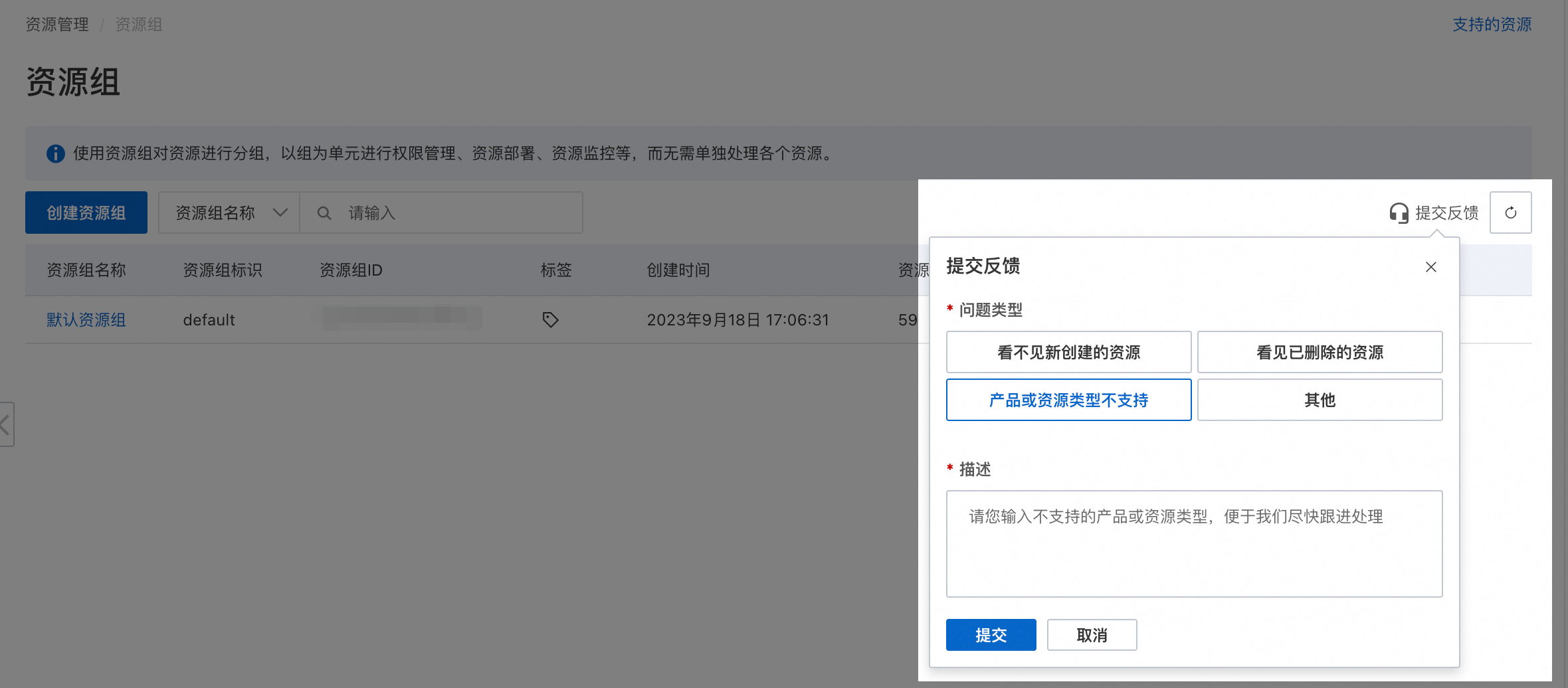
對於暫不支援資源群組的資源類型,如有需要,您可以在資源群組控制台提交反饋。
不支援資源群組層級授權的操作
雲原生API Gateway中不支援資源群組層級授權的操作(Action)如下:
|
操作(Action) |
操作描述 |
|
apig:BatchDeleteConsumerAuthorizationRule |
- |
|
apig:CancelAiGenerateTask |
- |
|
apig:CheckCommodityStatus |
- |
|
apig:CheckRegularExpressions |
- |
|
apig:CreateAiGenerateWebIde |
- |
|
apig:CreateAndAttachPolicy |
- |
|
apig:CreateConsumer |
- |
|
apig:CreateConsumerAuthorizationRule |
- |
|
apig:CreateConsumerAuthorizationRules |
- |
|
apig:CreateMcpServer |
- |
|
apig:CreateMigrationTask |
- |
|
apig:CreatePluginAttachment |
- |
|
apig:CreatePluginClass |
- |
|
apig:CreatePluginRepository |
- |
|
apig:CreatePluginWorkspace |
- |
|
apig:CreatePolicy |
- |
|
apig:CreatePolicyAttachment |
- |
|
apig:CreateSecret |
- |
|
apig:CreateWebIde |
- |
|
apig:DeleteConsumer |
- |
|
apig:DeleteConsumerAuthorizationRule |
- |
|
apig:DeleteHttpApiRoute |
- |
|
apig:DeleteMcpServer |
- |
|
apig:DeleteMigrationTask |
- |
|
apig:DeletePluginAttachment |
- |
|
apig:DeletePluginClass |
- |
|
apig:DeletePolicy |
- |
|
apig:DeletePolicyAttachment |
- |
|
apig:DeleteSecret |
- |
|
apig:DeployDomain |
- |
|
apig:DeployMcpServer |
- |
|
apig:DetachAndDeletePolicy |
- |
|
apig:ExportCodeFile |
- |
|
apig:ExportWasmFile |
- |
|
apig:GetAiGenerateTaskStatus |
- |
|
apig:GetConsumer |
- |
|
apig:GetConsumerAuthorizationRule |
- |
|
apig:GetHttpApiAttachment |
- |
|
apig:GetHttpApiInstanceByEnvId |
- |
|
apig:GetHttpApiRoute |
- |
|
apig:GetMcpServer |
- |
|
apig:GetMigrationNamespacedServices |
- |
|
apig:GetMigrationTask |
- |
|
apig:GetPluginAttachment |
- |
|
apig:GetPluginClass |
- |
|
apig:GetPluginWorkspace |
- |
|
apig:GetPolicy |
- |
|
apig:GetPolicyAttachment |
- |
|
apig:GetResourceOverview |
- |
|
apig:GetSecret |
- |
|
apig:GetSecretValue |
- |
|
apig:InstallPlugin |
- |
|
apig:InvokeAIAgent |
- |
|
apig:ListConsumerAuthorizationRules |
- |
|
apig:ListConsumers |
- |
|
apig:ListEvents |
- |
|
apig:ListGatewayErrorAccessLogs |
- |
|
apig:ListGatewayUpgradableVersions |
- |
|
apig:ListGlobalPolicies |
- |
|
apig:ListInstallableGateways |
- |
|
apig:ListLocations |
- |
|
apig:ListMcpServers |
- |
|
apig:ListMigrationTasks |
- |
|
apig:ListPluginAttachments |
- |
|
apig:ListPluginClasses |
- |
|
apig:ListPluginRepositories |
- |
|
apig:ListPluginWorkspace |
- |
|
apig:ListPlugins |
- |
|
apig:ListPolicies |
- |
|
apig:ListPolicyClasses |
- |
|
apig:ListSecretReferences |
- |
|
apig:ListSecrets |
- |
|
apig:ListServiceQuotas |
- |
|
apig:ListSslCerts |
- |
|
apig:ListSyncMCPServer |
- |
|
apig:ListSyncedMCPServer |
- |
|
apig:ListZones |
- |
|
apig:MCPMessaging |
- |
|
apig:MCPSSETransport |
- |
|
apig:ModifyQuotaLimitValue |
- |
|
apig:ModifyServiceQuota |
- |
|
apig:QueryConsumerAuthorizationRules |
- |
|
apig:QueryTestClusterData |
- |
|
apig:QueryTestDBData |
- |
|
apig:RefreshPluginOAuthCode |
- |
|
apig:RemoveConsumerAuthorizationRule |
- |
|
apig:RetryCreateGateway |
- |
|
apig:RunPluginPipeline |
- |
|
apig:SyncMCPServer |
- |
|
apig:SyncMCPServers |
- |
|
apig:UnDeployMcpServer |
- |
|
apig:UninstallPlugin |
- |
|
apig:UpdateAndAttachPolicy |
- |
|
apig:UpdateAuthorizationRule |
- |
|
apig:UpdateConsumer |
- |
|
apig:UpdateConsumerAuthorizationRule |
- |
|
apig:UpdateEnvironment |
- |
|
apig:UpdateHttpApiRoute |
- |
|
apig:UpdateMcpServer |
- |
|
apig:UpdateMigrationTask |
- |
|
apig:UpdatePluginAttachment |
- |
|
apig:UpdatePolicy |
- |
|
apig:UpdateSecret |
- |
|
apig:UpdateServiceVersion |
- |
|
apig:UploadCodeFile |
- |
|
apig:VerifyMigrationTask |
- |
|
apig:test |
- |
對於不支援資源群組授權的操作,授權時資源範圍選取資源群組層級將無效。如果仍需要RAM使用者有上述操作許可權,您需要建立自訂權限原則,授權時資源範圍選取帳號層級。
 以下是兩個自訂權限原則樣本,您可以根據實際需要調整策略內容。
-
允許不支援資源群組層級授權的全部唯讀操作:
Action中列舉不支援資源群組層級授權的所有隻讀操作。{ "Version": "1", "Statement": [ { "Effect": "Allow", "Action": [ "apig:CheckCommodityStatus", "apig:CheckRegularExpressions", "apig:ExportCodeFile", "apig:ExportWasmFile", "apig:GetAiGenerateTaskStatus", "apig:GetHttpApiAttachment", "apig:GetHttpApiInstanceByEnvId", "apig:GetHttpApiRoute", "apig:GetMcpServer", "apig:GetMigrationNamespacedServices", "apig:GetMigrationTask", "apig:GetPluginAttachment", "apig:GetPluginClass", "apig:GetPluginWorkspace", "apig:GetPolicy", "apig:GetPolicyAttachment", "apig:GetResourceOverview", "apig:GetSecret", "apig:GetSecretValue", "apig:InvokeAIAgent", "apig:ListConsumers", "apig:ListEvents", "apig:ListGatewayErrorAccessLogs", "apig:ListGatewayUpgradableVersions", "apig:ListGlobalPolicies", "apig:ListLocations", "apig:ListMcpServers", "apig:ListMigrationTasks", "apig:ListPluginClasses", "apig:ListPluginRepositories", "apig:ListPluginWorkspace", "apig:ListPolicies", "apig:ListSecretReferences", "apig:ListSecrets", "apig:ListSslCerts", "apig:ListSyncMCPServer", "apig:ListSyncedMCPServer", "apig:ListZones", "apig:MCPMessaging", "apig:MCPSSETransport" ], "Resource": "*" } ] } -
允許不支援資源群組層級授權的全部操作:
Action中列舉不支援資源群組層級授權的全部操作。{ "Version": "1", "Statement": [ { "Effect": "Allow", "Action": [ "apig:BatchDeleteConsumerAuthorizationRule", "apig:CancelAiGenerateTask", "apig:CheckCommodityStatus", "apig:CheckRegularExpressions", "apig:CreateAiGenerateWebIde", "apig:CreateAndAttachPolicy", "apig:CreateConsumer", "apig:CreateConsumerAuthorizationRule", "apig:CreateConsumerAuthorizationRules", "apig:CreateMcpServer", "apig:CreateMigrationTask", "apig:CreatePluginAttachment", "apig:CreatePluginClass", "apig:CreatePluginRepository", "apig:CreatePluginWorkspace", "apig:CreatePolicy", "apig:CreatePolicyAttachment", "apig:CreateSecret", "apig:CreateWebIde", "apig:DeleteConsumer", "apig:DeleteConsumerAuthorizationRule", "apig:DeleteHttpApiRoute", "apig:DeleteMcpServer", "apig:DeleteMigrationTask", "apig:DeletePluginAttachment", "apig:DeletePluginClass", "apig:DeletePolicy", "apig:DeletePolicyAttachment", "apig:DeleteSecret", "apig:DeployDomain", "apig:DeployMcpServer", "apig:DetachAndDeletePolicy", "apig:ExportCodeFile", "apig:ExportWasmFile", "apig:GetAiGenerateTaskStatus", "apig:GetConsumer", "apig:GetConsumerAuthorizationRule", "apig:GetHttpApiAttachment", "apig:GetHttpApiInstanceByEnvId", "apig:GetHttpApiRoute", "apig:GetMcpServer", "apig:GetMigrationNamespacedServices", "apig:GetMigrationTask", "apig:GetPluginAttachment", "apig:GetPluginClass", "apig:GetPluginWorkspace", "apig:GetPolicy", "apig:GetPolicyAttachment", "apig:GetResourceOverview", "apig:GetSecret", "apig:GetSecretValue", "apig:InstallPlugin", "apig:InvokeAIAgent", "apig:ListConsumerAuthorizationRules", "apig:ListConsumers", "apig:ListEvents", "apig:ListGatewayErrorAccessLogs", "apig:ListGatewayUpgradableVersions", "apig:ListGlobalPolicies", "apig:ListInstallableGateways", "apig:ListLocations", "apig:ListMcpServers", "apig:ListMigrationTasks", "apig:ListPluginAttachments", "apig:ListPluginClasses", "apig:ListPluginRepositories", "apig:ListPluginWorkspace", "apig:ListPlugins", "apig:ListPolicies", "apig:ListPolicyClasses", "apig:ListSecretReferences", "apig:ListSecrets", "apig:ListServiceQuotas", "apig:ListSslCerts", "apig:ListSyncMCPServer", "apig:ListSyncedMCPServer", "apig:ListZones", "apig:MCPMessaging", "apig:MCPSSETransport", "apig:ModifyQuotaLimitValue", "apig:ModifyServiceQuota", "apig:QueryConsumerAuthorizationRules", "apig:QueryTestClusterData", "apig:QueryTestDBData", "apig:RefreshPluginOAuthCode", "apig:RemoveConsumerAuthorizationRule", "apig:RetryCreateGateway", "apig:RunPluginPipeline", "apig:SyncMCPServer", "apig:SyncMCPServers", "apig:UnDeployMcpServer", "apig:UninstallPlugin", "apig:UpdateAndAttachPolicy", "apig:UpdateAuthorizationRule", "apig:UpdateConsumer", "apig:UpdateConsumerAuthorizationRule", "apig:UpdateEnvironment", "apig:UpdateHttpApiRoute", "apig:UpdateMcpServer", "apig:UpdateMigrationTask", "apig:UpdatePluginAttachment", "apig:UpdatePolicy", "apig:UpdateSecret", "apig:UpdateServiceVersion", "apig:UploadCodeFile", "apig:VerifyMigrationTask", "apig:test" ], "Resource": "*" } ] }
獲得帳號層級許可權的RAM使用者或RAM角色,能夠操作整個帳號範圍內的相關資源。請務必確認所授與權限是否符合預期,遵從最小授權原則謹慎分配許可權。
常見問題
如何查看當前資源屬於哪個資源群組?
-
方式一:單擊資源名稱,進入資源的詳情頁面,即可查看到當前資源的資源群組。
-
方式二:登入資源管理主控台,單擊,在左側選擇目標資源所屬帳號(預設為當前帳號),通過篩選條件定位目標資源,即可查看其所屬資源群組。
如何查看當前產品在某個資源群組下的所有資源?
如何批量修改多個資源的資源群組?
登入資源管理主控台,單擊,在目標資源群組所在行的操作列下,單擊資源管理以進入資源管理頁面。通過篩選條件定位多個目標資源,批量勾選第一列的複選框後單擊下方轉移資源群組,並按頁面提示完成資源群組修改。