什麼是委託帳號?
委託帳號(Delegate Account) 是指被授予許可權訪問他人郵箱或資源的賬戶。
如何設定郵箱委託?
開啟Exchange Management Shell。
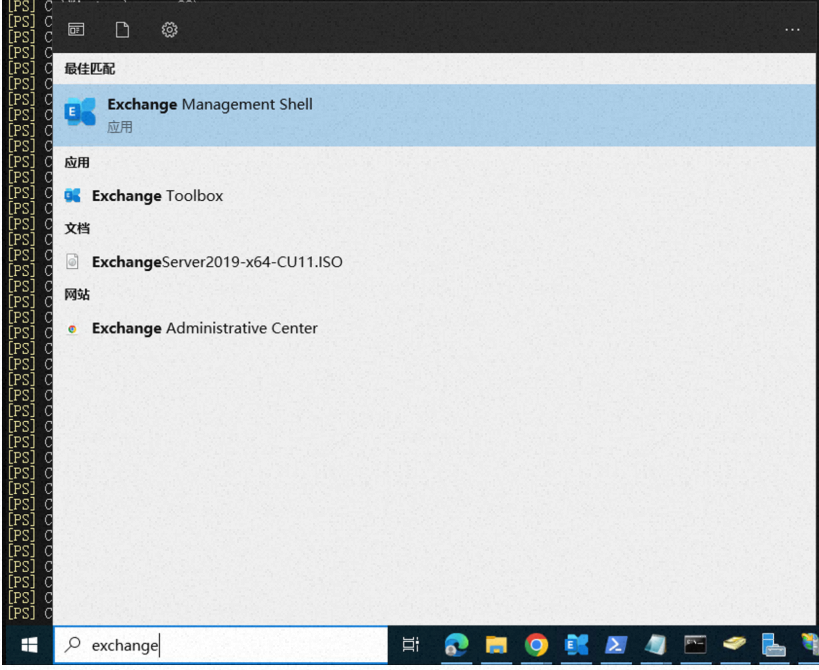
1、執行命令
批量給所有UserMailbox 類型帳號設定郵箱委託superman@example.com(完整存取)
Get-Mailbox -ResultSize unlimited -Filter {(RecipientTypeDetails -eq 'UserMailbox')-and(Alias -ne 'superman@example.com')}|Add-MailboxPermission -User superman@example.com -AccessRights fullaccess -InheritanceType all -AutoMapping $false命令分為兩部分(一起執行):
Get-Mailbox:篩選合格郵箱。Add-MailboxPermission:為篩選出的郵箱大量新增許可權。
說明
建議建立一個或多個帳號作為委託帳號(如“superman@example.com”),不要使用預設的admin帳號。

2、驗證授權
方式1(登入驗證)
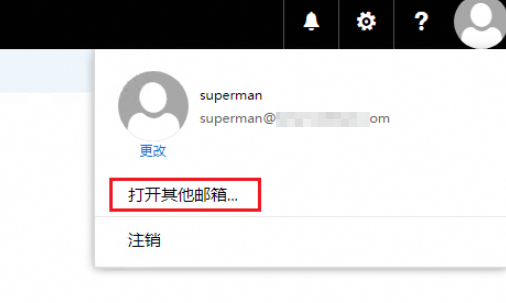
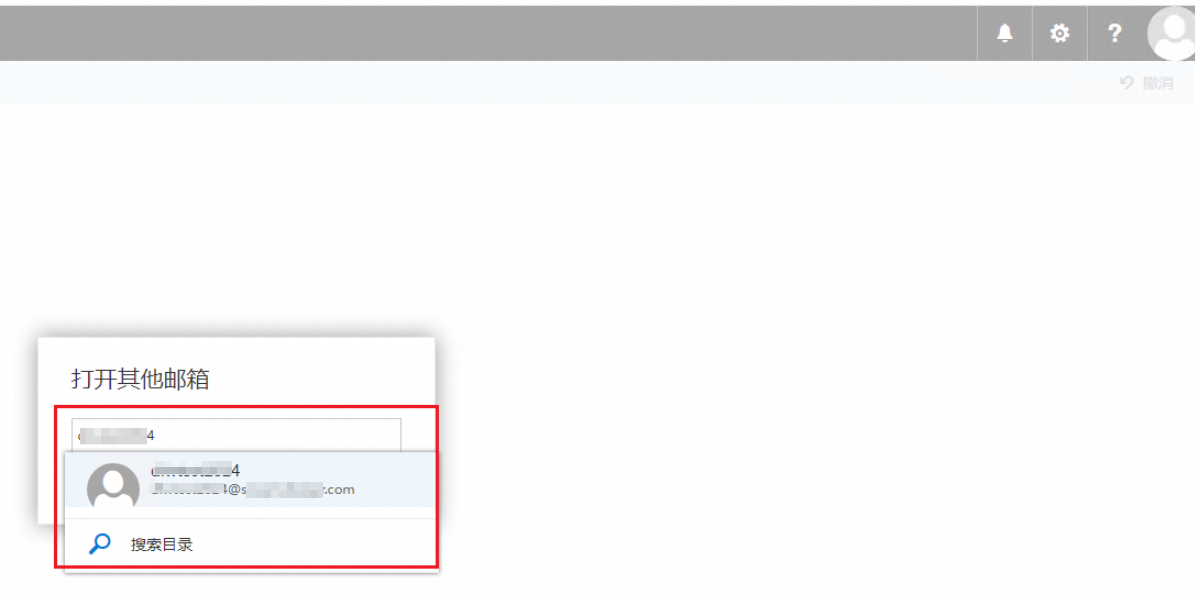
驗證是否授權成功,先登入進委託郵箱裡,如本例先登入superman的exchange郵箱,然後開啟其他郵箱中搜尋被授權訪問的其他員工郵箱並登入,如成功進入其郵箱即可。
說明
輸入時可能非本exchange的連絡人也會顯示出來,別選錯了。如果測試時選錯帳號,會增加排查時間。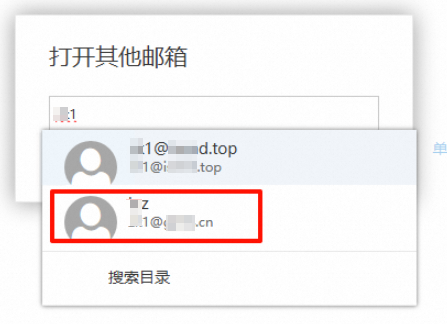
方式2 (命令列)
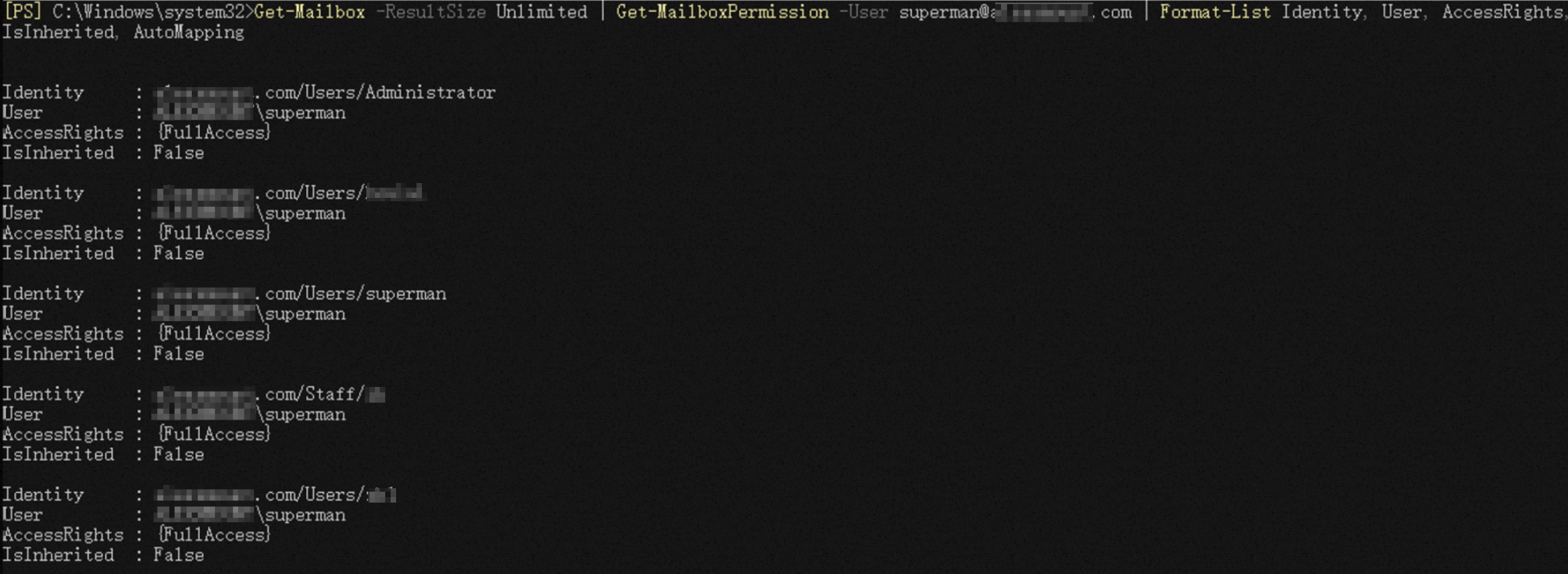
{FullAccess}代表授權成功。
驗證單個帳號
Get-MailboxPermission -Identity "user@example.com" | Where-Object {$_.User -like "superman"} | Format-List -Property Identity, User, AccessRights, IsInherited, AutoMapping
驗證全部帳號
Get-Mailbox -ResultSize Unlimited | Get-MailboxPermission -User superman@example.com | Format-List Identity, User, AccessRights, IsInherited, AutoMapping