O Wan-R2V aceita entrada multimodal (texto, imagem, vídeo e áudio) para gerar vídeos de performance. Use prompts para definir pessoas ou objetos como personagens principais.
Links rápidos: Referência da API | Guia de prompts
Primeiros passos
Prompt de entrada: O Vídeo 1 entra pelo lado esquerdo profundo do quadro. Em seguida, a cena corta para um close-up da Imagem 1. O Vídeo 1 está encostado na parede enferrujada do lado direito da Imagem 2. Ao ouvir os passos, ela vira a cabeça lentamente. Depois de ver a Imagem 1, o Vídeo 1 diz: "Por que você ainda veio?" A Imagem 1 responde: "Vamos conversar." | |||
Vídeo de entrada (Vídeo 1)
| Imagem de entrada (Imagem 1)
| Imagem de entrada (Imagem 2)
| Vídeo de saída (multi-cena, com áudio) |
Voz de referência de entrada: |  Voz de referência de entrada: | 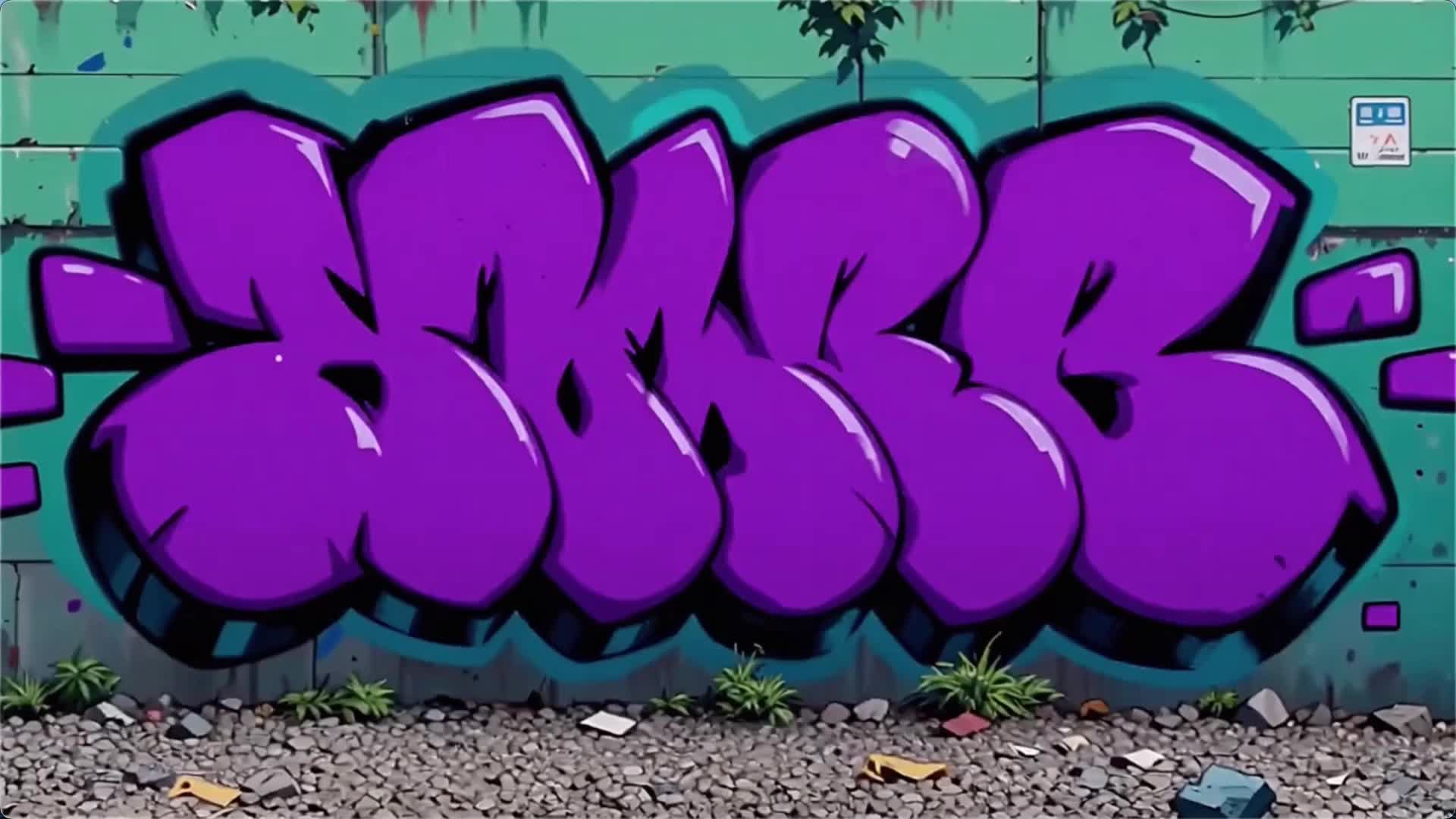 | |
Antes de começar, obtenha uma chave de API e defina-a como variável de ambiente. Para usar um SDK, instale o DashScope SDK.
Python SDK
ImportanteCertifique-se de que a versão do DashScope Python SDK seja pelo menos1.25.16 antes de executar o código a seguir.
Versões mais antigas podem gerar erros como "url error, please check url!". Consulte 安装SDK.
# -*- coding: utf-8 -*-
from http import HTTPStatus
from dashscope import VideoSynthesis
import dashscope
import os

# The following is the URL for the Singapore region. Replace {WorkspaceId} with your actual workspace ID. URLs vary by region. For more information, see https://www.alibabacloud.com/help/en/model-studio/wan-video-to-video-api-reference
dashscope.base_http_api_url = 'https://{WorkspaceId}.ap-southeast-1.maas.aliyuncs.com/api/v1'

# If you have not set the environment variable, replace the following line with your Model Studio API key: api_key="sk-xxx"
# API keys vary by region. For more information, see https://www.alibabacloud.com/help/en/model-studio/get-api-key
api_key = os.getenv("DASHSCOPE_API_KEY")

media = [
    {
        "type": "reference_video",
        "url": "https://help-static-aliyun-doc.aliyuncs.com/file-manage-files/zh-CN/20260416/pfgcuv/wan-r2v-girl-en.mp4",
        "reference_voice": "https://help-static-aliyun-doc.aliyuncs.com/file-manage-files/zh-CN/20260416/exiikq/wan-r2v-girl-demo-voice-en.mp3"
    },
    {
        "type": "reference_image",
        "url": "https://help-static-aliyun-doc.aliyuncs.com/file-manage-files/zh-CN/20260416/skhalj/wan-r2v-boy-en.jpg",
        "reference_voice": "https://help-static-aliyun-doc.aliyuncs.com/file-manage-files/zh-CN/20260416/pqxdoi/wan-r2v-boy-voice-en.mp3"
    },
    {
        "type": "reference_image",
        "url": "https://help-static-aliyun-doc.aliyuncs.com/file-manage-files/zh-CN/20260416/vyqjxd/wan-r2v-bg-en.jpg"
    }
]

print('please wait...')
rsp = VideoSynthesis.call(
    api_key=api_key,
    model="wan2.7-r2v-2026-06-12",
    media=media,
    resolution="720P",
    ratio="16:9",
    duration=10,
    prompt_extend=False,
    watermark=True,
    prompt="Video 1 walks in from the deep left side of the frame. Then the shot cuts to a close-up of Image 1. Video 1 is leaning against the rusty wall on the right side from Image 2. Hearing the footsteps, she slowly turns her head. After seeing Image 1, Video 1 says, \"Why did you still come?\" Image 1 replies, \"Let's talk.\"",
)
print(rsp)
if rsp.status_code == HTTPStatus.OK:
    print("video_url:", rsp.output.video_url)
else:
    print('Failed, status_code: %s, code: %s, message: %s' % (rsp.status_code, rsp.code, rsp.message))
Java SDK
ImportanteCertifique-se de que a versão do seu DashScope Java SDK seja pelo menos2.22.14 e execute o código a seguir.
Versões mais antigas podem gerar erros como "url error, please check url!". Consulte 安装SDK.
// Copyright (c) Alibaba, Inc. and its affiliates.

import com.alibaba.dashscope.aigc.videosynthesis.VideoSynthesis;
import com.alibaba.dashscope.aigc.videosynthesis.VideoSynthesisParam;
import com.alibaba.dashscope.aigc.videosynthesis.VideoSynthesisResult;
import com.alibaba.dashscope.exception.ApiException;
import com.alibaba.dashscope.exception.InputRequiredException;
import com.alibaba.dashscope.exception.NoApiKeyException;
import com.alibaba.dashscope.utils.Constants;
import com.alibaba.dashscope.utils.JsonUtils;

import java.util.ArrayList;
import java.util.List;

public class Ref2Video {

    static {
        // The following is the URL for the Singapore region. Replace {WorkspaceId} with your actual workspace ID. URLs vary by region. For more information, see https://www.alibabacloud.com/help/en/model-studio/wan-video-to-video-api-reference
        Constants.baseHttpApiUrl = "https://{WorkspaceId}.ap-southeast-1.maas.aliyuncs.com/api/v1";
    }

    // If you have not set the environment variable, replace the following line with your Model Studio API key: apiKey="sk-xxx"
    // API keys vary by region. For more information, see https://www.alibabacloud.com/help/en/model-studio/get-api-key
    static String apiKey = System.getenv("DASHSCOPE_API_KEY");

    public static void ref2video() throws ApiException, NoApiKeyException, InputRequiredException {
        VideoSynthesis vs = new VideoSynthesis();
        final String prompt = "Video 1 walks in from the deep left side of the frame. Then the shot cuts to a close-up of Image 1. Video 1 is leaning against the rusty wall on the right side from Image 2. Hearing the footsteps, she slowly turns her head. After seeing Image 1, Video 1 says, \"Why did you still come?\" Image 1 replies, \"Let's talk.\"";
        List<VideoSynthesisParam.Media> media = new ArrayList<VideoSynthesisParam.Media>(){{
            add(VideoSynthesisParam.Media.builder()
                    .url("https://help-static-aliyun-doc.aliyuncs.com/file-manage-files/zh-CN/20260416/pfgcuv/wan-r2v-girl-en.mp4")
                    .type("reference_video")
                    .referenceVoice("https://help-static-aliyun-doc.aliyuncs.com/file-manage-files/zh-CN/20260416/exiikq/wan-r2v-girl-demo-voice-en.mp3")
                    .build());
            add(VideoSynthesisParam.Media.builder()
                    .url("https://help-static-aliyun-doc.aliyuncs.com/file-manage-files/zh-CN/20260416/skhalj/wan-r2v-boy-en.jpg")
                    .type("reference_image")
                    .referenceVoice("https://help-static-aliyun-doc.aliyuncs.com/file-manage-files/zh-CN/20260416/pqxdoi/wan-r2v-boy-voice-en.mp3")
                    .build());
            add(VideoSynthesisParam.Media.builder()
                    .url("https://help-static-aliyun-doc.aliyuncs.com/file-manage-files/zh-CN/20260416/vyqjxd/wan-r2v-bg-en.jpg")
                    .type("reference_image")
                    .build());
        }};
        VideoSynthesisParam param =
                VideoSynthesisParam.builder()
                        .apiKey(apiKey)
                        .model("wan2.7-r2v-2026-06-12")
                        .prompt(prompt)
                        .media(media)
                        .watermark(true)
                        .duration(10)
                        .resolution("720P")
                        .ratio("16:9")
                        .promptExtend(false)
                        .build();
        System.out.println("please wait...");
        VideoSynthesisResult result = vs.call(param);
        System.out.println(JsonUtils.toJson(result));
    }

    public static void main(String[] args) {
        try {
            ref2video();
        } catch (ApiException | NoApiKeyException | InputRequiredException e) {
            System.out.println(e.getMessage());
        }
        System.exit(0);
    }
}
curl
Etapa 1: Criar uma tarefa e obter o ID da tarefacurl --location 'https://{WorkspaceId}.ap-southeast-1.maas.aliyuncs.com/api/v1/services/aigc/video-generation/video-synthesis' \
-H 'X-DashScope-Async: enable' \
-H "Authorization: Bearer $DASHSCOPE_API_KEY" \
-H 'Content-Type: application/json' \
-d '{
"model": "wan2.7-r2v-2026-06-12",
"input": {
"prompt": "Video 1 walks in from the deep left side of the frame. Then the shot cuts to a close-up of Image 1. Video 1 is leaning against the rusty wall on the right side from Image 2. Hearing the footsteps, she slowly turns her head. After seeing Image 1, Video 1 says, \"Why did you still come?\" Image 1 replies, \"Let's talk.\" ",
"media": [
{
"type": "reference_video",
"url": "https://help-static-aliyun-doc.aliyuncs.com/file-manage-files/zh-CN/20260416/pfgcuv/wan-r2v-girl-en.mp4",
"reference_voice": "https://help-static-aliyun-doc.aliyuncs.com/file-manage-files/zh-CN/20260416/exiikq/wan-r2v-girl-demo-voice-en.mp3"
},
{
"type": "reference_image",
"url": "https://help-static-aliyun-doc.aliyuncs.com/file-manage-files/zh-CN/20260416/skhalj/wan-r2v-boy-en.jpg",
"reference_voice": "https://help-static-aliyun-doc.aliyuncs.com/file-manage-files/zh-CN/20260416/pqxdoi/wan-r2v-boy-voice-en.mp3"
},
{
"type": "reference_image",
"url": "https://help-static-aliyun-doc.aliyuncs.com/file-manage-files/zh-CN/20260416/vyqjxd/wan-r2v-bg-en.jpg"
}
]
},
"parameters": {
"resolution": "720P",
"ratio": "16:9",
"duration": 10,
"prompt_extend": false,
"watermark": true
}
}'
Substitua {task_id} pelo valor task_id retornado pela chamada de API anterior. O task_id é válido para consultas por 24 horas.
curl -X GET https://{WorkspaceId}.ap-southeast-1.maas.aliyuncs.com/api/v1/tasks/{task_id} \
--header "Authorization: Bearer $DASHSCOPE_API_KEY"
Disponibilidade
- Os modelos suportados variam por região. Os recursos são isolados entre regiões. Para verificar os modelos suportados em cada região, consulte o console do Model Studio.
- Ao fazer uma chamada, certifique-se de que seu modelo, URL do endpoint e chave de API pertençam todos à mesma região. Chamadas entre regiões falham.
ObservaçãoO código de exemplo neste tópico aplica-se à região de Singapura. Se você utilizar outras regiões, consulte a Referência da API.
Capacidades principais (wan2.7)
Referência de imagem única (imagem multi-painel)
Modelos suportados: wan2.7 series.
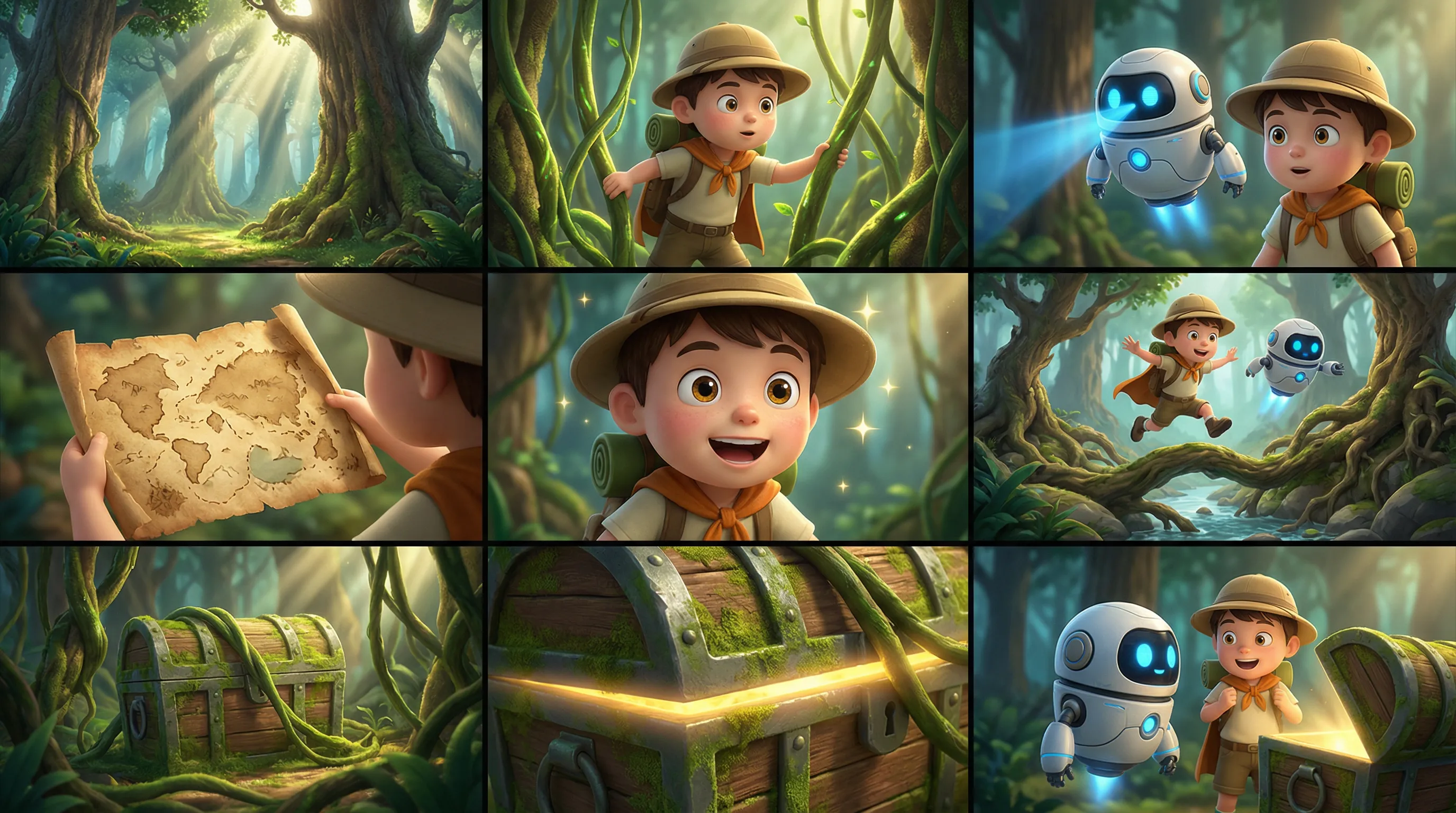
Descrição: Insira uma imagem multi-painel (storyboard). O modelo detecta automaticamente o layout multi-painel e gera um vídeo com personagens, cenários e tomadas consistentes. É possível inserir apenas uma imagem multi-painel por vez.
Parâmetros:
media.type: Defina comoreference_image.media.url: A URL ou string codificada em base64 da imagem multi-painel.prompt: Se você fornecer apenas uma imagem ou vídeo de referência, use "imagem de referência" ou "vídeo de referência".
Prompt de entrada: Imagem de referência, estilo de filme de aventura em desenho animado 3D, personagens chibi com texturas detalhadas, ações suaves e cores vibrantes. Mantenha os personagens e a cena da floresta consistentes. Não adicione texto. Atmosfera: Aventurosa, leve, misteriosa, fantasiosa. Personagens: Menino explorador: chapéu redondo, mochila, capa curta. Companheiro: um pequeno robô voador com corpo redondo e olhos azuis brilhantes. Cenário: Floresta fantástica com raízes gigantes de árvores, cogumelos, cipós, entrada de uma caverna do tesouro e raios de sol. Storyboard: 1. Plano geral: Árvores altas e feixes de luz entrelaçados em uma floresta fantástica misteriosa e iluminada. 2. Plano médio: O menino afasta os cipós para explorar. 3. Plano médio: O pequeno robô voa ao lado dele, escaneando o caminho à frente com uma luz azul. 4. Close-up: Um velho mapa do tesouro se desdobra nas mãos do menino. 5. Close-up: Ele mostra uma expressão empolgada, seus olhos se iluminando. 6. Cena de ação: Os dois saltam sobre raízes de árvores e um riacho, continuando mais fundo na floresta. 7. Plano médio: Um baú de tesouro coberto de musgo é revelado atrás dos cipós. 8. Close-up: Um brilho dourado brilha na borda do baú do tesouro. 9. Cena final: O menino e o pequeno robô estão diante do baú do tesouro, olhando um para o outro com surpresa, cheios de aventura. | |
| Imagem multi-painel de entrada | Vídeo de saída |
 | |
Python SDK
Certifique-se de que seu DashScope Python SDK esteja na versão
1.25.16ou posterior. Consulte 安装SDK .
# -*- coding: utf-8 -*-
from http import HTTPStatus
from dashscope import VideoSynthesis
import dashscope
import os

# This is the URL for the Singapore region. Replace {WorkspaceId} with your actual workspace ID. URLs vary by region. To get the URL, see https://www.alibabacloud.com/help/en/model-studio/wan-video-to-video-api-reference
dashscope.base_http_api_url = 'https://{WorkspaceId}.ap-southeast-1.maas.aliyuncs.com/api/v1'

# If you have not configured the environment variable, replace the following line with your Model Studio API key: api_key="sk-xxx"
# API keys vary by region. To get an API key, see https://www.alibabacloud.com/help/en/model-studio/get-api-key
api_key = os.getenv("DASHSCOPE_API_KEY")

media = [
    {
        "type": "reference_image",
        "url": "https://help-static-aliyun-doc.aliyuncs.com/file-manage-files/zh-CN/20260403/wgjaxy/banana_storyboard_00000020.png"
    }
]

def sample_sync_call():
    print('----sync call, please wait a moment----')
    rsp = VideoSynthesis.call(
        api_key=api_key,
        model="wan2.7-r2v-2026-06-12",
        media=media,
        resolution="720P",
        ratio="16:9",
        duration=10,
        prompt_extend=False,
        watermark=True,
        prompt="Reference image, 3D cartoon adventure movie style, chibi characters with detailed textures, smooth actions, and vibrant colors. Keep the characters and forest scene consistent. Do not add text. Atmosphere: Adventurous, lighthearted, mysterious, whimsical. Characters: Boy explorer: round hat, backpack, short cloak. Sidekick: a flying small robot with a round body and blue glowing eyes. Scene: Fantasy forest with giant tree roots, mushrooms, vines, a treasure cave entrance, and sunbeams. Storyboard: 1. Wide shot: Tall trees and interlaced light beams in a mysterious and bright fantasy forest. 2. Medium shot: The boy pushes aside vines to explore. 3. Medium shot: The small robot flies beside him, scanning ahead with a blue light. 4. Close-up: An old treasure map unfolds in the boy's hands. 5. Close-up: He shows an excited expression, his eyes lighting up. 6. Action shot: The two jump over tree roots and a stream, continuing deeper into the forest. 7. Medium shot: A moss-covered treasure chest is revealed behind the vines. 8. Close-up: A golden glow shines from the edge of the treasure chest. 9. Final shot: The boy and the small robot stand before the treasure chest, looking at each other in surprise, full of adventure.",
    )
    if rsp.status_code == HTTPStatus.OK:
        print(rsp.output.video_url)
    else:
        print('Failed, status_code: %s, code: %s, message: %s' %
              (rsp.status_code, rsp.code, rsp.message))

if __name__ == '__main__':
    sample_sync_call()
Java SDK
Certifique-se de que seu DashScope Java SDK esteja na versão
2.22.14ou posterior. Consulte 安装SDK .
// Copyright (c) Alibaba, Inc. and its affiliates.

import com.alibaba.dashscope.aigc.videosynthesis.VideoSynthesis;
import com.alibaba.dashscope.aigc.videosynthesis.VideoSynthesisParam;
import com.alibaba.dashscope.aigc.videosynthesis.VideoSynthesisResult;
import com.alibaba.dashscope.exception.ApiException;
import com.alibaba.dashscope.exception.InputRequiredException;
import com.alibaba.dashscope.exception.NoApiKeyException;
import com.alibaba.dashscope.utils.Constants;
import com.alibaba.dashscope.utils.JsonUtils;

import java.util.ArrayList;
import java.util.List;

public class Ref2Video {

    static {
        // This is the URL for the Singapore region. Replace {WorkspaceId} with your actual workspace ID. URLs vary by region. To get the URL, see https://www.alibabacloud.com/help/en/model-studio/wan-video-to-video-api-reference
        Constants.baseHttpApiUrl = "https://{WorkspaceId}.ap-southeast-1.maas.aliyuncs.com/api/v1";
    }

    // If you have not configured the environment variable, replace the following line with your Model Studio API key: apiKey="sk-xxx"
    // API keys vary by region. To get an API key, see https://www.alibabacloud.com/help/en/model-studio/get-api-key
    static String apiKey = System.getenv("DASHSCOPE_API_KEY");

    public static void syncCall() {
        VideoSynthesis videoSynthesis = new VideoSynthesis();
        final String prompt = "Reference image, 3D cartoon adventure movie style, chibi characters with detailed textures, smooth actions, and vibrant colors. Keep the characters and forest scene consistent. Do not add text. Atmosphere: Adventurous, lighthearted, mysterious, whimsical. Characters: Boy explorer: round hat, backpack, short cloak. Sidekick: a flying small robot with a round body and blue glowing eyes. Scene: Fantasy forest with giant tree roots, mushrooms, vines, a treasure cave entrance, and sunbeams. Storyboard: 1. Wide shot: Tall trees and interlaced light beams in a mysterious and bright fantasy forest. 2. Medium shot: The boy pushes aside vines to explore. 3. Medium shot: The small robot flies beside him, scanning ahead with a blue light. 4. Close-up: An old treasure map unfolds in the boy's hands. 5. Close-up: He shows an excited expression, his eyes lighting up. 6. Action shot: The two jump over tree roots and a stream, continuing deeper into the forest. 7. Medium shot: A moss-covered treasure chest is revealed behind the vines. 8. Close-up: A golden glow shines from the edge of the treasure chest. 9. Final shot: The boy and the small robot stand before the treasure chest, looking at each other in surprise, full of adventure.";
        List<VideoSynthesisParam.Media> media = new ArrayList<VideoSynthesisParam.Media>(){{
            add(VideoSynthesisParam.Media.builder()
                    .url("https://help-static-aliyun-doc.aliyuncs.com/file-manage-files/zh-CN/20260403/wgjaxy/banana_storyboard_00000020.png")
                    .type("reference_image")
                    .build());
        }};
        VideoSynthesisParam param =
                VideoSynthesisParam.builder()
                        .apiKey(apiKey)
                        .model("wan2.7-r2v-2026-06-12")
                        .prompt(prompt)
                        .media(media)
                        .watermark(true)
                        .duration(10)
                        .resolution("720P")
                        .ratio("16:9")
                        .promptExtend(false)
                        .build();
        VideoSynthesisResult result = null;
        try {
            System.out.println("---sync call, please wait a moment----");
            result = videoSynthesis.call(param);
        } catch (ApiException | NoApiKeyException e){
            throw new RuntimeException(e.getMessage());
        } catch (InputRequiredException e) {
            throw new RuntimeException(e);
        }
        System.out.println(JsonUtils.toJson(result));
    }

    public static void main(String[] args) {
        syncCall();
    }
}
curl
Etapa 1: Criar uma tarefa e obter o ID da tarefacurl --location 'https://{WorkspaceId}.ap-southeast-1.maas.aliyuncs.com/api/v1/services/aigc/video-generation/video-synthesis' \
-H 'X-DashScope-Async: enable' \
-H "Authorization: Bearer $DASHSCOPE_API_KEY" \
-H 'Content-Type: application/json' \
-d '{
"model": "wan2.7-r2v-2026-06-12",
"input": {
"prompt": "Reference image, 3D cartoon adventure movie style, chibi characters with detailed textures, smooth actions, and vibrant colors. Keep the characters and forest scene consistent. Do not add text. Atmosphere: Adventurous, lighthearted, mysterious, whimsical. Characters: Boy explorer: round hat, backpack, short cloak. Sidekick: a flying small robot with a round body and blue glowing eyes. Scene: Fantasy forest with giant tree roots, mushrooms, vines, a treasure cave entrance, and sunbeams. Storyboard: 1. Wide shot: Tall trees and interlaced light beams in a mysterious and bright fantasy forest. 2. Medium shot: The boy pushes aside vines to explore. 3. Medium shot: The small robot flies beside him, scanning ahead with a blue light. 4. Close-up: An old treasure map unfolds in the boy's hands. 5. Close-up: He shows an excited expression, his eyes lighting up. 6. Action shot: The two jump over tree roots and a stream, continuing deeper into the forest. 7. Medium shot: A moss-covered treasure chest is revealed behind the vines. 8. Close-up: A golden glow shines from the edge of the treasure chest. 9. Final shot: The boy and the small robot stand before the treasure chest, looking at each other in surprise, full of adventure.",
"media": [
{
"type": "reference_image",
"url": "https://help-static-aliyun-doc.aliyuncs.com/file-manage-files/zh-CN/20260403/wgjaxy/banana_storyboard_00000020.png"
}
]
},
"parameters": {
"resolution": "720P",
"ratio": "16:9",
"duration": 10,
"prompt_extend": false,
"watermark": true
}
}'
Substitua {task_id} pelo valor task_id retornado pela chamada de API anterior. O task_id é válido para consultas por 24 horas.
curl -X GET https://{WorkspaceId}.ap-southeast-1.maas.aliyuncs.com/api/v1/tasks/{task_id} \
--header "Authorization: Bearer $DASHSCOPE_API_KEY"
Referência de múltiplas entidades e personalização de voz
Modelos suportados: wan2.7 series.
Descrição: Insira várias imagens e vídeos de referência como materiais de entidade. Especifique também uma voz exclusiva para cada entidade para permitir interação entre múltiplos personagens e diferenciação de voz.
Parâmetros:
-
media: Um array de materiais de referência.-
media.type: Suportareference_imageereference_video. O número total de imagens e vídeos de referência não pode exceder 5. -
media.url: A URL do material. Imagens também suportam strings codificadas em base64. -
media.reference_voice(opcional): A URL do áudio para especificar a voz da entidade. Use isto comreference_imageoureference_video.Lógica de áudio: Se um
reference_videocontiver áudio ereference_voicenão for especificado, o áudio original do vídeo será usado por padrão. Se ambos forem fornecidos,reference_voicesubstitui o áudio original do vídeo.
-
-
prompt: Faça referência aos materiais de referência no prompt seguindo as regras abaixo:- Use identificadores como Imagem 1, Imagem 2 para ativos
reference_imagee Vídeo 1, Vídeo 2 para ativosreference_video. - A ordem de referência dos materiais é definida pelo array
media. Imagens e vídeos são contados separadamente.
- Use identificadores como Imagem 1, Imagem 2 para ativos
Prompt de entrada: O Vídeo 1 entra pelo lado esquerdo profundo do quadro. Em seguida, a cena corta para um close-up da Imagem 1. O Vídeo 1 está encostado na parede enferrujada do lado direito da Imagem 2. Ao ouvir os passos, ela vira a cabeça lentamente. Depois de ver a Imagem 1, o Vídeo 1 diz: "Por que você ainda veio?" A Imagem 1 responde: "Vamos conversar." | |||
Vídeo de entrada (Vídeo 1)
| Imagem de entrada (Imagem 1)
| Imagem de entrada (Imagem 2)
| Vídeo de saída (multi-cena, com áudio) |
Voz de referência de entrada: | Voz de referência de entrada: | | |
Python SDK
Certifique-se de que seu DashScope Python SDK esteja na versão
1.25.16ou posterior. Consulte 安装SDK .
# -*- coding: utf-8 -*-
from http import HTTPStatus
from dashscope import VideoSynthesis
import dashscope
import os

# This is the URL for the Singapore region. Replace {WorkspaceId} with your actual workspace ID. URLs vary by region. To get the URL, see https://www.alibabacloud.com/help/en/model-studio/wan-video-to-video-api-reference
dashscope.base_http_api_url = 'https://{WorkspaceId}.ap-southeast-1.maas.aliyuncs.com/api/v1'

# If you have not configured the environment variable, replace the following line with your Model Studio API key: api_key="sk-xxx"
# API keys vary by region. To get an API key, see https://www.alibabacloud.com/help/en/model-studio/get-api-key
api_key = os.getenv("DASHSCOPE_API_KEY")

media = [
    {
        "type": "reference_video",
        "url": "https://help-static-aliyun-doc.aliyuncs.com/file-manage-files/zh-CN/20260416/pfgcuv/wan-r2v-girl-en.mp4",
        "reference_voice": "https://help-static-aliyun-doc.aliyuncs.com/file-manage-files/zh-CN/20260416/exiikq/wan-r2v-girl-demo-voice-en.mp3"
    },
    {
        "type": "reference_image",
        "url": "https://help-static-aliyun-doc.aliyuncs.com/file-manage-files/zh-CN/20260416/skhalj/wan-r2v-boy-en.jpg",
        "reference_voice": "https://help-static-aliyun-doc.aliyuncs.com/file-manage-files/zh-CN/20260416/pqxdoi/wan-r2v-boy-voice-en.mp3"
    },
    {
        "type": "reference_image",
        "url": "https://help-static-aliyun-doc.aliyuncs.com/file-manage-files/zh-CN/20260416/vyqjxd/wan-r2v-bg-en.jpg"
    }
]

def sample_sync_call():
    print('----sync call, please wait a moment----')
    rsp = VideoSynthesis.call(
        api_key=api_key,
        model="wan2.7-r2v-2026-06-12",
        media=media,
        resolution="720P",
        ratio="16:9",
        duration=10,
        prompt_extend=False,
        watermark=True,
        prompt="Video 1 walks in from the deep left side of the frame. Then the shot cuts to a close-up of Image 1. Video 1 is leaning against the rusty wall on the right side from Image 2. Hearing the footsteps, she slowly turns her head. After seeing Image 1, Video 1 says, \"Why did you still come?\" Image 1 replies, \"Let's talk.\"",
    )
    if rsp.status_code == HTTPStatus.OK:
        print(rsp.output.video_url)
    else:
        print('Failed, status_code: %s, code: %s, message: %s' %
              (rsp.status_code, rsp.code, rsp.message))

if __name__ == '__main__':
    sample_sync_call()
Java SDK
Certifique-se de que seu DashScope Java SDK esteja na versão
2.22.14ou posterior. Consulte 安装SDK .
// Copyright (c) Alibaba, Inc. and its affiliates.

import com.alibaba.dashscope.aigc.videosynthesis.VideoSynthesis;
import com.alibaba.dashscope.aigc.videosynthesis.VideoSynthesisParam;
import com.alibaba.dashscope.aigc.videosynthesis.VideoSynthesisResult;
import com.alibaba.dashscope.exception.ApiException;
import com.alibaba.dashscope.exception.InputRequiredException;
import com.alibaba.dashscope.exception.NoApiKeyException;
import com.alibaba.dashscope.utils.Constants;
import com.alibaba.dashscope.utils.JsonUtils;

import java.util.ArrayList;
import java.util.List;

public class Ref2Video {

    static {
        // This is the URL for the Singapore region. Replace {WorkspaceId} with your actual workspace ID. URLs vary by region. To get the URL, see https://www.alibabacloud.com/help/en/model-studio/wan-video-to-video-api-reference
        Constants.baseHttpApiUrl = "https://{WorkspaceId}.ap-southeast-1.maas.aliyuncs.com/api/v1";
    }

    // If you have not configured the environment variable, replace the following line with your Model Studio API key: apiKey="sk-xxx"
    // API keys vary by region. To get an API key, see https://www.alibabacloud.com/help/en/model-studio/get-api-key
    static String apiKey = System.getenv("DASHSCOPE_API_KEY");

    public static void syncCall() {
        VideoSynthesis videoSynthesis = new VideoSynthesis();
        final String prompt = "Video 1 walks in from the deep left side of the frame. Then the shot cuts to a close-up of Image 1. Video 1 is leaning against the rusty wall on the right side from Image 2. Hearing the footsteps, she slowly turns her head. After seeing Image 1, Video 1 says, \"Why did you still come?\" Image 1 replies, \"Let's talk.\"";
        List<VideoSynthesisParam.Media> media = new ArrayList<VideoSynthesisParam.Media>(){{
            add(VideoSynthesisParam.Media.builder()
                    .url("https://help-static-aliyun-doc.aliyuncs.com/file-manage-files/zh-CN/20260416/pfgcuv/wan-r2v-girl-en.mp4")
                    .type("reference_video")
                    .referenceVoice("https://help-static-aliyun-doc.aliyuncs.com/file-manage-files/zh-CN/20260416/exiikq/wan-r2v-girl-demo-voice-en.mp3")
                    .build());
            add(VideoSynthesisParam.Media.builder()
                    .url("https://help-static-aliyun-doc.aliyuncs.com/file-manage-files/zh-CN/20260416/skhalj/wan-r2v-boy-en.jpg")
                    .type("reference_image")
                    .referenceVoice("https://help-static-aliyun-doc.aliyuncs.com/file-manage-files/zh-CN/20260416/pqxdoi/wan-r2v-boy-voice-en.mp3")
                    .build());
            add(VideoSynthesisParam.Media.builder()
                    .url("https://help-static-aliyun-doc.aliyuncs.com/file-manage-files/zh-CN/20260416/vyqjxd/wan-r2v-bg-en.jpg")
                    .type("reference_image")
                    .build());
        }};
        VideoSynthesisParam param =
                VideoSynthesisParam.builder()
                        .apiKey(apiKey)
                        .model("wan2.7-r2v-2026-06-12")
                        .prompt(prompt)
                        .media(media)
                        .watermark(true)
                        .duration(10)
                        .resolution("720P")
                        .ratio("16:9")
                        .promptExtend(false)
                        .build();
        VideoSynthesisResult result = null;
        try {
            System.out.println("---sync call, please wait a moment----");
            result = videoSynthesis.call(param);
        } catch (ApiException | NoApiKeyException e){
            throw new RuntimeException(e.getMessage());
        } catch (InputRequiredException e) {
            throw new RuntimeException(e);
        }
        System.out.println(JsonUtils.toJson(result));
    }

    public static void main(String[] args) {
        syncCall();
    }
}
curl
Etapa 1: Criar uma tarefa e obter o ID da tarefacurl --location 'https://{WorkspaceId}.ap-southeast-1.maas.aliyuncs.com/api/v1/services/aigc/video-generation/video-synthesis' \
-H 'X-DashScope-Async: enable' \
-H "Authorization: Bearer $DASHSCOPE_API_KEY" \
-H 'Content-Type: application/json' \
-d '{
"model": "wan2.7-r2v-2026-06-12",
"input": {
"prompt": "Video 1 walks in from the deep left side of the frame. Then the shot cuts to a close-up of Image 1. Video 1 is leaning against the rusty wall on the right side from Image 2. Hearing the footsteps, she slowly turns her head. After seeing Image 1, Video 1 says, \"Why did you still come?\" Image 1 replies, \"Let's talk.\" ",
"media": [
{
"type": "reference_video",
"url": "https://help-static-aliyun-doc.aliyuncs.com/file-manage-files/zh-CN/20260416/pfgcuv/wan-r2v-girl-en.mp4",
"reference_voice": "https://help-static-aliyun-doc.aliyuncs.com/file-manage-files/zh-CN/20260416/exiikq/wan-r2v-girl-demo-voice-en.mp3"
},
{
"type": "reference_image",
"url": "https://help-static-aliyun-doc.aliyuncs.com/file-manage-files/zh-CN/20260416/skhalj/wan-r2v-boy-en.jpg",
"reference_voice": "https://help-static-aliyun-doc.aliyuncs.com/file-manage-files/zh-CN/20260416/pqxdoi/wan-r2v-boy-voice-en.mp3"
},
{
"type": "reference_image",
"url": "https://help-static-aliyun-doc.aliyuncs.com/file-manage-files/zh-CN/20260416/vyqjxd/wan-r2v-bg-en.jpg"
}
]
},
"parameters": {
"resolution": "720P",
"ratio": "16:9",
"duration": 10,
"prompt_extend": false,
"watermark": true
}
}'
Substitua {task_id} pelo valor task_id retornado pela chamada de API anterior. O task_id é válido para consultas por 24 horas.
curl -X GET https://{WorkspaceId}.ap-southeast-1.maas.aliyuncs.com/api/v1/tasks/{task_id} \
--header "Authorization: Bearer $DASHSCOPE_API_KEY"
Referência de múltiplas entidades e controle do primeiro quadro
Modelos suportados: wan2.7 series.
Descrição: Este recurso adiciona o controle do primeiro quadro ao recurso de referência de entidade, oferecendo maior controle sobre a composição e o fluxo de conteúdo do vídeo.
Parâmetros:
-
media: Um array de materiais de referência.-
media.type: Suportafirst_frame,reference_imageereference_video.Forneça no máximo uma imagem de primeiro quadro. Forneça pelo menos uma imagem ou vídeo de referência. O número total de imagens e vídeos de referência não pode exceder 5.
-
media.url: A URL do material. Imagens também suportam strings codificadas em base64.
-
-
prompt: Faça referência aos materiais de referência no prompt seguindo as regras abaixo:- Use "Imagem 1, Imagem 2" para referenciar ativos
reference_imagee "Vídeo 1, Vídeo 2" para referenciar ativosreference_video. - A ordem de referência dos materiais é definida pelo array
media. Imagens e vídeos são contados separadamente. - Não é necessário referenciar o primeiro quadro no prompt.
- Use "Imagem 1, Imagem 2" para referenciar ativos
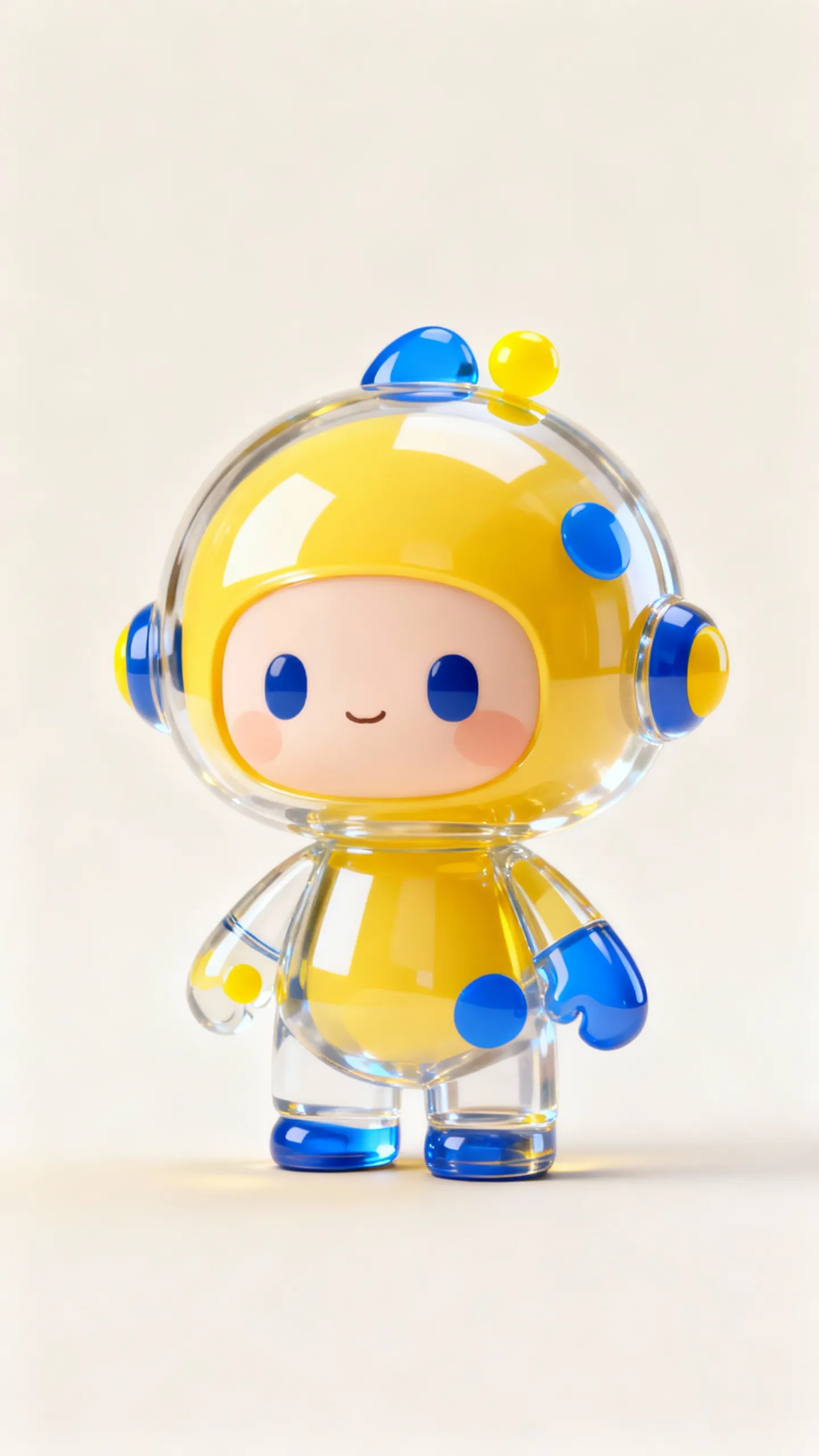
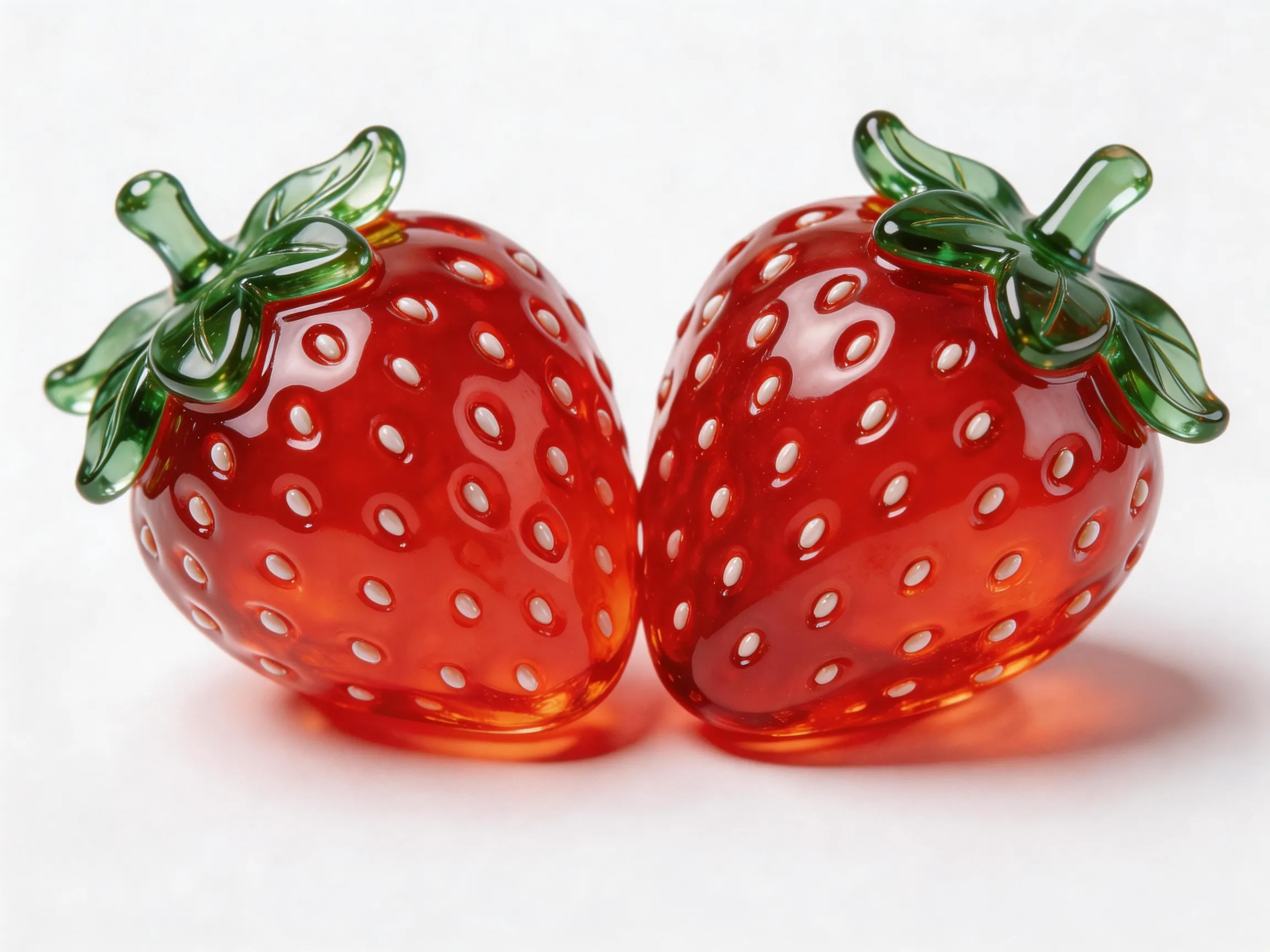
Prompt de entrada: Uma tomada aérea de um planeta azul. A câmera gradualmente dá zoom em um close-up da Imagem 1 no planeta. Ele está segurando a Imagem 2 e comendo-a, enquanto diz: "Por que ninguém vem brincar comigo?" | |||
Primeiro quadro de entrada
| Imagem de entrada (Imagem 1)
| Imagem de entrada (Imagem 2)
| Vídeo de saída
|
 |  |  | |
Python SDK
Certifique-se de que seu DashScope Python SDK esteja na versão
1.25.16ou posterior. Consulte 安装SDK .
# -*- coding: utf-8 -*-
from http import HTTPStatus
from dashscope import VideoSynthesis
import dashscope
import os

# This is the URL for the Singapore region. Replace {WorkspaceId} with your actual workspace ID. URLs vary by region. To get the URL, see https://www.alibabacloud.com/help/en/model-studio/wan-video-to-video-api-reference
dashscope.base_http_api_url = 'https://{WorkspaceId}.ap-southeast-1.maas.aliyuncs.com/api/v1'

# If you have not configured the environment variable, replace the following line with your Model Studio API key: api_key="sk-xxx"
# API keys vary by region. To get an API key, see https://www.alibabacloud.com/help/en/model-studio/get-api-key
api_key = os.getenv("DASHSCOPE_API_KEY")

media = [
    {
        "type": "first_frame",
        "url": "https://help-static-aliyun-doc.aliyuncs.com/file-manage-files/zh-CN/20260414/ixwovg/wan2.7-r2v-first-frame.webp"
    },
    {
        "type": "reference_image",
        "url": "https://help-static-aliyun-doc.aliyuncs.com/file-manage-files/zh-CN/20260414/fkltfw/wan2.7-r2v-image-qq.webp"
    },
    {
        "type": "reference_image",
        "url": "https://help-static-aliyun-doc.aliyuncs.com/file-manage-files/zh-CN/20260414/kxkbsv/wan2.7-r2v-image-ob.webp"
    }
]

def sample_sync_call():
    print('----sync call, please wait a moment----')
    rsp = VideoSynthesis.call(
        api_key=api_key,
        model="wan2.7-r2v-2026-06-12",
        media=media,
        resolution="720P",
        duration=10,
        prompt_extend=False,
        watermark=True,
        prompt="An overhead shot captures a blue planet. The camera gradually zooms in toward the surface and cuts to a close-up of Image 1, who is holding Image 2 and eating it while saying: Why is not anyone coming to hang out with me?",
    )
    if rsp.status_code == HTTPStatus.OK:
        print(rsp.output.video_url)
    else:
        print('Failed, status_code: %s, code: %s, message: %s' %
              (rsp.status_code, rsp.code, rsp.message))

if __name__ == '__main__':
    sample_sync_call()
Java SDK
Certifique-se de que seu DashScope Java SDK esteja na versão
2.22.14ou posterior. Consulte 安装SDK .
// Copyright (c) Alibaba, Inc. and its affiliates.

import com.alibaba.dashscope.aigc.videosynthesis.VideoSynthesis;
import com.alibaba.dashscope.aigc.videosynthesis.VideoSynthesisParam;
import com.alibaba.dashscope.aigc.videosynthesis.VideoSynthesisResult;
import com.alibaba.dashscope.exception.ApiException;
import com.alibaba.dashscope.exception.InputRequiredException;
import com.alibaba.dashscope.exception.NoApiKeyException;
import com.alibaba.dashscope.utils.Constants;
import com.alibaba.dashscope.utils.JsonUtils;

import java.util.ArrayList;
import java.util.List;

public class Ref2Video {

    static {
        // This is the URL for the Singapore region. Replace {WorkspaceId} with your actual workspace ID. URLs vary by region. To get the URL, see https://www.alibabacloud.com/help/en/model-studio/wan-video-to-video-api-reference
        Constants.baseHttpApiUrl = "https://{WorkspaceId}.ap-southeast-1.maas.aliyuncs.com/api/v1";
    }

    // If you have not configured the environment variable, replace the following line with your Model Studio API key: apiKey="sk-xxx"
    // API keys vary by region. To get an API key, see https://www.alibabacloud.com/help/en/model-studio/get-api-key
    static String apiKey = System.getenv("DASHSCOPE_API_KEY");

    public static void syncCall() {
        VideoSynthesis videoSynthesis = new VideoSynthesis();
        final String prompt = "An overhead shot captures a blue planet. The camera gradually zooms in toward the surface and cuts to a close-up of Image 1, who is holding Image 2 and eating it while saying: Why is not anyone coming to hang out with me?";
        List<VideoSynthesisParam.Media> media = new ArrayList<VideoSynthesisParam.Media>(){{
            add(VideoSynthesisParam.Media.builder()
                    .url("https://help-static-aliyun-doc.aliyuncs.com/file-manage-files/zh-CN/20260414/ixwovg/wan2.7-r2v-first-frame.webp")
                    .type("first_frame")
                    .build());
            add(VideoSynthesisParam.Media.builder()
                    .url("https://help-static-aliyun-doc.aliyuncs.com/file-manage-files/zh-CN/20260414/fkltfw/wan2.7-r2v-image-qq.webp")
                    .type("reference_image")
                    .build());
            add(VideoSynthesisParam.Media.builder()
                    .url("https://help-static-aliyun-doc.aliyuncs.com/file-manage-files/zh-CN/20260414/kxkbsv/wan2.7-r2v-image-ob.webp")
                    .type("reference_image")
                    .build());
        }};
        VideoSynthesisParam param =
                VideoSynthesisParam.builder()
                        .apiKey(apiKey)
                        .model("wan2.7-r2v-2026-06-12")
                        .prompt(prompt)
                        .media(media)
                        .watermark(true)
                        .duration(10)
                        .resolution("720P")
                        .promptExtend(false)
                        .build();
        VideoSynthesisResult result = null;
        try {
            System.out.println("---sync call, please wait a moment----");
            result = videoSynthesis.call(param);
        } catch (ApiException | NoApiKeyException e){
            throw new RuntimeException(e.getMessage());
        } catch (InputRequiredException e) {
            throw new RuntimeException(e);
        }
        System.out.println(JsonUtils.toJson(result));
    }

    public static void main(String[] args) {
        syncCall();
    }
}
curl
Etapa 1: Criar uma tarefa e obter o ID da tarefacurl --location 'https://{WorkspaceId}.ap-southeast-1.maas.aliyuncs.com/api/v1/services/aigc/video-generation/video-synthesis' \
-H 'X-DashScope-Async: enable' \
-H "Authorization: Bearer $DASHSCOPE_API_KEY" \
-H 'Content-Type: application/json' \
-d '{
"model": "wan2.7-r2v-2026-06-12",
"input": {
"prompt": "An overhead shot captures a blue planet. The camera gradually zooms in toward the surface and cuts to a close-up of Image 1, who is holding Image 2 and eating it while saying: Why is not anyone coming to hang out with me?",
"media": [
{
"type": "first_frame",
"url": "https://help-static-aliyun-doc.aliyuncs.com/file-manage-files/zh-CN/20260414/ixwovg/wan2.7-r2v-first-frame.webp"
},
{
"type": "reference_image",
"url": "https://help-static-aliyun-doc.aliyuncs.com/file-manage-files/zh-CN/20260414/fkltfw/wan2.7-r2v-image-qq.webp"
},
{
"type": "reference_image",
"url": "https://help-static-aliyun-doc.aliyuncs.com/file-manage-files/zh-CN/20260414/kxkbsv/wan2.7-r2v-image-ob.webp"
}
]
},
"parameters": {
"resolution": "720P",
"duration": 10,
"prompt_extend": false,
"watermark": true
}
}'
Substitua {task_id} pelo valor task_id retornado pela chamada de API anterior. O task_id é válido para consultas por 24 horas.
curl -X GET https://{WorkspaceId}.ap-southeast-1.maas.aliyuncs.com/api/v1/tasks/{task_id} \
--header "Authorization: Bearer $DASHSCOPE_API_KEY"
Fornecer referências
wan2.7 series
Passe imagens, vídeos e áudio de referência para o array media.
Imagens de entrada
-
Número de primeiros quadros: É permitido no máximo um primeiro quadro (
media.type=first_frame). -
Número de imagens de referência: São permitidas no máximo cinco imagens de referência (
media.type=reference_image). O número total de imagens e vídeos de referência não pode exceder 5. -
Métodos de entrada:
-
URL pública: Suporta protocolos HTTP ou HTTPS. Exemplo: https://xxxx/xxx.png.
-
String codificada em Base64: Use o formato
data:{MIME_type};base64,{base64_data}, onde:-
{base64_data}: A string codificada em Base64 do arquivo de imagem.
-
{MIME_type}: O tipo MIME (Multipurpose Internet Mail Extensions) da imagem. O tipo deve corresponder ao formato do arquivo.
Formato de imagem
Tipo MIME
JPEG
image/jpeg
JPG
image/jpeg
PNG
image/png
BMP
image/bmp
WEBP
image/webp
-
-

Vídeos de entrada
-
Número de vídeos de referência: São permitidos no máximo cinco vídeos de referência (
media.type=reference_video). O número total de imagens e vídeos de referência não pode exceder 5. -
Métodos de entrada:
- URL pública: Suporta protocolos HTTP ou HTTPS. Exemplo: https://xxxx/xxx.mp4.
Áudio de entrada
-
Limites: A voz de referência (
media.reference_voice) só pode ser usada comreference_imageoureference_videopara especificar a voz para a função da entidade correspondente. -
Métodos de entrada:
- URL pública: Suporta protocolos HTTP ou HTTPS. Exemplo: https://xxxx/xxx.mp3.
Vídeo de saída
-
Número de vídeos: 1.
-
Especificações do vídeo: O formato é MP4. Para especificações detalhadas, consulte Modelos suportados.
-
Período de validade da URL do vídeo: 24 horas.
-
Dimensões do vídeo:
-
wan2.7 series: O parâmetro
resolutioncontrola o nível de resolução (720p ou 1080p), e o parâmetroratiocontrola a proporção de aspecto (16:9, 9:16, 1:1, 4:3 ou 3:4).- Se uma imagem de primeiro quadro for fornecida, o parâmetro
ratioserá ignorado. A proporção de aspecto do vídeo de saída aproxima-se da imagem do primeiro quadro. - Se nenhuma imagem de primeiro quadro for fornecida, a proporção de aspecto será especificada pelo parâmetro
ratio. O padrão é 16:9.
- Se uma imagem de primeiro quadro for fornecida, o parâmetro
-
Faturamento e limitação de taxa
-
Para cota gratuita e preço unitário, consulte Wan referência para vídeo.
-
Para limitação de taxa do modelo, consulte Wan.
-
Detalhes do faturamento:
- Imagens de entrada são gratuitas. Vídeos de entrada e saída são cobrados com base em sua duração em segundos.
- Chamadas de modelo com falha ou falhas de processamento não incorrem em cobranças nem consomem a cota gratuita para novos usuários.
-
Fórmula de faturamento: Duração total faturável (segundos) = Duração faturável do vídeo de entrada (segundos) + Duração do vídeo de saída (segundos).
Modelos da Série Wan 2.7
Duração faturável do vídeo de entrada: O máximo é 5 segundos.
Limite de truncamento por vídeo = 5 segundos ÷ Número de vídeos de referência de entrada (imagens de referência e a imagem do primeiro quadro são excluídos). Cada vídeo é cobrado com base emmin(duração real, limite de truncamento). As durações faturáveis para múltiplos vídeos são somadas.- 1 vídeo de referência: O limite de truncamento por vídeo é de 5 segundos.
- 2 vídeos de referência: O limite de truncamento por vídeo é de 2,5 segundos.
- 3 vídeos de referência: O limite de truncamento por vídeo é de 1,65 segundos.
- 4 vídeos de referência: O limite de truncamento por vídeo é de 1,25 segundos.
- 5 vídeos de referência: O limite de truncamento por vídeo é de 1 segundo.
- Exemplo: Se a entrada for 2 vídeos de referência + 1 imagem, a imagem é excluída da contagem. O limite de truncamento é calculado com base em 2 vídeos de referência, resultando em 2,5 segundos por vídeo.
Duração de entrada faturável = min(duração do vídeo 1, 2,5 segundos) + min(duração do vídeo 2, 2,5 segundos).
Duração faturável do vídeo de saída: A duração em segundos do vídeo gerado com sucesso pelo modelo.
Modelos da Série Wan 2.6
Duração faturável do vídeo de entrada: O máximo é 5 segundos.
Limite de truncamento por vídeo = 5 segundos ÷ Número total de materiais de referência (imagens de referência + vídeos de referência, excluindo a imagem do primeiro quadro). Cada vídeo é cobrado com base emmin(duração real, limite de truncamento). As durações faturáveis para múltiplos vídeos são somadas.- 1 material de referência: O limite de truncamento por vídeo é de 5 segundos.
- 2 materiais de referência: O limite de truncamento por vídeo é de 2,5 segundos.
- 3 materiais de referência: O limite de truncamento por vídeo é de 1,65 segundos.
- 4 materiais de referência: O limite de truncamento por vídeo é de 1,25 segundos.
- 5 materiais de referência: O limite de truncamento por vídeo é de 1 segundo.
Mais exemplos: Calculando a duração faturável do vídeo de entrada
-
Entrada: 1 material de referência (limite de truncamento por vídeo: 5 segundos)
- Se a entrada for um vídeo:
Duração de entrada faturável = min(duração do vídeo, 5 segundos). - Se a entrada for uma imagem: Gratuito.
- Se a entrada for um vídeo:
-
Entrada: 2 materiais de referência (limite de truncamento por vídeo: 2,5 segundos)
- Se a entrada for 1 vídeo + 1 imagem:
Duração de entrada faturável = min(duração do vídeo 1, 2,5 segundos). - Se a entrada for 2 vídeos:
Duração de entrada faturável = min(duração do vídeo 1, 2,5 segundos) + min(duração do vídeo 2, 2,5 segundos).
- Se a entrada for 1 vídeo + 1 imagem:
-
Entrada: 3 materiais de referência (limite de truncamento por vídeo: 1,65 segundos)
- Se a entrada for 1 vídeo + 2 imagens:
Duração de entrada faturável = min(duração do vídeo 1, 1,65 segundos). - Se a entrada for 3 vídeos:
Duração de entrada faturável = min(duração do vídeo 1, 1,65 segundos) + min(duração do vídeo 2, 1,65 segundos) + min(duração do vídeo 3, 1,65 segundos).
- Se a entrada for 1 vídeo + 2 imagens:
-
Entrada: 4 materiais de referência (limite de truncamento por vídeo: 1,25 segundos)
- Se a entrada for 2 vídeos + 2 imagens:
Duração de entrada faturável = min(duração do vídeo 1, 1,25 segundos) + min(duração do vídeo 2, 1,25 segundos). - Se a entrada for 3 vídeos + 1 imagem:
Duração de entrada faturável = min(duração do vídeo 1, 1,25 segundos) + min(duração do vídeo 2, 1,25 segundos) + min(duração do vídeo 3, 1,25 segundos).
- Se a entrada for 2 vídeos + 2 imagens:
-
Entrada: 5 materiais de referência (limite de truncamento por vídeo: 1 segundo)
- Se a entrada for 1 vídeo + 4 imagens:
Duração de entrada faturável = min(duração do vídeo 1, 1 segundo). - Se a entrada for 3 vídeos + 2 imagens:
Duração de entrada faturável = min(duração do vídeo 1, 1 segundo) + min(duração do vídeo 2, 1 segundo) + min(duração do vídeo 3, 1 segundo).
- Se a entrada for 1 vídeo + 4 imagens:
Duração faturável do vídeo de saída: A duração em segundos do vídeo gerado com sucesso pelo modelo.
Referência da API
Referência da API de referência para vídeo
FAQ
P: Como faço referência a materiais em um prompt?
R: O método de referência depende do modelo e do recurso utilizado:
wan2.7 series
- Imagens de referência são identificadas como Figura 1, Figura 2, e assim por diante. Vídeos de referência são identificados de forma similar. Para prompts em inglês, use identificadores como Image 1 e Video 1.
- Imagens e vídeos são contados separadamente. A ordem corresponde à ordem do mesmo tipo de material no array
media. - Se você tiver apenas uma imagem ou vídeo de referência, simplifique o identificador para "imagem de referência" ou "vídeo de referência".
- Geralmente, não é necessário referenciar a imagem do primeiro quadro no prompt.
{
    "input": {
        "prompt": "Video 1 is playing the guitar, and Image 1 is holding a bouquet of flowers and walks past Video 1.",
        "media": [
            {
                "type": "first_frame",
                "url":  "https://example.com/scene.jpg"
            },
            {
                "type": "reference_video",
                "url":  "https://example.com/girl.mp4"           // Video 1
            },
            {
                "type": "reference_image",
                "url": "https://example.com/boy.png"             // Image 1
            }
        ]
    }
}
P: reference_voice pode ser usado com uma imagem de primeiro quadro?
R: Isso não é recomendado. Use media.reference_voice com reference_image ou reference_video para especificar o timbre da entidade correspondente.