Wan-R2V は、マルチモーダル入力 (テキスト、画像、動画、音声) を受け付けて、パフォーマンス動画を生成します。プロンプトを使用して、人物やオブジェクトを主役としてキャスティングできます。
クイックリンク: API リファレンス | プロンプトガイド
はじめに
入力プロンプト:Video 1 がフレームの左奥から歩いてきます。その後、ショットは Image 1 のクローズアップに切り替わります。Video 1 は Image 2 の右側にある錆びた壁にもたれかかっています。足音を聞いて、彼女はゆっくりと頭を向けます。Image 1 を見た後、Video 1 は「どうしてまだ来たの?」と言い、Image 1 は「話そう」と返します。 | |||
入力動画 (Video 1)
| 入力画像 (Image 1)
| 入力画像 (Image 2)
| 出力動画 (マルチショット、音声付き) |
入力リファレンス音声: | 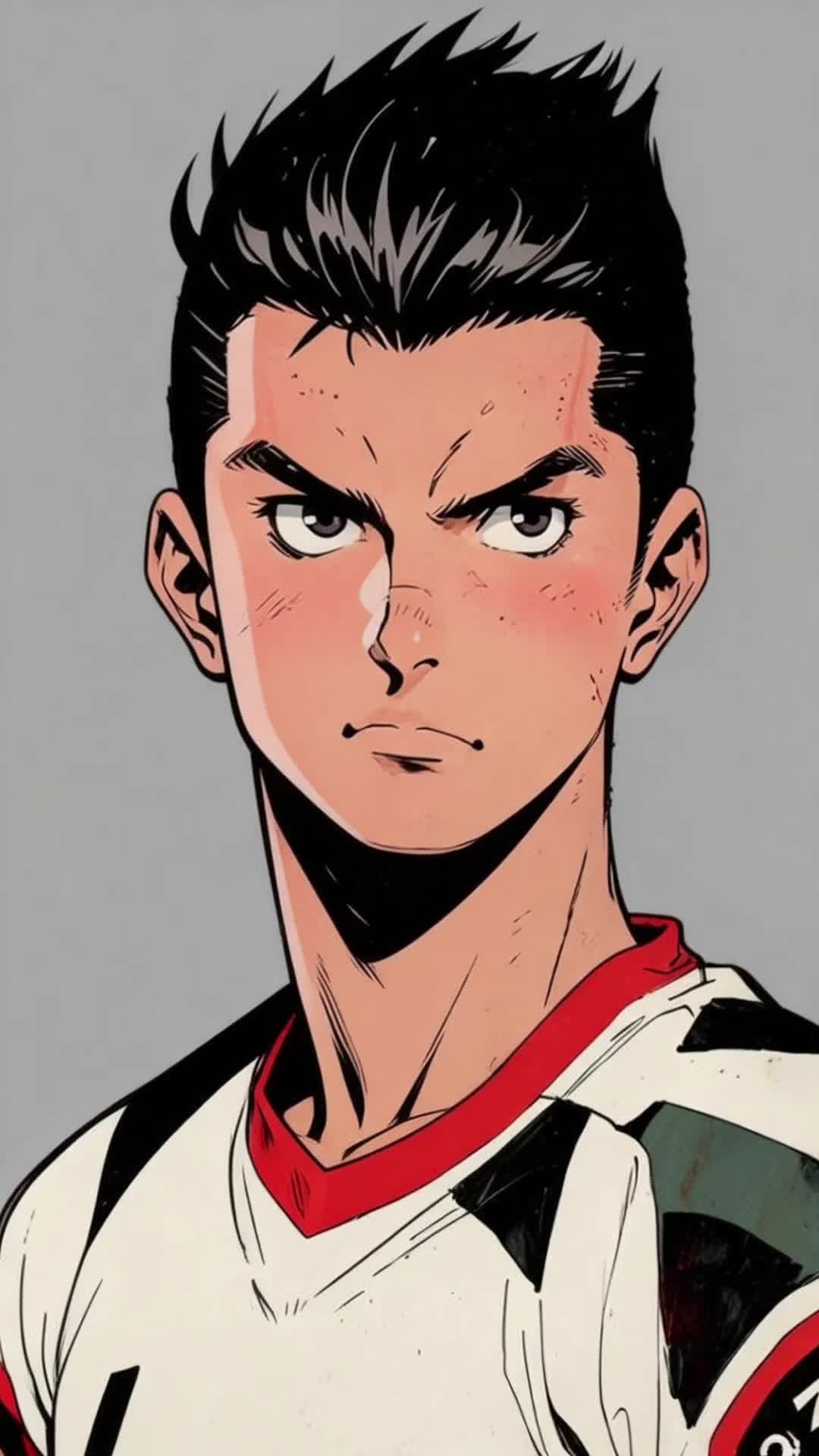 入力リファレンス音声: |  | |
開始する前に、API キーを取得し、環境変数として設定してください。SDK を使用するには、DashScope SDK をインストールしてください。
Python SDK
重要以下のコードを実行する前に、DashScope Python SDK のバージョンが少なくとも2.0.1 であることを確認してください。
古いバージョンでは、「url error, please check url!」などのエラーが発生する可能性があります。詳細については、「SDK のインストール」をご参照ください。
# -*- coding: utf-8 -*-
import dashscope
import os
from dashscope.v2 import DashScopeError

# 以下の設定はシンガポール(ap-southeast-1)リージョン用です。{WorkspaceId} を実際のワークスペース ID に置き換えてください。region の値はリージョンによって異なります。各リージョンのエンドポイントについては、https://www.alibabacloud.com/help/ja/model-studio/wan-video-to-video-api-reference をご参照ください。
client = dashscope.Client(
    # 環境変数を設定していない場合は、次の行を Model Studio API キーに直接置き換えてください: api_key="sk-xxx"
    # API キーはリージョンによって異なります。API キーの取得: https://www.alibabacloud.com/help/model-studio/get-api-key
    api_key=os.getenv("DASHSCOPE_API_KEY"),
    workspace="{WorkspaceId}",
    region="ap-southeast-1",
)

media = [
    {
        "type": "reference_video",
        "url": "https://help-static-aliyun-doc.aliyuncs.com/file-manage-files/zh-CN/20260416/pfgcuv/wan-r2v-girl-en.mp4",
        "reference_voice": "https://help-static-aliyun-doc.aliyuncs.com/file-manage-files/zh-CN/20260416/exiikq/wan-r2v-girl-demo-voice-en.mp3"
    },
    {
        "type": "reference_image",
        "url": "https://help-static-aliyun-doc.aliyuncs.com/file-manage-files/zh-CN/20260416/skhalj/wan-r2v-boy-en.jpg",
        "reference_voice": "https://help-static-aliyun-doc.aliyuncs.com/file-manage-files/zh-CN/20260416/pqxdoi/wan-r2v-boy-voice-en.mp3"
    },
    {
        "type": "reference_image",
        "url": "https://help-static-aliyun-doc.aliyuncs.com/file-manage-files/zh-CN/20260416/vyqjxd/wan-r2v-bg-en.jpg"
    }
]

print('please wait...')
# generate はワンステップ呼び出し(タスクを送信して完了まで待機)で、完了した Job を返します
try:
    job = client.videos.generate(
        model="wan2.7-r2v-2026-06-12",
        media=media,
        resolution="720P",
        ratio="16:9",
        duration=10,
        prompt_extend=False,
        watermark=True,
        prompt="Video 1 walks in from the deep left side of the frame. Then the shot cuts to a close-up of Image 1. Video 1 is leaning against the rusty wall on the right side from Image 2. Hearing the footsteps, she slowly turns her head. After seeing Image 1, Video 1 says, \"Why did you still come?\" Image 1 replies, \"Let's talk.\"",
    )
    print(job)
    print("video_url:", job.video_url)
except DashScopeError as e:
    print(f"HTTP status code: {e.status_code}")
    print(f"Error code: {e.code}")
    print(f"Error message: {e.message}")
    print("See the documentation: https://www.alibabacloud.com/help/ja/model-studio/developer-reference/error-code")
Java SDK
重要DashScope Java SDK のバージョンが少なくとも2.22.14 であることを確認してから、次のコードを実行してください。
古いバージョンでは、「url error, please check url!」などのエラーが発生する可能性があります。詳細については、「SDK のインストール」をご参照ください。
// Copyright (c) Alibaba, Inc. and its affiliates.

import com.alibaba.dashscope.aigc.videosynthesis.VideoSynthesis;
import com.alibaba.dashscope.aigc.videosynthesis.VideoSynthesisParam;
import com.alibaba.dashscope.aigc.videosynthesis.VideoSynthesisResult;
import com.alibaba.dashscope.exception.ApiException;
import com.alibaba.dashscope.exception.InputRequiredException;
import com.alibaba.dashscope.exception.NoApiKeyException;
import com.alibaba.dashscope.utils.Constants;
import com.alibaba.dashscope.utils.JsonUtils;

import java.util.ArrayList;
import java.util.List;

public class Ref2Video {

    static {
        // 以下はシンガポールリージョンの URL です。{WorkspaceId} を実際のワークスペース ID に置き換えてください。URL はリージョンによって異なります。詳細については、https://www.alibabacloud.com/help/ja/model-studio/wan-video-to-video-api-reference をご参照ください。
        Constants.baseHttpApiUrl = "https://{WorkspaceId}.ap-southeast-1.maas.aliyuncs.com/api/v1";
    }

    // 環境変数を設定していない場合は、次の行をご利用の Model Studio API キーに置き換えてください: apiKey="sk-xxx"
    // API キーはリージョンによって異なります。詳細については、https://www.alibabacloud.com/help/ja/model-studio/get-api-key をご参照ください。
    static String apiKey = System.getenv("DASHSCOPE_API_KEY");

    public static void ref2video() throws ApiException, NoApiKeyException, InputRequiredException {
        VideoSynthesis vs = new VideoSynthesis();
        final String prompt = "Video 1 walks in from the deep left side of the frame. Then the shot cuts to a close-up of Image 1. Video 1 is leaning against the rusty wall on the right side from Image 2. Hearing the footsteps, she slowly turns her head. After seeing Image 1, Video 1 says, \"Why did you still come?\" Image 1 replies, \"Let's talk.\"";
        List<VideoSynthesisParam.Media> media = new ArrayList<VideoSynthesisParam.Media>(){{
            add(VideoSynthesisParam.Media.builder()
                    .url("https://help-static-aliyun-doc.aliyuncs.com/file-manage-files/zh-CN/20260416/pfgcuv/wan-r2v-girl-en.mp4")
                    .type("reference_video")
                    .referenceVoice("https://help-static-aliyun-doc.aliyuncs.com/file-manage-files/zh-CN/20260416/exiikq/wan-r2v-girl-demo-voice-en.mp3")
                    .build());
            add(VideoSynthesisParam.Media.builder()
                    .url("https://help-static-aliyun-doc.aliyuncs.com/file-manage-files/zh-CN/20260416/skhalj/wan-r2v-boy-en.jpg")
                    .type("reference_image")
                    .referenceVoice("https://help-static-aliyun-doc.aliyuncs.com/file-manage-files/zh-CN/20260416/pqxdoi/wan-r2v-boy-voice-en.mp3")
                    .build());
            add(VideoSynthesisParam.Media.builder()
                    .url("https://help-static-aliyun-doc.aliyuncs.com/file-manage-files/zh-CN/20260416/vyqjxd/wan-r2v-bg-en.jpg")
                    .type("reference_image")
                    .build());
        }};
        VideoSynthesisParam param =
                VideoSynthesisParam.builder()
                        .apiKey(apiKey)
                        .model("wan2.7-r2v-2026-06-12")
                        .prompt(prompt)
                        .media(media)
                        .watermark(true)
                        .duration(10)
                        .resolution("720P")
                        .ratio("16:9")
                        .promptExtend(false)
                        .build();
        System.out.println("please wait...");
        VideoSynthesisResult result = vs.call(param);
        System.out.println(JsonUtils.toJson(result));
    }

    public static void main(String[] args) {
        try {
            ref2video();
        } catch (ApiException | NoApiKeyException | InputRequiredException e) {
            System.out.println(e.getMessage());
        }
        System.exit(0);
    }
}
curl
ステップ 1:タスクを作成し、タスク ID を取得するcurl --location 'https://{WorkspaceId}.ap-southeast-1.maas.aliyuncs.com/api/v1/services/aigc/video-generation/video-synthesis' \
-H 'X-DashScope-Async: enable' \
-H "Authorization: Bearer $DASHSCOPE_API_KEY" \
-H 'Content-Type: application/json' \
-d '{
"model": "wan2.7-r2v-2026-06-12",
"input": {
"prompt": "Video 1 walks in from the deep left side of the frame. Then the shot cuts to a close-up of Image 1. Video 1 is leaning against the rusty wall on the right side from Image 2. Hearing the footsteps, she slowly turns her head. After seeing Image 1, Video 1 says, \"Why did you still come?\" Image 1 replies, \"Let's talk.\" ",
"media": [
{
"type": "reference_video",
"url": "https://help-static-aliyun-doc.aliyuncs.com/file-manage-files/zh-CN/20260416/pfgcuv/wan-r2v-girl-en.mp4",
"reference_voice": "https://help-static-aliyun-doc.aliyuncs.com/file-manage-files/zh-CN/20260416/exiikq/wan-r2v-girl-demo-voice-en.mp3"
},
{
"type": "reference_image",
"url": "https://help-static-aliyun-doc.aliyuncs.com/file-manage-files/zh-CN/20260416/skhalj/wan-r2v-boy-en.jpg",
"reference_voice": "https://help-static-aliyun-doc.aliyuncs.com/file-manage-files/zh-CN/20260416/pqxdoi/wan-r2v-boy-voice-en.mp3"
},
{
"type": "reference_image",
"url": "https://help-static-aliyun-doc.aliyuncs.com/file-manage-files/zh-CN/20260416/vyqjxd/wan-r2v-bg-en.jpg"
}
]
},
"parameters": {
"resolution": "720P",
"ratio": "16:9",
"duration": 10,
"prompt_extend": false,
"watermark": true
}
}'
{task_id} を、前の API 呼び出しで返された task_id の値に置き換えてください。task_id は 24 時間クエリに対して有効です。
curl -X GET https://{WorkspaceId}.ap-southeast-1.maas.aliyuncs.com/api/v1/tasks/{task_id} \
--header "Authorization: Bearer $DASHSCOPE_API_KEY"
提供状況
- サポートされるモデルはリージョンによって異なります。リソースはリージョン間で分離されています。各リージョンでサポートされるモデルについては、Model Studio コンソールをご参照ください。
- 呼び出しを行う際は、モデル、エンドポイント URL、API キーがすべて同じリージョンに属していることを確認してください。リージョンをまたいだ呼び出しは失敗します。
注記このトピックのサンプルコードは、シンガポールリージョンに適用されます。他のリージョンを使用する場合は、「API リファレンス」をご参照ください。
コア機能 (wan2.7)
単一画像リファレンス (マルチパネル画像)
サポートされるモデル:wan2.7 シリーズ。
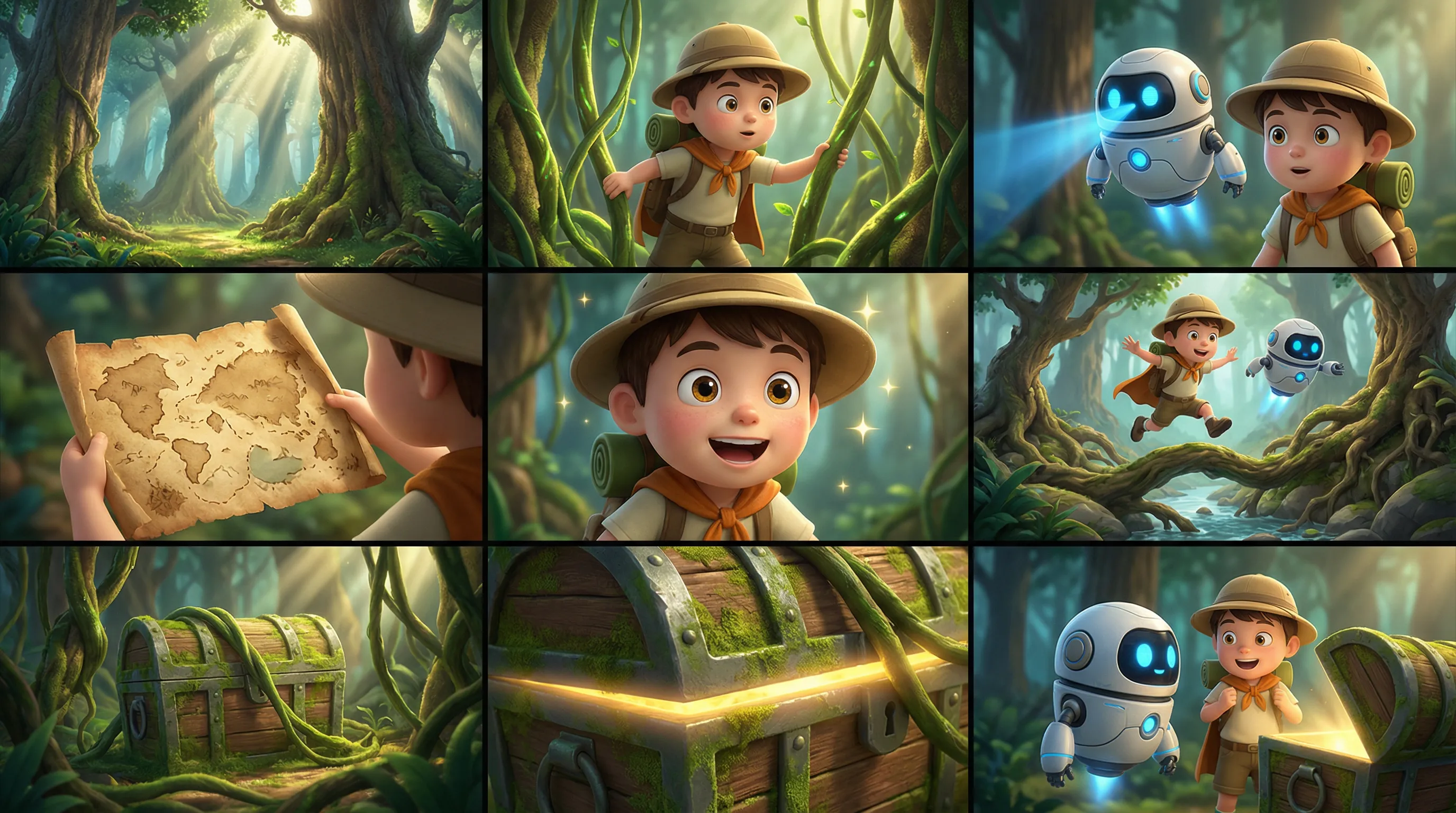
説明:マルチパネル画像 (ストーリーボード) を入力できます。モデルはマルチパネルのレイアウトを自動的に検出し、キャラクター、シーン、ショットに一貫性のある動画を生成します。一度に1 つのマルチパネル画像のみ入力できます。
パラメーター:
media.type:reference_imageに設定します。media.url:マルチパネル画像の URL または Base64 エンコード文字列。prompt:リファレンス画像または動画を 1 つだけ提供する場合は、「reference image」または「reference video」を使用します。
入力プロンプト:リファレンス画像、3D カートゥーンアドベンチャー映画スタイル、詳細なテクスチャを持つちびキャラ、滑らかなアクション、鮮やかな色。キャラクターと森のシーンの一貫性を保つ。テキストは追加しない。雰囲気:冒険的、軽快、神秘的、気まぐれ。キャラクター:少年探検家:丸い帽子、バックパック、短いマント。相棒:丸い体と青く光る目を持つ小さな飛行ロボット。シーン:巨大な木の根、キノコ、つる、宝の洞窟の入り口、太陽の光が差し込むファンタジーの森。ストーリーボード:1. ワイドショット:神秘的で明るいファンタジーの森にそびえる高い木々と交差する光線。2. ミディアムショット:少年がつるを押し分けて探検する。3. ミディアムショット:小さなロボットが彼のそばを飛び、青い光で前方をスキャンする。4. クローズアップ:少年の手の中で古い宝の地図が広げられる。5. クローズアップ:彼は興奮した表情を見せ、目が輝く。6. アクションショット:2 人は木の根と小川を飛び越え、森の奥深くへと進む。7. ミディアムショット:つるの向こうに苔むした宝箱が現れる。8. クローズアップ:宝箱の端から金色の輝きが漏れる。9. ファイナルショット:少年と小さなロボットが宝箱の前に立ち、驚きと冒険心に満ちた表情で互いを見つめ合う。 | |
| 入力マルチパネル画像 | 出力動画 |
 | |
Python SDK
DashScope Python SDK がバージョン
2.0.1以降であることを確認してください。詳細については、「SDK のインストール」をご参照ください。
# -*- coding: utf-8 -*-
import dashscope
import os
from dashscope.v2 import DashScopeError

# 以下の設定はシンガポール(ap-southeast-1)リージョン用です。{WorkspaceId} を実際のワークスペース ID に置き換えてください。region の値はリージョンによって異なります。各リージョンのエンドポイントについては、https://www.alibabacloud.com/help/ja/model-studio/wan-video-to-video-api-reference をご参照ください。
client = dashscope.Client(
    # 環境変数を設定していない場合は、次の行を Model Studio API キーに直接置き換えてください: api_key="sk-xxx"
    # API キーはリージョンによって異なります。API キーの取得: https://www.alibabacloud.com/help/model-studio/get-api-key
    api_key=os.getenv("DASHSCOPE_API_KEY"),
    workspace="{WorkspaceId}",
    region="ap-southeast-1",
)

media = [
    {
        "type": "reference_image",
        "url": "https://help-static-aliyun-doc.aliyuncs.com/file-manage-files/zh-CN/20260403/wgjaxy/banana_storyboard_00000020.png"
    }
]

def sample_sync_call():
    print('----sync call, please wait a moment----')
    # generate はワンステップ呼び出し(タスクを送信して完了まで待機)で、完了した Job を返します
    try:
        job = client.videos.generate(
            model="wan2.7-r2v-2026-06-12",
            media=media,
            resolution="720P",
            ratio="16:9",
            duration=10,
            prompt_extend=False,
            watermark=True,
            prompt="Reference image, 3D cartoon adventure movie style, chibi characters with detailed textures, smooth actions, and vibrant colors. Keep the characters and forest scene consistent. Do not add text. Atmosphere: Adventurous, lighthearted, mysterious, whimsical. Characters: Boy explorer: round hat, backpack, short cloak. Sidekick: a flying small robot with a round body and blue glowing eyes. Scene: Fantasy forest with giant tree roots, mushrooms, vines, a treasure cave entrance, and sunbeams. Storyboard: 1. Wide shot: Tall trees and interlaced light beams in a mysterious and bright fantasy forest. 2. Medium shot: The boy pushes aside vines to explore. 3. Medium shot: The small robot flies beside him, scanning ahead with a blue light. 4. Close-up: An old treasure map unfolds in the boy's hands. 5. Close-up: He shows an excited expression, his eyes lighting up. 6. Action shot: The two jump over tree roots and a stream, continuing deeper into the forest. 7. Medium shot: A moss-covered treasure chest is revealed behind the vines. 8. Close-up: A golden glow shines from the edge of the treasure chest. 9. Final shot: The boy and the small robot stand before the treasure chest, looking at each other in surprise, full of adventure.",
        )
        print(job)
        print(job.video_url)
    except DashScopeError as e:
        print(f"HTTP status code: {e.status_code}")
        print(f"Error code: {e.code}")
        print(f"Error message: {e.message}")
        print("See the documentation: https://www.alibabacloud.com/help/ja/model-studio/developer-reference/error-code")

if __name__ == '__main__':
    sample_sync_call()
Java SDK
DashScope Java SDK がバージョン
2.22.14以降であることを確認してください。詳細については、「SDK のインストール」をご参照ください。
// Copyright (c) Alibaba, Inc. and its affiliates.

import com.alibaba.dashscope.aigc.videosynthesis.VideoSynthesis;
import com.alibaba.dashscope.aigc.videosynthesis.VideoSynthesisParam;
import com.alibaba.dashscope.aigc.videosynthesis.VideoSynthesisResult;
import com.alibaba.dashscope.exception.ApiException;
import com.alibaba.dashscope.exception.InputRequiredException;
import com.alibaba.dashscope.exception.NoApiKeyException;
import com.alibaba.dashscope.utils.Constants;
import com.alibaba.dashscope.utils.JsonUtils;

import java.util.ArrayList;
import java.util.List;

public class Ref2Video {

    static {
        // これはシンガポールリージョンの URL です。{WorkspaceId} を実際のワークスペース ID に置き換えてください。URL はリージョンによって異なります。URL を取得するには、https://www.alibabacloud.com/help/ja/model-studio/wan-video-to-video-api-reference をご参照ください。
        Constants.baseHttpApiUrl = "https://{WorkspaceId}.ap-southeast-1.maas.aliyuncs.com/api/v1";
    }

    // 環境変数を設定していない場合は、次の行をご利用の Model Studio API キーに置き換えてください: apiKey="sk-xxx"
    // API キーはリージョンによって異なります。API キーを取得するには、https://www.alibabacloud.com/help/ja/model-studio/get-api-key をご参照ください。
    static String apiKey = System.getenv("DASHSCOPE_API_KEY");

    public static void syncCall() {
        VideoSynthesis videoSynthesis = new VideoSynthesis();
        final String prompt = "Reference image, 3D cartoon adventure movie style, chibi characters with detailed textures, smooth actions, and vibrant colors. Keep the characters and forest scene consistent. Do not add text. Atmosphere: Adventurous, lighthearted, mysterious, whimsical. Characters: Boy explorer: round hat, backpack, short cloak. Sidekick: a flying small robot with a round body and blue glowing eyes. Scene: Fantasy forest with giant tree roots, mushrooms, vines, a treasure cave entrance, and sunbeams. Storyboard: 1. Wide shot: Tall trees and interlaced light beams in a mysterious and bright fantasy forest. 2. Medium shot: The boy pushes aside vines to explore. 3. Medium shot: The small robot flies beside him, scanning ahead with a blue light. 4. Close-up: An old treasure map unfolds in the boy's hands. 5. Close-up: He shows an excited expression, his eyes lighting up. 6. Action shot: The two jump over tree roots and a stream, continuing deeper into the forest. 7. Medium shot: A moss-covered treasure chest is revealed behind the vines. 8. Close-up: A golden glow shines from the edge of the treasure chest. 9. Final shot: The boy and the small robot stand before the treasure chest, looking at each other in surprise, full of adventure.";
        List<VideoSynthesisParam.Media> media = new ArrayList<VideoSynthesisParam.Media>(){{
            add(VideoSynthesisParam.Media.builder()
                    .url("https://help-static-aliyun-doc.aliyuncs.com/file-manage-files/zh-CN/20260403/wgjaxy/banana_storyboard_00000020.png")
                    .type("reference_image")
                    .build());
        }};
        VideoSynthesisParam param =
                VideoSynthesisParam.builder()
                        .apiKey(apiKey)
                        .model("wan2.7-r2v-2026-06-12")
                        .prompt(prompt)
                        .media(media)
                        .watermark(true)
                        .duration(10)
                        .resolution("720P")
                        .ratio("16:9")
                        .promptExtend(false)
                        .build();
        VideoSynthesisResult result = null;
        try {
            System.out.println("---sync call, please wait a moment----");
            result = videoSynthesis.call(param);
        } catch (ApiException | NoApiKeyException e){
            throw new RuntimeException(e.getMessage());
        } catch (InputRequiredException e) {
            throw new RuntimeException(e);
        }
        System.out.println(JsonUtils.toJson(result));
    }

    public static void main(String[] args) {
        syncCall();
    }
}
curl
ステップ 1:タスクを作成し、タスク ID を取得するcurl --location 'https://{WorkspaceId}.ap-southeast-1.maas.aliyuncs.com/api/v1/services/aigc/video-generation/video-synthesis' \
-H 'X-DashScope-Async: enable' \
-H "Authorization: Bearer $DASHSCOPE_API_KEY" \
-H 'Content-Type: application/json' \
-d '{
"model": "wan2.7-r2v-2026-06-12",
"input": {
"prompt": "Reference image, 3D cartoon adventure movie style, chibi characters with detailed textures, smooth actions, and vibrant colors. Keep the characters and forest scene consistent. Do not add text. Atmosphere: Adventurous, lighthearted, mysterious, whimsical. Characters: Boy explorer: round hat, backpack, short cloak. Sidekick: a flying small robot with a round body and blue glowing eyes. Scene: Fantasy forest with giant tree roots, mushrooms, vines, a treasure cave entrance, and sunbeams. Storyboard: 1. Wide shot: Tall trees and interlaced light beams in a mysterious and bright fantasy forest. 2. Medium shot: The boy pushes aside vines to explore. 3. Medium shot: The small robot flies beside him, scanning ahead with a blue light. 4. Close-up: An old treasure map unfolds in the boy's hands. 5. Close-up: He shows an excited expression, his eyes lighting up. 6. Action shot: The two jump over tree roots and a stream, continuing deeper into the forest. 7. Medium shot: A moss-covered treasure chest is revealed behind the vines. 8. Close-up: A golden glow shines from the edge of the treasure chest. 9. Final shot: The boy and the small robot stand before the treasure chest, looking at each other in surprise, full of adventure.",
"media": [
{
"type": "reference_image",
"url": "https://help-static-aliyun-doc.aliyuncs.com/file-manage-files/zh-CN/20260403/wgjaxy/banana_storyboard_00000020.png"
}
]
},
"parameters": {
"resolution": "720P",
"ratio": "16:9",
"duration": 10,
"prompt_extend": false,
"watermark": true
}
}'
{task_id} を、前の API 呼び出しで返された task_id の値に置き換えてください。task_id は 24 時間クエリに対して有効です。
curl -X GET https://{WorkspaceId}.ap-southeast-1.maas.aliyuncs.com/api/v1/tasks/{task_id} \
--header "Authorization: Bearer $DASHSCOPE_API_KEY"
マルチエンティティリファレンスと音声のカスタマイズ
サポートされるモデル:wan2.7 シリーズ。
説明:複数のリファレンス画像と動画をエンティティ素材として入力できます。また、各エンティティに固有の音声を指定して、複数キャラクターのインタラクションと音声の差別化を可能にすることもできます。
パラメーター:
-
media:リファレンス素材の配列。-
media.type:reference_imageとreference_videoをサポートします。リファレンス画像とリファレンス動画の合計数は 5 を超えることはできません。 -
media.url:素材の URL。画像は Base64 エンコード文字列もサポートします。 -
media.reference_voice(任意):エンティティの音声を指定するための音声 URL。reference_imageまたはreference_videoと一緒に使用します。音声ロジック:
reference_videoに音声が含まれており、reference_voiceが指定されていない場合、デフォルトで元の動画の音声が使用されます。両方が提供されている場合、reference_voiceが元の動画の音声を上書きします。
-
-
prompt:以下のルールに従って、プロンプトでリファレンス素材を参照します:reference_imageアセットには Image 1、Image 2 などの識別子を使用し、reference_videoアセットには Video 1、Video 2 などの識別子を使用します。- 素材のリファレンス順序は
media配列によって定義されます。画像と動画は別々にカウントされます。
入力プロンプト:Video 1 がフレームの左奥から歩いてきます。その後、ショットは Image 1 のクローズアップに切り替わります。Video 1 は Image 2 の右側にある錆びた壁にもたれかかっています。足音を聞いて、彼女はゆっくりと頭を向けます。Image 1 を見た後、Video 1 は「どうしてまだ来たの?」と言い、Image 1 は「話そう」と返します。 | |||
入力動画 (Video 1)
| 入力画像 (Image 1)
| 入力画像 (Image 2)
| 出力動画 (マルチショット、音声付き) |
入力リファレンス音声: | 入力リファレンス音声: | | |
Python SDK
DashScope Python SDK がバージョン
2.0.1以降であることを確認してください。詳細については、「SDK のインストール」をご参照ください。
# -*- coding: utf-8 -*-
import dashscope
import os
from dashscope.v2 import DashScopeError

# 以下の設定はシンガポール(ap-southeast-1)リージョン用です。{WorkspaceId} を実際のワークスペース ID に置き換えてください。region の値はリージョンによって異なります。各リージョンのエンドポイントについては、https://www.alibabacloud.com/help/ja/model-studio/wan-video-to-video-api-reference をご参照ください。
client = dashscope.Client(
    # 環境変数を設定していない場合は、次の行を Model Studio API キーに直接置き換えてください: api_key="sk-xxx"
    # API キーはリージョンによって異なります。API キーの取得: https://www.alibabacloud.com/help/model-studio/get-api-key
    api_key=os.getenv("DASHSCOPE_API_KEY"),
    workspace="{WorkspaceId}",
    region="ap-southeast-1",
)

media = [
    {
        "type": "reference_video",
        "url": "https://help-static-aliyun-doc.aliyuncs.com/file-manage-files/zh-CN/20260416/pfgcuv/wan-r2v-girl-en.mp4",
        "reference_voice": "https://help-static-aliyun-doc.aliyuncs.com/file-manage-files/zh-CN/20260416/exiikq/wan-r2v-girl-demo-voice-en.mp3"
    },
    {
        "type": "reference_image",
        "url": "https://help-static-aliyun-doc.aliyuncs.com/file-manage-files/zh-CN/20260416/skhalj/wan-r2v-boy-en.jpg",
        "reference_voice": "https://help-static-aliyun-doc.aliyuncs.com/file-manage-files/zh-CN/20260416/pqxdoi/wan-r2v-boy-voice-en.mp3"
    },
    {
        "type": "reference_image",
        "url": "https://help-static-aliyun-doc.aliyuncs.com/file-manage-files/zh-CN/20260416/vyqjxd/wan-r2v-bg-en.jpg"
    }
]

def sample_sync_call():
    print('----sync call, please wait a moment----')
    # generate はワンステップ呼び出し(タスクを送信して完了まで待機)で、完了した Job を返します
    try:
        job = client.videos.generate(
            model="wan2.7-r2v-2026-06-12",
            media=media,
            resolution="720P",
            ratio="16:9",
            duration=10,
            prompt_extend=False,
            watermark=True,
            prompt="Video 1 walks in from the deep left side of the frame. Then the shot cuts to a close-up of Image 1. Video 1 is leaning against the rusty wall on the right side from Image 2. Hearing the footsteps, she slowly turns her head. After seeing Image 1, Video 1 says, \"Why did you still come?\" Image 1 replies, \"Let's talk.\"",
        )
        print(job)
        print(job.video_url)
    except DashScopeError as e:
        print(f"HTTP status code: {e.status_code}")
        print(f"Error code: {e.code}")
        print(f"Error message: {e.message}")
        print("See the documentation: https://www.alibabacloud.com/help/ja/model-studio/developer-reference/error-code")

if __name__ == '__main__':
    sample_sync_call()
Java SDK
DashScope Java SDK がバージョン
2.22.14以降であることを確認してください。詳細については、「SDK のインストール」をご参照ください。
// Copyright (c) Alibaba, Inc. and its affiliates.

import com.alibaba.dashscope.aigc.videosynthesis.VideoSynthesis;
import com.alibaba.dashscope.aigc.videosynthesis.VideoSynthesisParam;
import com.alibaba.dashscope.aigc.videosynthesis.VideoSynthesisResult;
import com.alibaba.dashscope.exception.ApiException;
import com.alibaba.dashscope.exception.InputRequiredException;
import com.alibaba.dashscope.exception.NoApiKeyException;
import com.alibaba.dashscope.utils.Constants;
import com.alibaba.dashscope.utils.JsonUtils;

import java.util.ArrayList;
import java.util.List;

public class Ref2Video {

    static {
        // これはシンガポールリージョンの URL です。{WorkspaceId} を実際のワークスペース ID に置き換えてください。URL はリージョンによって異なります。URL を取得するには、https://www.alibabacloud.com/help/ja/model-studio/wan-video-to-video-api-reference をご参照ください。
        Constants.baseHttpApiUrl = "https://{WorkspaceId}.ap-southeast-1.maas.aliyuncs.com/api/v1";
    }

    // 環境変数を設定していない場合は、次の行をご利用の Model Studio API キーに置き換えてください: apiKey="sk-xxx"
    // API キーはリージョンによって異なります。API キーを取得するには、https://www.alibabacloud.com/help/ja/model-studio/get-api-key をご参照ください。
    static String apiKey = System.getenv("DASHSCOPE_API_KEY");

    public static void syncCall() {
        VideoSynthesis videoSynthesis = new VideoSynthesis();
        final String prompt = "Video 1 walks in from the deep left side of the frame. Then the shot cuts to a close-up of Image 1. Video 1 is leaning against the rusty wall on the right side from Image 2. Hearing the footsteps, she slowly turns her head. After seeing Image 1, Video 1 says, \"Why did you still come?\" Image 1 replies, \"Let's talk.\"";
        List<VideoSynthesisParam.Media> media = new ArrayList<VideoSynthesisParam.Media>(){{
            add(VideoSynthesisParam.Media.builder()
                    .url("https://help-static-aliyun-doc.aliyuncs.com/file-manage-files/zh-CN/20260416/pfgcuv/wan-r2v-girl-en.mp4")
                    .type("reference_video")
                    .referenceVoice("https://help-static-aliyun-doc.aliyuncs.com/file-manage-files/zh-CN/20260416/exiikq/wan-r2v-girl-demo-voice-en.mp3")
                    .build());
            add(VideoSynthesisParam.Media.builder()
                    .url("https://help-static-aliyun-doc.aliyuncs.com/file-manage-files/zh-CN/20260416/skhalj/wan-r2v-boy-en.jpg")
                    .type("reference_image")
                    .referenceVoice("https://help-static-aliyun-doc.aliyuncs.com/file-manage-files/zh-CN/20260416/pqxdoi/wan-r2v-boy-voice-en.mp3")
                    .build());
            add(VideoSynthesisParam.Media.builder()
                    .url("https://help-static-aliyun-doc.aliyuncs.com/file-manage-files/zh-CN/20260416/vyqjxd/wan-r2v-bg-en.jpg")
                    .type("reference_image")
                    .build());
        }};
        VideoSynthesisParam param =
                VideoSynthesisParam.builder()
                        .apiKey(apiKey)
                        .model("wan2.7-r2v-2026-06-12")
                        .prompt(prompt)
                        .media(media)
                        .watermark(true)
                        .duration(10)
                        .resolution("720P")
                        .ratio("16:9")
                        .promptExtend(false)
                        .build();
        VideoSynthesisResult result = null;
        try {
            System.out.println("---sync call, please wait a moment----");
            result = videoSynthesis.call(param);
        } catch (ApiException | NoApiKeyException e){
            throw new RuntimeException(e.getMessage());
        } catch (InputRequiredException e) {
            throw new RuntimeException(e);
        }
        System.out.println(JsonUtils.toJson(result));
    }

    public static void main(String[] args) {
        syncCall();
    }
}
curl
ステップ 1:タスクを作成し、タスク ID を取得するcurl --location 'https://{WorkspaceId}.ap-southeast-1.maas.aliyuncs.com/api/v1/services/aigc/video-generation/video-synthesis' \
-H 'X-DashScope-Async: enable' \
-H "Authorization: Bearer $DASHSCOPE_API_KEY" \
-H 'Content-Type: application/json' \
-d '{
"model": "wan2.7-r2v-2026-06-12",
"input": {
"prompt": "Video 1 walks in from the deep left side of the frame. Then the shot cuts to a close-up of Image 1. Video 1 is leaning against the rusty wall on the right side from Image 2. Hearing the footsteps, she slowly turns her head. After seeing Image 1, Video 1 says, \"Why did you still come?\" Image 1 replies, \"Let's talk.\" ",
"media": [
{
"type": "reference_video",
"url": "https://help-static-aliyun-doc.aliyuncs.com/file-manage-files/zh-CN/20260416/pfgcuv/wan-r2v-girl-en.mp4",
"reference_voice": "https://help-static-aliyun-doc.aliyuncs.com/file-manage-files/zh-CN/20260416/exiikq/wan-r2v-girl-demo-voice-en.mp3"
},
{
"type": "reference_image",
"url": "https://help-static-aliyun-doc.aliyuncs.com/file-manage-files/zh-CN/20260416/skhalj/wan-r2v-boy-en.jpg",
"reference_voice": "https://help-static-aliyun-doc.aliyuncs.com/file-manage-files/zh-CN/20260416/pqxdoi/wan-r2v-boy-voice-en.mp3"
},
{
"type": "reference_image",
"url": "https://help-static-aliyun-doc.aliyuncs.com/file-manage-files/zh-CN/20260416/vyqjxd/wan-r2v-bg-en.jpg"
}
]
},
"parameters": {
"resolution": "720P",
"ratio": "16:9",
"duration": 10,
"prompt_extend": false,
"watermark": true
}
}'
{task_id} を、前の API 呼び出しで返された task_id の値に置き換えてください。task_id は 24 時間クエリに対して有効です。
curl -X GET https://{WorkspaceId}.ap-southeast-1.maas.aliyuncs.com/api/v1/tasks/{task_id} \
--header "Authorization: Bearer $DASHSCOPE_API_KEY"
マルチエンティティリファレンスと開始フレームの制御
サポートされるモデル:wan2.7 シリーズ。
説明:この機能は、エンティティリファレンス機能に開始フレームの制御を追加し、動画の構成とコンテンツフローをより詳細に制御できるようにします。
パラメーター:
-
media:リファレンス素材の配列。-
media.type:first_frame、reference_image、reference_videoをサポートします。最大で 1 つの開始フレーム画像を提供できます。少なくとも 1 つのリファレンス画像または動画を提供する必要があります。リファレンス画像とリファレンス動画の合計数は 5 を超えることはできません。
-
media.url:素材の URL。画像は Base64 エンコード文字列もサポートします。
-
-
プロンプト: 以下のルールに従って、プロンプト内のリファレンスを参照してください:reference_imageアセットを参照するには「Image 1、Image 2」を使用し、reference_videoアセットを参照するには「Video 1、Video 2」を使用します。- 素材のリファレンス順序は
media配列によって定義されます。画像と動画は別々にカウントされます。 - プロンプトで開始フレームを参照する必要はありません。
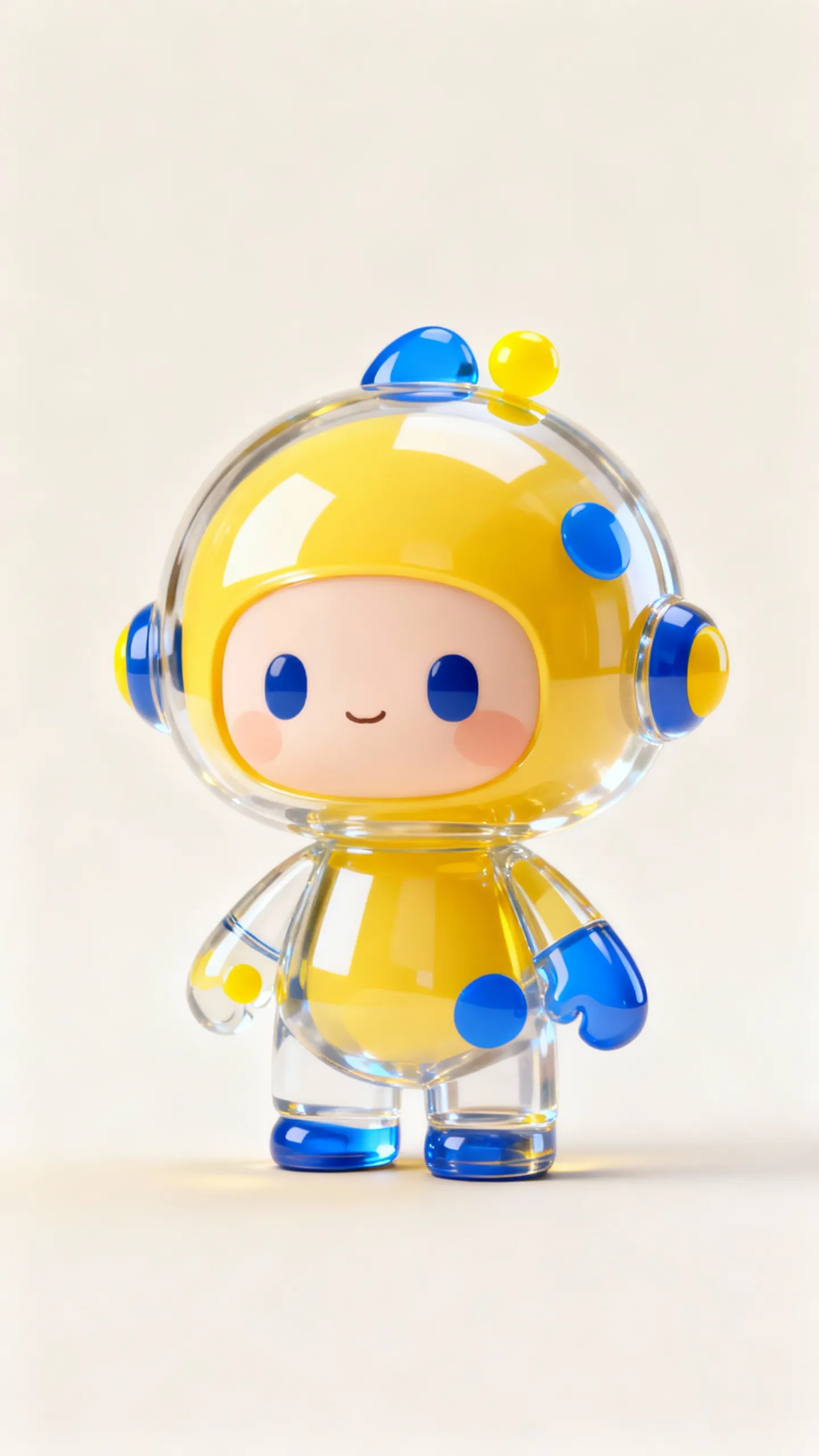
入力プロンプト:青い惑星の俯瞰ショット。カメラは徐々に惑星上の Image 1 のクローズアップにズームインします。彼は Image 2 を持って食べながら、「どうして誰も遊びに来てくれないんだろう?」と言います。 | |||
入力開始フレーム
| 入力画像 (Image 1)
| 入力画像 (Image 2)
| 出力動画
|
 |  |  | |
Python SDK
DashScope Python SDK がバージョン
2.0.1以降であることを確認してください。詳細については、「SDK のインストール」をご参照ください。
# -*- coding: utf-8 -*-
import dashscope
import os
from dashscope.v2 import DashScopeError

# 以下の設定はシンガポール(ap-southeast-1)リージョン用です。{WorkspaceId} を実際のワークスペース ID に置き換えてください。region の値はリージョンによって異なります。各リージョンのエンドポイントについては、https://www.alibabacloud.com/help/ja/model-studio/wan-video-to-video-api-reference をご参照ください。
client = dashscope.Client(
    # 環境変数を設定していない場合は、次の行を Model Studio API キーに直接置き換えてください: api_key="sk-xxx"
    # API キーはリージョンによって異なります。API キーの取得: https://www.alibabacloud.com/help/model-studio/get-api-key
    api_key=os.getenv("DASHSCOPE_API_KEY"),
    workspace="{WorkspaceId}",
    region="ap-southeast-1",
)

media = [
    {
        "type": "first_frame",
        "url": "https://help-static-aliyun-doc.aliyuncs.com/file-manage-files/zh-CN/20260414/ixwovg/wan2.7-r2v-first-frame.webp"
    },
    {
        "type": "reference_image",
        "url": "https://help-static-aliyun-doc.aliyuncs.com/file-manage-files/zh-CN/20260414/fkltfw/wan2.7-r2v-image-qq.webp"
    },
    {
        "type": "reference_image",
        "url": "https://help-static-aliyun-doc.aliyuncs.com/file-manage-files/zh-CN/20260414/kxkbsv/wan2.7-r2v-image-ob.webp"
    }
]

def sample_sync_call():
    print('----sync call, please wait a moment----')
    # generate はワンステップ呼び出し(タスクを送信して完了まで待機)で、完了した Job を返します
    try:
        job = client.videos.generate(
            model="wan2.7-r2v-2026-06-12",
            media=media,
            resolution="720P",
            duration=10,
            prompt_extend=False,
            watermark=True,
            prompt="An overhead shot captures a blue planet. The camera gradually zooms in toward the surface and cuts to a close-up of Image 1, who is holding Image 2 and eating it while saying: Why is not anyone coming to hang out with me?",
        )
        print(job)
        print(job.video_url)
    except DashScopeError as e:
        print(f"HTTP status code: {e.status_code}")
        print(f"Error code: {e.code}")
        print(f"Error message: {e.message}")
        print("See the documentation: https://www.alibabacloud.com/help/ja/model-studio/developer-reference/error-code")

if __name__ == '__main__':
    sample_sync_call()
Java SDK
DashScope Java SDK がバージョン
2.22.14以降であることを確認してください。詳細については、「SDK のインストール」をご参照ください。
// Copyright (c) Alibaba, Inc. and its affiliates.

import com.alibaba.dashscope.aigc.videosynthesis.VideoSynthesis;
import com.alibaba.dashscope.aigc.videosynthesis.VideoSynthesisParam;
import com.alibaba.dashscope.aigc.videosynthesis.VideoSynthesisResult;
import com.alibaba.dashscope.exception.ApiException;
import com.alibaba.dashscope.exception.InputRequiredException;
import com.alibaba.dashscope.exception.NoApiKeyException;
import com.alibaba.dashscope.utils.Constants;
import com.alibaba.dashscope.utils.JsonUtils;

import java.util.ArrayList;
import java.util.List;

public class Ref2Video {

    static {
        // これはシンガポールリージョンの URL です。{WorkspaceId} を実際のワークスペース ID に置き換えてください。URL はリージョンによって異なります。URL を取得するには、https://www.alibabacloud.com/help/ja/model-studio/wan-video-to-video-api-reference をご参照ください。
        Constants.baseHttpApiUrl = "https://{WorkspaceId}.ap-southeast-1.maas.aliyuncs.com/api/v1";
    }

    // 環境変数を設定していない場合は、次の行をご利用の Model Studio API キーに置き換えてください: apiKey="sk-xxx"
    // API キーはリージョンによって異なります。API キーを取得するには、https://www.alibabacloud.com/help/ja/model-studio/get-api-key をご参照ください。
    static String apiKey = System.getenv("DASHSCOPE_API_KEY");

    public static void syncCall() {
        VideoSynthesis videoSynthesis = new VideoSynthesis();
        final String prompt = "An overhead shot captures a blue planet. The camera gradually zooms in toward the surface and cuts to a close-up of Image 1, who is holding Image 2 and eating it while saying: Why is not anyone coming to hang out with me?";
        List<VideoSynthesisParam.Media> media = new ArrayList<VideoSynthesisParam.Media>(){{
            add(VideoSynthesisParam.Media.builder()
                    .url("https://help-static-aliyun-doc.aliyuncs.com/file-manage-files/zh-CN/20260414/ixwovg/wan2.7-r2v-first-frame.webp")
                    .type("first_frame")
                    .build());
            add(VideoSynthesisParam.Media.builder()
                    .url("https://help-static-aliyun-doc.aliyuncs.com/file-manage-files/zh-CN/20260414/fkltfw/wan2.7-r2v-image-qq.webp")
                    .type("reference_image")
                    .build());
            add(VideoSynthesisParam.Media.builder()
                    .url("https://help-static-aliyun-doc.aliyuncs.com/file-manage-files/zh-CN/20260414/kxkbsv/wan2.7-r2v-image-ob.webp")
                    .type("reference_image")
                    .build());
        }};
        VideoSynthesisParam param =
                VideoSynthesisParam.builder()
                        .apiKey(apiKey)
                        .model("wan2.7-r2v-2026-06-12")
                        .prompt(prompt)
                        .media(media)
                        .watermark(true)
                        .duration(10)
                        .resolution("720P")
                        .promptExtend(false)
                        .build();
        VideoSynthesisResult result = null;
        try {
            System.out.println("---sync call, please wait a moment----");
            result = videoSynthesis.call(param);
        } catch (ApiException | NoApiKeyException e){
            throw new RuntimeException(e.getMessage());
        } catch (InputRequiredException e) {
            throw new RuntimeException(e);
        }
        System.out.println(JsonUtils.toJson(result));
    }

    public static void main(String[] args) {
        syncCall();
    }
}
curl
ステップ 1:タスクを作成し、タスク ID を取得するcurl --location 'https://{WorkspaceId}.ap-southeast-1.maas.aliyuncs.com/api/v1/services/aigc/video-generation/video-synthesis' \
-H 'X-DashScope-Async: enable' \
-H "Authorization: Bearer $DASHSCOPE_API_KEY" \
-H 'Content-Type: application/json' \
-d '{
"model": "wan2.7-r2v-2026-06-12",
"input": {
"prompt": "An overhead shot captures a blue planet. The camera gradually zooms in toward the surface and cuts to a close-up of Image 1, who is holding Image 2 and eating it while saying: Why is not anyone coming to hang out with me?",
"media": [
{
"type": "first_frame",
"url": "https://help-static-aliyun-doc.aliyuncs.com/file-manage-files/zh-CN/20260414/ixwovg/wan2.7-r2v-first-frame.webp"
},
{
"type": "reference_image",
"url": "https://help-static-aliyun-doc.aliyuncs.com/file-manage-files/zh-CN/20260414/fkltfw/wan2.7-r2v-image-qq.webp"
},
{
"type": "reference_image",
"url": "https://help-static-aliyun-doc.aliyuncs.com/file-manage-files/zh-CN/20260414/kxkbsv/wan2.7-r2v-image-ob.webp"
}
]
},
"parameters": {
"resolution": "720P",
"duration": 10,
"prompt_extend": false,
"watermark": true
}
}'
{task_id} を、前の API 呼び出しで返された task_id の値に置き換えてください。task_id は 24 時間クエリに対して有効です。
curl -X GET https://{WorkspaceId}.ap-southeast-1.maas.aliyuncs.com/api/v1/tasks/{task_id} \
--header "Authorization: Bearer $DASHSCOPE_API_KEY"
リファレンスの提供
wan2.7 シリーズ
リファレンス画像、動画、音声を media 配列に渡します。
入力画像
-
開始フレームの数:最大で 1 つの開始フレーム (
media.type=first_frame) が許可されます。 -
リファレンス画像の数:最大で 5 つのリファレンス画像 (
media.type=reference_image) が許可されます。リファレンス画像とリファレンス動画の合計数は 5 を超えることはできません。 -
入力メソッド:
-
パブリック URL:HTTP または HTTPS プロトコルをサポートします。例:https://xxxx/xxx.png。
-
Base64 エンコード文字列:
data:{MIME_type};base64,{base64_data}形式を使用します。ここで:-
{base64_data}:画像ファイルの Base64 エンコード文字列。
-
{MIME_type}:画像の MIME (Multipurpose Internet Mail Extensions) タイプ。タイプはファイル形式と一致する必要があります。
画像フォーマット
MIME タイプ
JPEG
image/jpeg
JPG
image/jpeg
PNG
image/png
BMP
image/bmp
WEBP
image/webp
-
-

入力動画
-
リファレンス動画の数:最大で 5 つのリファレンス動画 (
media.type=reference_video) が許可されます。リファレンス画像とリファレンス動画の合計数は 5 を超えることはできません。 -
入力メソッド:
- パブリック URL:HTTP または HTTPS プロトコルをサポートします。例:https://xxxx/xxx.mp4。
入力音声
-
使用制限:リファレンス音声 (
media.reference_voice) は、reference_imageまたはreference_videoと一緒に使用して、対応するエンティティロールの音声を指定する場合にのみ使用できます。 -
入力メソッド:
- パブリック URL:HTTP または HTTPS プロトコルをサポートします。例:https://xxxx/xxx.mp3。
出力動画
-
動画の数:1。
-
動画仕様:フォーマットは MP4 です。詳細な仕様については、「サポートされるモデル」をご参照ください。
-
動画 URL の有効期間:24 時間。
-
動画のディメンション:
-
wan2.7 シリーズ:
resolutionパラメーターは解像度レベル (720p または 1080p) を制御し、ratioパラメーターは縦横比 (16:9、9:16、1:1、4:3、または 3:4) を制御します。- 開始フレーム画像が提供されている場合、
ratioパラメーターは無視されます。出力動画の縦横比は、開始フレーム画像の縦横比に近似します。 - 開始フレーム画像が提供されていない場合、縦横比は
ratioパラメーターによって指定されます。デフォルトは 16:9 です。
- 開始フレーム画像が提供されている場合、
-
課金とレート制限
-
無料クォータと単価については、「Wan リファレンス動画」をご参照ください。
-
モデルのレート制限については、「Wan」をご参照ください。
-
課金の詳細:
- 入力画像は無料です。入力動画と出力動画は、秒単位の長さに基づいて課金されます。
- モデル呼び出しの失敗や処理の障害では、料金は発生せず、新規ユーザーの無料クォータも消費されません。
-
課金計算式:
合計課金対象時間 (秒) = 入力動画の課金対象時間 (秒) + 出力動画の長さ (秒)。Wan 2.7 シリーズモデル
入力動画の課金対象時間:最大 5 秒です。
動画ごとの切り捨て上限 = 5 秒 ÷ 入力リファレンス動画の数 (リファレンス画像と開始フレーム画像は除く)。各動画はmin(実際の長さ, 切り捨て上限)に基づいて課金されます。複数の動画の課金対象時間は合算されます。- リファレンス動画 1 本:動画ごとの切り捨て上限は 5 秒です。
- リファレンス動画 2 本:動画ごとの切り捨て上限は 2.5 秒です。
- リファレンス動画 3 本:動画ごとの切り捨て上限は 1.65 秒です。
- リファレンス動画 4 本:動画ごとの切り捨て上限は 1.25 秒です。
- リファレンス動画 5 本:動画ごとの切り捨て上限は 1 秒です。
- 例:入力がリファレンス動画 2 本 + 画像 1 枚の場合、画像はカウントから除外されます。切り捨て上限はリファレンス動画 2 本に基づいて計算され、動画あたり 2.5 秒となります。
入力課金対象時間 = min(動画 1 の長さ, 2.5 秒) + min(動画 2 の長さ, 2.5 秒)。
出力動画の課金対象時間:モデルによって正常に生成された動画の秒単位の長さ。
Wan 2.6 シリーズモデル
入力動画の課金対象時間:最大 5 秒です。
動画ごとの切り捨て上限 = 5 秒 ÷ リファレンス素材の合計数 (リファレンス画像 + リファレンス動画、開始フレーム画像は除く)。各動画はmin(実際の長さ, 切り捨て上限)に基づいて課金されます。複数の動画の課金対象時間は合算されます。- リファレンス素材 1 つ:動画ごとの切り捨て上限は 5 秒です。
- リファレンス素材 2 つ:動画ごとの切り捨て上限は 2.5 秒です。
- リファレンス素材 3 つ:動画ごとの切り捨て上限は 1.65 秒です。
- リファレンス素材 4 つ:動画ごとの切り捨て上限は 1.25 秒です。
- リファレンス素材 5 つ:動画ごとの切り捨て上限は 1 秒です。
その他の例:入力動画の課金対象時間の計算
-
入力:リファレンス素材 1 つ (動画ごとの切り捨て上限:5 秒)
- 入力が動画の場合:
入力課金対象時間 = min(動画の長さ, 5 秒)。 - 入力が画像の場合:無料。
- 入力が動画の場合:
-
入力:リファレンス素材 2 つ (動画ごとの切り捨て上限:2.5 秒)
- 入力が動画 1 本 + 画像 1 枚の場合:
入力課金対象時間 = min(動画 1 の長さ, 2.5 秒)。 - 入力が動画 2 本の場合:
入力課金対象時間 = min(動画 1 の長さ, 2.5 秒) + min(動画 2 の長さ, 2.5 秒)。
- 入力が動画 1 本 + 画像 1 枚の場合:
-
入力:リファレンス素材 3 つ (動画ごとの切り捨て上限:1.65 秒)
- 入力が動画 1 本 + 画像 2 枚の場合:
入力課金対象時間 = min(動画 1 の長さ, 1.65 秒)。 - 入力が動画 3 本の場合:
入力課金対象時間 = min(動画 1 の長さ, 1.65 秒) + min(動画 2 の長さ, 1.65 秒) + min(動画 3 の長さ, 1.65 秒)。
- 入力が動画 1 本 + 画像 2 枚の場合:
-
入力:リファレンス素材 4 つ (動画ごとの切り捨て上限:1.25 秒)
- 入力が動画 2 本 + 画像 2 枚の場合:
入力課金対象時間 = min(動画 1 の長さ, 1.25 秒) + min(動画 2 の長さ, 1.25 秒)。 - 入力が動画 3 本 + 画像 1 枚の場合:
入力課金対象時間 = min(動画 1 の長さ, 1.25 秒) + min(動画 2 の長さ, 1.25 秒) + min(動画 3 の長さ, 1.25 秒)。
- 入力が動画 2 本 + 画像 2 枚の場合:
-
入力:リファレンス素材 5 つ (動画ごとの切り捨て上限:1 秒)
- 入力が動画 1 本 + 画像 4 枚の場合:
入力課金対象時間 = min(動画 1 の長さ, 1 秒)。 - 入力が動画 3 本 + 画像 2 枚の場合:
入力課金対象時間 = min(動画 1 の長さ, 1 秒) + min(動画 2 の長さ, 1 秒) + min(動画 3 の長さ, 1 秒)。
- 入力が動画 1 本 + 画像 4 枚の場合:
出力動画の課金対象時間:モデルによって正常に生成された動画の秒単位の長さ。
API リファレンス
よくある質問
Q:プロンプトで素材を参照するにはどうすればよいですか?
A:参照方法は、使用するモデルと機能によって異なります:
wan2.7 シリーズ
- リファレンス画像は図 1、図 2 のように識別されます。リファレンス動画も同様に識別されます。英語のプロンプトでは、Image 1 や Video 1 などの識別子を使用します。
- 画像と動画は別々にカウントされます。順序は
media配列内の同じタイプの素材の順序と一致します。 - リファレンス画像または動画が 1 つしかない場合は、識別子を「reference image」または「reference video」に簡略化できます。
- 通常、プロンプトで開始フレーム画像を参照する必要はありません。
{
    "input": {
        "prompt": "Video 1 is playing the guitar, and Image 1 is holding a bouquet of flowers and walks past Video 1.",
        "media": [
            {
                "type": "first_frame",
                "url":  "https://example.com/scene.jpg"
            },
            {
                "type": "reference_video",
                "url":  "https://example.com/girl.mp4"           // Video 1
            },
            {
                "type": "reference_image",
                "url": "https://example.com/boy.png"             // Image 1
            }
        ]
    }
}
Q:reference_voice は開始フレーム画像と一緒に使用できますか?
A:推奨されません。media.reference_voice は reference_image または reference_video と一緒に使用して、対応するエンティティの音色を指定してください。