Wan Image-to-Video モデルは、 マルチモーダル入力 (テキスト、画像、または音声) を受け入れ、最大 15 秒、1080P 解像度の動画を生成します。
- 基本設定:2~15 秒の整数値での動画の持続時間、設定可能なビデオ解像度 (480P、720P、または 1080P)、スマートプロンプトリライト、およびオプションのウォーターマークをサポートします。
- オーディオ機能:自動吹き替えまたは音声ファイルをアップロードして、音声と映像の同期を実現します。(Wan 2.5 および Wan 2.6 でサポート)
- マルチショットナラティブ:ショットのトランジション間で主題の一貫性を保ちながら、マルチショットビデオを生成します。(Wan 2.6 のみでサポート)
クイックアクセス: オンライン体験 (シンガポール|バージニア|北京)|API リファレンス
クイックスタート
| 入力プロンプト | 入力する最初のフレーム画像 | 出力ビデオ (マルチショット、音声付きビデオ) |
カメラはウミガメの下からゆっくりと上に移動し、ウミガメは優雅に泳ぎ、腹部の詳細がはっきりと見えます。 | 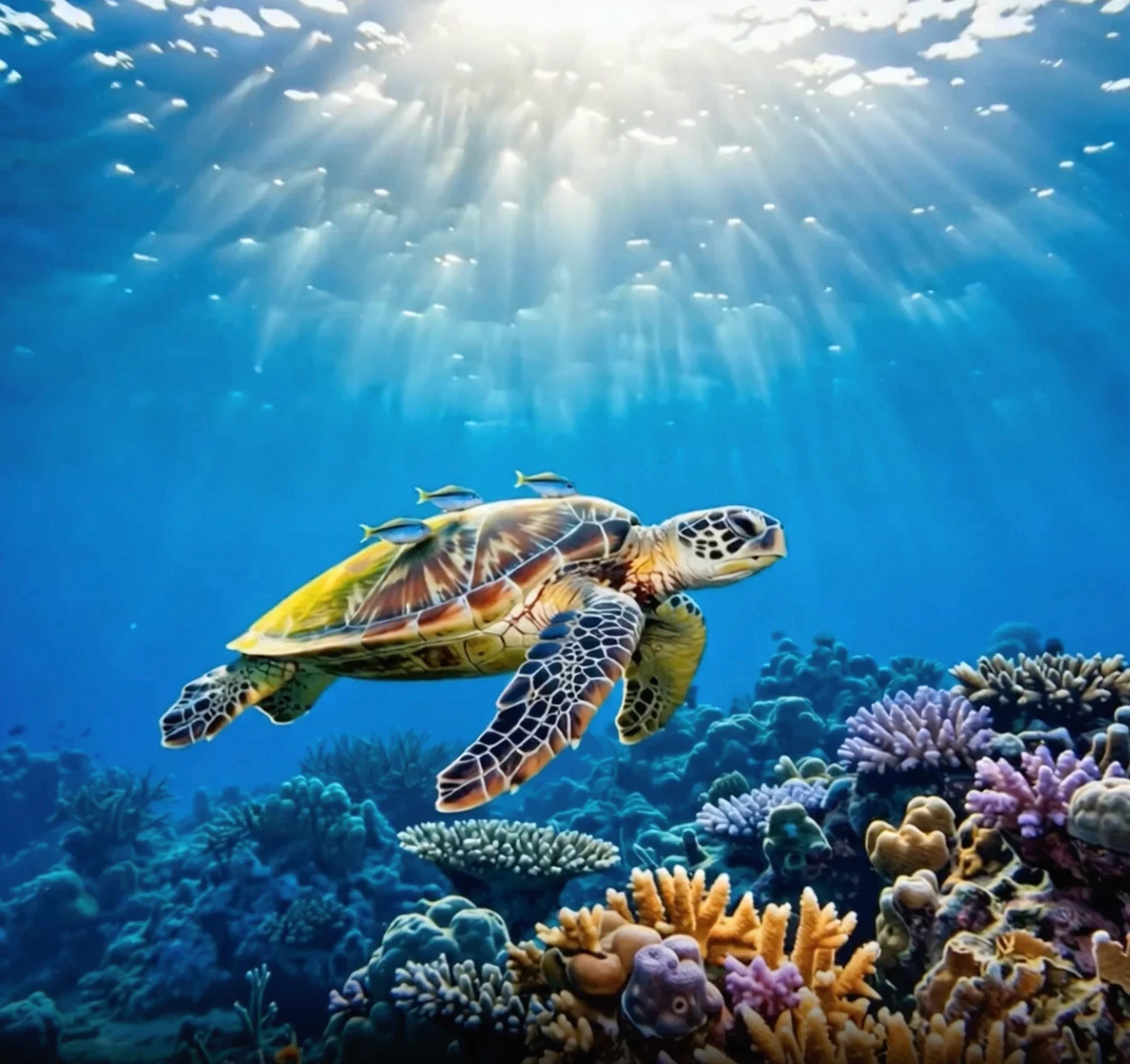 |
API を呼び出す前に、まず API キーと API ホストを取得し、次に API キーを環境変数として設定します (この方法は非推奨となり、API キー設定に統合されました)。SDK を使用して API を呼び出すには、DashScope SDK をインストールします。
{WorkspaceId} を実際の ワークスペース ID に置き換えます。
Python SDK
重要以下のコードを実行する前に、DashScope Python SDK のバージョンが 2.0.1 以上であることを確認してください。
バージョンが低すぎると、「url error, please check url!」などのエラーが発生する可能性があります。更新するには、「SDK のインストール」をご参照ください。
import os
import dashscope
from dashscope.v2 import DashScopeError

# 以下の設定はシンガポールリージョン用です。{WorkspaceId} を実際のワークスペース ID に置き換えてください。region の値はリージョンによって異なります。各リージョンのエンドポイントについては、https://www.alibabacloud.com/help/model-studio/image-to-video-api-reference をご参照ください。
# API キーはリージョンによって異なります。API キーの取得: https://www.alibabacloud.com/help/model-studio/get-api-key
client = dashscope.Client(
    api_key=os.getenv("DASHSCOPE_API_KEY", "YOUR_API_KEY"),
    workspace="{WorkspaceId}",
    region="ap-southeast-1",
)

print('please wait...')
# generate はワンステップ呼び出し(タスクを送信して完了を待機)で、完了済みの Job を返します
# shot_type は名前付きシグネチャに含まれないため、parameters 経由で渡します
try:
    job = client.videos.generate(model='wan2.6-i2v-flash',
                                 prompt='The camera slowly moves up from below the turtle, which swims gracefully, its belly details clearly visible.',
                                 image_url="https://help-static-aliyun-doc.aliyuncs.com/file-manage-files/zh-CN/20260121/zlpocv/wan-i2v-haigui.webp",
                                 resolution="720P",
                                 duration=10,
                                 prompt_extend=True,
                                 watermark=True,
                                 parameters={'shot_type': "multi"})
    print(job)
    print("video_url:", job.video_url)
except DashScopeError as e:
    print(f"HTTP status code: {e.status_code}")
    print(f"Error code: {e.code}")
    print(f"Error message: {e.message}")
    print("See the documentation: https://www.alibabacloud.com/help/ja/model-studio/developer-reference/error-code")
Java SDK
重要以下のコードを実行する前に、DashScope Java SDK のバージョンが少なくとも2.22.6 であることを確認してください。
バージョンが低すぎると、「url error, please check url!」などのエラーが発生する可能性があります。更新するには、「SDK のインストール」をご参照ください。
import com.alibaba.dashscope.aigc.videosynthesis.VideoSynthesis;
import com.alibaba.dashscope.aigc.videosynthesis.VideoSynthesisParam;
import com.alibaba.dashscope.aigc.videosynthesis.VideoSynthesisResult;
import com.alibaba.dashscope.exception.ApiException;
import com.alibaba.dashscope.exception.InputRequiredException;
import com.alibaba.dashscope.exception.NoApiKeyException;
import com.alibaba.dashscope.utils.JsonUtils;
import com.alibaba.dashscope.utils.Constants;

public class Image2Video {

    static {
        // 次の URL はシンガポールリージョン用です。{WorkspaceId} をご利用の実際のワークスペース ID に置き換えてください。URL はリージョンによって異なります。
        Constants.baseHttpApiUrl = "https://{WorkspaceId}.ap-southeast-1.maas.aliyuncs.com/api/v1";
    }

    // 環境変数を設定していない場合は、次の行を Model Studio API キーに置き換えてください: apiKey="sk-xxx"
    // API キーはリージョンによって異なります。API キーの取得: https://www.alibabacloud.com/help/model-studio/get-api-key
    static String apiKey = System.getenv("DASHSCOPE_API_KEY");

    public static void image2video() throws ApiException, NoApiKeyException, InputRequiredException {
        VideoSynthesis vs = new VideoSynthesis();
        VideoSynthesisParam param =
                VideoSynthesisParam.builder()
                        .apiKey(apiKey)
                        .model("wan2.6-i2v-flash")
                        .prompt("The camera slowly moves up from below the turtle, which swims gracefully, its belly details clearly visible.")
                        .imgUrl("https://help-static-aliyun-doc.aliyuncs.com/file-manage-files/zh-CN/20260121/zlpocv/wan-i2v-haigui.webp")
                        .duration(10)
                        .resolution("720P")
                        .shotType("multi")
                        .promptExtend(true)
                        .watermark(true)
                        .build();
        System.out.println("please wait...");
        VideoSynthesisResult result = vs.call(param);
        System.out.println(JsonUtils.toJson(result));
    }

    public static void main(String[] args) {
        try {
            image2video();
        } catch (ApiException | NoApiKeyException | InputRequiredException e) {
            System.out.println(e.getMessage());
        }
        System.exit(0);
    }
}
curl
ステップ 1:タスクを作成してタスク ID を取得curl --location 'https://{WorkspaceId}.ap-southeast-1.maas.aliyuncs.com/api/v1/services/aigc/video-generation/video-synthesis' \
-H 'X-DashScope-Async: enable' \
-H "Authorization: Bearer $DASHSCOPE_API_KEY" \
-H 'Content-Type: application/json' \
-d '{
"model": "wan2.6-i2v-flash",
"input": {
"prompt": "The camera slowly moves up from below the turtle, which swims gracefully, its belly details clearly visible.",
"img_url": "https://help-static-aliyun-doc.aliyuncs.com/file-manage-files/zh-CN/20260121/zlpocv/wan-i2v-haigui.webp"
},
"parameters": {
"resolution": "720P",
"prompt_extend": true,
"watermark": true,
"duration": 10,
"shot_type":"multi"
}
}'
{task_id} を、前の API 呼び出しで返された task_id の値に置き換えます。 task_id は、24 時間クエリに有効です。
curl -X GET https://{WorkspaceId}.ap-southeast-1.maas.aliyuncs.com/api/v1/tasks/{task_id} \
--header "Authorization: Bearer $DASHSCOPE_API_KEY"
video_urlは 24 時間有効です。速やかにビデオをダウンロードしてください。
{
    "request_id": "c1209113-8437-424f-a386-xxxxxx",
    "output": {
        "task_id": "966cebcd-dedc-4962-af88-xxxxxx",
        "task_status": "SUCCEEDED",
        "video_url": "https://dashscope-result-sh.oss-accelerate.aliyuncs.com/xxx.mp4?Expires=xxx",
         ...
    },
    ...
}
適用範囲
- サポートされるモデルはリージョンによって異なります。リソースはリージョン間で分離されています。各リージョンでサポートされているモデルについては、Model Studio コンソールをご参照ください。
- 呼び出しを行う際は、モデル、エンドポイント URL、API キーがすべて同じリージョンに属していることを確認してください。リージョンをまたいだ呼び出しは失敗します。
注記このトピックのサンプルコードはシンガポールリージョンに適用されます。
コア機能
マルチショットビデオの作成
サポートモデル:Wan 2.6 シリーズモデル。
機能紹介:モデルは、ワイドショットからクローズアップまで、ショットを自動的に切り替えるため、ミュージックビデオの制作に最適です。
パラメーター設定:
shot_type:"multi"に設定する必要があります。prompt_extend:trueに設定します (スマートな書き換えを有効にし、ショットの説明を最適化します)。
| 入力プロンプト | 入力する最初のフレーム画像 | 出力ビデオ (Wan 2.6、マルチショットビデオ) |
都会のファンタジーアートシーン。ダイナミックなグラフィティアートのキャラクター。スプレーペイントで描かれた少年がコンクリートの壁から生き返る。彼は非常に速いペースで英語の歌をラップし、クラシックでエネルギッシュなラッパーのポーズをとる。シーンは夜の都市の鉄道橋の下に設定されている。照明は単一の街灯から来ており、映画のような雰囲気を作り出し、高いエネルギーと驚くべきディテールに満ちている。ビデオの音声部分は完全にラップで構成されており、他の対話やバックグラウンドノイズはない。 | 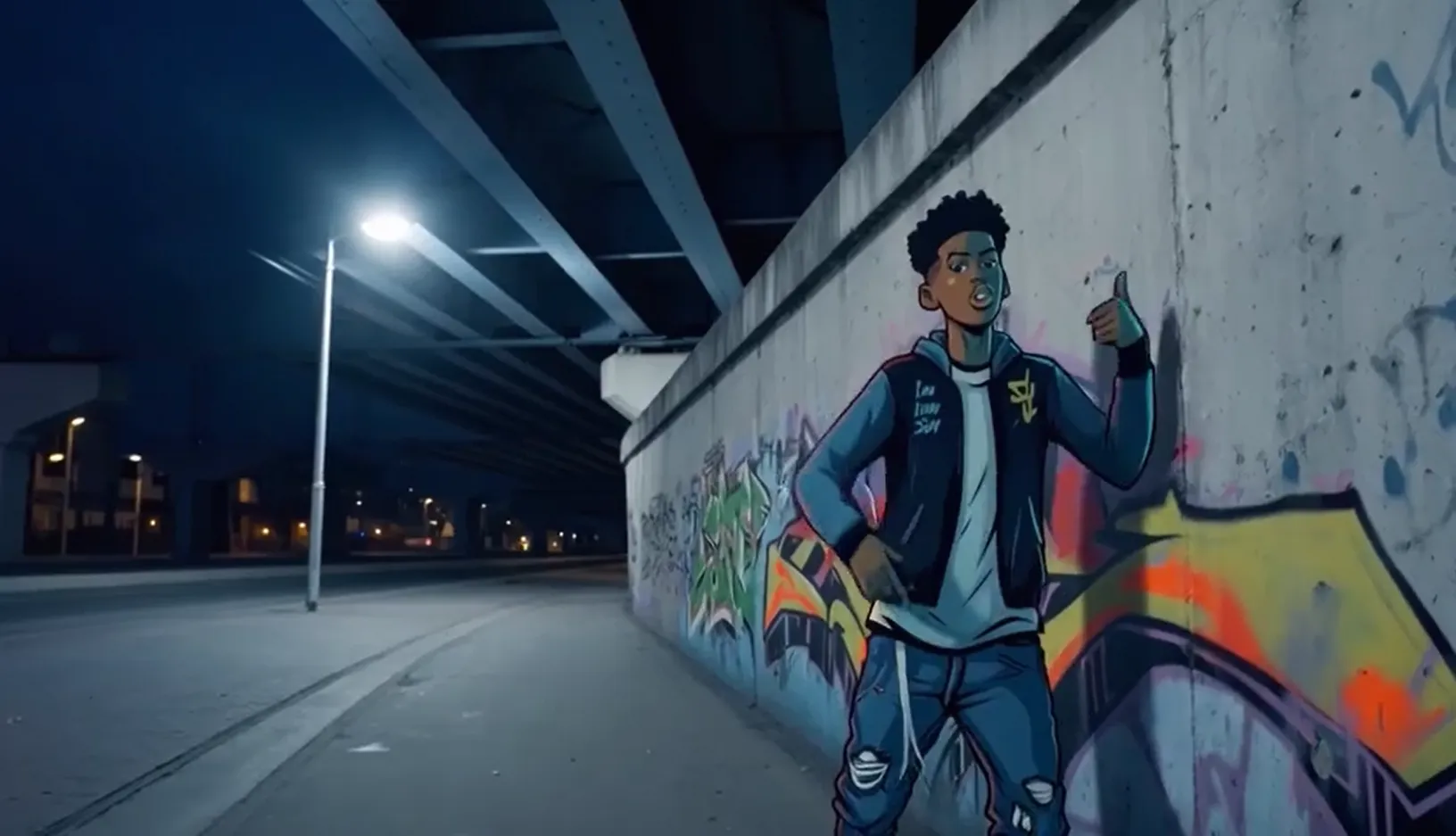 入力オーディオ: |
{WorkspaceId}を実際のワークスペース IDに置き換えてください。
Python SDK
Python 用 DashScope SDK のバージョンが
2.0.1以上であることを確認してください。詳細については、「SDK のインストール」をご参照ください。
import os
import dashscope
from dashscope.v2 import DashScopeError

# 以下の設定はシンガポールリージョン用です。{WorkspaceId} を実際のワークスペース ID に置き換えてください。region の値はリージョンによって異なります。各リージョンのエンドポイントについては、https://www.alibabacloud.com/help/model-studio/image-to-video-api-reference をご参照ください。
client = dashscope.Client(
    # 環境変数を設定していない場合は、次の行を Model Studio API キーに直接置き換えてください: api_key="sk-xxx"
    # API キーはリージョンによって異なります。API キーの取得: https://www.alibabacloud.com/help/model-studio/get-api-key
    api_key=os.getenv("DASHSCOPE_API_KEY"),
    workspace="{WorkspaceId}",
    region="ap-southeast-1",
)

def sample_async_call_i2v():
    # 非同期呼び出しは task_id を返します
    try:
        # audio_url / negative_prompt は input セクションのフィールドで、名前付きシグネチャに含まれないため、extra_input 経由で渡します
        # shot_type(マルチショット)は parameters セクションのフィールドで、parameters 経由で渡します
        job = client.videos.jobs.create(model='wan2.6-i2v-flash',
                                        prompt='An urban fantasy art scene. A dynamic graffiti art character. A boy made of spray paint comes to life from a concrete wall. He raps an English song at a very fast pace, striking a classic, energetic rapper pose. The scene is set at night under an urban railway bridge. The lighting comes from a single street lamp, creating a cinematic atmosphere, full of high energy and amazing detail. The audio part of the video consists entirely of rap, with no other dialogue or background noise.',
                                        image_url="https://help-static-aliyun-doc.aliyuncs.com/file-manage-files/zh-CN/20250925/wpimhv/rap.png",
                                        extra_input={'audio_url': "https://help-static-aliyun-doc.aliyuncs.com/file-manage-files/zh-CN/20250925/ozwpvi/rap.mp3",
                                                     'negative_prompt': ""},
                                        resolution="720P",
                                        duration=10,
                                        prompt_extend=True,
                                        watermark=True,
                                        seed=12345,
                                        parameters={'shot_type': "multi"})  # マルチショット
        print(job)
        print("task_id: %s" % job.task_id)
    except DashScopeError as e:
        print(f"HTTP status code: {e.status_code}")
        print(f"Error code: {e.code}")
        print(f"Error message: {e.message}")
        print("See the documentation: https://www.alibabacloud.com/help/ja/model-studio/developer-reference/error-code")
        return

    # 非同期タスクの完了を待ちます(指数バックオフによるポーリング、デフォルトの合計待機時間は 24 時間)
    try:
        done = client.videos.jobs.wait(job)
        print(done)
        print(done.video_url)
    except DashScopeError as e:
        print(f"HTTP status code: {e.status_code}")
        print(f"Error code: {e.code}")
        print(f"Error message: {e.message}")
        print("See the documentation: https://www.alibabacloud.com/help/ja/model-studio/developer-reference/error-code")

if __name__ == '__main__':
    sample_async_call_i2v()
Java SDK
DashScope Java SDK のバージョンが
2.22.6以上であることを確認してください。SDK を更新するには、「SDK をインストールする」をご参照ください。
import com.alibaba.dashscope.aigc.videosynthesis.VideoSynthesis;
import com.alibaba.dashscope.aigc.videosynthesis.VideoSynthesisParam;
import com.alibaba.dashscope.aigc.videosynthesis.VideoSynthesisResult;
import com.alibaba.dashscope.exception.ApiException;
import com.alibaba.dashscope.exception.InputRequiredException;
import com.alibaba.dashscope.exception.NoApiKeyException;
import com.alibaba.dashscope.utils.JsonUtils;
import com.alibaba.dashscope.utils.Constants;

public class Image2Video {
    static {
        // 次の URL はシンガポールリージョン用です。{WorkspaceId} をご利用の実際のワークスペース ID に置き換えてください。URL はリージョンによって異なります。
        Constants.baseHttpApiUrl = "https://{WorkspaceId}.ap-southeast-1.maas.aliyuncs.com/api/v1";
    }

    // 環境変数を設定していない場合は、次の行を Model Studio API キーに置き換えてください: apiKey="sk-xxx"
    // API キーはリージョンによって異なります。API キーの取得: https://www.alibabacloud.com/help/model-studio/get-api-key
    static String apiKey = System.getenv("DASHSCOPE_API_KEY");

    // 入力画像 URL を設定
    static String imgUrl = "https://help-static-aliyun-doc.aliyuncs.com/file-manage-files/zh-CN/20250925/wpimhv/rap.png";
    // オーディオ URL を設定
    static String audioUrl = "https://help-static-aliyun-doc.aliyuncs.com/file-manage-files/zh-CN/20250925/ozwpvi/rap.mp3";

    public static void image2video() throws ApiException, NoApiKeyException, InputRequiredException {
        VideoSynthesis vs = new VideoSynthesis();
        VideoSynthesisParam param =
                VideoSynthesisParam.builder()
                        .apiKey(apiKey)
                        .model("wan2.6-i2v-flash")
                        .prompt("An urban fantasy art scene. A dynamic graffiti art character. A boy made of spray paint comes to life from a concrete wall. He raps an English song at a very fast pace, striking a classic, energetic rapper pose. The scene is set at night under an urban railway bridge. The lighting comes from a single street lamp, creating a cinematic atmosphere, full of high energy and amazing detail. The audio part of the video consists entirely of rap, with no other dialogue or background noise.")
                        .imgUrl(imgUrl)
                        .audioUrl(audioUrl)
                        .shotType("multi")
                        .duration(10)
                        .resolution("720P")
                        .negativePrompt("")
                        .promptExtend(true)
                        .watermark(true)
                        .seed(12345)
                        .build();
        // 非同期呼び出し
        VideoSynthesisResult task = vs.asyncCall(param);
        System.out.println(JsonUtils.toJson(task));
        System.out.println("please wait...");

        // 結果の取得
        VideoSynthesisResult result = vs.wait(task, apiKey);
        System.out.println(JsonUtils.toJson(result));
    }

    public static void main(String[] args) {
        try {
            image2video();
        } catch (ApiException | NoApiKeyException | InputRequiredException e) {
            System.out.println(e.getMessage());
        }
        System.exit(0);
    }
}
curl
ステップ 1:タスクを作成してタスク ID を取得{task_id} を、前の API 呼び出しから返された task_id の値に置き換えます。task_id は、クエリに対して 24 時間有効です。
curl -X GET https://{WorkspaceId}.ap-southeast-1.maas.aliyuncs.com/api/v1/tasks/{task_id} \
--header "Authorization: Bearer $DASHSCOPE_API_KEY"
音声と映像の同期
サポートモデル:wan2.5 および wan2.6 シリーズモデル。
機能紹介:写真のキャラクターが音声に合わせて口を動かして話したり歌ったりするようにします。その他の例については、「ビデオサウンド生成」をご参照ください。
パラメーター設定:- 入力音声ファイル:
audio_urlを指定します。モデルは、音声ファイルに基づいて唇の動きを同期させます。 - 自動吹き替え:
audio_urlは指定しません。デフォルトでは、出力は音声付きの動画になります。モデルは映像に基づいて、バックグラウンド効果音、音楽、またはボーカルを自動的に生成します。
| 入力プロンプト | 入力する最初のフレーム画像 | 出力ビデオ (音声付きビデオ) |
都会のファンタジーアートのシーン。ダイナミックなグラフィティのキャラクター。スプレーペイントで描かれたティーンエイジャーがコンクリートの壁から生き返る。彼は非常に速いペースで英語でラップし、クラシックでエネルギッシュなラッパーのポーズをとる。シーンは夜の都市の鉄道橋の下に設定されている。孤独な街灯からの光が、高いエネルギーと見事なディテールに満ちた映画のような雰囲気を作り出す。ビデオの音声部分は完全にラップで構成されており、他の対話やノイズはない。 | 入力オーディオ: |
{WorkspaceId} を実際のワークスペース ID に置き換えてください。
Python SDK
Python 用 DashScope SDK のバージョンが
2.0.1以上であることを確認してください。詳細については、「SDK のインストール」をご参照ください。
import os
import dashscope
from dashscope.v2 import DashScopeError

# 以下の設定はシンガポールリージョン用です。{WorkspaceId} を実際のワークスペース ID に置き換えてください。region の値はリージョンによって異なります。各リージョンのエンドポイントについては、https://www.alibabacloud.com/help/model-studio/image-to-video-api-reference をご参照ください。
client = dashscope.Client(
    # 環境変数を設定していない場合は、次の行を Model Studio API キーに直接置き換えてください: api_key="sk-xxx"
    # API キーはリージョンによって異なります。API キーの取得: https://www.alibabacloud.com/help/model-studio/get-api-key
    api_key=os.getenv("DASHSCOPE_API_KEY"),
    workspace="{WorkspaceId}",
    region="ap-southeast-1",
)

def sample_async_call_i2v():
    # 非同期呼び出し、task_id を返します
    try:
        # audio_url / negative_prompt は input セクションのフィールドで、名前付きシグネチャに含まれないため、extra_input 経由で渡します
        job = client.videos.jobs.create(model='wan2.6-i2v-flash',
                                        prompt='A scene of urban fantasy art. A dynamic graffiti character. A teenager painted with spray paint comes to life from a concrete wall. He raps in English at a very fast pace, striking a classic, energetic rapper pose. The scene is set at night under an urban railway bridge. Light from a solitary streetlamp creates a cinematic atmosphere, full of high energy and stunning detail. The audio portion of the video consists entirely of rap, with no other dialogue or noise.',
                                        image_url="https://help-static-aliyun-doc.aliyuncs.com/file-manage-files/zh-CN/20250925/wpimhv/rap.png",
                                        extra_input={'audio_url': "https://help-static-aliyun-doc.aliyuncs.com/file-manage-files/zh-CN/20250925/ozwpvi/rap.mp3",
                                                     'negative_prompt': ""},
                                        resolution="720P",
                                        duration=10,
                                        prompt_extend=True,
                                        watermark=True,
                                        seed=12345)
        print(job)
        print("task_id: %s" % job.task_id)
    except DashScopeError as e:
        print(f"HTTP status code: {e.status_code}")
        print(f"Error code: {e.code}")
        print(f"Error message: {e.message}")
        print("See the documentation: https://www.alibabacloud.com/help/ja/model-studio/developer-reference/error-code")
        return

    # 非同期タスクの完了を待ちます(指数バックオフによるポーリング、デフォルトの合計待機時間は 24 時間)
    try:
        done = client.videos.jobs.wait(job)
        print(done)
        print(done.video_url)
    except DashScopeError as e:
        print(f"HTTP status code: {e.status_code}")
        print(f"Error code: {e.code}")
        print(f"Error message: {e.message}")
        print("See the documentation: https://www.alibabacloud.com/help/ja/model-studio/developer-reference/error-code")

if __name__ == '__main__':
    sample_async_call_i2v()
Java SDK
DashScope Java SDK のバージョンが
2.22.6以上であることを確認してください。SDK を更新するには、「SDK をインストールする」をご参照ください。
import com.alibaba.dashscope.aigc.videosynthesis.VideoSynthesis;
import com.alibaba.dashscope.aigc.videosynthesis.VideoSynthesisParam;
import com.alibaba.dashscope.aigc.videosynthesis.VideoSynthesisResult;
import com.alibaba.dashscope.exception.ApiException;
import com.alibaba.dashscope.exception.InputRequiredException;
import com.alibaba.dashscope.exception.NoApiKeyException;
import com.alibaba.dashscope.utils.JsonUtils;
import com.alibaba.dashscope.utils.Constants;

public class Image2Video {
    static {
        // 次の URL はシンガポールリージョン用です。{WorkspaceId} をご利用の実際のワークスペース ID に置き換えてください。URL はリージョンによって異なります。
        Constants.baseHttpApiUrl = "https://{WorkspaceId}.ap-southeast-1.maas.aliyuncs.com/api/v1";
    }

    // 環境変数を設定していない場合は、次の行を Model Studio API キーを使用して api_key="sk-xxx" に置き換えてください。
    // API キーはリージョンによって異なります。API キーの取得: https://www.alibabacloud.com/help/model-studio/get-api-key
    static String apiKey = System.getenv("DASHSCOPE_API_KEY");

    // 入力画像 URL を設定
    static String imgUrl = "https://help-static-aliyun-doc.aliyuncs.com/file-manage-files/zh-CN/20250925/wpimhv/rap.png";
    // オーディオ URL を設定
    static String audioUrl = "https://help-static-aliyun-doc.aliyuncs.com/file-manage-files/zh-CN/20250925/ozwpvi/rap.mp3";

    public static void image2video() throws ApiException, NoApiKeyException, InputRequiredException {
        VideoSynthesis vs = new VideoSynthesis();
        VideoSynthesisParam param =
                VideoSynthesisParam.builder()
                        .apiKey(apiKey)
                        .model("wan2.6-i2v-flash")
                        .prompt("A scene of urban fantasy art. A dynamic graffiti character. A teenager painted with spray paint comes to life from a concrete wall. He raps in English at a very fast pace, striking a classic, energetic rapper pose. The scene is set at night under an urban railway bridge. Light from a solitary streetlamp creates a cinematic atmosphere, full of high energy and stunning detail. The audio portion of the video consists entirely of rap, with no other dialogue or noise.")
                        .imgUrl(imgUrl)
                        .audioUrl(audioUrl)
                        .duration(10)
                        .resolution("720P")
                        .negativePrompt("")
                        .promptExtend(true)
                        .watermark(true)
                        .seed(12345)
                        .build();
        // 非同期呼び出し
        VideoSynthesisResult task = vs.asyncCall(param);
        System.out.println(JsonUtils.toJson(task));
        System.out.println("please wait...");

        // 結果の取得
        VideoSynthesisResult result = vs.wait(task, apiKey);
        System.out.println(JsonUtils.toJson(result));
    }

    public static void main(String[] args) {
        try {
            image2video();
        } catch (ApiException | NoApiKeyException | InputRequiredException e) {
            System.out.println(e.getMessage());
        }
        System.exit(0);
    }
}
curl
ステップ 1:タスクを作成してタスク ID を取得{task_id} を、前の API 呼び出しによって返された task_id の値に置き換えます。task_id は、クエリに対して 24 時間有効です。
curl -X GET https://{WorkspaceId}.ap-southeast-1.maas.aliyuncs.com/api/v1/tasks/{task_id} \
--header "Authorization: Bearer $DASHSCOPE_API_KEY"
ステップ 1:タスクを作成してタスク ID を取得
自動吹き替え
入力オーディオファイル
Tab 2 Body
ステップ 2:タスク ID に基づいて結果を取得
サイレントビデオの生成
サポートモデル:wan2.6-i2v-flash、wan2.2 シリーズモデル、wan2.1 シリーズモデル。
機能紹介:アニメーションポスターや短いサイレントビデオなど、音声が不要な視覚のみのシナリオでサイレントビデオを使用します。
パラメーター設定:
wan2.6-i2v-flash: デフォルトで音声付きの動画を生成します。無音動画を生成するには、明示的にaudio=falseを設定します。audio_urlを渡しても、audio=falseが設定されている場合、出力は無音になります。無音動画に対して課金されます。wan2.2 以前のモデル:デフォルトでサイレントビデオを生成します。追加の構成は不要です。
| プロンプト | 入力する最初のフレーム画像 | 出力ビデオ (サイレントビデオ) |
猫が草の上を走る | 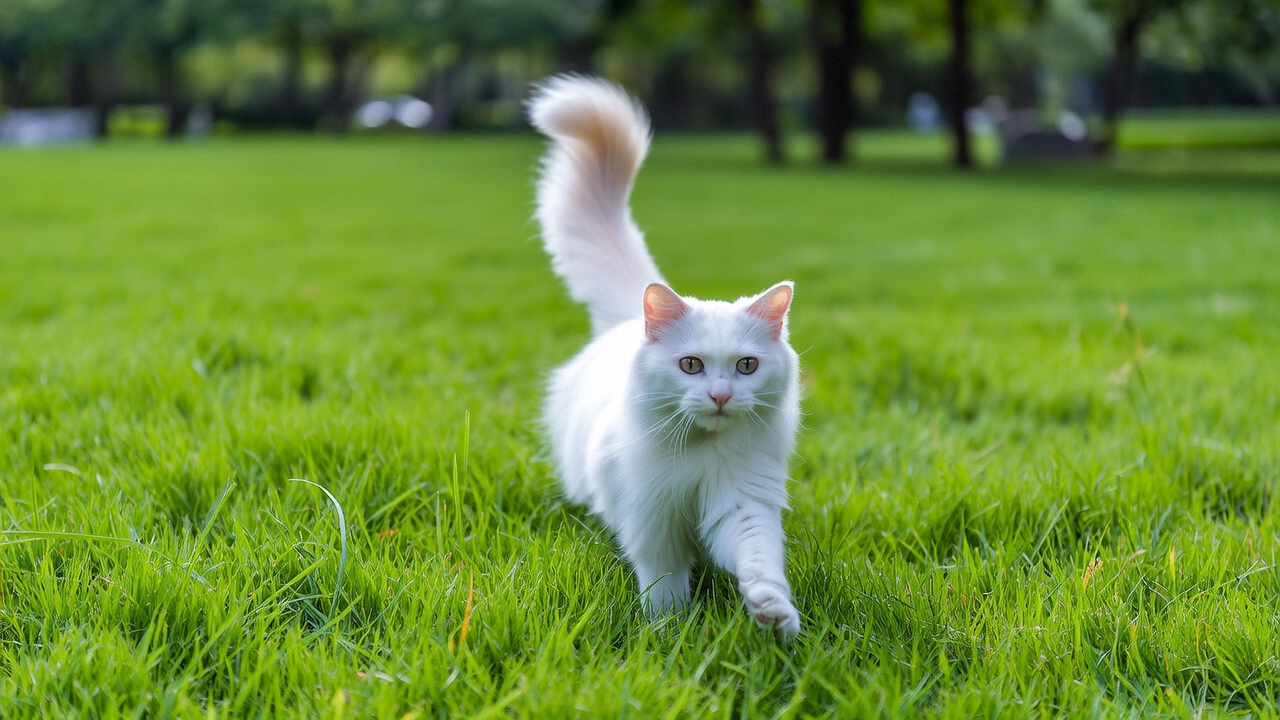 |
{WorkspaceId} を実際の ワークスペース ID に置き換えてください。
Python SDK
Python 用 DashScope SDK のバージョンが
2.0.1以上であることを確認してください。詳細については、「SDK のインストール」をご参照ください。
import os
import dashscope
from dashscope.v2 import DashScopeError

# 以下の設定はシンガポールリージョン用です。{WorkspaceId} を実際のワークスペース ID に置き換えてください。region の値はリージョンによって異なります。各リージョンのエンドポイントについては、https://www.alibabacloud.com/help/model-studio/image-to-video-api-reference をご参照ください。
client = dashscope.Client(
    # 環境変数を設定していない場合は、次の行を Model Studio API キーに直接置き換えてください: api_key="sk-xxx"
    # API キーはリージョンによって異なります。API キーの取得: https://www.alibabacloud.com/help/model-studio/get-api-key
    api_key=os.getenv("DASHSCOPE_API_KEY"),
    workspace="{WorkspaceId}",
    region="ap-southeast-1",
)

def sample_async_call_i2v():
    # 非同期で呼び出します。task_id を返します。
    try:
        # negative_prompt は input セクションのフィールドで、extra_input 経由で渡します
        # audio(サイレントビデオを生成するには明示的に False を設定する必要があります)は parameters セクションのフィールドで、parameters 経由で渡します
        job = client.videos.jobs.create(model='wan2.6-i2v-flash',
                                        prompt='A cat runs on grass',
                                        image_url="https://cdn.translate.alibaba.com/r/wanx-demo-1.png",
                                        extra_input={'negative_prompt': ""},
                                        resolution="720P",
                                        duration=5,
                                        prompt_extend=True,
                                        watermark=True,
                                        seed=12345,
                                        parameters={'audio': False})   # サイレントビデオを出力するには明示的に False に設定する必要があります
        print(job)
        print("task_id: %s" % job.task_id)
    except DashScopeError as e:
        print(f"HTTP status code: {e.status_code}")
        print(f"Error code: {e.code}")
        print(f"Error message: {e.message}")
        print("See the documentation: https://www.alibabacloud.com/help/ja/model-studio/developer-reference/error-code")
        return

    # 非同期タスクの完了を待ちます(指数バックオフによるポーリング、デフォルトの合計待機時間は 24 時間)。
    try:
        done = client.videos.jobs.wait(job)
        print(done)
        print(done.video_url)
    except DashScopeError as e:
        print(f"HTTP status code: {e.status_code}")
        print(f"Error code: {e.code}")
        print(f"Error message: {e.message}")
        print("See the documentation: https://www.alibabacloud.com/help/ja/model-studio/developer-reference/error-code")

if __name__ == '__main__':
    sample_async_call_i2v()
Java SDK
DashScope Java SDK のバージョンが
2.22.6以上であることを確認してください。SDK を更新するには、「SDK をインストールする」をご参照ください。
import com.alibaba.dashscope.aigc.videosynthesis.VideoSynthesis;
import com.alibaba.dashscope.aigc.videosynthesis.VideoSynthesisParam;
import com.alibaba.dashscope.aigc.videosynthesis.VideoSynthesisResult;
import com.alibaba.dashscope.exception.ApiException;
import com.alibaba.dashscope.exception.InputRequiredException;
import com.alibaba.dashscope.exception.NoApiKeyException;
import com.alibaba.dashscope.utils.JsonUtils;
import com.alibaba.dashscope.utils.Constants;

public class Image2Video {
    static {
        // 次の URL はシンガポールリージョン用です。{WorkspaceId} をご利用の実際のワークスペース ID に置き換えてください。URL はリージョンによって異なります。
        Constants.baseHttpApiUrl = "https://{WorkspaceId}.ap-southeast-1.maas.aliyuncs.com/api/v1";
    }

    // 環境変数を設定していない場合は、次の行を置き換えてください: apiKey="sk-xxx"
    // API キーはリージョンによって異なります。API キーの取得: https://www.alibabacloud.com/help/model-studio/get-api-key
    static String apiKey = System.getenv("DASHSCOPE_API_KEY");

    public static void image2video() throws ApiException, NoApiKeyException, InputRequiredException {
        VideoSynthesis vs = new VideoSynthesis();
        VideoSynthesisParam param =
                VideoSynthesisParam.builder()
                        .apiKey(apiKey)
                        .model("wan2.6-i2v-flash")
                        .prompt("A cat runs on grass")
                        .imgUrl("https://cdn.translate.alibaba.com/r/wanx-demo-1.png")
                        .audio(false)   /*サイレントビデオを生成するには false に設定します。*/
                        .duration(10)
                        .resolution("720P")
                        .negativePrompt("")
                        .promptExtend(true)
                        .watermark(true)
                        .seed(12345)
                        .build();
        // 非同期で呼び出します。
        VideoSynthesisResult task = vs.asyncCall(param);
        System.out.println(JsonUtils.toJson(task));
        System.out.println("please wait...");

        // 結果を取得します。
        VideoSynthesisResult result = vs.wait(task, apiKey);
        System.out.println(JsonUtils.toJson(result));
    }

    public static void main(String[] args) {
        try {
            image2video();
        } catch (ApiException | NoApiKeyException | InputRequiredException e) {
            System.out.println(e.getMessage());
        }
        System.exit(0);
    }
}
curl
ステップ 1:タスクを作成してタスク ID を取得curl --location 'https://{WorkspaceId}.ap-southeast-1.maas.aliyuncs.com/api/v1/services/aigc/video-generation/video-synthesis' \
-H 'X-DashScope-Async: enable' \
-H "Authorization: Bearer $DASHSCOPE_API_KEY" \
-H 'Content-Type: application/json' \
-d '{
"model": "wan2.6-i2v-flash",
"input": {
"prompt": "A cat runs on grass",
"img_url": "https://cdn.translate.alibaba.com/r/wanx-demo-1.png"
},
"parameters": {
"audio": false,
"resolution": "720P",
"prompt_extend": true,
"watermark": true,
"duration": 5
}
}'
{task_id} を、前の API 呼び出しによって返された task_id の値で置き換えます。 task_id は、クエリに対して 24 時間有効です。
curl -X GET https://{WorkspaceId}.ap-southeast-1.maas.aliyuncs.com/api/v1/tasks/{task_id} \
--header "Authorization: Bearer $DASHSCOPE_API_KEY"
画像と音声の渡し方
入力画像
- 画像数:1 枚。
- 入力方法:画像 URL、ローカルファイルパス、または Base64 エンコードされた文字列。

方法 2:ローカルファイルパス (SDK のみ)
ファイルパスの要件は Python と Java で若干異なります。以下のルールに厳密に従ってパスをフォーマットしてください。
Python SDK:絶対パスと相対パスをサポートします。ファイルパスのルールは次のとおりです:
オペレーティングシステム | 入力ファイルパス | 例 (絶対パス) | 例 (相対パス) |
|---|---|---|---|
Linux / macOS | file://{absolute_or_relative_path_of_the_file} | file:///home/images/test.png | file://./images/test.png |
Windows | file://D:/images/test.png | file://./images/test.png |
Java SDK:絶対パスのみをサポートします。ファイルパスのルールは次のとおりです:
オペレーティングシステム | 入力ファイルパス | 例 (絶対パス) |
|---|---|---|
Linux / macOS | file://{absolute_path_of_the_file} | file:///home/images/test.png |
Windows | file:///{absolute_path_of_the_file} | file:///D:/images/test.png |
方法 3:Base64 エンコードされた文字列 (HTTP インターフェイスおよび SDK)
-
値の例:
data:image/png;base64,iVBORw0KGgoAAAANSUhEUgAABDg......(デモのため、この例は一部省略されています)。 -
フォーマット要件:
data:{MIME_type};base64,{base64_data}のフォーマットに従ってください。各項目は次のとおりです:-
{base64_data}:画像ファイルの Base64 エンコードされた文字列。
-
{MIME_type}:画像の Multipurpose Internet Mail Extensions (MIME) タイプ。ファイル形式に対応している必要があります。
画像フォーマット
MIME タイプ
JPEG
image/jpeg
JPG
image/jpeg
PNG
image/png
BMP
image/bmp
WEBP
image/webp
-
サンプルコード:3 つの入力方法
入力オーディオ
-
オーディオファイル数:1 つ。
-
入力方法:
- パブリック URL:HTTP または HTTPS プロトコルをサポートします。
出力ビデオ
-
ビデオ数:1。
-
出力ビデオ仕様:出力仕様はモデルによって異なります。詳細については、「適用範囲」をご参照ください。
-
出力ビデオ URL の有効期間:24 時間。
-
出力ビデオのディメンション:ディメンションは、入力イメージと設定された
resolutionによって決まります。- モデルは、入力画像の縦横比を維持しながら、ターゲット値に近い総ピクセル数にスケーリングしようとします。エンコーディング標準に準拠するため、幅と高さは 16 の倍数である必要があります。モデルは自動的にディメンションを微調整します。
- 例:750 × 1000 ピクセル (縦横比 3:4 = 0.75) の入力画像で、解像度を「720P」(ターゲットピクセル数約 920,000) に設定した場合、最終的な出力は 816 × 1104 ピクセル (縦横比 ≈ 0.739、総ピクセル数 ≈ 900,000) になる可能性があります。幅と高さの両方が 16 の倍数です。
課金と速度制限
-
モデルの無料クォータと価格については、「モデル価格」をご参照ください。
-
モデルのスロットリングについては、「Wan シリーズ」をご参照ください。
-
課金の詳細:
- 入力は課金されません。出力は、正常に生成されたビデオの秒単位の持続時間に基づいて課金されます。
- モデルの呼び出しが失敗した場合や処理に障害が発生した場合は、料金は発生せず、新規ユーザー向けの無料クォータも消費されません。
- Image-to-Video は 節約プランもサポートしています。
API リファレンス
Image-to-Video (最初のフレーム) API リファレンス
よくある質問
Q:ビデオの縦横比を直接 (16:9 など) 設定できないのはなぜですか?
A: 現在の API では、ビデオの縦横比を直接設定することはできません。resolution パラメーターを使用して、ビデオの解像度のみを設定できます。
resolution パラメーターは、固定の縦横比ではなく、総ピクセル数を制御します。モデルは、最初の入力フレームの元の縦横比を (約) 維持し、ビデオエンコーディングの要件を満たすように微調整します。具体的には、幅と高さの両方が 16 の倍数である必要があります。
Q:SDK コードが「url error, please check url!」を返すのはなぜですか?
A:以下を確認してください:
- お使いの DashScope Python SDK のバージョンは
2.0.1以上です。 - DashScope Java SDKのバージョンは
2.22.6以上です。
SDK のバージョンが低すぎると、「url error, please check url!」エラーが表示されることがあります。手順については、「SDK のアップグレード」をご参照ください。