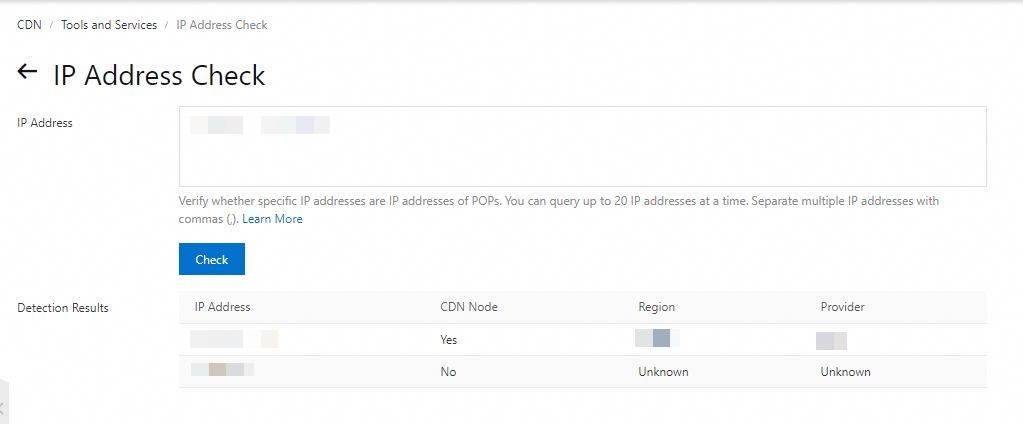
You can use the IP address detector in the Alibaba Cloud CDN console to verify whether an IP address belongs to a CDN node.
Log on to the CDN console.
In the left-side navigation pane, click Tools.
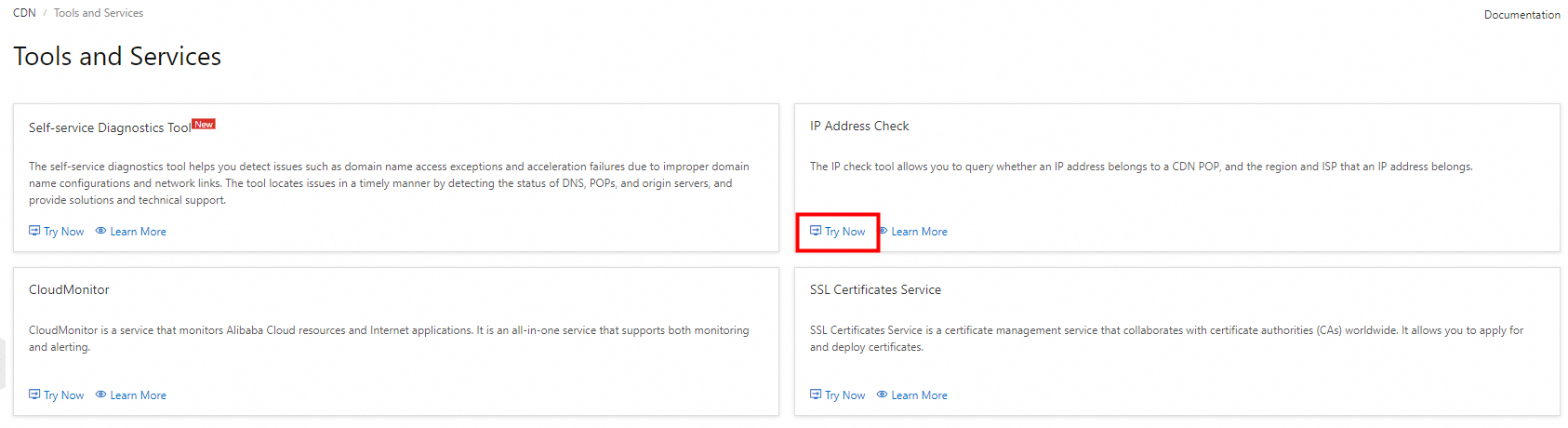
Select IP address detector and click Use Now.
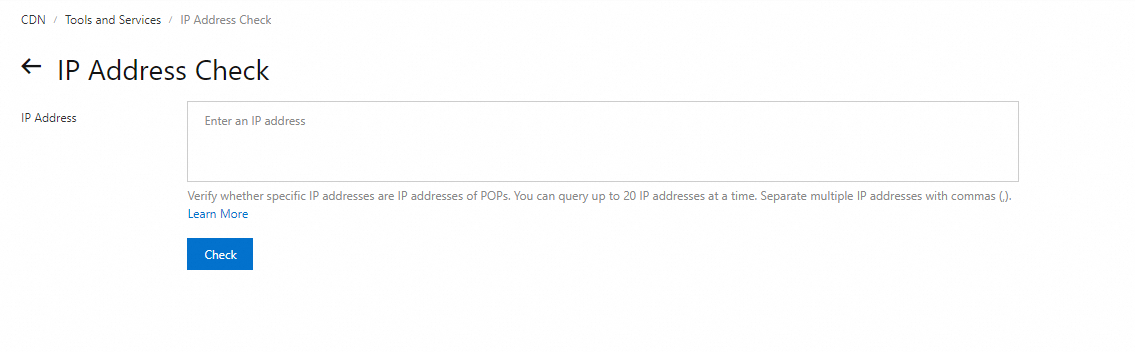
Enter the IP addresses that you want to check, and then click Start Detection.
NoteBoth IPv4 and IPv6 addresses are supported. You can query up to 20 IP addresses at a time. Separate multiple IP addresses with commas.
View the detection results.
The detection results are displayed in a table with four columns: IP Address, CDN Node, Region, and Provider.
If the IP address belongs to a CDN node, the CDN Node column displays Yes, and the Region and Provider are also displayed.
If the IP address does not belong to a CDN node, the CDN Node column displays No, and the Region and Provider display Unknown.