Edit gambar menggunakan instruksi teks dengan model Wan. Model ini mendukung input/output multi-gambar, fusi gambar, pelestarian subjek, dan deteksi objek.
Memulai
Hasilkan gambar yang telah diedit dari dua gambar input dan prompt teks menggunakan wan2.7-image-pro.
Prompt: Semprotkan grafiti dari gambar 2 ke mobil di gambar 1
Input image 1 | Input image 2 | Output image (wan2.7-image-pro) |
|---|---|---|
|
|
|
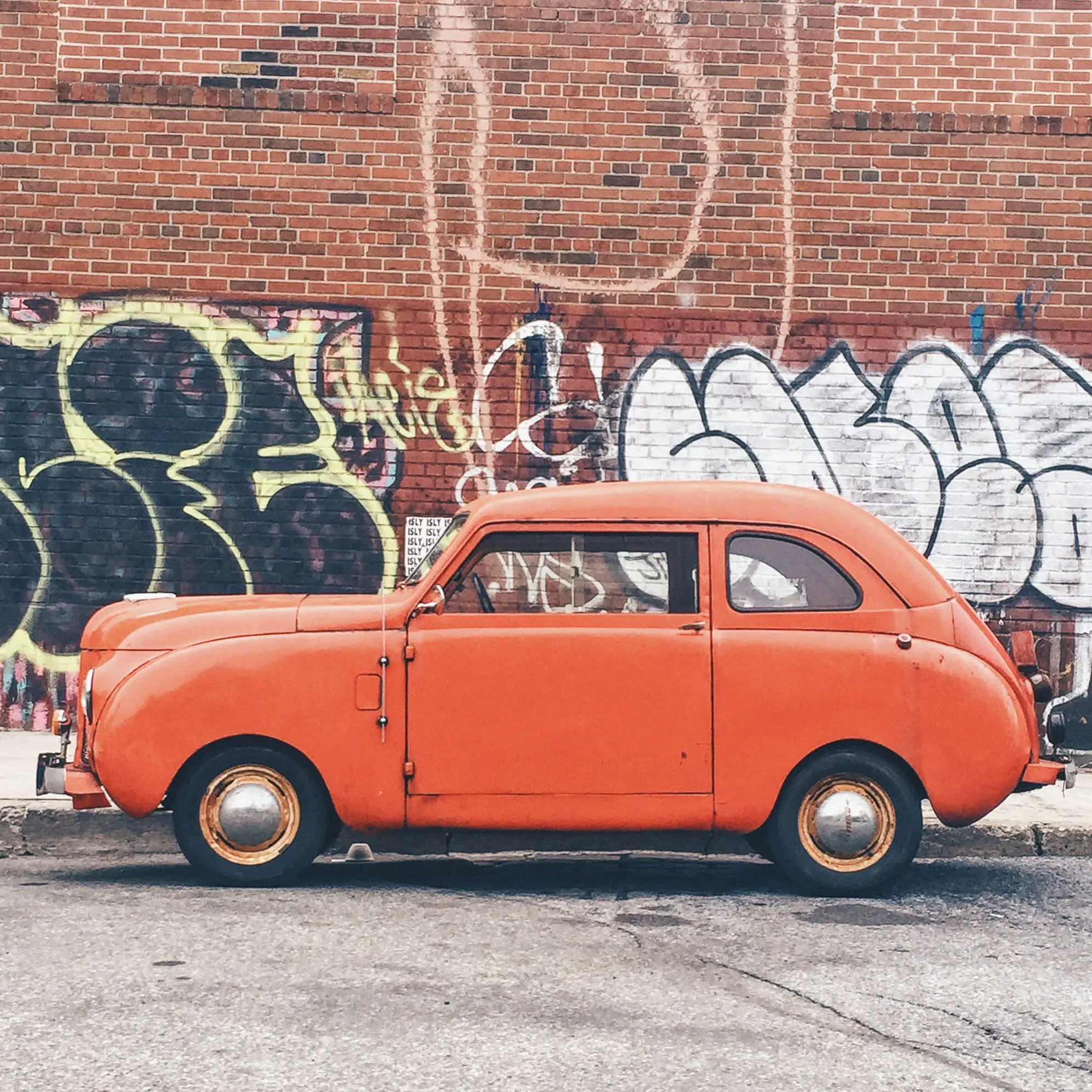
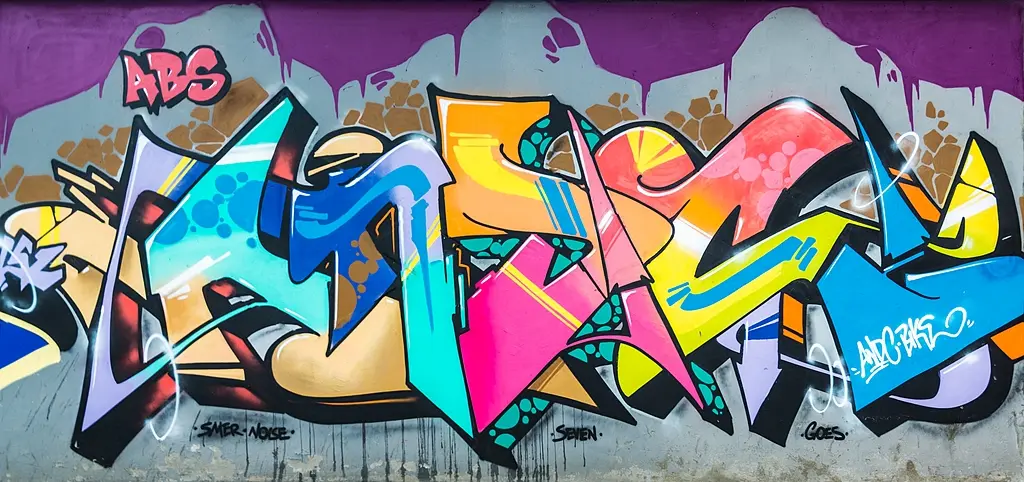
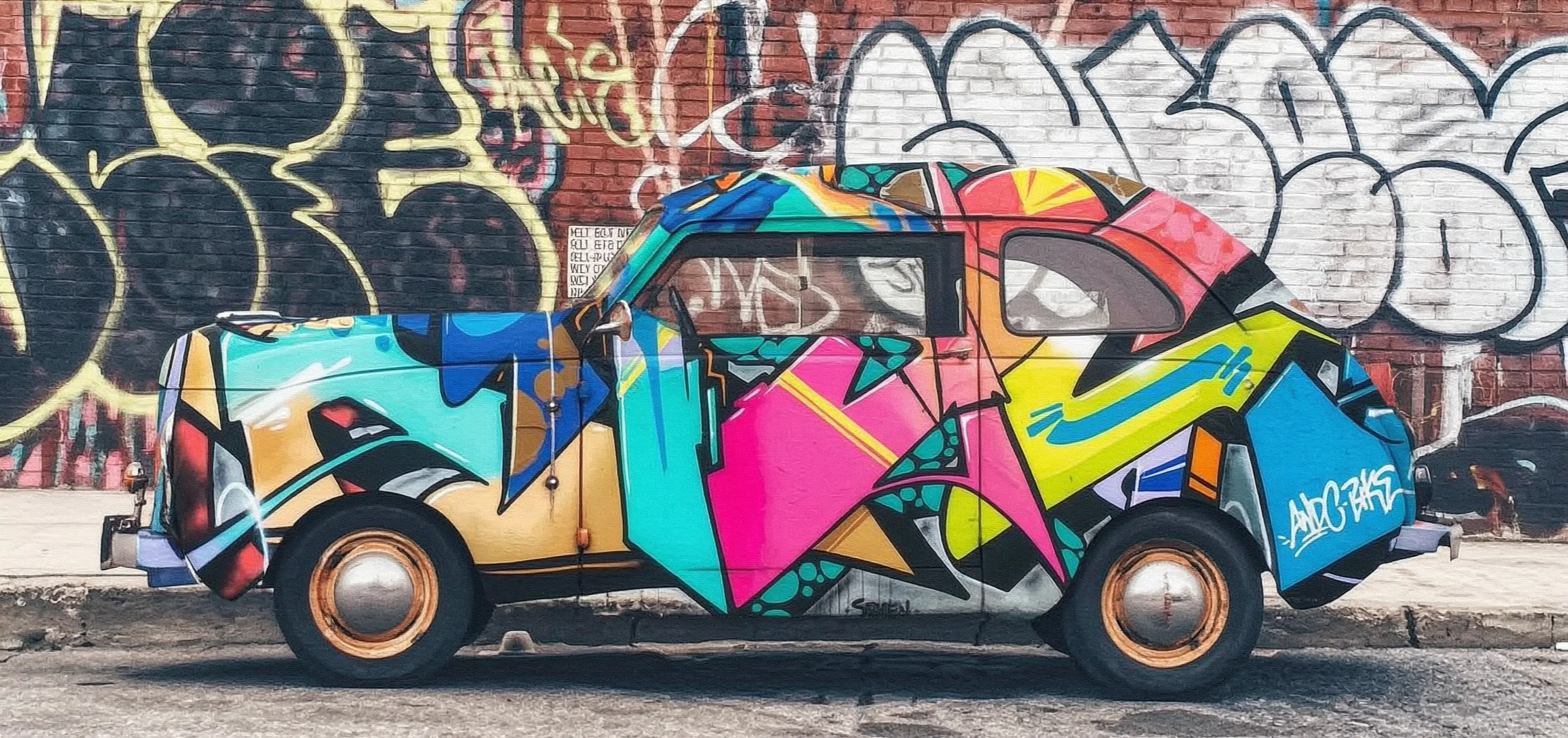
Sebelum melakukan panggilan, dapatkan Kunci API dan ekspor Kunci API sebagai variabel lingkungan. Untuk melakukan panggilan menggunakan SDK, instal SDK DashScope.
Panggilan sinkron
PentingPastikan versi SDK Python DashScope adalah1.25.15atau lebih baru, dan versi SDK Java DashScope adalah2.22.13atau lebih baru.
Python
Contoh permintaan
import os
import base64
import mimetypes
import urllib.request
import dashscope
from dashscope.aigc.image_generation import ImageGeneration
from dashscope.api_entities.dashscope_response import Message

# URL base berikut ini untuk wilayah Singapura. Ganti {WorkspaceId} dengan ID ruang kerja Bailian Anda. URL base bervariasi tergantung wilayah.
dashscope.base_http_api_url = "https://{WorkspaceId}.ap-southeast-1.maas.aliyuncs.com/api/v1"

# Jika Anda belum mengonfigurasi variabel lingkungan, ganti baris berikut dengan Kunci API Model Studio Anda: api_key="sk-xxx"
# Kunci API bervariasi tergantung wilayah. Untuk mendapatkan Kunci API, kunjungi: https://www.alibabacloud.com/help/en/model-studio/get-api-key
api_key = os.getenv("DASHSCOPE_API_KEY")

# --- Fungsi encoding Base64 ---
# Format encoding Base64 adalah data:{MIME_type};base64,{base64_data}
def encode_file(file_path):
    mime_type, _ = mimetypes.guess_type(file_path)
    if not mime_type or not mime_type.startswith("image/"):
        raise ValueError("Format gambar tidak didukung atau tidak dikenali")
    with open(file_path, "rb") as image_file:
        encoded_string = base64.b64encode(image_file.read()).decode("utf-8")
    return f"data:{mime_type};base64,{encoded_string}"

"""
Metode input gambar:
Berikut ini tiga metode input gambar. Anda hanya perlu memilih salah satu.
1. Gunakan URL publik: Metode ini cocok untuk gambar yang dapat diakses publik.
2. Gunakan file lokal: Metode ini cocok untuk pengembangan dan pengujian lokal.
3. Gunakan encoding Base64: Metode ini cocok untuk gambar pribadi atau skenario yang memerlukan transmisi terenkripsi.
"""
# [Metode 1] Gunakan URL gambar publik
image_1 = "https://help-static-aliyun-doc.aliyuncs.com/file-manage-files/zh-CN/20251229/pjeqdf/car.webp"
image_2 = "https://help-static-aliyun-doc.aliyuncs.com/file-manage-files/zh-CN/20251229/xsunlm/paint.webp"

# [Metode 2] Gunakan file lokal (mendukung jalur absolut dan relatif)
# image_1 = "file:///path/to/your/car.png"
# image_2 = "file:///path/to/your/paint.png"

# [Metode 3] Gunakan gambar yang di-encode Base64
# image_1 = encode_file("/path/to/your/car.png")
# image_2 = encode_file("/path/to/your/paint.png")

message = Message(
    role="user",
    content=[
        {"text": "Semprotkan grafiti dari gambar 2 ke mobil di gambar 1"},
        {"image": image_1},
        {"image": image_2},
    ],
)
print("----panggilan sinkron, mohon tunggu sebentar----")
rsp = ImageGeneration.call(
    model="wan2.7-image-pro",
    api_key=api_key,
    messages=[message],
    watermark=False,
    n=1,
    size="2K",  # wan2.7-image-pro hanya mendukung resolusi 4K untuk skenario generasi teks-ke-gambar. Pengeditan gambar dan generasi multi-gambar mendukung resolusi maksimum 2K.
)

# Ekstrak URL gambar hasil dan simpan gambar ke file lokal.
if rsp.status_code == 200:
    for i, choice in enumerate(rsp.output.choices):
        for j, content in enumerate(choice["message"]["content"]):
            if content.get("type") == "image":
                image_url = content["image"]
                file_name = f"output_{i}_{j}.png"
                # URL hasil berlaku selama 24 jam. Harap unduh segera.
                urllib.request.urlretrieve(image_url, file_name)
                print(f"Gambar disimpan ke {file_name}")
else:
    print(f"Gagal: status_code={rsp.status_code}, message={rsp.message}")
Contoh respons
URL berlaku selama 24 jam. Unduh gambar segera.
{
    "status_code": 200,
    "request_id": "81d868c6-6ce1-92d8-a90d-d2ee71xxxxxx",
    "code": "",
    "message": "",
    "output": {
        "text": null,
        "finish_reason": null,
        "choices": [
            {
                "finish_reason": "stop",
                "message": {
                    "role": "assistant",
                    "content": [
                        {
                            "image": "https://dashscope-result-bj.oss-cn-beijing.aliyuncs.com/xxxxxx.png?Expires=xxxxxx",
                            "type": "image"
                        }
                    ]
                }
            }
        ],
        "audio": null,
        "finished": true
    },
    "usage": {
        "input_tokens": 18790,
        "output_tokens": 2,
        "characters": 0,
        "image_count": 1,
        "size": "2985*1405",
        "total_tokens": 18792
    }
}
Java
Contoh permintaan
import com.alibaba.dashscope.aigc.imagegeneration.*;
import com.alibaba.dashscope.exception.ApiException;
import com.alibaba.dashscope.exception.NoApiKeyException;
import com.alibaba.dashscope.exception.UploadFileException;
import com.alibaba.dashscope.utils.Constants;
import com.alibaba.dashscope.utils.JsonUtils;

import java.io.IOException;
import java.io.InputStream;
import java.net.URL;
import java.nio.file.Files;
import java.nio.file.Paths;
import java.nio.file.StandardCopyOption;
import java.util.Arrays;
import java.util.Base64;
import java.util.Collections;
import java.util.List;
import java.util.Map;

/**
 * Contoh Panggilan Sinkron Pengeditan Gambar wan2.7-image-pro
 */
public class Main {

    static {
        // URL berikut ini untuk wilayah Singapura. Ganti {WorkspaceId} dengan ID ruang kerja Bailian Anda. URL base bervariasi tergantung wilayah.
        Constants.baseHttpApiUrl = "https://{WorkspaceId}.ap-southeast-1.maas.aliyuncs.com/api/v1";
    }

    // Jika Anda belum mengonfigurasi variabel lingkungan, ganti baris berikut dengan Kunci API Model Studio Anda: apiKey="sk-xxx"
    // Kunci API bervariasi tergantung wilayah. Untuk mendapatkan Kunci API, kunjungi https://www.alibabacloud.com/help/en/model-studio/get-api-key
    static String apiKey = System.getenv("DASHSCOPE_API_KEY");

    // --- Fungsi encoding Base64 ---
    // Format encoding Base64: data:{MIME_type};base64,{base64_data}
    public static String encodeFile(String filePath) throws IOException {
        byte[] fileContent = Files.readAllBytes(Paths.get(filePath));
        String base64String = Base64.getEncoder().encodeToString(fileContent);
        String mimeType = Files.probeContentType(Paths.get(filePath));
        return "data:" + mimeType + ";base64," + base64String;
    }

    public static void basicCall() throws ApiException, NoApiKeyException, UploadFileException, IOException {
        /*
         * Deskripsi metode input gambar:
         * Tiga metode input gambar disediakan di bawah ini. Pilih salah satu.
         * 1. Gunakan URL publik: Cocok untuk gambar yang dapat diakses publik.
         * 2. Gunakan file lokal: Cocok untuk pengembangan dan pengujian lokal.
         * 3. Gunakan encoding Base64: Cocok untuk gambar pribadi atau skenario yang memerlukan transmisi terenkripsi.
         */
        // Metode 1: Gunakan URL gambar publik.
        String image1 = "https://help-static-aliyun-doc.aliyuncs.com/file-manage-files/zh-CN/20251229/pjeqdf/car.webp";
        String image2 = "https://help-static-aliyun-doc.aliyuncs.com/file-manage-files/zh-CN/20251229/xsunlm/paint.webp";

        // Metode 2: Gunakan file lokal. Jalur absolut dan relatif didukung.
        // Format: file:// + jalur file
        // String image1 = "file:///path/to/your/car.png";
        // String image2 = "file:///path/to/your/paint.png";

        // Metode 3: Gunakan gambar yang di-encode Base64.
        // String image1 = encodeFile("/path/to/your/car.png");
        // String image2 = encodeFile("/path/to/your/paint.png");

        // Bangun pesan input multi-gambar.
        ImageGenerationMessage message = ImageGenerationMessage.builder()
                .role("user")
                .content(Arrays.asList(
                        // Input multi-gambar didukung. Anda dapat memberikan beberapa gambar referensi.
                        Collections.singletonMap("text", "Semprotkan grafiti dari gambar 2 ke mobil di gambar 1"),
                        Collections.singletonMap("image", image1),
                        Collections.singletonMap("image", image2)
                )).build();

        ImageGenerationParam param = ImageGenerationParam.builder()
                .apiKey(apiKey)
                .model("wan2.7-image-pro")
                .messages(Collections.singletonList(message))
                .n(1)
                .size("2K") // Untuk wan2.7-image-pro, hanya skenario generasi teks-ke-gambar yang mendukung resolusi 4K. Pengeditan gambar dan generasi kolase mendukung resolusi maksimum 2K.
                .build();

        ImageGeneration imageGeneration = new ImageGeneration();
        ImageGenerationResult result = null;
        try {
            System.out.println("---panggilan sinkron untuk pengeditan gambar, mohon tunggu sebentar----");
            result = imageGeneration.call(param);
        } catch (ApiException | NoApiKeyException | UploadFileException e) {
            throw new RuntimeException(e.getMessage());
        }
        // Ekstrak URL gambar hasil dan simpan ke file lokal.
        for (int i = 0; i < result.getOutput().getChoices().size(); i++) {
            List<Map<String, Object>> contents = result.getOutput().getChoices().get(i)
                    .getMessage().getContent();
            for (int j = 0; j < contents.size(); j++) {
                if ("image".equals(contents.get(j).get("type"))) {
                    String imageUrl = (String) contents.get(j).get("image");
                    String fileName = "output_" + i + "_" + j + ".png";
                    // URL hasil berlaku selama 24 jam. Unduh gambar secara tepat waktu.
                    try (InputStream in = new URL(imageUrl).openStream()) {
                        Files.copy(in, Paths.get(fileName), StandardCopyOption.REPLACE_EXISTING);
                    }
                    System.out.println("Gambar disimpan ke " + fileName);
                }
            }
        }
    }

    public static void main(String[] args) throws ApiException, NoApiKeyException, UploadFileException, IOException {
        basicCall();
    }
}
Contoh respons
URL berlaku selama 24 jam. Simpan segera.
{
    "requestId": "1bf6173a-e8de-9f75-94d3-5e618f875xxx",
    "usage": {
        "input_tokens": 18790,
        "output_tokens": 2,
        "total_tokens": 18792,
        "image_count": 1,
        "size": "2985*1405"
    },
    "output": {
        "choices": [
            {
                "finish_reason": "stop",
                "message": {
                    "role": "assistant",
                    "content": [
                        {
                            "image": "https://dashscope-result-bj.oss-cn-beijing.aliyuncs.com/xxxxxx.png?Expires=xxxxxx",
                            "type": "image"
                        }
                    ]
                }
            }
        ],
        "finished": true
    },
    "status_code": 200,
    "code": "",
    "message": ""
}
curl
Contoh permintaan
curl --location 'https://{WorkspaceId}.ap-southeast-1.maas.aliyuncs.com/api/v1/services/aigc/multimodal-generation/generation' \
    --header 'Content-Type: application/json' \
    --header "Authorization: Bearer $DASHSCOPE_API_KEY" \
    --data '{
        "model": "wan2.7-image-pro",
        "input": {
            "messages": [
                {
                    "role": "user",
                    "content": [
                        {"image": "https://help-static-aliyun-doc.aliyuncs.com/file-manage-files/zh-CN/20251229/pjeqdf/car.webp"},
                        {"image": "https://help-static-aliyun-doc.aliyuncs.com/file-manage-files/zh-CN/20251229/xsunlm/paint.webp"},
                        {"text": "Semprotkan grafiti dari gambar 2 ke mobil di gambar 1"}
                    ]
                }
            ]
        },
        "parameters": {
            "size": "2K",
            "n": 1,
            "watermark": false
        }
    }'
Contoh respons
{
    "output": {
        "choices": [
            {
                "finish_reason": "stop",
                "message": {
                    "content": [
                        {
                            "image": "https://dashscope-xxx.oss-xxx.aliyuncs.com/xxx.png?Expires=xxx",
                            "type": "image"
                        }
                    ],
                    "role": "assistant"
                }
            }
        ],
        "finished": true
    },
    "usage": {
        "image_count": 1,
        "input_tokens": 10867,
        "output_tokens": 2,
        "size": "1488*704",
        "total_tokens": 10869
    },
    "request_id": "71dfc3c6-f796-9972-97e4-bc4efc4faxxx"
}
Panggilan asinkron
PentingPastikan versi SDK Python DashScope adalah1.25.15atau lebih baru, dan versi SDK Java DashScope adalah2.22.13atau lebih baru.
Python
Contoh permintaan
import os
import base64
import mimetypes
import urllib.request
import dashscope
from dashscope.aigc.image_generation import ImageGeneration
from dashscope.api_entities.dashscope_response import Message
from http import HTTPStatus

# URL base berikut ini untuk wilayah Singapura. Ganti {WorkspaceId} dengan ID ruang kerja Bailian Anda. URL base bervariasi tergantung wilayah.
dashscope.base_http_api_url = "https://{WorkspaceId}.ap-southeast-1.maas.aliyuncs.com/api/v1"

# Jika Anda belum mengonfigurasi variabel lingkungan, ganti baris berikut dengan Kunci API Model Studio Anda: api_key="sk-xxx"
# Kunci API bervariasi tergantung wilayah. Untuk mendapatkan Kunci API, kunjungi https://www.alibabacloud.com/help/en/model-studio/get-api-key
api_key = os.getenv("DASHSCOPE_API_KEY")

# --- Fungsi encoding Base64 ---
# Format encoding Base64 adalah data:{MIME_type};base64,{base64_data}
def encode_file(file_path):
    mime_type, _ = mimetypes.guess_type(file_path)
    if not mime_type or not mime_type.startswith("image/"):
        raise ValueError("Format gambar tidak didukung atau tidak dikenali.")
    with open(file_path, "rb") as image_file:
        encoded_string = base64.b64encode(image_file.read()).decode("utf-8")
    return f"data:{mime_type};base64,{encoded_string}"

"""
Metode input gambar:
Tiga metode input gambar disediakan di bawah ini. Pilih salah satu.
1. Gunakan URL publik - cocok untuk gambar yang dapat diakses publik.
2. Gunakan file lokal - cocok untuk pengembangan dan pengujian lokal.
3. Gunakan encoding Base64 - cocok untuk gambar pribadi atau skenario yang memerlukan transmisi terenkripsi.
"""
# [Metode 1] Gunakan URL gambar publik
image_1 = "https://help-static-aliyun-doc.aliyuncs.com/file-manage-files/zh-CN/20251229/pjeqdf/car.webp"
image_2 = "https://help-static-aliyun-doc.aliyuncs.com/file-manage-files/zh-CN/20251229/xsunlm/paint.webp"

# [Metode 2] Gunakan file lokal (mendukung jalur absolut dan relatif)
# image_1 = "file:///path/to/your/car.png"
# image_2 = "file:///path/to/your/paint.png"

# [Metode 3] Gunakan gambar yang di-encode Base64
# image_1 = encode_file("/path/to/your/car.png")
# image_2 = encode_file("/path/to/your/paint.png")

# Buat tugas asinkron.
def create_async_task():
    print("Membuat tugas asinkron...")
    message = Message(
        role="user",
        content=[
            {"text": "Semprotkan grafiti dari gambar 2 ke mobil di gambar 1."},
            {"image": image_1},
            {"image": image_2},
        ],
    )
    response = ImageGeneration.async_call(
        model="wan2.7-image-pro",
        api_key=api_key,
        messages=[message],
        watermark=False,
        n=1,
        size="2K",  # wan2.7-image-pro hanya mendukung resolusi 4K untuk skenario generasi teks-ke-gambar. Pengeditan gambar dan generasi kolase mendukung resolusi maksimum 2K.
    )

    if response.status_code == 200:
        print("Tugas berhasil dibuat:", response)
        return response
    else:
        raise Exception(f"Gagal membuat tugas: {response.code} - {response.message}")

# Tunggu hingga tugas selesai.
def wait_for_completion(task_response):
    print("Menunggu penyelesaian tugas...")
    status = ImageGeneration.wait(task=task_response, api_key=api_key)

    if status.output.task_status == "SUCCEEDED":
        print("Tugas berhasil!")
        # Ekstrak URL gambar hasil dan simpan gambar ke file lokal.
        for i, choice in enumerate(status.output.choices):
            for j, content in enumerate(choice["message"]["content"]):
                if content.get("type") == "image":
                    image_url = content["image"]
                    file_name = f"output_{i}_{j}.png"
                    # URL hasil berlaku selama 24 jam. Unduh gambar secara tepat waktu.
                    urllib.request.urlretrieve(image_url, file_name)
                    print(f"Gambar disimpan ke {file_name}")
    else:
        raise Exception(f"Tugas gagal dengan status: {status.output.task_status}")

# Dapatkan informasi tentang tugas asinkron.
def fetch_task_status(task):
    print("Mengambil status tugas...")
    status = ImageGeneration.fetch(task=task, api_key=api_key)

    if status.status_code == HTTPStatus.OK:
        print("Status tugas:", status.output.task_status)
        print("Detail respons:", status)
    else:
        print(f"Gagal mengambil status: {status.code} - {status.message}")

# Batalkan tugas asinkron.
def cancel_task(task):
    print("Membatalkan tugas...")
    response = ImageGeneration.cancel(task=task, api_key=api_key)

    if response.status_code == HTTPStatus.OK:
        print("Tugas berhasil dibatalkan:", response.output.task_status)
    else:
        print(f"Gagal membatalkan tugas: {response.code} - {response.message}")

# Alur eksekusi utama.
if __name__ == "__main__":
    task = create_async_task()
    wait_for_completion(task)
Contoh respons
- Contoh respons untuk membuat tugas
{
    "status_code": 200,
    "request_id": "4fb3050f-de57-4a24-84ff-e37ee5xxxxxx",
    "code": "",
    "message": "",
    "output": {
        "text": null,
        "finish_reason": null,
        "choices": null,
        "audio": null,
        "task_id": "127ec645-118f-4884-955d-0eba8dxxxxxx",
        "task_status": "PENDING"
    },
    "usage": {
        "input_tokens": 0,
        "output_tokens": 0,
        "characters": 0
    }
}
-
Contoh respons untuk menanyakan hasil tugas
URL berlaku selama 24 jam. Unduh gambar segera.
{
    "status_code": 200,
    "request_id": "3b99aae5-d26f-9059-8dd0-ee9ca4804xxx",
    "code": null,
    "message": "",
    "output": {
        "text": null,
        "finish_reason": null,
        "choices": [
            {
                "finish_reason": "stop",
                "message": {
                    "role": "assistant",
                    "content": [
                        {
                            "image": "https://dashscope-result-bj.oss-cn-beijing.aliyuncs.com/xxxxxx.png?Expires=xxxxxx",
                            "type": "image"
                        }
                    ]
                }
            }
        ],
        "audio": null,
        "task_id": "127ec645-118f-4884-955d-0eba8dxxxxxx",
        "task_status": "SUCCEEDED",
        "submit_time": "2026-03-31 22:58:47.646",
        "scheduled_time": "2026-03-31 22:58:47.683",
        "end_time": "2026-03-31 22:58:59.642",
        "finished": true
    },
    "usage": {
        "input_tokens": 18711,
        "output_tokens": 2,
        "characters": 0,
        "size": "2985*1405",
        "total_tokens": 18713,
        "image_count": 1
    }
}
Java
Contoh permintaan
import com.alibaba.dashscope.aigc.imagegeneration.*;
import com.alibaba.dashscope.exception.ApiException;
import com.alibaba.dashscope.exception.NoApiKeyException;
import com.alibaba.dashscope.exception.UploadFileException;
import com.alibaba.dashscope.utils.Constants;
import com.alibaba.dashscope.utils.JsonUtils;

import java.io.IOException;
import java.io.InputStream;
import java.net.URL;
import java.nio.file.Files;
import java.nio.file.Paths;
import java.nio.file.StandardCopyOption;
import java.util.Arrays;
import java.util.Base64;
import java.util.Collections;
import java.util.List;
import java.util.Map;

/**
 * Contoh Pemanggilan Asinkron Pengeditan Gambar wan2.7-image-pro
 */
public class Main {

    static {
        // URL berikut ini untuk wilayah Singapura. Ganti {WorkspaceId} dengan ID ruang kerja Bailian Anda. URL base bervariasi tergantung wilayah.
        Constants.baseHttpApiUrl = "https://{WorkspaceId}.ap-southeast-1.maas.aliyuncs.com/api/v1";
    }

    // Jika Anda belum mengonfigurasi variabel lingkungan, ganti baris berikut dengan Kunci API Model Studio Anda: apiKey="sk-xxx"
    // Kunci API bervariasi tergantung wilayah. Untuk mendapatkan Kunci API, kunjungi: https://www.alibabacloud.com/help/en/model-studio/get-api-key
    static String apiKey = System.getenv("DASHSCOPE_API_KEY");

    // --- Fungsi encoding Base64 ---
    // Format encoding Base64 adalah data:{MIME_type};base64,{base64_data}
    public static String encodeFile(String filePath) throws IOException {
        byte[] fileContent = Files.readAllBytes(Paths.get(filePath));
        String base64String = Base64.getEncoder().encodeToString(fileContent);
        String mimeType = Files.probeContentType(Paths.get(filePath));
        return "data:" + mimeType + ";base64," + base64String;
    }

    public static void asyncCall() throws ApiException, NoApiKeyException, UploadFileException, IOException {
        /*
         * Deskripsi metode input gambar:
         * Tiga metode input gambar disediakan berikut ini. Anda dapat memilih salah satunya.
         * 1. Gunakan URL publik - Cocok untuk gambar yang dapat diakses publik.
         * 2. Gunakan file lokal - Cocok untuk pengembangan dan pengujian lokal.
         * 3. Gunakan encoding Base64 - Cocok untuk skenario yang melibatkan gambar pribadi atau memerlukan transmisi terenkripsi.
         */
        // [Metode 1] Gunakan URL gambar publik
        String image1 = "https://help-static-aliyun-doc.aliyuncs.com/file-manage-files/zh-CN/20251229/pjeqdf/car.webp";
        String image2 = "https://help-static-aliyun-doc.aliyuncs.com/file-manage-files/zh-CN/20251229/xsunlm/paint.webp";

        // [Metode 2] Gunakan file lokal (mendukung jalur absolut dan relatif)
        // Format yang diperlukan: file:// + jalur file
        // String image1 = "file:///path/to/your/car.png";
        // String image2 = "file:///path/to/your/paint.png";

        // [Metode 3] Gunakan gambar yang di-encode Base64
        // String image1 = encodeFile("/path/to/your/car.png");
        // String image2 = encodeFile("/path/to/your/paint.png");

        // Bangun pesan input multi-gambar
        ImageGenerationMessage message = ImageGenerationMessage.builder()
                .role("user")
                .content(Arrays.asList(
                        // Mendukung input multi-gambar. Anda dapat memberikan beberapa gambar referensi.
                        Collections.singletonMap("text", "Semprotkan grafiti dari gambar 2 ke mobil di gambar 1"),
                        Collections.singletonMap("image", image1),
                        Collections.singletonMap("image", image2)
                )).build();

        ImageGenerationParam param = ImageGenerationParam.builder()
                .apiKey(apiKey)
                .model("wan2.7-image-pro")
                .n(1)
                .size("2K") // Model wan2.7-image-pro hanya mendukung resolusi 4K untuk generasi teks-ke-gambar. Untuk pengeditan gambar dan generasi gambar komposit, resolusi maksimum yang didukung adalah 2K.
                .messages(Arrays.asList(message))
                .build();

        ImageGeneration imageGeneration = new ImageGeneration();
        ImageGenerationResult result = null;
        try {
            System.out.println("---panggilan asinkron untuk pengeditan gambar, membuat tugas----");
            result = imageGeneration.asyncCall(param);
        } catch (ApiException | NoApiKeyException | UploadFileException e) {
            throw new RuntimeException(e.getMessage());
        }
        System.out.println("Hasil pembuatan tugas:");
        System.out.println(JsonUtils.toJson(result));

        String taskId = result.getOutput().getTaskId();
        // Tunggu hingga tugas selesai
        waitTask(taskId);
    }

    public static void waitTask(String taskId) throws ApiException, NoApiKeyException, IOException {
        ImageGeneration imageGeneration = new ImageGeneration();
        System.out.println("\n---menunggu penyelesaian tugas----");
        ImageGenerationResult result = imageGeneration.wait(taskId, apiKey);
        // Ambil URL gambar hasil dan simpan ke file lokal
        for (int i = 0; i < result.getOutput().getChoices().size(); i++) {
            List<Map<String, Object>> contents = result.getOutput().getChoices().get(i)
                    .getMessage().getContent();
            for (int j = 0; j < contents.size(); j++) {
                if ("image".equals(contents.get(j).get("type"))) {
                    String imageUrl = (String) contents.get(j).get("image");
                    String fileName = "output_" + i + "_" + j + ".png";
                    // URL hasil berlaku selama 24 jam. Unduh gambar secara tepat waktu.
                    try (InputStream in = new URL(imageUrl).openStream()) {
                        Files.copy(in, Paths.get(fileName), StandardCopyOption.REPLACE_EXISTING);
                    }
                    System.out.println("Gambar disimpan ke " + fileName);
                }
            }
        }
    }

    public static void main(String[] args) throws ApiException, NoApiKeyException, UploadFileException, IOException {
        asyncCall();
    }
}
Contoh respons
- Contoh respons untuk membuat tugas
{
    "requestId": "ccf4b2f4-bf30-9e13-9461-3a28c6a7bxxx",
    "output": {
        "task_id": "8811b4a4-00ac-4aa2-a2fd-017d3b90cxxx",
        "task_status": "PENDING"
    },
    "status_code": 200,
    "code": "",
    "message": ""
}
-
Contoh respons untuk menanyakan hasil tugas
URL berlaku selama 24 jam. Simpan segera.
{
    "requestId": "60a08540-f1c1-9e76-8cd3-d5949db8cxxx",
    "usage": {
        "input_tokens": 18711,
        "output_tokens": 2,
        "total_tokens": 18713,
        "image_count": 1,
        "size": "2985*1405"
    },
    "output": {
        "choices": [
            {
                "finish_reason": "stop",
                "message": {
                    "role": "assistant",
                    "content": [
                        {
                            "image": "https://dashscope-result-bj.oss-cn-beijing.aliyuncs.com/xxxxxx.png?Expires=xxxxxx",
                            "type": "image"
                        }
                    ]
                }
            }
        ],
        "task_id": "8811b4a4-00ac-4aa2-a2fd-017d3b90cxxx",
        "task_status": "SUCCEEDED",
        "finished": true,
        "submit_time": "2026-03-31 19:57:58.840",
        "scheduled_time": "2026-03-31 19:57:58.877",
        "end_time": "2026-03-31 19:58:11.563"
    },
    "status_code": 200,
    "code": "",
    "message": ""
}
curl
Langkah 1: Buat tugas untuk mendapatkan ID tugas
curl --location 'https://{WorkspaceId}.ap-southeast-1.maas.aliyuncs.com/api/v1/services/aigc/image-generation/generation' \
    --header 'Content-Type: application/json' \
    --header "Authorization: Bearer $DASHSCOPE_API_KEY" \
    --header "X-DashScope-Async: enable" \
    --data '{
        "model": "wan2.7-image-pro",
        "input": {
            "messages": [
                {
                    "role": "user",
                    "content": [
                        {"image": "https://help-static-aliyun-doc.aliyuncs.com/file-manage-files/zh-CN/20251229/pjeqdf/car.webp"},
                        {"image": "https://help-static-aliyun-doc.aliyuncs.com/file-manage-files/zh-CN/20251229/xsunlm/paint.webp"},
                        {"text": "Semprotkan grafiti dari gambar 2 ke mobil di gambar 1"}
                    ]
                }
            ]
        },
        "parameters": {
            "size": "2K",
            "n": 1,
            "watermark": false
        }
    }'
{
    "output": {
        "task_status": "PENDING",
        "task_id": "0385dc79-5ff8-4d82-bcb6-xxxxxx"
    },
    "request_id": "4909100c-7b5a-9f92-bfe5-xxxxxx"
}
Langkah2: Tanyakan hasil berdasarkan ID tugas
Gunakan task_id yang diperoleh pada langkah sebelumnya untuk memeriksa status tugas melalui API hingga task_status menjadi SUCCEEDED atau FAILED.
Ganti {task_id} dengan nilai task_id yang dikembalikan oleh panggilan API sebelumnya. task_id berlaku untuk kueri selama 24 jam. Ganti {WorkspaceId} dengan ID ruang kerja aktual Anda.
curl -X GET https://{WorkspaceId}.ap-southeast-1.maas.aliyuncs.com/api/v1/tasks/{task_id} \
--header "Authorization: Bearer $DASHSCOPE_API_KEY"
URL gambar berlaku selama 24 jam. Unduh gambar segera.
{
    "request_id": "810fa5f5-334c-91f3-aaa4-ed89cf0caxxx",
    "output": {
        "task_id": "a81ee7cb-014c-473d-b842-76e98311cxxx",
        "task_status": "SUCCEEDED",
        "submit_time": "2026-03-26 17:16:01.663",
        "scheduled_time": "2026-03-26 17:16:01.716",
        "end_time": "2026-03-26 17:16:22.961",
        "finished": true,
        "choices": [
            {
                "finish_reason": "stop",
                "message": {
                    "role": "assistant",
                    "content": [
                        {
                            "image": "https://dashscope-xxx.oss-xxx.aliyuncs.com/xxx.png?Expires=xxx",
                            "type": "image"
                        }
                    ]
                }
            }
        ]
    },
    "usage": {
        "size": "2976*1408",
        "total_tokens": 11017,
        "image_count": 1,
        "output_tokens": 2,
        "input_tokens": 11015
    }
}
Model wan2.5-i2i-preview menggunakan endpoint dan parameter API yang berbeda.
Klik untuk melihat contoh pemanggilan wan2.5-i2i-preview
Panggilan sinkron
PentingPastikan versi SDK Python DashScope minimal1.25.2dan versi SDK Java DashScope minimal2.22.2.
Versi SDK yang usang dapat memicu error "url error, please check url!". Instal atau upgrade SDK.
Python
Contoh ini mendukung tiga metode input gambar: URL publik, encoding Base64, dan jalur file lokal.
Contoh permintaan
import base64
import mimetypes
from http import HTTPStatus
from urllib.parse import urlparse, unquote
from pathlib import PurePosixPath

import dashscope
import requests
from dashscope import ImageSynthesis
import os

# URL berikut untuk wilayah Singapura. Ganti {WorkspaceId} dengan ID ruang kerja aktual Anda. URL berbeda tiap wilayah.
dashscope.base_http_api_url = 'https://{WorkspaceId}.ap-southeast-1.maas.aliyuncs.com/api/v1'

# Jika Anda belum mengonfigurasi variabel lingkungan, ganti baris berikut dengan: api_key="sk-xxx"
# Kunci API berbeda antara Singapura dan Beijing. Dapatkan kunci API: https://www.alibabacloud.com/help/zh/model-studio/get-api-key
api_key = os.getenv("DASHSCOPE_API_KEY")

# --- Input gambar: encoding Base64 ---
# Format Base64: data:{MIME_type};base64,{base64_data}
def encode_file(file_path):
    mime_type, _ = mimetypes.guess_type(file_path)
    if not mime_type or not mime_type.startswith("image/"):
        raise ValueError("Format gambar tidak didukung atau tidak dikenali")
    with open(file_path, "rb") as image_file:
        encoded_string = base64.b64encode(image_file.read()).decode('utf-8')
    return f"data:{mime_type};base64,{encoded_string}"

"""
Metode input gambar:
Pilih salah satu dari berikut:

1. URL publik — terbaik untuk gambar yang dapat diakses publik
2. File lokal — terbaik untuk pengembangan dan pengujian lokal
3. Encoding Base64 — terbaik untuk gambar privat atau transmisi aman
"""

# [Metode 1] URL gambar publik
image_url_1 = "https://img.alicdn.com/imgextra/i3/O1CN0157XGE51l6iL9441yX_!!6000000004770-49-tps-1104-1472.webp"
image_url_2 = "https://img.alicdn.com/imgextra/i3/O1CN01SfG4J41UYn9WNt4X1_!!6000000002530-49-tps-1696-960.webp"

# [Metode 2] File lokal (mendukung jalur mutlak dan relatif)
# Format: file:// + jalur file
# Contoh (jalur mutlak):
# image_url_1 = "file://" + "/path/to/your/image_1.png"     # Linux/macOS
# image_url_2 = "file://" + "C:/path/to/your/image_2.png"  # Windows
# Contoh (jalur relatif):
# image_url_1 = "file://" + "./image_1.png"                 # Sesuaikan dengan jalur Anda
# image_url_2 = "file://" + "./image_2.png"                # Sesuaikan dengan jalur Anda

# [Metode 3] Gambar dalam format Base64
# image_url_1 = encode_file("./image_1.png")               # Sesuaikan dengan jalur Anda
# image_url_2 = encode_file("./image_2.png")              # Sesuaikan dengan jalur Anda

print('----sync call, please wait a moment----')
rsp = ImageSynthesis.call(api_key=api_key,
                          model="wan2.5-i2i-preview",
                          prompt="Place the alarm clock from image 1 beside the vase on the dining table in image 2.",
                          images=[image_url_1, image_url_2],
                          negative_prompt="",
                          n=1,
                          # size="1280*1280",
                          prompt_extend=True,
                          watermark=False,
                          seed=12345)
print('response: %s' % rsp)
if rsp.status_code == HTTPStatus.OK:
    # Simpan gambar ke direktori saat ini
    for result in rsp.output.results:
        file_name = PurePosixPath(unquote(urlparse(result.url).path)).parts[-1]
        with open('./%s' % file_name, 'wb+') as f:
            f.write(requests.get(result.url).content)
else:
    print('sync_call Failed, status_code: %s, code: %s, message: %s' %
          (rsp.status_code, rsp.code, rsp.message))
Contoh respons
URL gambar berlaku selama 24 jam. Unduh gambar segera.
{
    "status_code": 200,
    "request_id": "8ad45834-4321-44ed-adf5-xxxxxx",
    "code": null,
    "message": "",
    "output": {
        "task_id": "3aff9ebd-35fc-4339-98a3-xxxxxx",
        "task_status": "SUCCEEDED",
        "results": [
            {
                "url": "https://dashscope-result-sh.oss-cn-shanghai.aliyuncs.com/xxx.png?Expires=xxx",
                "orig_prompt": "Place the alarm clock from image 1 beside the vase on the dining table in image 2.",
                "actual_prompt": "Place the blue alarm clock from image 1 to the right of the vase on the dining table in image 2, near the edge of the tablecloth. Keep the clock facing the camera and parallel to the tabletop, with natural shadow projection."
            }
        ],
        "submit_time": "2025-10-23 16:18:16.009",
        "scheduled_time": "2025-10-23 16:18:16.040",
        "end_time": "2025-10-23 16:19:09.591",
        "task_metrics": {
            "TOTAL": 1,
            "FAILED": 0,
            "SUCCEEDED": 1
        }
    },
    "usage": {
        "image_count": 1
    }
}
Java
Contoh ini mendukung tiga metode input gambar: URL publik, encoding Base64, dan jalur file lokal.
Contoh permintaan
// Copyright (c) Alibaba, Inc. and its affiliates.

import com.alibaba.dashscope.aigc.imagesynthesis.ImageSynthesis;
import com.alibaba.dashscope.aigc.imagesynthesis.ImageSynthesisParam;
import com.alibaba.dashscope.aigc.imagesynthesis.ImageSynthesisResult;
import com.alibaba.dashscope.exception.ApiException;
import com.alibaba.dashscope.exception.NoApiKeyException;
import com.alibaba.dashscope.utils.Constants;
import com.alibaba.dashscope.utils.JsonUtils;

import java.io.IOException;
import java.nio.file.Files;
import java.nio.file.Path;
import java.nio.file.Paths;
import java.util.*;

public class Image2Image {

    static {
        // URL berikut untuk wilayah Singapura. Ganti {WorkspaceId} dengan ID ruang kerja aktual Anda. URL berbeda tiap wilayah.
        Constants.baseHttpApiUrl = "https://{WorkspaceId}.ap-southeast-1.maas.aliyuncs.com/api/v1";
    }

    // Jika Anda belum mengonfigurasi variabel lingkungan, ganti baris berikut dengan: apiKey="sk-xxx"
    // Kunci API berbeda antara Singapura dan Beijing. Dapatkan kunci API: https://www.alibabacloud.com/help/zh/model-studio/get-api-key
    static String apiKey = System.getenv("DASHSCOPE_API_KEY");

    /**
     * Metode input gambar: pilih salah satu
     *
     * 1. URL publik — terbaik untuk gambar yang dapat diakses publik
     * 2. File lokal — terbaik untuk pengembangan dan pengujian lokal
     * 3. Encoding Base64 — terbaik untuk gambar privat atau transmisi aman
     */

    // [Metode 1] URL publik
    static String imageUrl_1 = "https://img.alicdn.com/imgextra/i3/O1CN0157XGE51l6iL9441yX_!!6000000004770-49-tps-1104-1472.webp";
    static String imageUrl_2 = "https://img.alicdn.com/imgextra/i3/O1CN01SfG4J41UYn9WNt4X1_!!6000000002530-49-tps-1696-960.webp";

    // [Metode 2] Jalur file lokal (file://+jalur mutlak atau file:///+jalur mutlak)
    // static String imageUrl_1 = "file://" + "/your/path/to/image_1.png";    // Linux/macOS
    // static String imageUrl_2 = "file:///" + "C:/your/path/to/image_2.png";  // Windows

    // [Metode 3] Encoding Base64
    // static String imageUrl_1 = encodeFile("/your/path/to/image_1.png");
    // static String imageUrl_2 = encodeFile("/your/path/to/image_2.png");

    // Daftar gambar yang akan diedit
    static List<String> imageUrls = new ArrayList<>();
    static {
        imageUrls.add(imageUrl_1);
        imageUrls.add(imageUrl_2);
    }

    public static void syncCall() {
        ImageSynthesisParam param =
                ImageSynthesisParam.builder()
                        .apiKey(apiKey)
                        .model("wan2.5-i2i-preview")
                        .prompt("Place the alarm clock from image 1 beside the vase on the dining table in image 2.")
                        .images(imageUrls)
                        .n(1)
                         //.size("1280*1280")
                        .negativePrompt("")
                        .promptExtend(true)
                        .watermark(false)
                        .seed(12345)
                        .build();

        ImageSynthesis imageSynthesis = new ImageSynthesis();
        ImageSynthesisResult result = null;
        try {
            System.out.println("---sync call, please wait a moment----");
            result = imageSynthesis.call(param);
        } catch (ApiException | NoApiKeyException e){
            throw new RuntimeException(e.getMessage());
        }
        System.out.println(JsonUtils.toJson(result));
    }

    /**
     * Encode file sebagai string Base64
     * @param filePath Jalur file
     * @return String Base64 dalam format data:{MIME_type};base64,{base64_data}
     */
    public static String encodeFile(String filePath) {
        Path path = Paths.get(filePath);
        if (!Files.exists(path)) {
            throw new IllegalArgumentException("File tidak ditemukan: " + filePath);
        }
        // Deteksi tipe MIME
        String mimeType = null;
        try {
            mimeType = Files.probeContentType(path);
        } catch (IOException e) {
            throw new IllegalArgumentException("Tidak dapat mendeteksi tipe file: " + filePath);
        }
        if (mimeType == null || !mimeType.startsWith("image/")) {
            throw new IllegalArgumentException("Format gambar tidak didukung atau tidak dikenali");
        }
        // Baca file dan encode
        byte[] fileBytes = null;
        try{
            fileBytes = Files.readAllBytes(path);
        } catch (IOException e) {
            throw new IllegalArgumentException("Tidak dapat membaca file: " + filePath);
        }

        String encodedString = Base64.getEncoder().encodeToString(fileBytes);
        return "data:" + mimeType + ";base64," + encodedString;
    }

    public static void main(String[] args) {
        syncCall();
    }
}
Contoh respons
URL gambar berlaku selama 24 jam. Unduh gambar segera.
{
    "request_id": "d362685b-757f-4eac-bab5-xxxxxx",
    "output": {
        "task_id": "bfa7fc39-3d87-4fa7-b1e6-xxxxxx",
        "task_status": "SUCCEEDED",
        "results": [
            {
                "orig_prompt": "Place the alarm clock from image 1 beside the vase on the dining table in image 2.",
                "actual_prompt": "Place the blue alarm clock from image 1 to the right of the vase on the dining table in image 2, near the edge of the tablecloth. Keep the clock facing the camera and parallel to the vase.",
                "url": "https://dashscope-result-sh.oss-cn-shanghai.aliyuncs.com/xxx.png?Expires=xxx"
            }
        ],
        "task_metrics": {
            "TOTAL": 1,
            "SUCCEEDED": 1,
            "FAILED": 0
        }
    },
    "usage": {
        "image_count": 1
    }
}
Panggilan asinkron
PentingPastikan versi SDK Python DashScope minimal1.25.2dan versi SDK Java DashScope minimal2.22.2.
Versi SDK yang usang dapat memicu error "url error, please check url!". Instal atau upgrade SDK.
Python
Contoh ini menggunakan URL publik untuk meneruskan gambar.
Contoh permintaan
import os
from http import HTTPStatus
from urllib.parse import urlparse, unquote
from pathlib import PurePosixPath
import dashscope
import requests
from dashscope import ImageSynthesis

# URL berikut untuk wilayah Singapura. Ganti {WorkspaceId} dengan ID ruang kerja aktual Anda. URL berbeda tiap wilayah.
dashscope.base_http_api_url = 'https://{WorkspaceId}.ap-southeast-1.maas.aliyuncs.com/api/v1'

# Jika Anda belum mengonfigurasi variabel lingkungan, ganti baris berikut dengan: api_key="sk-xxx"
# Kunci API berbeda antara Singapura dan Beijing. Dapatkan kunci API: https://www.alibabacloud.com/help/zh/model-studio/get-api-key
api_key = os.getenv("DASHSCOPE_API_KEY")

# URL gambar publik
image_url_1 = "https://img.alicdn.com/imgextra/i3/O1CN0157XGE51l6iL9441yX_!!6000000004770-49-tps-1104-1472.webp"
image_url_2 = "https://img.alicdn.com/imgextra/i3/O1CN01SfG4J41UYn9WNt4X1_!!6000000002530-49-tps-1696-960.webp"

def async_call():
    print('----create task----')
    task_info = create_async_task()
    print('----wait task----')
    wait_async_task(task_info)

# Buat tugas asinkron
def create_async_task():
    rsp = ImageSynthesis.async_call(api_key=api_key,
                                    model="wan2.5-i2i-preview",
                                    prompt="Place the alarm clock from image 1 beside the vase on the dining table in image 2.",
                                    images=[image_url_1, image_url_2],
                                    negative_prompt="",
                                    n=1,
                                    # size="1280*1280",
                                    prompt_extend=True,
                                    watermark=False,
                                    seed=12345)
    print(rsp)
    if rsp.status_code == HTTPStatus.OK:
        print(rsp.output)
    else:
        print('Failed, status_code: %s, code: %s, message: %s' %
              (rsp.status_code, rsp.code, rsp.message))
    return rsp

# Tunggu hingga tugas asinkron selesai
def wait_async_task(task):
    rsp = ImageSynthesis.wait(task=task, api_key=api_key)
    print(rsp)
    if rsp.status_code == HTTPStatus.OK:
        print(rsp.output)
        # Simpan file ke direktori saat ini
        for result in rsp.output.results:
            file_name = PurePosixPath(unquote(urlparse(result.url).path)).parts[-1]
            with open('./%s' % file_name, 'wb+') as f:
                f.write(requests.get(result.url).content)
    else:
        print('Failed, status_code: %s, code: %s, message: %s' %
              (rsp.status_code, rsp.code, rsp.message))

# Ambil status tugas asinkron
def fetch_task_status(task):
    status = ImageSynthesis.fetch(task=task, api_key=api_key)
    print(status)
    if status.status_code == HTTPStatus.OK:
        print(status.output.task_status)
    else:
        print('Failed, status_code: %s, code: %s, message: %s' %
              (status.status_code, status.code, status.message))

# Batalkan tugas asinkron. Hanya tugas dengan status PENDING yang dapat dibatalkan.
def cancel_task(task):
    rsp = ImageSynthesis.cancel(task=task, api_key=api_key)
    print(rsp)
    if rsp.status_code == HTTPStatus.OK:
        print(rsp.output.task_status)
    else:
        print('Failed, status_code: %s, code: %s, message: %s' %
              (rsp.status_code, rsp.code, rsp.message))

if __name__ == '__main__':
    async_call()
Contoh respons
- Respons saat membuat tugas
{
	"status_code": 200,
	"request_id": "31b04171-011c-96bd-ac00-f0383b669cc7",
	"code": "",
	"message": "",
	"output": {
		"task_id": "4f90cf14-a34e-4eae-xxxxxxxx",
		"task_status": "PENDING",
		"results": []
	},
	"usage": null
}
- Respons saat menanyakan hasil tugas
URL gambar kedaluwarsa setelah 24 jam. Unduh gambar segera.
{
    "status_code": 200,
    "request_id": "8ad45834-4321-44ed-adf5-xxxxxx",
    "code": null,
    "message": "",
    "output": {
        "task_id": "3aff9ebd-35fc-4339-98a3-xxxxxx",
        "task_status": "SUCCEEDED",
        "results": [
            {
                "url": "https://dashscope-result-sh.oss-cn-shanghai.aliyuncs.com/xxx.png?Expires=xxx",
                "orig_prompt": "Place the alarm clock from image 1 beside the vase on the dining table in image 2.",
                "actual_prompt": "Place the blue alarm clock from image 1 to the right of the vase on the dining table in image 2, near the edge of the tablecloth. Keep the clock facing the camera and parallel to the tabletop, with natural shadow projection."
            }
        ],
        "submit_time": "2025-10-23 16:18:16.009",
        "scheduled_time": "2025-10-23 16:18:16.040",
        "end_time": "2025-10-23 16:19:09.591",
        "task_metrics": {
            "TOTAL": 1,
            "FAILED": 0,
            "SUCCEEDED": 1
        }
    },
    "usage": {
        "image_count": 1
    }
}
Java
Contoh ini secara default menggunakan URL publik untuk meneruskan gambar.
Contoh permintaan
// Copyright (c) Alibaba, Inc. and its affiliates.

import com.alibaba.dashscope.aigc.imagesynthesis.ImageSynthesis;
import com.alibaba.dashscope.aigc.imagesynthesis.ImageSynthesisListResult;
import com.alibaba.dashscope.aigc.imagesynthesis.ImageSynthesisParam;
import com.alibaba.dashscope.aigc.imagesynthesis.ImageSynthesisResult;
import com.alibaba.dashscope.exception.ApiException;
import com.alibaba.dashscope.exception.NoApiKeyException;
import com.alibaba.dashscope.task.AsyncTaskListParam;
import com.alibaba.dashscope.utils.Constants;
import com.alibaba.dashscope.utils.JsonUtils;

import java.util.ArrayList;
import java.util.List;

public class Image2Image {

    static {
        // URL berikut untuk wilayah Singapura. Ganti {WorkspaceId} dengan ID ruang kerja aktual Anda. URL berbeda tiap wilayah.
        Constants.baseHttpApiUrl = "https://{WorkspaceId}.ap-southeast-1.maas.aliyuncs.com/api/v1";
    }

    // Jika Anda belum mengonfigurasi variabel lingkungan, ganti baris berikut dengan: apiKey="sk-xxx"
    // Kunci API berbeda antara Singapura dan Beijing. Dapatkan kunci API: https://www.alibabacloud.com/help/zh/model-studio/get-api-key
    static String apiKey = System.getenv("DASHSCOPE_API_KEY");

    // URL publik
    static String imageUrl_1 = "https://img.alicdn.com/imgextra/i3/O1CN0157XGE51l6iL9441yX_!!6000000004770-49-tps-1104-1472.webp";
    static String imageUrl_2 = "https://img.alicdn.com/imgextra/i3/O1CN01SfG4J41UYn9WNt4X1_!!6000000002530-49-tps-1696-960.webp";

    // Daftar gambar yang akan diedit
    static List<String> imageUrls = new ArrayList<>();
    static {
        imageUrls.add(imageUrl_1);
        imageUrls.add(imageUrl_2);
    }

    public static void asyncCall() {
        ImageSynthesisParam param =
                ImageSynthesisParam.builder()
                        .apiKey(apiKey)
                        .model("wan2.5-i2i-preview")
                        .prompt("Place the alarm clock from image 1 beside the vase on the dining table in image 2.")
                        .images(imageUrls)
                        .n(1)
                        //.size("1280*1280")
                        .negativePrompt("")
                        .promptExtend(true)
                        .watermark(false)
                        .seed(12345)
                        .build();
        ImageSynthesis imageSynthesis = new ImageSynthesis();
        ImageSynthesisResult result = null;
        try {
            System.out.println("---async call, please wait a moment----");
            result = imageSynthesis.asyncCall(param);
        } catch (ApiException | NoApiKeyException e){
            throw new RuntimeException(e.getMessage());
        }

        System.out.println(JsonUtils.toJson(result));

        String taskId = result.getOutput().getTaskId();

        System.out.println("taskId=" + taskId);

        try {
            result = imageSynthesis.wait(taskId, apiKey);
        } catch (ApiException | NoApiKeyException e){
            throw new RuntimeException(e.getMessage());
        }
        System.out.println(JsonUtils.toJson(result));
        System.out.println(JsonUtils.toJson(result.getOutput()));
    }

    public static void listTask() throws ApiException, NoApiKeyException {
        ImageSynthesis is = new ImageSynthesis();
        AsyncTaskListParam param = AsyncTaskListParam.builder().build();
        param.setApiKey(apiKey);
        ImageSynthesisListResult result = is.list(param);
        System.out.println(result);
    }

    public void fetchTask(String taskId) throws ApiException, NoApiKeyException {
        ImageSynthesis is = new ImageSynthesis();
        // Jika DASHSCOPE_API_KEY diatur sebagai variabel lingkungan, apiKey bisa dikosongkan.
        ImageSynthesisResult result = is.fetch(taskId, apiKey);
        System.out.println(result.getOutput());
        System.out.println(result.getUsage());
    }

    public static void main(String[] args) {
        asyncCall();
    }
}
Contoh respons
- Respons saat membuat tugas
{
	"request_id": "5dbf9dc5-4f4c-9605-85ea-542f97709ba8",
	"output": {
		"task_id": "7277e20e-aa01-4709-xxxxxxxx",
		"task_status": "PENDING"
	}
}
- Respons saat menanyakan hasil tugas
URL gambar kedaluwarsa setelah 24 jam. Unduh gambar segera.
{
    "request_id": "d362685b-757f-4eac-bab5-xxxxxx",
    "output": {
        "task_id": "bfa7fc39-3d87-4fa7-b1e6-xxxxxx",
        "task_status": "SUCCEEDED",
        "results": [
            {
                "orig_prompt": "Place the alarm clock from image 1 beside the vase on the dining table in image 2.",
                "actual_prompt": "Place the blue alarm clock from image 1 to the right of the vase on the dining table in image 2, near the edge of the tablecloth. Keep the clock facing the camera and parallel to the vase.",
                "url": "https://dashscope-result-sh.oss-cn-shanghai.aliyuncs.com/xxx.png?Expires=xxx"
            }
        ],
        "task_metrics": {
            "TOTAL": 1,
            "SUCCEEDED": 1,
            "FAILED": 0
        }
    },
    "usage": {
        "image_count": 1
    }
}
curl
Ini adalah proses dua langkah: buat tugas, lalu ambil hasilnya.
Catatan
- Untuk panggilan asinkron, atur parameter header
X-DashScope-Asynckeenable. task_iduntuk tugas asinkron berlaku selama 24 jam. Setelah kedaluwarsa, status tugas menjadiUNKNOWN.
Langkah 1: Kirim permintaan untuk membuat tugas
Permintaan ini mengembalikan ID tugas (task_id).
Contoh permintaan
 curl --location 'https://{WorkspaceId}.ap-southeast-1.maas.aliyuncs.com/api/v1/services/aigc/image2image/image-synthesis' \
    -H 'X-DashScope-Async: enable' \
    -H "Authorization: Bearer $DASHSCOPE_API_KEY" \
    -H 'Content-Type: application/json' \
    -d '{
    "model": "wan2.5-i2i-preview",
    "input": {
        "prompt": "Place the alarm clock from image 1 beside the vase on the dining table in image 2.",
        "images": [
            "https://img.alicdn.com/imgextra/i3/O1CN0157XGE51l6iL9441yX_!!6000000004770-49-tps-1104-1472.webp",
            "https://img.alicdn.com/imgextra/i3/O1CN01SfG4J41UYn9WNt4X1_!!6000000002530-49-tps-1696-960.webp"
        ]
    },
    "parameters": {
        "n": 1
    }
}'
{
    "output": {
        "task_status": "PENDING",
        "task_id": "0385dc79-5ff8-4d82-bcb6-xxxxxx"
    },
    "request_id": "4909100c-7b5a-9f92-bfe5-xxxxxx"
}
Langkah 2: Tanyakan hasil berdasarkan ID tugas
Gunakan task_id yang diperoleh pada langkah sebelumnya untuk memantau status tugas melalui API hingga task_status berubah menjadi SUCCEEDED atau FAILED.
Ganti {task_id} dengan nilai task_id yang dikembalikan oleh pemanggilan API sebelumnya. task_id berlaku untuk kueri selama 24 jam. Ganti {WorkspaceId} dengan ID ruang kerja Anda yang sebenarnya.
curl -X GET https://{WorkspaceId}.ap-southeast-1.maas.aliyuncs.com/api/v1/tasks/{task_id} \
--header "Authorization: Bearer $DASHSCOPE_API_KEY"
URL gambar berlaku selama 24 jam. Unduh gambar segera.
{
    "request_id": "d1f2a1be-9c58-48af-b43f-xxxxxx",
    "output": {
        "task_id": "7f4836cd-1c47-41b3-b3a4-xxxxxx",
        "task_status": "SUCCEEDED",
        "submit_time": "2025-09-23 22:14:10.800",
        "scheduled_time": "2025-09-23 22:14:10.825",
        "end_time": "2025-09-23 22:15:23.456",
        "results": [
            {
                "orig_prompt": "Place the alarm clock from image 1 next to the vase on the dining table in image 2",
                "url": "https://dashscope-result-sh.oss-cn-shanghai.aliyuncs.com/xxx.png?Expires=xxx"
            }
        ],
        "task_metrics": {
            "TOTAL": 1,
            "FAILED": 0,
            "SUCCEEDED": 1
        }
    },
    "usage": {
        "image_count": 1
    }
}
Pemilihan model
-
wan2.7-image-pro dan wan2.7-image (direkomendasikan): Paling cocok untuk pengeditan presisi atau menghasilkan beberapa gambar yang koheren.
- Precise local editing: Pilih area tertentu untuk memindahkan, mengganti, atau menambahkan elemen. Ideal untuk retouching e-commerce dan penyesuaian desain.
- Multi-panel generation: Hasilkan beberapa gambar dengan gaya konsisten dalam satu panggilan. Ideal untuk storyboard komik dan seri produk.
-
wan2.6-image: Pengeditan bergaya dengan campuran teks/gambar atau beberapa referensi. Menghasilkan teks dalam gambar dan menerima hingga empat gambar referensi.
-
wan2.5-i2i-preview: Cocok untuk pengeditan gambar sederhana dan fusi multi-gambar.
Untuk spesifikasi input dan output setiap model, lihat Input image specifications dan Output image resolution.
Galeri demo
Set gambar-ke-gambar
Input image | Output image |
|---|---|
|
|
|
|

Klik untuk melihat prompt
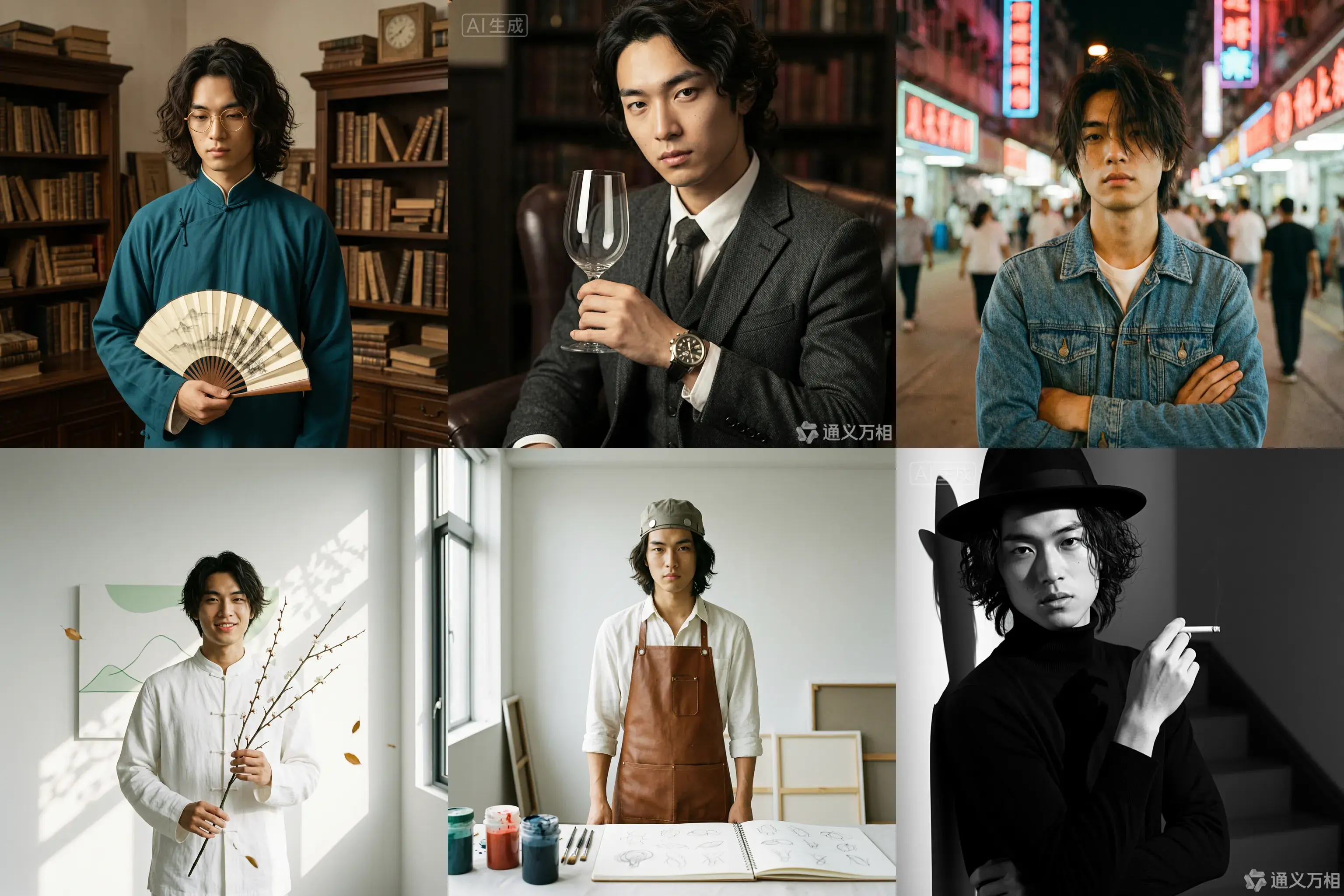
Studi Kasus 1: Pemotretan
Pengaturan karakter dasar: Pria Asia Timur berusia 20 tahun dengan rambut keriting sepanjang medium, bertemperamen artistik, fitur wajah tegas, dan mata halus. Ia mengenakan kaos putih simple atau kemeja biru muda, memancarkan kesan muda dan alami.
1. Gaya Cendekiawan Era Republik
Prompt:
[Deskripsi wajah dasar] Penampilan karakter didasarkan pada reference image 1, mengenakan jubah panjang cyan gelap dan kacamata bulat berbingkai emas, memegang kipas lipat. Latar belakangnya adalah ruang belajar Shanghai lama dengan rak buku kayu, nuansa kuning hangat, tekstur film retro, pencahayaan samping lembut, dan debu yang menari dalam berkas cahaya, menciptakan suasana budaya dan tenang. Format medium Hasselblad, lensa 85mm, resolusi tinggi, gradasi warna sinematik, gaya Wong Kar-wai.
Properti: Kipas lipat / Buku berjilid benang / Kacamata bingkai bulat
Nuansa warna: Kuning hangat / Cyan gelap / Sepia
2. Gaya Gentleman Inggris
Prompt:
[Deskripsi wajah dasar] Penampilan karakter didasarkan pada reference image 1, mengenakan setelan tiga potong tweed abu-abu gelap dan jam tangan mekanik vintage, memegang segelas anggur merah sambil menatapnya. Latar belakangnya adalah perpustakaan klasik atau klub pribadi dengan sofa kulit gelap, pencahayaan Rembrandt, serta suasana gelap, elegan, dan bangsawan. Pandangannya dingin, dengan detail kaya dan tekstur jelas, memancarkan temperamen aristokrat Inggris. Resolusi 8k, bidikan bergaya majalah mode.
Properti: Gelas anggur / Pipa / Jam tangan mekanik
Nuansa warna: Abu-abu gelap / Burgundy / Emas gelap
3. Gaya Retro Hong Kong 90-an
Prompt:
[Deskripsi wajah dasar] Penampilan karakter didasarkan pada reference image 1, mengenakan jaket denim luntur atau kemeja bermotif bunga, rambut sedikit acak-acakan, dan tangan disilangkan. Latar belakangnya adalah jalan malam dengan neon sign, spot cahaya buram, grain tinggi, dan warna kaya, menampilkan kontras warna merah dan biru. Gaya Wong Kar-wai, emosional, tatapan melamun, efek flash langsung, dan suasana nostalgia. [Bidikan full-body].
Nuansa warna: Merah neon / Biru gelap / Hijau film
4. Gaya Zen Tiongkok Modern
Prompt:
[Deskripsi wajah dasar] Penampilan karakter didasarkan pada reference image 1, tersenyum tipis hingga terlihat giginya, mengenakan kemeja Tiongkok modifikasi berkerah tegak berwarna putih, memegang sebatang bunga plum. Latar belakangnya adalah dinding polos minimalis atau hutan bambu, dengan sinar matahari yang membentuk bayangan bercak di dinding. Nuansa warnanya sejuk dan tenang, mencerminkan estetika Timur. Kulitnya transparan, dengan grain tinggi dan finishing matte. Komposisi sederhana dengan lapisan cahaya dan bayangan yang kaya. Fotografi premium, suasana Zen.
Properti: Batang bunga plum
Nuansa warna: Putih / Hijau gelap / Abu-abu muda
5. Gaya Seniman Vintage
Prompt:
[Deskripsi wajah dasar] Penampilan karakter didasarkan pada reference image 1, mengenakan kemeja putih bernoda cat dan celemek kulit cokelat, memegang kuas atau palet cat. Latar belakangnya adalah studio bersih dengan pencahayaan terang dan cahaya-bayangan berwarna-warni. Ekspresinya fokus, menatap cat di tangannya, bukan ke kamera. Rambutnya sedikit acak-acakan, bergaya artistik, dengan nuansa warna impresionis dan tekstur kuat.
Properti: Kuas / Palet / Buku sketsa
Nuansa warna: Cahaya hangat / Cat berwarna-warni / Cokelat
6. Gaya Noir Klasik Hitam-Putih
Prompt:
[Deskripsi wajah dasar] Penampilan karakter didasarkan pada reference image 1, mengenakan sweater turtleneck hitam, memegang rokok, dan topi fedora hitam. Latar belakangnya adalah tangga atau lorong dengan bayangan silang. Fotografi hitam-putih kontras tinggi, pencahayaan keras, bayangan tajam, nuansa misterius, dan gaya detektif hard-boiled. Kontur wajah tajam, dengan tekstur kulit sangat jelas. Seperti still dari film klasik, nuansa abadi, close-up profil samping, fotografi artistik.
Properti: Tongkat / Fedora / Kacamata hitam
Nuansa warna: Hitam-putih / Kontras tinggi
Studi Kasus 2: Desain visual
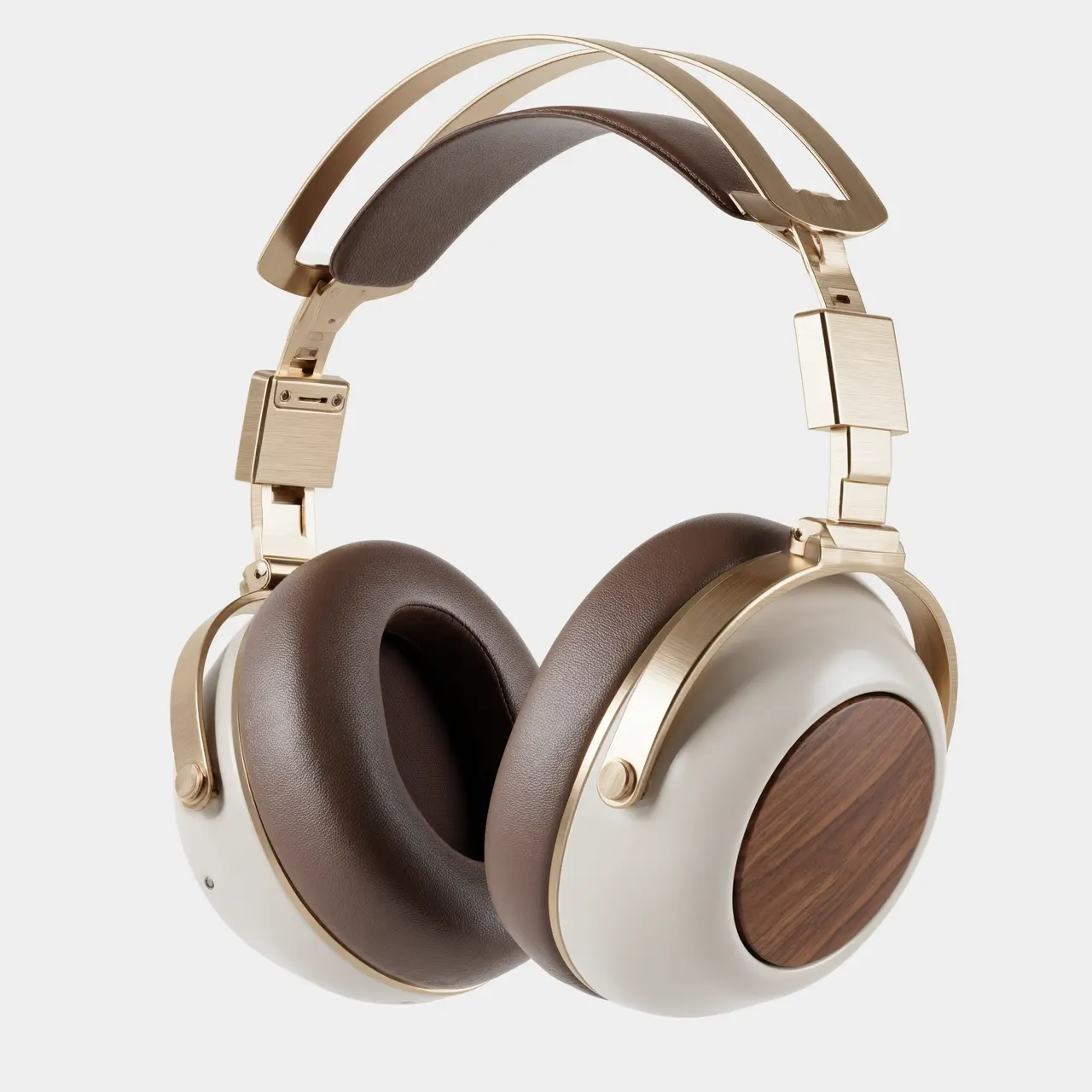
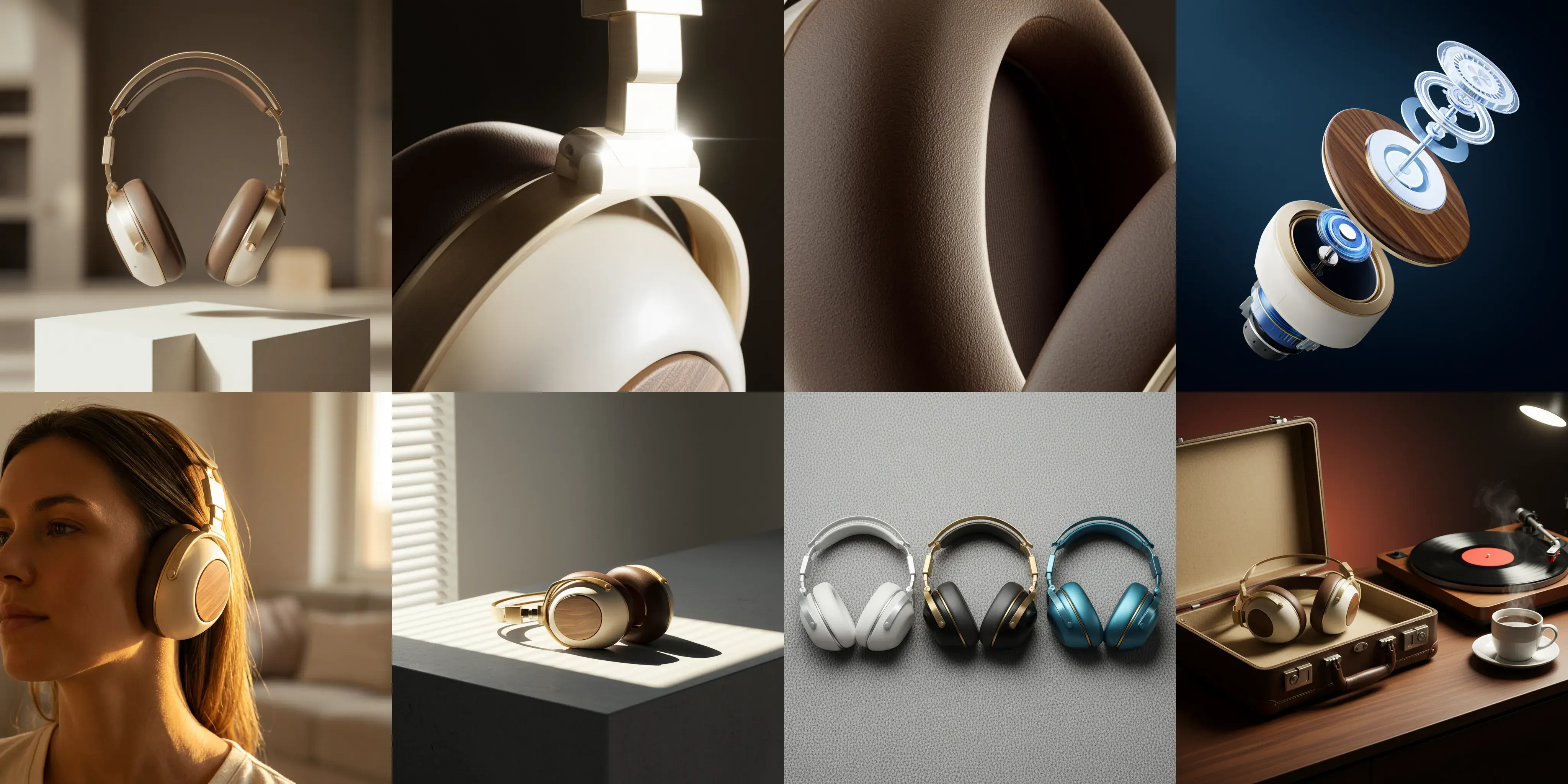
Gambar 1: Gambar sampul visual utama fotografi produk komersial, komposisi panorama tampak depan. Sepasang headphone over-ear nirkabel bergaya retro-futuristik melayang di atas bentuk plester geometris, menampilkan estetika simetris sempurna. Materialnya terbuat dari logam emas sampanye dan cangkang krem-putih. Latar belakangnya adalah cahaya-dan-bayangan dalam ruangan hangat yang sangat blur, dengan cahaya lembut yang menggaris siluet produk. Ruang putih dalam gambar menciptakan kesan lega yang kuat, mengisyaratkan pengalaman pendengaran yang tenang. Resolusi ultra-tinggi 8k, nuansa minimalis dan premium.
Gambar 2: Bidikan makro 100mm pada detail material produk, fokus dekat pada sambungan lengan teleskopik headphone. Jelas menunjukkan tekstur aluminium alloy brushed emas sampanye dan chamfer hasil potongan presisi CNC. Backlight tajam menciptakan highlight starburst pada tepi logam. Latar belakang gelap untuk menekankan presisi industri logam. Kualitas gambar sangat tajam tanpa noise.
Gambar 3: Bidikan makro extreme close-up pada material, fokus pada permukaan earcup kulit protein berwarna mocha. Pencahayaan samping mengungkap tekstur pori halus kulit, kerutan lembut akibat tekanan, dan detail lubang ventilasi, menyampaikan kenyamanan ramah-kulit dan elastisitas maksimal. Cahaya dan bayangan memiliki lapisan kaya, nuansa warna hangat dan lembab. Fotografi makro resolusi ultra-tinggi.
Gambar 4: Tampilan exploded view artistik produk, menunjukkan unit suara internal, chip noise-canceling, modul baterai, serta panel dekoratif kayu walnut dan rangka logam headphone bergaya retro-futuristik dalam keadaan terurai dan melayang. Latar belakang biru teknologi pekat, komponen internal memiliki tekstur holografik semi-transparan, menekankan paduan antara keahlian presisi internal dan teknologi modern. Gaya poster komersial berteknologi tinggi.
Gambar 5: Bidikan humanistik 35mm pada skenario pemakaian, close-up pada garis rahang dan leher model, menunjukkan kepasangan sempurna headphone emas sampanye. Cahaya senja hangat alami dari sisi-belakang menciptakan rim light, dengan ujung rambut berpendar emas. Tekstur warna kulit model sehat dan alami, menciptakan nuansa gaya hidup mendengarkan musik yang santai dan imersif. Latar belakang lingkungan rumah yang blur.
Gambar 6: Foto still life yang menghormati cahaya dan bayangan arsitektural. Headphone diletakkan di atas meja beton abu-abu minimalis. Sinar sore masuk melalui kisi-kisi jendela, menciptakan bayangan keras bergaris yang memotong tubuh matte krem-putih dan rangka emas sampanye, membentuk komposisi geometris kuat antara cahaya dan gelap. Ini menyoroti bentuk tiga dimensi tubuh dan kontras material. Perpaduan nuansa warna dingin dan hangat, komposisi minimalis.
Gambar 7: Komposisi flat-lay tampak atas yang menampilkan pilihan warna. Tiga headphone dari seri ini dengan skema warna berbeda—perak-putih, hitam-emas, dan biru-tembaga—disusun berdampingan. Latar belakangnya adalah kain felt wol abu-abu bertekstur tinggi. Pencahayaan atas lembut menekankan keberagaman desain CMF dan sentuhan halus materialnya. Gambarnya bersih dan rapi, bergaya majalah desain.
Gambar 8: Foto still life potret keluarga gaya hidup merek. Headphone bergaya retro-futuristik diletakkan di samping kotak kulit eksklusif yang senada. Di atas meja terdapat pemutar piringan hitam, piringan yang sedang berputar, dan secangkir kopi panas mengepul. Latar belakang diberi pencahayaan ambient hangat, didominasi nuansa kayu walnut pekat, menyampaikan filosofi merek yang menggabungkan gaya hidup slow-paced dengan kualitas suara high-fidelity. Pencahayaan naratif sinematik.
Pengeditan interaktif
Input image | Output image |
|---|---|
|
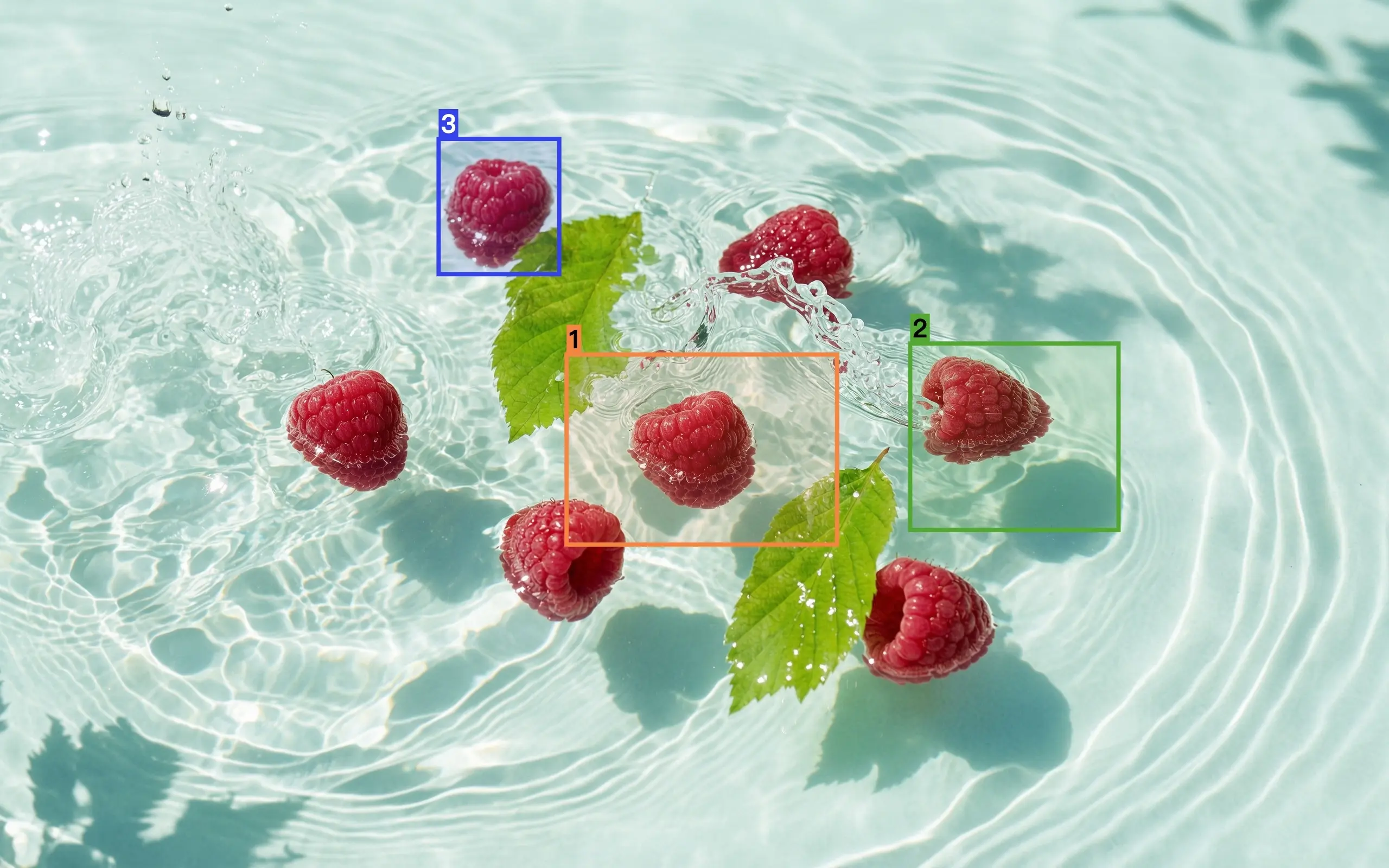
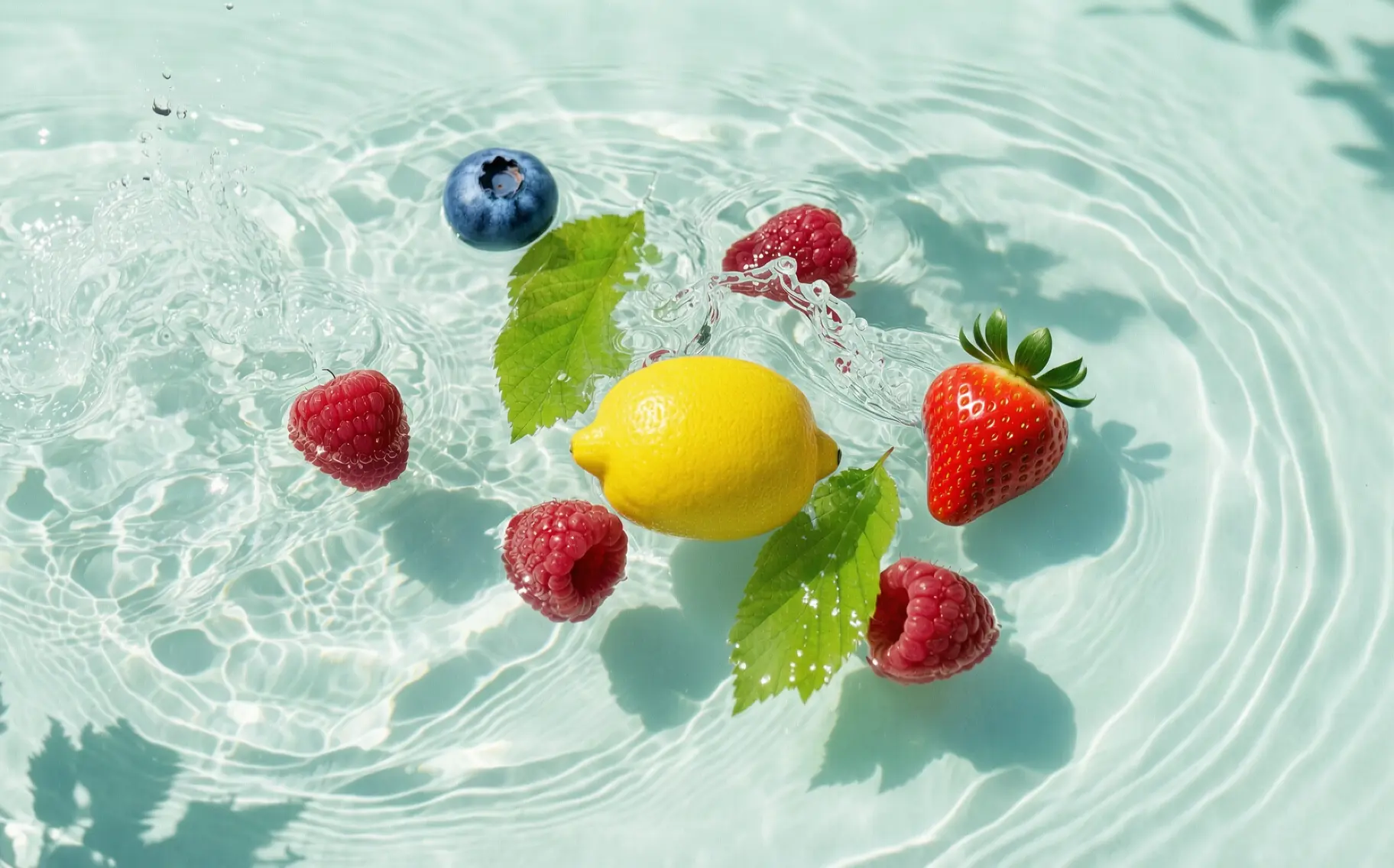
Edit berdasarkan gambar 1. Ganti raspberry yang dipilih di kotak 1 dengan lemon, raspberry di kotak 2 dengan stroberi, dan raspberry di kotak 3 dengan blueberry. Hasilnya harus terintegrasi secara harmonis dengan gambar asli, tanpa kotak referensi dan nomor, serta pertahankan konten lainnya tetap tidak berubah. |
|
Tempatkan pola yang dipilih dari gambar 1 ke area yang dipilih di gambar 2. |


Fusi multi-gambar
Input image | Output image |
|---|---|
|
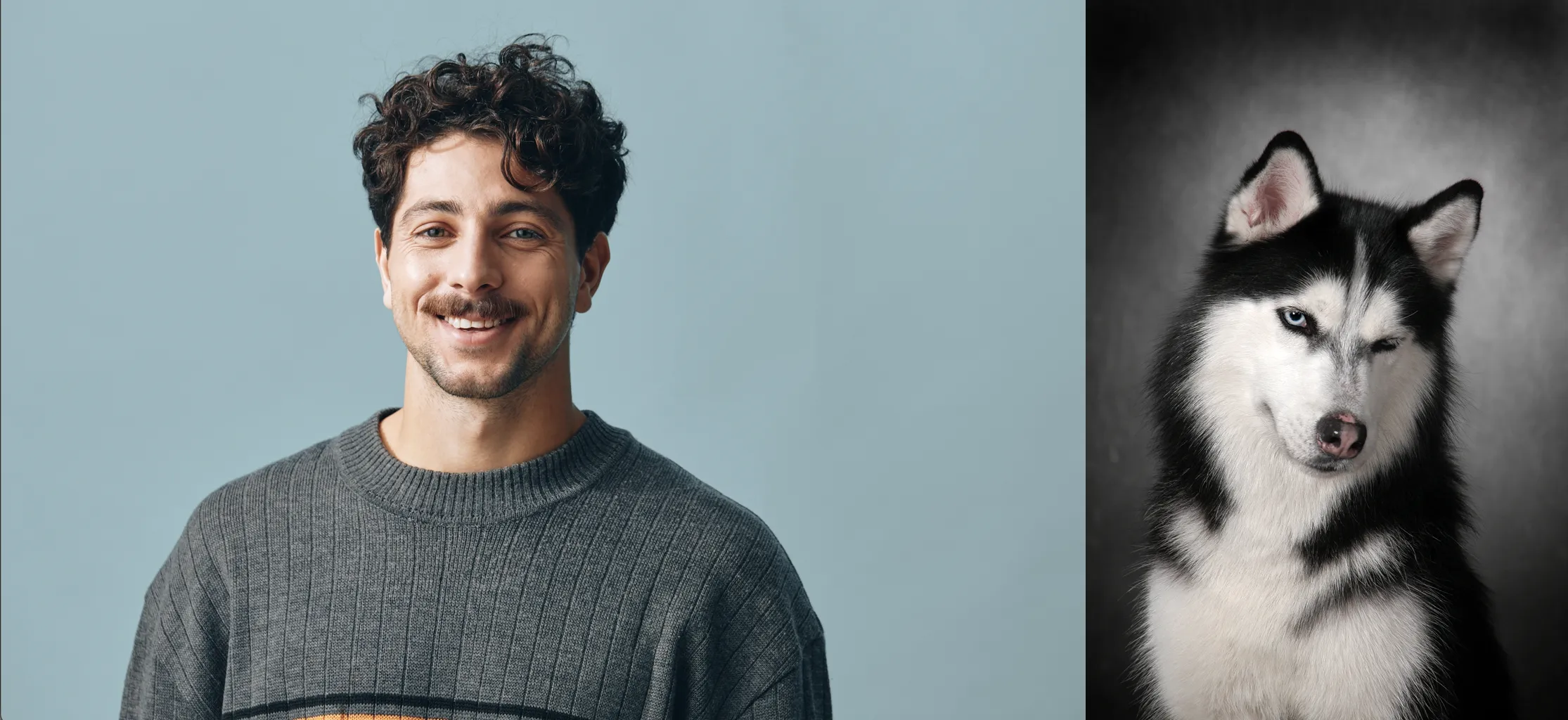
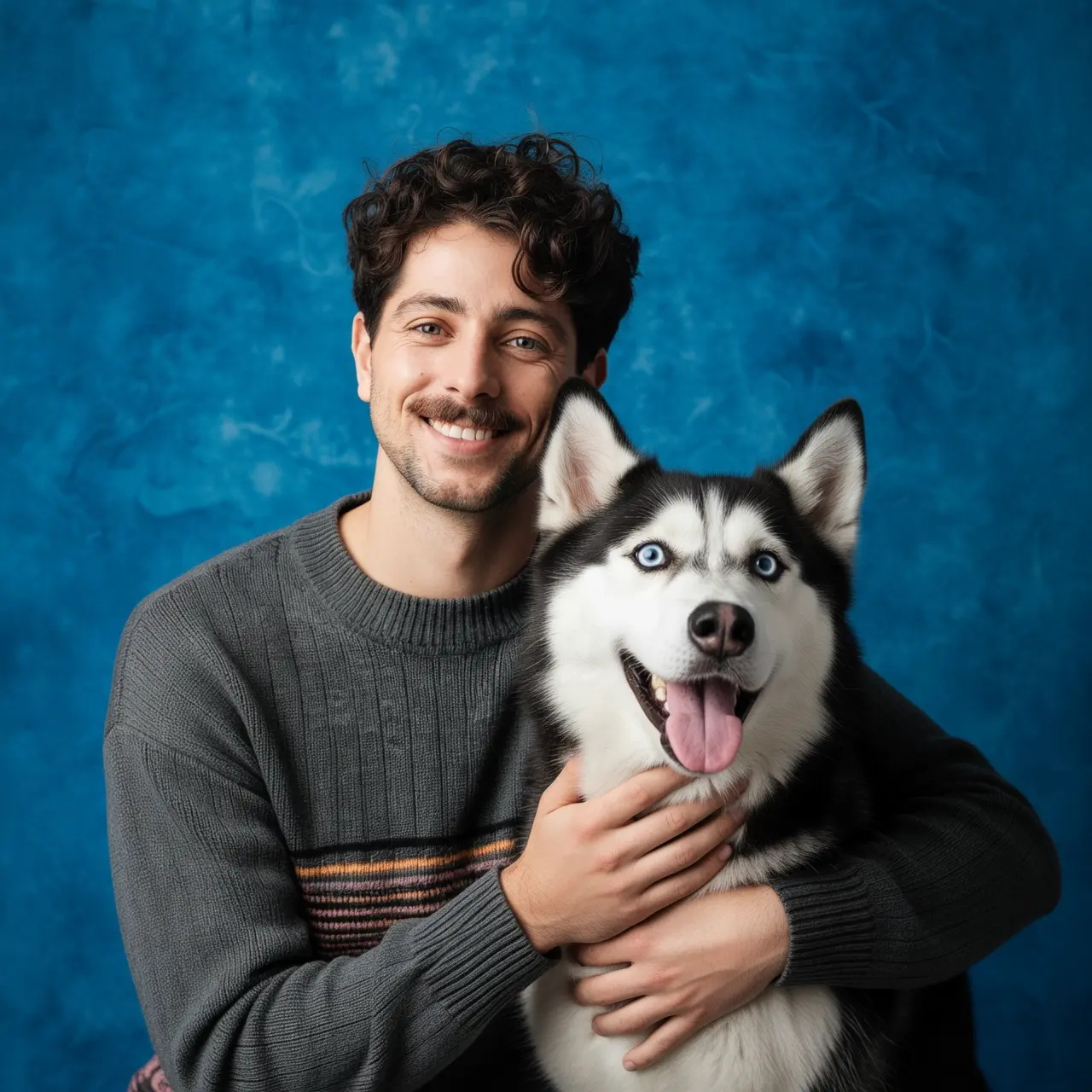
Ambil potret anak laki-laki dari gambar 1 dan anjing dari gambar 2. Anak laki-laki tersebut memeluk anjing, dan keduanya sangat bahagia. Pencahayaan studio lembut, latar belakang bertekstur biru. |
|
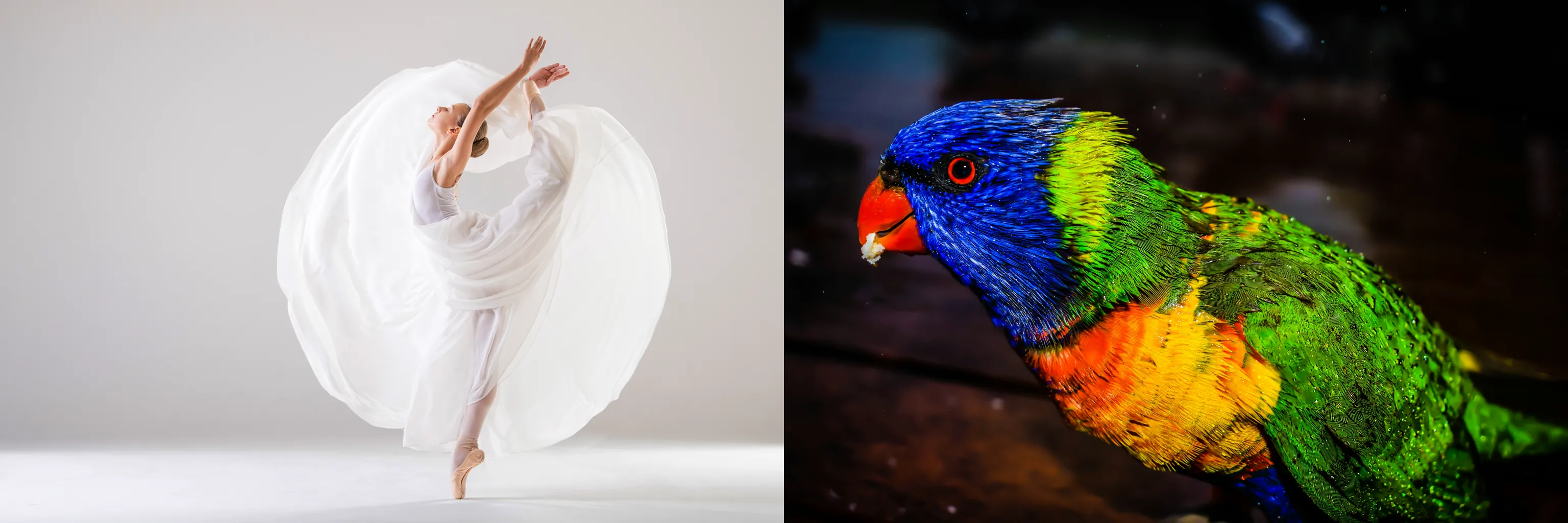
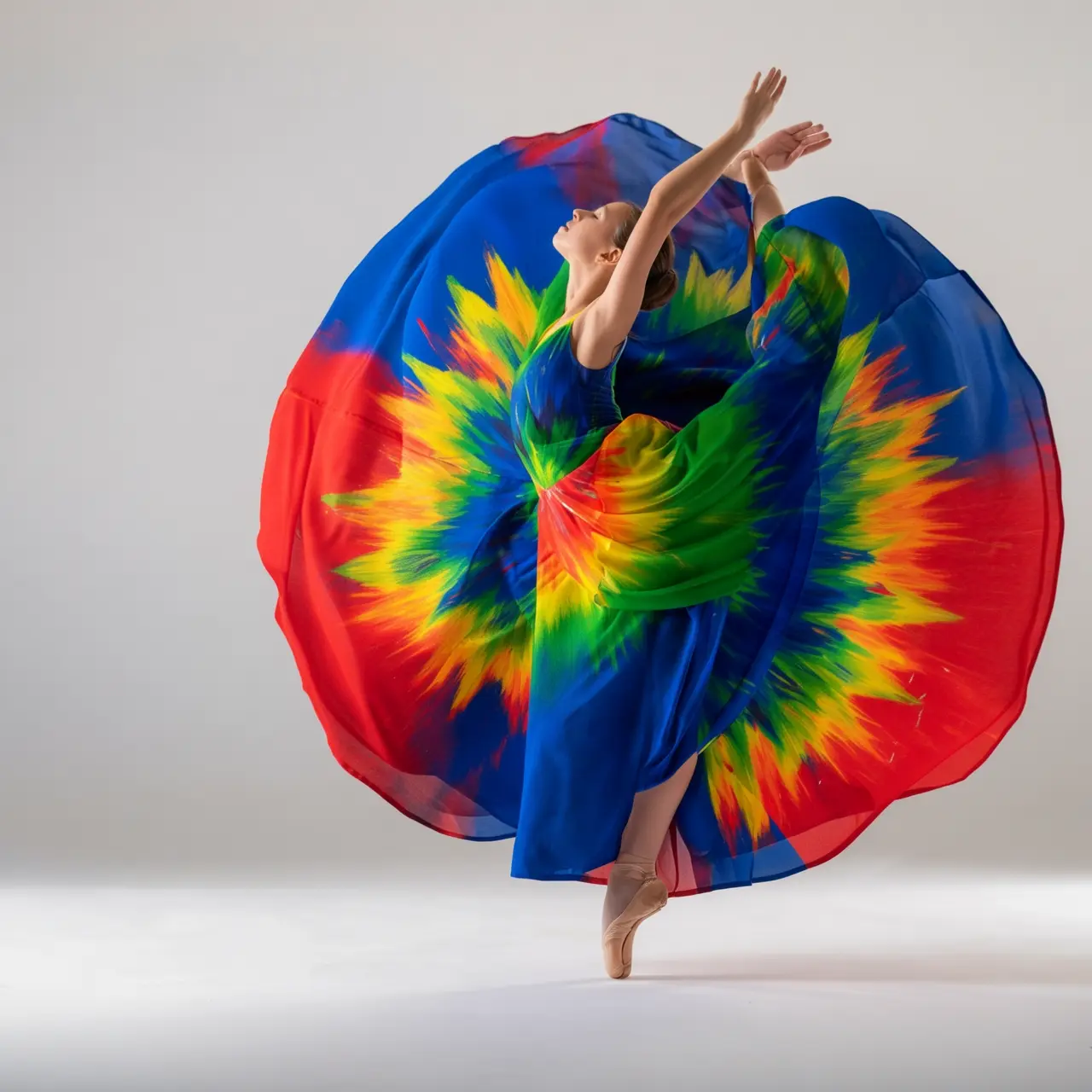
Ubah warna gaun dari gambar 1 menggunakan warna burung di gambar 2. Buat secara artistik, tetapi pertahankan gaya gaun dan model tetap tidak berubah. |
Pelestarian fitur subjek
Input image | Output image |
|---|---|
|
Harap hasilkan satu set empat foto Polaroid dengan tema "Perubahan Musim". Setiap foto diambil di lokasi yang sama, di bawah pohon di taman, tetapi menampilkan pemandangan musim semi, musim panas, musim gugur, dan musim dingin masing-masing. Pakaian orang tersebut juga harus sesuai musim: jaket ringan di musim semi, kaus lengan pendek di musim panas, mantel trench di musim gugur, dan syal serta mantel tebal di musim dingin. Tempatkan set foto ini di atas meja makan. |

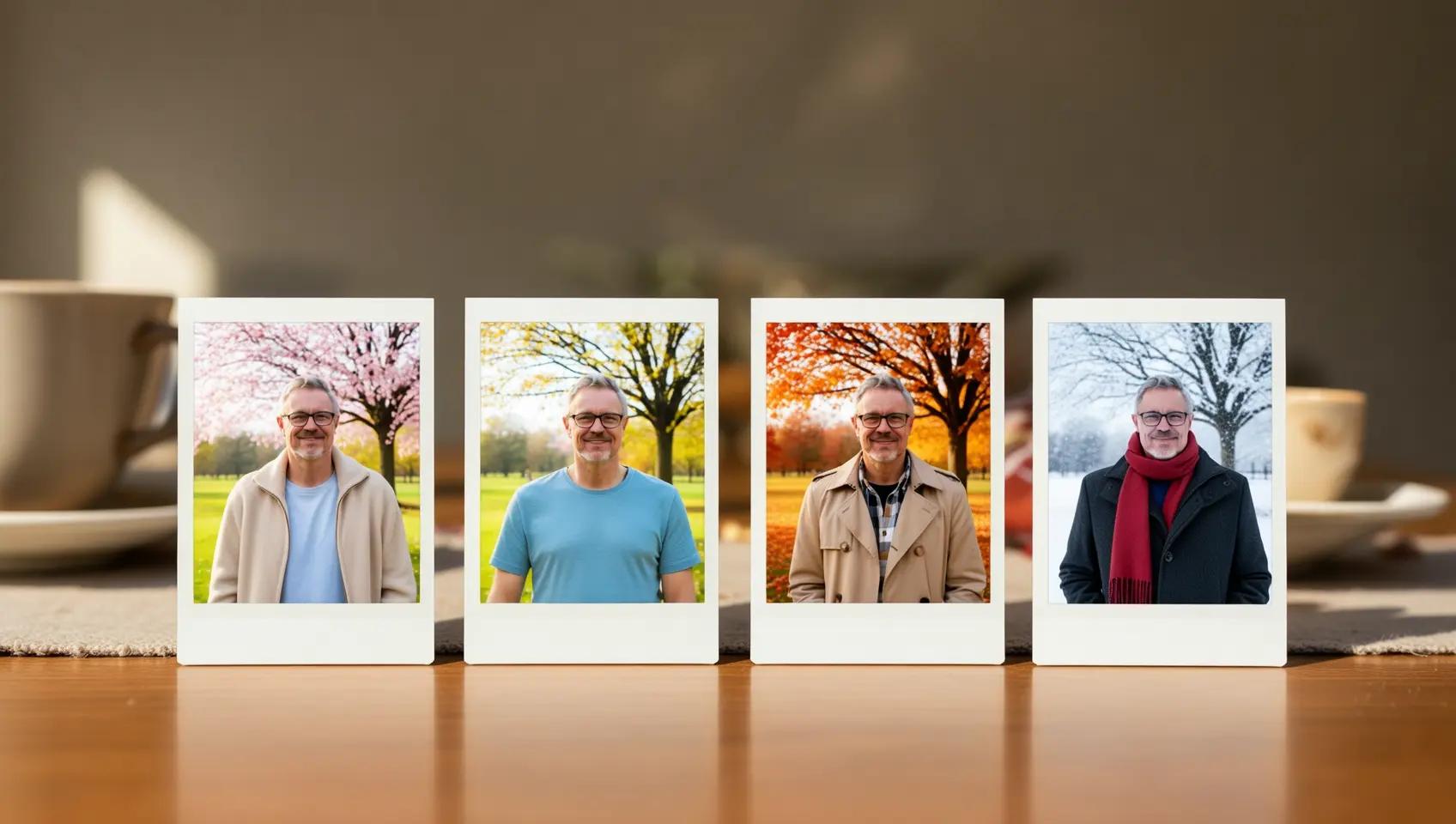
Deteksi dan segmentasi
Input image | Output image |
|---|---|
|
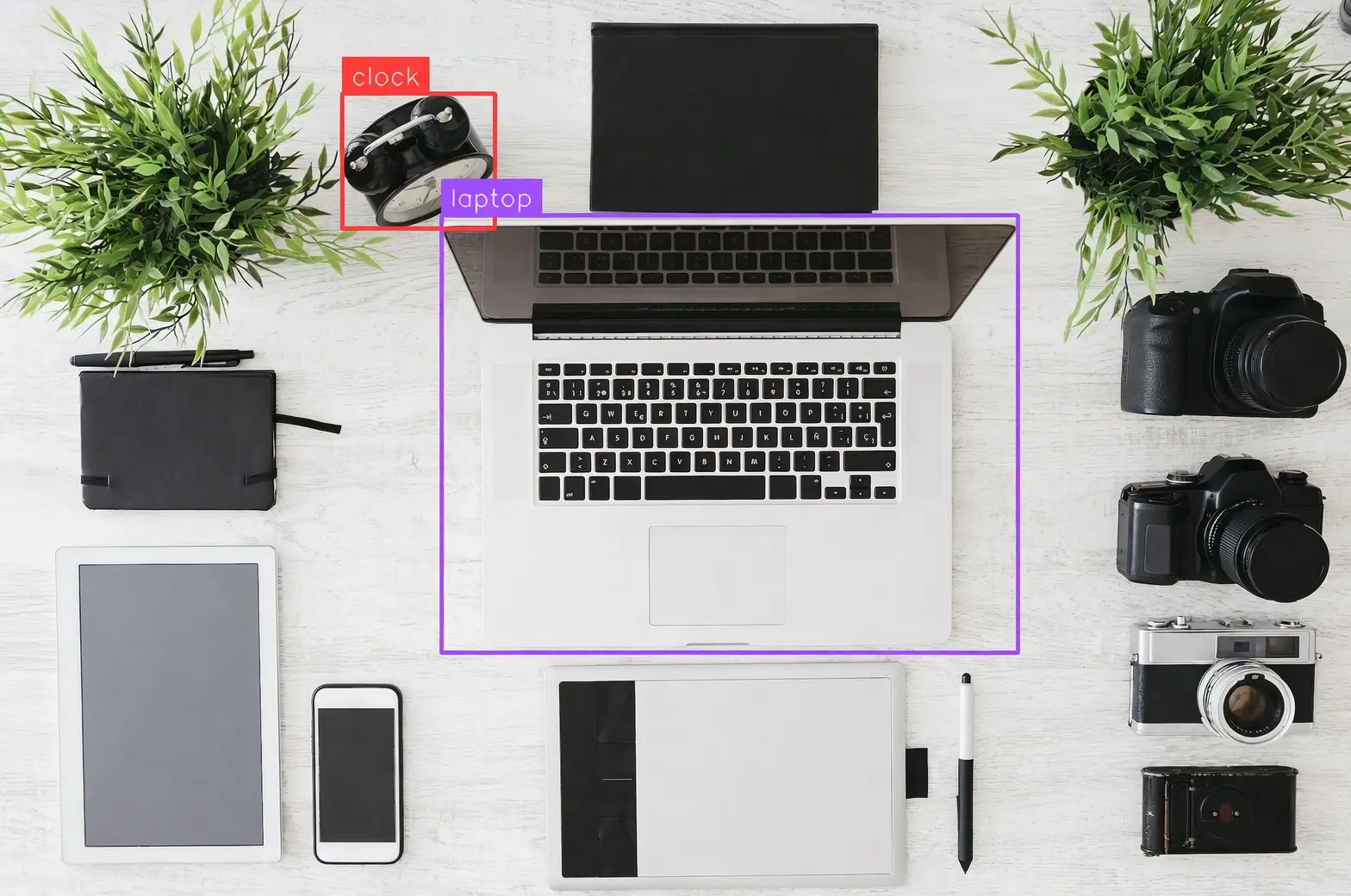
Deteksi laptop dan jam alarm dalam gambar, gambarkan bounding box, dan beri label "laptop" dan "clock". |
|
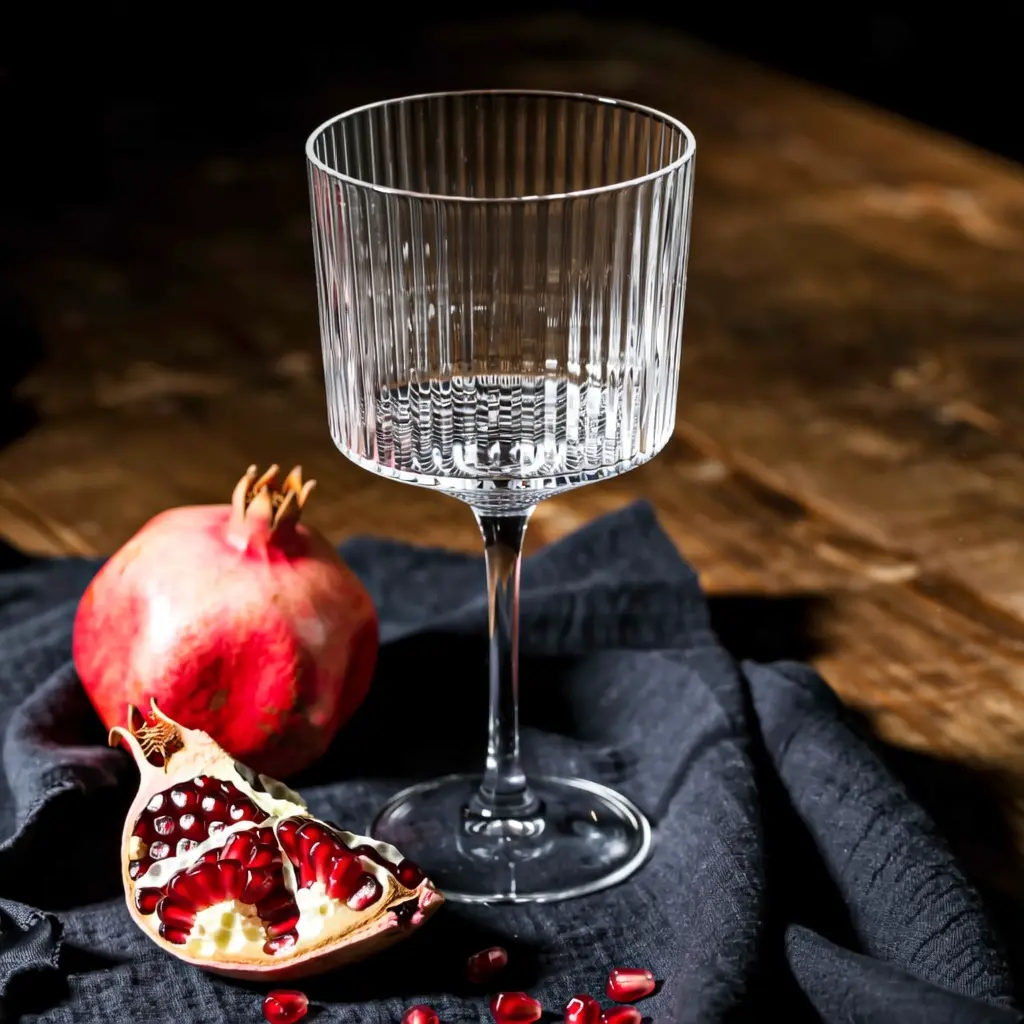
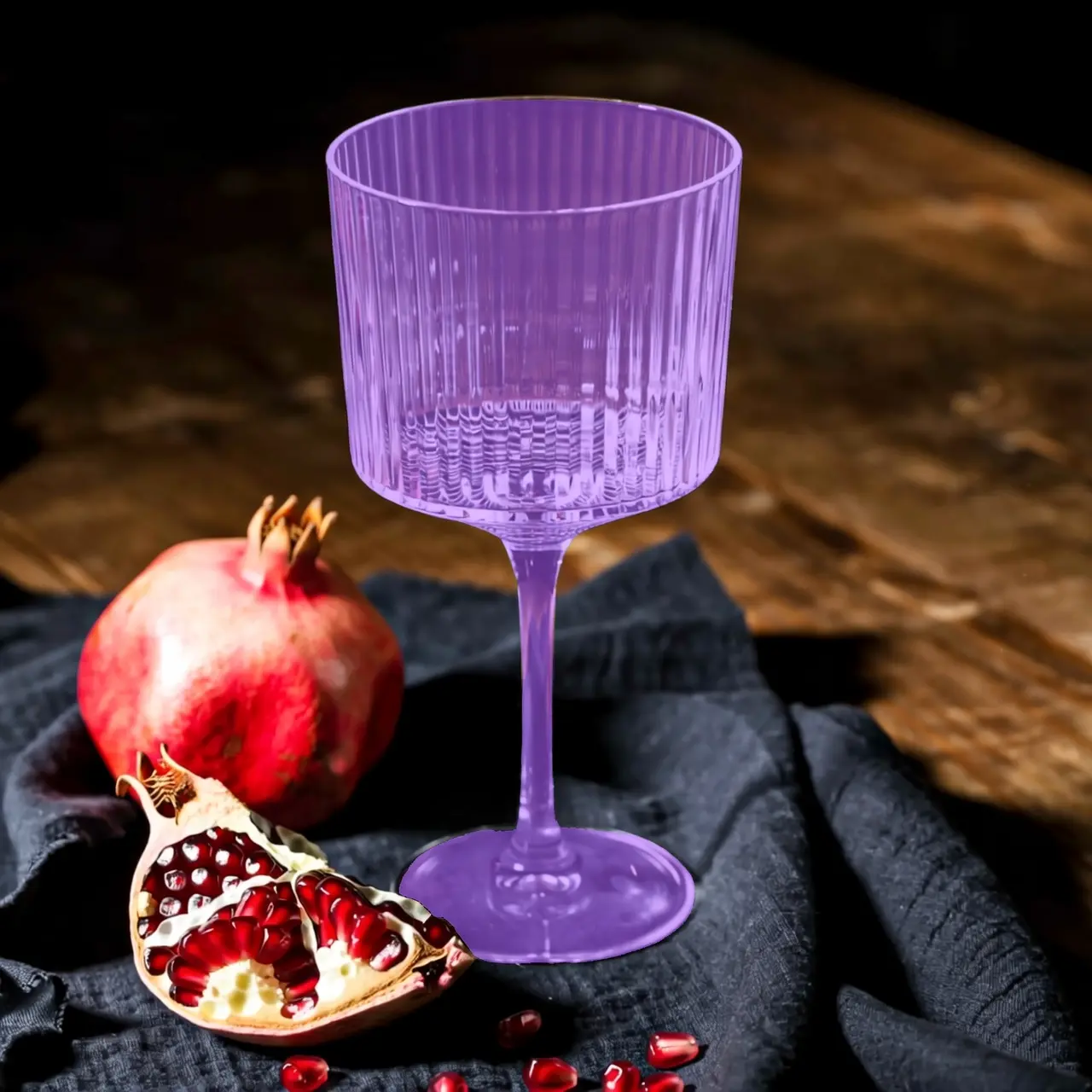
Segmentasi gelas kaca dalam gambar. |

Ekstraksi elemen
Input image | Output image |
|---|---|
|
Ekstrak item pakaian dari foto yang diunggah dan susun dalam tampilan flat-lay di latar belakang putih polos. Pertahankan detail realistis dan tekstur materialnya. Gaya e-commerce fesyen, cocok untuk tampilan pakaian. |


Pengeditan teks
Input image | Output image |
|---|---|
|
Hapus semua watermark dari gambar. |
|
Tulis secara kasual "Time for Holiday?" di pasir dengan tangan. |
|
Ubah 18 menjadi 29 dan JUNE menjadi SEPTEMBER. |
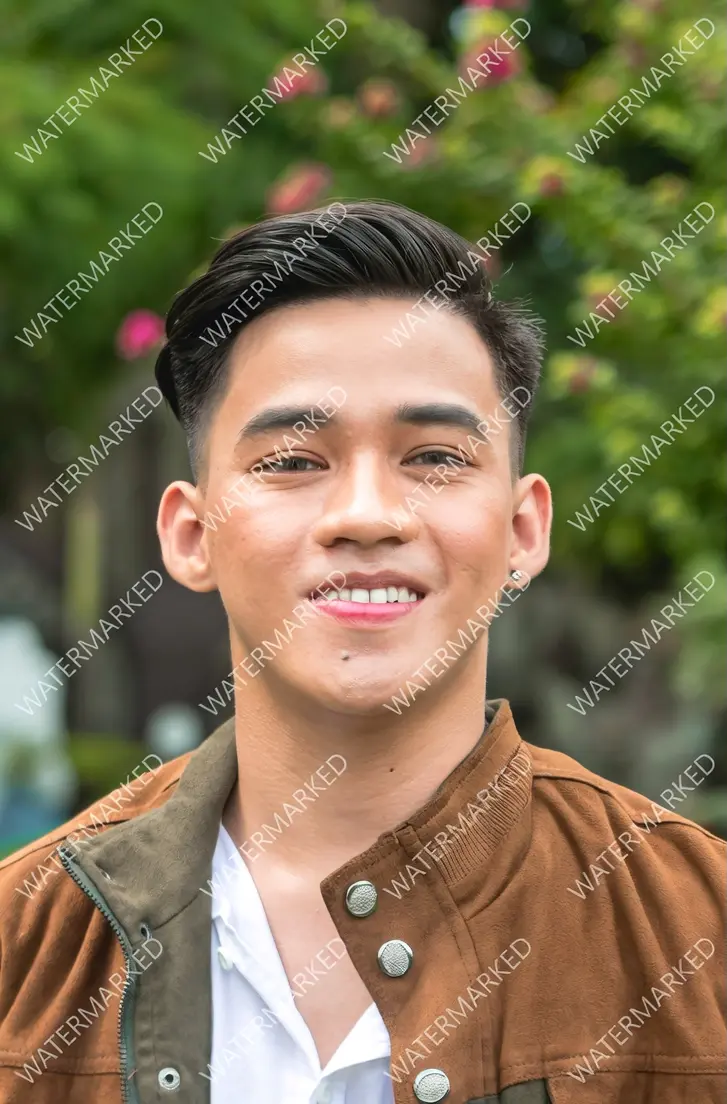





Pengeditan kamera dan perspektif
Input image | Output image |
|---|---|
|
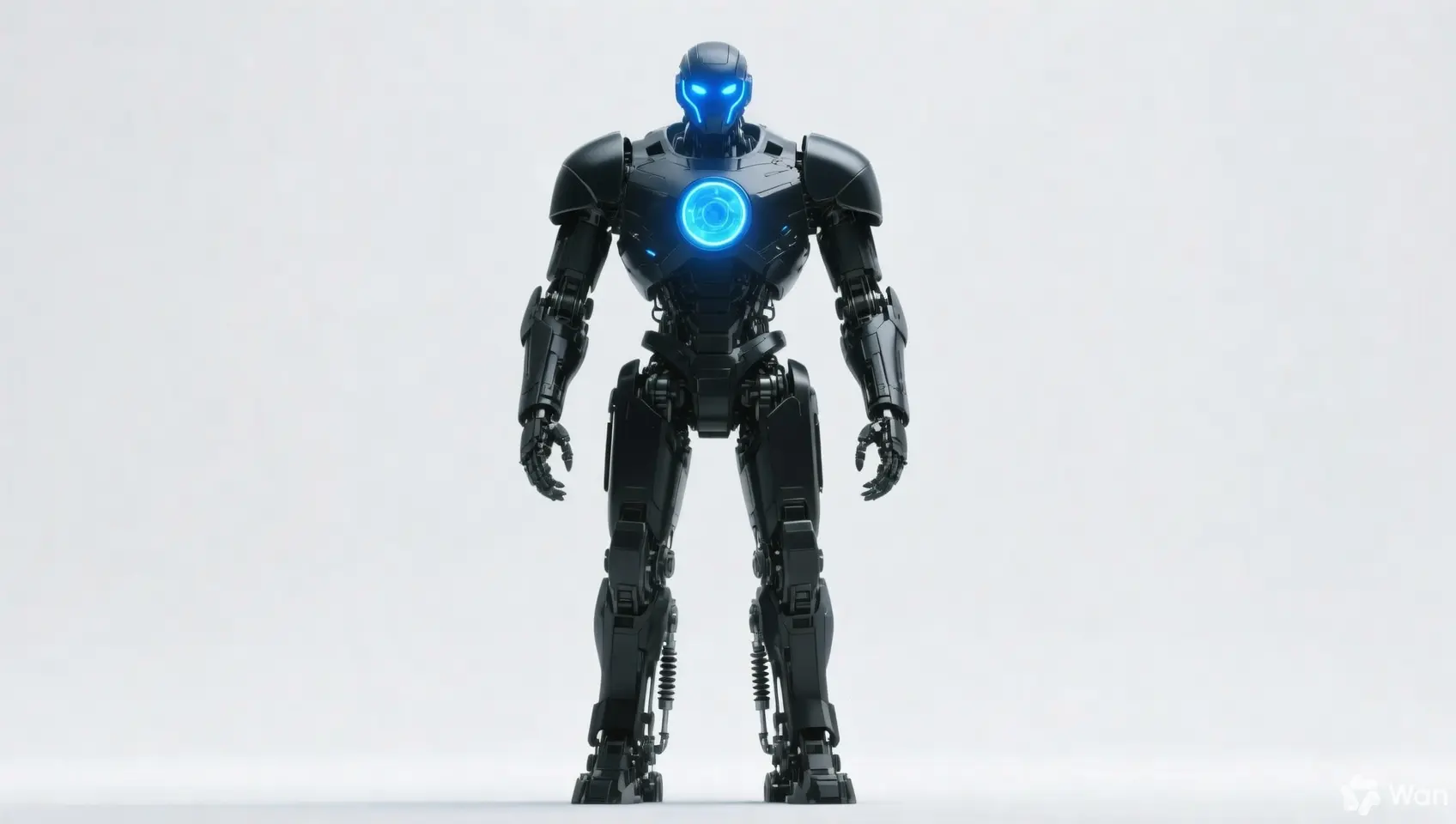
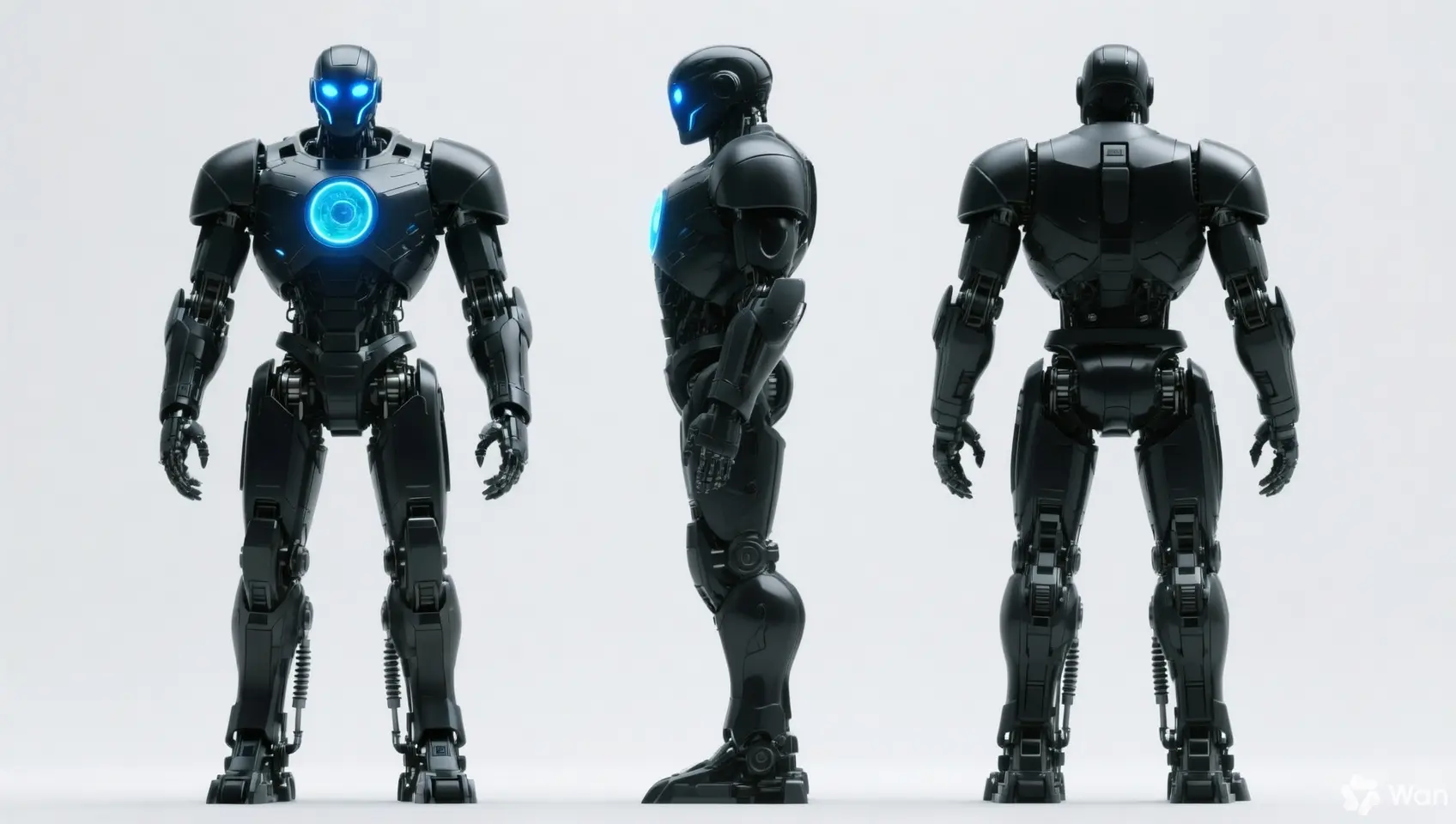
Pertahankan fitur orang tersebut tetap tidak berubah dan hasilkan tampilan depan, samping, dan belakang. |
|
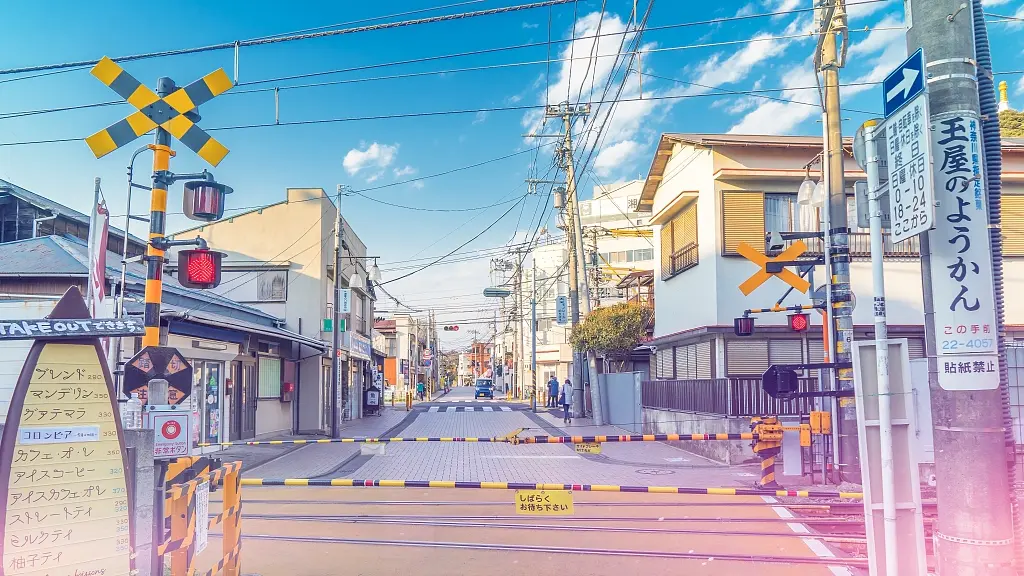
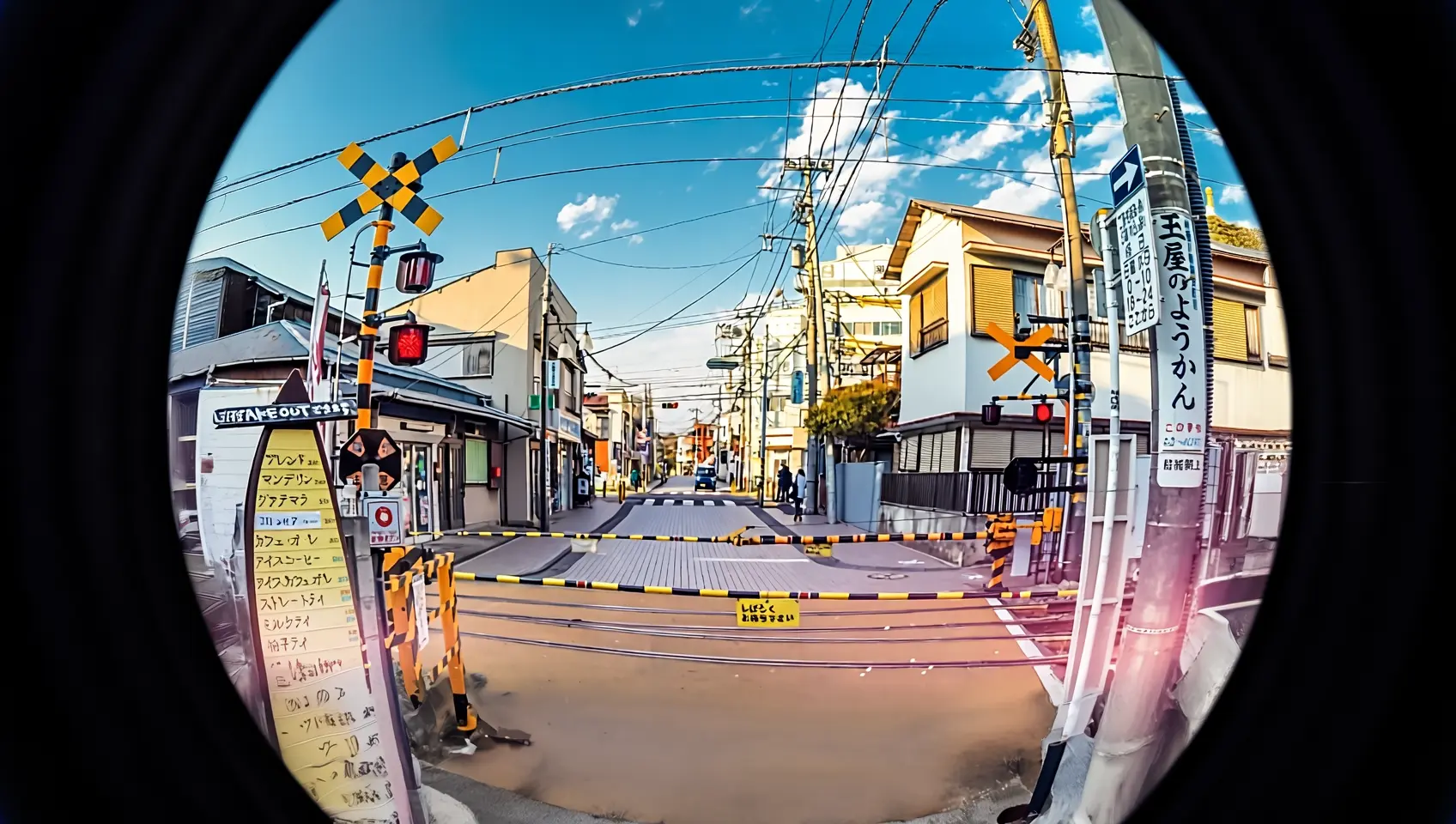
Rekam ulang foto ini dengan lensa fisheye. |
Spesifikasi input
Spesifikasi gambar input
Spesifikasi | wan2.7-image-pro, wan2.7-image | wan2.6-image | wan2.5-i2i-preview |
|---|---|---|---|
Jumlah gambar input | 0 hingga 9 (0 berarti mode text-to-image) | Editing gambar: 1 hingga 4 / Gabungan teks dan gambar: 0 hingga 1 | 1 hingga 3 |
Format gambar | JPEG, JPG, PNG (alpha channel tidak didukung), BMP, WEBP | JPEG, JPG, PNG (alpha channel tidak didukung), BMP, WEBP | JPEG, JPG, PNG (alpha channel tidak didukung), BMP, WEBP |
Rentang lebar dan tinggi gambar | [240, 8000] piksel | [240, 8000] piksel | [384, 5000] piksel |
Ukuran file | ≤ 20 MB | ≤ 10 MB | ≤ 10 MB |
Rasio aspek | [1:8, 8:1] | Tanpa Batas | [1:4, 4:1] |
Urutan input gambar
Nomor gambar dalam prompt sesuai dengan posisi array: gambar pertama adalah "image 1", gambar kedua adalah "image 2". Anda juga dapat menggunakan penanda seperti "[image 1]" dan "[image 2]".
{
    "content": [
        {"text": "Editing instruction, for example: Place the alarm clock from image 1 next to the vase on the dining table in image 2"},
        {"image": "https://example.com/image1.png"},
        {"image": "https://example.com/image2.png"}
    ]
}
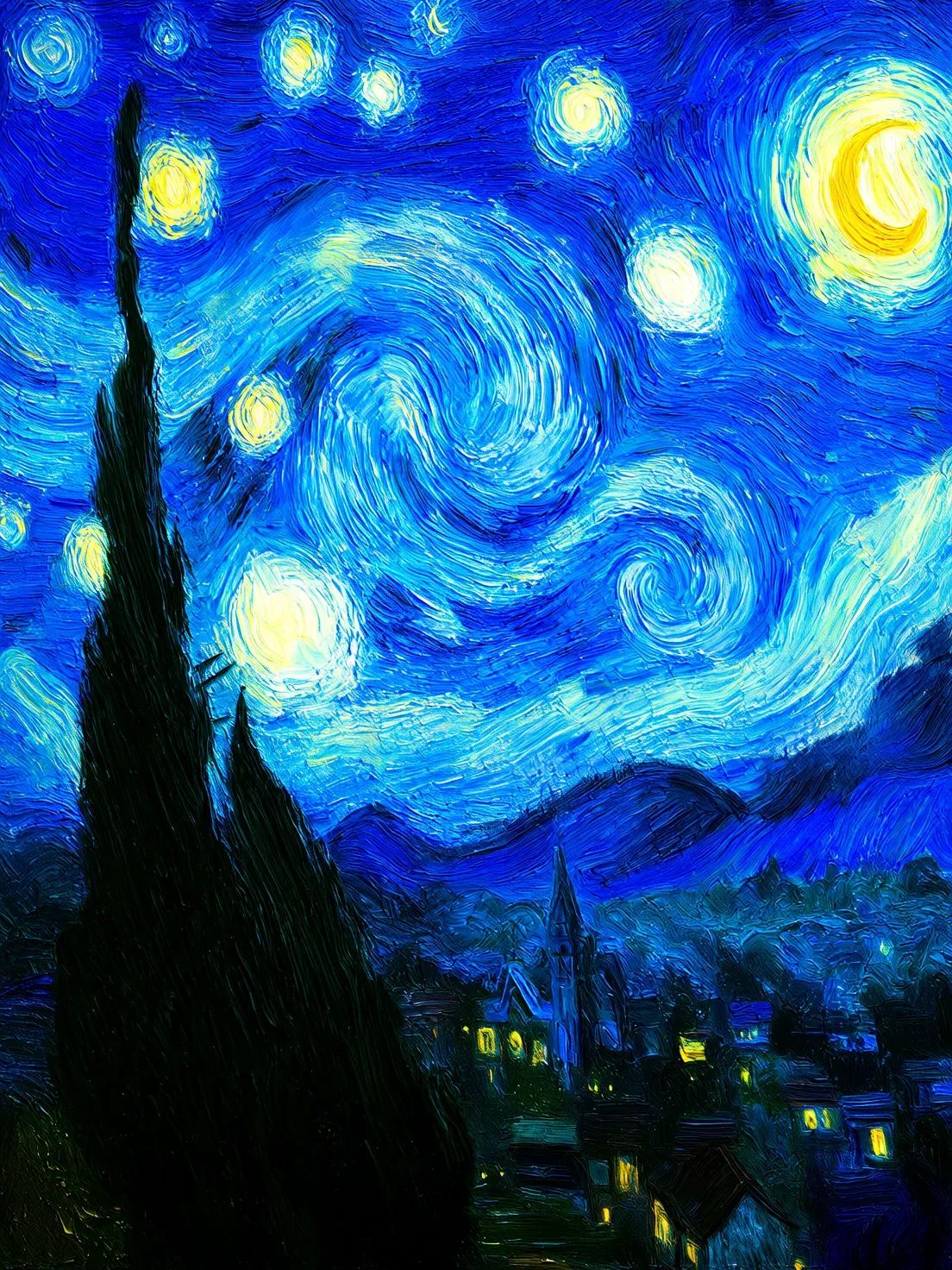
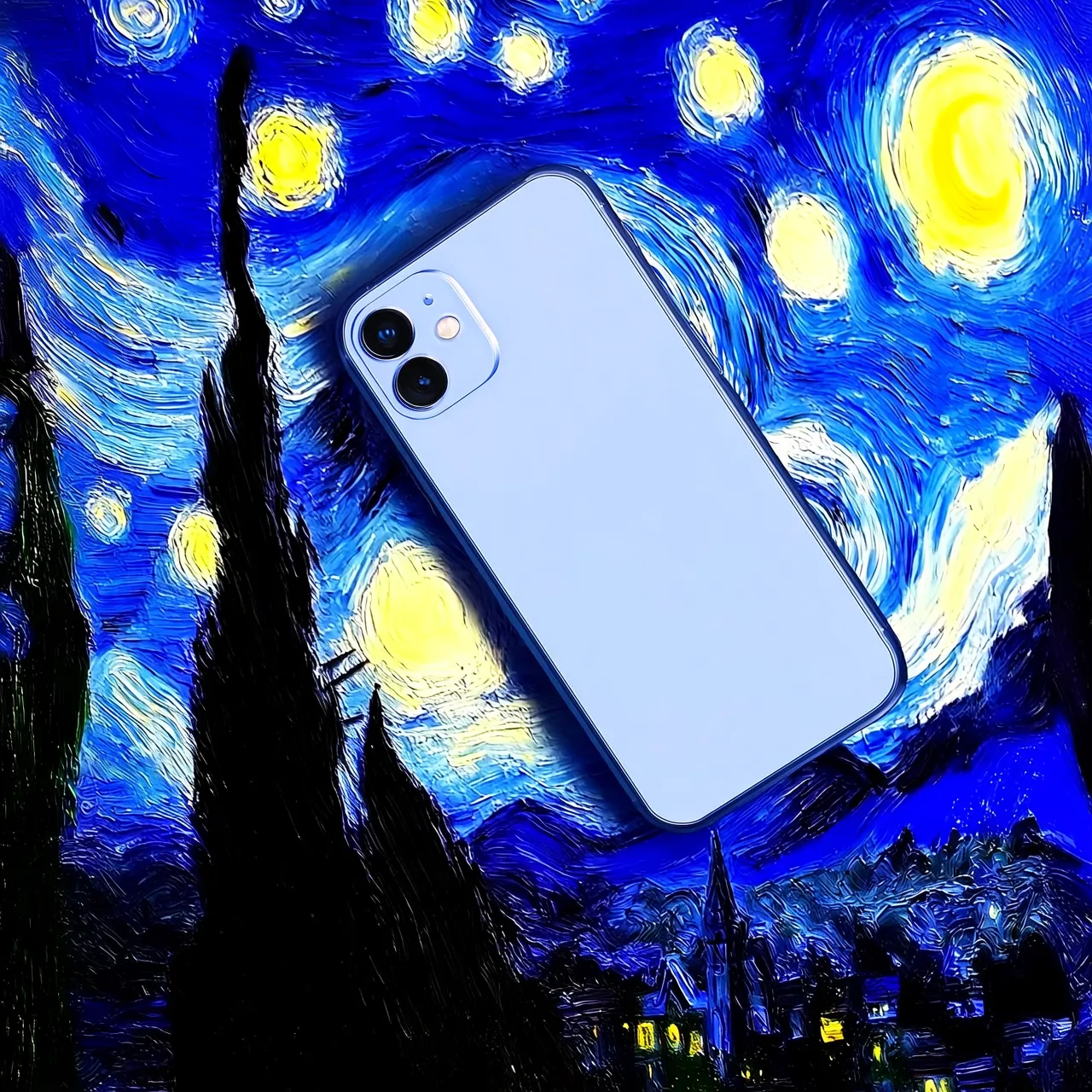
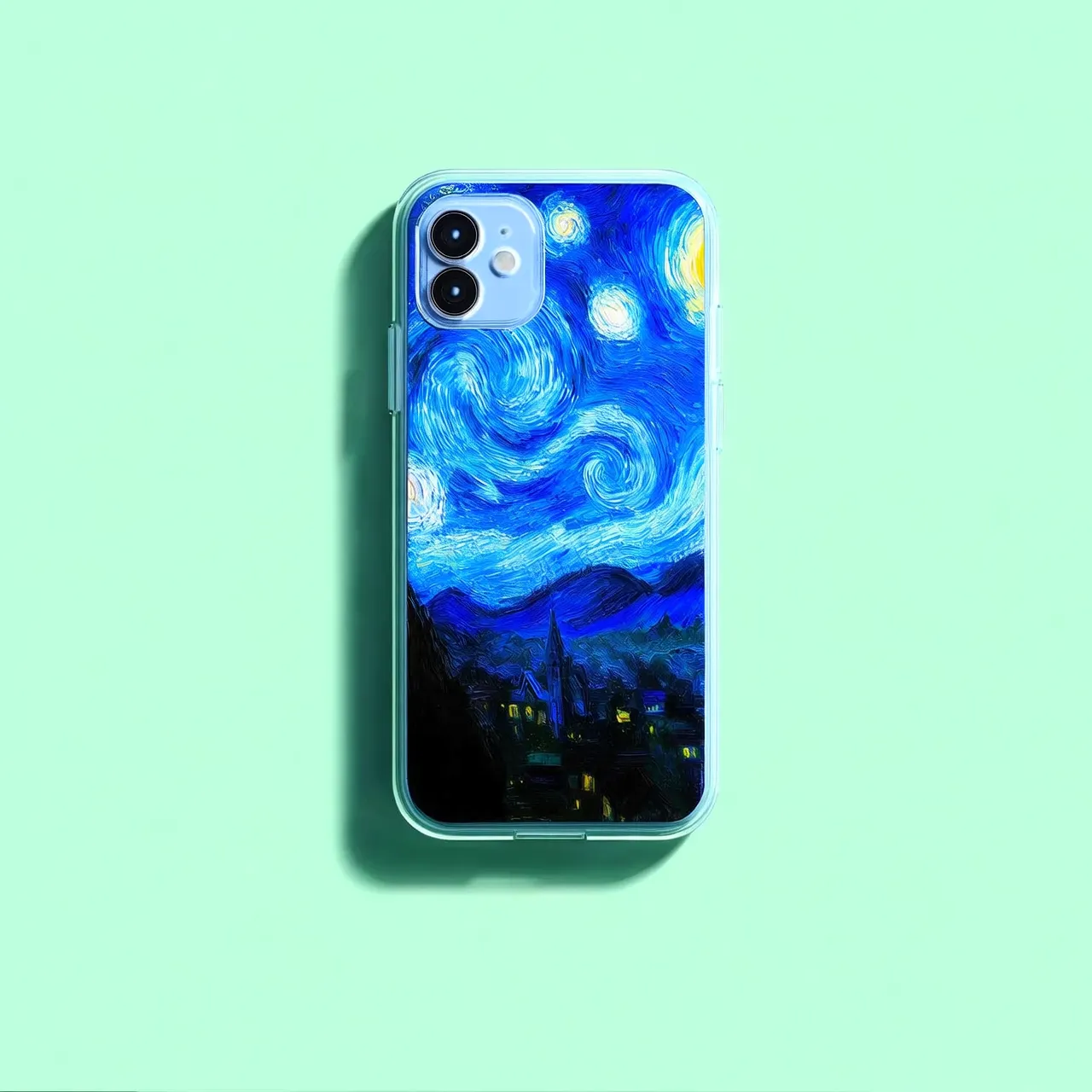
Gambar input | Gambar output | ||
|---|---|---|---|
Image 1 |
Image 2 |
Prompt: Move image 1 onto image 2 |
Prompt: Move image 2 onto image 1 |

Metode input gambar
Kirimkan gambar menggunakan salah satu metode berikut:
Metode 2: Encoding Base64
Konversi file gambar menjadi string terenkripsi Base64 dan format sebagai: data:{MIME_type};base64,{base64_data}.
-
Contoh nilai:
data:image/png;base64,iVBORw0KGgoAAAANSUhEUgAABDg......(Ini adalah cuplikan karena keterbatasan panjang). Saat melakukan panggilan, kirimkan string lengkapnya. -
{base64_data}: String terenkripsi Base64 dari file gambar.
-
{MIME_type}: Jenis media gambar, yang harus sesuai dengan format file.
Format gambar
MIME Type
JPEG
image/jpeg
JPG
image/jpeg
PNG
image/png
BMP
image/bmp
WEBP
image/webp
-
Gunakan untuk transmisi gambar lokal, privat, atau terenkripsi.
Metode 3: Jalur file lokal (hanya SDK)
-
Python SDK: Mendukung jalur mutlak dan relatif. Aturan jalur file adalah sebagai berikut:
Sistem
Jalur file input
Contoh (jalur mutlak)
Contoh (jalur relatif)
Linux atau macOS
file://{jalur mutlak atau relatif file}
file:///home/images/test.png
file://./images/test.png
Windows
file://D:/images/test.png
file://./images/test.png
-
Java SDK: Hanya mendukung jalur mutlak. Aturan jalur file adalah sebagai berikut:
Sistem
Jalur file input
Contoh (jalur mutlak)
Linux atau macOS
file://{jalur mutlak file}
file:///home/images/test.png
Windows
file:///{jalur mutlak file}
file:///D:/images/test.png
-
Gunakan untuk pengujian cepat dalam pengembangan lokal.
Fitur utama
1. Mengikuti instruksi (prompt)
Parameter: messages.content.text atau input.prompt (wajib), negative_prompt (opsional).
- text atau prompt (Positive prompt): Jelaskan konten, subjek, adegan, gaya, pencahayaan, dan komposisi untuk gambar output.
- negative_prompt (Negative prompt): Tentukan konten yang tidak diinginkan, seperti "blurry" atau "extra fingers".
Parameter | wan2.7-image-pro, wan2.7-image | wan2.6-image | wan2.5-i2i-preview |
|---|---|---|---|
text | Wajib, hingga 5.000 karakter | Wajib, hingga 2.000 karakter | Tidak didukung |
prompt | Tidak didukung | Tidak didukung | Wajib, hingga 2.000 karakter |
negative_prompt | Tidak didukung | Didukung, hingga 500 karakter | Didukung, hingga 500 karakter |
2. Aktifkan penulisan ulang prompt cerdas
Parameter: parameters.prompt_extend (bool, default true).
Memperluas prompt pendek untuk meningkatkan kualitas gambar dengan biaya peningkatan waktu respons.
Praktik terbaik:
- Aktifkan: Saat prompt bersifat ringkas atau umum.
- Nonaktifkan: Untuk kontrol detail halus, deskripsi mendetail, atau skenario yang sensitif terhadap latensi. Atur
prompt_extendkefalse.
Parameter | wan2.7-image-pro, wan2.7-image | wan2.6-image | wan2.5-i2i-preview |
|---|---|---|---|
prompt_extend | Tidak didukung | Didukung (hanya dalam mode pengeditan gambar) | Didukung |
3. Atur resolusi gambar output
Parameter: parameters.size (string), dalam format "width*height".
| Parameter | wan2.7-image-pro, wan2.7-image | wan2.6-image | wan2.5-i2i-preview |
|---|---|---|---|
size | Metode 1: Tentukan resolusi gambar output (disarankan) Dalam mode editing (dengan setidaknya satu gambar yang diberikan), tingkat resolusi output opsional adalah:
| Metode 1: Gunakan rasio gambar input sebagai referensi (disarankan) Dalam mode editing (
| Hanya mendukung penentuan nilai piksel lebar dan tinggi gambar yang dihasilkan
|
4. Pengeditan presisi interaktif
Gunakan parameters.bbox_list untuk memilih wilayah spesifik yang akan diedit. Hanya didukung oleh wan2.7-image-pro dan wan2.7-image.
- Panjang daftar: Harus sesuai dengan jumlah gambar input. Gunakan daftar kosong
[]untuk gambar yang tidak perlu diedit. - Format koordinat:
[x1, y1, x2, y2](x kiri atas, y kiri atas, x kanan bawah, y kanan bawah). Koordinat menggunakan nilai piksel absolut dengan origin (0, 0) di pojok kiri atas, sumbu-x ke kanan, sumbu-y ke bawah. - Batas jumlah: Maksimal 2 bounding box per gambar.
Contoh: 3 gambar input di mana gambar 1 memiliki dua bounding box dan gambar 2 tidak memiliki bounding box
[
  [[0, 0, 12, 12], [25, 25, 100, 100]],  # Image 1 (2 boxes)
  [],                                    # Image 2 (no box)
  [[10, 10, 50, 50]]                    # Image 3 (1 box)
]
Klik untuk melihat contoh pemanggilan
curl --location 'https://{WorkspaceId}.ap-southeast-1.maas.aliyuncs.com/api/v1/services/aigc/multimodal-generation/generation' \
    --header 'Content-Type: application/json' \
    --header "Authorization: Bearer $DASHSCOPE_API_KEY" \
    --data '{
        "model": "wan2.7-image-pro",
        "input": {
            "messages": [
                {
                    "role": "user",
                    "content": [
                        {"image": "https://img.alicdn.com/imgextra/i3/O1CN0157XGE51l6iL9441yX_!!6000000004770-49-tps-1104-1472.webp"},
                        {"image": "https://img.alicdn.com/imgextra/i3/O1CN01SfG4J41UYn9WNt4X1_!!6000000002530-49-tps-1696-960.webp"},
                        {"text": "Place the alarm clock from image 1 into the bounding box of image 2, and blend the scene and lighting naturally."}
                    ]
                }
            ]
        },
        "parameters": {
            "bbox_list": [[],[[989, 515, 1138, 681]]],
            "size": "2K",
            "n": 1,
            "watermark": false
        }
    }'
Cara menentukan koordinat wilayah pengeditan
Gambar bounding box dengan menyeret mouse pada gambar untuk seleksi yang presisi dan intuitif:
# Install dependencies: pip install opencv-python
import cv2
import urllib.request

# Unduh contoh gambar (ganti dengan URL gambar Anda sendiri atau path lokal)
image_url = "https://img.alicdn.com/imgextra/i3/O1CN01SfG4J41UYn9WNt4X1_!!6000000002530-49-tps-1696-960.webp"
urllib.request.urlretrieve(image_url, "example.webp")

# Baca gambar dan buka jendela interaktif
img = cv2.imread("example.webp")
# Seret mouse di jendela pop-up untuk menggambar kotak. Tekan Enter untuk konfirmasi, tekan Esc untuk membatalkan
x, y, w, h = cv2.selectROI("Draw bounding box (Enter=confirm, Esc=cancel)", img)
cv2.destroyAllWindows()

# Konversi (x, y, w, h) yang dikembalikan oleh OpenCV ke format [x1, y1, x2, y2] yang dibutuhkan oleh bbox_list
# Sistem koordinat: origin di pojok kiri atas, sumbu-x ke kanan, sumbu-y ke bawah, satuan dalam piksel
bbox = [x, y, x + w, y + h]
print(f"Bounding box coordinates: {bbox}")  # Teruskan koordinat ini ke parameters.bbox_list
Gunakan qwen3.6-plus untuk mengidentifikasi koordinat wilayah target secara otomatis dengan mendeskripsikan target dalam bahasa alami:
# Install dependencies: pip install dashscope pillow
import os
import json
from dashscope import MultiModalConversation
import dashscope
from PIL import Image
import urllib.request

# URL berikut untuk wilayah Singapura. Ganti WorkspaceId dengan ID ruang kerja Anda yang sebenarnya. URL berbeda-beda berdasarkan wilayah.
dashscope.base_http_api_url = "https://{WorkspaceId}.ap-southeast-1.maas.aliyuncs.com/api/v1"

def get_bbox_list(image, prompt):
    """
    Identifikasi wilayah target dalam gambar menggunakan qwen3.6-plus dan kembalikan koordinat piksel absolut.

    Args:
        image: URL gambar atau path lokal (format path lokal: "file:///absolute/path.png")
        prompt: Deskripsi bahasa alami, misalnya "coffee cup", "all fruits on the plate", "the fruit in the center of the plate"

    Returns:
        [[x1, y1, x2, y2], ...] Koordinat piksel absolut yang dapat langsung diteruskan ke bbox_list
    """
    # Gabungkan deskripsi pengguna dengan instruksi format respons
    full_prompt = (
        prompt + "\n"
        "Berdasarkan deskripsi di atas, kembalikan koordinat wilayah yang sesuai.\n"
        "Kembalikan maksimal 2 wilayah, prioritaskan target yang paling sesuai.\n"
        "Ikuti secara ketat format daftar 2D JSON: [[x1, y1, x2, y2], ...]\n"
        "Setiap set koordinat: [x kiri atas, y kiri atas, x kanan bawah, y kanan bawah]\n"
        "Gunakan koordinat piksel absolut dari gambar asli, dengan (0,0) di pojok kiri atas, sumbu-x ke kanan, sumbu-y ke bawah.\n"
        "Jika hanya ada satu wilayah, tetap gunakan daftar 2D: [[x1, y1, x2, y2]]\n"
        "Hanya kembalikan daftar JSON, jangan kembalikan konten lainnya."
    )

    messages = [
        {'role': 'user',
         'content': [
             {'image': image},
             {'text': full_prompt}
         ]}
    ]

    response = MultiModalConversation.call(
        api_key=os.getenv('DASHSCOPE_API_KEY'),
        model='qwen3.6-plus',
        messages=messages,
    )

    text = response.output.choices[0].message.content[0]["text"]
    text = text.replace("```json", "").replace("```", "").strip()
    coords = json.loads(text)

    # Tangani kasus di mana model mengembalikan daftar 1D [x1,y1,x2,y2]
    if coords and not isinstance(coords[0], list):
        coords = [coords]

    # Dapatkan dimensi gambar untuk konversi koordinat
    if image.startswith("file://"):
        local_path = image[len("file://"):]
        img = Image.open(local_path)
    else:
        tmp_path = "temp_bbox_image"
        urllib.request.urlretrieve(image, tmp_path)
        img = Image.open(tmp_path)
    width, height = img.size

    # Konversi koordinat ternormalisasi model [0, 999] ke koordinat piksel absolut
    bbox_list = []
    for box in coords:
        bbox_list.append([
            int(box[0] / 1000 * width),
            int(box[1] / 1000 * height),
            int(box[2] / 1000 * width),
            int(box[3] / 1000 * height)
        ])

    return bbox_list

# === Contoh penggunaan ===
image_url = "https://img.alicdn.com/imgextra/i3/O1CN01ewUWhg1eS3VqJ3wap_!!6000000003869-49-tps-2048-2048.webp"

# Pilih target berdasarkan nama
bbox = get_bbox_list(image_url, "coffee cup")           # [[x1, y1, x2, y2]]

# Pilih target berdasarkan deskripsi posisi
bbox = get_bbox_list(image_url, "the fruit in the center of the plate")  # [[x1, y1, x2, y2]]

# Deskripsikan suatu wilayah
bbox = get_bbox_list(image_url, "lavender potted plant")

# Hasil dapat digunakan sebagai elemen dalam array bbox_list
# Catatan: Maksimal 2 bounding box per gambar
Billing dan rate limits
-
Kuota gratis dan harga: Daftar model dan harga.
-
Untuk rate limits, lihat Wanxiang.
-
Billing:
- Biaya dikenakan per gambar yang berhasil dihasilkan. Anda hanya dikenai biaya ketika API mengembalikan
task_statusbernilaiSUCCEEDED. - Pemanggilan model yang gagal atau error pemrosesan tidak dikenai biaya apa pun dan tidak mengurangi kuota gratis.
- Biaya dikenakan per gambar yang berhasil dihasilkan. Anda hanya dikenai biaya ketika API mengembalikan
Referensi API
Setiap model menggunakan titik akhir dan struktur permintaan yang berbeda:
Model | Endpoint(Contoh untuk Wilayah Singapura) |
|---|---|
| Sync API: Async API: Ganti |
| Async API: Ganti |
wan2.7/wan2.6: Gunakan formatmessages. Dalam arraymessages[].content, masukkan gambar melalui parameterimagedan prompt melalui parametertext.wan2.5: Masukkan gambar dalam arrayinput.imagesdan prompt dalam parameterinput.prompt.
"input": {
    "messages": [
        {
            "role": "user",
            "content": [
                {"image": "https://help-static-aliyun-doc.aliyuncs.com/file-manage-files/zh-CN/20251229/pjeqdf/car.webp"},
                {"image": "https://help-static-aliyun-doc.aliyuncs.com/file-manage-files/zh-CN/20251229/xsunlm/paint.webp"},
                {"text": "Spray the graffiti from image 2 onto the car in image 1"}
            ]
        }
    ]
}
"input": {
    "prompt": "Place the alarm clock from image 1 next to the vase on the dining table in image 2",
    "images": [
        "https://img.alicdn.com/imgextra/i3/O1CN0157XGE51l6iL9441yX_!!6000000004770-49-tps-1104-1472.webp",
        "https://img.alicdn.com/imgextra/i3/O1CN01SfG4J41UYn9WNt4X1_!!6000000002530-49-tps-1696-960.webp"
    ]
}
Untuk parameter input dan output, lihat Wan2.7 - image generation and editing, Wan2.6 - image generation and editing, Wanxiang – General Image Editing 2.5