Panduan ini menjelaskan cara mengonfigurasi dan menggunakan Coding Plan Alibaba Cloud Model Studio di OpenCode.
Install OpenCode
Instal atau perbarui Node.js ke versi 18.0 atau lebih baru.
Jalankan perintah berikut di terminal Anda untuk menginstal OpenCode.
npm install -g opencode-aiUntuk memverifikasi instalasi, jalankan perintah berikut. Instalasi yang berhasil akan menampilkan nomor versi.
opencode -v
Configure Coding Plan
Buat dan buka file konfigurasi opencode.json di salah satu jalur berikut:
macOS / Linux:
~/.config/opencode/opencode.jsonWindows:
C:\Users\YourUsername\.config\opencode\opencode.json
Tambahkan pengaturan berikut ke dalam file tersebut:
Base URL:https://coding-intl.dashscope.aliyuncs.com/apps/anthropic/v1. Jangan gunakan endpoint umum Model Studio.CatatanSaat mengonfigurasi OpenCode, Base URL harus diakhiri dengan
/v1. Jika tidak, error404 Not Foundakan dikembalikan.API Key: GantiYOUR_API_KEYdengan Kunci API khusus Anda untuk Asia Pacific SE 1 (Singapura) untuk Coding Plan. Format kunci tersebut adalahsk-sp-xxx.
Setelah menyimpan file konfigurasi, restart OpenCode agar perubahan diterapkan.
{
    "$schema": "https://opencode.ai/config.json",
    "provider": {
        "bailian-coding-plan": {
            "npm": "@ai-sdk/anthropic",
            "name": "Model Studio Coding Plan",
            "options": {
                "baseURL": "https://coding-intl.dashscope.aliyuncs.com/apps/anthropic/v1",
                "apiKey": "YOUR_API_KEY"
            },
            "models": {
                "qwen3.5-plus": {
                    "name": "Qwen3.5 Plus",
                    "modalities": {
                        "input": ["text", "image"],
                        "output": ["text"]
                    },
                    "options": {
                        "thinking": {
                            "type": "enabled",
                            "budgetTokens": 8192
                        }
                    },
                    "limit": {
                        "context": 1000000,
                        "output": 65536
                    }
                },
                "qwen3-max-2026-01-23": {
                    "name": "Qwen3 Max 2026-01-23",
                    "modalities": {
                        "input": ["text"],
                        "output": ["text"]
                    },
                    "limit": {
                        "context": 262144,
                        "output": 32768
                    }
                },
                "qwen3-coder-next": {
                    "name": "Qwen3 Coder Next",
                    "modalities": {
                        "input": ["text"],
                        "output": ["text"]
                    },
                    "limit": {
                        "context": 262144,
                        "output": 65536
                    }
                },
                "qwen3-coder-plus": {
                    "name": "Qwen3 Coder Plus",
                    "modalities": {
                        "input": ["text"],
                        "output": ["text"]
                    },
                    "limit": {
                        "context": 1000000,
                        "output": 65536
                    }
                },
                "MiniMax-M2.5": {
                    "name": "MiniMax M2.5",
                    "modalities": {
                        "input": ["text"],
                        "output": ["text"]
                    },
                    "options": {
                        "thinking": {
                            "type": "enabled",
                            "budgetTokens": 8192
                        }
                    },
                    "limit": {
                        "context": 196608,
                        "output": 24576
                    }
                },
                "glm-5": {
                    "name": "GLM-5",
                    "modalities": {
                        "input": ["text"],
                        "output": ["text"]
                    },
                    "options": {
                        "thinking": {
                            "type": "enabled",
                            "budgetTokens": 8192
                        }
                    },
                    "limit": {
                        "context": 202752,
                        "output": 16384
                    }
                },
                "glm-4.7": {
                    "name": "GLM-4.7",
                    "modalities": {
                        "input": ["text"],
                        "output": ["text"]
                    },
                    "options": {
                        "thinking": {
                            "type": "enabled",
                            "budgetTokens": 8192
                        }
                    },
                    "limit": {
                        "context": 202752,
                        "output": 16384
                    }
                },
                "kimi-k2.5": {
                    "name": "Kimi K2.5",
                    "modalities": {
                        "input": ["text", "image"],
                        "output": ["text"]
                    },
                    "options": {
                        "thinking": {
                            "type": "enabled",
                            "budgetTokens": 8192
                        }
                    },
                    "limit": {
                        "context": 262144,
                        "output": 32768
                    }
                }
            }
        }
    }
}Parameter budgetTokens mengontrol batas maksimum token untuk proses berpikir model. Menetapkan nilai ini terlalu rendah dapat mengganggu proses tersebut.
Untuk MiniMax-M2.5, jumlah daribudgetTokensdanoutputharus kurang dari atau sama dengan 32.768.
Usage
Jalankan perintah berikut di terminal Anda untuk memulai OpenCode.
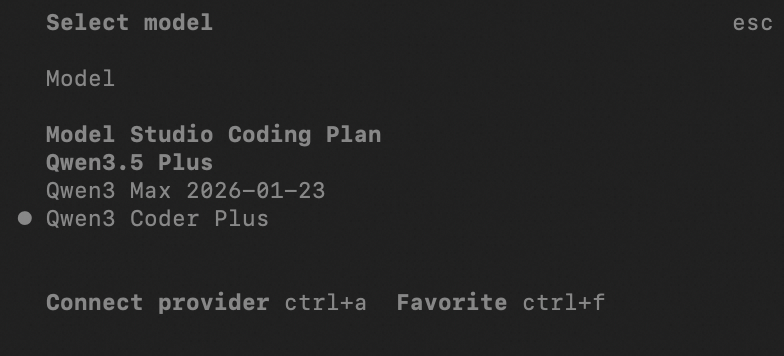
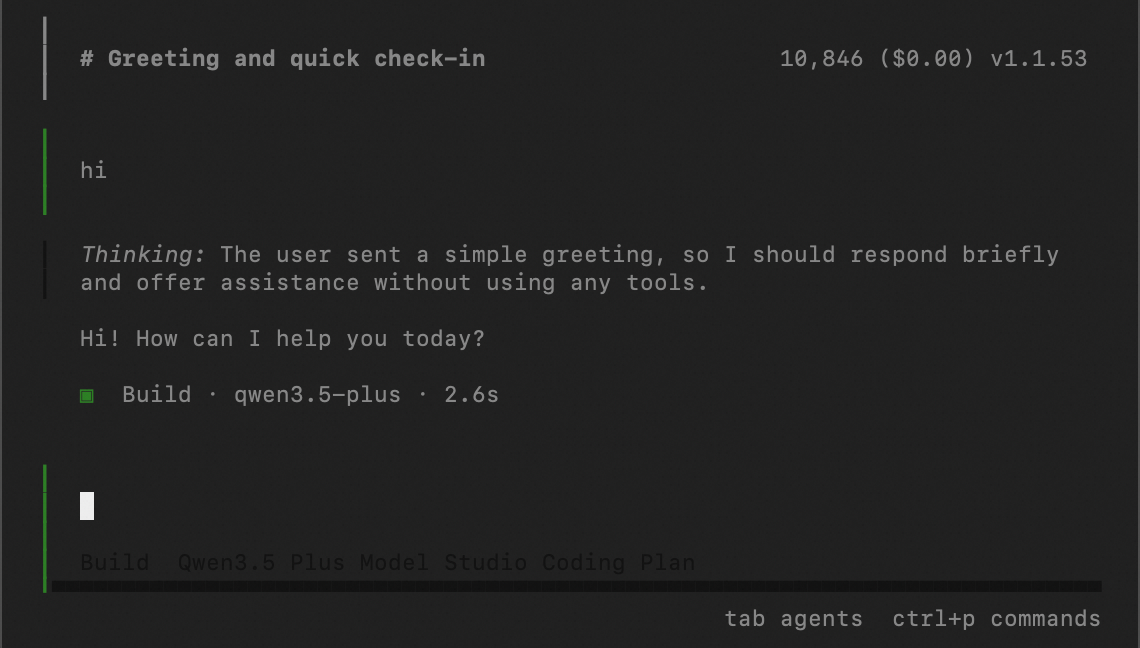
opencodeDi command line, masukkan /models, cari Model Studio Coding Plan, lalu pilih model yang diinginkan.
FAQ
Lihat FAQ.