Object Storage Service:Use resource groups to grant permissions to multiple buckets
Última actualización: Sep 03, 2026
Un resource group proporciona un método basado en recursos para el control de acceso. Puede agrupar buckets con los mismos requisitos de permisos y luego otorgar permisos a todo el grupo. Este enfoque mejora la eficiencia de la autorización.
Contexto
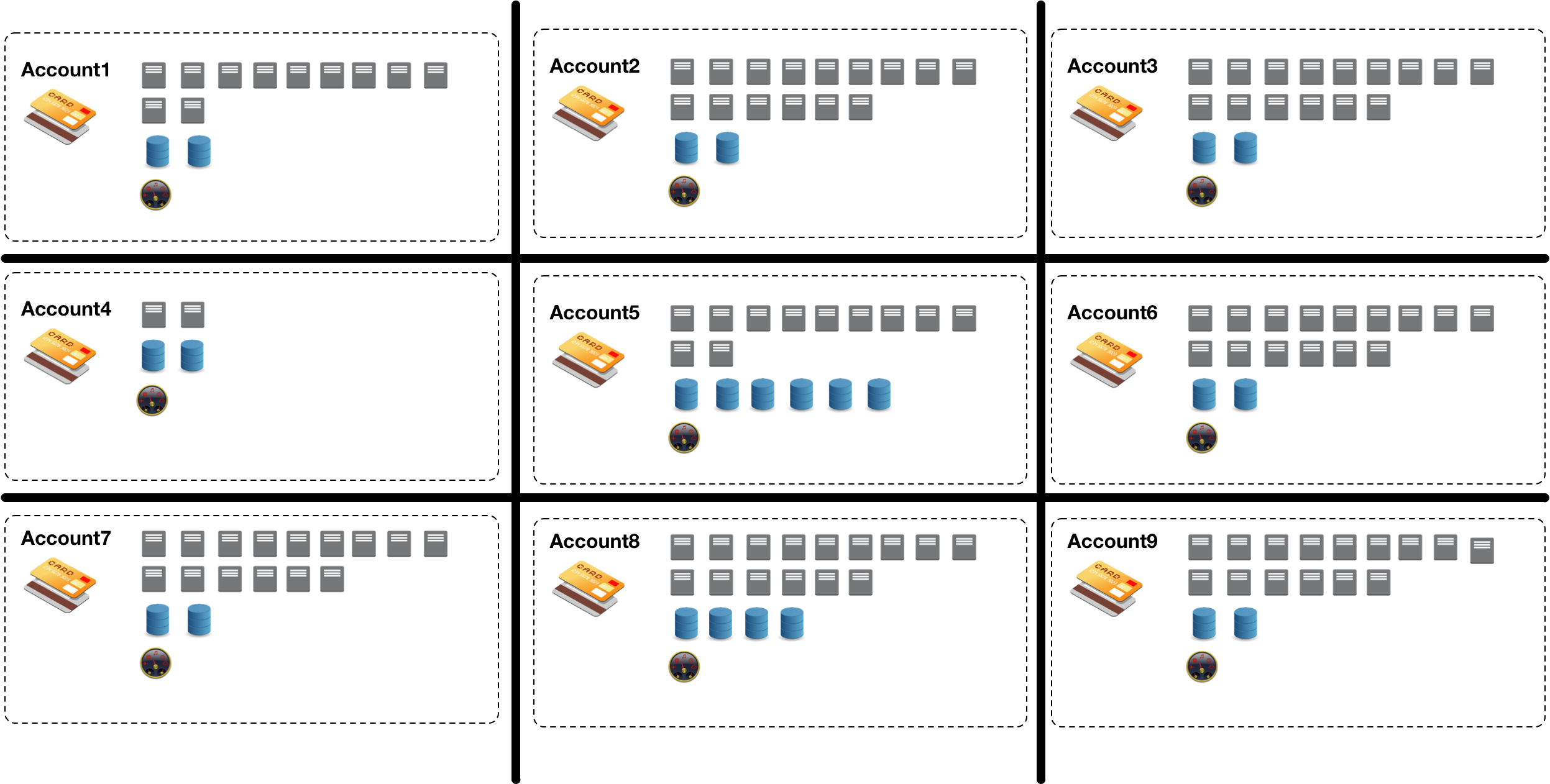
Las empresas suelen crear cuentas de Alibaba Cloud separadas para distintos proyectos, subsidiarias o departamentos con el fin de aislar los recursos. Sin embargo, esta proliferación de cuentas dificulta la gestión, supervisión y auditoría centralizada de los recursos en la nube.
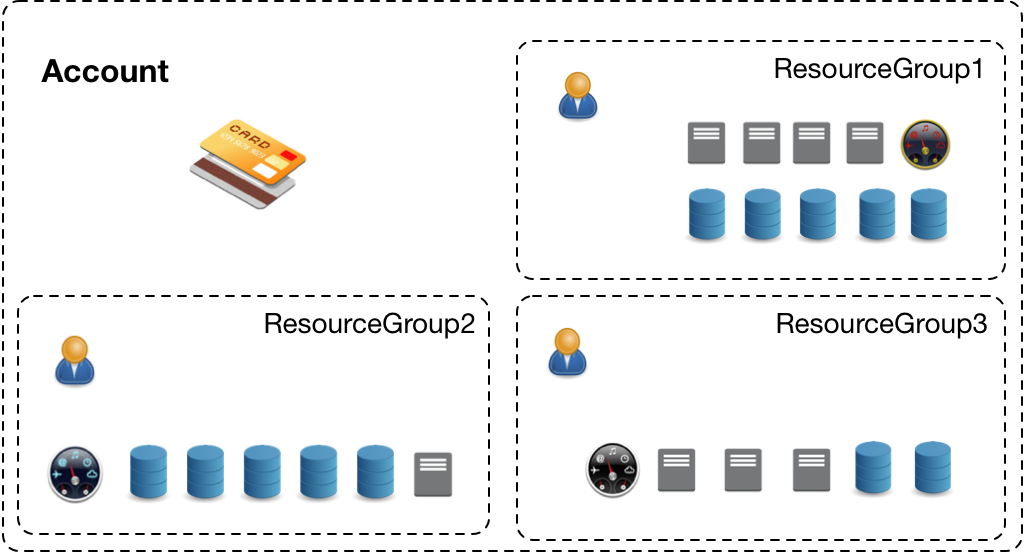
Para resolver este problema, Object Storage Service (OSS) permite usar una sola cuenta de Alibaba Cloud para organizar los recursos en la nube dentro de resource groups según diferentes escenarios. Esto facilita que los miembros del proyecto dentro de su empresa gestionen sus propios recursos.
Notas de uso
Un resource group puede contener buckets de diferentes regiones. Un bucket solo puede pertenecer a un resource group.
Un bucket solo se puede transferir entre resource groups que pertenezcan a la misma cuenta de Alibaba Cloud.
Procedimiento
Use the OSS console
En esta sección se presenta el ejemplo de una empresa que utiliza 20 buckets para almacenar datos de prueba de distintos departamentos. El objetivo es otorgar acceso de solo lectura a 10 buckets (examplebucket1 a examplebucket10) y acceso de lectura y escritura a los otros 10 buckets (examplebucket11 a examplebucket20) para todos los empleados. Sin resource groups, sería necesario configurar los permisos de cada bucket individualmente, lo cual resulta tedioso. Al utilizar resource groups, puede agrupar los buckets con los mismos requisitos de permisos y otorgar permisos al grupo completo, lo que mejora significativamente la eficiencia.
Además, para gestionar los permisos de varios empleados de manera eficiente, puede crear un grupo de usuarios para clasificar y autorizar a los usuarios de RAM. Esto simplifica la gestión de usuarios y permisos.
Cree un grupo de usuarios llamado UserGroup1 y agregue miembros.
En la consola de RAM, cree un grupo de usuarios llamado UserGroup1. Para obtener más información, consulte Create a RAM user group. Una vez creado el grupo de usuarios, agregue los usuarios necesarios al grupo. Para obtener más información, consulte Add a RAM user to a RAM user group.
En el panel de navegación izquierdo, elija Resource Group > Resource Group.
En la página Resource Group, haga clic en Create Resource Group.
En el panel Create Resource Group, establezca Display Name como ResourcegroupA e introduzca un Resource Group Identifier personalizado, como Group1.
Haga clic en OK.
El resource group estará en estado Creating. Después de aproximadamente tres segundos, haga clic en . Si el estado cambia a Available, significa que el resource group ResourcegroupA se creó correctamente.
Repita los pasos anteriores para crear un resource group llamado ResourcegroupB.
Haga clic en Buckets y luego haga clic en el bucket de destino, examplebucket1.
Elija Bucket Settings > Resource Group.
En la página Resource Group, haga clic en Settings.
Seleccione ResourcegroupA en la lista desplegable Resource Group y haga clic en Save.
Repita estos pasos para asignar los buckets examplebucket2 a examplebucket10 a ResourcegroupA, y los buckets examplebucket11 a examplebucket20 a ResourcegroupB.
Otorgue permisos a los resource groups.
En el panel de navegación izquierdo de la consola de Resource Management, elija Resource Group > Resource Group.
Busque el resource group de destino y haga clic en Manage Permission en la columna Actions.
En la pestaña Permissions, haga clic en Grant Permission.
En el panel Grant Permission, configure los parámetros como se describe en la siguiente tabla.
Parámetro
Descripción
Authorized Scope
Seleccione Specific Resource Group y luego seleccione ResourcegroupA en la lista desplegable.
Principal
Introduzca el grupo de usuarios que creó: UserGroup1.
Select Policy
Seleccione System Policy. Luego, asigne la política AliyunOSSReadOnlyAccess para otorgar acceso de solo lectura a los recursos de Object Storage Service (OSS) en ResourcegroupA.
Haga clic en OK.
Haga clic en Complete.
Repita estos pasos para otorgar el permiso AliyunOSSFullAccess a ResourcegroupB. Esta política otorga acceso total de gestión a OSS.
Use Alibaba Cloud SDKs
Puede configurar el resource group para un bucket mediante los SDK de Java, Python o Go. Para obtener más información, consulte SDK overview.
import com.aliyun.oss.*;
import com.aliyun.oss.common.auth.*;
import com.aliyun.oss.common.comm.SignVersion;
import com.aliyun.oss.model.SetBucketResourceGroupRequest;

public class Demo {
    public static void main(String[] args) throws Throwable {
        // In this example, the endpoint of the China (Hangzhou) region is used. Specify your actual endpoint.
        String endpoint = "https://oss-cn-hangzhou.aliyuncs.com";
        // Obtain access credentials from environment variables. Before you run the sample code, make sure that the OSS_ACCESS_KEY_ID and OSS_ACCESS_KEY_SECRET environment variables are configured.
        EnvironmentVariableCredentialsProvider credentialsProvider = CredentialsProviderFactory.newEnvironmentVariableCredentialsProvider();
        // Specify the name of the bucket. Example: examplebucket.
        String bucketName = "examplebucket";
        // Specify the ID of the resource group. If you do not specify a resource group ID, the bucket belongs to the default resource group.
        String rgId = "rg-aekz****";
        // Specify the region in which the bucket is located. For example, if the bucket is located in the China (Hangzhou) region, set the region to cn-hangzhou.
        String region = "cn-hangzhou";

        // Create an OSSClient instance.
        // Call the shutdown method to release associated resources when the OSSClient is no longer in use.
        ClientBuilderConfiguration clientBuilderConfiguration = new ClientBuilderConfiguration();
        clientBuilderConfiguration.setSignatureVersion(SignVersion.V4);
        OSS ossClient = OSSClientBuilder.create()
        .endpoint(endpoint)
        .credentialsProvider(credentialsProvider)
        .clientConfiguration(clientBuilderConfiguration)
        .region(region)
        .build();

        try {
            // Create a setBucketResourceGroupRequest object.
            SetBucketResourceGroupRequest setBucketResourceGroupRequest = new SetBucketResourceGroupRequest(bucketName,rgId);
            // Configure the resource group to which the bucket belongs.
            ossClient.setBucketResourceGroup(setBucketResourceGroupRequest);
        } catch (OSSException oe) {
            System.out.println("Caught an OSSException, which means your request made it to OSS, "
                    + "but was rejected with an error response for some reason.");
            System.out.println("Error Message:" + oe.getErrorMessage());
            System.out.println("Error Code:" + oe.getErrorCode());
            System.out.println("Request ID:" + oe.getRequestId());
            System.out.println("Host ID:" + oe.getHostId());
        } catch (ClientException ce) {
            System.out.println("Caught an ClientException, which means the client encountered "
                    + "a serious internal problem while trying to communicate with OSS, "
                    + "such as not being able to access the network.");
            System.out.println("Error Message:" + ce.getMessage());
        } finally {
            if (ossClient != null) {
                ossClient.shutdown();
            }
        }
    }
}
package main
import (
"context"
"flag"
"log"
"github.com/aliyun/alibabacloud-oss-go-sdk-v2/oss"
"github.com/aliyun/alibabacloud-oss-go-sdk-v2/oss/credentials"
)
// Specify the global variables.
var (
region string // The region in which the bucket is located.
bucketName string // The name of the bucket.
)
// Specify the init function used to initialize command line parameters.
func init() {
flag.StringVar(®ion, "region", "", "The region in which the bucket is located.")
flag.StringVar(&bucketName, "bucket", "", "The name of the bucket.")
}
func main() {
// Parse command line parameters.
flag.Parse()
// Specify the ID of the resource group. If you do not specify a resource group ID, the bucket belongs to the default resource group.
var groupId string = "rg-aekz****"
// Check whether the bucket name is empty.
if len(bucketName) == 0 {
flag.PrintDefaults()
log.Fatalf("invalid parameters, bucket name required")
}
// Check whether the region is empty.
if len(region) == 0 {
flag.PrintDefaults()
log.Fatalf("invalid parameters, region required")
}
// Load the default configurations and specify the credential provider and region.
cfg := oss.LoadDefaultConfig().
WithCredentialsProvider(credentials.NewEnvironmentVariableCredentialsProvider()).
WithRegion(region)
// Create an OSSClient instance.
client := oss.NewClient(cfg)
// Create a request to configure the resource group for the bucket.
request := &oss.PutBucketResourceGroupRequest{
Bucket: oss.Ptr(bucketName), // The name of the bucket.
BucketResourceGroupConfiguration: &oss.BucketResourceGroupConfiguration{
ResourceGroupId: oss.Ptr(groupId),
},
}
// Execute the request to configure the resource group for the bucket.
result, err := client.PutBucketResourceGroup(context.TODO(), request)
if err != nil {
log.Fatalf("failed to put bucket resource group %v", err)
}
// Display the result of the request.
log.Printf("put bucket resource group result:%#v\n", result)
}
import argparse
import alibabacloud_oss_v2 as oss

# Create a command line argument parser and describe the purpose of the script: configure the resource group for a bucket.
parser = argparse.ArgumentParser(description="put bucket resource group sample")

# Define the command-line arguments, including the required parameters - region and bucket name - as well as the optional parameters - endpoint and resource group ID.
parser.add_argument('--region', help='The region in which the bucket is located.', required=True)
parser.add_argument('--bucket', help='The name of the bucket.', required=True)
parser.add_argument('--endpoint', help='The domain names that other services can use to access OSS')
parser.add_argument('--resource_group_id',
                    help='The ID of the resource group to which the bucket belongs. (Optional, default is an empty string)',
                    default='')

def main():
    # Parse command line arguments to obtain the values entered.
    args = parser.parse_args()

    # Load access credentials from environment variables for authentication.
    credentials_provider = oss.credentials.EnvironmentVariableCredentialsProvider()

    # Use the default configuration to create a cfg object and specify the credential provider.
    cfg = oss.config.load_default()
    cfg.credentials_provider = credentials_provider

    # Set the region attribute of the cfg object to the region provided in the command line.
    cfg.region = args.region

    # If a custom endpoint is provided, update the endpoint attribute of the cfg object with the provided endpoint.
    if args.endpoint is not None:
        cfg.endpoint = args.endpoint

    # Use the preceding settings to initialize the OSSClient instance.
    client = oss.Client(cfg)

    # Send a request to configure the resource group for the specified bucket.
    result = client.put_bucket_resource_group(oss.PutBucketResourceGroupRequest(
            bucket=args.bucket,  # Name of the bucket.
            bucket_resource_group_configuration=oss.BucketResourceGroupConfiguration(
                resource_group_id=args.resource_group_id,  # Resource group ID.
            ),
    ))

    # Display the HTTP status code of the operation and request ID to check the request status.
    print(f'status code: {result.status_code},'
          f' request id: {result.request_id},'
          )

# Call the main function to start the processing logic when the script is directly run.
if __name__ == "__main__":
    main()  # Entry point of the script. The control flow starts here.
Use ossutil
Puede usar ossutil para configurar un resource group. Para obtener información sobre cómo instalar ossutil, consulte Install ossutil.
El siguiente comando establece el ID del resource group como rg-123 para el bucket examplebucket.
ossutil api put-bucket-resource-group --bucket examplebucket --resource-group-configuration "{\"ResourceGroupId\":\"rg-123\"}"
Las operaciones de este tema utilizan la API REST subyacente. Para personalizaciones avanzadas, puede llamar directamente a la API REST, lo cual requiere calcular manualmente la firma de la solicitud. Para obtener más información, consulte PutBucketResourceGroup.
 . Si el estado cambia a Available, significa que el resource group ResourcegroupA se creó correctamente.