Wan-R2V acepta entradas multimodales (texto, imagen, video y audio) para generar videos de actuación. Utilice prompts para asignar a personas u objetos como personajes principales.
Enlaces rápidos: Referencia de API | Guía de prompts
Introducción
Prompt de entrada: El Video 1 entra caminando desde el fondo izquierdo del encuadre. Luego, la toma corta a un primer plano de la Imagen 1. El Video 1 está recargado contra la pared oxidada a la derecha de la Imagen 2. Al escuchar los pasos, gira lentamente la cabeza. Después de ver a la Imagen 1, el Video 1 dice: "¿Por qué viniste todavía?". La Imagen 1 responde: "Hablemos". | |||
Video de entrada (Video 1)
| Imagen de entrada (Imagen 1)
| Imagen de entrada (Imagen 2)
| Video de salida (múltiples tomas, con audio) |
Voz de referencia de entrada: |  Voz de referencia de entrada: | 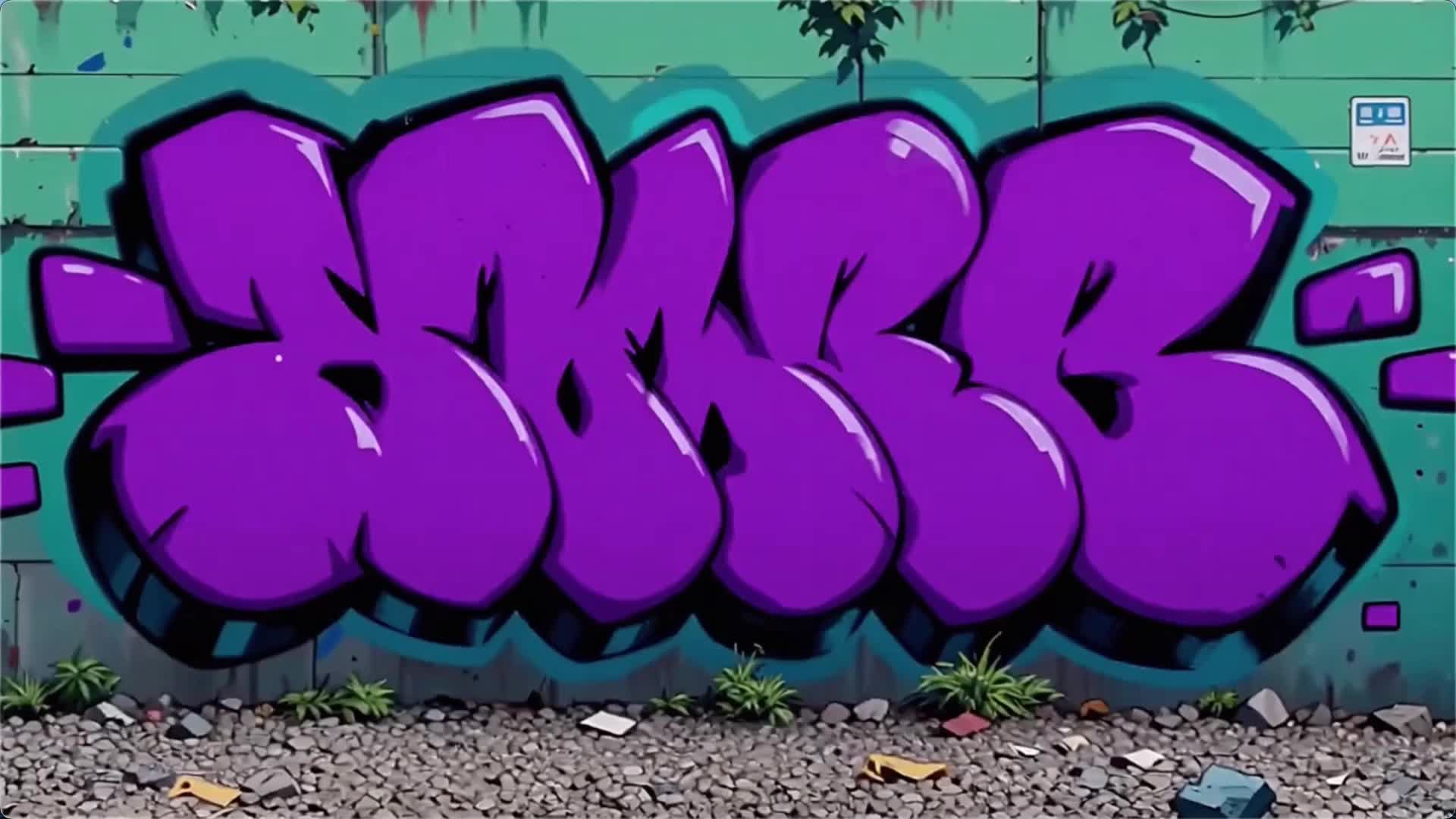 | |
Antes de comenzar, obtenga una clave de API y configúrela como variable de entorno. Para utilizar un SDK, instale el SDK de DashScope.
SDK de Python
ImportanteAsegúrese de que la versión del SDK de Python de DashScope sea al menos1.25.16 antes de ejecutar el siguiente código.
Las versiones anteriores podrían generar errores como "url error, please check url!". Consulte Instalar el SDK.
# -*- coding: utf-8 -*-
from http import HTTPStatus
from dashscope import VideoSynthesis
import dashscope
import os

# The following is the URL for the Singapore region. Replace {WorkspaceId} with your actual workspace ID. URLs vary by region. For more information, see https://www.alibabacloud.com/help/model-studio/wan-video-to-video-api-reference
dashscope.base_http_api_url = 'https://{WorkspaceId}.ap-southeast-1.maas.aliyuncs.com/api/v1'

# If you have not set the environment variable, replace the following line with your Model Studio API key: api_key="sk-xxx"
# API keys vary by region. For more information, see https://www.alibabacloud.com/help/model-studio/get-api-key
api_key = os.getenv("DASHSCOPE_API_KEY")

media = [
    {
        "type": "reference_video",
        "url": "https://help-static-aliyun-doc.aliyuncs.com/file-manage-files/zh-CN/20260416/pfgcuv/wan-r2v-girl-en.mp4",
        "reference_voice": "https://help-static-aliyun-doc.aliyuncs.com/file-manage-files/zh-CN/20260416/exiikq/wan-r2v-girl-demo-voice-en.mp3"
    },
    {
        "type": "reference_image",
        "url": "https://help-static-aliyun-doc.aliyuncs.com/file-manage-files/zh-CN/20260416/skhalj/wan-r2v-boy-en.jpg",
        "reference_voice": "https://help-static-aliyun-doc.aliyuncs.com/file-manage-files/zh-CN/20260416/pqxdoi/wan-r2v-boy-voice-en.mp3"
    },
    {
        "type": "reference_image",
        "url": "https://help-static-aliyun-doc.aliyuncs.com/file-manage-files/zh-CN/20260416/vyqjxd/wan-r2v-bg-en.jpg"
    }
]

print('please wait...')
rsp = VideoSynthesis.call(
    api_key=api_key,
    model="wan2.7-r2v-2026-06-12",
    media=media,
    resolution="720P",
    ratio="16:9",
    duration=10,
    prompt_extend=False,
    watermark=True,
    prompt="Video 1 walks in from the deep left side of the frame. Then the shot cuts to a close-up of Image 1. Video 1 is leaning against the rusty wall on the right side from Image 2. Hearing the footsteps, she slowly turns her head. After seeing Image 1, Video 1 says, \"Why did you still come?\" Image 1 replies, \"Let's talk.\"",
)
print(rsp)
if rsp.status_code == HTTPStatus.OK:
    print("video_url:", rsp.output.video_url)
else:
    print('Failed, status_code: %s, code: %s, message: %s' % (rsp.status_code, rsp.code, rsp.message))
SDK de Java
ImportanteAsegúrese de que su versión del SDK de Java de DashScope sea al menos2.22.14 y, a continuación, ejecute el siguiente código.
Las versiones anteriores podrían generar errores como "url error, please check url!". Consulte Instalar el SDK.
// Copyright (c) Alibaba, Inc. and its affiliates.

import com.alibaba.dashscope.aigc.videosynthesis.VideoSynthesis;
import com.alibaba.dashscope.aigc.videosynthesis.VideoSynthesisParam;
import com.alibaba.dashscope.aigc.videosynthesis.VideoSynthesisResult;
import com.alibaba.dashscope.exception.ApiException;
import com.alibaba.dashscope.exception.InputRequiredException;
import com.alibaba.dashscope.exception.NoApiKeyException;
import com.alibaba.dashscope.utils.Constants;
import com.alibaba.dashscope.utils.JsonUtils;

import java.util.ArrayList;
import java.util.List;

public class Ref2Video {

    static {
        // The following is the URL for the Singapore region. Replace {WorkspaceId} with your actual workspace ID. URLs vary by region. For more information, see https://www.alibabacloud.com/help/model-studio/wan-video-to-video-api-reference
        Constants.baseHttpApiUrl = "https://{WorkspaceId}.ap-southeast-1.maas.aliyuncs.com/api/v1";
    }

    // If you have not set the environment variable, replace the following line with your Model Studio API key: apiKey="sk-xxx"
    // API keys vary by region. For more information, see https://www.alibabacloud.com/help/model-studio/get-api-key
    static String apiKey = System.getenv("DASHSCOPE_API_KEY");

    public static void ref2video() throws ApiException, NoApiKeyException, InputRequiredException {
        VideoSynthesis vs = new VideoSynthesis();
        final String prompt = "Video 1 walks in from the deep left side of the frame. Then the shot cuts to a close-up of Image 1. Video 1 is leaning against the rusty wall on the right side from Image 2. Hearing the footsteps, she slowly turns her head. After seeing Image 1, Video 1 says, \"Why did you still come?\" Image 1 replies, \"Let's talk.\"";
        List<VideoSynthesisParam.Media> media = new ArrayList<VideoSynthesisParam.Media>(){{
            add(VideoSynthesisParam.Media.builder()
                    .url("https://help-static-aliyun-doc.aliyuncs.com/file-manage-files/zh-CN/20260416/pfgcuv/wan-r2v-girl-en.mp4")
                    .type("reference_video")
                    .referenceVoice("https://help-static-aliyun-doc.aliyuncs.com/file-manage-files/zh-CN/20260416/exiikq/wan-r2v-girl-demo-voice-en.mp3")
                    .build());
            add(VideoSynthesisParam.Media.builder()
                    .url("https://help-static-aliyun-doc.aliyuncs.com/file-manage-files/zh-CN/20260416/skhalj/wan-r2v-boy-en.jpg")
                    .type("reference_image")
                    .referenceVoice("https://help-static-aliyun-doc.aliyuncs.com/file-manage-files/zh-CN/20260416/pqxdoi/wan-r2v-boy-voice-en.mp3")
                    .build());
            add(VideoSynthesisParam.Media.builder()
                    .url("https://help-static-aliyun-doc.aliyuncs.com/file-manage-files/zh-CN/20260416/vyqjxd/wan-r2v-bg-en.jpg")
                    .type("reference_image")
                    .build());
        }};
        VideoSynthesisParam param =
                VideoSynthesisParam.builder()
                        .apiKey(apiKey)
                        .model("wan2.7-r2v-2026-06-12")
                        .prompt(prompt)
                        .media(media)
                        .watermark(true)
                        .duration(10)
                        .resolution("720P")
                        .ratio("16:9")
                        .promptExtend(false)
                        .build();
        System.out.println("please wait...");
        VideoSynthesisResult result = vs.call(param);
        System.out.println(JsonUtils.toJson(result));
    }

    public static void main(String[] args) {
        try {
            ref2video();
        } catch (ApiException | NoApiKeyException | InputRequiredException e) {
            System.out.println(e.getMessage());
        }
        System.exit(0);
    }
}
curl
Paso 1: Crear una tarea y obtener el ID de la tareacurl --location 'https://{WorkspaceId}.ap-southeast-1.maas.aliyuncs.com/api/v1/services/aigc/video-generation/video-synthesis' \
-H 'X-DashScope-Async: enable' \
-H "Authorization: Bearer $DASHSCOPE_API_KEY" \
-H 'Content-Type: application/json' \
-d '{
"model": "wan2.7-r2v-2026-06-12",
"input": {
"prompt": "Video 1 walks in from the deep left side of the frame. Then the shot cuts to a close-up of Image 1. Video 1 is leaning against the rusty wall on the right side from Image 2. Hearing the footsteps, she slowly turns her head. After seeing Image 1, Video 1 says, \"Why did you still come?\" Image 1 replies, \"Let's talk.\" ",
"media": [
{
"type": "reference_video",
"url": "https://help-static-aliyun-doc.aliyuncs.com/file-manage-files/zh-CN/20260416/pfgcuv/wan-r2v-girl-en.mp4",
"reference_voice": "https://help-static-aliyun-doc.aliyuncs.com/file-manage-files/zh-CN/20260416/exiikq/wan-r2v-girl-demo-voice-en.mp3"
},
{
"type": "reference_image",
"url": "https://help-static-aliyun-doc.aliyuncs.com/file-manage-files/zh-CN/20260416/skhalj/wan-r2v-boy-en.jpg",
"reference_voice": "https://help-static-aliyun-doc.aliyuncs.com/file-manage-files/zh-CN/20260416/pqxdoi/wan-r2v-boy-voice-en.mp3"
},
{
"type": "reference_image",
"url": "https://help-static-aliyun-doc.aliyuncs.com/file-manage-files/zh-CN/20260416/vyqjxd/wan-r2v-bg-en.jpg"
}
]
},
"parameters": {
"resolution": "720P",
"ratio": "16:9",
"duration": 10,
"prompt_extend": false,
"watermark": true
}
}'
Reemplace {task_id} con el valor task_id devuelto por la llamada a la API anterior. El task_id es válido para consultas durante 24 horas. Reemplace {WorkspaceId} con su ID de espacio de trabajo real.
curl -X GET https://{WorkspaceId}.ap-southeast-1.maas.aliyuncs.com/api/v1/tasks/{task_id} \
--header "Authorization: Bearer $DASHSCOPE_API_KEY"
Disponibilidad
- Los modelos compatibles varían según la región. Los recursos están aislados entre regiones. Para consultar los modelos compatibles en cada región, consulte la consola de Model Studio.
- Al realizar una llamada, asegúrese de que su modelo, URL de endpoint y clave de API pertenezcan todos a la misma región. Las llamadas entre regiones fallarán.
NotaEl código de ejemplo en este tema se aplica a la región de Singapur. Si utiliza otras regiones, consulte la Referencia de API.
Capacidades principales (wan2.7)
Referencia de imagen única (imagen de múltiples paneles)
Modelos compatibles: wan2.7 series.
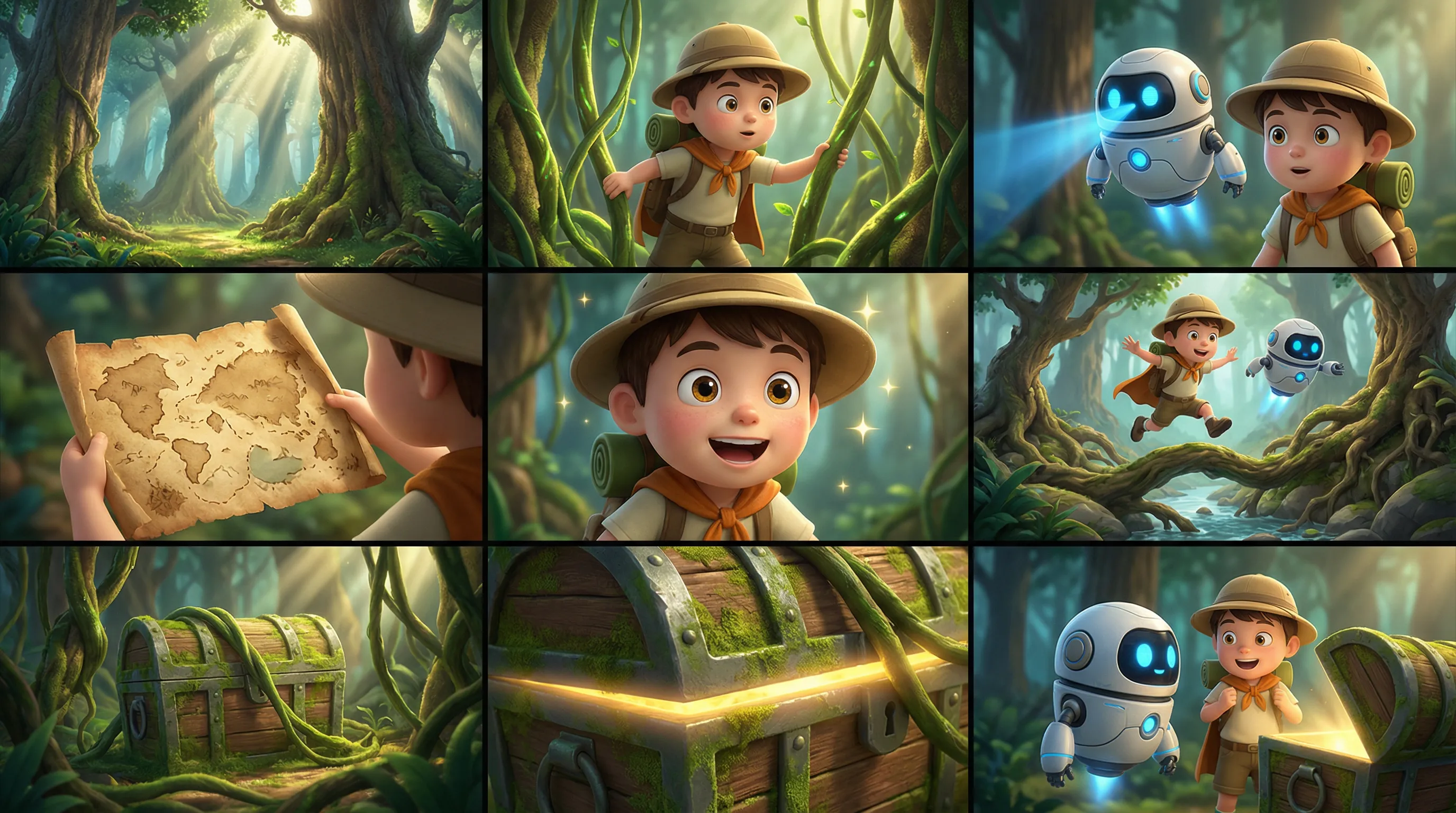
Descripción: Puede ingresar una imagen de múltiples paneles (guion gráfico). El modelo detecta automáticamente el diseño de múltiples paneles y genera un video con personajes, escenas y tomas consistentes. Puede ingresar solo una imagen de múltiples paneles a la vez.
Parámetros:
media.type: Establezca enreference_image.media.url: La URL o cadena codificada en base64 de la imagen de múltiples paneles.prompt: Si proporciona solo una imagen o video de referencia, utilice "imagen de referencia" o "video de referencia".
Prompt de entrada: Imagen de referencia, estilo de película de aventuras animada en 3D, personajes chibi con texturas detalladas, movimientos fluidos y colores vibrantes. Mantener la consistencia de los personajes y la escena del bosque. No añadir texto. Atmósfera: Aventurera, alegre, misteriosa, caprichosa. Personajes: Niño explorador: sombrero redondo, mochila, capa corta. Compañero: un pequeño robot volador con cuerpo redondo y ojos azules brillantes. Escena: Bosque fantástico con raíces gigantes de árboles, hongos, enredaderas, entrada a una cueva del tesoro y rayos de sol. Guion gráfico: 1. Plano general: Árboles altos y haces de luz entrelazados en un bosque fantástico misterioso y luminoso. 2. Plano medio: El niño aparta las enredaderas para explorar. 3. Plano medio: El pequeño robot vuela a su lado, escaneando el camino con una luz azul. 4. Primer plano: Un viejo mapa del tesoro se despliega en las manos del niño. 5. Primer plano: Muestra una expresión emocionada, sus ojos se iluminan. 6. Toma de acción: Ambos saltan sobre raíces de árboles y un arroyo, adentrándose más en el bosque. 7. Plano medio: Un cofre del tesoro cubierto de musgo se revela detrás de las enredaderas. 8. Primer plano: Un resplandor dorado brilla desde el borde del cofre del tesoro. 9. Toma final: El niño y el pequeño robot están frente al cofre del tesoro, mirándose con sorpresa, llenos de aventura. | |
| Imagen de múltiples paneles de entrada | Video de salida |
 | |
SDK de Python
Asegúrese de que su SDK de Python de DashScope sea la versión
1.25.16o posterior. Consulte Instalar el SDK.
# -*- coding: utf-8 -*-
from http import HTTPStatus
from dashscope import VideoSynthesis
import dashscope
import os

# This is the URL for the Singapore region. Replace {WorkspaceId} with your actual workspace ID. URLs vary by region. To get the URL, see https://www.alibabacloud.com/help/model-studio/wan-video-to-video-api-reference
dashscope.base_http_api_url = 'https://{WorkspaceId}.ap-southeast-1.maas.aliyuncs.com/api/v1'

# If you have not configured the environment variable, replace the following line with your Model Studio API key: api_key="sk-xxx"
# API keys vary by region. To get an API key, see https://www.alibabacloud.com/help/model-studio/get-api-key
api_key = os.getenv("DASHSCOPE_API_KEY")

media = [
    {
        "type": "reference_image",
        "url": "https://help-static-aliyun-doc.aliyuncs.com/file-manage-files/zh-CN/20260403/wgjaxy/banana_storyboard_00000020.png"
    }
]

def sample_sync_call():
    print('----sync call, please wait a moment----')
    rsp = VideoSynthesis.call(
        api_key=api_key,
        model="wan2.7-r2v-2026-06-12",
        media=media,
        resolution="720P",
        ratio="16:9",
        duration=10,
        prompt_extend=False,
        watermark=True,
        prompt="Reference image, 3D cartoon adventure movie style, chibi characters with detailed textures, smooth actions, and vibrant colors. Keep the characters and forest scene consistent. Do not add text. Atmosphere: Adventurous, lighthearted, mysterious, whimsical. Characters: Boy explorer: round hat, backpack, short cloak. Sidekick: a flying small robot with a round body and blue glowing eyes. Scene: Fantasy forest with giant tree roots, mushrooms, vines, a treasure cave entrance, and sunbeams. Storyboard: 1. Wide shot: Tall trees and interlaced light beams in a mysterious and bright fantasy forest. 2. Medium shot: The boy pushes aside vines to explore. 3. Medium shot: The small robot flies beside him, scanning ahead with a blue light. 4. Close-up: An old treasure map unfolds in the boy's hands. 5. Close-up: He shows an excited expression, his eyes lighting up. 6. Action shot: The two jump over tree roots and a stream, continuing deeper into the forest. 7. Medium shot: A moss-covered treasure chest is revealed behind the vines. 8. Close-up: A golden glow shines from the edge of the treasure chest. 9. Final shot: The boy and the small robot stand before the treasure chest, looking at each other in surprise, full of adventure.",
    )
    if rsp.status_code == HTTPStatus.OK:
        print(rsp.output.video_url)
    else:
        print('Failed, status_code: %s, code: %s, message: %s' %
              (rsp.status_code, rsp.code, rsp.message))

if __name__ == '__main__':
    sample_sync_call()
SDK de Java
Asegúrese de que su SDK de Java de DashScope sea la versión
2.22.14o posterior. Consulte Instalar el SDK.
// Copyright (c) Alibaba, Inc. and its affiliates.

import com.alibaba.dashscope.aigc.videosynthesis.VideoSynthesis;
import com.alibaba.dashscope.aigc.videosynthesis.VideoSynthesisParam;
import com.alibaba.dashscope.aigc.videosynthesis.VideoSynthesisResult;
import com.alibaba.dashscope.exception.ApiException;
import com.alibaba.dashscope.exception.InputRequiredException;
import com.alibaba.dashscope.exception.NoApiKeyException;
import com.alibaba.dashscope.utils.Constants;
import com.alibaba.dashscope.utils.JsonUtils;

import java.util.ArrayList;
import java.util.List;

public class Ref2Video {

    static {
        // This is the URL for the Singapore region. Replace {WorkspaceId} with your actual workspace ID. URLs vary by region. To get the URL, see https://www.alibabacloud.com/help/model-studio/wan-video-to-video-api-reference
        Constants.baseHttpApiUrl = "https://{WorkspaceId}.ap-southeast-1.maas.aliyuncs.com/api/v1";
    }

    // If you have not configured the environment variable, replace the following line with your Model Studio API key: apiKey="sk-xxx"
    // API keys vary by region. To get an API key, see https://www.alibabacloud.com/help/model-studio/get-api-key
    static String apiKey = System.getenv("DASHSCOPE_API_KEY");

    public static void syncCall() {
        VideoSynthesis videoSynthesis = new VideoSynthesis();
        final String prompt = "Reference image, 3D cartoon adventure movie style, chibi characters with detailed textures, smooth actions, and vibrant colors. Keep the characters and forest scene consistent. Do not add text. Atmosphere: Adventurous, lighthearted, mysterious, whimsical. Characters: Boy explorer: round hat, backpack, short cloak. Sidekick: a flying small robot with a round body and blue glowing eyes. Scene: Fantasy forest with giant tree roots, mushrooms, vines, a treasure cave entrance, and sunbeams. Storyboard: 1. Wide shot: Tall trees and interlaced light beams in a mysterious and bright fantasy forest. 2. Medium shot: The boy pushes aside vines to explore. 3. Medium shot: The small robot flies beside him, scanning ahead with a blue light. 4. Close-up: An old treasure map unfolds in the boy's hands. 5. Close-up: He shows an excited expression, his eyes lighting up. 6. Action shot: The two jump over tree roots and a stream, continuing deeper into the forest. 7. Medium shot: A moss-covered treasure chest is revealed behind the vines. 8. Close-up: A golden glow shines from the edge of the treasure chest. 9. Final shot: The boy and the small robot stand before the treasure chest, looking at each other in surprise, full of adventure.";
        List<VideoSynthesisParam.Media> media = new ArrayList<VideoSynthesisParam.Media>(){{
            add(VideoSynthesisParam.Media.builder()
                    .url("https://help-static-aliyun-doc.aliyuncs.com/file-manage-files/zh-CN/20260403/wgjaxy/banana_storyboard_00000020.png")
                    .type("reference_image")
                    .build());
        }};
        VideoSynthesisParam param =
                VideoSynthesisParam.builder()
                        .apiKey(apiKey)
                        .model("wan2.7-r2v-2026-06-12")
                        .prompt(prompt)
                        .media(media)
                        .watermark(true)
                        .duration(10)
                        .resolution("720P")
                        .ratio("16:9")
                        .promptExtend(false)
                        .build();
        VideoSynthesisResult result = null;
        try {
            System.out.println("---sync call, please wait a moment----");
            result = videoSynthesis.call(param);
        } catch (ApiException | NoApiKeyException e){
            throw new RuntimeException(e.getMessage());
        } catch (InputRequiredException e) {
            throw new RuntimeException(e);
        }
        System.out.println(JsonUtils.toJson(result));
    }

    public static void main(String[] args) {
        syncCall();
    }
}
curl
Paso 1: Crear una tarea y obtener el ID de la tareacurl --location 'https://{WorkspaceId}.ap-southeast-1.maas.aliyuncs.com/api/v1/services/aigc/video-generation/video-synthesis' \
-H 'X-DashScope-Async: enable' \
-H "Authorization: Bearer $DASHSCOPE_API_KEY" \
-H 'Content-Type: application/json' \
-d '{
"model": "wan2.7-r2v-2026-06-12",
"input": {
"prompt": "Reference image, 3D cartoon adventure movie style, chibi characters with detailed textures, smooth actions, and vibrant colors. Keep the characters and forest scene consistent. Do not add text. Atmosphere: Adventurous, lighthearted, mysterious, whimsical. Characters: Boy explorer: round hat, backpack, short cloak. Sidekick: a flying small robot with a round body and blue glowing eyes. Scene: Fantasy forest with giant tree roots, mushrooms, vines, a treasure cave entrance, and sunbeams. Storyboard: 1. Wide shot: Tall trees and interlaced light beams in a mysterious and bright fantasy forest. 2. Medium shot: The boy pushes aside vines to explore. 3. Medium shot: The small robot flies beside him, scanning ahead with a blue light. 4. Close-up: An old treasure map unfolds in the boy's hands. 5. Close-up: He shows an excited expression, his eyes lighting up. 6. Action shot: The two jump over tree roots and a stream, continuing deeper into the forest. 7. Medium shot: A moss-covered treasure chest is revealed behind the vines. 8. Close-up: A golden glow shines from the edge of the treasure chest. 9. Final shot: The boy and the small robot stand before the treasure chest, looking at each other in surprise, full of adventure.",
"media": [
{
"type": "reference_image",
"url": "https://help-static-aliyun-doc.aliyuncs.com/file-manage-files/zh-CN/20260403/wgjaxy/banana_storyboard_00000020.png"
}
]
},
"parameters": {
"resolution": "720P",
"ratio": "16:9",
"duration": 10,
"prompt_extend": false,
"watermark": true
}
}'
Reemplace {task_id} con el valor task_id devuelto por la llamada a la API anterior. El task_id es válido para consultas durante 24 horas. Reemplace {WorkspaceId} con su ID de espacio de trabajo real.
curl -X GET https://{WorkspaceId}.ap-southeast-1.maas.aliyuncs.com/api/v1/tasks/{task_id} \
--header "Authorization: Bearer $DASHSCOPE_API_KEY"
Referencia de múltiples entidades y personalización de voz
Modelos compatibles: wan2.7 series.
Descripción: Puede ingresar múltiples imágenes y videos de referencia como materiales de entidad. También puede especificar una voz única para cada entidad para habilitar la interacción de múltiples personajes y la diferenciación de voces.
Parámetros:
-
media: Una matriz de materiales de referencia.-
media.type: Admitereference_imageyreference_video. El número total de imágenes y videos de referencia no puede exceder 5. -
media.url: La URL del material. Las imágenes también admiten cadenas codificadas en base64. -
media.reference_voice(opcional): La URL de audio para especificar la voz de la entidad. Utilícelo junto conreference_imageoreference_video.Lógica de audio: Si un
reference_videocontiene audio y no se especificareference_voice, se utiliza el audio original del video de forma predeterminada. Si se proporcionan ambos,reference_voicesobrescribe el audio original del video.
-
-
prompt: Haga referencia a los materiales de referencia en el prompt siguiendo las reglas a continuación:- Utilice identificadores como Imagen 1, Imagen 2 para recursos de
reference_imagey Video 1, Video 2 para recursos dereference_video. - El orden de referencia de los materiales se define mediante el arreglo
media. Las imágenes y los videos se cuentan por separado.
- Utilice identificadores como Imagen 1, Imagen 2 para recursos de
Prompt de entrada: El Video 1 entra caminando desde el fondo izquierdo del encuadre. Luego, la toma corta a un primer plano de la Imagen 1. El Video 1 está recargado contra la pared oxidada a la derecha de la Imagen 2. Al escuchar los pasos, gira lentamente la cabeza. Después de ver a la Imagen 1, el Video 1 dice: "¿Por qué viniste todavía?". La Imagen 1 responde: "Hablemos". | |||
Video de entrada (Video 1)
| Imagen de entrada (Imagen 1)
| Imagen de entrada (Imagen 2)
| Video de salida (múltiples tomas, con audio) |
Voz de referencia de entrada: | Voz de referencia de entrada: | | |
SDK de Python
Asegúrese de que su SDK de Python de DashScope sea la versión
1.25.16o posterior. Consulte Instalar el SDK.
# -*- coding: utf-8 -*-
from http import HTTPStatus
from dashscope import VideoSynthesis
import dashscope
import os

# This is the URL for the Singapore region. Replace {WorkspaceId} with your actual workspace ID. URLs vary by region. To get the URL, see https://www.alibabacloud.com/help/model-studio/wan-video-to-video-api-reference
dashscope.base_http_api_url = 'https://{WorkspaceId}.ap-southeast-1.maas.aliyuncs.com/api/v1'

# If you have not configured the environment variable, replace the following line with your Model Studio API key: api_key="sk-xxx"
# API keys vary by region. To get an API key, see https://www.alibabacloud.com/help/model-studio/get-api-key
api_key = os.getenv("DASHSCOPE_API_KEY")

media = [
    {
        "type": "reference_video",
        "url": "https://help-static-aliyun-doc.aliyuncs.com/file-manage-files/zh-CN/20260416/pfgcuv/wan-r2v-girl-en.mp4",
        "reference_voice": "https://help-static-aliyun-doc.aliyuncs.com/file-manage-files/zh-CN/20260416/exiikq/wan-r2v-girl-demo-voice-en.mp3"
    },
    {
        "type": "reference_image",
        "url": "https://help-static-aliyun-doc.aliyuncs.com/file-manage-files/zh-CN/20260416/skhalj/wan-r2v-boy-en.jpg",
        "reference_voice": "https://help-static-aliyun-doc.aliyuncs.com/file-manage-files/zh-CN/20260416/pqxdoi/wan-r2v-boy-voice-en.mp3"
    },
    {
        "type": "reference_image",
        "url": "https://help-static-aliyun-doc.aliyuncs.com/file-manage-files/zh-CN/20260416/vyqjxd/wan-r2v-bg-en.jpg"
    }
]

def sample_sync_call():
    print('----sync call, please wait a moment----')
    rsp = VideoSynthesis.call(
        api_key=api_key,
        model="wan2.7-r2v-2026-06-12",
        media=media,
        resolution="720P",
        ratio="16:9",
        duration=10,
        prompt_extend=False,
        watermark=True,
        prompt="Video 1 walks in from the deep left side of the frame. Then the shot cuts to a close-up of Image 1. Video 1 is leaning against the rusty wall on the right side from Image 2. Hearing the footsteps, she slowly turns her head. After seeing Image 1, Video 1 says, \"Why did you still come?\" Image 1 replies, \"Let's talk.\"",
    )
    if rsp.status_code == HTTPStatus.OK:
        print(rsp.output.video_url)
    else:
        print('Failed, status_code: %s, code: %s, message: %s' %
              (rsp.status_code, rsp.code, rsp.message))

if __name__ == '__main__':
    sample_sync_call()
SDK de Java
Asegúrese de que su SDK de Java de DashScope sea la versión
2.22.14o posterior. Consulte Instalar el SDK.
// Copyright (c) Alibaba, Inc. and its affiliates.

import com.alibaba.dashscope.aigc.videosynthesis.VideoSynthesis;
import com.alibaba.dashscope.aigc.videosynthesis.VideoSynthesisParam;
import com.alibaba.dashscope.aigc.videosynthesis.VideoSynthesisResult;
import com.alibaba.dashscope.exception.ApiException;
import com.alibaba.dashscope.exception.InputRequiredException;
import com.alibaba.dashscope.exception.NoApiKeyException;
import com.alibaba.dashscope.utils.Constants;
import com.alibaba.dashscope.utils.JsonUtils;

import java.util.ArrayList;
import java.util.List;

public class Ref2Video {

    static {
        // This is the URL for the Singapore region. Replace {WorkspaceId} with your actual workspace ID. URLs vary by region. To get the URL, see https://www.alibabacloud.com/help/model-studio/wan-video-to-video-api-reference
        Constants.baseHttpApiUrl = "https://{WorkspaceId}.ap-southeast-1.maas.aliyuncs.com/api/v1";
    }

    // If you have not configured the environment variable, replace the following line with your Model Studio API key: apiKey="sk-xxx"
    // API keys vary by region. To get an API key, see https://www.alibabacloud.com/help/model-studio/get-api-key
    static String apiKey = System.getenv("DASHSCOPE_API_KEY");

    public static void syncCall() {
        VideoSynthesis videoSynthesis = new VideoSynthesis();
        final String prompt = "Video 1 walks in from the deep left side of the frame. Then the shot cuts to a close-up of Image 1. Video 1 is leaning against the rusty wall on the right side from Image 2. Hearing the footsteps, she slowly turns her head. After seeing Image 1, Video 1 says, \"Why did you still come?\" Image 1 replies, \"Let's talk.\"";
        List<VideoSynthesisParam.Media> media = new ArrayList<VideoSynthesisParam.Media>(){{
            add(VideoSynthesisParam.Media.builder()
                    .url("https://help-static-aliyun-doc.aliyuncs.com/file-manage-files/zh-CN/20260416/pfgcuv/wan-r2v-girl-en.mp4")
                    .type("reference_video")
                    .referenceVoice("https://help-static-aliyun-doc.aliyuncs.com/file-manage-files/zh-CN/20260416/exiikq/wan-r2v-girl-demo-voice-en.mp3")
                    .build());
            add(VideoSynthesisParam.Media.builder()
                    .url("https://help-static-aliyun-doc.aliyuncs.com/file-manage-files/zh-CN/20260416/skhalj/wan-r2v-boy-en.jpg")
                    .type("reference_image")
                    .referenceVoice("https://help-static-aliyun-doc.aliyuncs.com/file-manage-files/zh-CN/20260416/pqxdoi/wan-r2v-boy-voice-en.mp3")
                    .build());
            add(VideoSynthesisParam.Media.builder()
                    .url("https://help-static-aliyun-doc.aliyuncs.com/file-manage-files/zh-CN/20260416/vyqjxd/wan-r2v-bg-en.jpg")
                    .type("reference_image")
                    .build());
        }};
        VideoSynthesisParam param =
                VideoSynthesisParam.builder()
                        .apiKey(apiKey)
                        .model("wan2.7-r2v-2026-06-12")
                        .prompt(prompt)
                        .media(media)
                        .watermark(true)
                        .duration(10)
                        .resolution("720P")
                        .ratio("16:9")
                        .promptExtend(false)
                        .build();
        VideoSynthesisResult result = null;
        try {
            System.out.println("---sync call, please wait a moment----");
            result = videoSynthesis.call(param);
        } catch (ApiException | NoApiKeyException e){
            throw new RuntimeException(e.getMessage());
        } catch (InputRequiredException e) {
            throw new RuntimeException(e);
        }
        System.out.println(JsonUtils.toJson(result));
    }

    public static void main(String[] args) {
        syncCall();
    }
}
curl
Paso 1: Crear una tarea y obtener el ID de la tareacurl --location 'https://{WorkspaceId}.ap-southeast-1.maas.aliyuncs.com/api/v1/services/aigc/video-generation/video-synthesis' \
-H 'X-DashScope-Async: enable' \
-H "Authorization: Bearer $DASHSCOPE_API_KEY" \
-H 'Content-Type: application/json' \
-d '{
"model": "wan2.7-r2v-2026-06-12",
"input": {
"prompt": "Video 1 walks in from the deep left side of the frame. Then the shot cuts to a close-up of Image 1. Video 1 is leaning against the rusty wall on the right side from Image 2. Hearing the footsteps, she slowly turns her head. After seeing Image 1, Video 1 says, \"Why did you still come?\" Image 1 replies, \"Let's talk.\" ",
"media": [
{
"type": "reference_video",
"url": "https://help-static-aliyun-doc.aliyuncs.com/file-manage-files/zh-CN/20260416/pfgcuv/wan-r2v-girl-en.mp4",
"reference_voice": "https://help-static-aliyun-doc.aliyuncs.com/file-manage-files/zh-CN/20260416/exiikq/wan-r2v-girl-demo-voice-en.mp3"
},
{
"type": "reference_image",
"url": "https://help-static-aliyun-doc.aliyuncs.com/file-manage-files/zh-CN/20260416/skhalj/wan-r2v-boy-en.jpg",
"reference_voice": "https://help-static-aliyun-doc.aliyuncs.com/file-manage-files/zh-CN/20260416/pqxdoi/wan-r2v-boy-voice-en.mp3"
},
{
"type": "reference_image",
"url": "https://help-static-aliyun-doc.aliyuncs.com/file-manage-files/zh-CN/20260416/vyqjxd/wan-r2v-bg-en.jpg"
}
]
},
"parameters": {
"resolution": "720P",
"ratio": "16:9",
"duration": 10,
"prompt_extend": false,
"watermark": true
}
}'
Reemplace {task_id} con el valor task_id devuelto por la llamada a la API anterior. El task_id es válido para consultas durante 24 horas. Reemplace {WorkspaceId} con su ID de espacio de trabajo real.
curl -X GET https://{WorkspaceId}.ap-southeast-1.maas.aliyuncs.com/api/v1/tasks/{task_id} \
--header "Authorization: Bearer $DASHSCOPE_API_KEY"
Referencia de múltiples entidades y control del primer fotograma
Modelos compatibles: wan2.7 series.
Descripción: Esta función añade control del primer fotograma a la función de referencia de entidad, lo que le otorga mayor control sobre la composición y el flujo de contenido del video.
Parámetros:
-
media: Una matriz de materiales de referencia.-
media.type: Admitefirst_frame,reference_imageyreference_video.Puede proporcionar un máximo de una imagen de primer fotograma. Debe proporcionar al menos una imagen o video de referencia. El número total de imágenes y videos de referencia no puede exceder 5.
-
media.url: La URL del material. Las imágenes también admiten cadenas codificadas en base64.
-
-
prompt: Haga referencia a los materiales de referencia en el prompt siguiendo las reglas a continuación:- Utilice "Imagen 1, Imagen 2" para referirse a recursos de
reference_imagey "Video 1, Video 2" para referirse a recursos dereference_video. - El orden de referencia de los materiales se define mediante el arreglo
media. Las imágenes y los videos se cuentan por separado. - No necesita hacer referencia al primer fotograma en el prompt.
- Utilice "Imagen 1, Imagen 2" para referirse a recursos de
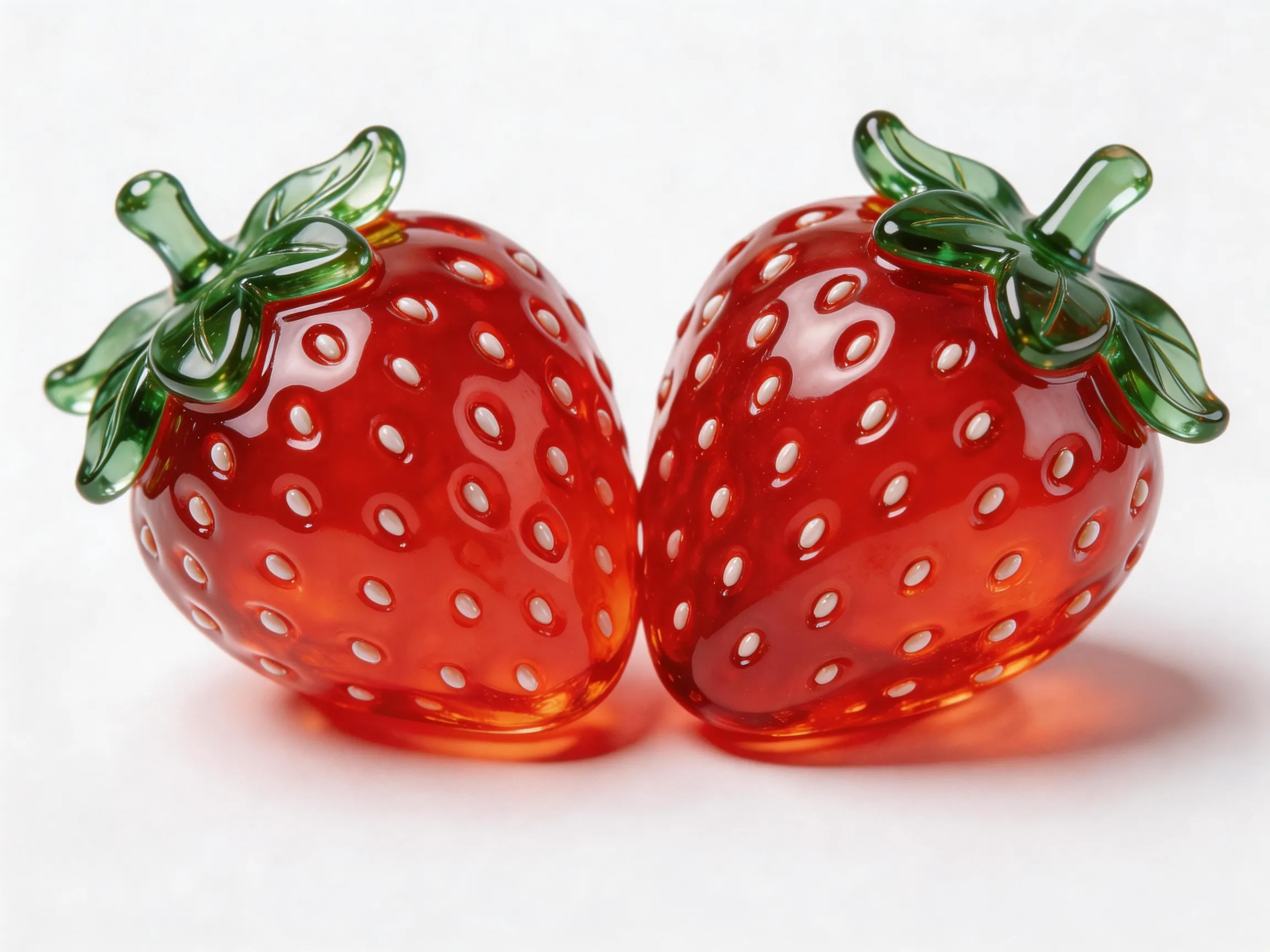
Prompt de entrada: Una toma cenital de un planeta azul. La cámara hace zoom gradualmente hasta un primer plano de la Imagen 1 en el planeta. Está sosteniendo la Imagen 2 y comiéndola, mientras dice: "¿Por qué nadie viene a jugar conmigo?" | |||
Primer fotograma de entrada
| Imagen de entrada (Imagen 1)
| Imagen de entrada (Imagen 2)
| Video de salida
|
 |  |  | |
SDK de Python
Asegúrese de que su SDK de Python de DashScope sea la versión
1.25.16o posterior. Consulte Instalar el SDK.
# -*- coding: utf-8 -*-
from http import HTTPStatus
from dashscope import VideoSynthesis
import dashscope
import os

# This is the URL for the Singapore region. Replace {WorkspaceId} with your actual workspace ID. URLs vary by region. To get the URL, see https://www.alibabacloud.com/help/model-studio/wan-video-to-video-api-reference
dashscope.base_http_api_url = 'https://{WorkspaceId}.ap-southeast-1.maas.aliyuncs.com/api/v1'

# If you have not configured the environment variable, replace the following line with your Model Studio API key: api_key="sk-xxx"
# API keys vary by region. To get an API key, see https://www.alibabacloud.com/help/model-studio/get-api-key
api_key = os.getenv("DASHSCOPE_API_KEY")

media = [
    {
        "type": "first_frame",
        "url": "https://help-static-aliyun-doc.aliyuncs.com/file-manage-files/zh-CN/20260414/ixwovg/wan2.7-r2v-first-frame.webp"
    },
    {
        "type": "reference_image",
        "url": "https://help-static-aliyun-doc.aliyuncs.com/file-manage-files/zh-CN/20260414/fkltfw/wan2.7-r2v-image-qq.webp"
    },
    {
        "type": "reference_image",
        "url": "https://help-static-aliyun-doc.aliyuncs.com/file-manage-files/zh-CN/20260414/kxkbsv/wan2.7-r2v-image-ob.webp"
    }
]

def sample_sync_call():
    print('----sync call, please wait a moment----')
    rsp = VideoSynthesis.call(
        api_key=api_key,
        model="wan2.7-r2v-2026-06-12",
        media=media,
        resolution="720P",
        duration=10,
        prompt_extend=False,
        watermark=True,
        prompt="An overhead shot captures a blue planet. The camera gradually zooms in toward the surface and cuts to a close-up of Image 1, who is holding Image 2 and eating it while saying: Why is not anyone coming to hang out with me?",
    )
    if rsp.status_code == HTTPStatus.OK:
        print(rsp.output.video_url)
    else:
        print('Failed, status_code: %s, code: %s, message: %s' %
              (rsp.status_code, rsp.code, rsp.message))

if __name__ == '__main__':
    sample_sync_call()
SDK de Java
Asegúrese de que su SDK de Java de DashScope sea la versión
2.22.14o posterior. Consulte Instalar el SDK.
// Copyright (c) Alibaba, Inc. and its affiliates.

import com.alibaba.dashscope.aigc.videosynthesis.VideoSynthesis;
import com.alibaba.dashscope.aigc.videosynthesis.VideoSynthesisParam;
import com.alibaba.dashscope.aigc.videosynthesis.VideoSynthesisResult;
import com.alibaba.dashscope.exception.ApiException;
import com.alibaba.dashscope.exception.InputRequiredException;
import com.alibaba.dashscope.exception.NoApiKeyException;
import com.alibaba.dashscope.utils.Constants;
import com.alibaba.dashscope.utils.JsonUtils;

import java.util.ArrayList;
import java.util.List;

public class Ref2Video {

    static {
        // This is the URL for the Singapore region. Replace {WorkspaceId} with your actual workspace ID. URLs vary by region. To get the URL, see https://www.alibabacloud.com/help/model-studio/wan-video-to-video-api-reference
        Constants.baseHttpApiUrl = "https://{WorkspaceId}.ap-southeast-1.maas.aliyuncs.com/api/v1";
    }

    // If you have not configured the environment variable, replace the following line with your Model Studio API key: apiKey="sk-xxx"
    // API keys vary by region. To get an API key, see https://www.alibabacloud.com/help/model-studio/get-api-key
    static String apiKey = System.getenv("DASHSCOPE_API_KEY");

    public static void syncCall() {
        VideoSynthesis videoSynthesis = new VideoSynthesis();
        final String prompt = "An overhead shot captures a blue planet. The camera gradually zooms in toward the surface and cuts to a close-up of Image 1, who is holding Image 2 and eating it while saying: Why is not anyone coming to hang out with me?";
        List<VideoSynthesisParam.Media> media = new ArrayList<VideoSynthesisParam.Media>(){{
            add(VideoSynthesisParam.Media.builder()
                    .url("https://help-static-aliyun-doc.aliyuncs.com/file-manage-files/zh-CN/20260414/ixwovg/wan2.7-r2v-first-frame.webp")
                    .type("first_frame")
                    .build());
            add(VideoSynthesisParam.Media.builder()
                    .url("https://help-static-aliyun-doc.aliyuncs.com/file-manage-files/zh-CN/20260414/fkltfw/wan2.7-r2v-image-qq.webp")
                    .type("reference_image")
                    .build());
            add(VideoSynthesisParam.Media.builder()
                    .url("https://help-static-aliyun-doc.aliyuncs.com/file-manage-files/zh-CN/20260414/kxkbsv/wan2.7-r2v-image-ob.webp")
                    .type("reference_image")
                    .build());
        }};
        VideoSynthesisParam param =
                VideoSynthesisParam.builder()
                        .apiKey(apiKey)
                        .model("wan2.7-r2v-2026-06-12")
                        .prompt(prompt)
                        .media(media)
                        .watermark(true)
                        .duration(10)
                        .resolution("720P")
                        .promptExtend(false)
                        .build();
        VideoSynthesisResult result = null;
        try {
            System.out.println("---sync call, please wait a moment----");
            result = videoSynthesis.call(param);
        } catch (ApiException | NoApiKeyException e){
            throw new RuntimeException(e.getMessage());
        } catch (InputRequiredException e) {
            throw new RuntimeException(e);
        }
        System.out.println(JsonUtils.toJson(result));
    }

    public static void main(String[] args) {
        syncCall();
    }
}
curl
Paso 1: Crear una tarea y obtener el ID de la tareacurl --location 'https://{WorkspaceId}.ap-southeast-1.maas.aliyuncs.com/api/v1/services/aigc/video-generation/video-synthesis' \
-H 'X-DashScope-Async: enable' \
-H "Authorization: Bearer $DASHSCOPE_API_KEY" \
-H 'Content-Type: application/json' \
-d '{
"model": "wan2.7-r2v-2026-06-12",
"input": {
"prompt": "An overhead shot captures a blue planet. The camera gradually zooms in toward the surface and cuts to a close-up of Image 1, who is holding Image 2 and eating it while saying: Why is not anyone coming to hang out with me?",
"media": [
{
"type": "first_frame",
"url": "https://help-static-aliyun-doc.aliyuncs.com/file-manage-files/zh-CN/20260414/ixwovg/wan2.7-r2v-first-frame.webp"
},
{
"type": "reference_image",
"url": "https://help-static-aliyun-doc.aliyuncs.com/file-manage-files/zh-CN/20260414/fkltfw/wan2.7-r2v-image-qq.webp"
},
{
"type": "reference_image",
"url": "https://help-static-aliyun-doc.aliyuncs.com/file-manage-files/zh-CN/20260414/kxkbsv/wan2.7-r2v-image-ob.webp"
}
]
},
"parameters": {
"resolution": "720P",
"duration": 10,
"prompt_extend": false,
"watermark": true
}
}'
Reemplace {task_id} con el valor task_id devuelto por la llamada a la API anterior. El task_id es válido para consultas durante 24 horas. Reemplace {WorkspaceId} con su ID de espacio de trabajo real.
curl -X GET https://{WorkspaceId}.ap-southeast-1.maas.aliyuncs.com/api/v1/tasks/{task_id} \
--header "Authorization: Bearer $DASHSCOPE_API_KEY"
Proporcionar referencias
Serie wan2.7
Pase imágenes, videos y audio de referencia a la matriz media.
Imágenes de entrada
-
Número de primeros fotogramas: Se permite un máximo de un primer fotograma (
media.type=first_frame). -
Número de imágenes de referencia: Se permite un máximo de cinco imágenes de referencia (
media.type=reference_image). El número total de imágenes y videos de referencia no puede exceder 5. -
Métodos de entrada:
-
URL pública: Admite protocolos HTTP o HTTPS. Ejemplo: https://xxxx/xxx.png.
-
Cadena codificada en Base64: Use el formato
data:{MIME_type};base64,{base64_data}, donde:-
{base64_data}: La cadena codificada en Base64 del archivo de imagen.
-
{MIME_type}: El tipo Multipurpose Internet Mail Extensions (MIME) de la imagen. El tipo debe coincidir con el formato del archivo.
Formato de imagen
Tipo MIME
JPEG
image/jpeg
JPG
image/jpeg
PNG
image/png
BMP
image/bmp
WEBP
image/webp
-
-

Videos de entrada
-
Número de videos de referencia: Se permite un máximo de cinco videos de referencia (
media.type=reference_video). El número total de imágenes y videos de referencia no puede exceder 5. -
Métodos de entrada:
- URL pública: Admite protocolos HTTP o HTTPS. Ejemplo: https://xxxx/xxx.mp4.
Audio de entrada
-
Límites: La voz de referencia (
media.reference_voice) solo se puede utilizar conreference_imageoreference_videopara especificar la voz del rol de entidad correspondiente. -
Métodos de entrada:
- URL pública: Admite protocolos HTTP o HTTPS. Ejemplo: https://xxxx/xxx.mp3.
Video de salida
-
Número de videos: 1.
-
Especificaciones de video: El formato es MP4. Para obtener especificaciones detalladas, consulte Modelos compatibles.
-
Periodo de validez de la URL del video: 24 horas.
-
Dimensiones del video:
-
Serie wan2.7: El parámetro
resolutioncontrola el nivel de resolución (720p o 1080p), y el parámetroratiocontrola la relación de aspecto (16:9, 9:16, 1:1, 4:3 o 3:4).- Si se proporciona una imagen de primer fotograma, se ignora el parámetro
ratio. La relación de aspecto del video de salida se aproxima a la de la imagen de primer fotograma. - Si no se proporciona una imagen de primer fotograma, la relación de aspecto se especifica mediante el parámetro
ratio. El valor predeterminado es 16:9.
- Si se proporciona una imagen de primer fotograma, se ignora el parámetro
-
Facturación y limitación de tasa
-
Para cuota gratuita y precio unitario, consulte Wan reference-to-video.
-
Para la limitación de tasa del modelo, consulte Wan.
-
Detalles de facturación:
- Las imágenes de entrada son gratuitas. Los videos de entrada y salida se facturan según su duración en segundos.
- Las llamadas fallidas al modelo o los fallos de procesamiento no generan cargos ni consumen la cuota gratuita para nuevos usuarios.
-
Fórmula de facturación:
Total billable duration (seconds) = Billable duration of input video (seconds) + Duration of output video (seconds).Modelos de la serie Wan 2.7
Duración facturable del video de entrada: El máximo es de 5 segundos.
Truncation limit per video = 5 seconds ÷ Number of input reference videos (reference images and the first frame image are excluded). Cada video se factura segúnmin(actual duration, truncation limit). Las duraciones facturables de múltiples videos se suman.- 1 video de referencia: El límite de truncamiento por video es de 5 segundos.
- 2 videos de referencia: El límite de truncamiento por video es de 2.5 segundos.
- 3 videos de referencia: El límite de truncamiento por video es de 1.65 segundos.
- 4 videos de referencia: El límite de truncamiento por video es de 1.25 segundos.
- 5 videos de referencia: El límite de truncamiento por video es de 1 segundo.
- Ejemplo: Si la entrada consiste en 2 videos de referencia + 1 imagen, la imagen se excluye del recuento. El límite de truncamiento se calcula en función de 2 videos de referencia, lo que resulta en 2.5 segundos por video.
Billable input duration = min(video 1 duration, 2.5 seconds) + min(video 2 duration, 2.5 seconds).
Duración facturable del video de salida: La duración en segundos del video generado exitosamente por el modelo.
Modelos de la serie Wan 2.6
Duración facturable del video de entrada: El máximo es de 5 segundos.
Truncation limit per video = 5 seconds ÷ Total number of reference materials (reference images + reference videos, excluding the first frame image). Cada video se factura segúnmin(actual duration, truncation limit). Las duraciones facturables de múltiples videos se suman.- 1 material de referencia: El límite de truncamiento por video es de 5 segundos.
- 2 materiales de referencia: El límite de truncamiento por video es de 2.5 segundos.
- 3 materiales de referencia: El límite de truncamiento por video es de 1.65 segundos.
- 4 materiales de referencia: El límite de truncamiento por video es de 1.25 segundos.
- 5 materiales de referencia: El límite de truncamiento por video es de 1 segundo.
Más ejemplos: Cálculo de la duración facturable del video de entrada
-
Entrada: 1 material de referencia (límite de truncamiento por video: 5 segundos)
- Si la entrada es un video:
Billable input duration = min(video duration, 5 seconds). - Si la entrada es una imagen: Sin cargo.
- Si la entrada es un video:
-
Entrada: 2 materiales de referencia (límite de truncamiento por video: 2.5 segundos)
- Si la entrada es 1 video + 1 imagen:
Billable input duration = min(video 1 duration, 2.5 seconds). - Si la entrada consiste en 2 videos:
Billable input duration = min(video 1 duration, 2.5 seconds) + min(video 2 duration, 2.5 seconds).
- Si la entrada es 1 video + 1 imagen:
-
Entrada: 3 materiales de referencia (límite de truncamiento por video: 1.65 segundos)
- Si la entrada es 1 video + 2 imágenes:
Billable input duration = min(video 1 duration, 1.65 seconds). - Si la entrada consiste en 3 videos:
Billable input duration = min(video 1 duration, 1.65 seconds) + min(video 2 duration, 1.65 seconds) + min(video 3 duration, 1.65 seconds).
- Si la entrada es 1 video + 2 imágenes:
-
Entrada: 4 materiales de referencia (límite de truncamiento por video: 1.25 segundos)
- Si la entrada consiste en 2 videos + 2 imágenes:
Billable input duration = min(video 1 duration, 1.25 seconds) + min(video 2 duration, 1.25 seconds). - Si la entrada consiste en 3 videos + 1 imagen:
Billable input duration = min(video 1 duration, 1.25 seconds) + min(video 2 duration, 1.25 seconds) + min(video 3 duration, 1.25 seconds).
- Si la entrada consiste en 2 videos + 2 imágenes:
-
Entrada: 5 materiales de referencia (límite de truncamiento por video: 1 segundo)
- Si la entrada es 1 video + 4 imágenes:
Billable input duration = min(video 1 duration, 1 second). - Si la entrada consiste en 3 videos + 2 imágenes:
Billable input duration = min(video 1 duration, 1 second) + min(video 2 duration, 1 second) + min(video 3 duration, 1 second).
- Si la entrada es 1 video + 4 imágenes:
Duración facturable del video de salida: La duración en segundos del video generado exitosamente por el modelo.
Referencia de API
Referencia de API de referencia a video
FAQ
P: ¿Cómo hago referencia a materiales en un prompt?
R: El método de referencia depende del modelo y la función utilizados:
Serie wan2.7
- Las imágenes de referencia se identifican como Figura 1, Figura 2, y así sucesivamente. Los videos de referencia se identifican de manera similar. Para prompts en inglés, utilice identificadores como Image 1 y Video 1.
- Las imágenes y los videos se cuentan por separado. El orden coincide con el orden del mismo tipo de material en el arreglo
media. - Si solo tiene una imagen o video de referencia, puede simplificar el identificador a "imagen de referencia" o "video de referencia".
- Por lo general, no necesita hacer referencia a la imagen del primer fotograma en el prompt.
{
    "input": {
        "prompt": "Video 1 is playing the guitar, and Image 1 is holding a bouquet of flowers and walks past Video 1.",
        "media": [
            {
                "type": "first_frame",
                "url":  "https://example.com/scene.jpg"
            },
            {
                "type": "reference_video",
                "url":  "https://example.com/girl.mp4"           // Video 1
            },
            {
                "type": "reference_image",
                "url": "https://example.com/boy.png"             // Image 1
            }
        ]
    }
}
P: ¿Se puede usar reference_voice con una imagen de primer fotograma?
R: No se recomienda. Utilice media.reference_voice con reference_image o reference_video para especificar el timbre de la entidad correspondiente.