El modelo de Imagen a Video Wan acepta entradas multimodales (texto, imagen o audio) y genera videos de hasta 15 segundos de duración con resolución 1080P.
- Configuración básica: Admite duraciones de video en números enteros de 2 a 15 segundos, resolución de video configurable (480P, 720P o 1080P), reescritura inteligente de prompts y marca de agua opcional.
- Capacidades de audio: Admite doblaje automático o la carga de un archivo de audio para lograr la sincronización audiovisual.(Compatible con Wan 2.5 y Wan 2.6)
- Narrativa de múltiples tomas: Genera videos de múltiples tomas preservando la consistencia del sujeto en las transiciones entre tomas. (Compatible únicamente con Wan 2.6)
Acceso rápido: Experiencia en línea (Singapore|Virginia|Beijing)|Referencia de API
Introducción
| Prompt de entrada | Imagen del primer fotograma de entrada | Video de salida (múltiples tomas, video con audio) |
La cámara se mueve lentamente hacia arriba desde debajo de la tortuga, que nada con gracia, mostrando claramente los detalles de su vientre. | 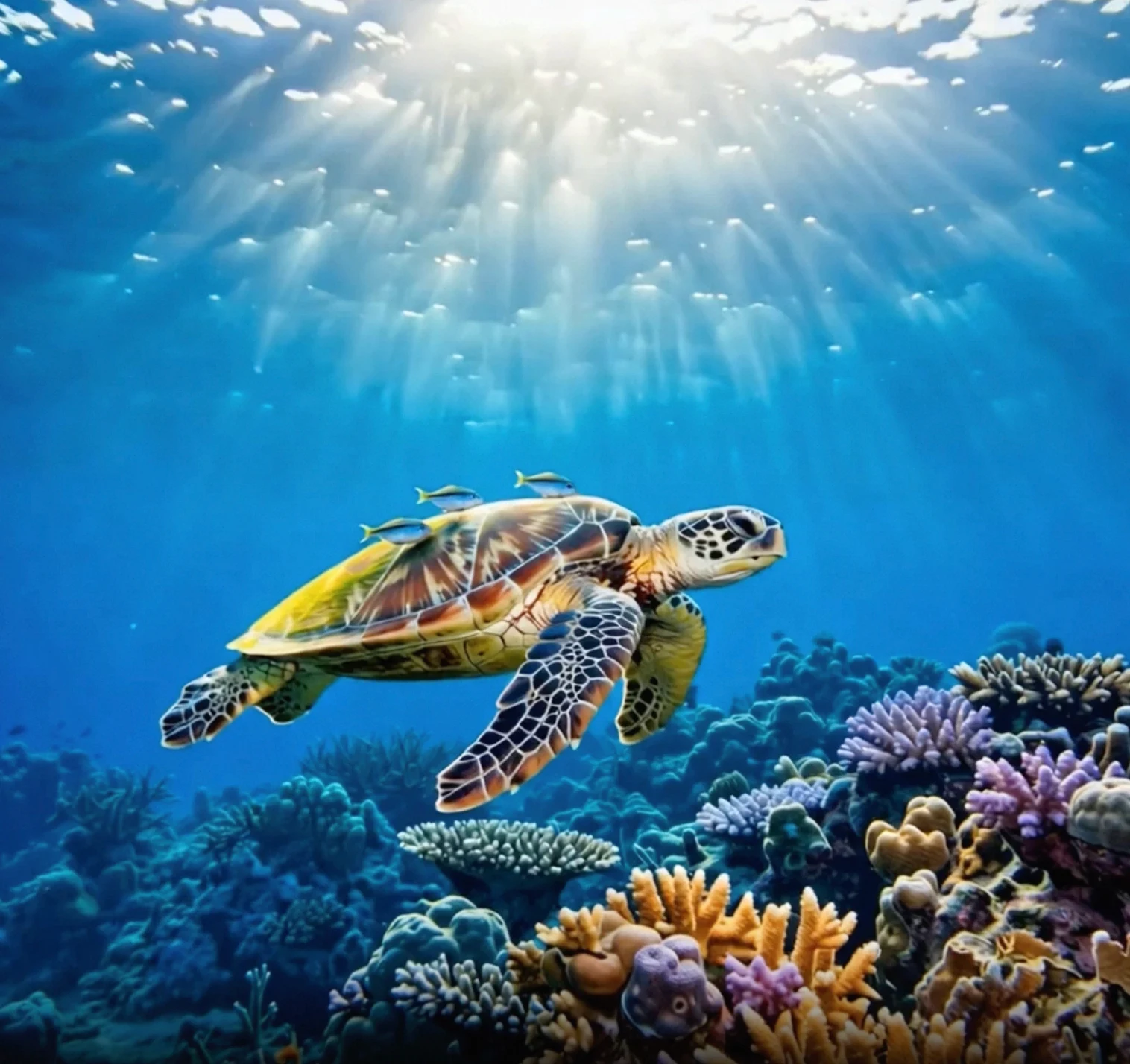 |
Antes de invocar la API, primero obtenga su clave de API y host de API, luego configure la clave de API como variable de entorno (este método está obsoleto y se ha integrado en la configuración de la clave de API). Para invocar la API mediante el SDK, puede instalar el DashScope SDK.
Reemplace {WorkspaceId} con su ID de espacio de trabajo real.
SDK de Python
ImportanteAsegúrese de que la versión del SDK de Python de DashScope sea al menos 1.25.8 antes de ejecutar el siguiente código.
Si la versión es demasiado baja, puede provocar errores como “url error, please check url!”. Consulte Instalar SDK para actualizar.
import os
from http import HTTPStatus
from dashscope import VideoSynthesis
import dashscope

# The following URL is for the Singapore region. Replace {WorkspaceId} with your actual workspace ID. URLs differ by region.
dashscope.base_http_api_url = 'https://{WorkspaceId}.ap-southeast-1.maas.aliyuncs.com/api/v1'
# API keys vary by region. Get an API key: https://www.alibabacloud.com/help/model-studio/get-api-key
api_key = os.getenv("DASHSCOPE_API_KEY", "YOUR_API_KEY")

print('please wait...')
rsp = VideoSynthesis.call(api_key=api_key,
                          model='wan2.6-i2v-flash',
                          prompt='The camera slowly moves up from below the turtle, which swims gracefully, its belly details clearly visible.',
                          img_url="https://help-static-aliyun-doc.aliyuncs.com/file-manage-files/zh-CN/20260121/zlpocv/wan-i2v-haigui.webp",
                          resolution="720P",
                          duration=10,
                          shot_type="multi",
                          prompt_extend=True,
                          watermark=True)
print(rsp)
if rsp.status_code == HTTPStatus.OK:
    print("video_url:", rsp.output.video_url)
else:
    print('Failed, status_code: %s, code: %s, message: %s' % (rsp.status_code, rsp.code, rsp.message))
SDK de Java
ImportanteAsegúrese de que la versión del SDK de Java de DashScope sea al menos2.22.6 antes de ejecutar el siguiente código.
Si la versión es demasiado baja, puede provocar errores como “url error, please check url!”. Consulte Instalar SDK para actualizar.
import com.alibaba.dashscope.aigc.videosynthesis.VideoSynthesis;
import com.alibaba.dashscope.aigc.videosynthesis.VideoSynthesisParam;
import com.alibaba.dashscope.aigc.videosynthesis.VideoSynthesisResult;
import com.alibaba.dashscope.exception.ApiException;
import com.alibaba.dashscope.exception.InputRequiredException;
import com.alibaba.dashscope.exception.NoApiKeyException;
import com.alibaba.dashscope.utils.JsonUtils;
import com.alibaba.dashscope.utils.Constants;

public class Image2Video {

    static {
        // The following URL is for the Singapore region. Replace {WorkspaceId} with your actual workspace ID. URLs differ by region.
        Constants.baseHttpApiUrl = "https://{WorkspaceId}.ap-southeast-1.maas.aliyuncs.com/api/v1";
    }

    // If you have not configured the environment variable, replace the following line with your Model Studio API key: apiKey="sk-xxx"
    // API keys vary by region. Get an API key: https://www.alibabacloud.com/help/model-studio/get-api-key
    static String apiKey = System.getenv("DASHSCOPE_API_KEY");

    public static void image2video() throws ApiException, NoApiKeyException, InputRequiredException {
        VideoSynthesis vs = new VideoSynthesis();
        VideoSynthesisParam param =
                VideoSynthesisParam.builder()
                        .apiKey(apiKey)
                        .model("wan2.6-i2v-flash")
                        .prompt("The camera slowly moves up from below the turtle, which swims gracefully, its belly details clearly visible.")
                        .imgUrl("https://help-static-aliyun-doc.aliyuncs.com/file-manage-files/zh-CN/20260121/zlpocv/wan-i2v-haigui.webp")
                        .duration(10)
                        .resolution("720P")
                        .shotType("multi")
                        .promptExtend(true)
                        .watermark(true)
                        .build();
        System.out.println("please wait...");
        VideoSynthesisResult result = vs.call(param);
        System.out.println(JsonUtils.toJson(result));
    }

    public static void main(String[] args) {
        try {
            image2video();
        } catch (ApiException | NoApiKeyException | InputRequiredException e) {
            System.out.println(e.getMessage());
        }
        System.exit(0);
    }
}
curl
Paso 1: Crear una tarea para obtener el ID de tareacurl --location 'https://{WorkspaceId}.ap-southeast-1.maas.aliyuncs.com/api/v1/services/aigc/video-generation/video-synthesis' \
-H 'X-DashScope-Async: enable' \
-H "Authorization: Bearer $DASHSCOPE_API_KEY" \
-H 'Content-Type: application/json' \
-d '{
"model": "wan2.6-i2v-flash",
"input": {
"prompt": "The camera slowly moves up from below the turtle, which swims gracefully, its belly details clearly visible.",
"img_url": "https://help-static-aliyun-doc.aliyuncs.com/file-manage-files/zh-CN/20260121/zlpocv/wan-i2v-haigui.webp"
},
"parameters": {
"resolution": "720P",
"prompt_extend": true,
"watermark": true,
"duration": 10,
"shot_type":"multi"
}
}'
Reemplace {task_id} con el valor task_id devuelto por la llamada a la API anterior. El task_id es válido para consultas durante 24 horas. Reemplace {WorkspaceId} con su ID de espacio de trabajo real.
curl -X GET https://{WorkspaceId}.ap-southeast-1.maas.aliyuncs.com/api/v1/tasks/{task_id} \
--header "Authorization: Bearer $DASHSCOPE_API_KEY"
video_urles válido durante 24 horas. Descargue el video oportunamente.
{
    "request_id": "c1209113-8437-424f-a386-xxxxxx",
    "output": {
        "task_id": "966cebcd-dedc-4962-af88-xxxxxx",
        "task_status": "SUCCEEDED",
        "video_url": "https://dashscope-result-sh.oss-accelerate.aliyuncs.com/xxx.mp4?Expires=xxx",
         ...
    },
    ...
}
Ámbito
- Los modelos compatibles varían según la región. Los recursos están aislados entre regiones. Para consultar los modelos compatibles en cada región, consulte la consola de Model Studio.
- Al realizar una llamada, asegúrese de que su modelo, URL de endpoint y clave de API pertenezcan todos a la misma región. Las llamadas entre regiones fallarán.
NotaEl código de ejemplo en este tema se aplica a la región de Singapur.
Capacidades principales
Crear videos de múltiples tomas
Modelos compatibles: Wan 2.6 series models.
Introducción a la función: El modelo cambia automáticamente entre tomas —por ejemplo, de planos generales a primeros planos— lo que lo hace ideal para la producción de videos musicales.
Configuración de parámetros:
shot_type: Debe establecerse en"multi".prompt_extend: Debe establecerse entrue(habilita la reescritura inteligente para optimizar las descripciones de tomas).
| Prompt de entrada | Imagen del primer fotograma de entrada | Video de salida (Wan 2.6, video de múltiples tomas) |
Una escena de arte fantástico urbano. Un personaje dinámico de arte grafiti. Un niño hecho de pintura en aerosol cobra vida desde una pared de concreto. Rapea una canción en inglés a un ritmo muy rápido, adoptando una pose clásica y enérgica de rapero. La escena está ambientada de noche bajo un puente ferroviario urbano. La iluminación proviene de una sola farola, creando una atmósfera cinematográfica, llena de gran energía y detalles asombrosos. La parte de audio del video consiste enteramente en rap, sin otros diálogos ni ruido de fondo. | 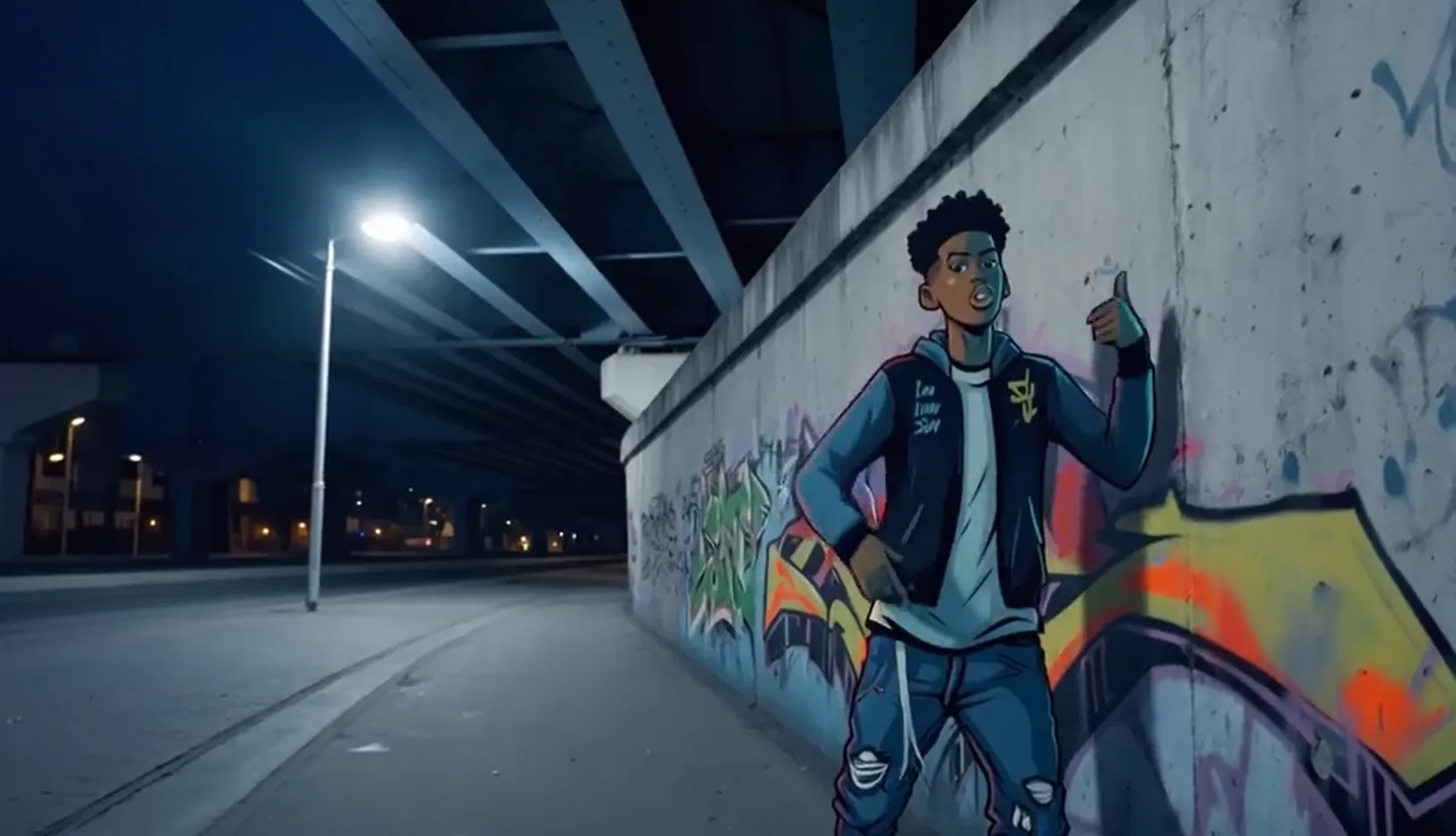 Audio de entrada: |
Reemplace {WorkspaceId} con su ID de espacio de trabajo real.
SDK de Python
Asegúrese de que la versión del DashScope SDK para Python sea al menos
1.25.8. Para obtener instrucciones sobre cómo actualizar, consulte Instalar el SDK.
import os
from http import HTTPStatus
from dashscope import VideoSynthesis
import dashscope

# The following URL is for the Singapore region. Replace {WorkspaceId} with your actual workspace ID. URLs differ by region.
dashscope.base_http_api_url = 'https://{WorkspaceId}.ap-southeast-1.maas.aliyuncs.com/api/v1'

# If you have not configured the environment variable, replace the following line with your Model Studio API key: api_key="sk-xxx"
# API keys vary by region. Get an API key: https://www.alibabacloud.com/help/model-studio/get-api-key
api_key = os.getenv("DASHSCOPE_API_KEY")

def sample_async_call_i2v():
    # Asynchronous invocation returns a task ID
    rsp = VideoSynthesis.async_call(api_key=api_key,
                                    model='wan2.6-i2v-flash',
                                    prompt='An urban fantasy art scene. A dynamic graffiti art character. A boy made of spray paint comes to life from a concrete wall. He raps an English song at a very fast pace, striking a classic, energetic rapper pose. The scene is set at night under an urban railway bridge. The lighting comes from a single street lamp, creating a cinematic atmosphere, full of high energy and amazing detail. The audio part of the video consists entirely of rap, with no other dialogue or background noise.',
                                    img_url="https://help-static-aliyun-doc.aliyuncs.com/file-manage-files/zh-CN/20250925/wpimhv/rap.png",
                                    audio_url="https://help-static-aliyun-doc.aliyuncs.com/file-manage-files/zh-CN/20250925/ozwpvi/rap.mp3",
                                    resolution="720P",
                                    duration=10,
                                    shot_type="multi", # Multi-shot
                                    prompt_extend=True,
                                    watermark=True,
                                    negative_prompt="",
                                    seed=12345)
    print(rsp)
    if rsp.status_code == HTTPStatus.OK:
        print("task_id: %s" % rsp.output.task_id)
    else:
        print('Failed, status_code: %s, code: %s, message: %s' % (rsp.status_code, rsp.code, rsp.message))

    # Wait for the asynchronous task to complete
    rsp = VideoSynthesis.wait(task=rsp, api_key=api_key)
    print(rsp)
    if rsp.status_code == HTTPStatus.OK:
        print(rsp.output.video_url)
    else:
        print('Failed, status_code: %s, code: %s, message: %s' % (rsp.status_code, rsp.code, rsp.message))

if __name__ == '__main__':
    sample_async_call_i2v()
SDK de Java
Asegúrese de que la versión del SDK de Java de DashScope sea al menos
2.22.6. Para actualizar el SDK, consulte Instalar el SDK.
import com.alibaba.dashscope.aigc.videosynthesis.VideoSynthesis;
import com.alibaba.dashscope.aigc.videosynthesis.VideoSynthesisParam;
import com.alibaba.dashscope.aigc.videosynthesis.VideoSynthesisResult;
import com.alibaba.dashscope.exception.ApiException;
import com.alibaba.dashscope.exception.InputRequiredException;
import com.alibaba.dashscope.exception.NoApiKeyException;
import com.alibaba.dashscope.utils.JsonUtils;
import com.alibaba.dashscope.utils.Constants;

public class Image2Video {
    static {
        // The following URL is for the Singapore region. Replace {WorkspaceId} with your actual workspace ID. URLs differ by region.
        Constants.baseHttpApiUrl = "https://{WorkspaceId}.ap-southeast-1.maas.aliyuncs.com/api/v1";
    }

    // If you have not configured the environment variable, replace the following line with your Model Studio API key: apiKey="sk-xxx"
    // API keys vary by region. Get an API key: https://www.alibabacloud.com/help/model-studio/get-api-key
    static String apiKey = System.getenv("DASHSCOPE_API_KEY");

    // Set input image URL
    static String imgUrl = "https://help-static-aliyun-doc.aliyuncs.com/file-manage-files/zh-CN/20250925/wpimhv/rap.png";
    // Set audio URL
    static String audioUrl = "https://help-static-aliyun-doc.aliyuncs.com/file-manage-files/zh-CN/20250925/ozwpvi/rap.mp3";

    public static void image2video() throws ApiException, NoApiKeyException, InputRequiredException {
        VideoSynthesis vs = new VideoSynthesis();
        VideoSynthesisParam param =
                VideoSynthesisParam.builder()
                        .apiKey(apiKey)
                        .model("wan2.6-i2v-flash")
                        .prompt("An urban fantasy art scene. A dynamic graffiti art character. A boy made of spray paint comes to life from a concrete wall. He raps an English song at a very fast pace, striking a classic, energetic rapper pose. The scene is set at night under an urban railway bridge. The lighting comes from a single street lamp, creating a cinematic atmosphere, full of high energy and amazing detail. The audio part of the video consists entirely of rap, with no other dialogue or background noise.")
                        .imgUrl(imgUrl)
                        .audioUrl(audioUrl)
                        .shotType("multi")
                        .duration(10)
                        .resolution("720P")
                        .negativePrompt("")
                        .promptExtend(true)
                        .watermark(true)
                        .seed(12345)
                        .build();
        // Asynchronous invocation
        VideoSynthesisResult task = vs.asyncCall(param);
        System.out.println(JsonUtils.toJson(task));
        System.out.println("please wait...");

        // Get results
        VideoSynthesisResult result = vs.wait(task, apiKey);
        System.out.println(JsonUtils.toJson(result));
    }

    public static void main(String[] args) {
        try {
            image2video();
        } catch (ApiException | NoApiKeyException | InputRequiredException e) {
            System.out.println(e.getMessage());
        }
        System.exit(0);
    }
}
curl
Paso 1: Crear una tarea para obtener el ID de tarea# The following URL is for the Singapore region. Replace {WorkspaceId} with your actual workspace ID. URLs differ by region.
curl --location 'https://{WorkspaceId}.ap-southeast-1.maas.aliyuncs.com/api/v1/services/aigc/video-generation/video-synthesis' \
-H 'X-DashScope-Async: enable' \
-H "Authorization: Bearer $DASHSCOPE_API_KEY" \
-H 'Content-Type: application/json' \
-d '{
"model": "wan2.6-i2v-flash",
"input": {
"prompt": "A scene of urban fantasy art. A dynamic graffiti art character. A boy made of spray paint comes to life from a concrete wall. He raps an English song at high speed while striking a classic, energetic rapper pose. The scene is set under an urban railway bridge at night. The lighting comes from a single street lamp, creating a cinematic atmosphere full of high energy and amazing detail. The audio of the video consists entirely of his rap, with no other dialogue or noise.",
"img_url": "https://help-static-aliyun-doc.aliyuncs.com/file-manage-files/zh-CN/20250925/wpimhv/rap.png",
"audio_url": "https://help-static-aliyun-doc.aliyuncs.com/file-manage-files/zh-CN/20250925/ozwpvi/rap.mp3"
},
"parameters": {
"resolution": "720P",
"prompt_extend": true,
"duration": 10,
"shot_type":"multi"
}
}'
Reemplace {task_id} con el valor task_id devuelto por la llamada a la API anterior. El task_id es válido para consultas durante 24 horas. Reemplace {WorkspaceId} con su ID de espacio de trabajo real.
curl -X GET https://{WorkspaceId}.ap-southeast-1.maas.aliyuncs.com/api/v1/tasks/{task_id} \
--header "Authorization: Bearer $DASHSCOPE_API_KEY"
Lograr sincronización audiovisual
Modelos compatibles: wan2.5 and wan2.6 series models.
Introducción a la función: Hace que los personajes en las fotos hablen o canten con movimientos labiales sincronizados con el audio. Para más ejemplos, consulte Generación de sonido en video.
Configuración de parámetros:- Archivo de audio de entrada: Proporcione una
audio_url. El modelo sincroniza los movimientos labiales basándose en el archivo de audio. - Doblaje automático: No proporcione un
audio_url. De forma predeterminada, la salida es un video con sonido. El modelo genera automáticamente efectos de sonido de fondo, música o voces basándose en las imágenes.
| Prompt de entrada | Imagen del primer fotograma de entrada | Video de salida (video con sonido) |
Una escena de arte fantástico urbano. Un personaje de grafiti dinámico. Un adolescente pintado con aerosol cobra vida desde una pared de concreto. Rapea en inglés a un ritmo muy rápido, adoptando una pose clásica y enérgica de rapero. La escena está ambientada de noche bajo un puente ferroviario urbano. La luz de una farola solitaria crea una atmósfera cinematográfica, llena de gran energía y detalles asombrosos. La parte de audio del video consiste enteramente en rap, sin otros diálogos ni ruidos. | Audio de entrada: |
Reemplace {WorkspaceId} con su ID de espacio de trabajo real.
SDK de Python
Asegúrese de que la versión del DashScope SDK para Python sea al menos
1.25.8. Para obtener instrucciones sobre cómo actualizar, consulte Instalar el SDK.
import os
from http import HTTPStatus
from dashscope import VideoSynthesis
import dashscope

# The following URL is for the Singapore region. Replace {WorkspaceId} with your actual workspace ID. URLs differ by region.
dashscope.base_http_api_url = 'https://{WorkspaceId}.ap-southeast-1.maas.aliyuncs.com/api/v1'

# If you have not configured the environment variable, replace the following line with: api_key="sk-xxx" using your Model Studio API key.
# API keys vary by region. Get your API key: https://www.alibabacloud.com/help/model-studio/get-api-key
api_key = os.getenv("DASHSCOPE_API_KEY")

def sample_async_call_i2v():
    # Asynchronous invocation, returns a task_id
    rsp = VideoSynthesis.async_call(api_key=api_key,
                                    model='wan2.6-i2v-flash',
                                    prompt='A scene of urban fantasy art. A dynamic graffiti character. A teenager painted with spray paint comes to life from a concrete wall. He raps in English at a very fast pace, striking a classic, energetic rapper pose. The scene is set at night under an urban railway bridge. Light from a solitary streetlamp creates a cinematic atmosphere, full of high energy and stunning detail. The audio portion of the video consists entirely of rap, with no other dialogue or noise.',
                                    img_url="https://help-static-aliyun-doc.aliyuncs.com/file-manage-files/zh-CN/20250925/wpimhv/rap.png",
                                    audio_url="https://help-static-aliyun-doc.aliyuncs.com/file-manage-files/zh-CN/20250925/ozwpvi/rap.mp3",
                                    resolution="720P",
                                    duration=10,
                                    prompt_extend=True,
                                    watermark=True,
                                    negative_prompt="",
                                    seed=12345)
    print(rsp)
    if rsp.status_code == HTTPStatus.OK:
        print("task_id: %s" % rsp.output.task_id)
    else:
        print('Failed, status_code: %s, code: %s, message: %s' % (rsp.status_code, rsp.code, rsp.message))

    # Wait for the asynchronous task to complete
    rsp = VideoSynthesis.wait(task=rsp, api_key=api_key)
    print(rsp)
    if rsp.status_code == HTTPStatus.OK:
        print(rsp.output.video_url)
    else:
        print('Failed, status_code: %s, code: %s, message: %s' % (rsp.status_code, rsp.code, rsp.message))

if __name__ == '__main__':
    sample_async_call_i2v()
SDK de Java
Asegúrese de que la versión del SDK de Java de DashScope sea al menos
2.22.6. Para actualizar el SDK, consulte Instalar el SDK.
import com.alibaba.dashscope.aigc.videosynthesis.VideoSynthesis;
import com.alibaba.dashscope.aigc.videosynthesis.VideoSynthesisParam;
import com.alibaba.dashscope.aigc.videosynthesis.VideoSynthesisResult;
import com.alibaba.dashscope.exception.ApiException;
import com.alibaba.dashscope.exception.InputRequiredException;
import com.alibaba.dashscope.exception.NoApiKeyException;
import com.alibaba.dashscope.utils.JsonUtils;
import com.alibaba.dashscope.utils.Constants;

public class Image2Video {
    static {
        // The following URL is for the Singapore region. Replace {WorkspaceId} with your actual workspace ID. URLs differ by region.
        Constants.baseHttpApiUrl = "https://{WorkspaceId}.ap-southeast-1.maas.aliyuncs.com/api/v1";
    }

    // If you have not configured the environment variable, replace the following line with: apiKey="sk-xxx" using your Model Studio API key.
    // API keys vary by region. Get your API key: https://www.alibabacloud.com/help/model-studio/get-api-key
    static String apiKey = System.getenv("DASHSCOPE_API_KEY");

    // Set input image URL
    static String imgUrl = "https://help-static-aliyun-doc.aliyuncs.com/file-manage-files/zh-CN/20250925/wpimhv/rap.png";
    // Set audio URL
    static String audioUrl = "https://help-static-aliyun-doc.aliyuncs.com/file-manage-files/zh-CN/20250925/ozwpvi/rap.mp3";

    public static void image2video() throws ApiException, NoApiKeyException, InputRequiredException {
        VideoSynthesis vs = new VideoSynthesis();
        VideoSynthesisParam param =
                VideoSynthesisParam.builder()
                        .apiKey(apiKey)
                        .model("wan2.6-i2v-flash")
                        .prompt("A scene of urban fantasy art. A dynamic graffiti character. A teenager painted with spray paint comes to life from a concrete wall. He raps in English at a very fast pace, striking a classic, energetic rapper pose. The scene is set at night under an urban railway bridge. Light from a solitary streetlamp creates a cinematic atmosphere, full of high energy and stunning detail. The audio portion of the video consists entirely of rap, with no other dialogue or noise.")
                        .imgUrl(imgUrl)
                        .audioUrl(audioUrl)
                        .duration(10)
                        .resolution("720P")
                        .negativePrompt("")
                        .promptExtend(true)
                        .watermark(true)
                        .seed(12345)
                        .build();
        // Asynchronous invocation
        VideoSynthesisResult task = vs.asyncCall(param);
        System.out.println(JsonUtils.toJson(task));
        System.out.println("please wait...");

        // Get result
        VideoSynthesisResult result = vs.wait(task, apiKey);
        System.out.println(JsonUtils.toJson(result));
    }

    public static void main(String[] args) {
        try {
            image2video();
        } catch (ApiException | NoApiKeyException | InputRequiredException e) {
            System.out.println(e.getMessage());
        }
        System.exit(0);
    }
}
curl
Paso 1: Crear una tarea para obtener el ID de tarea# The following URL is for the Singapore region. Replace {WorkspaceId} with your actual workspace ID. URLs differ by region.
curl --location 'https://{WorkspaceId}.ap-southeast-1.maas.aliyuncs.com/api/v1/services/aigc/video-generation/video-synthesis' \
-H 'X-DashScope-Async: enable' \
-H "Authorization: Bearer $DASHSCOPE_API_KEY" \
-H 'Content-Type: application/json' \
-d '{
"model": "wan2.5-i2v-preview",
"input": {
"prompt": "A scene of urban fantasy art. A dynamic graffiti art character. A boy made of spray paint comes to life from a concrete wall. He raps an English song at high speed while striking a classic, energetic rapper pose. The scene is set under an urban railway bridge at night. The lighting comes from a single street lamp, creating a cinematic atmosphere full of high energy and amazing detail. The audio of the video consists entirely of his rap, with no other dialogue or noise.",
"img_url": "https://help-static-aliyun-doc.aliyuncs.com/file-manage-files/zh-CN/20250925/wpimhv/rap.png",
"audio_url": "https://help-static-aliyun-doc.aliyuncs.com/file-manage-files/zh-CN/20250925/ozwpvi/rap.mp3"
},
"parameters": {
"resolution": "480P",
"prompt_extend": true,
"duration": 10
}
}'
# The following URL is for the Singapore region. Replace {WorkspaceId} with your actual workspace ID. URLs differ by region.

curl --location 'https://{WorkspaceId}.ap-southeast-1.maas.aliyuncs.com/api/v1/services/aigc/video-generation/video-synthesis' \
    -H 'X-DashScope-Async: enable' \
    -H "Authorization: Bearer $DASHSCOPE_API_KEY" \
    -H 'Content-Type: application/json' \
    -d '{
    "model": "wan2.5-i2v-preview",
    "input": {
        "prompt": "A scene of urban fantasy art. A dynamic graffiti art character. A boy made of spray paint comes to life from a concrete wall. He raps an English song at high speed while striking a classic, energetic rapper pose. The scene is set under an urban railway bridge at night. The lighting comes from a single street lamp, creating a cinematic atmosphere full of high energy and amazing detail. The audio of the video consists entirely of his rap, with no other dialogue or noise.",
        "img_url": "https://help-static-aliyun-doc.aliyuncs.com/file-manage-files/zh-CN/20250925/wpimhv/rap.png"
    },
    "parameters": {
        "resolution": "480P",
        "prompt_extend": true,
        "duration": 10
    }
}'
Reemplace {task_id} con el valor task_id devuelto por la llamada a la API anterior. El task_id es válido para consultas durante 24 horas. Reemplace {WorkspaceId} con su ID de espacio de trabajo real.
curl -X GET https://{WorkspaceId}.ap-southeast-1.maas.aliyuncs.com/api/v1/tasks/{task_id} \
--header "Authorization: Bearer $DASHSCOPE_API_KEY"
Paso 1: Crear una tarea para obtener el ID de la tarea
Doblaje automático
Archivo de audio de entrada
Cuerpo de la pestaña 2
Paso 2: Obtener resultados basados en el ID de la tarea
Generar videos silenciosos
Modelos compatibles: wan2.6-i2v-flash, wan2.2 series models, wan2.1 series models.
Introducción a la función: Utilice videos silenciosos para escenarios exclusivamente visuales que no requieren audio, como pósteres animados o videos cortos sin sonido.
Configuración de parámetros:
wan2.6-i2v-flash: Genera videos con audio habilitado de forma predeterminada. Para generar un video silencioso, establezca explícitamenteaudio=false. Incluso si pasa unaudio_url, la salida permanece silenciosa cuandoaudio=false. Se le facturará por videos silenciosos.wan2.2 and earlier models: Generan videos silenciosos de forma predeterminada. No se necesita configuración adicional.
| Prompt | Imagen del primer fotograma de entrada | Video de salida (video silencioso) |
Un gato corre sobre el césped | 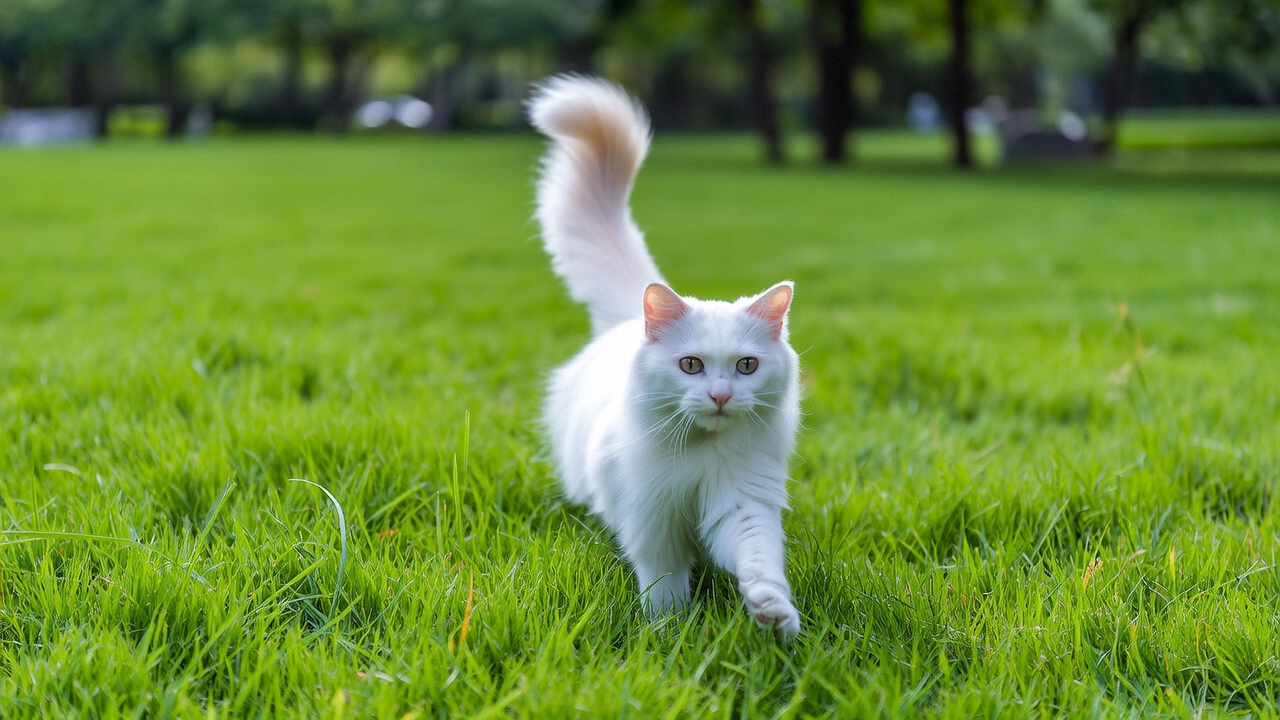 |
Reemplace {WorkspaceId} con su ID de espacio de trabajo real.
SDK de Python
Asegúrese de que la versión del DashScope SDK para Python sea al menos
1.25.8. Para obtener instrucciones sobre cómo actualizar, consulte Instalar el SDK.
import os
from http import HTTPStatus
from dashscope import VideoSynthesis
import dashscope

# The following URL is for the Singapore region. Replace {WorkspaceId} with your actual workspace ID. URLs differ by region.
dashscope.base_http_api_url = 'https://{WorkspaceId}.ap-southeast-1.maas.aliyuncs.com/api/v1'

# If you have not set an environment variable, replace the next line with: api_key="sk-xxx"
# API keys differ by region. Get your API key: https://www.alibabacloud.com/help/model-studio/get-api-key
api_key = os.getenv("DASHSCOPE_API_KEY")

def sample_async_call_i2v():
    # Call asynchronously. Returns a task_id.
    rsp = VideoSynthesis.async_call(api_key=api_key,
                                    model='wan2.6-i2v-flash',
                                    prompt='A cat runs on grass',
                                    img_url="https://cdn.translate.alibaba.com/r/wanx-demo-1.png",
                                    audio=False,   # Set to False to generate a silent video.
                                    resolution="720P",
                                    duration=5,
                                    prompt_extend=True,
                                    watermark=True,
                                    negative_prompt="",
                                    seed=12345)
    print(rsp)
    if rsp.status_code == HTTPStatus.OK:
        print("task_id: %s" % rsp.output.task_id)
    else:
        print('Failed, status_code: %s, code: %s, message: %s' % (rsp.status_code, rsp.code, rsp.message))

    # Wait for the asynchronous task to complete.
    rsp = VideoSynthesis.wait(task=rsp, api_key=api_key)
    print(rsp)
    if rsp.status_code == HTTPStatus.OK:
        print(rsp.output.video_url)
    else:
        print('Failed, status_code: %s, code: %s, message: %s' % (rsp.status_code, rsp.code, rsp.message))

if __name__ == '__main__':
    sample_async_call_i2v()
SDK de Java
Asegúrese de que la versión del SDK de Java de DashScope sea al menos
2.22.6. Para actualizar el SDK, consulte Instalar el SDK.
import com.alibaba.dashscope.aigc.videosynthesis.VideoSynthesis;
import com.alibaba.dashscope.aigc.videosynthesis.VideoSynthesisParam;
import com.alibaba.dashscope.aigc.videosynthesis.VideoSynthesisResult;
import com.alibaba.dashscope.exception.ApiException;
import com.alibaba.dashscope.exception.InputRequiredException;
import com.alibaba.dashscope.exception.NoApiKeyException;
import com.alibaba.dashscope.utils.JsonUtils;
import com.alibaba.dashscope.utils.Constants;

public class Image2Video {
    static {
        // The following URL is for the Singapore region. Replace {WorkspaceId} with your actual workspace ID. URLs differ by region.
        Constants.baseHttpApiUrl = "https://{WorkspaceId}.ap-southeast-1.maas.aliyuncs.com/api/v1";
    }

    // If you have not set an environment variable, replace the next line with: apiKey="sk-xxx"
    // API keys differ by region. Get your API key: https://www.alibabacloud.com/help/model-studio/get-api-key
    static String apiKey = System.getenv("DASHSCOPE_API_KEY");

    public static void image2video() throws ApiException, NoApiKeyException, InputRequiredException {
        VideoSynthesis vs = new VideoSynthesis();
        VideoSynthesisParam param =
                VideoSynthesisParam.builder()
                        .apiKey(apiKey)
                        .model("wan2.6-i2v-flash")
                        .prompt("A cat runs on grass")
                        .imgUrl("https://cdn.translate.alibaba.com/r/wanx-demo-1.png")
                        .audio(false)   /*Set to false to generate a silent video.*/
                        .duration(10)
                        .resolution("720P")
                        .negativePrompt("")
                        .promptExtend(true)
                        .watermark(true)
                        .seed(12345)
                        .build();
        // Call asynchronously.
        VideoSynthesisResult task = vs.asyncCall(param);
        System.out.println(JsonUtils.toJson(task));
        System.out.println("please wait...");

        // Get the result.
        VideoSynthesisResult result = vs.wait(task, apiKey);
        System.out.println(JsonUtils.toJson(result));
    }

    public static void main(String[] args) {
        try {
            image2video();
        } catch (ApiException | NoApiKeyException | InputRequiredException e) {
            System.out.println(e.getMessage());
        }
        System.exit(0);
    }
}
curl
Paso 1: Crear una tarea para obtener un ID de tareacurl --location 'https://{WorkspaceId}.ap-southeast-1.maas.aliyuncs.com/api/v1/services/aigc/video-generation/video-synthesis' \
-H 'X-DashScope-Async: enable' \
-H "Authorization: Bearer $DASHSCOPE_API_KEY" \
-H 'Content-Type: application/json' \
-d '{
"model": "wan2.6-i2v-flash",
"input": {
"prompt": "A cat runs on grass",
"img_url": "https://cdn.translate.alibaba.com/r/wanx-demo-1.png"
},
"parameters": {
"audio": false,
"resolution": "720P",
"prompt_extend": true,
"watermark": true,
"duration": 5
}
}'
# The following URL is for the Singapore region. Replace {WorkspaceId} with your actual workspace ID. URLs differ by region.

curl --location 'https://{WorkspaceId}.ap-southeast-1.maas.aliyuncs.com/api/v1/services/aigc/video-generation/video-synthesis' \
    -H 'X-DashScope-Async: enable' \
    -H "Authorization: Bearer $DASHSCOPE_API_KEY" \
    -H 'Content-Type: application/json' \
    -d '{
    "model": "wan2.2-i2v-plus",
    "input": {
        "prompt": "A cat running on the grass",
        "img_url": "https://cdn.translate.alibaba.com/r/wanx-demo-1.png"
    },
    "parameters": {
        "resolution": "480P",
        "prompt_extend": true
    }
}'
Reemplace {task_id} con el valor task_id devuelto por la llamada a la API anterior. El task_id es válido para consultas durante 24 horas. Reemplace {WorkspaceId} con su ID de espacio de trabajo real.
curl -X GET https://{WorkspaceId}.ap-southeast-1.maas.aliyuncs.com/api/v1/tasks/{task_id} \
--header "Authorization: Bearer $DASHSCOPE_API_KEY"
Cómo pasar imágenes y audio
Imagen de entrada
- Número de imágenes: Una.
- Métodos de entrada: URL de imagen, ruta de archivo local o cadena codificada en Base64.

Método 2: Ruta de archivo local (solo SDK)
Los requisitos de ruta de archivo difieren ligeramente entre Python y Java. Siga estrictamente las reglas a continuación para formatear la ruta.
SDK de Python: Admite rutas absolutas y relativas. Las reglas de ruta de archivo son las siguientes:
Sistema operativo | Ruta del archivo de entrada | Ejemplo (ruta absoluta) | Ejemplo (ruta relativa) |
|---|---|---|---|
Linux / macOS | file://{absolute_or_relative_path_of_the_file} | file:///home/images/test.png | file://./images/test.png |
Windows | file://D:/images/test.png | file://./images/test.png |
SDK de Java: Solo admite rutas absolutas. Las reglas de ruta de archivo son las siguientes:
Sistema operativo | Ruta del archivo de entrada | Ejemplo (ruta absoluta) |
|---|---|---|
Linux / macOS | file://{absolute_path_of_the_file} | file:///home/images/test.png |
Windows | file:///{absolute_path_of_the_file} | file:///D:/images/test.png |
Método 3: Cadena codificada en Base64 (interfaz HTTP y SDK)
-
Valor de ejemplo:
data:image/png;base64,iVBORw0KGgoAAAANSUhEUgAABDg......(El ejemplo está truncado solo con fines demostrativos). -
Requisitos de formato: Siga el formato
data:{MIME_type};base64,{base64_data}, donde:-
{base64_data}: La cadena codificada en Base64 del archivo de imagen.
-
{MIME_type}: El tipo Multipurpose Internet Mail Extensions (MIME) de la imagen. Debe corresponder al formato de archivo.
Formato de imagen
Tipo MIME
JPEG
image/jpeg
JPG
image/jpeg
PNG
image/png
BMP
image/bmp
WEBP
image/webp
-
Código de ejemplo: Tres métodos de entrada
import base64
import os
from http import HTTPStatus
from dashscope import VideoSynthesis
import mimetypes
import dashscope

# The following URL is for the Singapore region. Replace {WorkspaceId} with your actual workspace ID. URLs differ by region.
dashscope.base_http_api_url = 'https://{WorkspaceId}.ap-southeast-1.maas.aliyuncs.com/api/v1'

# If the environment variable is not set, replace the following line with your API key from Model Studio: api_key="sk-xxx"
# Get your API key: https://www.alibabacloud.com/help/model-studio/get-api-key
api_key = os.getenv("DASHSCOPE_API_KEY")

# --- Helper function for Base64 encoding ---
# Format: data:{MIME_type};base64,{base64_data}
def encode_file(file_path):
    mime_type, _ = mimetypes.guess_type(file_path)
    if not mime_type or not mime_type.startswith("image/"):
        raise ValueError("Unsupported or unrecognized image format")
    with open(file_path, "rb") as image_file:
        encoded_string = base64.b64encode(image_file.read()).decode('utf-8')
    return f"data:{mime_type};base64,{encoded_string}"

"""
Image input methods:
The following are three ways to provide an image. Choose one.

1. Public URL: Ideal for images that are already publicly accessible.
2. Local file: Suitable for local development and testing.
3. Base64 encoding: Best for private images or when data must be securely transmitted.
"""

# [Method 1] Use a publicly accessible image URL
# Example: Use a public image URL
img_url = "https://help-static-aliyun-doc.aliyuncs.com/file-manage-files/zh-CN/20250925/wpimhv/rap.png"

# [Method 2] Use a local file (supports absolute and relative paths)
# Format: file:// + file path
# Example (absolute path):
# img_url = "file://" + "/path/to/your/img.png"    # Linux/macOS
# img_url = "file://" + "C:/path/to/your/img.png"  # Windows
# Example (relative path):
# img_url = "file://" + "./img.png"                # Relative to the current script's directory

# [Method 3] Use a Base64-encoded image
# img_url = encode_file("./img.png")

# Set the audio URL
audio_url = "https://help-static-aliyun-doc.aliyuncs.com/file-manage-files/zh-CN/20250925/ozwpvi/rap.mp3"

def sample_call_i2v():
    # A synchronous call returns the result directly.
    print('please wait...')
    rsp = VideoSynthesis.call(api_key=api_key,
                              model='wan2.6-i2v-flash',
                              prompt='A scene of urban fantasy art. A dynamic graffiti art character. A boy made of spray paint comes to life from a concrete wall. He raps an English song at high speed while striking a classic, energetic rapper pose. The scene is set under an urban railway bridge at night. The lighting comes from a single street lamp, creating a cinematic atmosphere full of high energy and amazing detail. The audio of the video consists entirely of his rap, with no other dialogue or noise.',
                              img_url=img_url,
                              audio_url=audio_url,
                              resolution="720P",
                              duration=10,
                              prompt_extend=True,
                              watermark=False,
                              negative_prompt="",
                              seed=12345)
    print(rsp)
    if rsp.status_code == HTTPStatus.OK:
        print("video_url:", rsp.output.video_url)
    else:
        print('Failed, status_code: %s, code: %s, message: %s' %
              (rsp.status_code, rsp.code, rsp.message))

if __name__ == '__main__':
    sample_call_i2v()
// Copyright (c) Alibaba, Inc. and its affiliates.

import com.alibaba.dashscope.aigc.videosynthesis.VideoSynthesis;
import com.alibaba.dashscope.aigc.videosynthesis.VideoSynthesisParam;
import com.alibaba.dashscope.aigc.videosynthesis.VideoSynthesisResult;
import com.alibaba.dashscope.exception.ApiException;
import com.alibaba.dashscope.exception.InputRequiredException;
import com.alibaba.dashscope.exception.NoApiKeyException;
import com.alibaba.dashscope.utils.JsonUtils;
import com.alibaba.dashscope.utils.Constants;

import java.io.IOException;
import java.nio.file.Files;
import java.nio.file.Path;
import java.nio.file.Paths;
import java.util.Base64;
import java.util.HashMap;
import java.util.Map;

public class Image2Video {

    static {
        // Set the endpoint. This example uses the Singapore region. For other regions, see: https://www.alibabacloud.com/help/model-studio/image-to-video-api-reference
        Constants.baseHttpApiUrl = "https://{WorkspaceId}.ap-southeast-1.maas.aliyuncs.com/api/v1";
    }

    // If the environment variable is not set, replace the following line with your API key from Model Studio: apiKey="sk-xxx"
    // Get your API key: https://www.alibabacloud.com/help/model-studio/get-api-key
    static String apiKey = System.getenv("DASHSCOPE_API_KEY");

    /**
     * Image input methods: Choose one of the following three.
     *
     * 1. Public URL: Ideal for images that are already publicly accessible.
     * 2. Local file: Suitable for local development and testing.
     * 3. Base64 encoding: Best for private images or when data must be securely transmitted.
     */

    // [Method 1] Public URL
    static String imgUrl = "https://help-static-aliyun-doc.aliyuncs.com/file-manage-files/zh-CN/20250925/wpimhv/rap.png";

    // [Method 2] Local file path (file:// + absolute path)
    // static String imgUrl = "file://" + "/your/path/to/img.png";    // Linux/macOS
    // static String imgUrl = "file://" + "C:/your/path/to/img.png";  // Windows

    // [Method 3] Base64 encoding
    // static String imgUrl = Image2Video.encodeFile("/your/path/to/img.png");

    // Set the audio URL
    static String audioUrl = "https://help-static-aliyun-doc.aliyuncs.com/file-manage-files/zh-CN/20250925/ozwpvi/rap.mp3";

    public static void image2video() throws ApiException, NoApiKeyException, InputRequiredException {
        // Set the parameters
        Map<String, Object> parameters = new HashMap<>();
        parameters.put("prompt_extend", true);
        parameters.put("watermark", false);
        parameters.put("seed", 12345);

        VideoSynthesis vs = new VideoSynthesis();
        VideoSynthesisParam param =
                VideoSynthesisParam.builder()
                        .apiKey(apiKey)
                        .model("wan2.6-i2v-flash")
                        .prompt("A scene of urban fantasy art. A dynamic graffiti art character. A boy made of spray paint comes to life from a concrete wall. He raps an English song at high speed while striking a classic, energetic rapper pose. The scene is set under an urban railway bridge at night. The lighting comes from a single street lamp, creating a cinematic atmosphere full of high energy and amazing detail. The audio of the video consists entirely of his rap, with no other dialogue or noise.")
                        .imgUrl(imgUrl)
                        .audioUrl(audioUrl)
                        .duration(10)
                        .parameters(parameters)
                        .resolution("720P")
                        .negativePrompt("")
                        .build();
        System.out.println("please wait...");
        VideoSynthesisResult result = vs.call(param);
        System.out.println(JsonUtils.toJson(result));
    }

     /**
     * Encodes a file into a Base64 string.
     * @param filePath The file path.
     * @return A Base64 string in the format data:{MIME_type};base64,{base64_data}.
     */
    public static String encodeFile(String filePath) {
        Path path = Paths.get(filePath);
        if (!Files.exists(path)) {
            throw new IllegalArgumentException("File does not exist: " + filePath);
        }
        // Detect MIME type
        String mimeType = null;
        try {
            mimeType = Files.probeContentType(path);
        } catch (IOException e) {
            throw new IllegalArgumentException("Cannot detect file type: " + filePath);
        }
        if (mimeType == null || !mimeType.startsWith("image/")) {
            throw new IllegalArgumentException("Unsupported or unrecognized image format");
        }
        // Read file content and encode
        byte[] fileBytes = null;
        try{
            fileBytes = Files.readAllBytes(path);
        } catch (IOException e) {
            throw new IllegalArgumentException("Cannot read file content: " + filePath);
        }

        String encodedString = Base64.getEncoder().encodeToString(fileBytes);
        return "data:" + mimeType + ";base64," + encodedString;
    }

    public static void main(String[] args) {
        try {
            image2video();
        } catch (ApiException | NoApiKeyException | InputRequiredException e) {
            System.out.println(e.getMessage());
        }
        System.exit(0);
    }
}
Audio de entrada
-
Número de archivos de audio: Uno.
-
Métodos de entrada:
- URL pública: Admite el protocolo HTTP o HTTPS.
Video de salida
-
Número de videos: 1.
-
Especificaciones del video de salida: Las especificaciones de salida varían según el modelo. Para más información, consulte Alcance.
-
Periodo de validez de la URL del video de salida: 24 horas.
-
Dimensiones del video de salida: Las dimensiones dependen de la imagen de entrada y de la
resolutionconfigurada.- El modelo intenta mantener la relación de aspecto de la imagen de entrada mientras la escala a un recuento total de píxeles cercano al valor objetivo. Para cumplir con los estándares de codificación, el ancho y el alto deben ser múltiplos de 16. El modelo ajusta automáticamente las dimensiones.
- Por ejemplo: Para una imagen de entrada de 750 × 1000 píxeles (relación de aspecto 3:4 = 0.75) con resolución configurada en “720P” (recuento de píxeles objetivo de aproximadamente 920,000), la salida final podría ser de 816 × 1104 píxeles (relación de aspecto ≈ 0.739, píxeles totales ≈ 900,000). Tanto el ancho como el alto son múltiplos de 16.
Facturación y limitación de tasa
-
Para la cuota gratuita y los precios del modelo, consulte Precios del modelo.
-
Para la limitación de tasa del modelo, consulte la serie Wan.
-
Detalles de facturación:
- Las entradas no se facturan. Las salidas se facturan según la duración en segundos de los videos generados exitosamente.
- Las invocaciones fallidas del modelo o los fallos de procesamiento no generan cargos ni consumen la cuota gratuita para nuevos usuarios.
- Imagen a video también admite planes de ahorro.
Referencia de API
Referencia de la API de imagen a video (primer fotograma)
FAQ
P: ¿Por qué no puedo establecer la relación de aspecto del video directamente (como 16:9)?
R: La API actual no admite establecer la relación de aspecto del video directamente. Solo puede configurar la resolución del video mediante el parámetro resolution.
El parámetro resolution controla el número total de píxeles, no una relación de aspecto fija. El modelo preserva la relación de aspecto original del primer fotograma de entrada (aproximadamente) y luego la ajusta para cumplir con los requisitos de codificación de video. Específicamente, tanto el ancho como el alto deben ser múltiplos de 16.
P: ¿Por qué el código del SDK devuelve “url error, please check url!”?
R: Asegúrese de que:
- Su versión del SDK de Python de DashScope es al menos
1.25.8. - Su versión del SDK de Java de DashScope es al menos
2.22.6.
Si la versión de su SDK es demasiado baja, es posible que vea el error “url error, please check url!”. Para obtener instrucciones, consulte Actualizar el SDK.