Expenses and Costs is the Alibaba Cloud financial management console. It helps you perform operations such as setting payment methods, managing coupons and orders, handling renewals or unsubscriptions, viewing bills, requesting invoices, and optimizing your cloud costs.
Manage your funds and account
You can manage your funds either by adding credit to your account balance or by linking a direct payment method.
The Transaction Details page displays a record of your account's income and expenses, including transaction types and the parties involved.
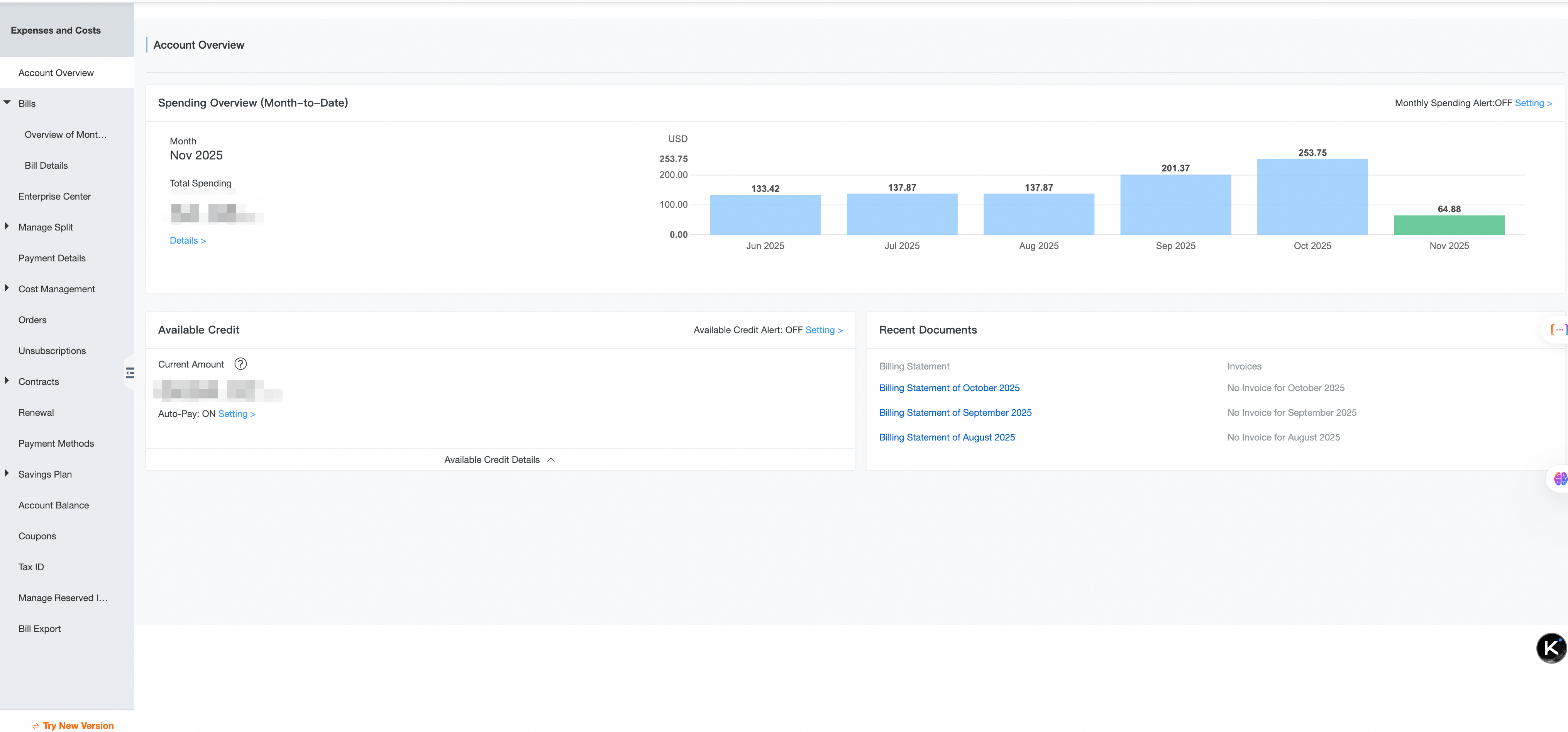
Your Available Credit is your account balance minus any accrued but unbilled charges (for example, from pay-as-you-go usage). You can check it on your Homepage or Billing Account page.
If Available Credit > 0, outstanding charges are settled automatically.
If Available Credit < 0, your account is overdue. This can lead to the suspension and eventual release of your running resources.
To prevent service interruptions, set up an Available Credit Alert to receive notifications when your balance falls below a threshold. Alibaba Cloud also provides a Suspension Grace Period, offering a buffer before services are suspended due to an overdue account.
Billing methods
Alibaba Cloud offers two primary billing methods:
Subscription: You pay upfront for a fixed term (such as monthly/yearly, Savings Plans, and Resource Plans).
Pay-as-you-go: You are billed based on your actual usage, typically settled after the monthly bill is generated.
Each purchase action is recorded as an Order and covers the entire resource lifecycle: new purchases, renewals, upgrades or downgrades, and unsubscriptions.
To renew a resource: Go to the Resource Renewal page. If a subscription resource expires without renewal, it will be suspended and eventually released, leading to permanent data loss.
To unsubscribe from a resource: Go to the Resource Unsubscription page. This applies to subscription resources. For pay-as-you-go resources, simply release them in the product console to stop billing.
Types of discounts
Coupons, Savings Plans, and Resource Plans are different ways to reduce your costs.
A Coupon is a promotional discount.
Types: cash coupons, conditional coupons, and discount coupons.
How to use: You can apply them to offset an order payment, or have them deducted automatically from your bill.
Important: Each coupon has specific conditions, such as applicable products and consumption types. Some cannot be combined with other discounts. Check the details on theCards and Coupons page.
Savings Plans and Resource Plans provide discounts on Pay-as-you-go resources.
A Savings Plan is a commitment to a consistent amount of usage for one or more years in exchange for a lower hourly rate. It is ideal for long-running, stable workloads.
A Resource Plan is a prepaid package of a specific resource (for example, 1 TB of OSS storage). It is best for services with predictable usage.
You can track your usage on the Savings Plan or Resource Plan pages to ensure your plans are sized correctly.
Analyze bills
Use Monthly Bill, Spending Details, and Usage Details to analyze your costs from different perspectives. Cloud product fees consist of one or more billable items (for example, an ECS instance fee may include instance type, disk, and bandwidth costs), each billed independently.
Here are the primary tools for bill analysis:
Type | Use case | Data availability |
Monthly Bill | View a consumption summary for a calendar month. Used for reconciliation. | The final monthly summary is generated at 12:00 PM on the 2nd of the following month. |
Spending Details | View monetary cost per billable item. Used for multi-dimensional analysis. | Complete detailed data for the current month is generated at 12:00 PM on the 3rd of the following month. |
Usage Details | Track raw consumption metrics (such as GB-hours and API calls), independent of price. Used for capacity planning and cost verification. | Final usage data for the current month is available after 12:00 PM on the 2nd of the following month. |
You can export bill data as a PDF or CSV file from the console. For automated analysis, you can also subscribe to have your bills delivered to an OSS Bucket project.
Continuously optimize cloud costs
Effective cost optimization involves actions during both the purchasing and operational phases of your resources.
1. During Purchase:
Select the right resource specifications for your workload.
Use cost-saving options like coupons, savings plans, and resource plans.
2. During Operation:
Use Cost Centers and Tags for Cost Allocation, which helps you attribute shared resource costs to specific projects or business units.
Use the following tools for monitoring and analysis:
Cost Analysis: Provides an amortized view of your costs, spreading subscription fees over time for more accurate monthly analysis.
Budget Management: Allows you to set spending limits, track actual consumption against your budget, and receive alerts.
Anomaly Detection: Automatically identifies and alerts you to unusual spending patterns to prevent unexpected cost overruns.
Set up alerts for high spending on specific products, resource plan utilization, available credit status, and budget thresholds. The system sends notifications through the Message Center.
Console feature overview
Expenses and Costs offers both a new and a legacy version of the console. The legacy console is being phased out. You can identify which version you are using by its interface style, as shown below.
New console
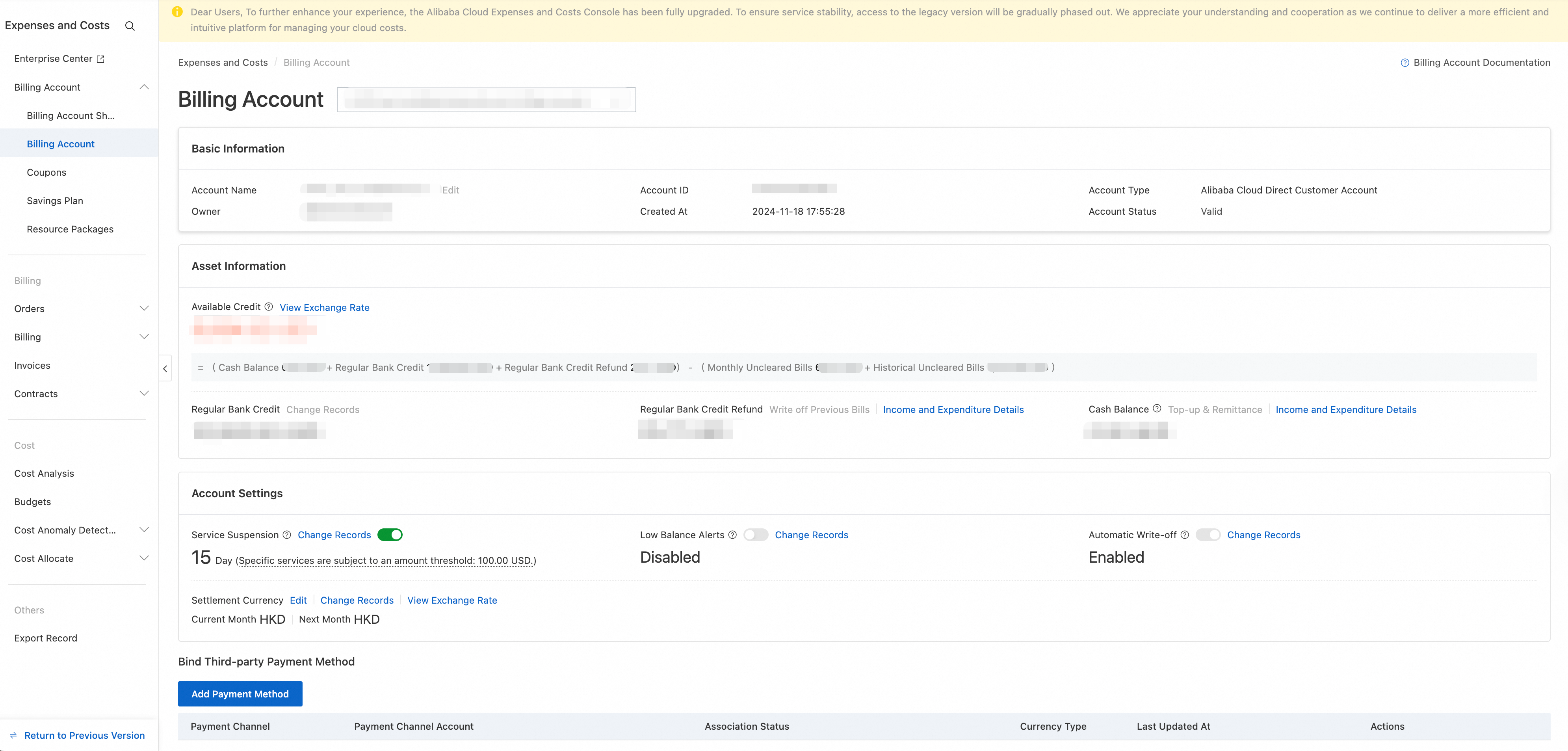
Legacy console