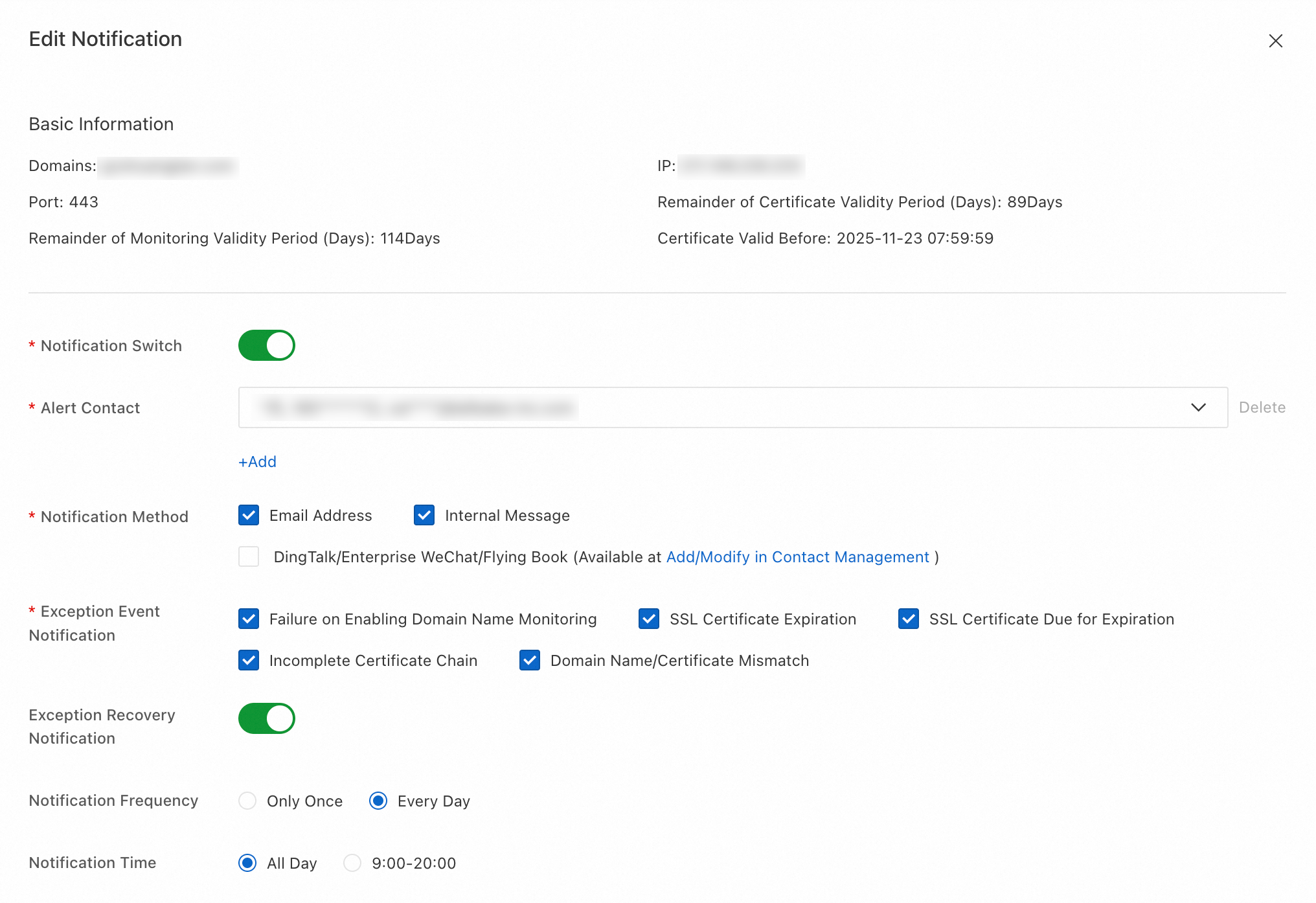
Domain name monitoring lets you customize notifications for anomalous activities, such as expired Secure Sockets Layer (SSL) certificates and incomplete certificate chains. You can choose from multiple notification methods, such as email, and DingTalk. This helps you receive information about domain name anomalies immediately. You can avoid website access issues or expired security certificates and ensure your online business runs smoothly.
Supported anomalous activities and notification methods
Category | Details |
Anomalous activities |
|
Notification methods | Email, internal message, DingTalk, WeCom, and Lark |
Procedure
Log in to the Certificate Management Service console.
In the navigation pane on the left, choose .
On the Public Domain Name Monitoring tab, find the domain name for which you want to configure notifications, and in the Actions column, click Edit.
In the Edit Notification panel, turn on the
 switch to enable notifications. Configure parameters such as Contact, Notification Method, and Anomaly Time, and then click OK.