Simple Log Service (SLS) and Object Storage Service (OSS) jointly offer CloudLens for OSS, a centralized, bucket-level management view with visual analytics for resource usage, access patterns, anomalies, and security. It enables scenario-based O&M and observability for your bucket assets.
Features
CloudLens for OSS provides the following features:
-
Provisioning
-
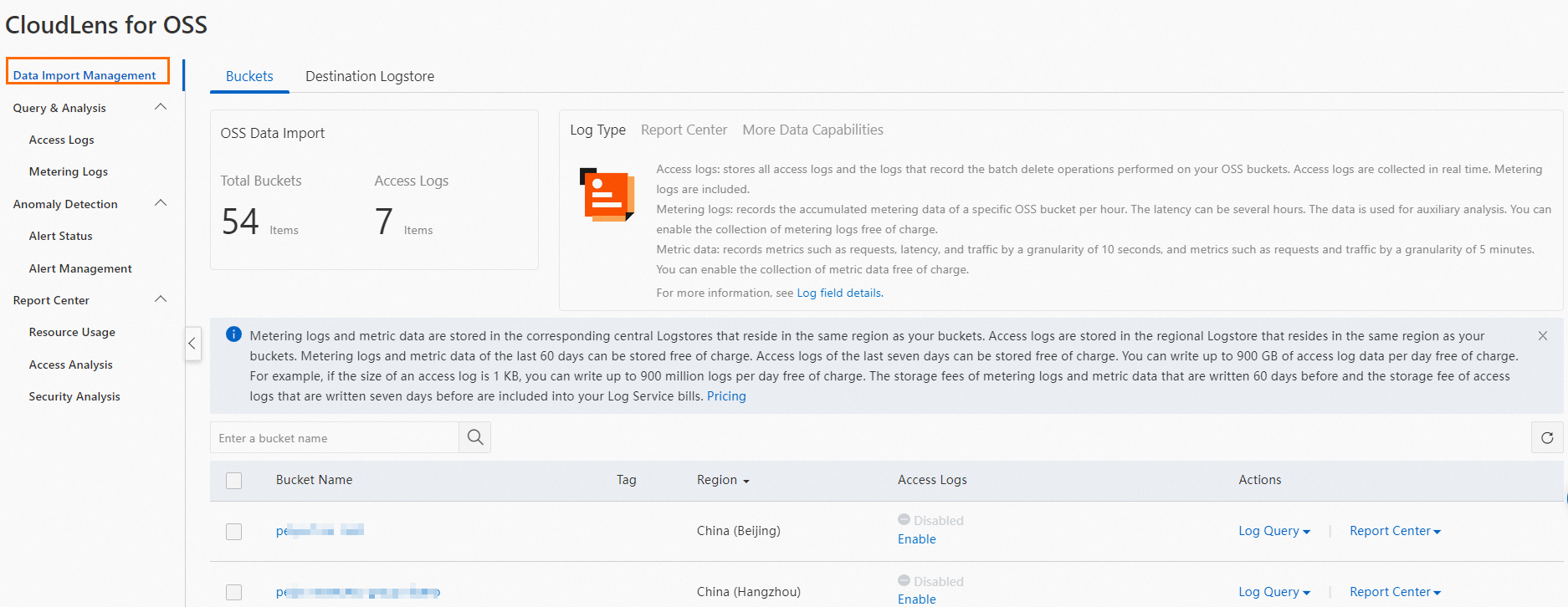
Centrally manage all eligible OSS buckets and their log collection status across your Alibaba Cloud account. Eligibility conditions are listed in Limits.
-
Centrally manage destination projects, Logstores, and Metricstores.
-
-
Query and analysis
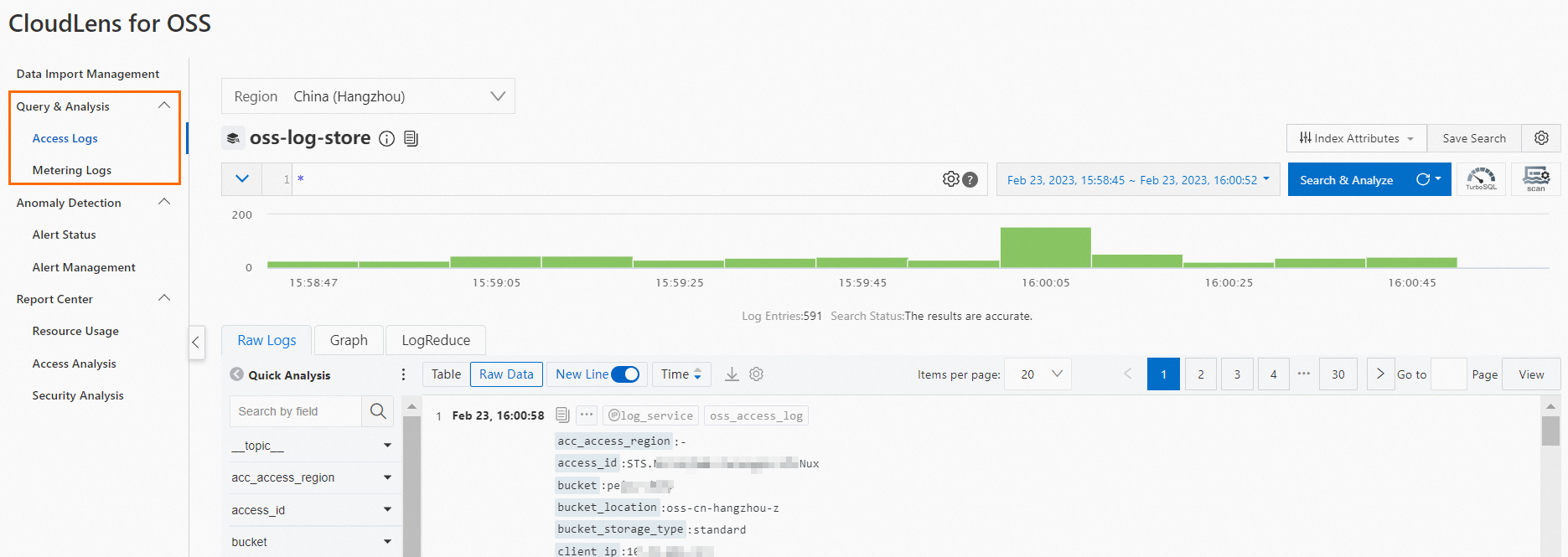
Query and analyze detailed OSS access logs and metering logs in real time.
-
Anomaly detection
-
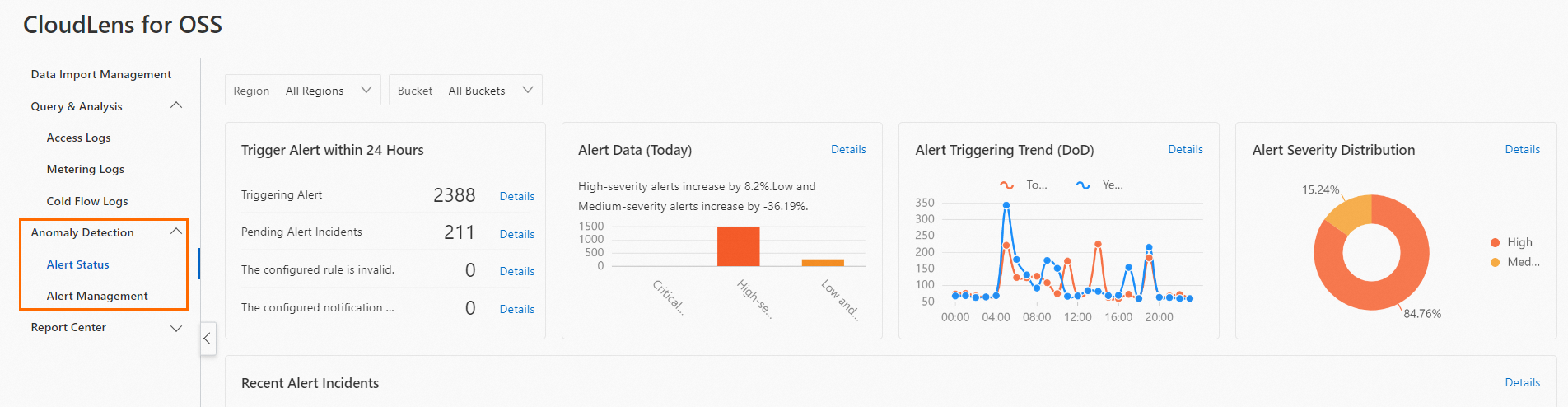
An alert dashboard for visual analysis of alert distribution and trends.
-
An alert center for managing and configuring bucket-level alerts.
-
-
Report center
Report
Features
Resource usage
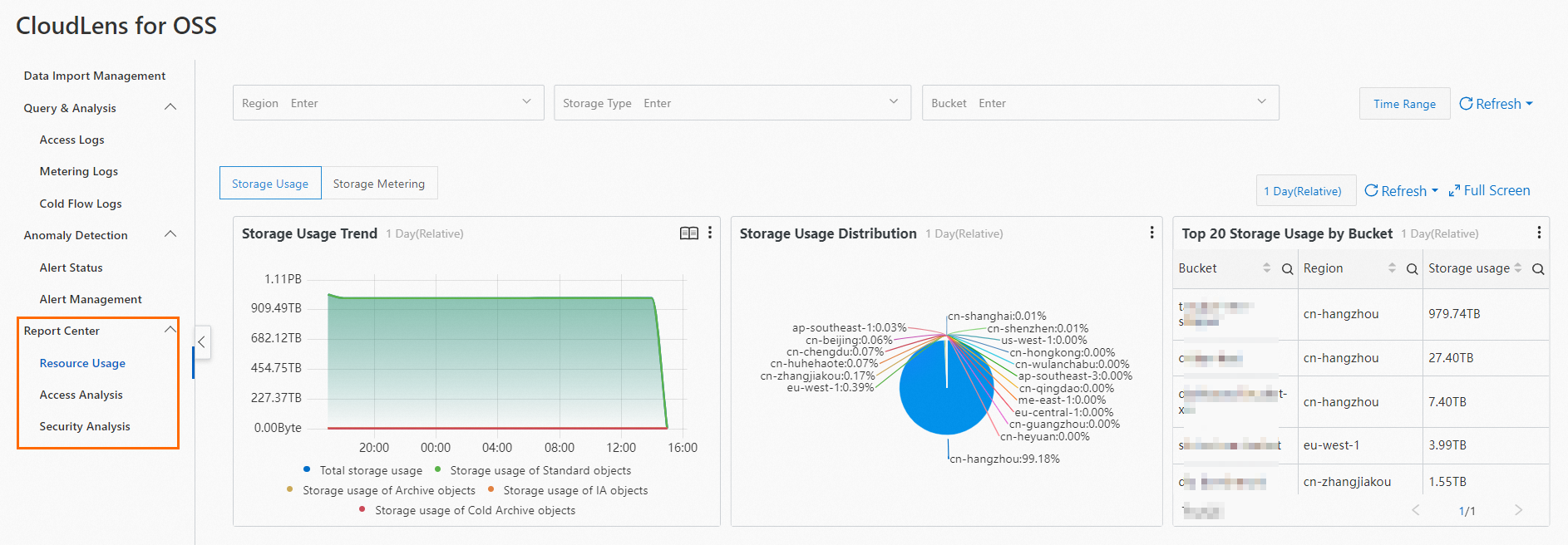
Provides an overview of OSS resource usage across basic dimensions such as storage and traffic.
Access analytics
Analyzes traffic distribution and top access distribution for each OSS bucket.
Security analytics
Exposes configuration risks in OSS buckets and important operations on OSS objects.
Asset details
When you enable CloudLens for OSS, SLS automatically creates dedicated projects, Logstores, and Metricstores to store your OSS bucket logs.
|
Project |
Logstore/Metricstore |
Description |
|
oss-log-Alibaba Cloud account ID-Region ID |
oss-log-store |
|
|
oss-metering-log |
|
|
|
oss_metric |
|
|
|
aliyun-product-data-Alibaba Cloud account ID-cn-heyuan |
None |
A dedicated project that CloudLens depends on. For more information, see Usage notes. |
Billing
-
CloudLens for OSS offers free quotas for querying and analyzing: metering logs (last 60 days), time series monitoring data (last 60 days), and detailed access logs (last 7 days, up to 900 GB written data per day — approximately 900 million 1 KB entries). SLS charges for usage that exceeds these free quotas.
-
CloudLens for OSS includes a free monthly shard quota of 31 shard-days. SLS charges for usage exceeding this quota.
-
SLS charges standard fees for dedicated Logstore operations: read traffic, internet traffic, data transformation, and data shipping.
-
Alerting is free. Only text message and voice call notifications incur a small fee.
SLS billing is described in Billable items of pay-by-feature.
Limits
-
You cannot write other data to dedicated Logstores and Metricstores, or modify or delete their indexes. Query, analysis, and alerting have no special restrictions.
ImportantFeatures such as query and analysis, reports, and alerting depend on data indexes. If you customize the indexes, some features of the CloudLens application may not work correctly.
-
You cannot delete dedicated Logstores or Metricstores.
-
If your Alibaba Cloud account has an overdue payment, real-time OSS log queries are suspended.
-
CloudLens for OSS is available in these regions:
Cloud type
Region
Public cloud
China (Qingdao), China (Beijing), China (Zhangjiakou), China (Hohhot), China (Ulanqab), China (Hangzhou), China (Shanghai), China (Shenzhen), China (Heyuan), China (Guangzhou), China (Chengdu), China (Hong Kong), Singapore, South Korea (Seoul), Thailand (Bangkok), Malaysia (Kuala Lumpur), Indonesia (Jakarta), Philippines (Manila), Japan (Tokyo), US (Silicon Valley), US (Virginia), Germany (Frankfurt), UK (London), and UAE (Dubai)
Notes
The CloudLens feature requires at least one project to exist under your Alibaba Cloud account.
When you enable and use the CloudLens feature, Simple Log Service checks whether a project exists under your account based on the following logic.
Detection logic
When you enable the CloudLens feature for the first time, Simple Log Service checks whether a project exists under your Alibaba Cloud account. If no project exists, a project named
aliyun-product-data-Alibaba Cloud account ID-cn-heyuanis created in the China (Heyuan) region.After you enable the CloudLens feature and navigate to the CloudLens page, Simple Log Service checks only whether a project exists under your Alibaba Cloud account. It does not automatically create a project in the China (Heyuan) region. You can manually create a project. For more information about how to create a project, see Manage projects.
Delete a project
To delete the
aliyun-product-data-Alibaba Cloud account ID-cn-heyuanproject, open Cloud Shell and run the following command. Replace Alibaba Cloud account ID with your actual account ID.aliyunlog log delete_project --project_name=aliyun-product-data-Alibaba Cloud account ID-cn-heyuan --region-endpoint=cn-heyuan.log.aliyuncs.comFor more information about how to delete other projects and Logstores, see Manage Logstores and Manage projects.