Suppress alerts if you want to stop receiving notifications for similar alerts. For example, if a critical alert is triggered and you want to silence alerts whose severity is not critical, create a suppression policy.
Overview
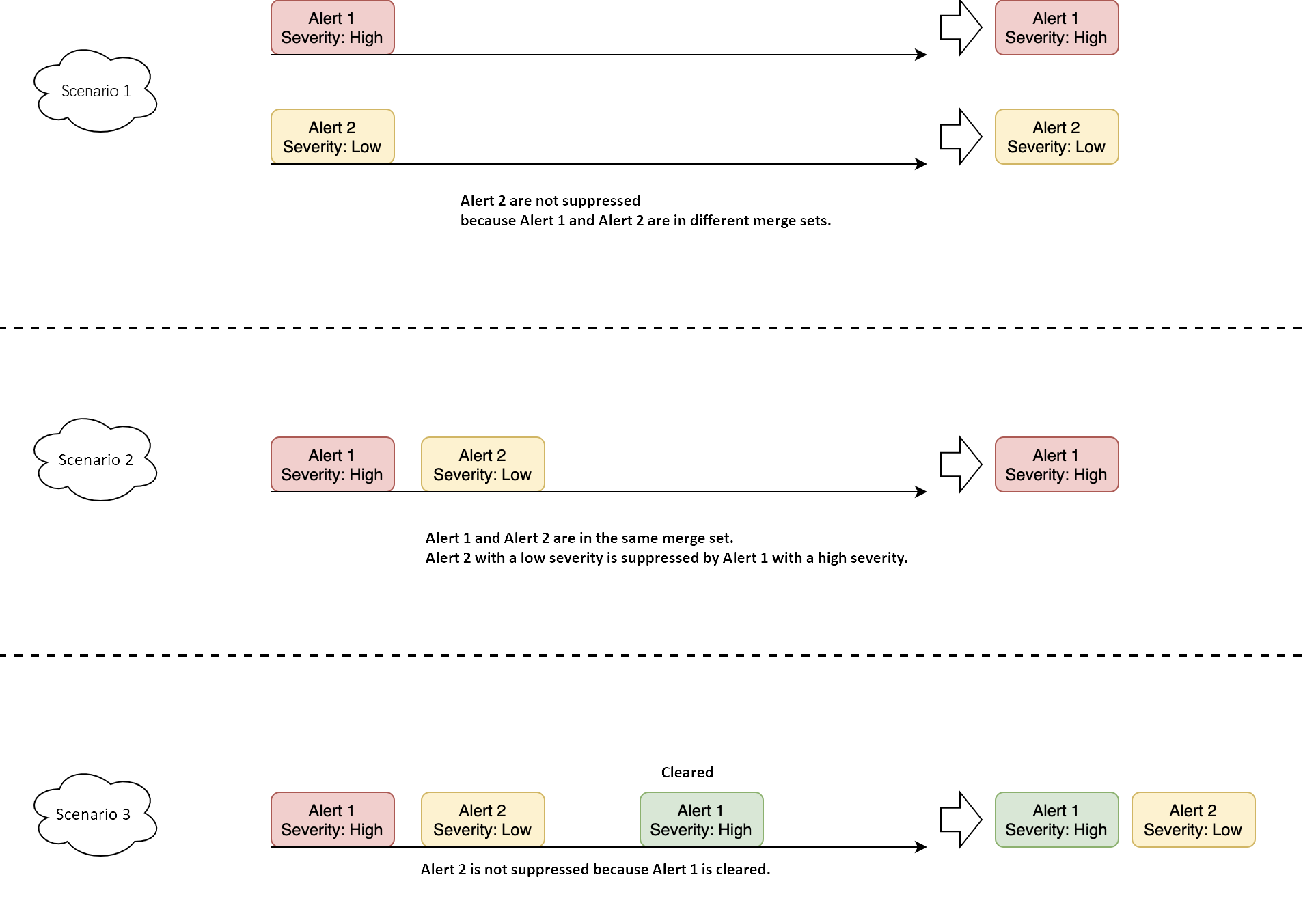
The objects of the alert suppression policy are the source alert and the target alert. The source alert is the alert that triggers the alert. The target alert is the alert that is suppressed. If you want to suppress alerts, the following conditions must be met:
The source alert and the target alert must be in the same alert collection.
The source alert is in the triggered status. The suppression policy becomes invalid if the source alert recovers.
The time set to suppress an alert must be before the time to send the alert notification. If the source alert is cleared before the notification is sent, the suppression policy becomes invalid. As a result, the alert notification will be sent if the conditions for the destination alert are met.
Example
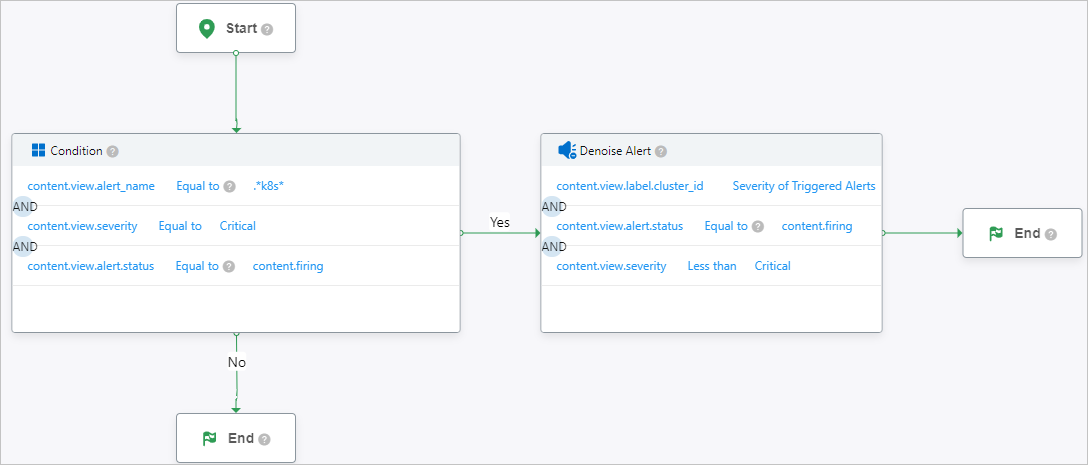
The configuration in the Condition dialog box specifies that alerts meeting the configured conditions will suppress other alert notifications.
In the Denoise Alert dialog box, specify the conditions to suppress alerts.
The Alert Severity in the Condition dialog box is typically set to a high priority, while the alert severity in the Denoise Alert dialog box is set to a low priority. For example, when a Critical-10 .*k8s* alert is triggered, suppress all alerts with a severity level of less than (Critical-10) that have the same cluster_id.