Simple Log Service creates a dashboard for each data transformation job by default. You can use the dashboard to view the running metrics of each job.
View the dashboard
After you create a data transformation job, you can view the dashboard of the job on the data transformation overview page.
Log on to the Simple Log Service console.
In the Projects section, click the one you want.

In the left-side navigation pane, choose .
The dashboard panels appear in the Execution Status section. The dashboard includes panels for overview metrics, processing rate, shard consumption latency and rate, active shards, and error details.
Overview metrics
Overview metrics track cumulative counts across all shards of the source LogStore since the data transformation job started. These totals help you assess the overall progress and delivery success of a job.
Total logs read: The total number of logs that are read from all shards of the source LogStore.
Total logs delivered: The total number of logs that are read from all shards of the source LogStore and successfully written to the destination LogStore.
Total failed logs: The total number of logs that are read from all shards of the source LogStore and fail during data transformation.
Delivery success rate: The percentage of logs that are successfully delivered to the destination LogStore out of the logs that are read from the source LogStore.
Processing rate
The processing rate shows the number of logs that data transformation processes within each one-minute window. Unlike overview metrics, which show cumulative totals, processing rate metrics show the breakdown of log outcomes per minute. This helps you identify throughput changes and transient issues over time.
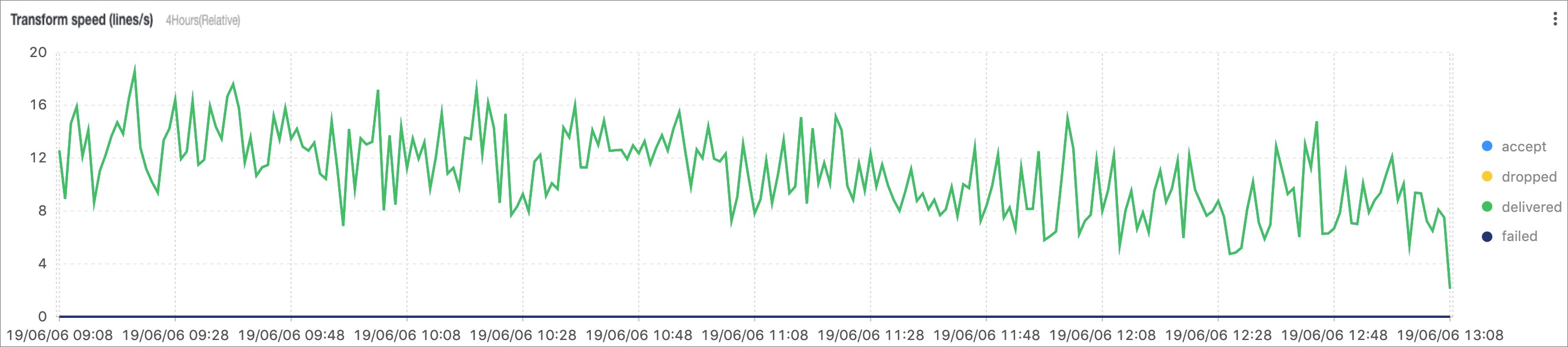
accept: The number of logs that are read from all shards of the source LogStore.
dropped: The number of logs that are read from all shards of the source LogStore and discarded as expected by the rule script.
delivered: The number of logs that are read from all shards of the source LogStore and successfully written to the destination LogStore.
failed: The number of logs that are read from all shards of the source LogStore and fail during data transformation.
Shard consumption latency and rate
These metrics are the per-shard metrics that are collected within each one-minute window when the data transformation job reads data from the source LogStore.
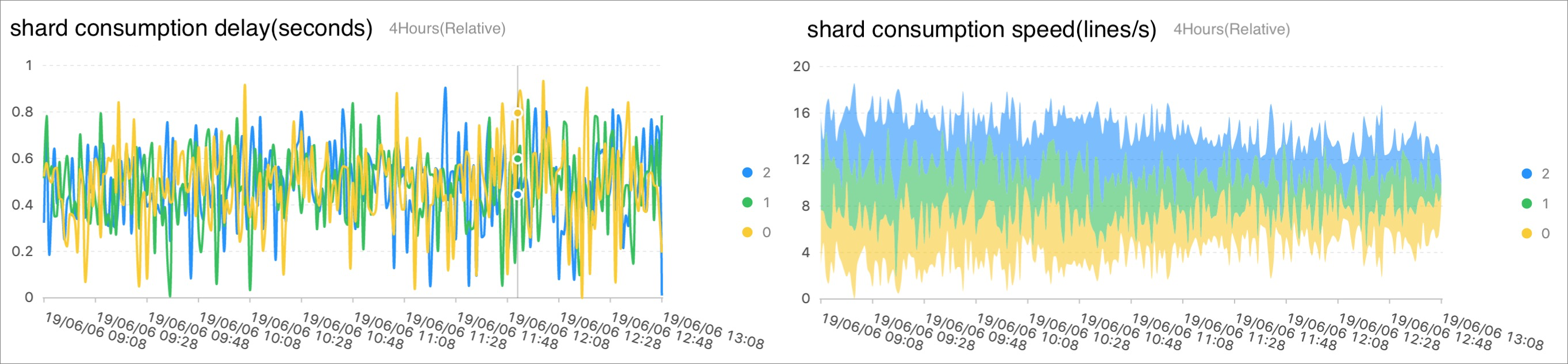
consumption latency: The difference between the time when all logs in the shard are consumed and the time when the latest log in the shard is generated. Both times are calculated from the time when the shard data arrives on the server side (server receive time).
consumption rate: The average number of logs that are read from the shard per second within a one-minute window.
When you process real-time logs, the consumption latency is approximately 1 second. When you process historical log data, the consumption latency may be high at the beginning of the job. As data transformation proceeds, the consumption progress catches up and the latency drops to a low level.
Active shards
The Active shards section displays the number of log entries that each shard processes per second, categorized as accept, dropped, delivered, or failed. The Active shards panel presents these data throughput metrics in a table with the following columns:
project: The project to which the shard belongs.
LogStore: The LogStore to which the shard belongs.
shard: The shard ID.
accept lines/s: The number of logs accepted per second.
dropped lines/s: The number of logs dropped per second.
delivered lines/s: The number of logs delivered per second.
failed lines/s: The number of logs that failed per second.
Error details
You can use the reason field to identify the rule script that may cause the error.
The Error details page displays the error logs of the ETL data transformation job in a table. The table contains the following columns: time, level, event, logging, etl_context, and reason.
The following examples show common error records:
The event
transform_data:init:failwith the reasonETL config doesn't pass security check, detail: invalid type detected: <class "_ast.Import">.The event
Click the Expand link of a field to view its full content.transform_data:process:batch_failedwith the reasonInternalServerError/sync send error.
You can also view the complete error logs in the internal-etl-log LogStore of the current project by searching for the keyword ERROR or WARNING.