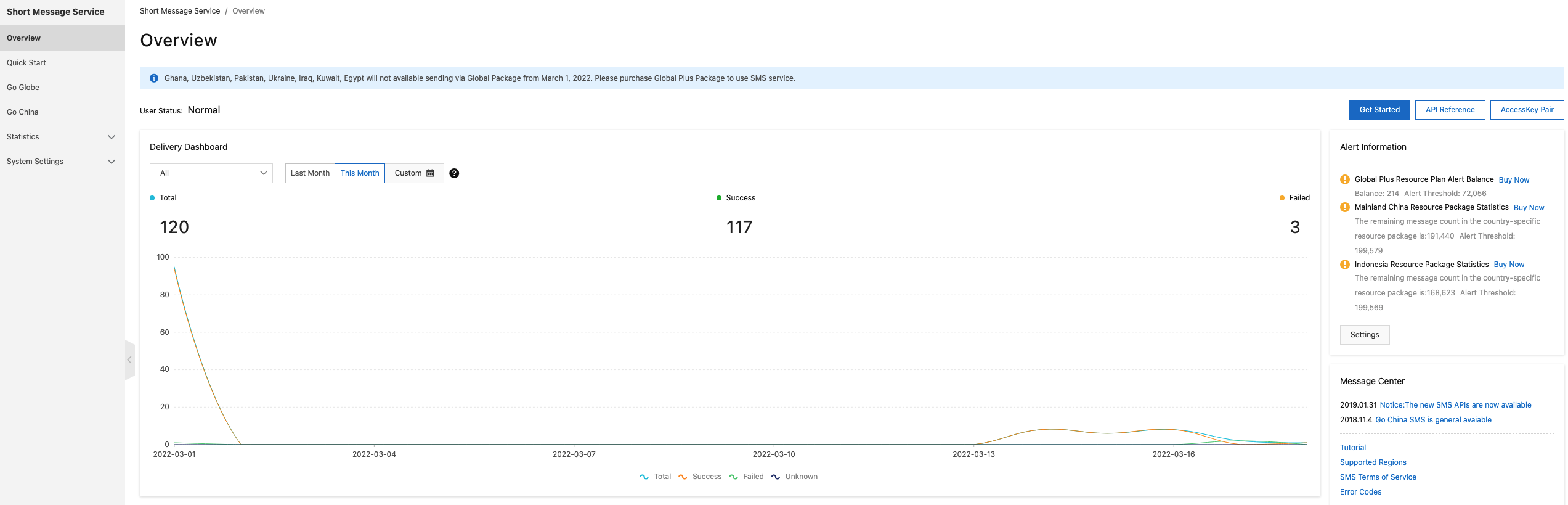
The Overview page of the Short Message Service (SMS) console displays the Delivery Dashboard and the Resource Package Data section, so you can monitor delivery trends and check remaining resource package balances at a glance.
Delivery Dashboard
The Delivery Dashboard shows message delivery trends over time. Use it to verify that delivery volume is normal and to detect changes in delivery patterns.
Log in to the SMS console.
On the Overview page, go to the Delivery Dashboard section. Select All, Go Globe, or Go China to filter by region. Select This Month, Last Month, or Custom to filter by time range.
Note
The default time zone is UTC+8.
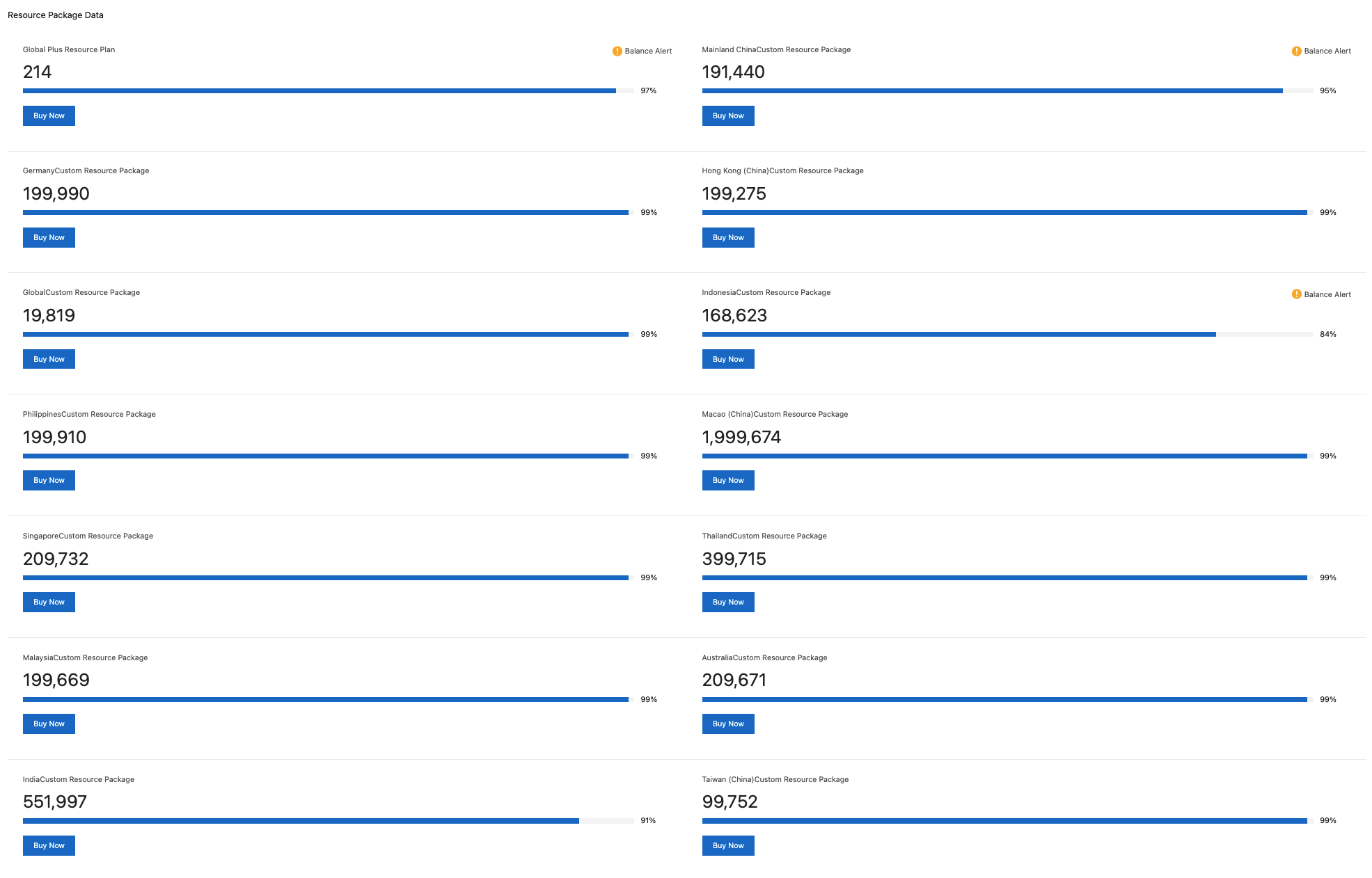
Resource Package Data
The Resource Package Data section shows the remaining balance of each resource package in your account.