This article may contain information about third-party products. Such information is for reference only. Alibaba Cloud makes no guarantee, express or implied, with respect to the performance and reliability of third-party products, or the impact of operations on those products.
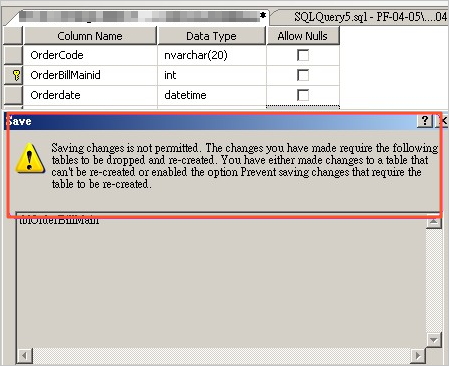
When you modify a table's structure in SQL Server Management Studio (SSMS) and connect to ApsaraDB RDS for SQL Server, you may encounter the following error:
Saving changes is not permitted. The changes that you have made require the following tables to be dropped and re-created. You have either made changes to a table that can't be re-created or enabled the option Prevent saving changes that require the table to be re-created.
Cause
SSMS has the Prevent saving changes that require table re-creation option enabled. When you make structural changes that require dropping and re-creating the underlying table, SSMS blocks the save to protect against accidental data loss.
Solution
Before performing this operation, check the disaster recovery and fault tolerance capabilities of your instance to ensure data security. We recommend that you create snapshots or enable RDS log backup before modifying instance configurations or data. If you have authorized or submitted security credentials such as login account and password in the Alibaba Cloud Management Console, we recommend that you update such information promptly.
In SSMS, click Tools > Designers > Table and Database Designers. In Table options, clear the Prevent saving changes that require table re-creation checkbox, then click OK.

Application scope
ApsaraDB RDS for SQL Server