This topic describes the solutions to the issues that you may encounter when you use the backup feature of ApsaraDB RDS for MySQL.
Why is the snapshot backup size displayed in the console larger than the actual size?
The snapshot backup size displayed on the Data Backup tab of the Base Backups tab in the console is the disk size of the instance but not the actual size of the backup.
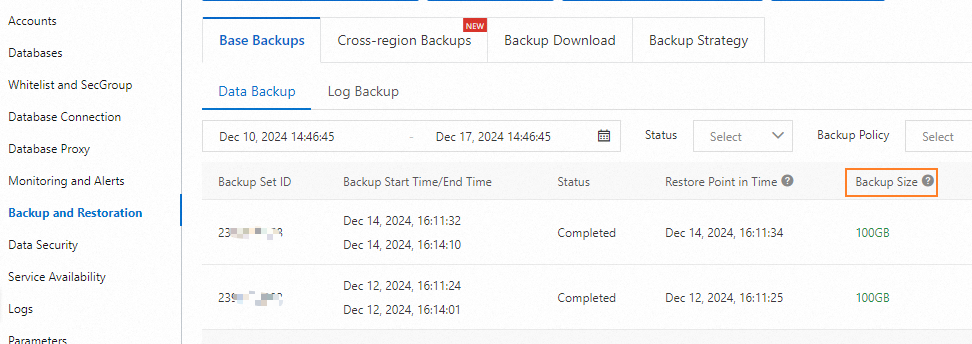
For more information about how to view the actual size of the backup, see How can I check the backup usage of an RDS instance?
How do I view the backup files of an instance?
You can go to the details page of the instance and click Backup and Restoration in the left-side navigation pane. Then, view the backup files of the instance on the Database Backup tab of the Base Backups page.
How can I check the backup usage of an RDS instance?
You can go to the Basic Information page of the RDS instance to view the backup usage.

What does the backup usage consist of?
The backup usage consists of the backup storage that is used to store the backup sets and binary log files within the retention period.
Why is the backup usage of an RDS instance not reduced after I click Upload Binlogs to upload binary log files?
The Upload Binlogs feature is used to upload binary log files to which no data is written from the RDS instance to the specified Object Storage Service (OSS) bucket and delete the binary log files from the RDS instance. As a result, this feature cannot be used to reduce the backup usage.
How do I reduce the backup usage of an RDS instance?
You can use the following methods to reduce the storage usage of the RDS instance:
Reduce the number of days during which you want to retain backup files.
Reduce the backup frequency.
Scale up the disks of the instance.