Description of RDS editions of ApsaraDB RDS for SQL Server
|
Series |
Description |
Scenario |
|
|
|
|
|
|
|
|
Change the RDS edition of an RDS instance
-
Upgrading from RDS Basic Edition to RDS High-availability Edition applies to the following instances:
-
SQL Server 2022 SE, SQL Server 2019 SE, SQL Server 2017 SE, SQL Server 2016 SE, and SQL Server 2014 SE
-
2022 Web (Basic Series), 2019 Web (Basic Series), 2017 Web (Basic Series), 2016 Web (Basic Series), 2012 Web (Basic Series)
-
SQL Server 2016 EE and SQL Server 2012 EE Basic
-
-
Upgrading from RDS High-availability Edition to RDS Cluster Edition applies to the following instances:
-
SQL Server 2022 SE, SQL Server 2019 SE, SQL Server 2017 SE, SQL Server 2016 SE, SQL Server 2014 SE, and SQL Server 2012 SE
-
SQL Server 2016 EE, SQL Server 2014 EE, and SQL Server 2012 EE
-
-
Upgrading from RDS Basic Edition to RDS Cluster Edition applies to the following instances:
SQL Server 2022 Enterprise Cluster Edition, SQL Server 2019 Enterprise Cluster Edition, and SQL Server 2017 Enterprise Cluster Edition
Other instances do not support changing the RDS edition. If you want to change the RDS edition of such instances, you must create a new instance and migrate the data from the original instance to the new instance.
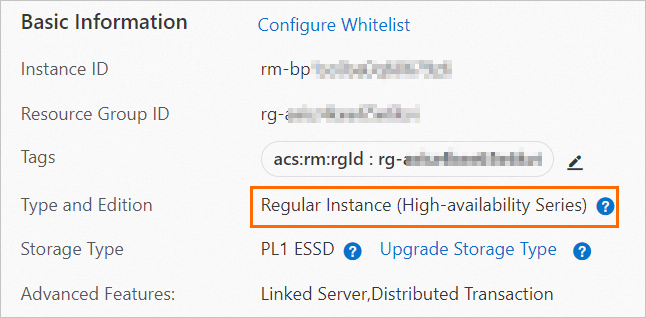
View the RDS edition of an RDS instance
You can view the edition of your instance on the Basic Information page of the instance.
Instance types supported by various RDS editions
For more information, see Instance types for primary ApsaraDB RDS for SQL Server instances.
Features supported by various RDS editions
For more information, see Features.
Purchase an instance
For more information, see Create an ApsaraDB RDS for SQL Server instance.