1 Return content
The user behavior log data collected by Quick Tracking by using the SDK must be returned by using Log Service log subscription. The returned content is as follows:
Category | Parameter | Type | Description | Sample value |
Device and platform ID information (original information) | id_tracking | String | JSON structure (platform ID information) | {"snapshots":{"anony_id":{"identity":"test666666","version":1,"ts":1626923400346} |
Request header (raw information) | http_header | String | Request headers | |
Account information (original information) | active_user | String | The account information. | {"puid":"999999992666362","provider":"UmengTest_Sec"} |
Unique device identification | utdid | String | The unique ID of the device. | |
Application Information (Dimension Table Association) | tenant_id | String | The DataWorks tenant ID. | |
client_code | String | Application coding | ||
app_key | String | The unique ID of an application. | ||
Application information (raw information) | app_channel | String | Application Channel | |
app_version | String | The version of the application. | ||
package_name | String | The name of the specified application package. | ||
SDK information (original information) | sdk_version | String | SDK Version | |
sdk_type | String | SDK type | ||
Running information (raw information) | timezone | String | The time zone. | |
language | String | The language. | ||
os | String | The supported operating system. | ||
os_version | String | The version of the operating system. | ||
Device information (raw information) | resolution | String | Screen Resolution | |
mac | ||||
imei | ||||
imsi | ||||
idfa | ||||
device_brand | String | Device brand | ||
device_model | String | Device models | ||
Network and operator (original information) | access | String | Network Type | |
access_subtype | String | Network Subtype | ||
network_type | String | |||
carrier | String | ISP | ||
Platform and scene information (original information) | scene | String | Scene Value (mini program) | |
platform | String | Platform | ||
device_type | String | Device Type | ||
Time attribute (original information) | local_timestamp | long | Client timestamp | |
server_timestamp | long | Server timestamp | ||
Custom Events (Data Extraction Transformation) | session_id | String | The sessionID generated by the client, which is not the sessionID used for session analysis generated by the server | |
event_id | String | Event category ID | ||
event_code | String | Event code | ||
gp | String | Global Properties | ||
cusp | String | The custom properties. | ||
sysp | String | System Attributes | ||
adsp | String | Custom attributes (new) Subsequent planning is used to manage ad attributes | ||
page | String | Page Name | ||
refer_page | String | Parent Page Name | ||
duration | long | Event duration | ||
Parse from http_header and ua (Data Extraction Transformation) | user_agent | String | UA | |
browser | String | Browser | ||
browser_version | String | Browser version number | ||
ip | String | IP address | ||
Geographical location (data processing) | country_name | String | The country. | |
province_name | String | Province | ||
city_name | String | The city. | ||
Marking information (data processing) | install_datetime | String | First installation time | |
is_first_day | String | Whether to trigger on the first day (device level) | ||
is_first_login | String | Whether to log on on the first day (account level) | ||
is_first_time | String | Whether to trigger for the first time (device level) | ||
is_utdid_null | String | Whether utdid is empty | ||
The log data. | log_id | String | The unique ID of the log. |
2 SLS log return and activation process
Log on to the Quick Tracking console to activate the https://quicka.console.alibabacloud.com/data-synchronization-service
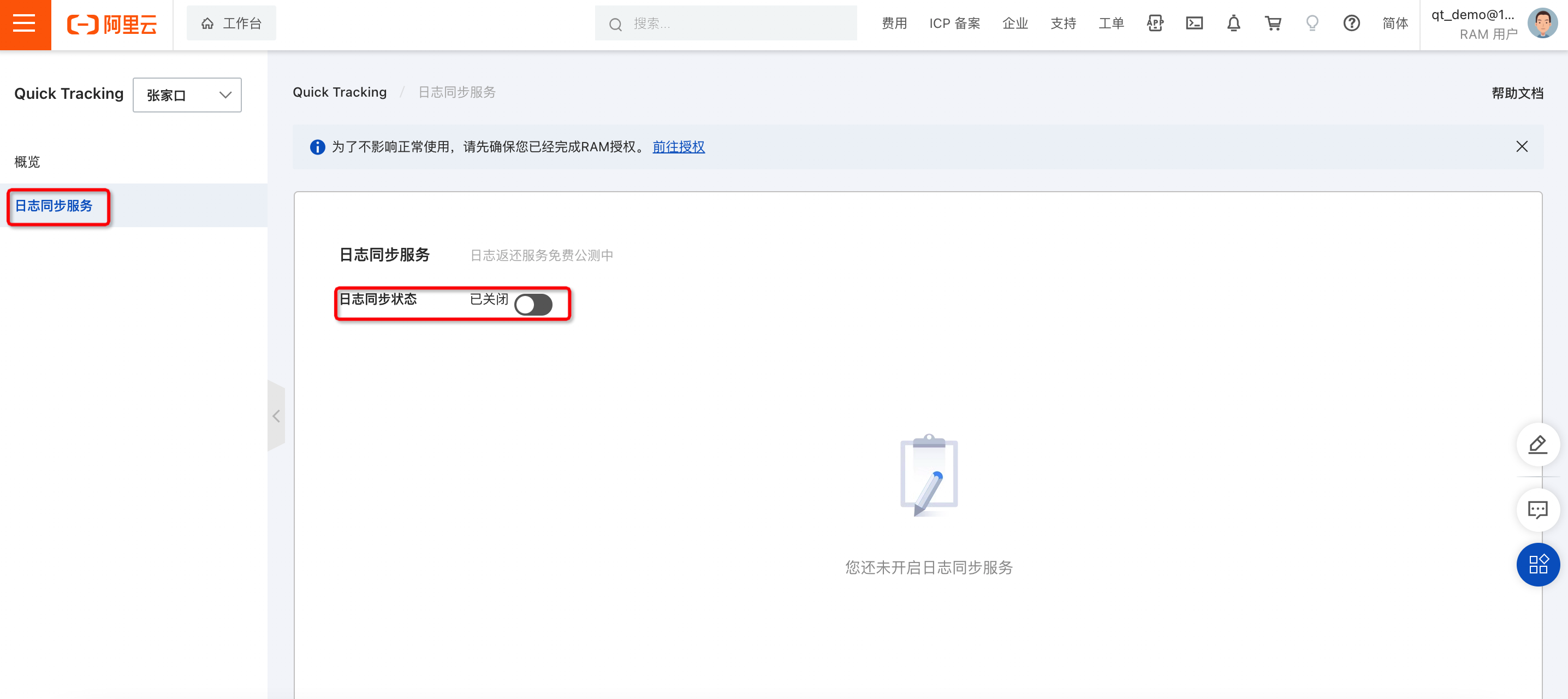
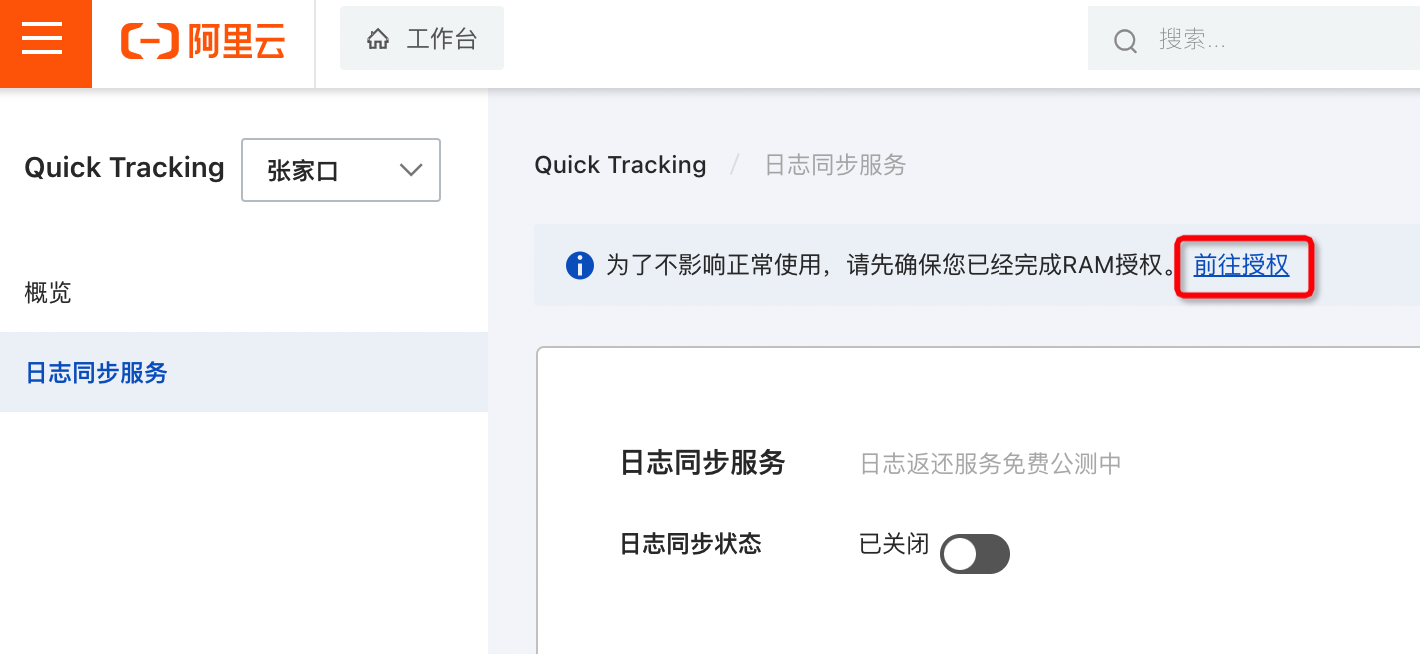
Before you activate the service, make sure that you have been granted the sls permission by your Alibaba Cloud account.
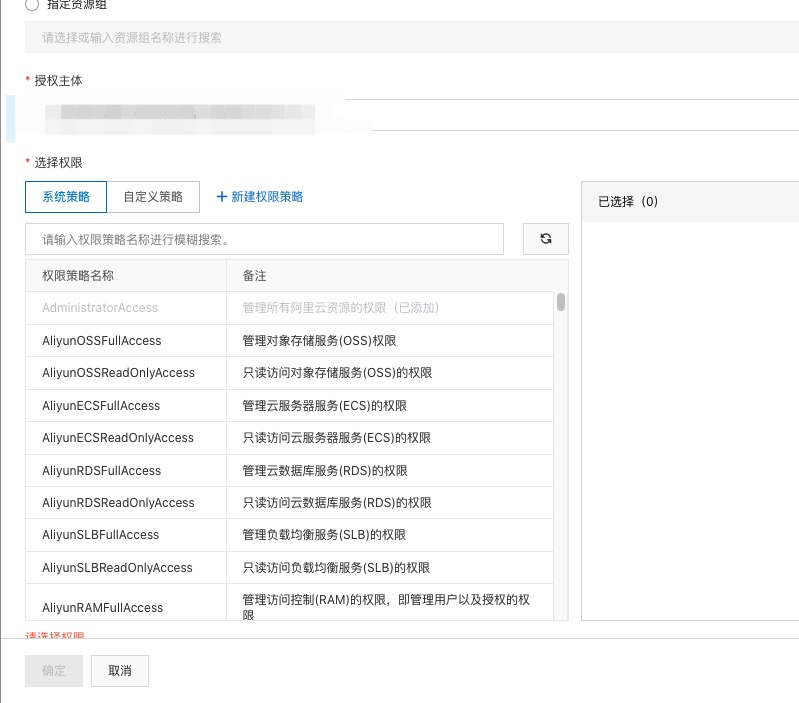
Primary account logon authorization page https://ram.console.alibabacloud.com/users
Find the RAM user that requires data subscription and grant the SLS permission