HINT statements optimize data retrieval in datasets that involve large data volumes or complex queries. They improve query performance, reduce response time, and make better use of system resources.
Procedure
On the Model Configuration page, click the Set HINT Statement icon in the upper-right corner.
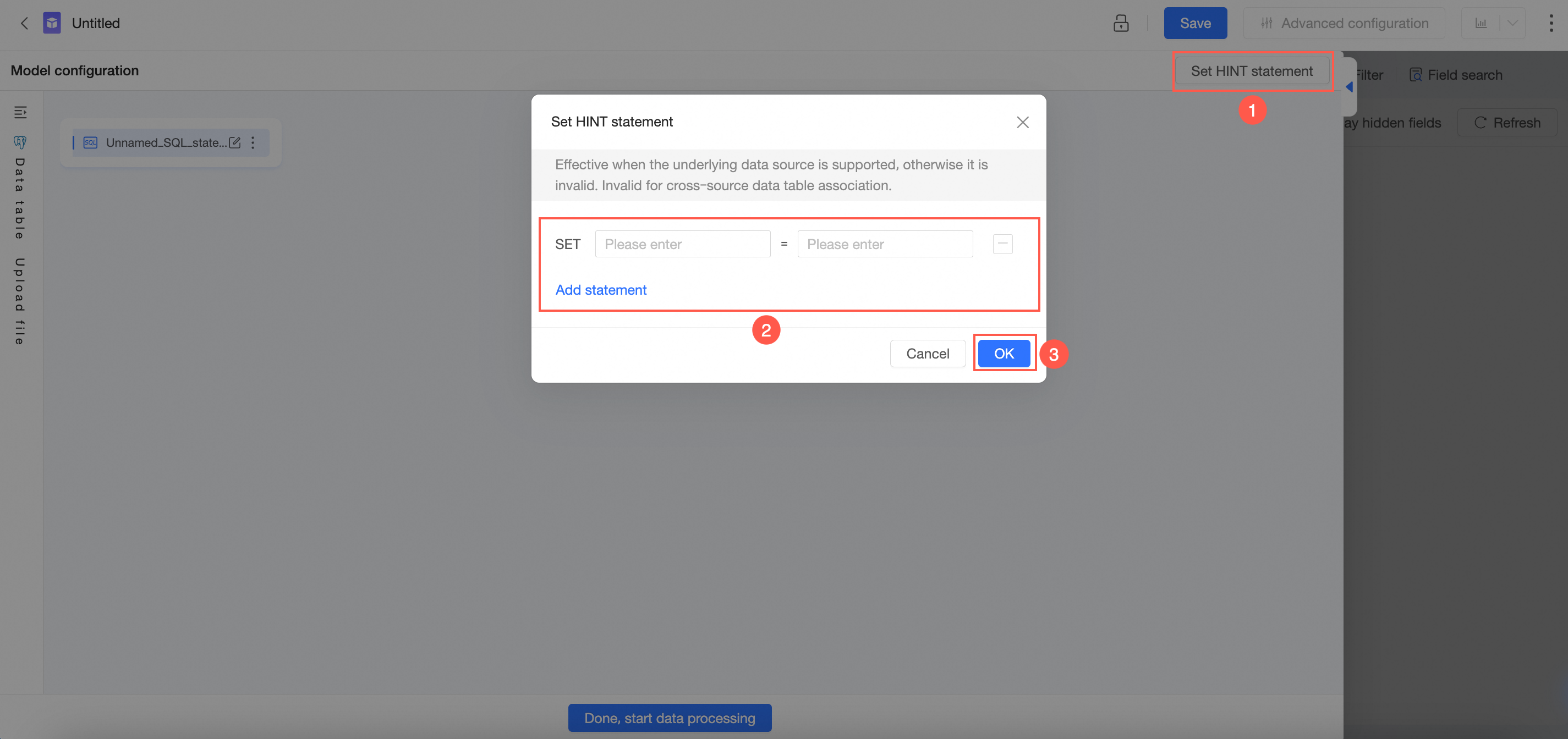
Alternatively, in the custom SQL editor, click the Set HINT Statement icon in the top menu bar and follow the illustrated steps.
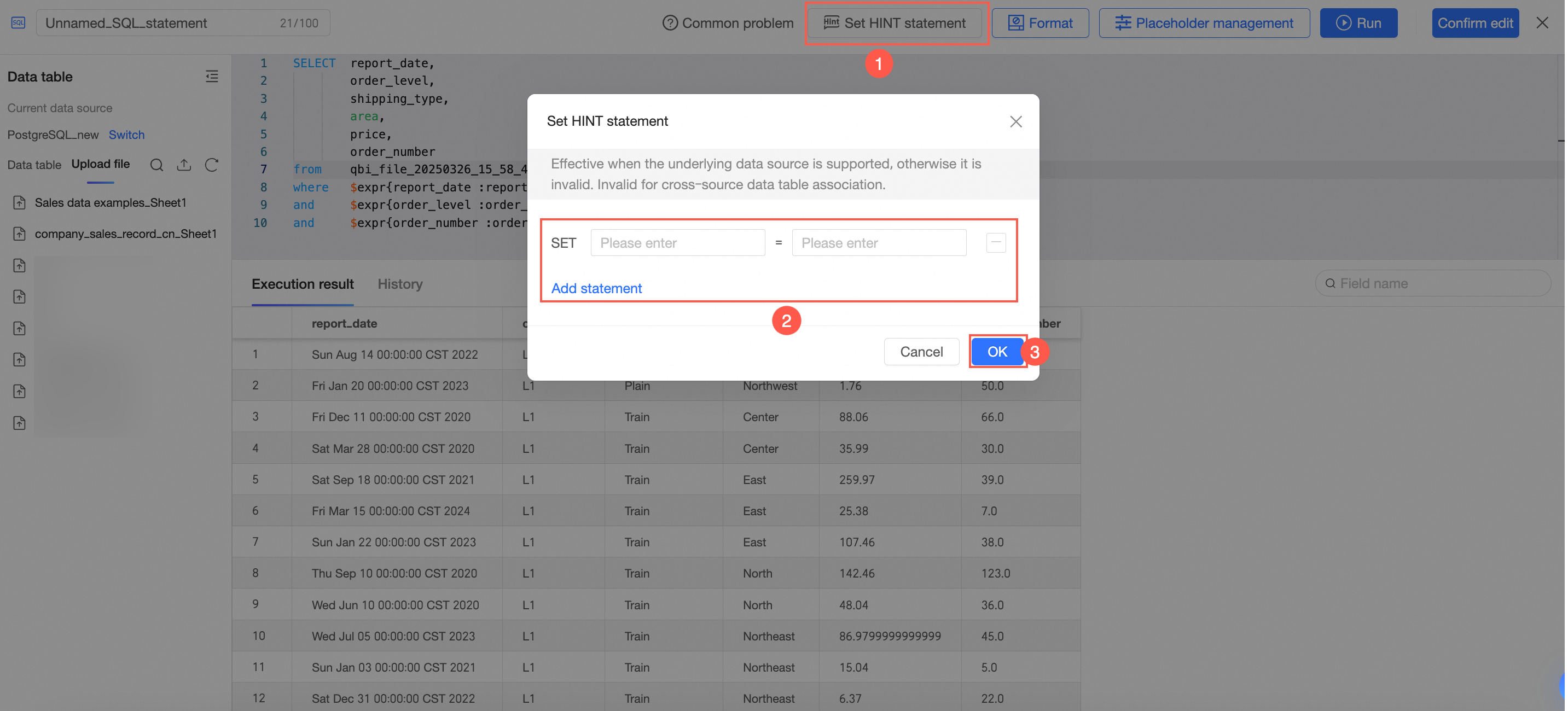
For a list of data sources that support HINT statements, see Data source feature list.
-
HINT statements are not supported for cross-source joins between data tables.
-
You can set up to 20 HINT statements.
-
If you create a dataset using SQL code and then modify a HINT statement, you must rerun the SQL code to retrieve the data.
-
A HINT statement cannot exceed 50 characters and can only contain letters, digits, underscores (_), and periods (.).