The verification of a digital SMS template is performed by carriers (China Telecom, China Unicom, and China Mobile). After the carrier passes the verification, the mobile phone number that belongs to the carrier can receive digital SMS using the template.
Create an SMS template
Procedure:
Choose Workspace> User Marketing > Touch Marketing > SMS > Digital SMS Template.
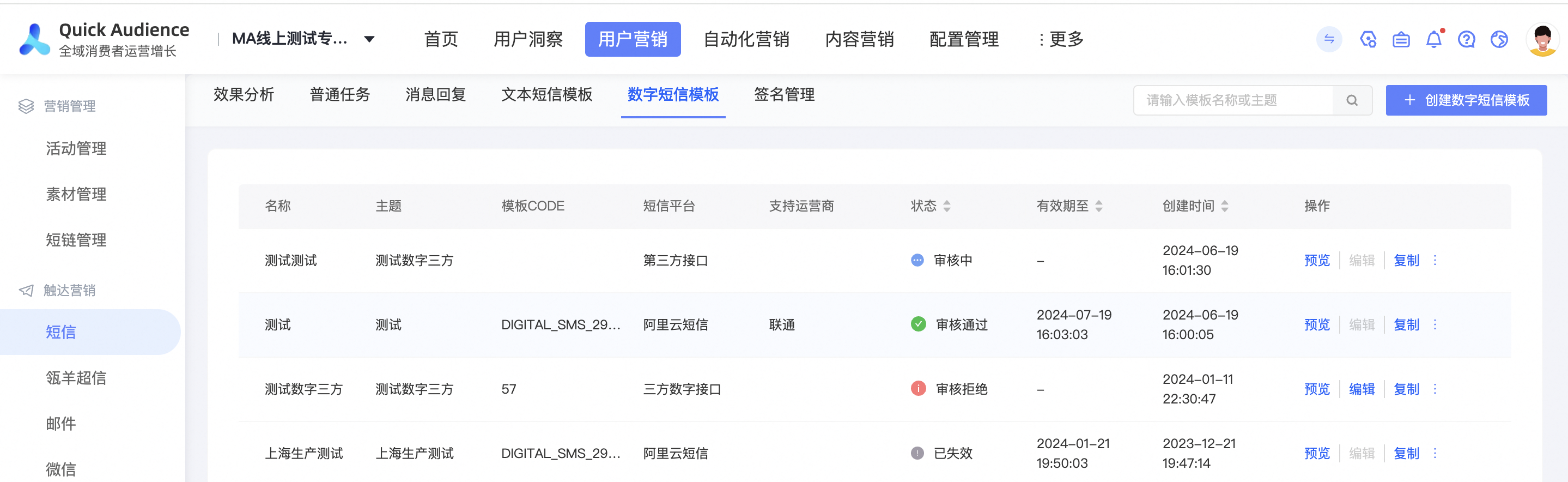
Click Create SMS Template in the upper-right corner.
Set Template Name and Template Theme, select an SMS platform and signature, edit the template content, and then enter the application description.
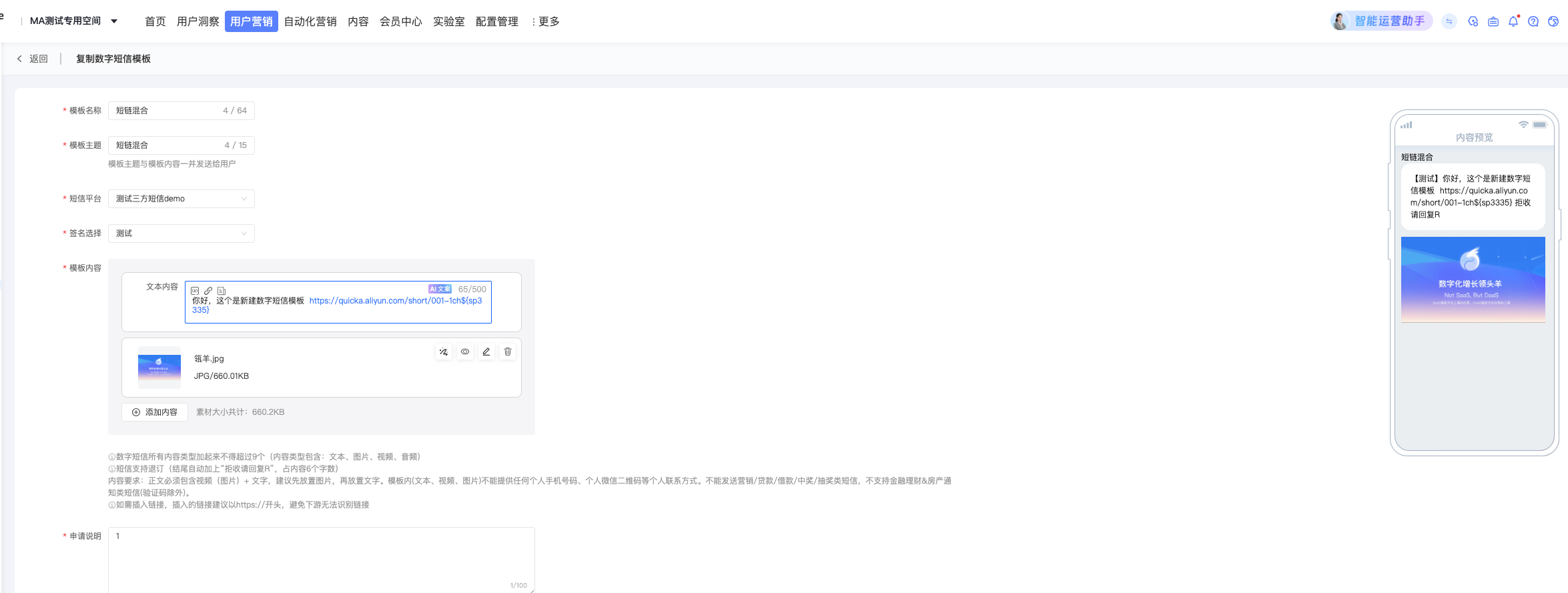
Template subject: will be sent to the user along with the text message.
Signature selection: You can add a signature only after it has passed the review in the Alibaba Cloud SMS console. Otherwise, the SMS message fails to be sent. Check whether the signature has passed the review in the Alibaba Cloud SMS console.
Template Content: Click + Add Content to add text, image, audio, and video. Move the mouse to the content item box, the Adjust Order button will appear on the left, and the Preview /Edit /Delete button will appear on the upper right.
NoteText content supports inserting variables, short links, and micropage links. You can insert up to three variables per text content. The variable name only supports letters, underscores, and numbers. It cannot start with a number or a number. The name cannot be repeated and can be up to 15 characters in length. When inserting a short link, the effective short link will be queried from the short link management. After turning on the switch with short parameters, you can view the detailed data of the user clicking this link in the short link management. Inserting a micro-page link requires the user to manually enter the micro-page link. The accuracy of micro-page links needs to be guaranteed by users themselves.
Only one video can be added.
Application description: used for the reviewer's reference during the review. We recommend that you describe the business scenarios of SMS.
Click Save and Submit.
The operator will review the template. For the review result, see the template list.
Manage SMS templates
As shown in the following figure, the created digital SMS template is displayed in the list, including the SMS platform, supported carrier, status, and validity period. The status includes: Pending for Review, Reviewed, Rejected, and Invalidated. 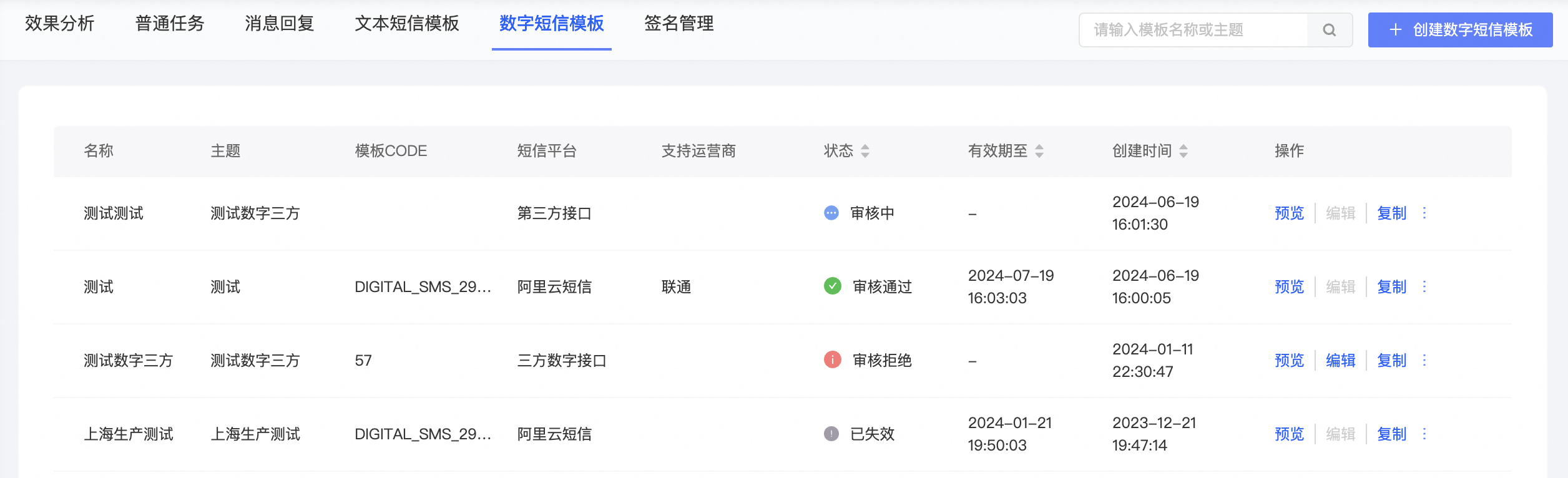
The supported carriers are the carriers that have approved the template. As long as one of the three major operators is approved, the status of the template will be displayed as approved. Other operators continue to review without affecting each other.
Both the approved and approved templates can be used when creating a digital SMS marketing task. However, the status must be Approved before the SMS is sent. The template can be sent only to the mobile numbers of the carriers that support the template.
A digital SMS template is valid for one year and automatically expires after it expires.
You can perform the following operations:
Preview: You can preview a template in any state.
Edit: You can modify the template name, theme, message content, signature, and application description, and then save and submit the template for review.
Delete: You can delete approved, failed, or expired templates. After deletion, the template cannot be used by the SMS task. Do not delete the template used by the SMS task to be sent or in the process of sending.