PolarDB lets you manage nodes individually. This topic covers two operations:
Rename a node
When your cluster has multiple nodes serving different business workloads, give each node a descriptive name so it's easier to identify in the PolarDB console.
Usage notes
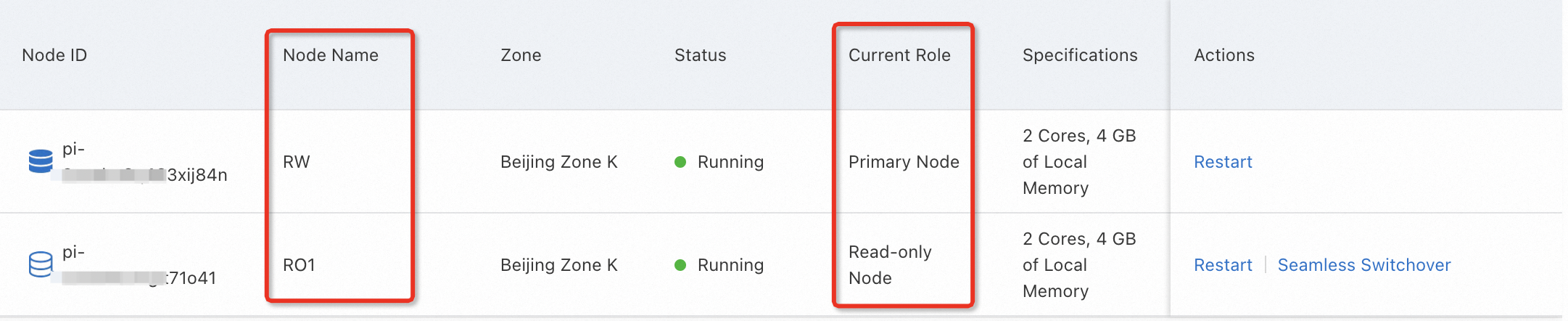
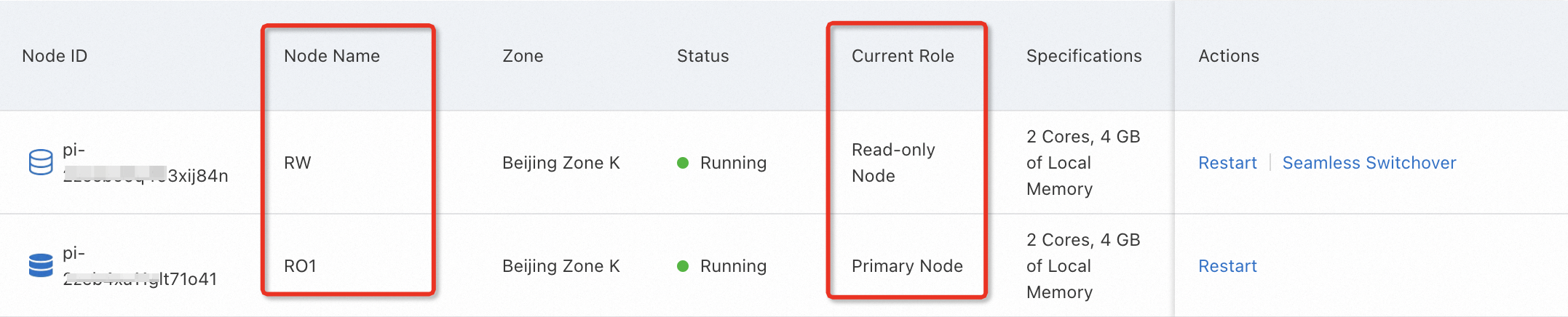
Node names and node roles are independent. During a primary/secondary switchover, roles change but names stay the same.
For more information about switchovers, see Automatic failover and manual failover.
The following images show how names persist across a switchover.
Pre-switchover
Post-switchover
Rename a node in the console
Log in to the PolarDB console and go to the Clusters page.
Click the target cluster to open its Basic Information page.
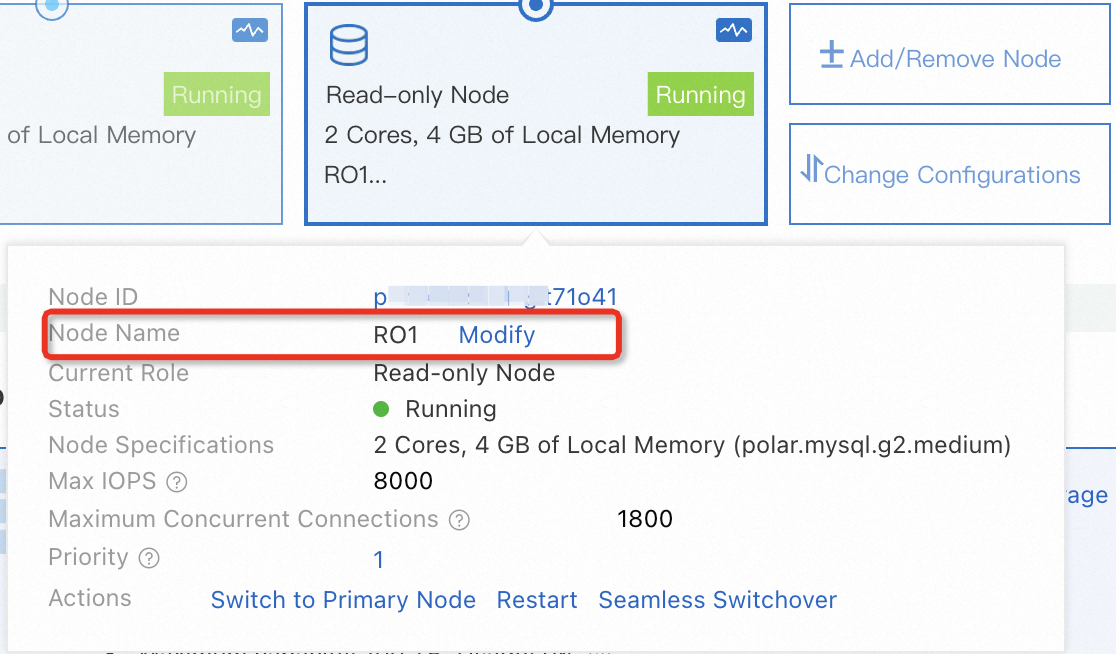
In the Database Nodes section, locate the node you want to rename.
In the node's information box, click Modify next to the node name.
Restart a node
Restart a node from the PolarDB console when your business requires it. PolarDB also provides a serverless feature that handles second-level scaling based on workload — consider this before restarting if your goal is to adjust capacity.
Usage notes
Service interruption
Restarting a node may interrupt services for up to 1 minute. Schedule restarts during off-peak hours and make sure your applications can automatically reconnect to the cluster.
Restart duration
The time required depends on your data volume and can take several hours. Proceed with caution.
Read/write splitting behavior
The impact on read/write splitting connections depends on which node you restart:
| Node restarted | Effect on read/write splitting connections |
|---|---|
| Read-only node | Connections established after the restart: PolarProxy forwards requests to the node normally. Connections established before the restart: PolarProxy does not forward requests to the node until the connection is re-established. Restart your application to close and re-establish the connection. |
Restart a node in the console
Log in to the PolarDB console and go to the Clusters page.
Click the target cluster to open its Basic Information page.
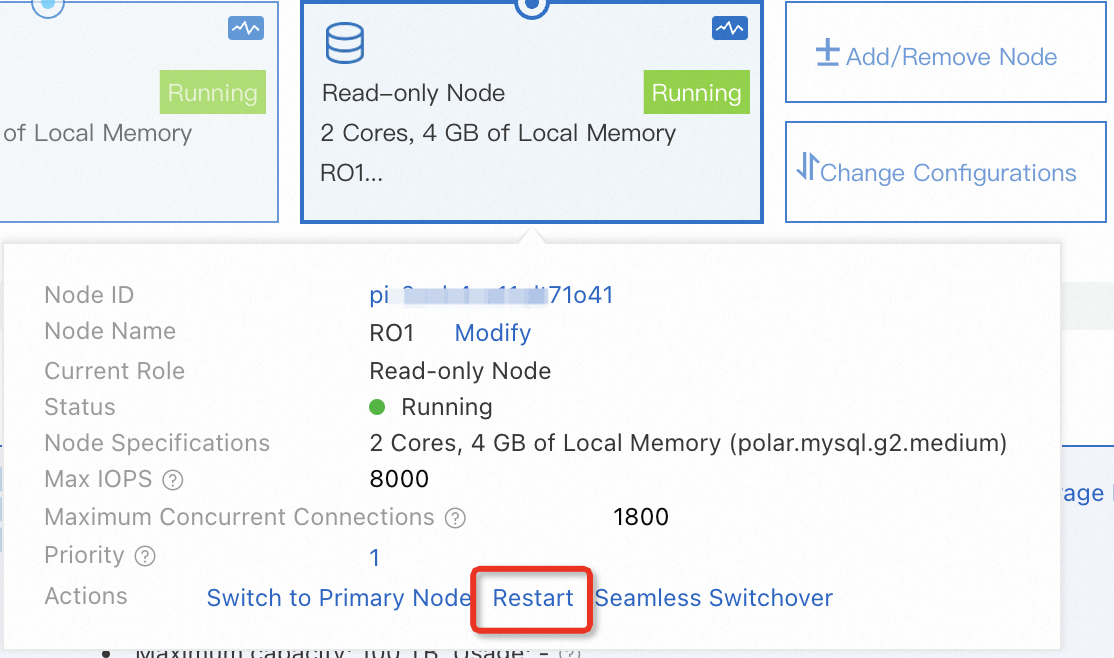
In the Database Nodes section, locate the node you want to restart.
In the node's information box, click Restart.
API reference
| Operation | Description |
|---|---|
| Restarts a node of a PolarDB cluster. |