Model distillation transfers knowledge from a large model (teacher model) to a smaller one (student model). This technique significantly reduces the number of parameters while maintaining model performance, addressing the high inference costs and slow response times of large models. PAI Model Gallery provides a one-click model distillation feature based on PAI-EasyDistill, a proprietary model distillation framework from Alibaba Cloud. You can complete the entire distillation process without writing any code.
Use cases
Model distillation is ideal for the following scenarios:
-
On-device or edge deployment: Compress large models into lightweight models for resource-constrained environments, such as mobile phones and IoT devices.
-
Cost optimization: If the inference cost for an online service is too high, distill a smaller model to reduce costs.
-
Inference acceleration: For latency-sensitive online applications, distillation reduces latency and GPU resource consumption while maintaining high accuracy, improving service throughput.
-
Domain knowledge inheritance: Transfer knowledge from a large model that excels in a specific domain, such as healthcare or law, to a more cost-effective small model for domain-specific tasks.
Scenarios that may be unsuitable or require careful evaluation:
-
Requiring 100% performance fidelity: You cannot accept any performance degradation. Distillation almost always involves some performance loss.
-
Overly simple tasks: For simple tasks like classification or text matching, training a small model directly may be more cost-effective than distillation.
-
Lack of high-quality seed data: The effectiveness of distillation depends heavily on the quality of the seed data. If the seed data deviates significantly from your actual business scenario, the results may be poor.
How it works
The model distillation feature in PAI Model Gallery uses black box distillation. In essence, this is a form of generative data augmentation: a teacher model generates high-quality labeled data, to train a student model with supervised fine-tuning (SFT).
The workflow is as follows:
-
Build distillation data:
-
Prepare base data: Use a public dataset or a custom dataset.
-
(Optional) Data synthesis: The PAI-EasyDistill framework provides data synthesis and augmentation capabilities to expand or optimize your data based on the teacher model type. For general-purpose models, you can perform instruction augmentation (to expand and rewrite instructions for more diverse data) or instruction optimization (to refine instruction phrasing for clarity). For reasoning models, you can use chain-of-thought abbreviation and chain-of-thought expansion.
-
Teacher model inference: The teacher model performs inference on the data to generate the distillation data required for training the student model.
-
-
Train the student model: Use the generated distillation dataset to train the student model by using supervised fine-tuning (SFT).
Quick start
This section guides you through a quick model distillation task using a public dataset and default settings provided by PAI.
-
Log in to the PAI console and, in the left-side navigation pane, choose QuickStart > Model Gallery.
-
On the Models page, use the filter to find a model that supports distillation, such as
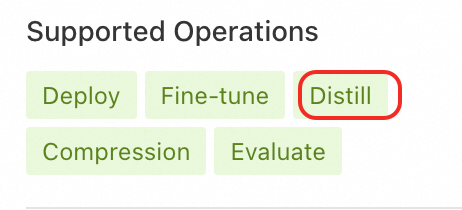
Qwen3-32B.In the Supported Operations filter, select Distill. The system displays all teacher models that support distillation.
-
Click the model card to open the model details page. In the upper-right corner, click Distill to open the task creation page. Configure the key parameters as described below and keep the default values for the other parameters.
-
Basic configuration: For Model output path, specify an OSS path that you have permission to access, such as
oss://mybucket.oss-cn-hangzhou-internal.aliyuncs.com/model-distillation/model.NoteEnsure that you create a separate output directory for each distillation task to prevent model files from being overwritten. The OSS bucket must be in the same region as the PAI service.
-
Build distillation data:
-
Dataset: Select Public Dataset and choose
Chinese-medical-dialogue-datafrom the drop-down list. -
Distillation output path: Specify an OSS path that you can access, such as
oss://mybucket.oss-cn-hangzhou-internal.aliyuncs.com/model-distillation/dist-data. -
Computing Resources: For Source, select Public Resources, and for Job Resource, keep the default recommended Instance Type.
-
-
Student model training:
-
Student model config: Select Public Model and choose a smaller model from the drop-down list, such as
Qwen3-4B. -
Training Mode: Keep the default LoRA fine-tuning.
-
Computing Resources: For Source, select Public Resources, and for Job Resource, keep the default recommended Instance Type.
-
-
-
Click Distill. In the billing reminder dialog box that appears, click OK. The system automatically redirects you to the basic configuration page of the task details, where you can track the task status.
Reference execution time: Approximately 20 to 40 minutes for a small dataset (100 to 1,000 entries).
Limitations
-
Model limits:
-
The teacher model must be selected from the models in PAI Model Gallery that support distillation. For a specific list of models, see the console.
-
The student model can be a public model from PAI Model Gallery or a custom model. Currently, custom models are limited to LLMs fine-tuned in PAI Model Gallery. Ensure that the student model has fewer parameters than the teacher model to make the distillation task meaningful.
-
-
Distillation method: Only black box distillation (based on SFT) is currently supported.
-
Dataset: Public and custom datasets are supported. The data must be in JSON format and must include an
instructionfield (the question column). Anoutputfield (the output column) is not required.[ { "instruction": "What is the capital of China?" }, { "instruction": "Please explain what artificial intelligence is." } ] -
Student model training method: Only SFT is supported, which includes LoRA, QLoRA, and full-parameter fine-tuning.
Configuration
Build distillation data
Dataset
Data synthesis is an optional feature that transforms the original dataset to enhance its diversity and quality. Select a data augmentation strategy based on whether the teacher model is a reasoning model.
-
Synthesize instruction data (for general-purpose instruction models):
-
Enhance instructions: Expands and rewrites original instructions to generate instructions with more diverse styles.
Input example: {"instruction": "Create a two-day travel guide for Hangzhou."} Output example: {"instruction": "Create a three-day travel guide for Beijing."} {"instruction": "I want to visit Shanghai. Recommend a travel itinerary for me."} -
Optimize instructions: Optimizes the phrasing of instructions to make them clearer and easier for the model to understand.
Input example:
{"instruction": "Create a two-day travel guide for Hangzhou."}
Output example:
{"instruction": "Please create a two-day travel guide for Hangzhou, including an itinerary, food recommendations, accommodation suggestions, and the best time to travel."}
-
-
Synthesize chain-of-thought data (for reasoning models):
-
Chain-of-thought expansion: Adds detailed reasoning steps (Chain of Thought) to the original question-answer pair to enhance the student model's reasoning ability.
Input example: {"instruction": "John has 3 apples and eats 1. How many apples are left?", "output": "<think>short chain of thought</think> <output>John has 2 apples left</output>"} Output example: {"instruction": "John has 3 apples and eats 1. How many apples are left?", "output": "<think>long chain of thought</think> <output>John has 2 apples left</output>"} -
Chain-of-thought abbreviation: Simplifies lengthy chain-of-thought processes to improve inference efficiency.
Input example:
{"instruction": "John has 3 apples and eats 1. How many apples are left?", "output": "<think>long chain of thought</think> <output>John has 2 apples left</output>"}
Output example:
{"instruction": "John has 3 apples and eats 1. How many apples are left?", "output": "<think>short chain of thought</think> <output>John has 2 apples left</output>"}
-
When performing distillation for the first time, we recommend disabling data synthesis to establish a baseline. Once you are familiar with the process, you can try enabling different synthesis options and evaluate their impact on the final results.
Hyperparameters
These hyperparameters control the generation behavior of the teacher model during the data build stage.
|
Parameter |
Description |
Tuning guidance |
|
Inference parameters (applied to teacher model inference) |
||
|
|
Controls the randomness of the generated text. Range: [0, 2]. Default: 0.8. |
• Increase (e.g., > 1.0): Produces more diverse and creative output. Useful for scenarios that require varied response styles. |
|
|
The maximum number of input tokens for the teacher model, including the |
• Ensure this value is greater than the length of the longest input in your dataset to prevent information loss. |
|
|
The maximum number of new tokens (the |
• This value should be greater than the average length of the answers you expect the teacher model to generate; otherwise, the answers will be truncated. |
|
Feature control parameters (displayed only when instruction augmentation is enabled) |
||
|
|
The number of samples generated for each data item during instruction augmentation. Default: 0. |
• Increase (e.g., > 5): Generates more diverse instructions, but significantly increases the data volume and computation cost. |
|
|
The number of in-context samples used during instruction augmentation. Default: 3. |
• Increase (e.g., > 5): Generates instructions that are more semantically aligned with the context, but may reduce diversity and increase computational overhead. |
Confirmation
Choose how the system should handle the generated distillation data after the build is complete.
-
Auto-confirm (Recommended): After the data build is complete, the system automatically validates the data and starts the subsequent student model training. This option is suitable if you use a public dataset or are confident in your data quality.
-
Manually confirm: After the data build is complete, you must manually review the data quality. This option is suitable for scenarios with extremely high data quality requirements or when using a custom dataset for the first time. To manually confirm the data, perform the following steps:
-
After the distillation data is built, the task status changes to Waiting for distillation data confirmation in the distillation task list.
-
In the Actions column, click Confirm distillation data. A confirmation dialog box appears.
-
In the dialog box, click Click to view to see the details of the distillation dataset.
-
If the data quality meets your expectations, click Confirm to proceed with student model training.
-
If the data does not meet your expectations, click Cancel. The task stops at the current stage.
-
-
Student model training
Method
Select the specific method for performing SFT on the student model.
-
LoRA (Recommended): A parameter-efficient fine-tuning method that maintains good performance while significantly reducing GPU memory requirements.
-
QLoRA: A quantized version of LoRA that further reduces GPU memory usage, suitable for training in more resource-constrained environments.
-
Full-parameter fine-tuning: Updates all model parameters. This method theoretically yields the best results but requires enormous compute resources and time, making it extremely costly.
Validation set
Select a validation dataset to evaluate the model's performance during training.
-
Don't configure: No validation is performed during training. This option is suitable for quick experiments or scenarios with small amounts of data.
-
Auto-split distillation data (Recommended): The system automatically splits the generated distillation dataset into a training set and a validation set. By default, 5% of the data is used for validation.
-
Add validation dataset: Specify a separate OSS dataset as the validation set. This option is suitable for scenarios that have a standard validation set.
Hyperparameters
These hyperparameters control the SFT process for the student model.
|
Parameter |
Description |
Tuning guidance |
|
|
The learning rate, which controls the step size of model parameter updates. Default: 5e-5. |
• If the training loss (Loss) decreases slowly, try increasing the learning rate. |
|
|
The number of training epochs, which is the number of times the entire dataset is passed through the training process. Default: 1. |
• For large datasets, 1 to 3 epochs are usually sufficient. |
|
|
The number of samples processed in a single training step on each GPU. Default: 1. |
• If GPU memory allows, increasing this value can speed up and potentially stabilize the training process. |
|
|
The maximum sequence length (in tokens) for the input to the student model. Default: 128. |
• Set this value based on your data characteristics and application scenario. Longer text requires a larger |
Production practices and advanced tuning
Cost optimization
-
Choose a resource source:
-
Testing or small tasks: Use public resources for pay-as-you-go flexibility.
-
Production or high-priority tasks: Use a resource quota to ensure resource stability and cost control.
-
Cost-sensitive or fault-tolerant tasks: Try preemptible resources to obtain computing power at a lower price, but accept the risk that the task may be interrupted.
-
-
Start with a small dataset: Before performing large-scale distillation, run the entire process with a small portion of your data (e.g., 100 to 1,000 entries) to verify your configuration and avoid wasting large amounts of computing resources due to misconfiguration.
-
Optimize the dataset: Using a smaller but higher-quality seed dataset can reduce the teacher model's inference overhead and the student model's training time.
-
Choose QLoRA for training: QLoRA significantly reduces GPU memory usage by training on a quantized model, allowing you to train on lower-spec (and cheaper) GPUs.
-
Set a reasonable runtime: Set a reasonable maximum running time for the task to prevent it from running excessively long and incurring unnecessary costs due to unexpected issues.
Performance tuning
-
Data quality is key: The teacher model sets the upper bound for performance, but the quality of the distillation dataset sets the lower bound. Ensure the original dataset used for distillation covers your business scenarios, contains clear instructions, and has diverse content.
-
Tune hyperparameters:
-
If the student model's training loss does not decrease or it diverges, your first step should be to lower the learning rate (
learning_rate). -
If you encounter an out of memory (OOM) error, your first step should be to reduce the batch size (
per_device_train_batch_size) or the sequence length (seq_length).
-
-
Monitor GPU utilization: In task monitoring, pay close attention to GPU utilization. If utilization is too low, it indicates that GPU resources are not being used efficiently. Consider increasing
per_device_train_batch_sizeto improve efficiency.
Performance evaluation
After distillation is complete, you must evaluate the student model's performance.
-
Deploy the model: On the distillation task details page, click the Deploy button in the upper-right corner to deploy the distilled student model as an online inference service.
-
Run a comparative evaluation: Use PAI's model evaluation feature to compare the performance metrics (such as accuracy and BLEU) of the teacher and student models on the same evaluation set to quantify any performance loss.
-
Validate in production: Before a full launch, perform a small-scale grayscale test to compare the inference speed, resource consumption, and business impact of the distilled model against the original model in a real-world business scenario.
FAQ
Q: Choosing teacher and student models
-
Teacher model: Choose a large-parameter model that has a proven track record of excellent performance in your business scenario. Generally, a model with more parameters contains more knowledge, which raises the upper limit for distillation effectiveness.
-
Student model: Choose a model from the same series as the teacher model but with fewer parameters. For example, you might distill from
Qwen-30BtoQwen-8B. This approach ensures architectural compatibility and maximizes the efficiency of knowledge transfer.
Q: Distillation task duration
The time required depends mainly on the dataset size, model scale, training method, and computing resources. A distillation task with a small dataset (a few thousand entries) and a medium-sized model (7B–14B) typically takes tens of minutes to a few hours.
Q: Resuming interrupted tasks
No. If a task is interrupted because it reached the configured maximum running time, it fails and cannot be resumed. Analyze the task logs to determine whether the slow runtime was caused by insufficient resources or a time limit that was too short. Then, increase the maximum running time or use a higher-spec instance type and resubmit the task.
Q: Handling CUDA out of memory errors
This is a typical GPU out of memory (OOM) error. Follow these steps to troubleshoot and resolve the issue:
-
Decrease the batch size: In the Student model training configuration, find the Hyperparameters section. Halve the value of
per_device_train_batch_size(for example, from 2 to 1) and retry. -
Switch the training method: If reducing the batch size is ineffective, return to the configuration page and switch the training method from
LoRAorFull-parameter fine-tuningtoQLoRA. QLoRA significantly reduces GPU memory usage. -
Upgrade the GPU instance type: If the preceding methods do not resolve the issue, the model and data scale require higher-spec hardware. In the Computing Resources section, select a GPU instance type with more memory.