The LLM-Sensitive Content Mask (DLC) component of Platform for AI (PAI) is used to mask sensitive information in texts that are used to train large language models (LLMs). The input Object Storage Service (OSS) data file must be in the JSON Lines format and meet the following requirements: Each line in the file is a valid JSON object and the file consists of multiple lines of JSON objects, but the file is not a valid JSON object. For more information, see Example.
Supported computing resources
Algorithm description
The LLM-Sensitive Content Mask (DLC) component masks the following sensitive information:
Mobile phone numbers: Strings that match the following regular expressions are replaced with
[MOBILEPHONE].r'(?<!\d)(1(3[0-9]|4[579]|5[0-3,5-9]|6[6]|7[0135678]|8[0-9]|9[89])\d{8})(?!\d)'
r'(?<!\d)(1[\d]{2}-\d{4}-\d{4}\D|\D1\d{10}\D|\D1[\d]{2} \d{4} \d{4})(?!\d)'
r'(?<!\d)(1[3-9]\d{9})(?!\d)'
Landline phone numbers: Strings that match the following regular expression are replaced with
[TELEPHONE].r'(?<!\d)(\(?0\d{2,3}[-\s)]?\d{7,8})(?!\d)'
Email addresses: Strings that match the following regular expression are replaced with
[EMAIL].r'[a-zA-Z0-9_.+-]+@[a-zA-Z0-9-]+.[a-zA-Z0-9-.]+'
People's Republic of China (PRC) resident identity card numbers: Strings that match the following regular expressions are replaced with
[IDNUM].r'(?<!\d)([1-6]\d{5}[12]\d{3}(0[1-9]|1[12])(0[1-9]|1[0-9]|2[0-9]|3[01])\d{3}(\d|X|x))(?!\d)'
r'(?<!\d)([1-9]\d{5}[12]\d{3}(0[1-9]|1[012])(0[1-9]|[12][0-9]|3[01])\d{3}[0-9xX])(?!\d)'
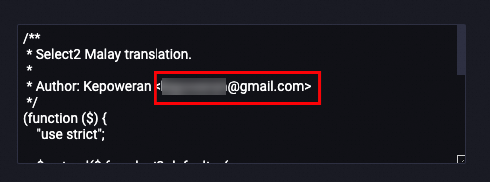
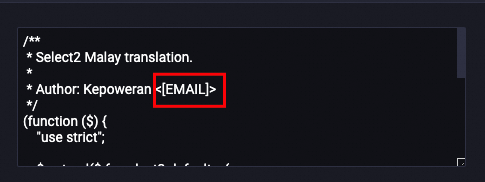
The following example shows how an email address is masked:
Before processing
| After processing
|
Configure the component
On the pipeline page of Machine Learning Designer, configure the parameters of the LLM-Sensitive Content Mask (DLC) component.
Tab | Parameter | Required | Description | Default value | |
Fields Setting | Target Process Field | Yes | The name of the field that you want to process. | N/A | |
OSS Directory for Saving OutputData | No | The OSS directory in which the generated data is stored. If you do not specify this parameter, the default path of the workspace is used. | N/A | ||
Tuning | Number of Processes | No | The number of processes. | 8 | |
Select Resource Group | Public Resource Group | No | The instance type (CPU or GPU), number of instances, and virtual private cloud (VPC) that you want to use. | N/A | |
Dedicated resource group | No | The number of vCPUs, memory, shared memory, number of GPUs, and number of instances that you want to use. | N/A | ||
Maximum Running Duration | No | The maximum period of time for which the component can run. If this period of time is exceeded, the job is terminated. | N/A | ||