Machine Learning Designer lets you package a batch data-processing pipeline—covering data pre-processing, feature engineering, and model prediction—into a pipeline model, then deploy it to Elastic Algorithm Service (EAS) as an online service.
Only pipelines built entirely with Alink algorithm components (marked with a small purple circle in the canvas) can be deployed as online services.
Limitations
| Constraint | Details |
|---|---|
| Component type | Only Alink algorithm components are supported. They are marked with a small purple circle in the canvas. |
| Run status | All paired training and prediction components in the pipeline must have completed successfully (marked with a green check) before packaging. For example, to deploy a linear regression model, both the Linear Regression Training and Linear Regression Prediction components must show a green check. |
| Topology | Online services accept only single input and output. Select a single serial link from the Directed Acyclic Graph (DAG) of your batch pipeline. |
Prerequisites
Before you begin, ensure that you have:
-
A batch data-processing pipeline that implements data pre-processing, feature engineering, and model prediction, and has been run successfully. For more information, see Build a model
Deploy a pipeline as an online service
-
Go to the Machine Learning Designer page.
-
Log on to the Machine Learning Platform for AI console.
-
In the left-side navigation pane, click Workspaces. On the Workspaces page, click the name of the workspace you want to manage.
-
In the left-side navigation pane, choose Model Training > Visualized Modeling (Designer).
-
-
On the Pipelines tab, double-click the pipeline to open it.
-
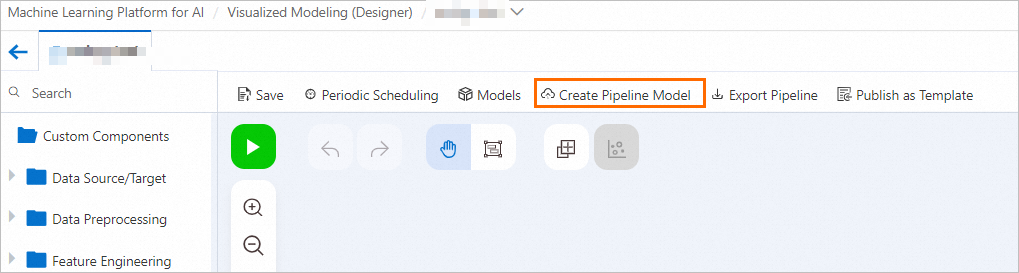
In the top navigation bar of the canvas, choose Models > Create Pipeline Model.
-
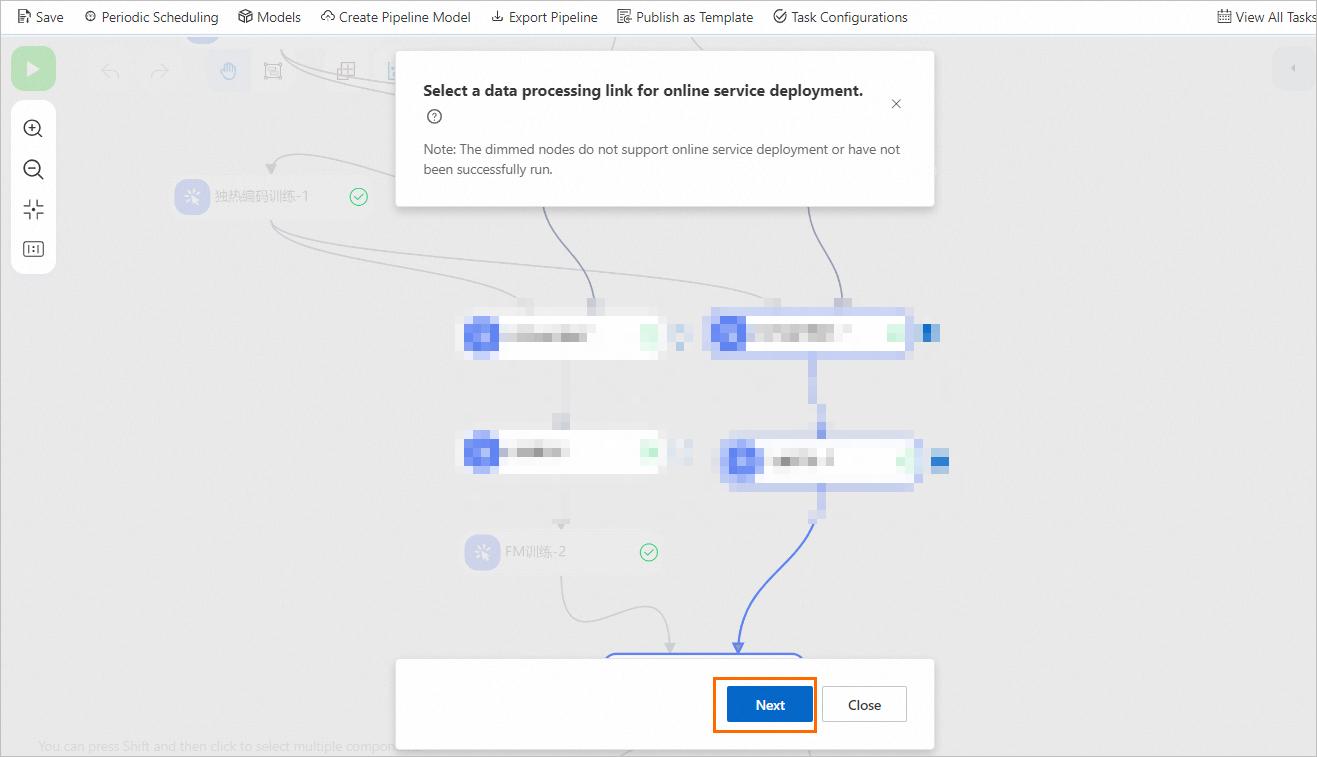
Select the nodes that form a serial data processing link, then click Next. A serial link typically consists of 1 to N prediction components. For example, the following link normalizes data, applies one-hot encoding, aggregates vectors, and then runs the FM Prediction component.
-
Selecting a node that forms a serial link with its upstream or downstream nodes automatically selects those connected nodes.
-
Unselecting a node automatically unselects all nodes that were selected with it.
-
-
In the Create Pipeline Model dialog box, click Next to start packaging.
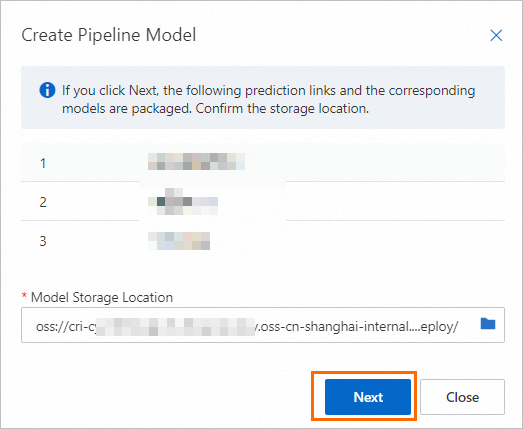 The system packages the data prediction link and its models into a pipeline model. A batch task whose name starts with model-combination- is launched automatically. To monitor progress, click View All Tasks in the top navigation bar. In the Previous Tasks dialog box, find the task and check its status. Packaging takes approximately 3 to 5 minutes. Wait until the task state changes to Succeeded before proceeding.
 -
In the Previous Tasks dialog box, find the task and click Model in the Actions column.
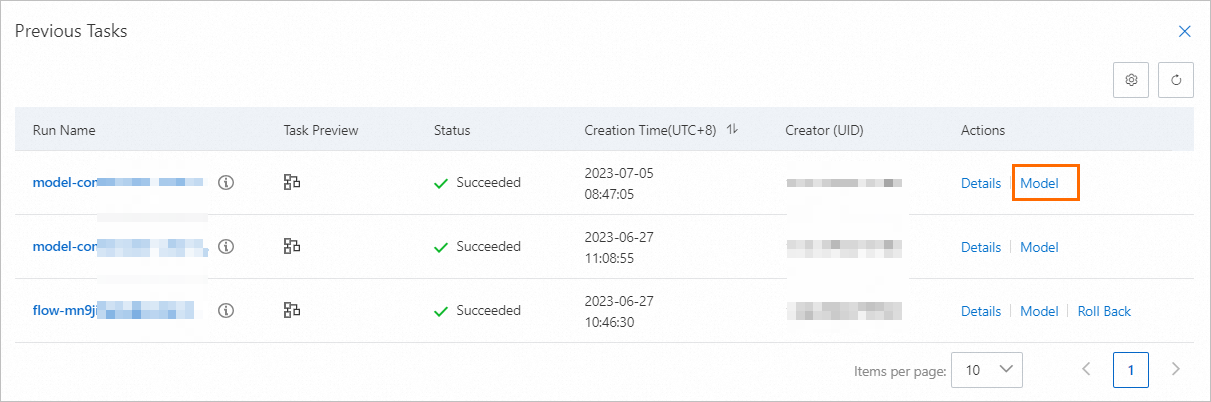 This opens the EAS-Online Model Services page. For more information about completing the deployment, see Model service deployment by using the PAI console and Machine Learning Designer.