Reserve resources for important tasks by purchasing subscription accelerators in Platform for AI (PAI).
Prerequisites
Before you use Dataset Accelerator for the first time, grant the required permissions. For more information, see Grant the permissions that are required to use Dataset Accelerator.
Create an accelerator
Creating an accelerator incurs fees. For more information, see Billing of Dataset Accelerator.
-
Log on to the PAI console.
-
In the left-side navigation pane, choose .
-
On the Accelerators tab, click Create an instance.
-
On the AI Dataset Accelerator (Subscription) page, configure the parameters.
Parameter
Description
Region
The region of the accelerator. Select a region based on on-screen instructions.
Data Source Type
The data source types to accelerate.
Capacity
The capacity of the accelerator. Valid values: 500 to 102400. Unit: GB.
Subscription duration
Select a subscription duration based on on-screen instructions.
-
Click Buy Now.
After you complete the payment, the accelerator appears on the Accelerators tab. You can also view details such as Total Accelerator Capacity, Number of Accelerators, and Number of Slots on this tab.
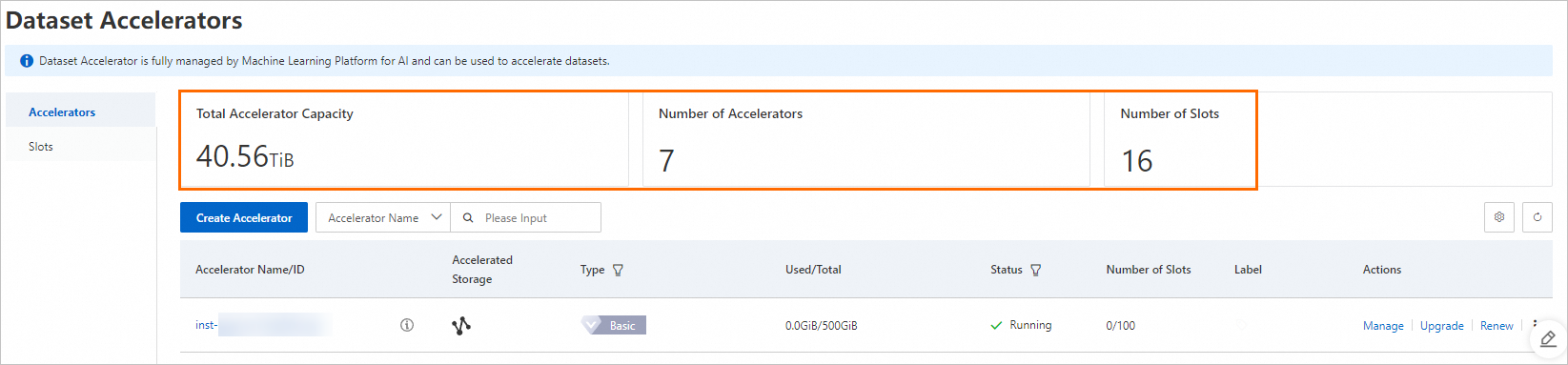
Manage accelerators
You can manage accelerators as follows: 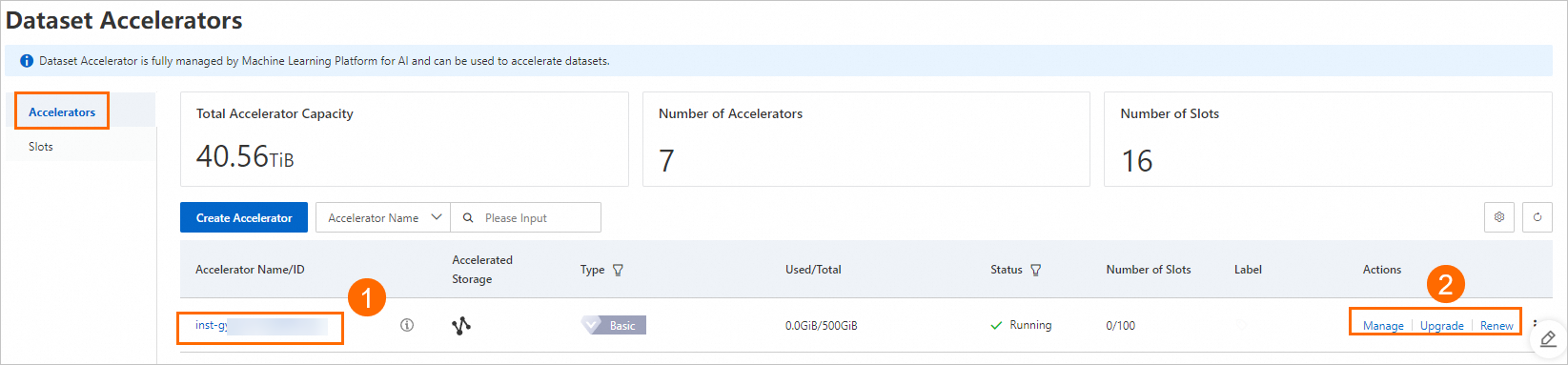
-
View basic information about an accelerator
Click an accelerator name to go to its details page. On this page, you can view its Basic Information and the slots created for it.
-
Modify the configurations of an accelerator
In the Actions column of the target accelerator, click Manage. You can modify settings such as Instance Name, Description, and Maximum Slots.
-
Expand the capacity of an accelerator
If an accelerator's current capacity is insufficient, click Upgrade in the Actions column to increase it.
ImportantCapacity expansion incurs fees. For more information, see Billing of Dataset Accelerator.
-
Renew an accelerator
To continue using the accelerator after the subscription expires, click Renew in the Actions column.