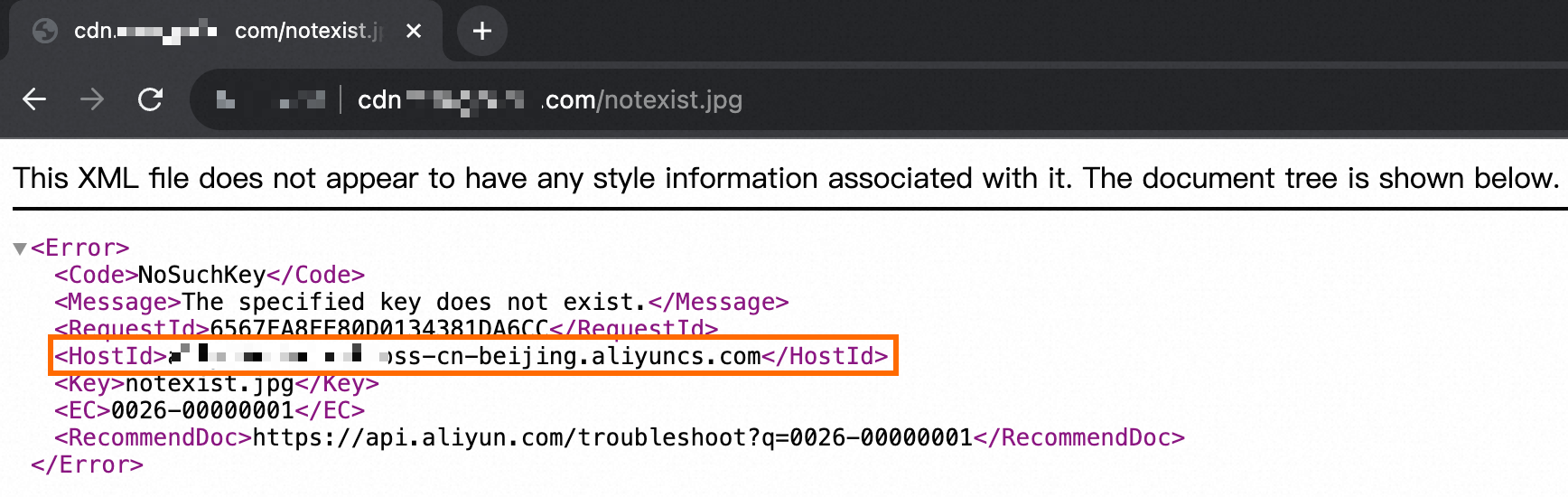
When a CDN back-to-origin fetch to an Object Storage Service (OSS) bucket fails, OSS returns an error message that includes the bucket domain name. Because the bucket domain name is sensitive information, its exposure increases security risks to your bucket. Change the CDN origin host to your accelerated domain name to prevent the bucket domain name from appearing in error messages.
How it works
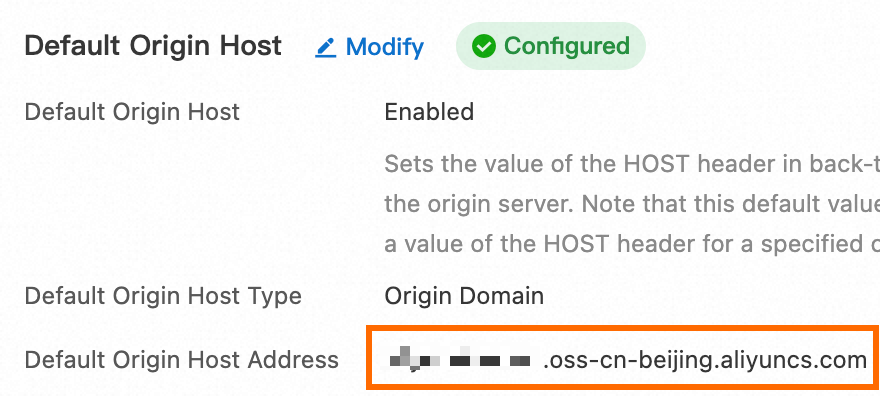
In a CDN back-to-origin request, the default value of the Host header is the bucket domain name—for example, example-bucket.oss-cn-hangzhou.aliyuncs.com. When OSS returns an error for an invalid request, it echoes back the value of the Host header. The bucket domain name therefore appears in every error response, regardless of the HTTP status code.
The following figure shows the default origin host settings for a bucket in the CDN console.
For example, if the requested object does not exist, OSS returns a 404 error that includes the bucket domain name.
Prerequisites
Before you begin, make sure that you have:
Mapped your accelerated domain name to your bucket
Confirmed that CDN can successfully retrieve content from the bucket
If you modify the origin host before the domain name mapping is complete, OSS cannot process requests with an unknown Host value, and all back-to-origin fetch requests will fail.
For mapping instructions, see Map accelerated domain names.
Change the origin host to the accelerated domain name
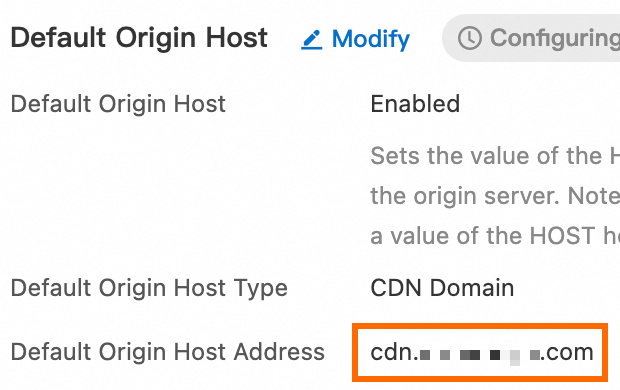
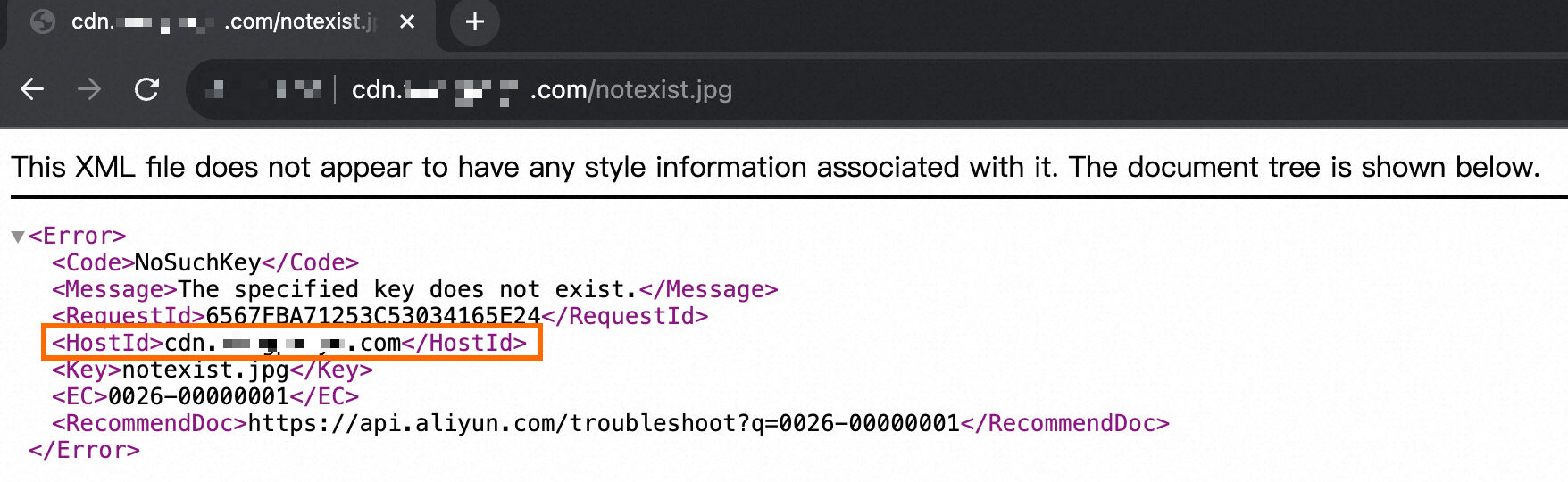
Set the CDN origin host to the accelerated domain name instead of the bucket domain name. After this change, if a back-to-origin fetch error occurs, OSS includes the accelerated domain name in the error response—for example, www.example.com—instead of the bucket domain name.
For step-by-step instructions, see Configure the default origin host.
The following figure shows an example of the modified origin host configuration.
The following figure shows the error response after the change, where the bucket domain name no longer appears.
What's next
You can also modify an origin host to hide the bucket domain name in other scenarios, for example, when you configure an Nginx reverse proxy. For more information, see Use ECS instances to configure a reverse proxy for access to OSS.