Get started with Optimization Solver by activating the service, installing the SDK, configuring the license file, and running a sample optimization problem.
1. Activate the service
Log on to the Optimization Solver console to activate the service, then get the license key from Available Service List.
Mathematical Programming Solution is free during the public preview period. You do not need to pay to activate or purchase the service.
Activate the service
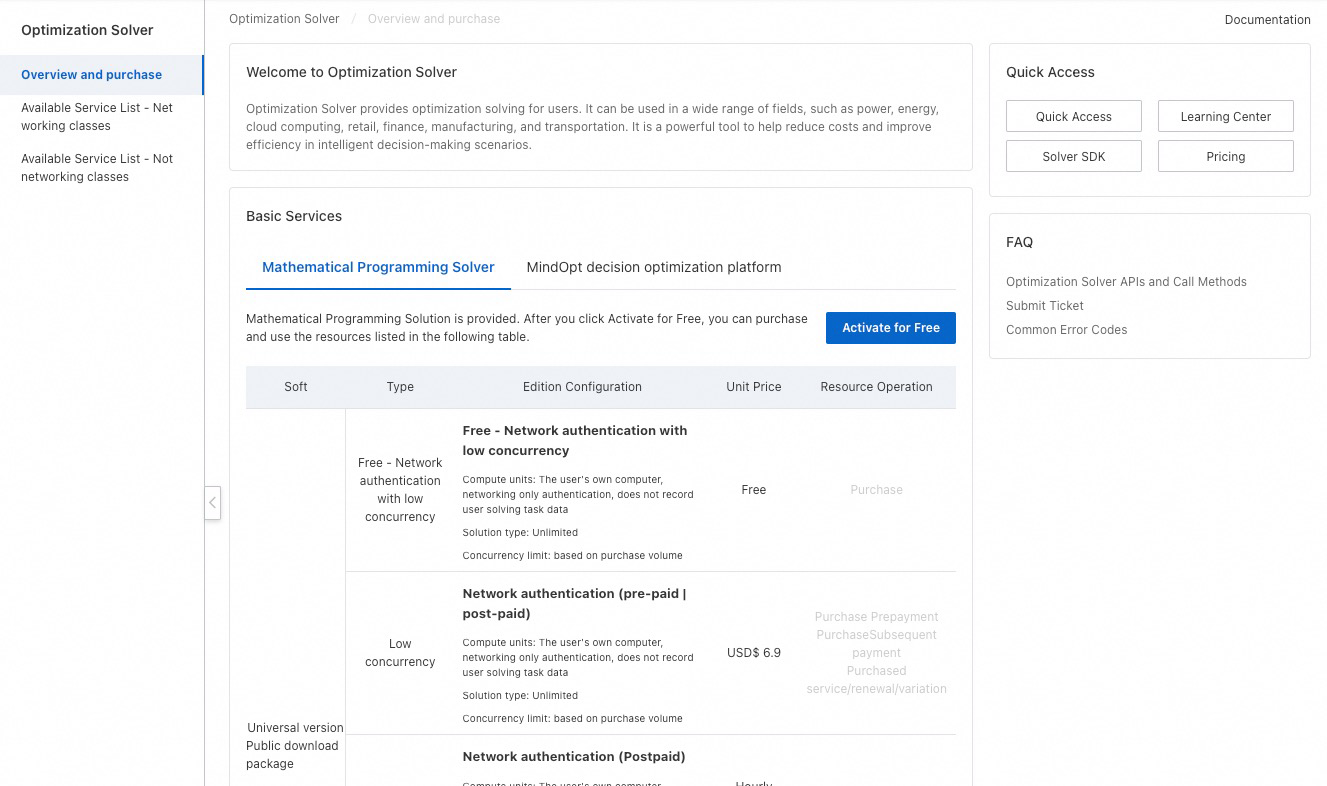
Log on to the Optimization Solver console, click Activate for Free on the Overview page, then click Activate Now.
View the purchased service and license key
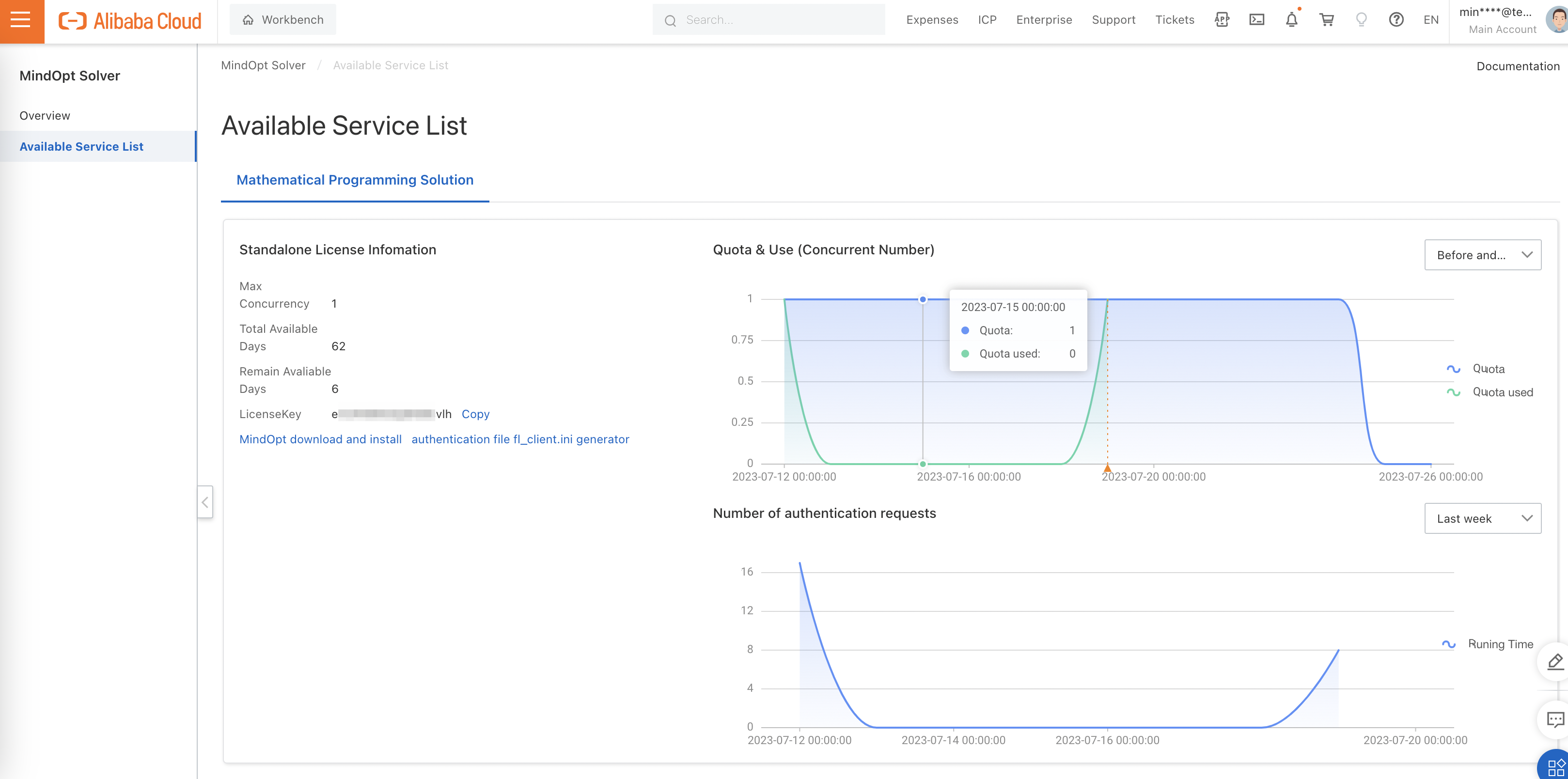
In the left-side navigation pane, click Available Service List. The page shows details about your purchased service, including the license key.
2. Download and install the SDK
Install the Optimization Solver SDK version that matches your requirements. For download and installation instructions, see Download and install the Optimization Solver SDK.
3. Configure the license file for authentication
Configure accounts for authentication
Optimization Solver requires a valid license to solve problems. Find the license key on the Available Service List page, then use it to populate the fl_client.ini license file. For instructions on obtaining the license file, see Download and install the Optimization Solver SDK.
Set the MINDOPT_LICENSE_PATH environment variable to the directory that contains fl_client.ini. If the file does not exist, create it with the following content, replacing the placeholder values with your own.
[security]
# key for client authentication
aliyun_license_key = xxx # Change the value of this parameter to the license key of the service that you purchase. You can obtain the license key from the Available Service List page of the Optimization Solver console.

aliyun_ak_id= xxx # Change the value of this parameter to the AccessKey ID of your Alibaba Cloud account or Resource Access Management (RAM) user.

aliyun_ak_secret= xxx # Change the value of this parameter to the AccessKey secret of your Alibaba Cloud account or RAM user.

# Copy the following content. You do not need to modify the content unless otherwise required.
[server]
# license server host
name = opt.us-east-1.aliyuncs.com #opt.cn-beijing.aliyuncs.com # Change the name to the endpoint of the region where you purchase the service.

# license server port 80 if absent
port = 443

# license server is https protocol
https = true

# client side request timeout in second
request_timeout  =   2
Update the following fields in the fl_client.ini file:
-
In the
securitysection, setaliyun_license_keyto the license key shown on the Available Service List page of the Optimization Solver console. -
In the
securitysection, setaliyun_ak_idandaliyun_ak_secretto the AccessKey ID and AccessKey secret of your Alibaba Cloud account or RAM user.
To create an AccessKey pair, use one of the following methods:
-
Alibaba Cloud account: Create an AccessKey pair on the AccessKey Pair page.
-
RAM user: See Create an AccessKey pair for a RAM user. After creating the AccessKey pair, use the Alibaba Cloud account to grant Optimization Solver management permissions to the RAM user.
You can also create an AccessKey pair through the Optimization Solver console: move the pointer over the profile picture in the upper-right corner and click AccessKey Management.
4. Run a sample problem
The SDK includes an examples folder with sample code and data in multiple languages. The following examples solve the optimization problem defined in afiro.mps. They assume you have set the MINDOPT_HOME environment variable as described in the installation guide.
-
Run command-line commands.
-
Linux or macOS
mindopt $MINDOPT_HOME/examples/data/afiro.mps-
Windows
mindopt %MINDOPT_HOME%\examples\data\afiro.mps MaxTime=10800 SPX/MaxIterations=1000000000-
Run Python code. (Open
mindopt.pyto view the sample source code.)
-
Linux or macOS
python $MINDOPT_HOME/examples/python/mdo_mps.py --filename $MINDOPT_HOME/examples/data/afiro.mps -
-
Windows
python "%MINDOPT_HOME%\examples\python\mdo_mps.py" --filename "%MINDOPT_HOME%\examples\data\afiro.mps"ImportantOptimization Solver supports Python 3.6 and later. When running the sample code in Python 3.8 or later, you may see an error that
mindoptpycannot be found. See Install the MindOpt Python software package to resolve this issue.
For more information about using Optimization Solver, see Optimization Solver User Guide.
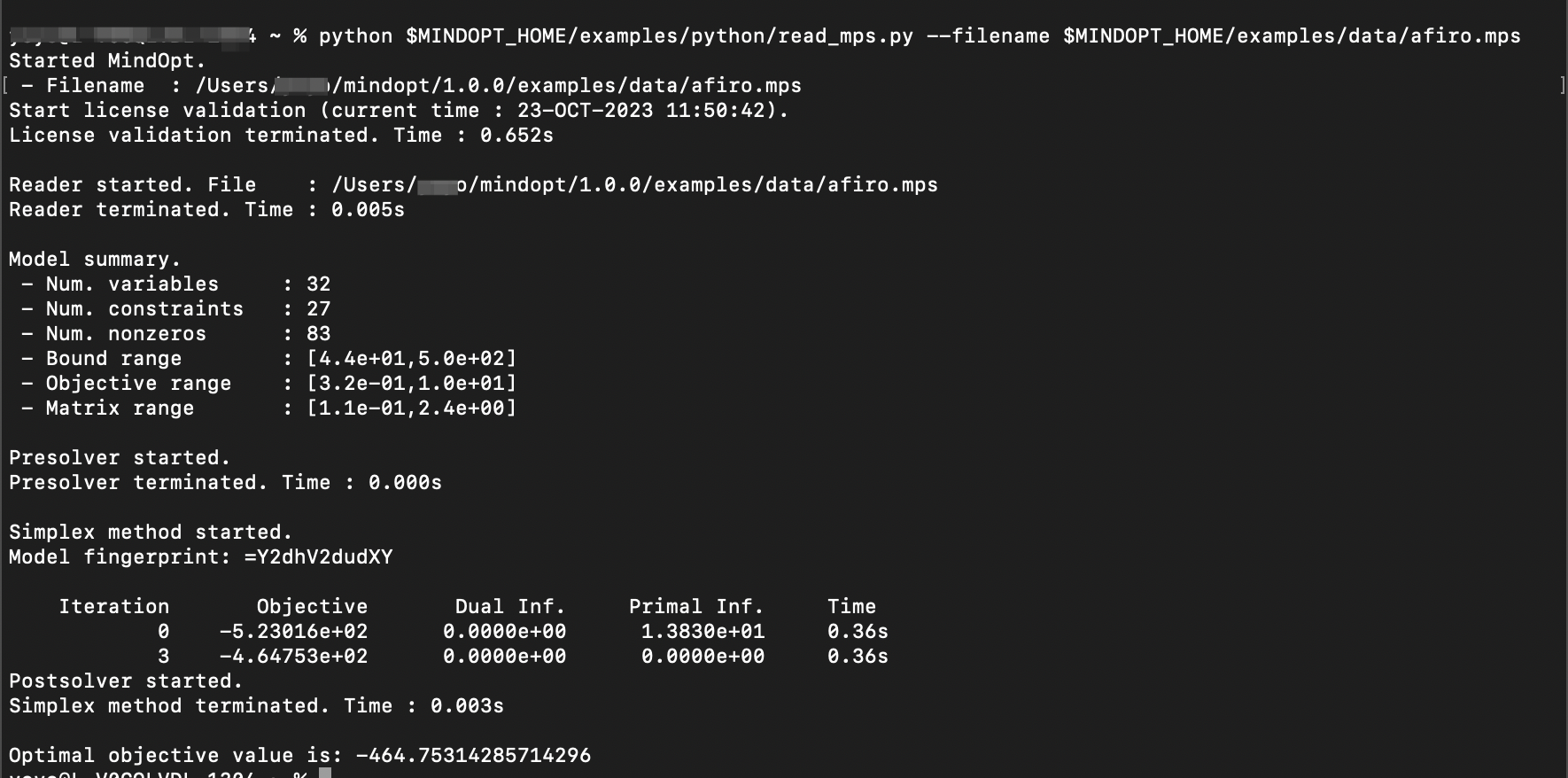
The following example shows the solving results: