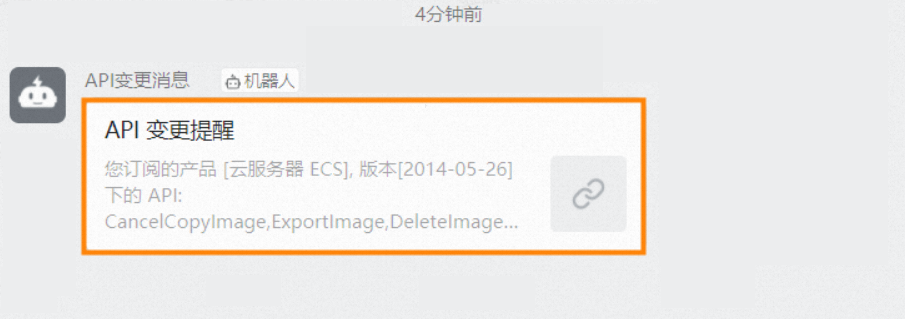
This topic describes how to obtain the webhook URL of a DingTalk chatbot and receive subscription messages by using the webhook URL.
Prerequisites
A DingTalk group that is used to receive subscription messages is created.
Procedure
To add a custom chatbot to the DingTalk group and obtain the webhook URL of the DingTalk chatbot, perform the following steps:
Run the DingTalk client on a PC, go to the DingTalk group to which you want to add a chatbot, and then click the
 icon in the upper-right corner.
 In the Group Settings panel, click Bot. In the Robot Management panel, click Add Robot.
In the Robot dialog box, click Add Robot.
Click Custom (Custom message services via Webhook). In the Robot details message, click Add.
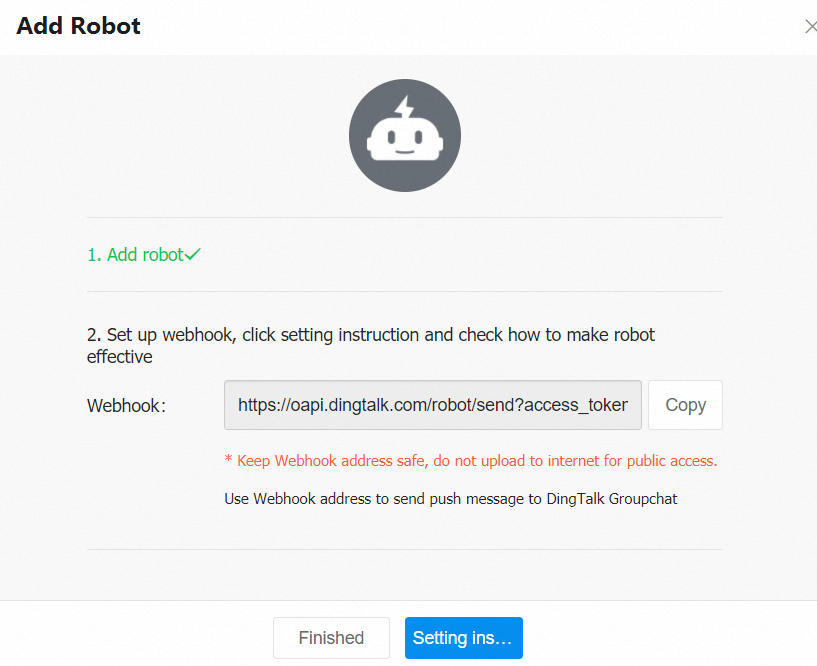
In the Add Robot dialog box, configure the parameters that are described in the following table. Then, select I Acknowledge and Accept《DingTalk Custom Robot Service Terms of Service》 and click Finished.
Parameter
Description
Chatbot name
Set the Chatbot name to API change messages.
Add to Group
The group to which API change messages are sent.
Security Setting
Select Custom Keywords for the Security Setting parameter, and specify Change as the custom keyword.
NoteYou must add the keyword based on your business requirements. Otherwise, messages may fail to be sent because the keyword is not matched.
In the Add Robot message, copy the webhook URL and click Finished. Then, the custom DingTalk chatbot is successfully added to the DingTalk group.
For more information about operations that are related to webhooks, see Add a custom DingTalk chatbot.
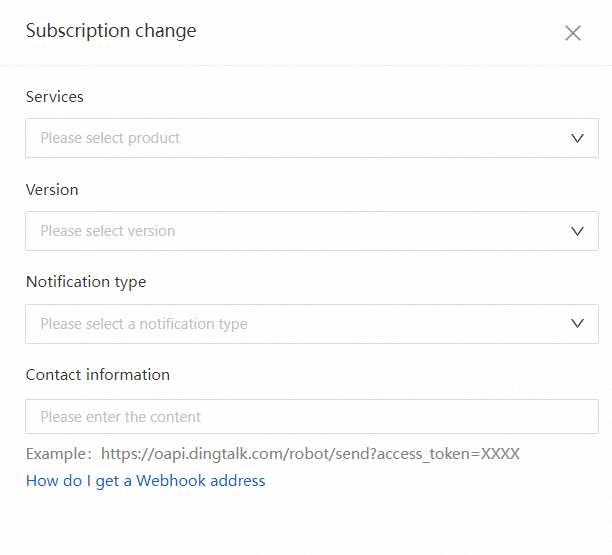
In the top navigation bar of OpenAPI Explorer, click API Changes. On the API Changes page, changes of Alibaba Cloud APIs are displayed.
On the API Changes page, click Subscribe in the upper-right corner. In the Subscription change panel, configure the subscription parameters. Set the Notification type parameter to Webhook. Enter the copied webhook URL in the Contact information field, and click OK to complete the subscription.
After you subscribe to API changes, you can receive API change notifications in the DingTalk group.
You can also check whether the webhook URL can receive messages as expected. For more information, see Add a custom DingTalk chatbot.