Configure a lock policy for vector indexes
To improve query efficiency, you can lock vector indexes into the memory by modifying the online table configurations. This method is suitable for scenarios in which high query performance is required.
On the Deployment Management page of your OpenSearch instance, click the Searcher Worker node.
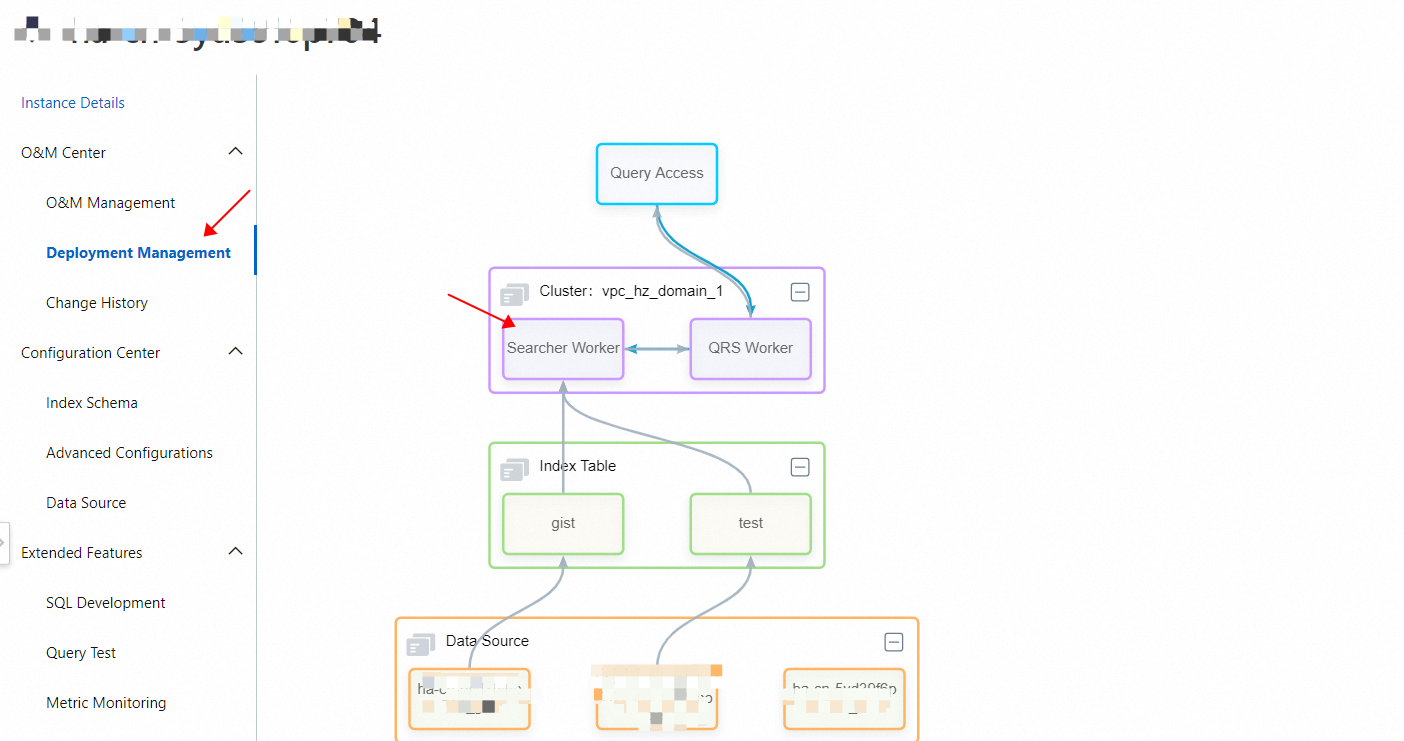
In the Searcher Worker Configurations panel, click the Online Table Configurations tab, and then click Modify.
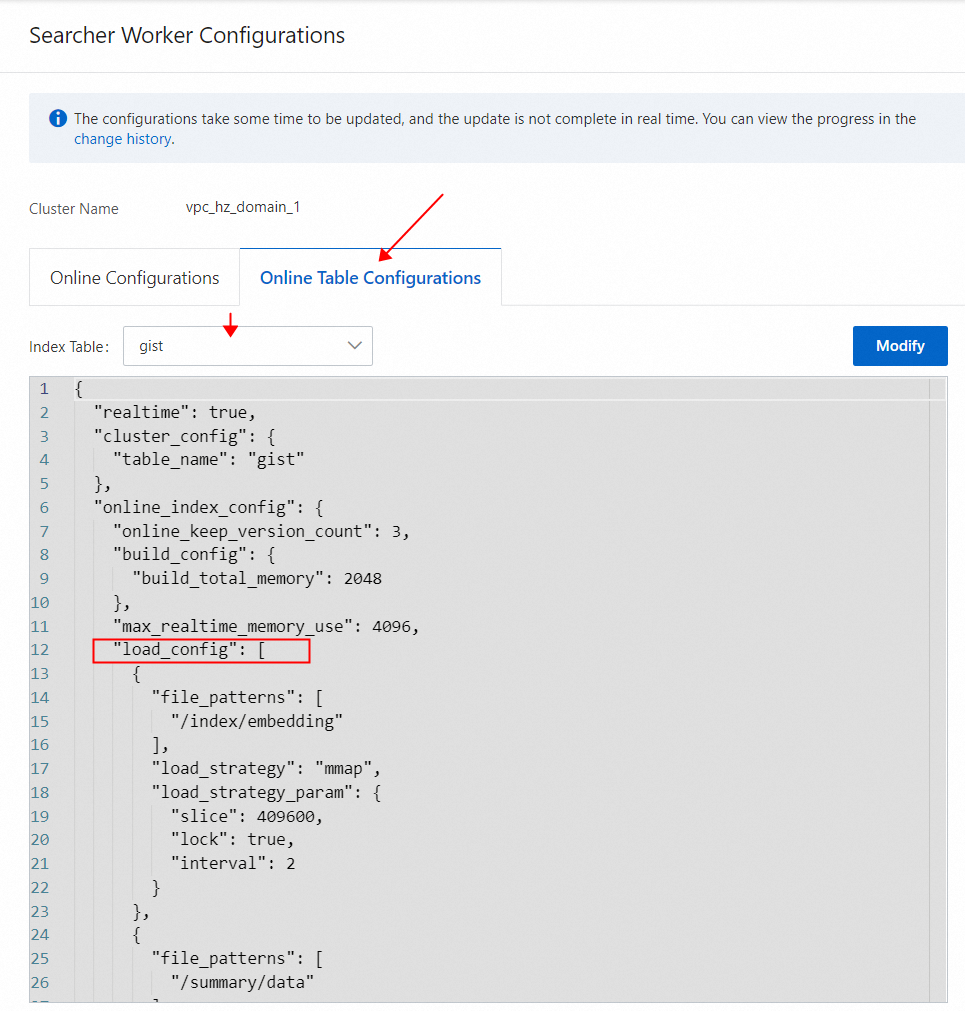
Replace the content in the load_config section with the following code. For more information, see Configure an index table loading policy.
{
        "file_patterns": [
          "/index/${The name of the vector index}"
        ],
        "load_strategy": "mmap",
        "load_strategy_param": {
          "slice": 409600,
          "lock": true,
          "interval": 2
        }
      },
After you modify the online table configurations, the corresponding cluster performs a rolling upgrade operation based on the minimum service ratio specified in the online table configurations.
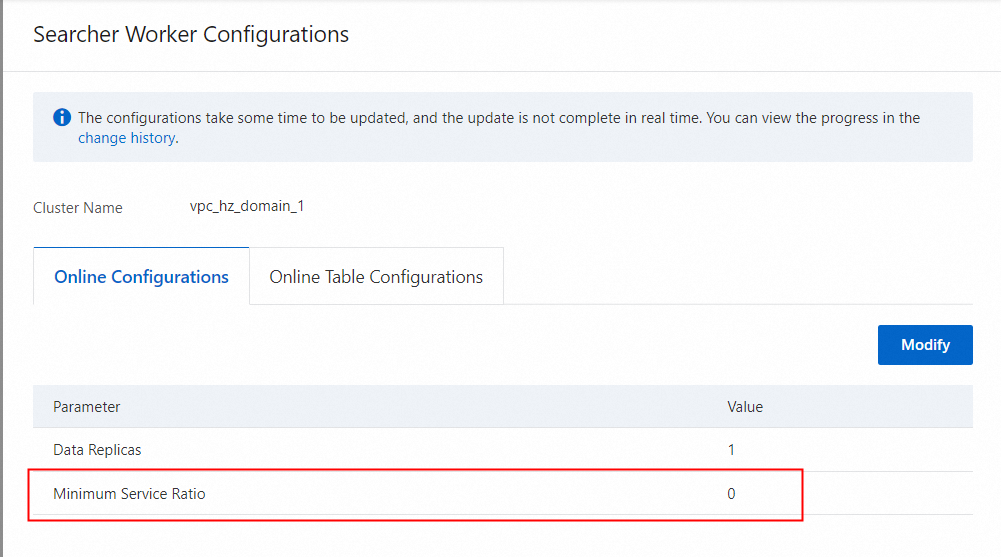
Therefore, before you operate an online cluster in the production environment, make sure that the minimum service ratio is greater than 0 and the Searcher workers that are available for providing services can process all existing traffic when the cluster performs the rolling upgrade operation based on the minimum service ratio.
Usage notes
The vector indexes that are locked into the memory occupy memory resources of the Searcher worker. We recommend that you configure a lock policy for vector indexes only if the Searcher worker has sufficient memory resources.