Details
On the Deployment Management page, you can view the cluster topology of your instance and perform specific operations to change the configurations online.
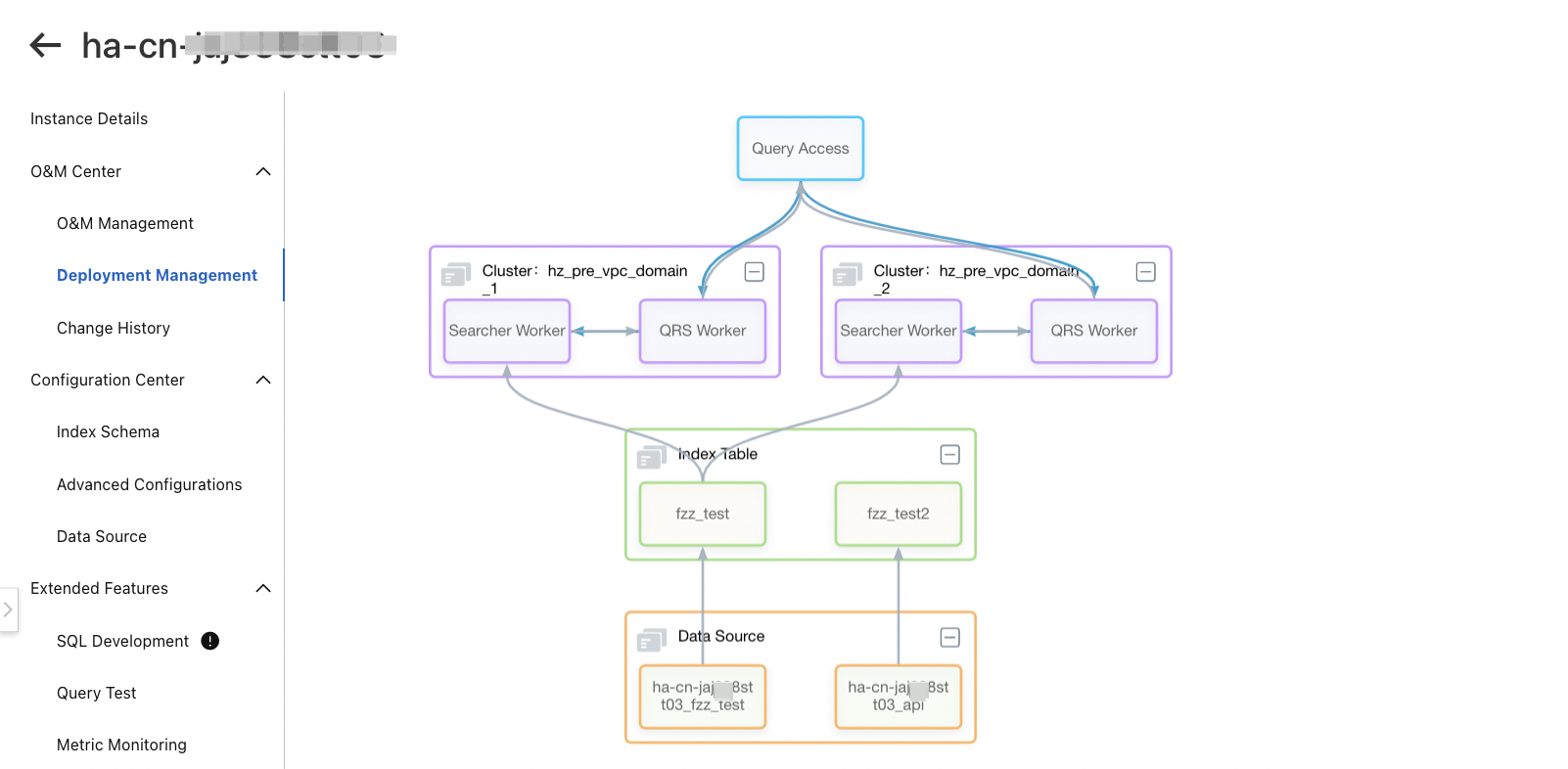
Topology
The topology displays information at three layers:
Data source: displays the name of each data source you configured.

Index table: displays all index tables that are referenced.

Cluster: displays all clusters that are created in an instance.
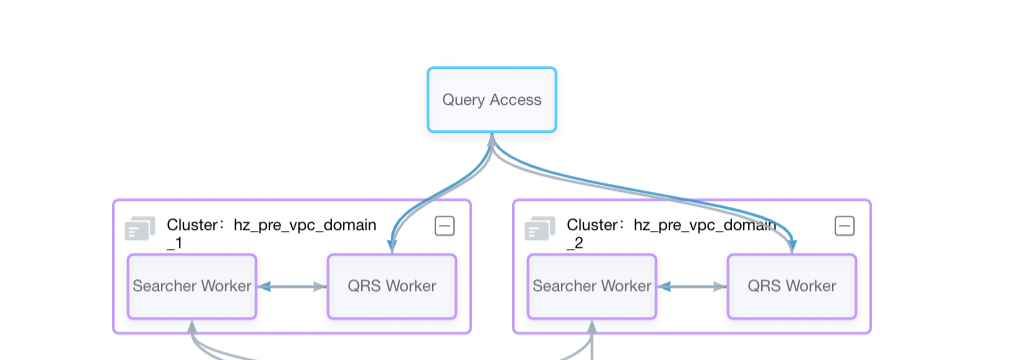
Modify Query Result Searcher (QRS) worker configurations
Click the block of the QRS worker to modify the number of data replicas and the minimum service ratio of the QRS worker.
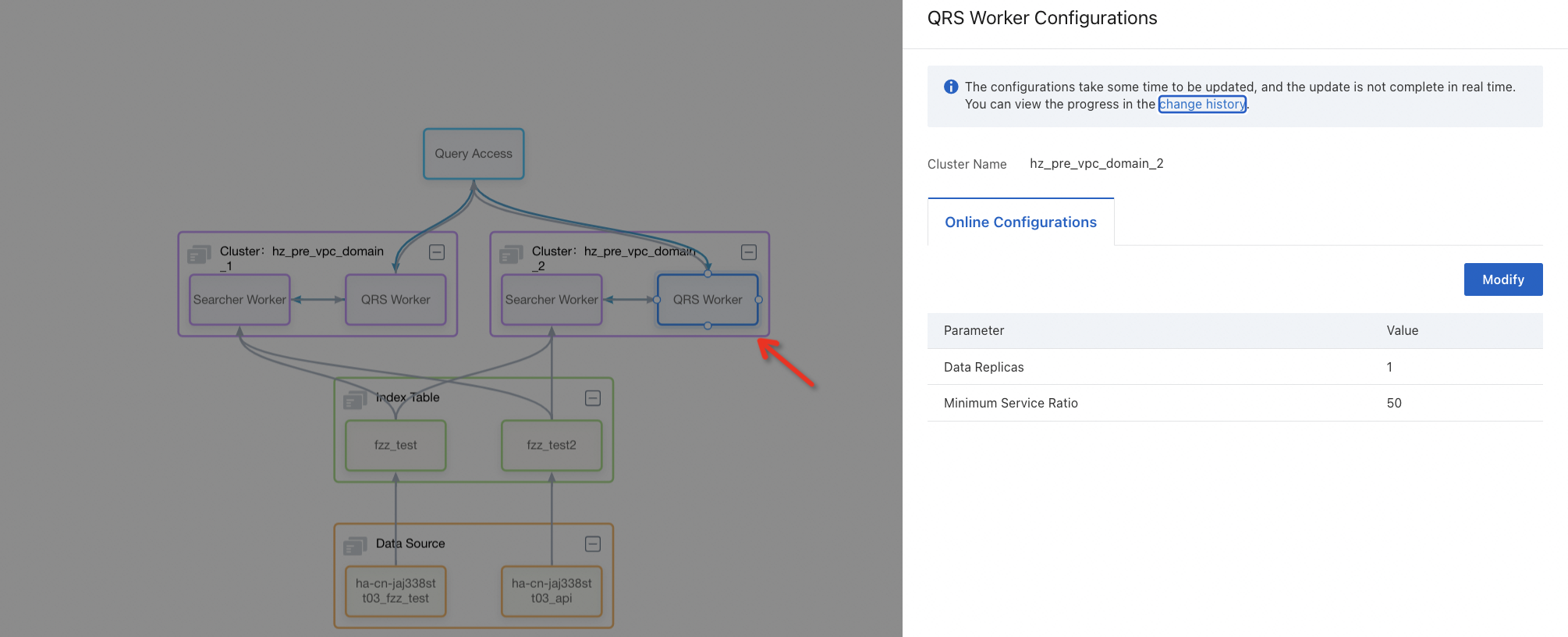
After the configurations are modified, new configurations take effect immediately.
Modify Searcher worker configurations
Click the block of the Searcher worker to modify the online configurations and online table configurations of the Searcher worker.
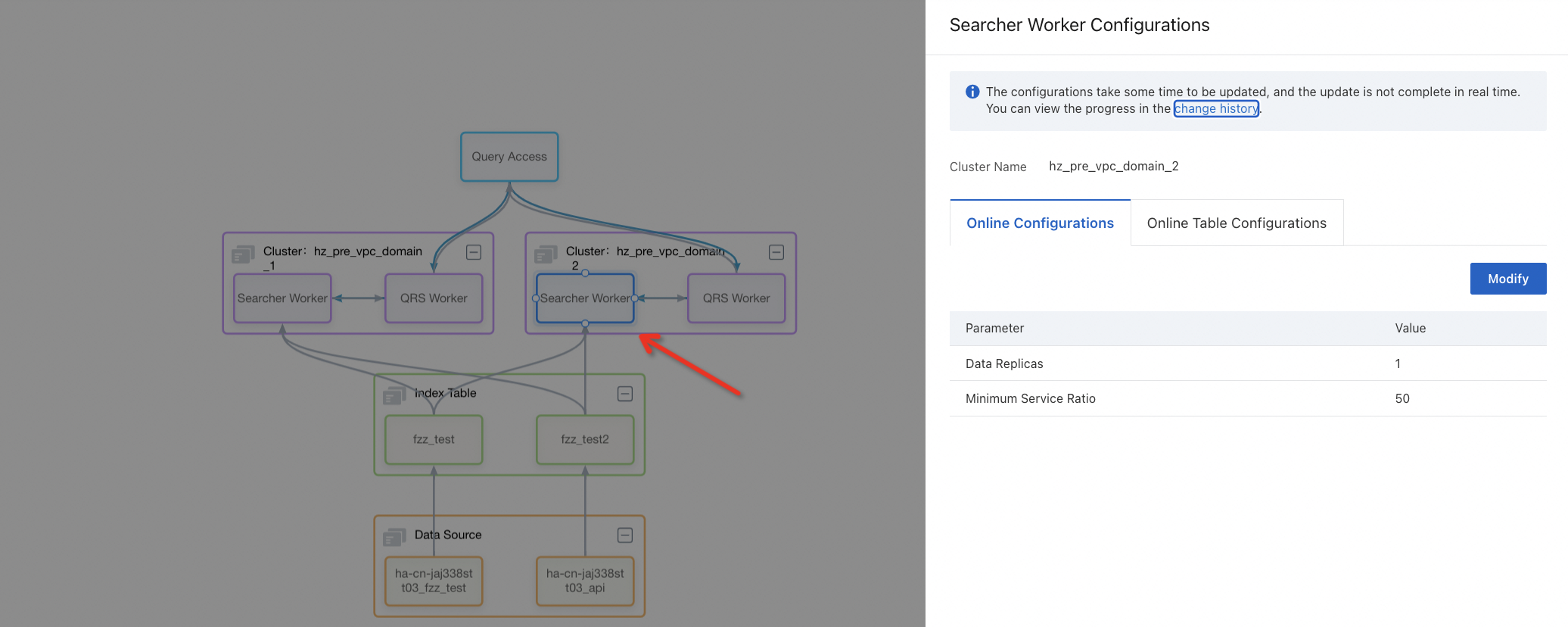
After the configurations are modified, new configurations take effect immediately.
Enable or disable an index table
When a new index table is configured or an index table is disabled, you can click the block of the index table to enable or disable the index table.
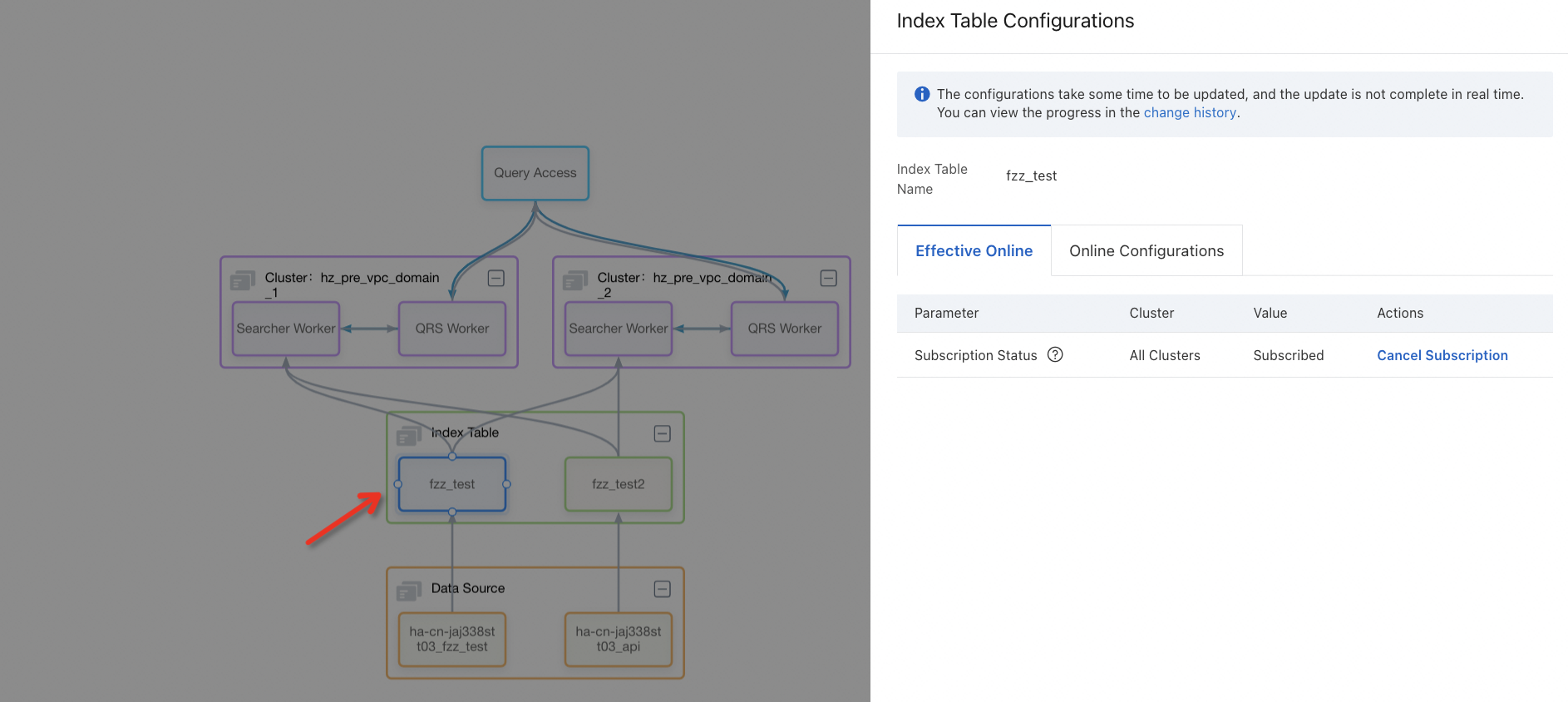
After the index table is disabled, the online engine can no longer access the data of the index table. Make sure that query traffic is not routed to the index table that you want to disable. Proceed with caution.
Mount or unmount a cluster
When a cluster is added or you want to remove a cluster, click the box of the cluster to mount the new cluster or unmount the cluster that you want to remove.
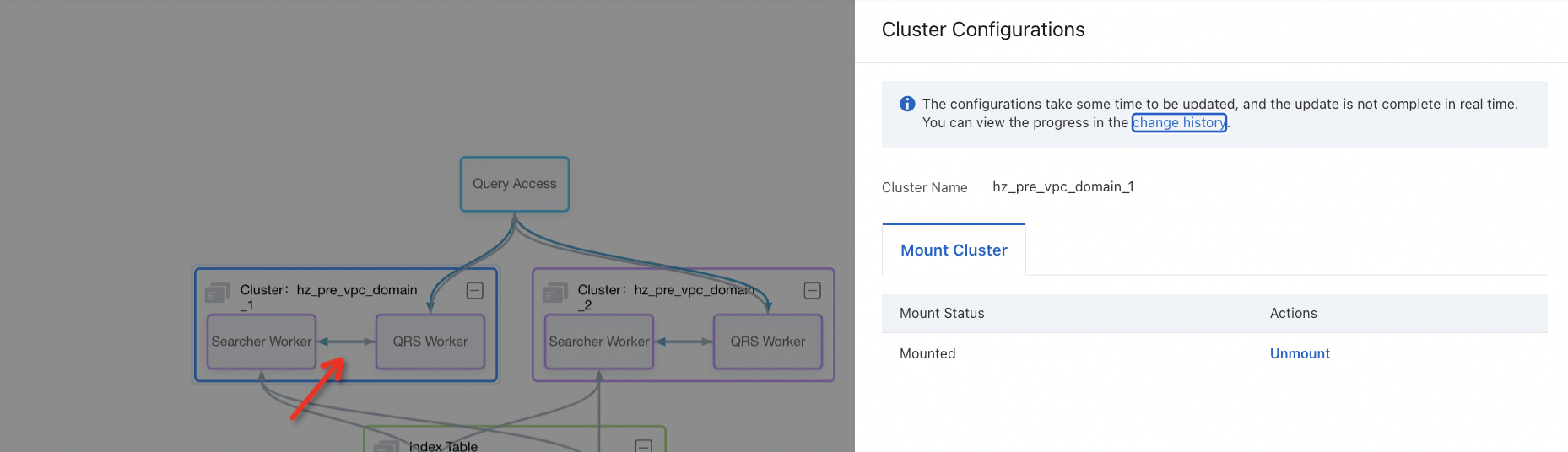
After the cluster is mounted, the online traffic is immediately allocated to the cluster. Make sure that the cluster configuration is correct. Proceed with caution.
After the cluster is unmounted, online traffic is no longer allocated to the cluster. Make sure that online traffic is not routed to the cluster. Proceed with caution.
Usage notes
The number of data shards for QRS workers or Searcher workers is displayed only for reference and cannot be modified.
After you disable an online index table, remove the index table from the index schema at the earliest opportunity. Otherwise, an error is reported for your cluster.
After you unmount a cluster, the cluster cannot be used for external searches. Before you perform this operation, make sure that no traffic is routed to the cluster.
Data sources, index tables, and clusters that consist of QRS workers and Searcher workers are displayed in deployment management, regardless of whether they take effect online or whether a cluster is mounted.